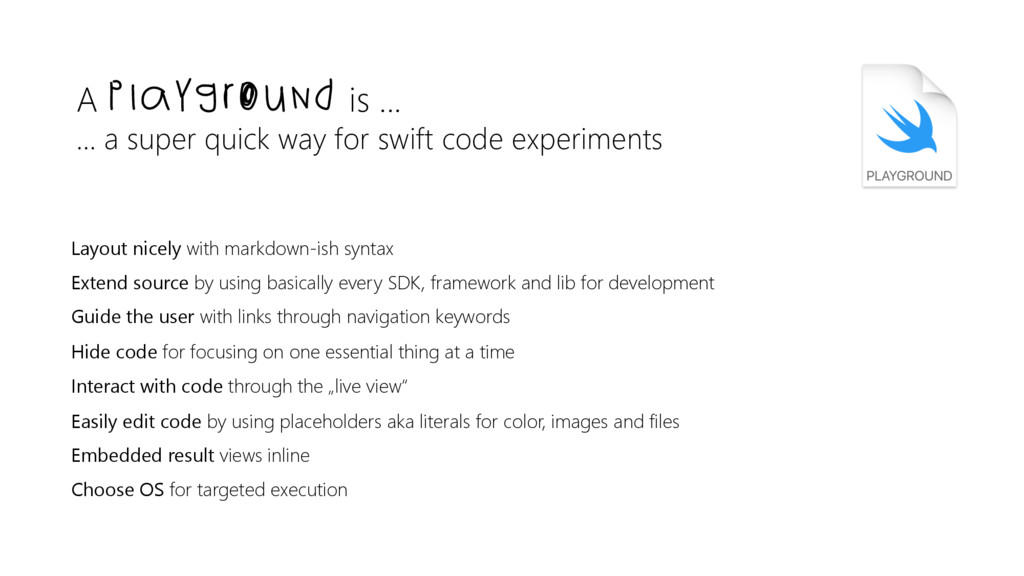
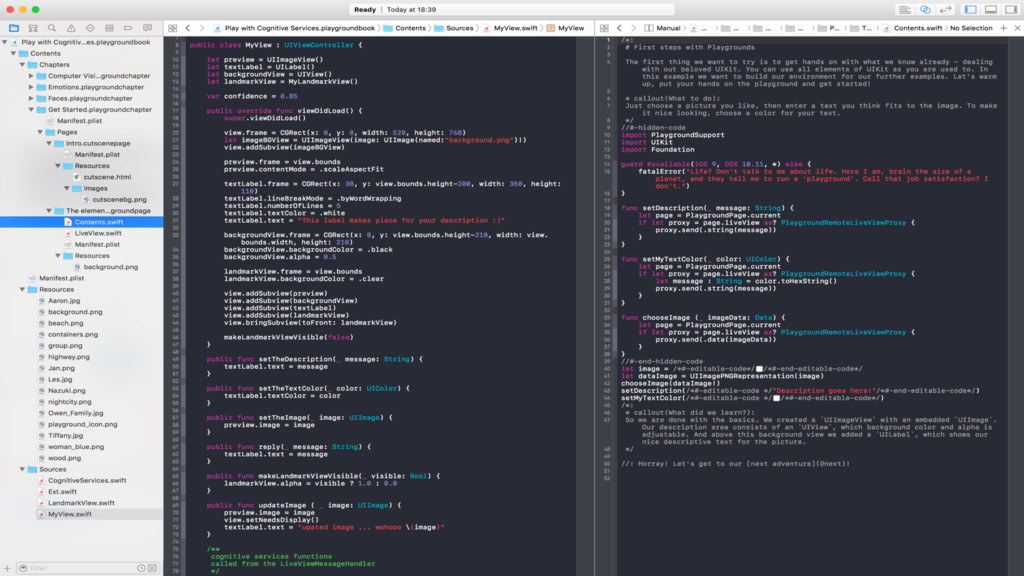
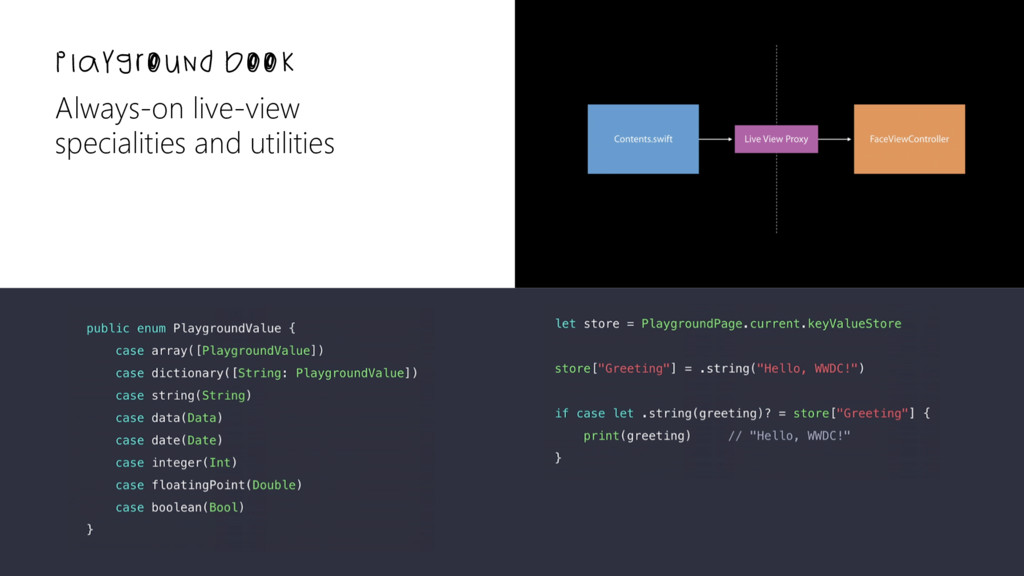
swift code experiments Layout nicely with markdown-ish syntax Extend source by using basically every SDK, framework and lib for development Guide the user with links through navigation keywords Hide code for focusing on one essential thing at a time Interact with code through the „live view“ Easily edit code by using placeholders aka literals for color, images and files Embedded result views inline Choose OS for targeted execution
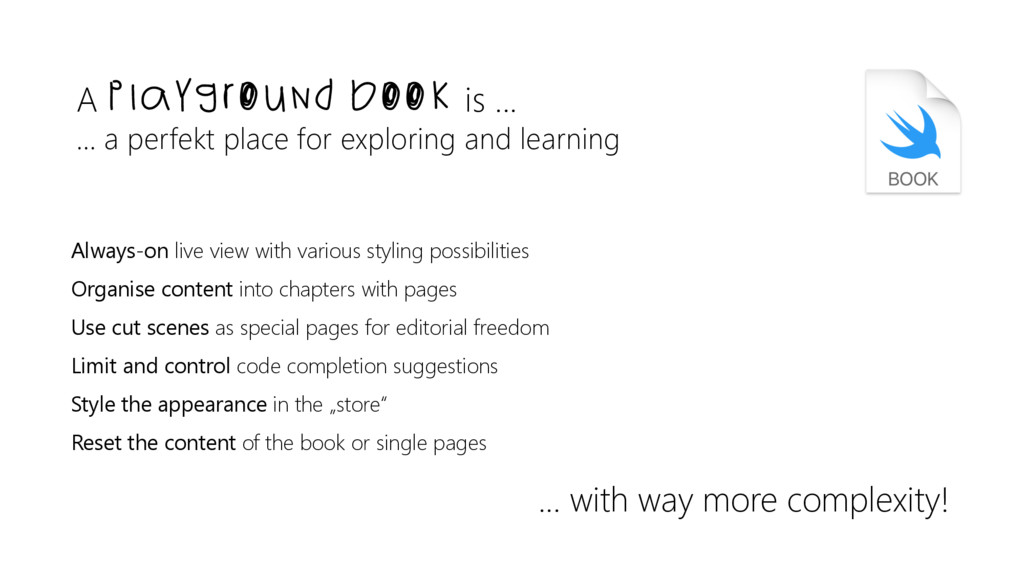
exploring and learning Always-on live view with various styling possibilities Organise content into chapters with pages Use cut scenes as special pages for editorial freedom Limit and control code completion suggestions Style the appearance in the „store“ Reset the content of the book or single pages ... with way more complexity!
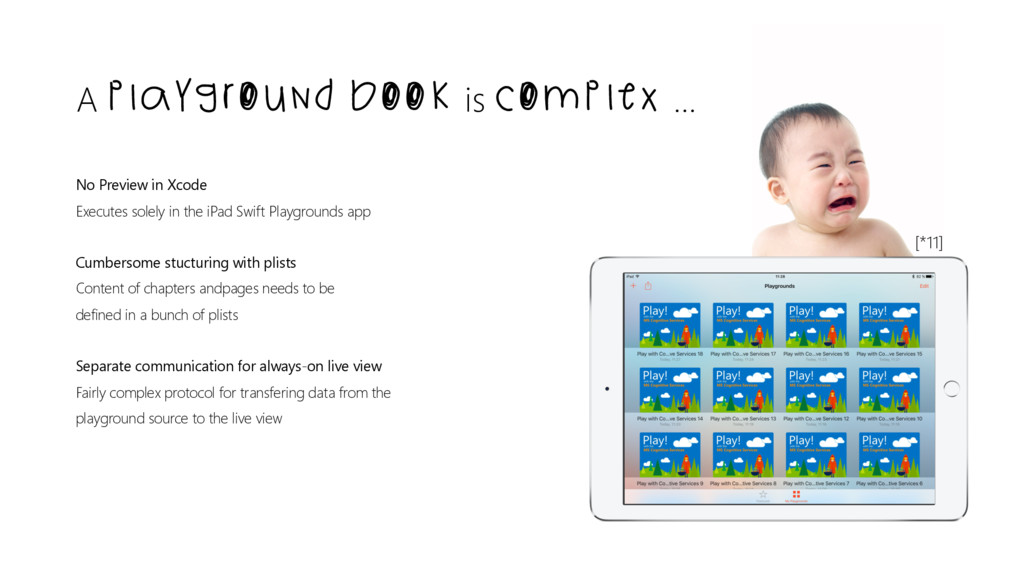
Playgrounds app Cumbersome stucturing with plists Content of chapters andpages needs to be defined in a bunch of plists Separate communication for always-on live view Fairly complex protocol for transfering data from the playground source to the live view A Playground book is complex ... [*11]
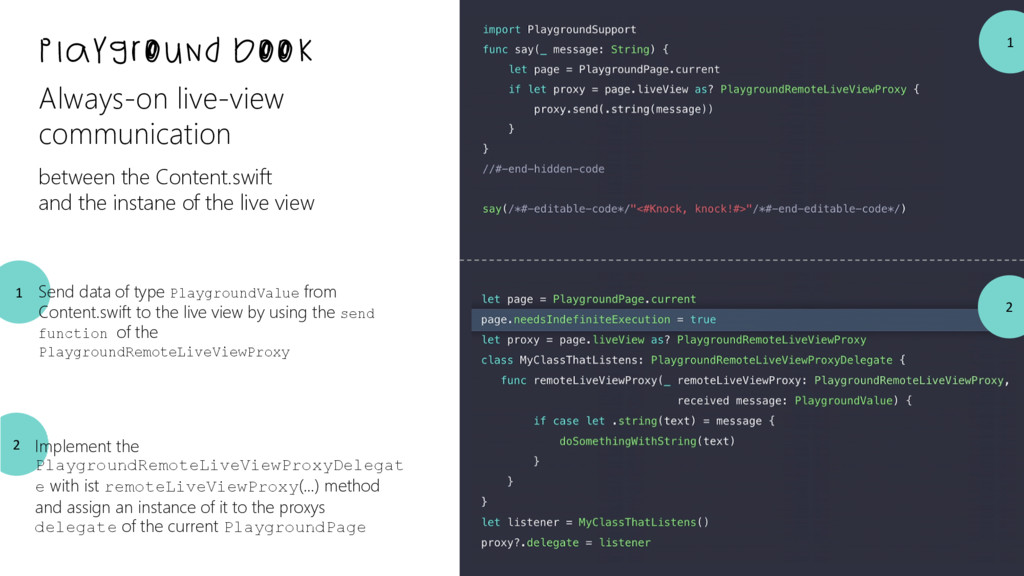
and the instane of the live view Send data of type PlaygroundValue from Content.swift to the live view by using the send function of the PlaygroundRemoteLiveViewProxy Implement the PlaygroundRemoteLiveViewProxyDelegat e with ist remoteLiveViewProxy(...) method and assign an instance of it to the proxys delegate of the current PlaygroundPage 1 2
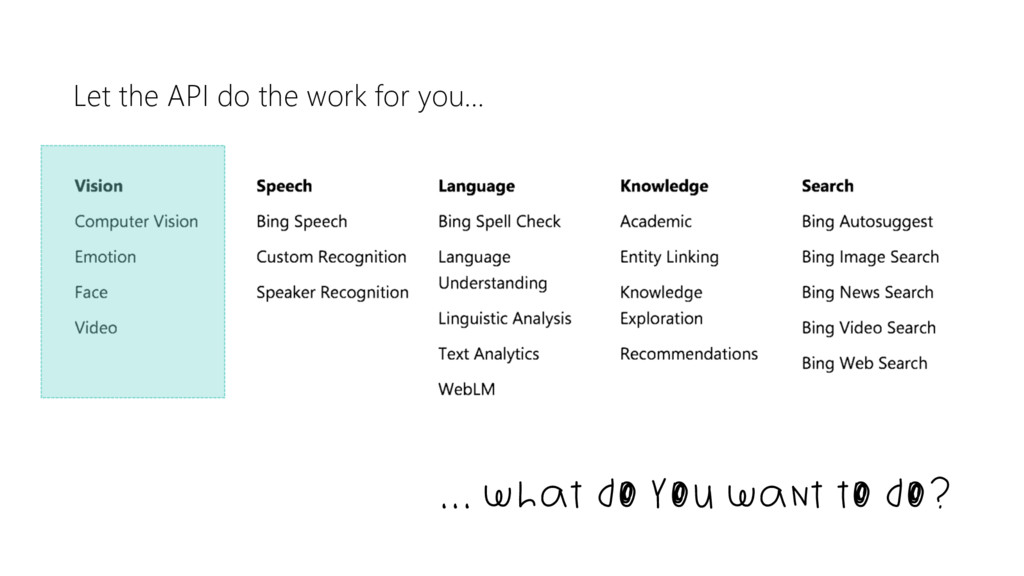
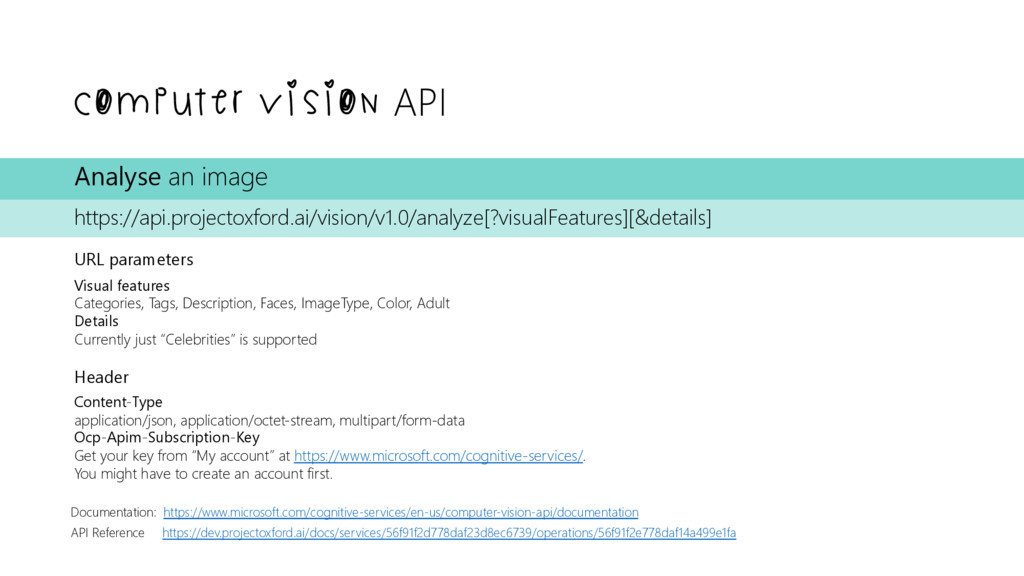
image https://api.projectoxford.ai/vision/v1.0/analyze[?visualFeatures][&details] URL parameters Visual features Categories, Tags, Description, Faces, ImageType, Color, Adult Details Currently just “Celebrities” is supported Header Content-Type application/json, application/octet-stream, multipart/form-data Ocp-Apim-Subscription-Key Get your key from “My account” at https://www.microsoft.com/cognitive-services/. You might have to create an account first.
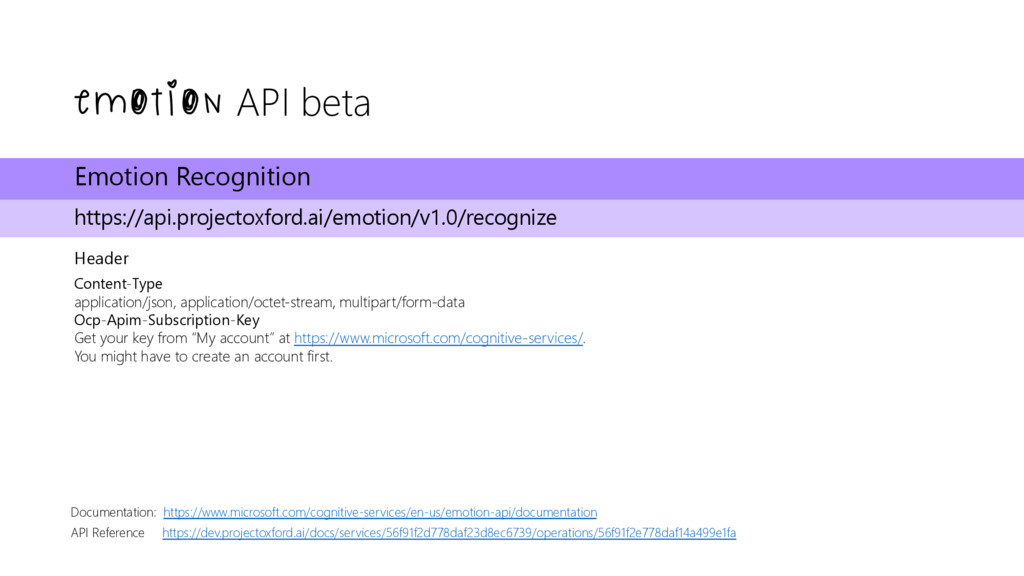
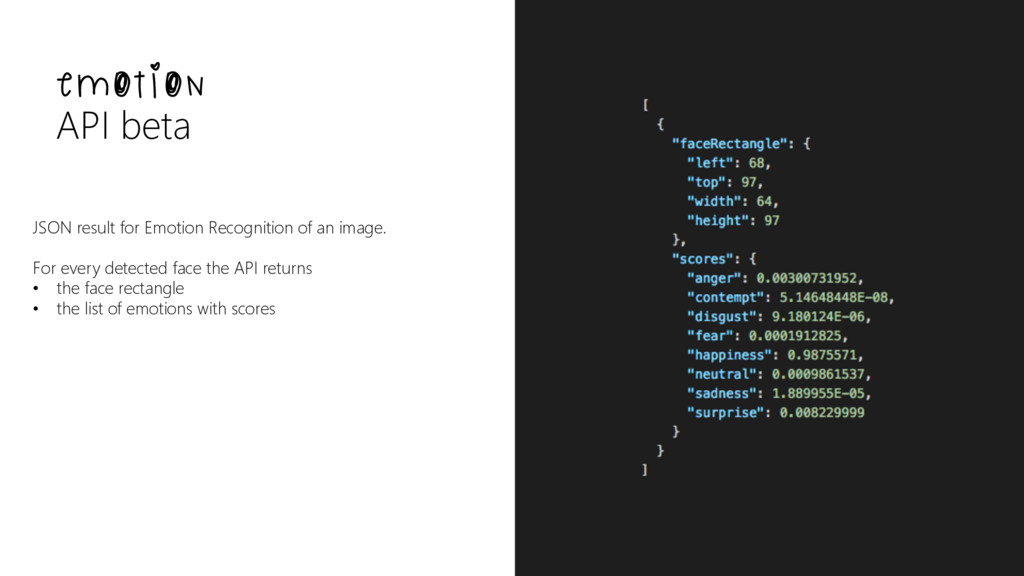
https://api.projectoxford.ai/emotion/v1.0/recognize Header Content-Type application/json, application/octet-stream, multipart/form-data Ocp-Apim-Subscription-Key Get your key from “My account” at https://www.microsoft.com/cognitive-services/. You might have to create an account first.
– outputStyle [aggregate, perFrame] Header - see “Recognition” Result on 202 - video operation status/result as URL Emotion Recognition with Face Rectangles https://api.projectoxford.ai/emotion/v1.0/recognize?faceRectangles={faceRectangles} URL parameters – faceRectangles (left, top, width, height) Header - see “Recognition” Recognition in Video Operation Result https://api.projectoxford.ai/emotion/v1.0/operations/{oid}] URL parameters – oid (URL from Emotion Recognition in videos) Header - see “Recognition” Result: Status of recognition operation. On SUCCEEDED -> JSON can be retrieved from processingResult field. https://www.microsoft.com/cognitive-services/en-us/emotion-api/documentation/howtocallemotionforvideo
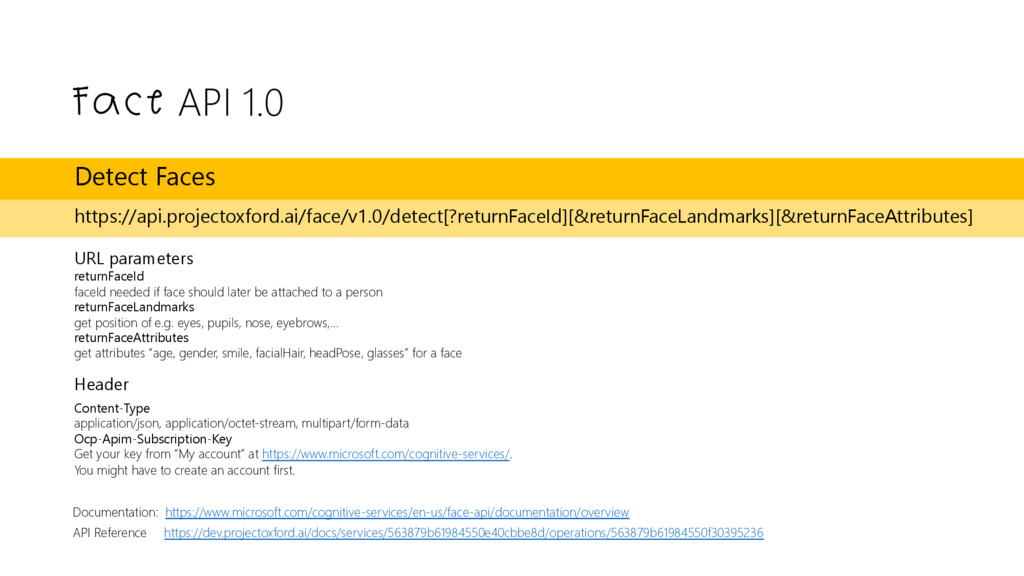
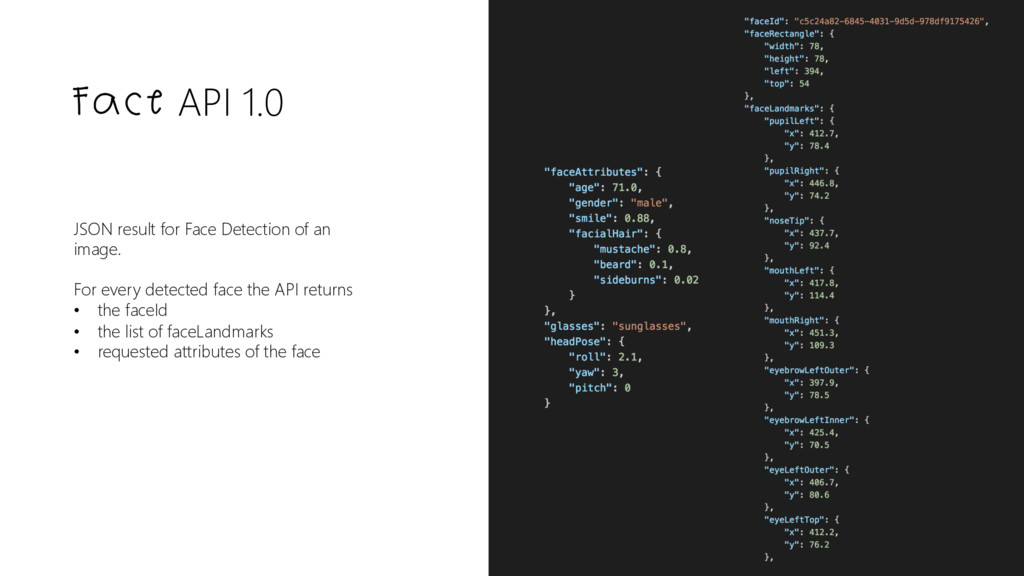
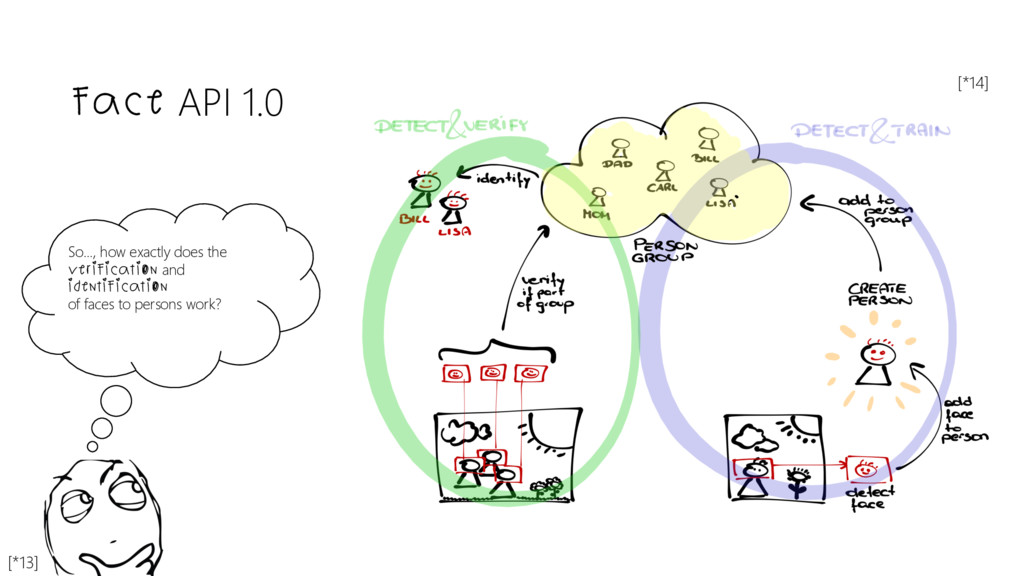
https://api.projectoxford.ai/face/v1.0/detect[?returnFaceId][&returnFaceLandmarks][&returnFaceAttributes] URL parameters returnFaceId faceId needed if face should later be attached to a person returnFaceLandmarks get position of e.g. eyes, pupils, nose, eyebrows,… returnFaceAttributes get attributes “age, gender, smile, facialHair, headPose, glasses” for a face Header Content-Type application/json, application/octet-stream, multipart/form-data Ocp-Apim-Subscription-Key Get your key from “My account” at https://www.microsoft.com/cognitive-services/. You might have to create an account first.
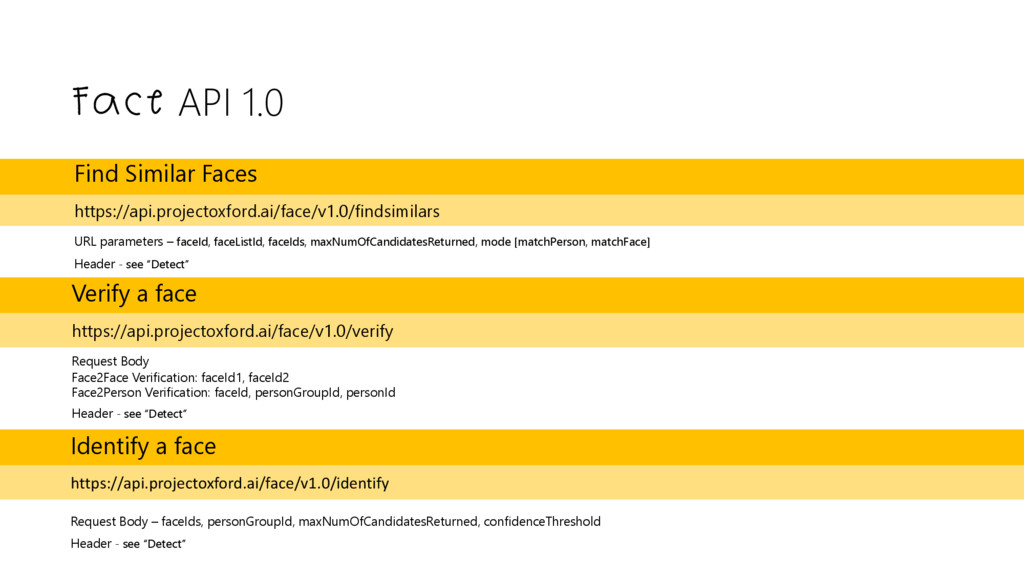
faceId, faceListId, faceIds, maxNumOfCandidatesReturned, mode [matchPerson, matchFace] Header - see “Detect” Verify a face https://api.projectoxford.ai/face/v1.0/verify Request Body Face2Face Verification: faceId1, faceId2 Face2Person Verification: faceId, personGroupId, personId Header - see “Detect” Identify a face https://api.projectoxford.ai/face/v1.0/identify Request Body – faceIds, personGroupId, maxNumOfCandidatesReturned, confidenceThreshold Header - see “Detect”
Research created a telepresence robot which feels human in his interactions. Link to the paper: https://s3-us-west- 1.amazonaws.com/disneyresearch/wp- content/uploads/20160503162533/A-Hybrid- Hydrostatic-Transmission-and-Human-Safe- Haptic-Telepresence-Robot-Paper.pdf


 codeprincess
 miccheng
 hasutosasaki
 l2hyunwoo
 kajitack
 nnaka2992
 3saito
 ktombow
 dalinaum
 takahirosunaga
 hal_spidernight
 seosoft
 kumaiu
 techseoconnect
 skipperchong
 stephenakadiri
 lara
 katarinadahlin
 michielstock
 keithpitt
 addyosmani
 sergeychernyshev
 gurzu
 reverentgeek



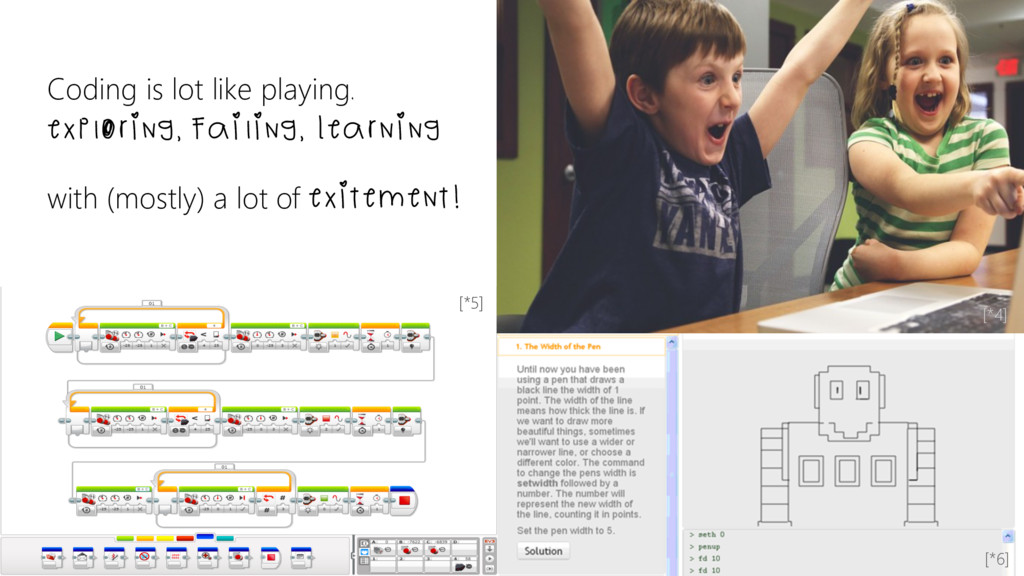
![missing incomplete outdated wrong absurd ] documentation == [*9]](https://files.speakerdeck.com/presentations/bbfec9d0e6e3489fa4f5e1d3561c6f1d/slide_5.jpg)