Share
Embed
Transcript
132 slides
-
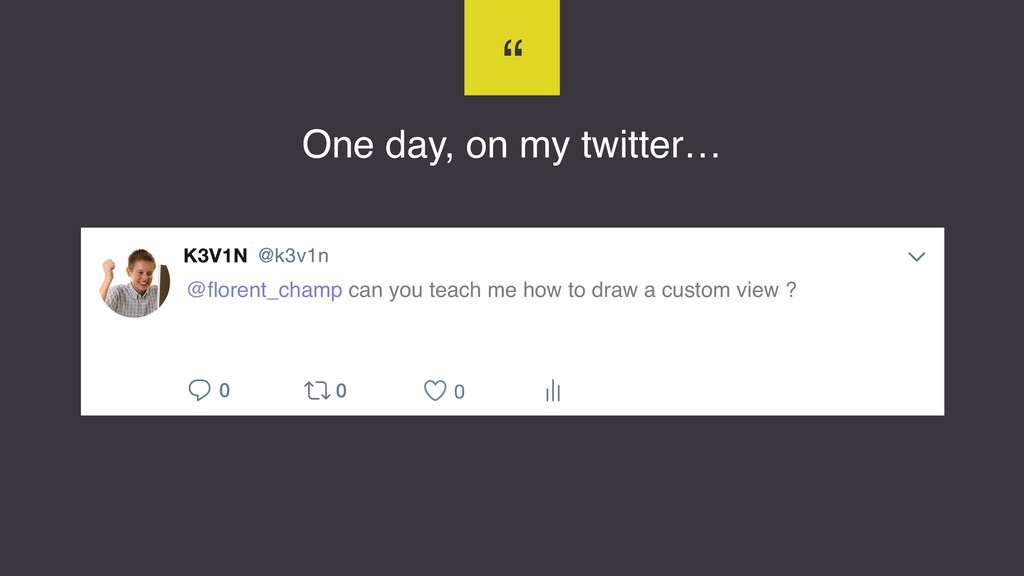
One day, on my twitter… “ @florent_champ can you teach
me how to draw a custom view ? -
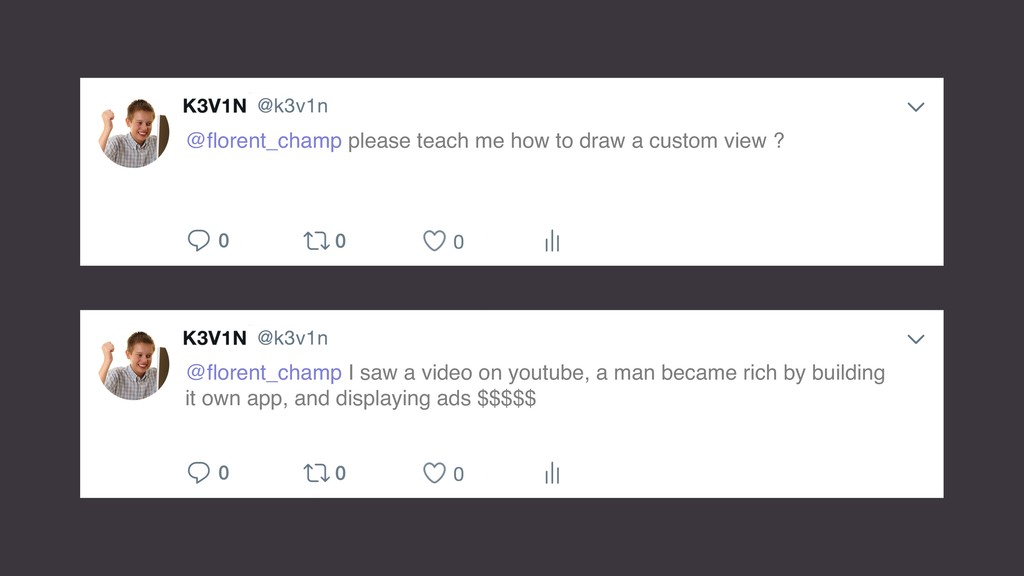
@florent_champ please teach me how to draw a custom view
? @florent_champ I saw a video on youtube, a man became rich by building it own app, and displaying ads $$$$$ -
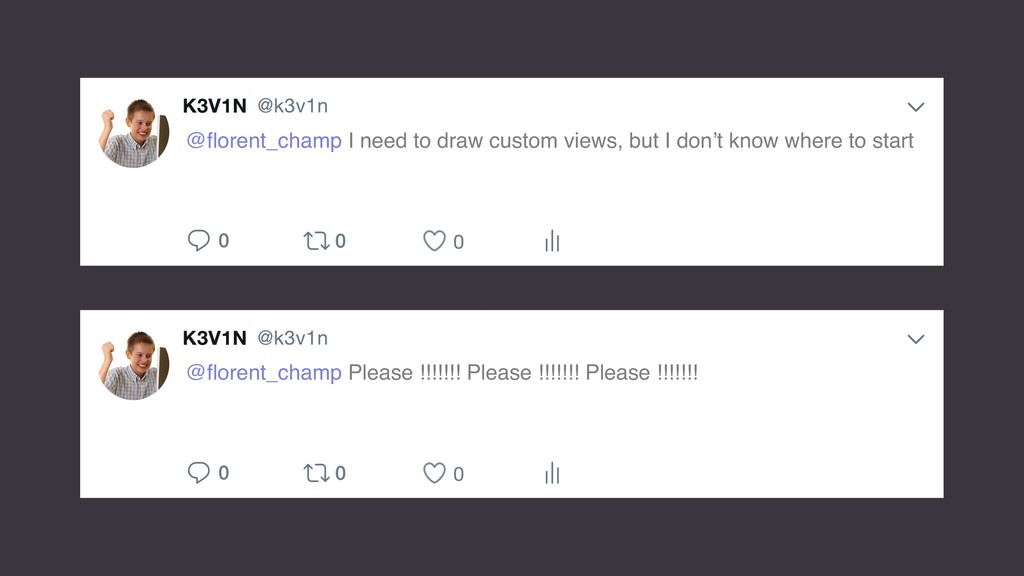
@florent_champ I need to draw custom views, but I don’t
know where to start @florent_champ Please !!!!!!! Please !!!!!!! Please !!!!!!! -
K3v1n : FORTNIGHT <3 <3 Love to code on Windows
Learn Android, want to become billionaire with an Android app displaying ads $ $ $ HTML is its favorite programming language -
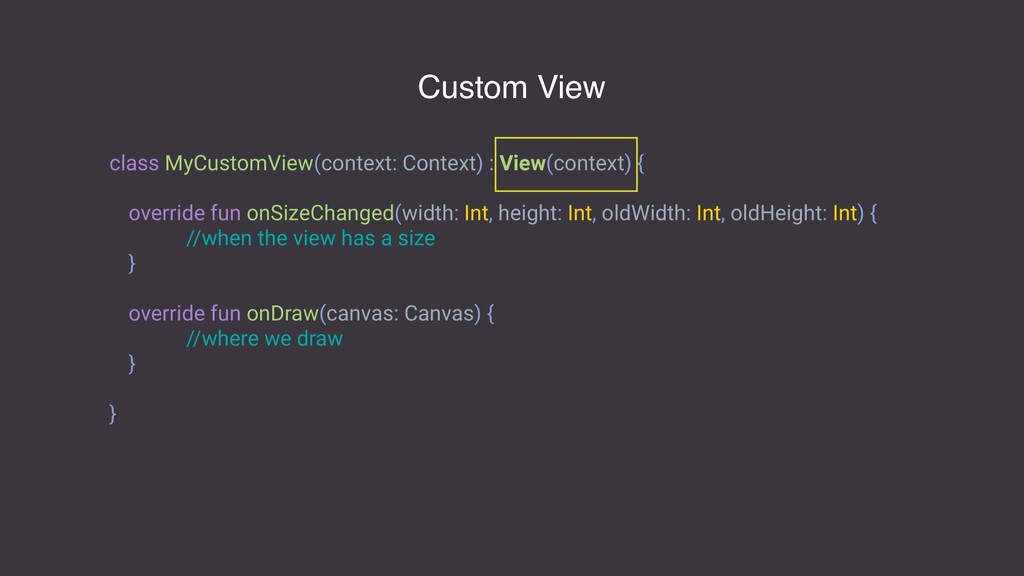
class MyCustomView(context: Context) : View(context) { override fun onSizeChanged(width: Int,
height: Int, oldWidth: Int, oldHeight: Int) { //when the view has a size } override fun onDraw(canvas: Canvas) { //where we draw } } Custom View -
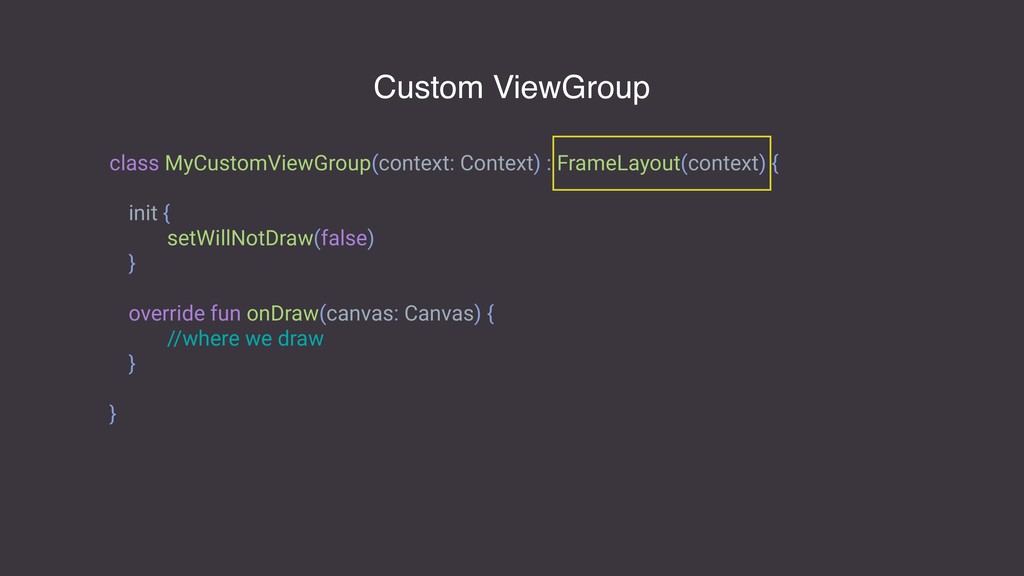
class MyCustomViewGroup(context: Context) : FrameLayout(context) { init { setWillNotDraw(false) }
override fun onDraw(canvas: Canvas) { //where we draw } } Custom ViewGroup -
class MyCustomViewGroup(context: Context) : FrameLayout(context) { override fun dispatchDraw(canvas: Canvas)
{ //where we draw } } Custom ViewGroup -
Paint The Paint class holds the style and color information
about how to draw geometries, text and bitmaps. https://developer.android.com/reference/android/graphics/Paint -
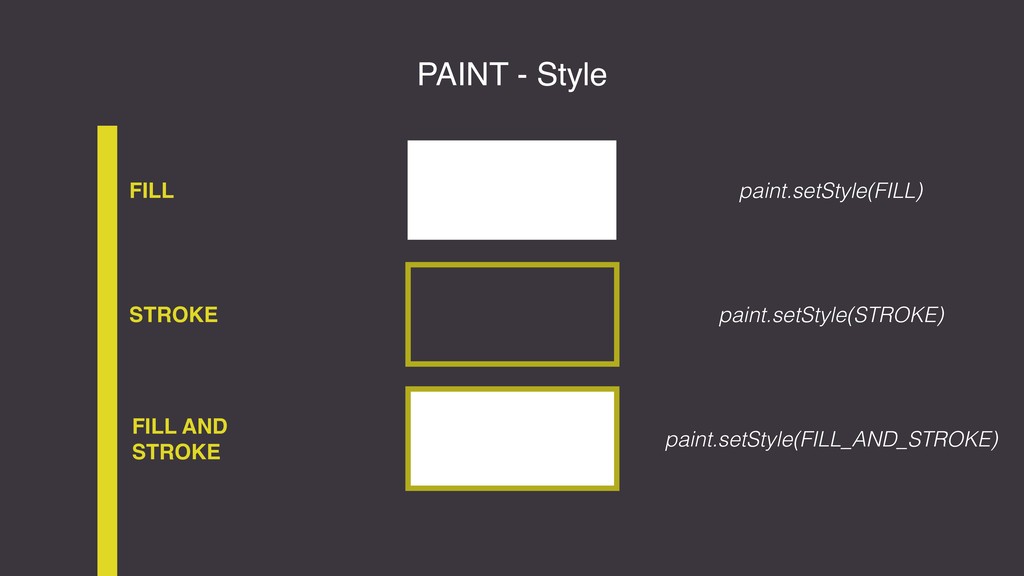
PAINT - Style FILL FILL AND STROKE STROKE paint.setStyle(FILL) paint.setStyle(STROKE)
paint.setStyle(FILL_AND_STROKE) -
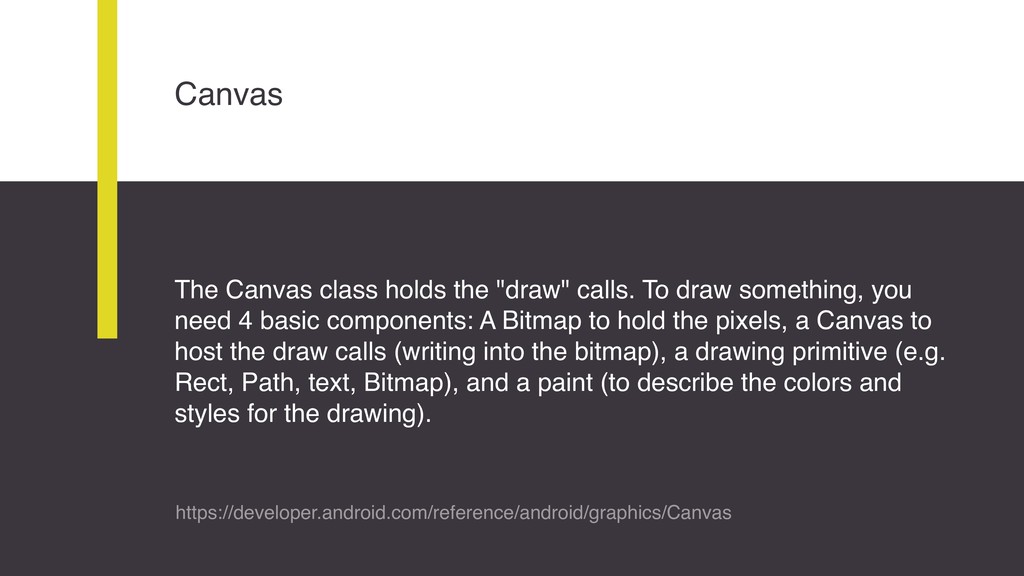
Canvas The Canvas class holds the "draw" calls. To draw
something, you need 4 basic components: A Bitmap to hold the pixels, a Canvas to host the draw calls (writing into the bitmap), a drawing primitive (e.g. Rect, Path, text, Bitmap), and a paint (to describe the colors and styles for the drawing). https://developer.android.com/reference/android/graphics/Canvas -
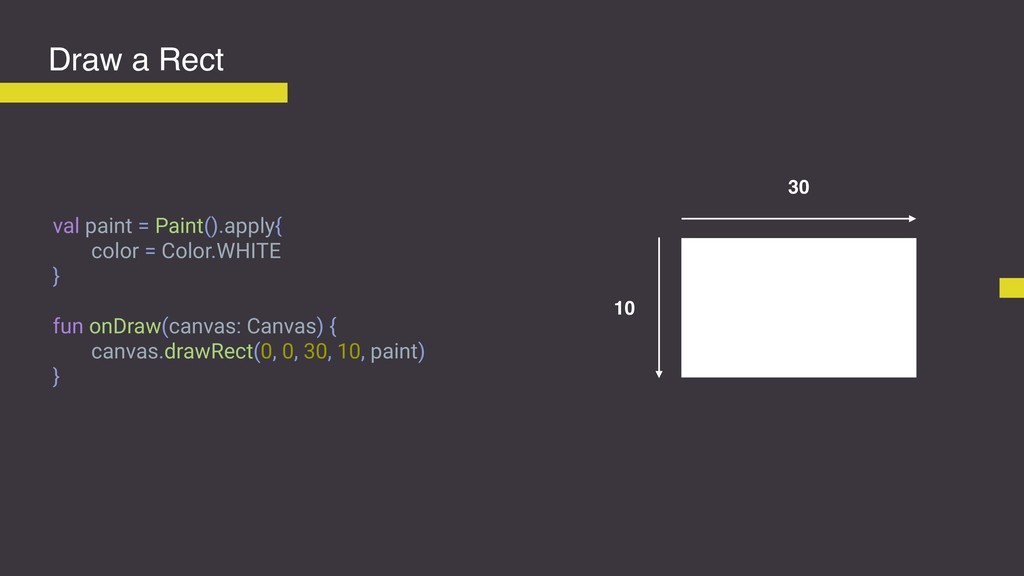
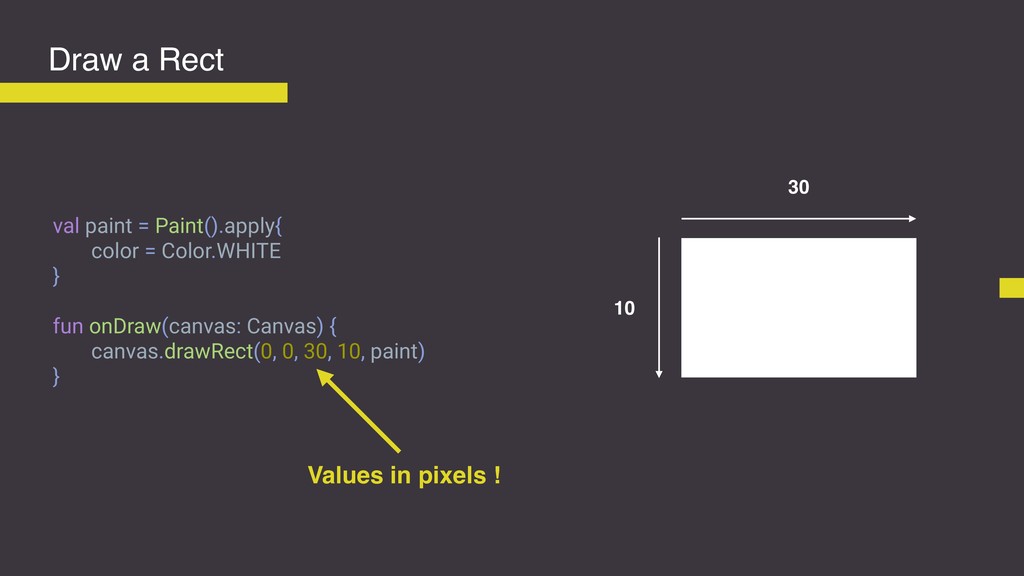
val paint = Paint().apply{ color = Color.WHITE } fun onDraw(canvas:
Canvas) { canvas.drawRect(0, 0, 30, 10, paint) } Draw a Rect 30 10 -
val paint = Paint().apply{ color = Color.WHITE } fun onDraw(canvas:
Canvas) { canvas.drawRect(0, 0, 30, 10, paint) } Draw a Rect 30 10 Values in pixels ! -
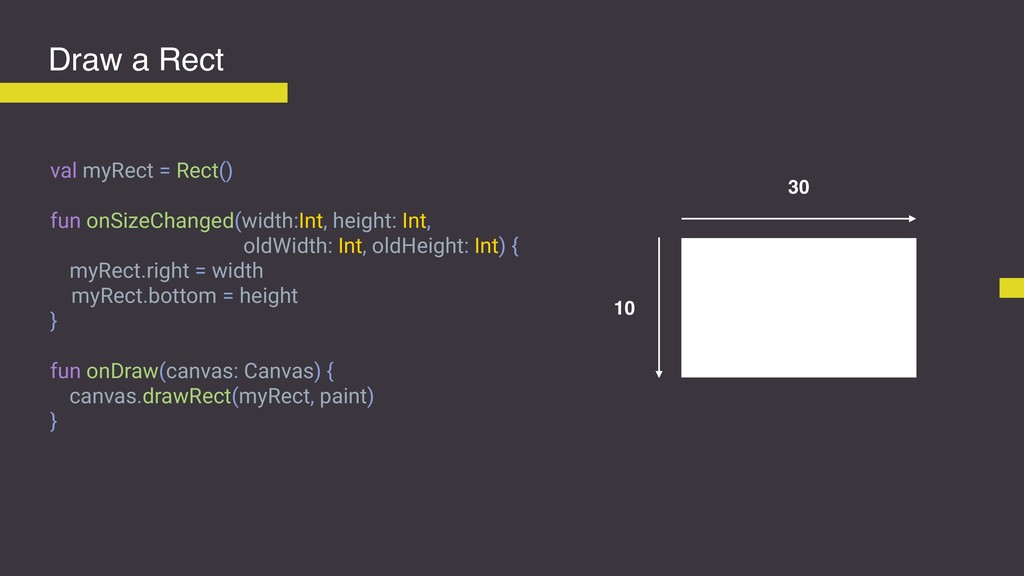
Draw a Rect 30 10 val myRect = Rect() fun
onSizeChanged(width:Int, height: Int, oldWidth: Int, oldHeight: Int) { myRect.right = width myRect.bottom = height } fun onDraw(canvas: Canvas) { canvas.drawRect(myRect, paint) } -
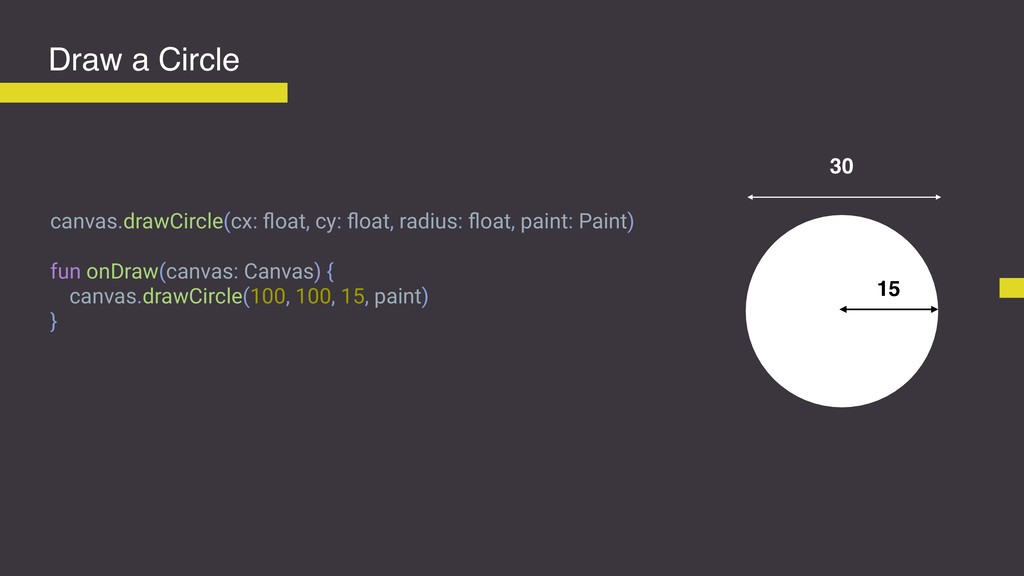
Draw a Circle canvas.drawCircle(cx: float, cy: float, radius: float, paint:
Paint) fun onDraw(canvas: Canvas) { canvas.drawCircle(100, 100, 15, paint) } 30 15 -
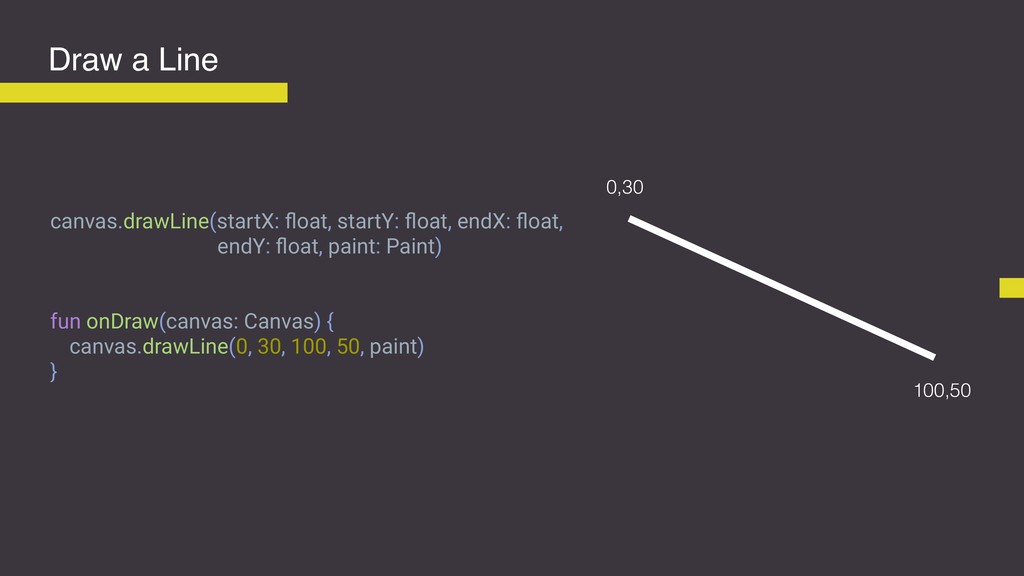
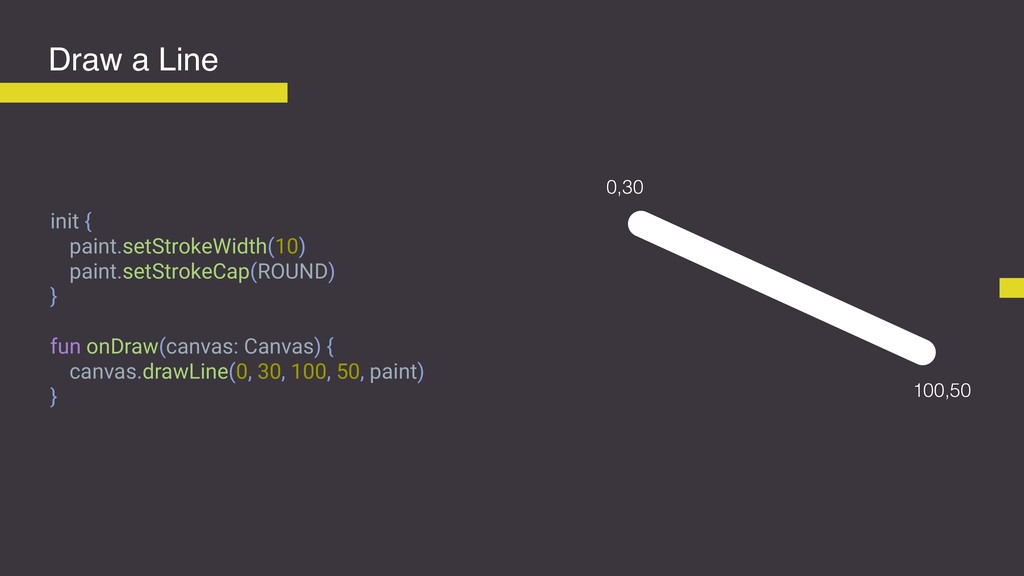
Draw a Line canvas.drawLine(startX: float, startY: float, endX: float, endY:
float, paint: Paint) fun onDraw(canvas: Canvas) { canvas.drawLine(0, 30, 100, 50, paint) } 0,30 100,50 -
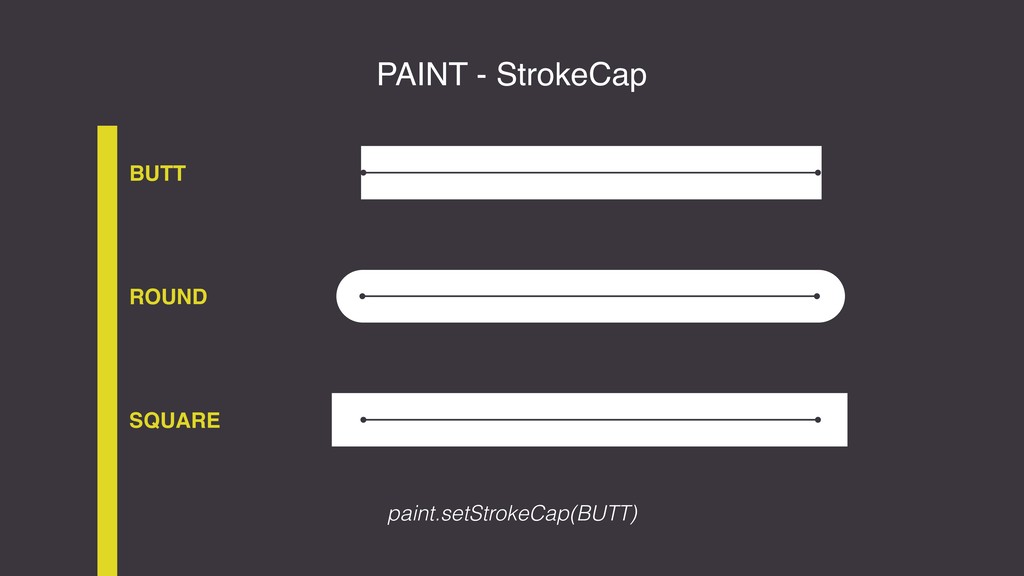
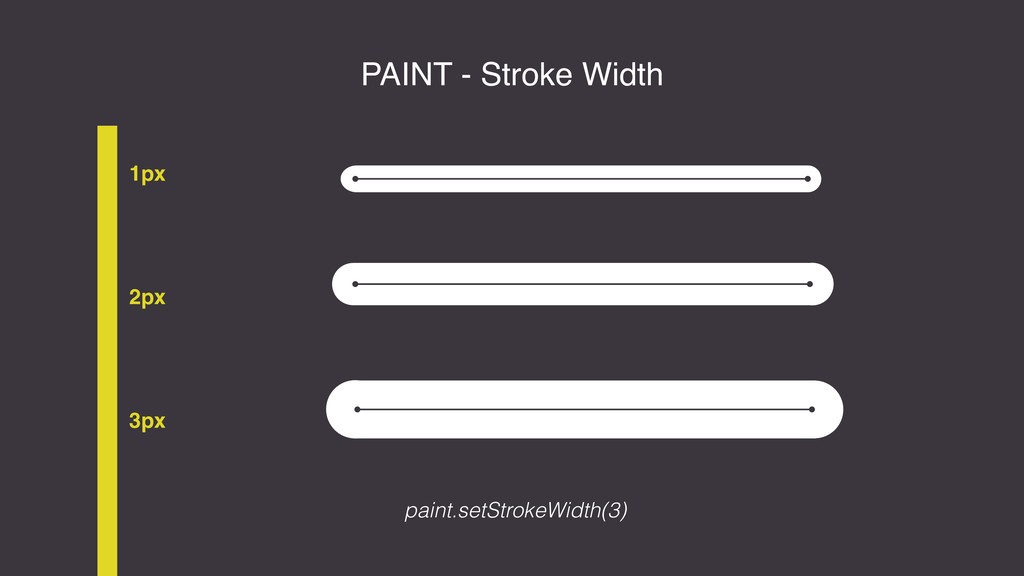
Draw a Line init { paint.setStrokeWidth(10) paint.setStrokeCap(ROUND) } fun onDraw(canvas:
Canvas) { canvas.drawLine(0, 30, 100, 50, paint) } 0,30 100,50 -
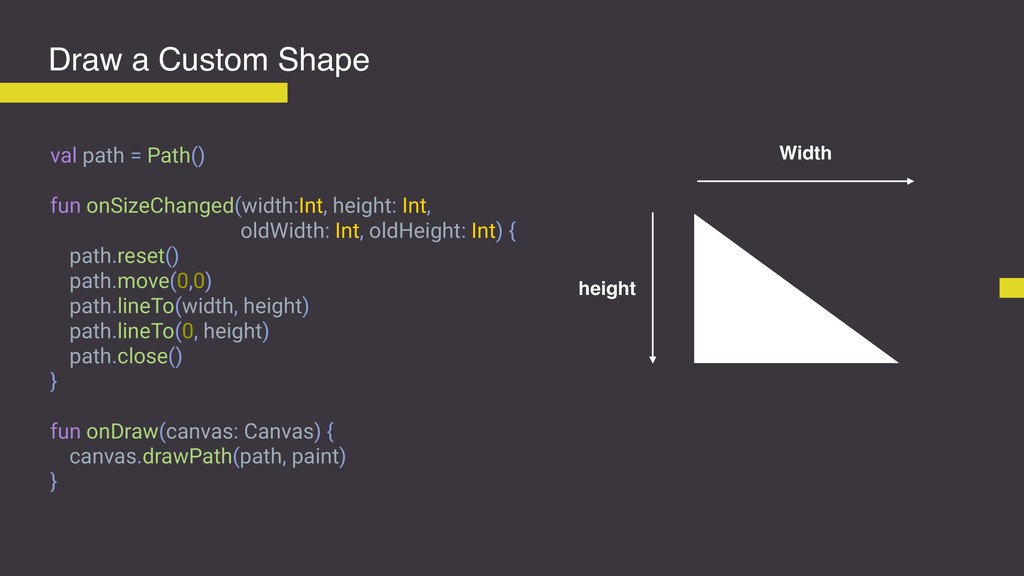
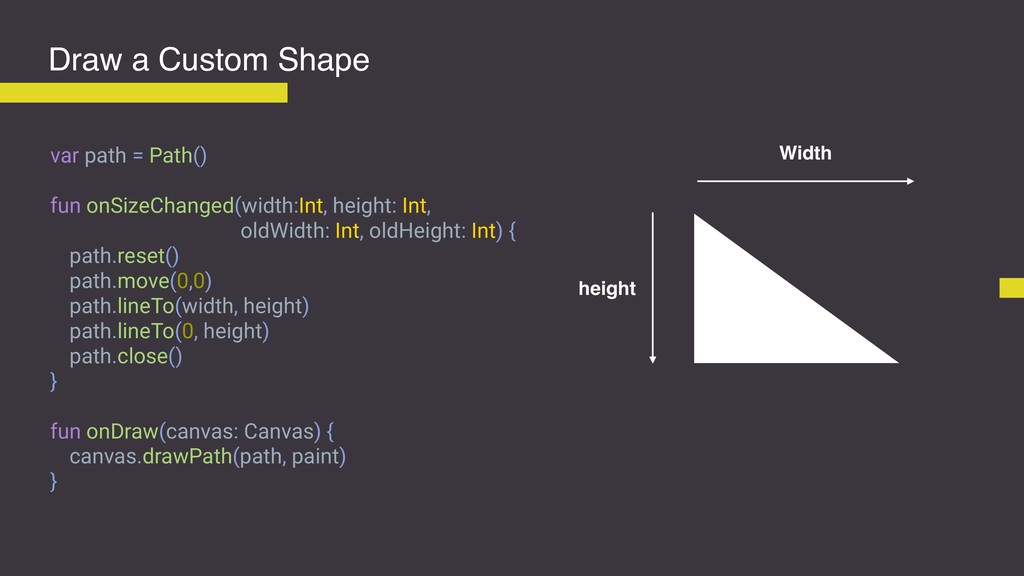
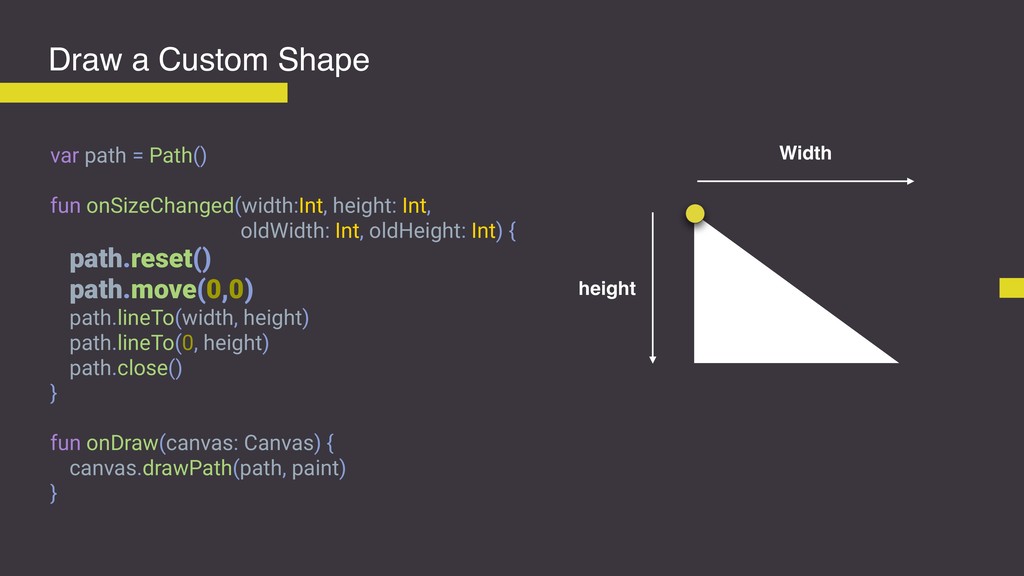
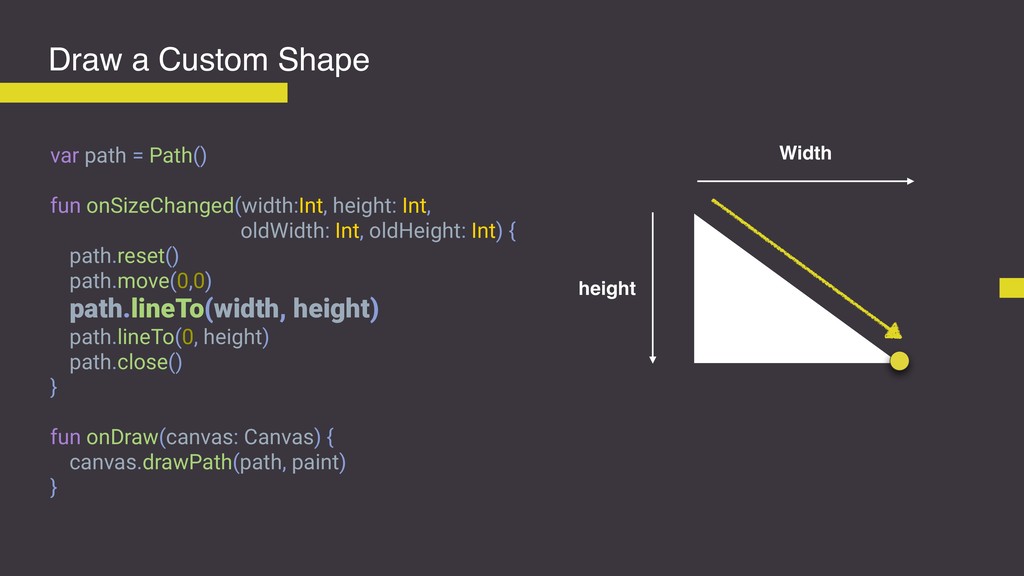
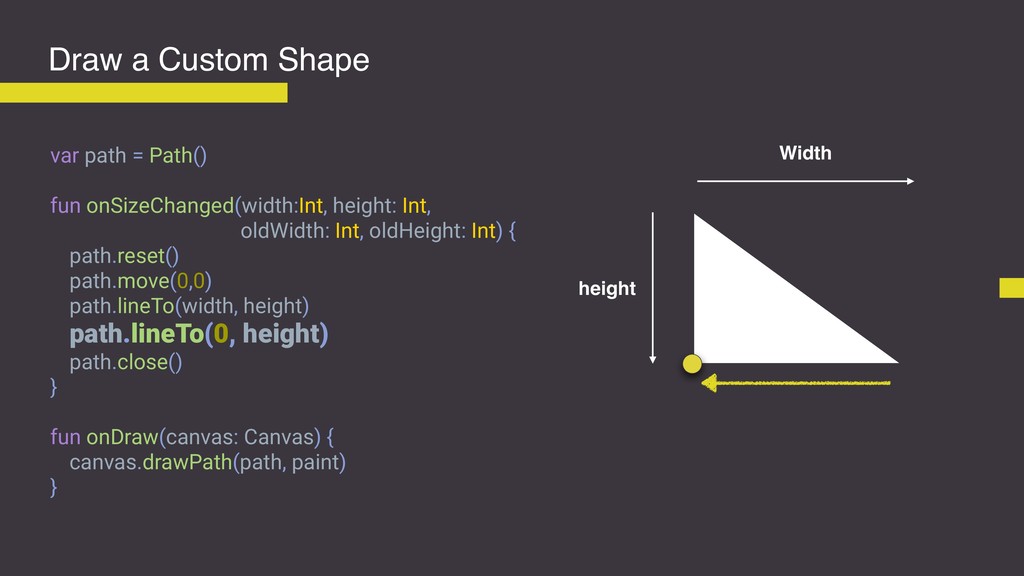
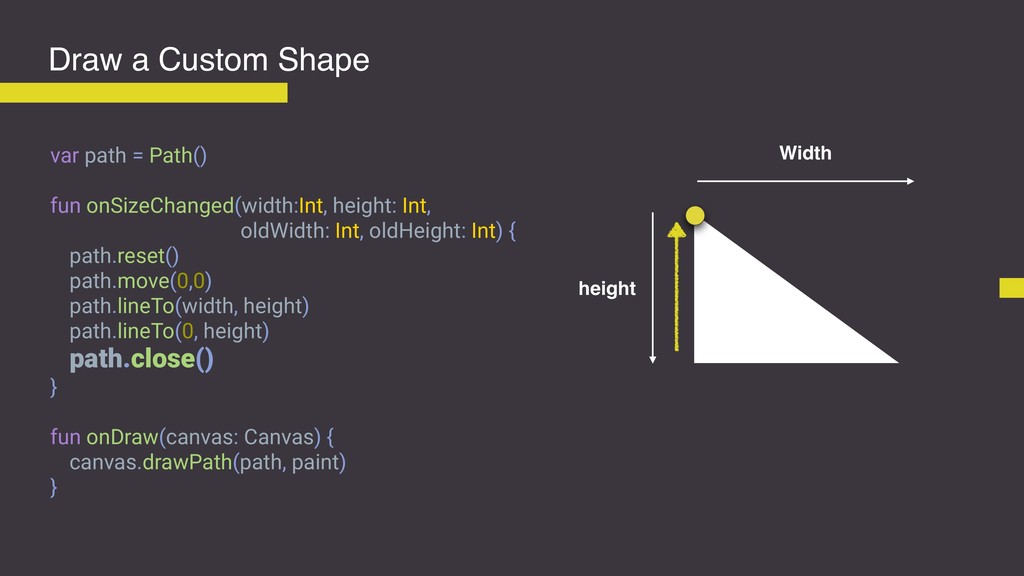
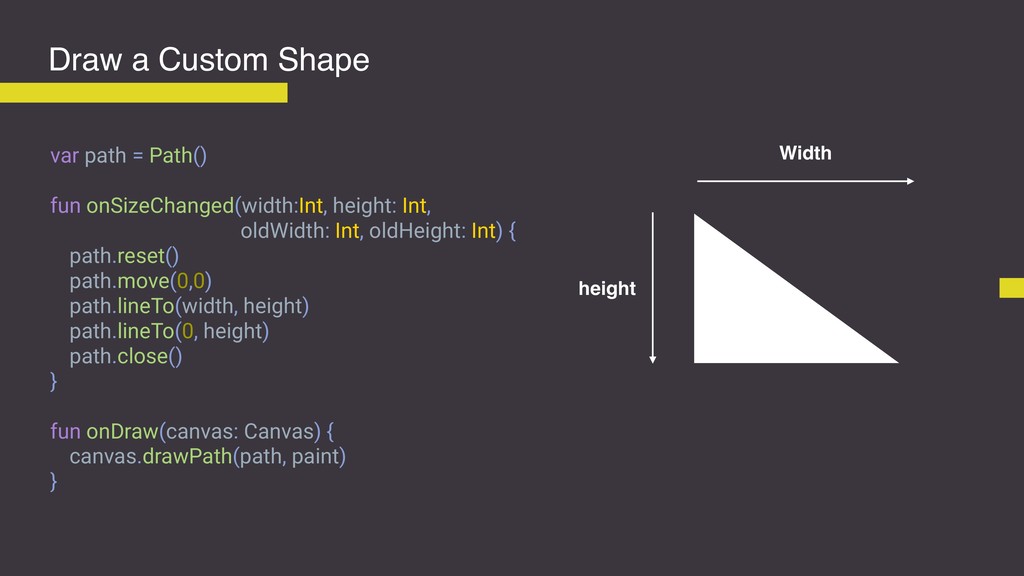
Draw a Custom Shape val path = Path() fun onSizeChanged(width:Int,
height: Int, oldWidth: Int, oldHeight: Int) { path.reset() path.move(0,0) path.lineTo(width, height) path.lineTo(0, height) path.close() } fun onDraw(canvas: Canvas) { canvas.drawPath(path, paint) } Width height -
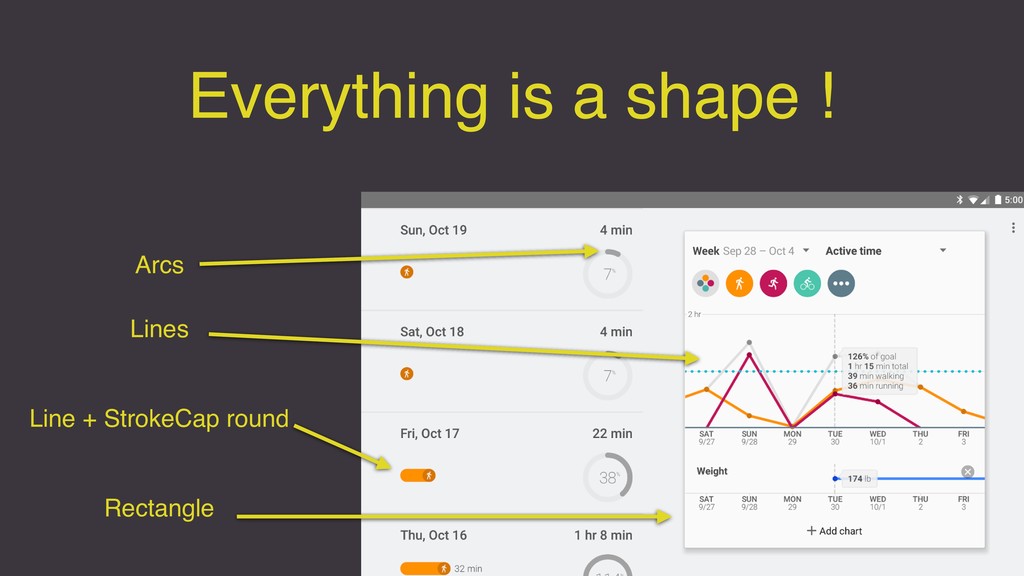
Everything is a shape ! Line + StrokeCap round Arcs
Lines Rectangle -
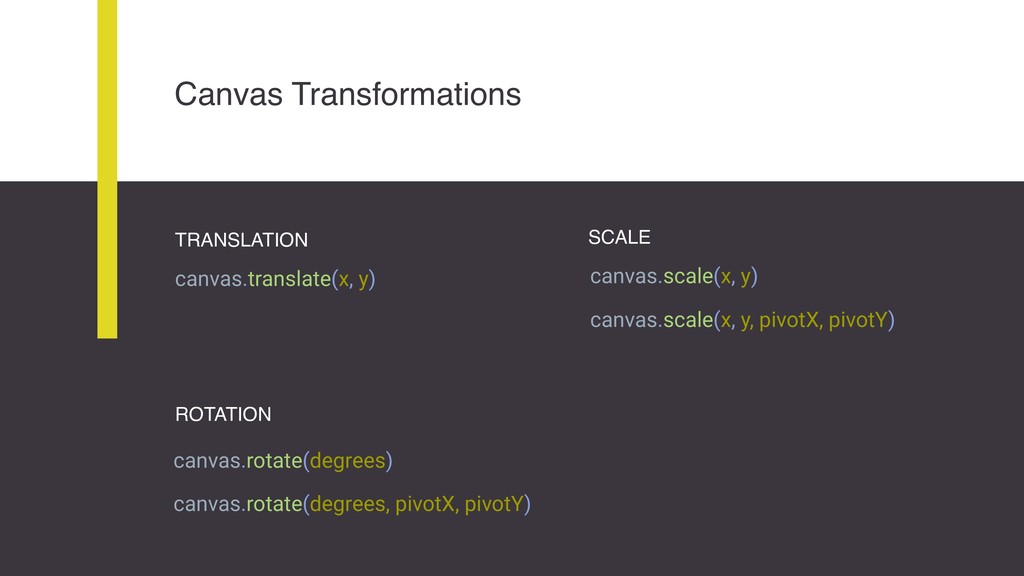
Canvas Transformations TRANSLATION canvas.translate(x, y) SCALE ROTATION canvas.scale(x, y) canvas.scale(x,
y, pivotX, pivotY) canvas.rotate(degrees) canvas.rotate(degrees, pivotX, pivotY) -
Translations val myRect = Rect(5, 5, 100, 90) fun onDraw(canvas:
Canvas) { canvas.drawRect(myRect, paint) } 0 100 100 -
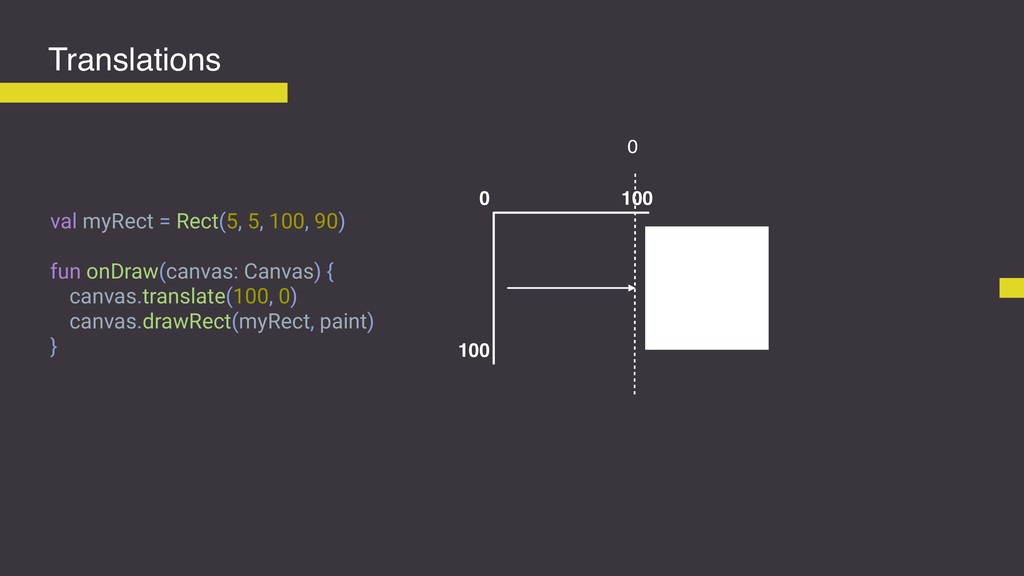
Translations val myRect = Rect(5, 5, 100, 90) fun onDraw(canvas:
Canvas) { canvas.translate(100, 0) canvas.drawRect(myRect, paint) } 0 100 100 0 -
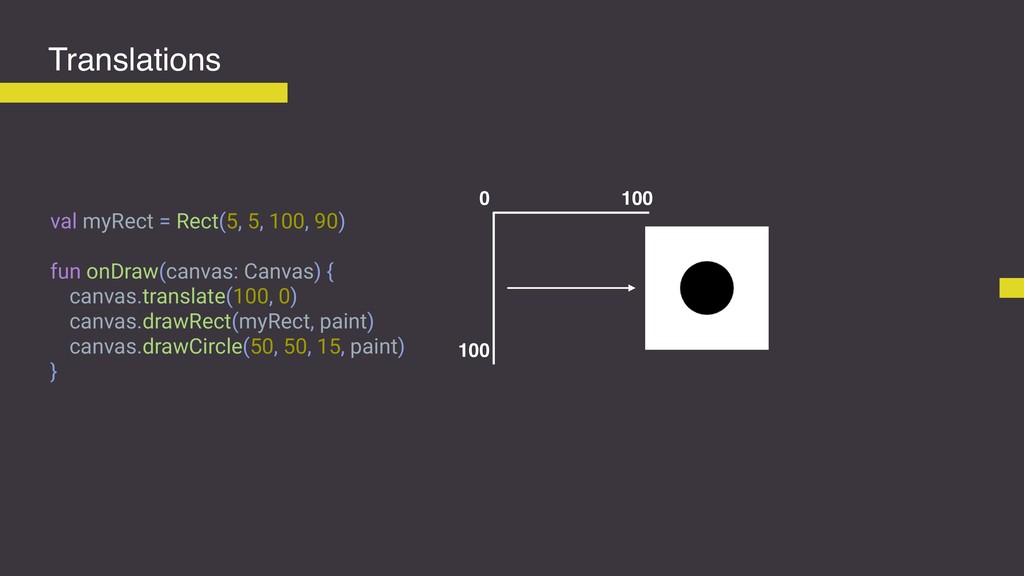
Translations val myRect = Rect(5, 5, 100, 90) fun onDraw(canvas:
Canvas) { canvas.translate(100, 0) canvas.drawRect(myRect, paint) canvas.drawCircle(50, 50, 15, paint) } 0 100 100 -
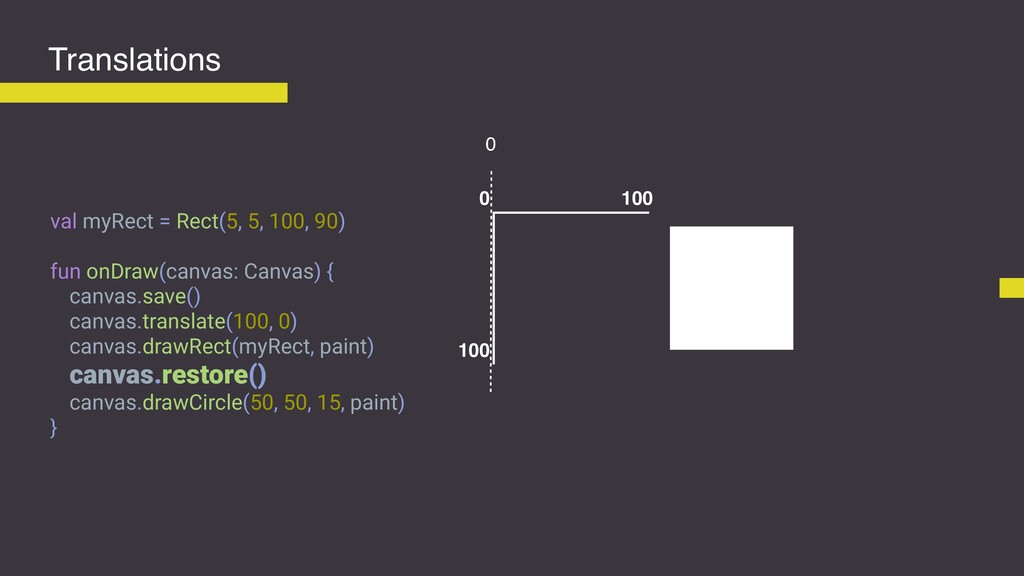
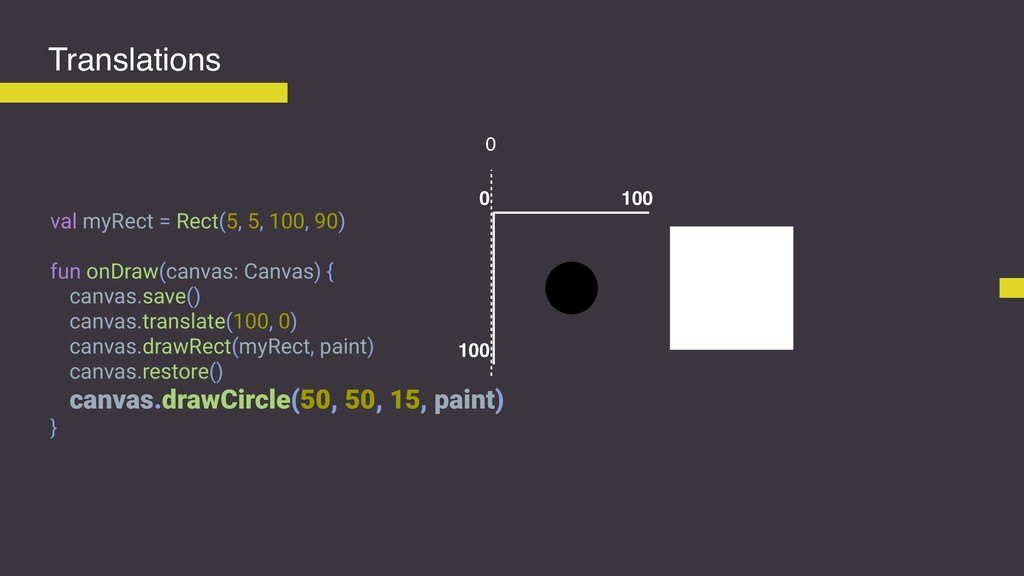
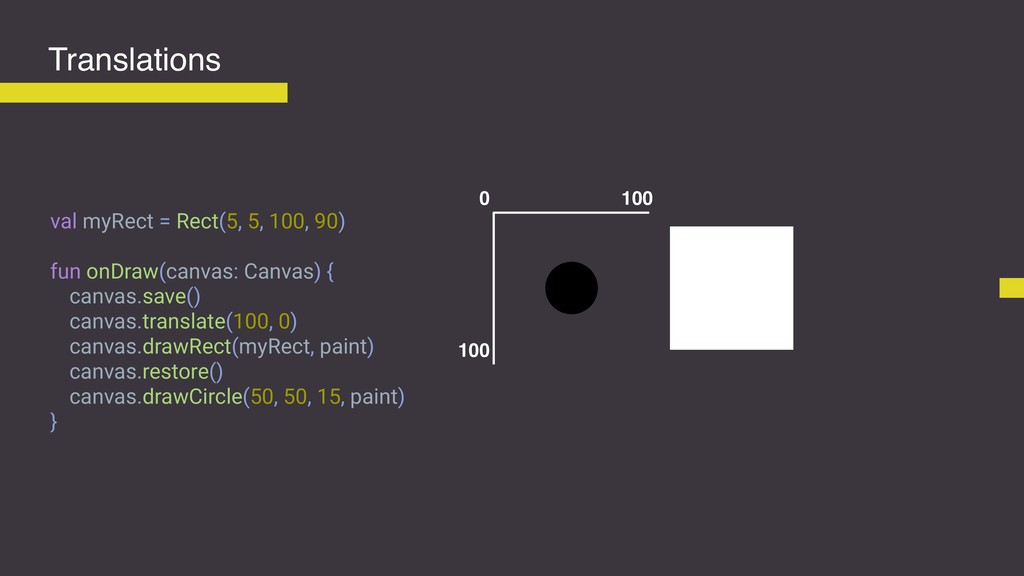
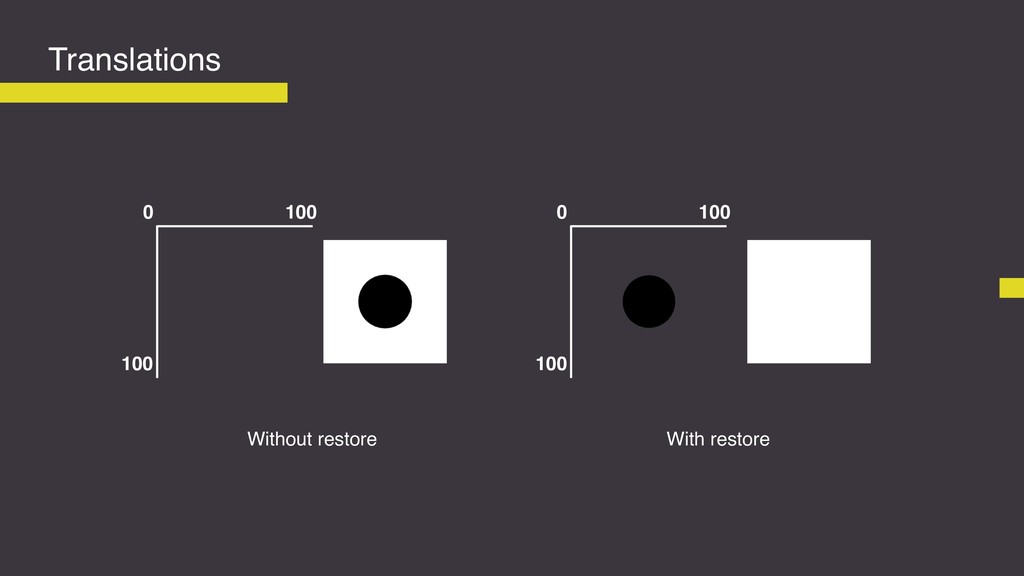
Translations val myRect = Rect(5, 5, 100, 90) fun onDraw(canvas:
Canvas) { canvas.save() canvas.translate(100, 0) canvas.drawRect(myRect, paint) canvas.restore() canvas.drawCircle(50, 50, 15, paint) } 0 100 100 0 -
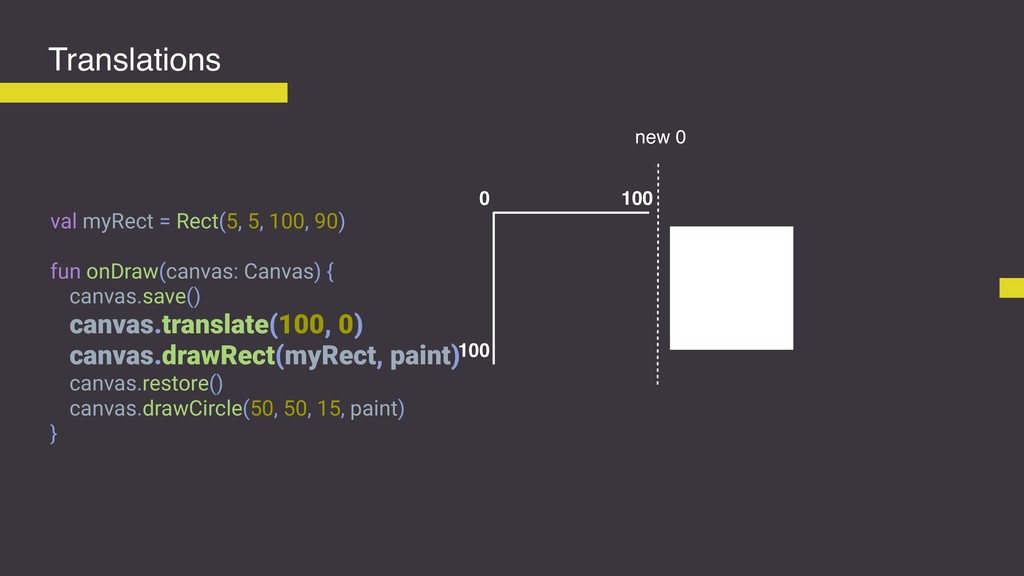
Translations val myRect = Rect(5, 5, 100, 90) fun onDraw(canvas:
Canvas) { canvas.save() canvas.translate(100, 0) canvas.drawRect(myRect, paint) canvas.restore() canvas.drawCircle(50, 50, 15, paint) } 0 100 100 new 0 -
Translations val myRect = Rect(5, 5, 100, 90) fun onDraw(canvas:
Canvas) { canvas.save() canvas.translate(100, 0) canvas.drawRect(myRect, paint) canvas.restore() canvas.drawCircle(50, 50, 15, paint) } 0 100 100 0 -
Translations val myRect = Rect(5, 5, 100, 90) fun onDraw(canvas:
Canvas) { canvas.save() canvas.translate(100, 0) canvas.drawRect(myRect, paint) canvas.restore() canvas.drawCircle(50, 50, 15, paint) } 0 100 100 0 -
Translations val myRect = Rect(5, 5, 100, 90) fun onDraw(canvas:
Canvas) { canvas.save() canvas.translate(100, 0) canvas.drawRect(myRect, paint) canvas.restore() canvas.drawCircle(50, 50, 15, paint) } 0 100 100 -
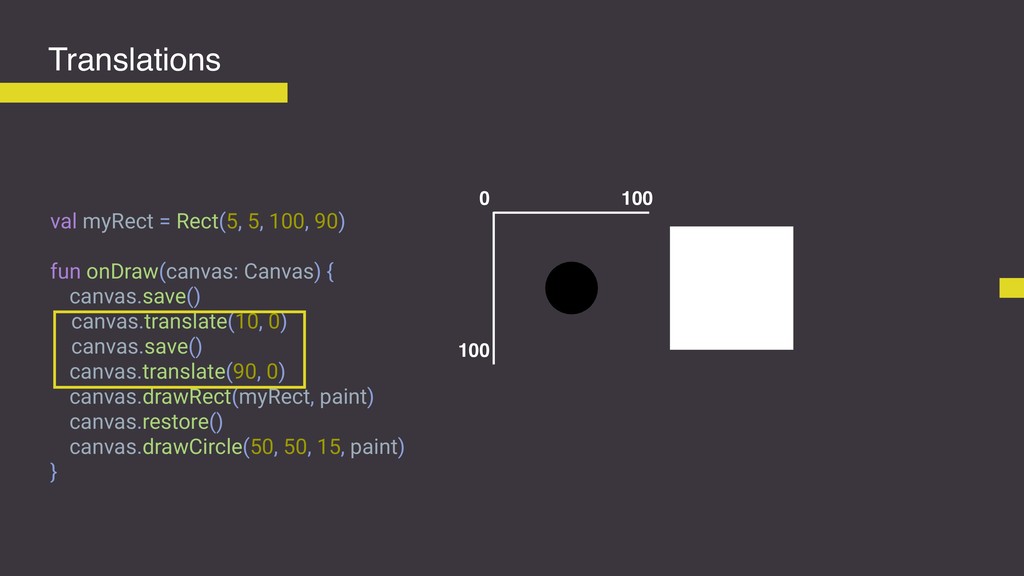
Translations val myRect = Rect(5, 5, 100, 90) fun onDraw(canvas:
Canvas) { canvas.save() canvas.translate(10, 0) canvas.save() canvas.translate(90, 0) canvas.drawRect(myRect, paint) canvas.restore() canvas.drawCircle(50, 50, 15, paint) } 0 100 100 -
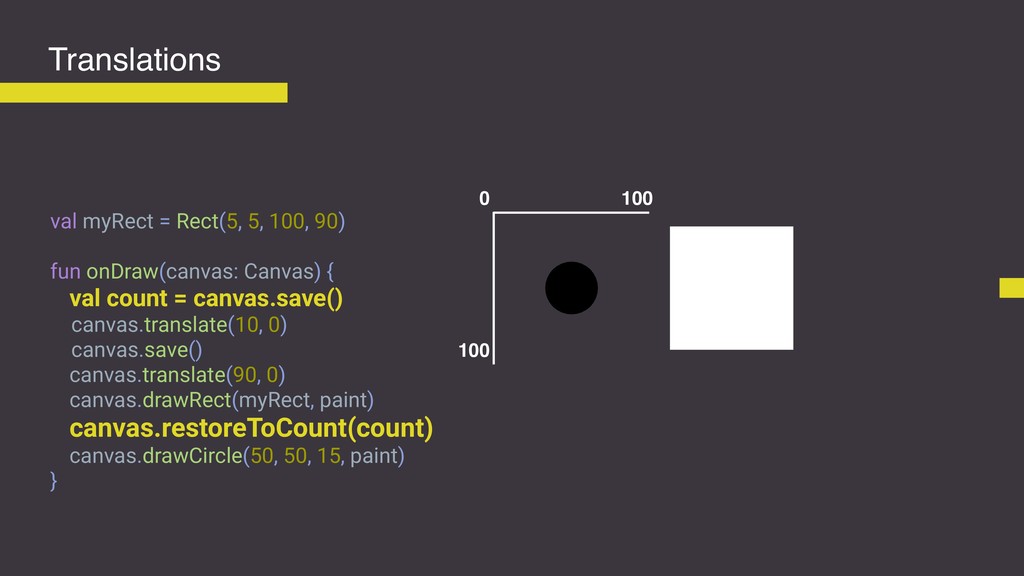
Translations val myRect = Rect(5, 5, 100, 90) fun onDraw(canvas:
Canvas) { val count = canvas.save() canvas.translate(10, 0) canvas.save() canvas.translate(90, 0) canvas.drawRect(myRect, paint) canvas.restoreToCount(count) canvas.drawCircle(50, 50, 15, paint) } 0 100 100 -
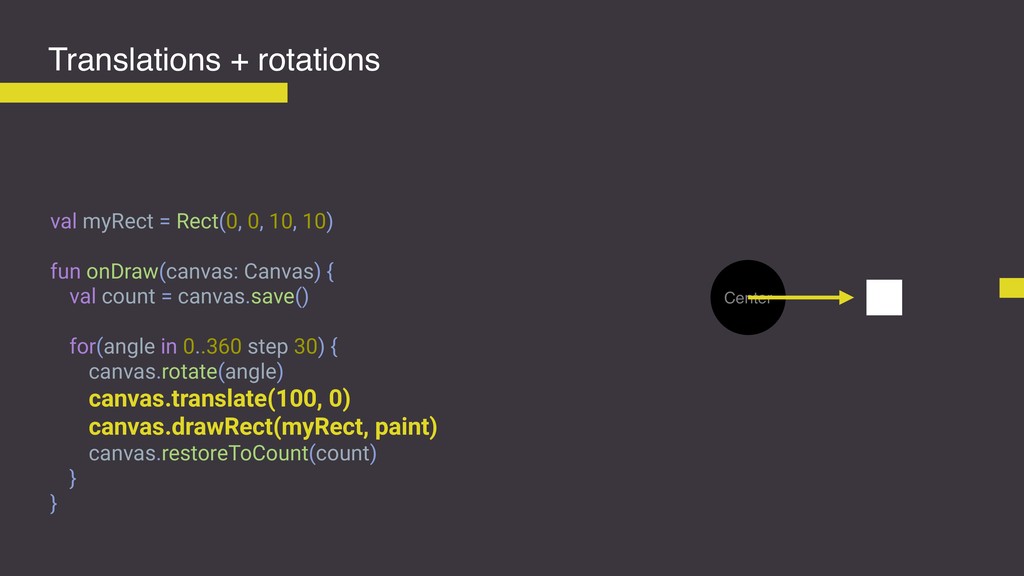
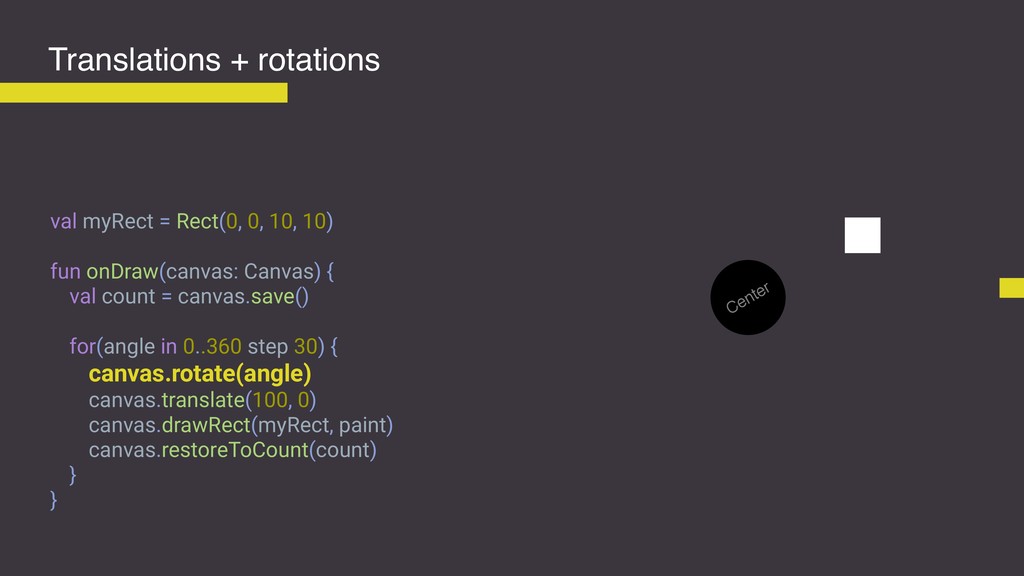
Translations + rotations val myRect = Rect(0, 0, 10, 10)
fun onDraw(canvas: Canvas) { val count = canvas.save() for(angle in 0..360 step 30) { canvas.rotate(angle) canvas.translate(100, 0) canvas.drawRect(myRect, paint) canvas.restoreToCount(count) } } Center -
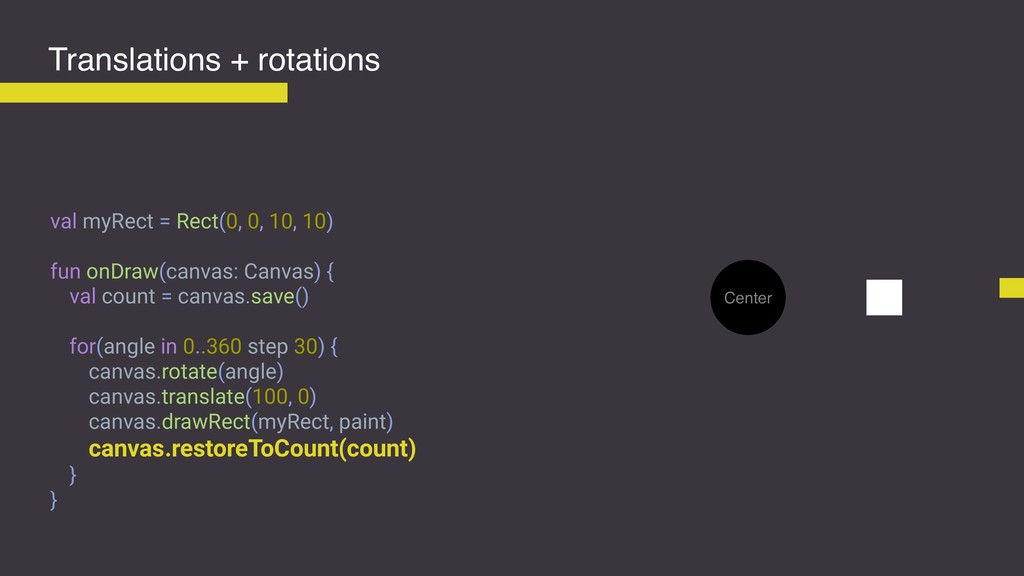
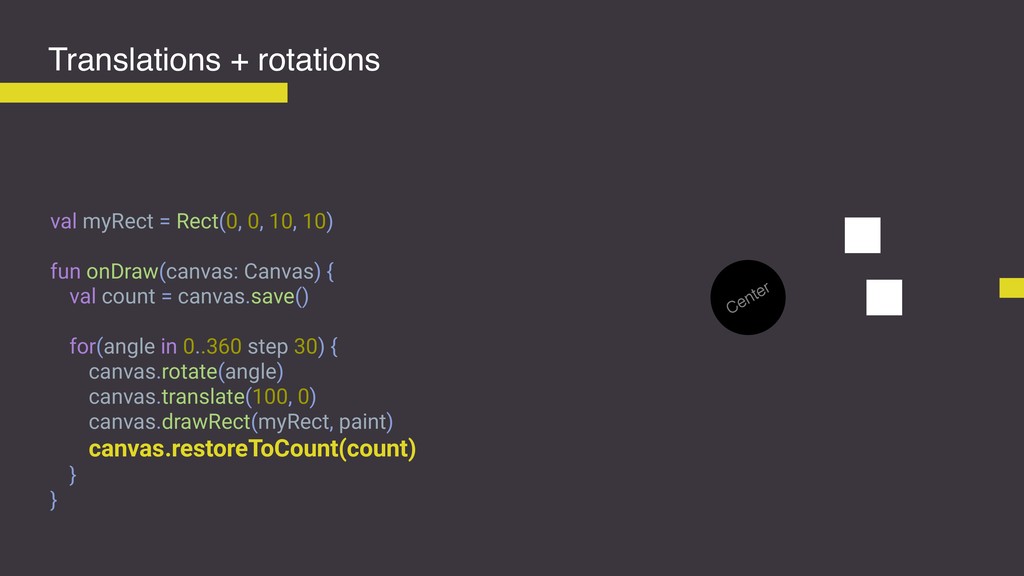
Translations + rotations val myRect = Rect(0, 0, 10, 10)
fun onDraw(canvas: Canvas) { val count = canvas.save() for(angle in 0..360 step 30) { canvas.rotate(angle) canvas.translate(100, 0) canvas.drawRect(myRect, paint) canvas.restoreToCount(count) } } Center -
Translations + rotations val myRect = Rect(0, 0, 10, 10)
fun onDraw(canvas: Canvas) { val count = canvas.save() for(angle in 0..360 step 30) { canvas.rotate(angle) canvas.translate(100, 0) canvas.drawRect(myRect, paint) canvas.restoreToCount(count) } } Center -
Translations + rotations val myRect = Rect(0, 0, 10, 10)
fun onDraw(canvas: Canvas) { val count = canvas.save() for(angle in 0..360 step 30) { canvas.rotate(angle) canvas.translate(100, 0) canvas.drawRect(myRect, paint) canvas.restoreToCount(count) } } Center -
Translations + rotations val myRect = Rect(0, 0, 10, 10)
fun onDraw(canvas: Canvas) { val count = canvas.save() for(angle in 0..360 step 30) { canvas.rotate(angle) canvas.translate(100, 0) canvas.drawRect(myRect, paint) canvas.restoreToCount(count) } } Center -
Translations + rotations val myRect = Rect(0, 0, 10, 10)
fun onDraw(canvas: Canvas) { val count = canvas.save() for(angle in 0..360 step 30) { canvas.rotate(angle) canvas.translate(100, 0) canvas.drawRect(myRect, paint) canvas.restoreToCount(count) } } Center -
Translations + rotations val myRect = Rect(0, 0, 10, 10)
fun onDraw(canvas: Canvas) { val count = canvas.save() for(angle in 0..360 step 30) { canvas.rotate(angle) canvas.translate(100, 0) canvas.drawRect(myRect, paint) canvas.restoreToCount(count) } } Center -
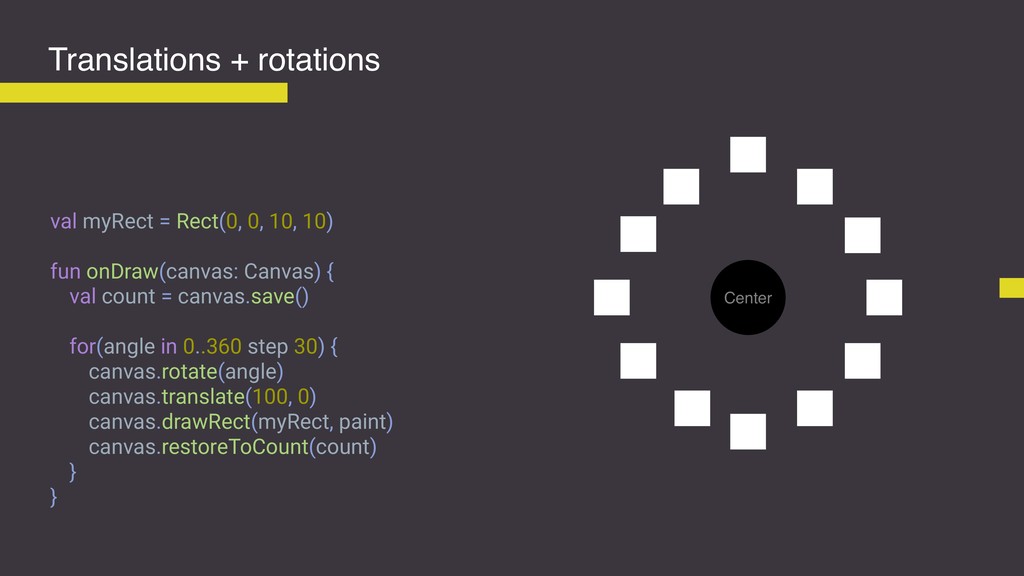
Translations + rotations val myRect = Rect(0, 0, 10, 10)
fun onDraw(canvas: Canvas) { val count = canvas.save() for(angle in 0..360 step 30) { canvas.rotate(angle) canvas.translate(100, 0) canvas.drawRect(myRect, paint) canvas.restoreToCount(count) } } Center -
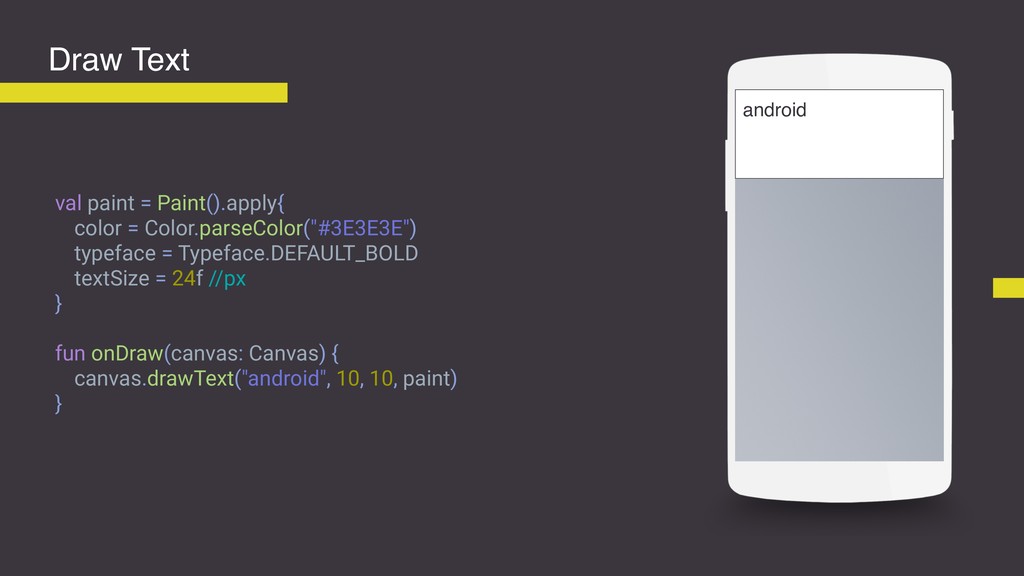
val paint = Paint().apply{ color = Color.parseColor("#3E3E3E") typeface = Typeface.DEFAULT_BOLD
textSize = 24f //px } fun onDraw(canvas: Canvas) { canvas.drawText("android", 10, 10, paint) } Draw Text android -
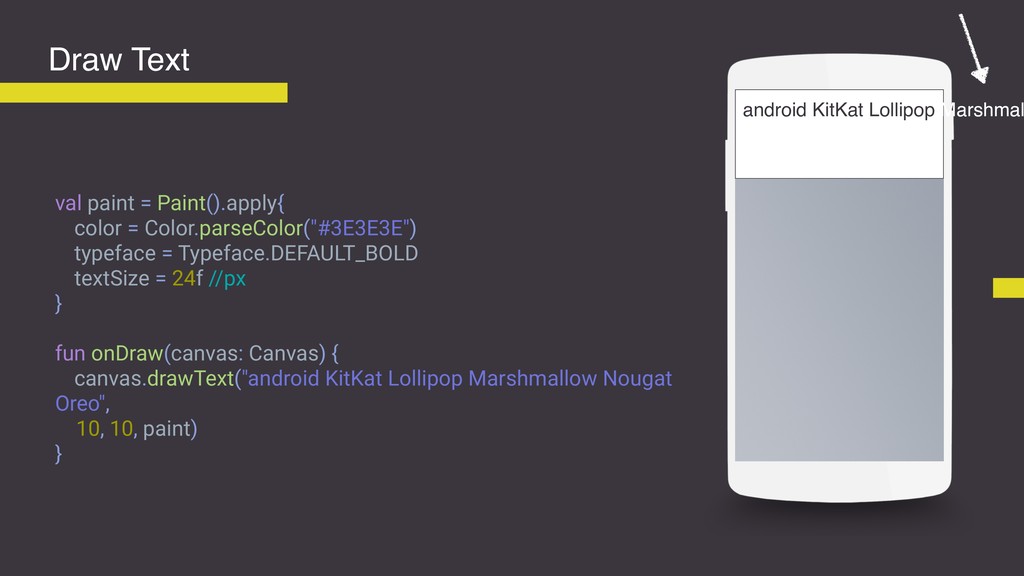
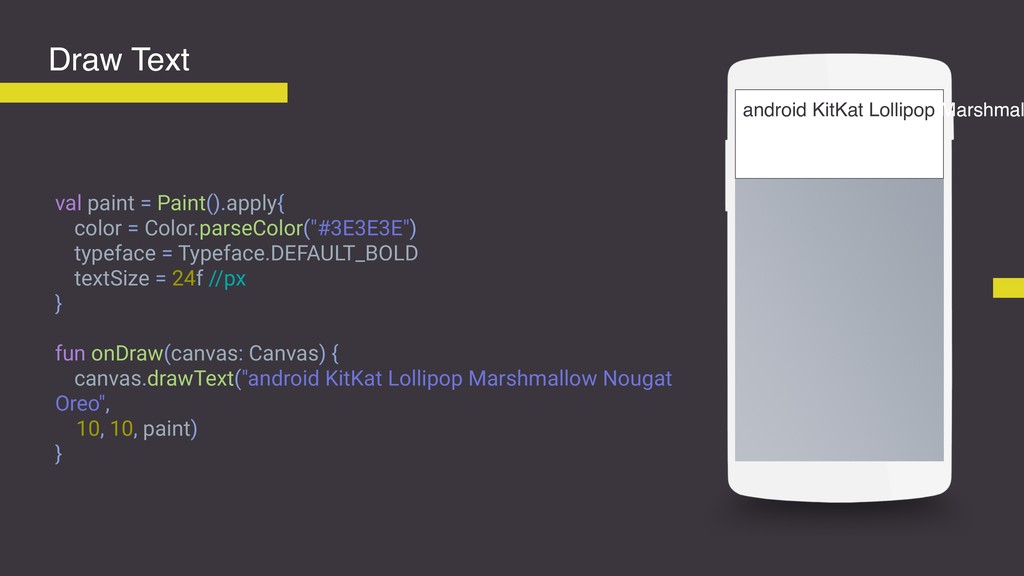
val paint = Paint().apply{ color = Color.parseColor("#3E3E3E") typeface = Typeface.DEFAULT_BOLD
textSize = 24f //px } fun onDraw(canvas: Canvas) { canvas.drawText("android KitKat Lollipop Marshmallow Nougat Oreo", 10, 10, paint) } Draw Text android KitKat Lollipop Marshmal -
StaticLayout StaticLayout is a Layout for text that will not
be edited after it is laid out. Use DynamicLayout for text that may change. This is used by widgets to control text layout. You should not need to use this class directly unless you are implementing your own widget or custom display object, or would be tempted to call Canvas.drawText() directly. https://developer.android.com/reference/android/text/StaticLayout -
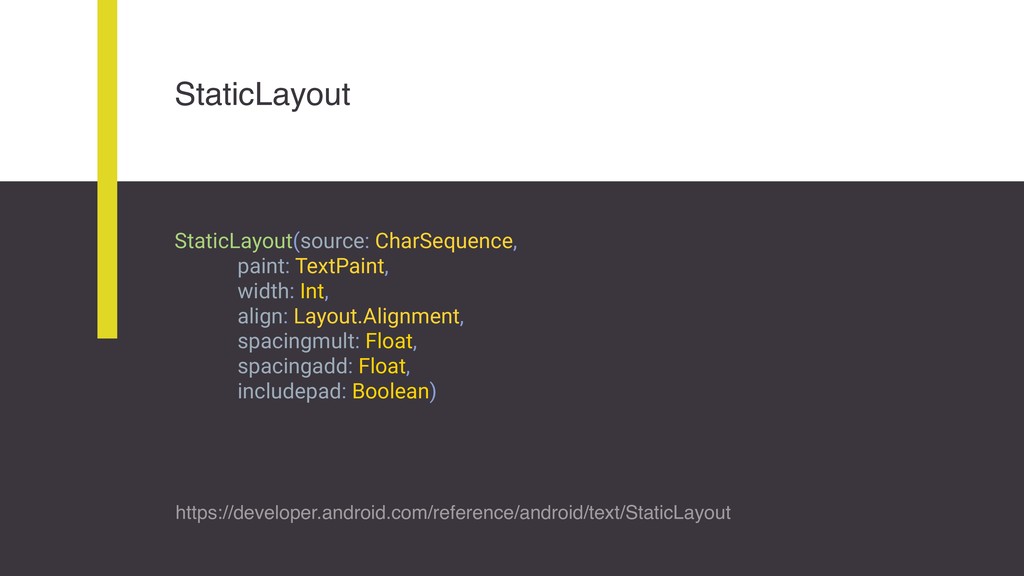
StaticLayout StaticLayout(source: CharSequence, paint: TextPaint, width: Int, align: Layout.Alignment, spacingmult:
Float, spacingadd: Float, includepad: Boolean) https://developer.android.com/reference/android/text/StaticLayout -
val paint = Paint().apply{ color = Color.parseColor("#3E3E3E") typeface = Typeface.DEFAULT_BOLD
textSize = 24f //px } fun onDraw(canvas: Canvas) { canvas.drawText("android KitKat Lollipop Marshmallow Nougat Oreo", 10, 10, paint) } Draw Text android KitKat Lollipop Marshmal -
val paint = TextPaint().apply{ color = Color.parseColor("#3E3E3E") typeface = Typeface.DEFAULT_BOLD
textSize = 24f //px } var text = "android KitKat Lollipop Marshmallow Nougat Oreo" var staticLayout: StaticLayout? = null Draw Text android KitKat Lollipop Marshmal -
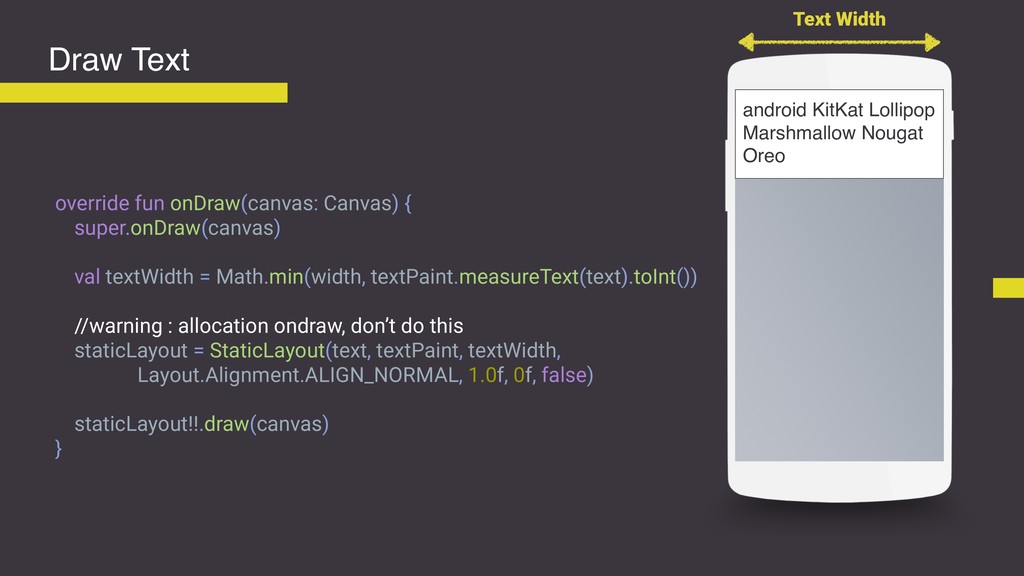
override fun onDraw(canvas: Canvas) { super.onDraw(canvas) val textWidth = Math.min(width,
textPaint.measureText(text).toInt()) //warning : allocation ondraw, don’t do this staticLayout = StaticLayout(text, textPaint, textWidth, Layout.Alignment.ALIGN_NORMAL, 1.0f, 0f, false) staticLayout!!.draw(canvas) } Draw Text android KitKat Lollipop Marshmallow Nougat Oreo Text Width -
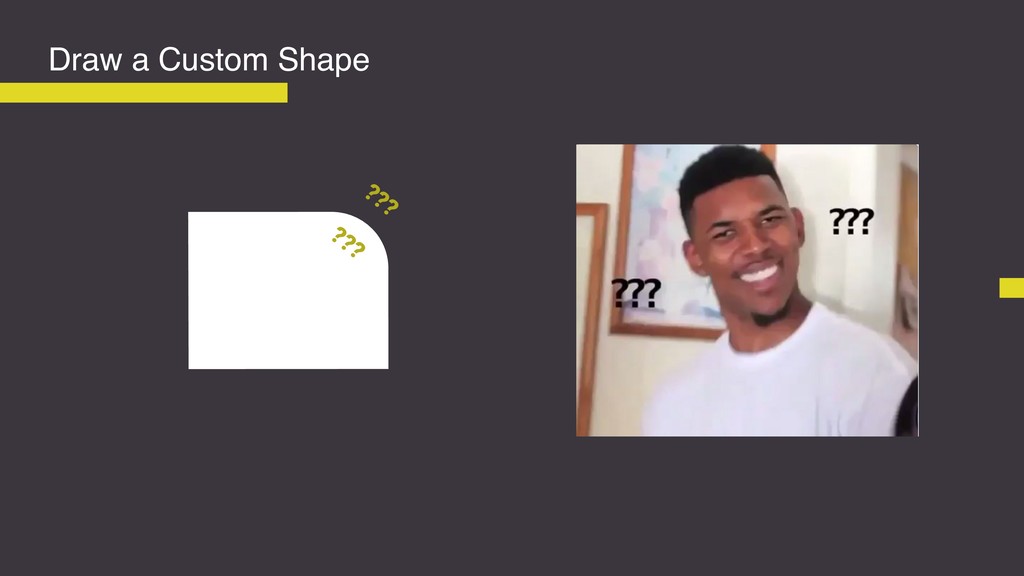
“For 90% of cases, you will need a custom shape,
so let’s see what we can do with Path?“ “ -
Path The Path class encapsulates compound (multiple contour) geometric paths
consisting of straight line segments, quadratic curves, and cubic curves. It can be drawn with canvas.drawPath(path, paint), either filled or stroked (based on the paint's Style), or it can be used for clipping or to draw text on a path. https://developer.android.com/reference/android/graphics/Path -
Draw a Custom Shape var path = Path() fun onSizeChanged(width:Int,
height: Int, oldWidth: Int, oldHeight: Int) { path.reset() path.move(0,0) path.lineTo(width, height) path.lineTo(0, height) path.close() } fun onDraw(canvas: Canvas) { canvas.drawPath(path, paint) } Width height -
Draw a Custom Shape var path = Path() fun onSizeChanged(width:Int,
height: Int, oldWidth: Int, oldHeight: Int) { path.reset() path.move(0,0) path.lineTo(width, height) path.lineTo(0, height) path.close() } fun onDraw(canvas: Canvas) { canvas.drawPath(path, paint) } Width height -
Draw a Custom Shape var path = Path() fun onSizeChanged(width:Int,
height: Int, oldWidth: Int, oldHeight: Int) { path.reset() path.move(0,0) path.lineTo(width, height) path.lineTo(0, height) path.close() } fun onDraw(canvas: Canvas) { canvas.drawPath(path, paint) } Width height -
Draw a Custom Shape var path = Path() fun onSizeChanged(width:Int,
height: Int, oldWidth: Int, oldHeight: Int) { path.reset() path.move(0,0) path.lineTo(width, height) path.lineTo(0, height) path.close() } fun onDraw(canvas: Canvas) { canvas.drawPath(path, paint) } Width height -
Draw a Custom Shape var path = Path() fun onSizeChanged(width:Int,
height: Int, oldWidth: Int, oldHeight: Int) { path.reset() path.move(0,0) path.lineTo(width, height) path.lineTo(0, height) path.close() } fun onDraw(canvas: Canvas) { canvas.drawPath(path, paint) } Width height -
Draw a Custom Shape var path = Path() fun onSizeChanged(width:Int,
height: Int, oldWidth: Int, oldHeight: Int) { path.reset() path.move(0,0) path.lineTo(width, height) path.lineTo(0, height) path.close() } fun onDraw(canvas: Canvas) { canvas.drawPath(path, paint) } Width height -
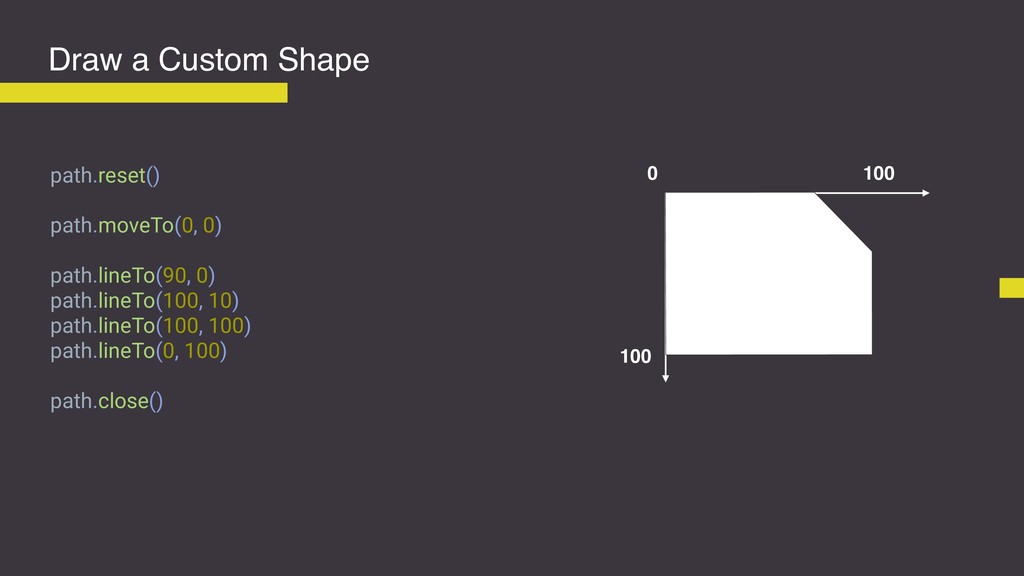
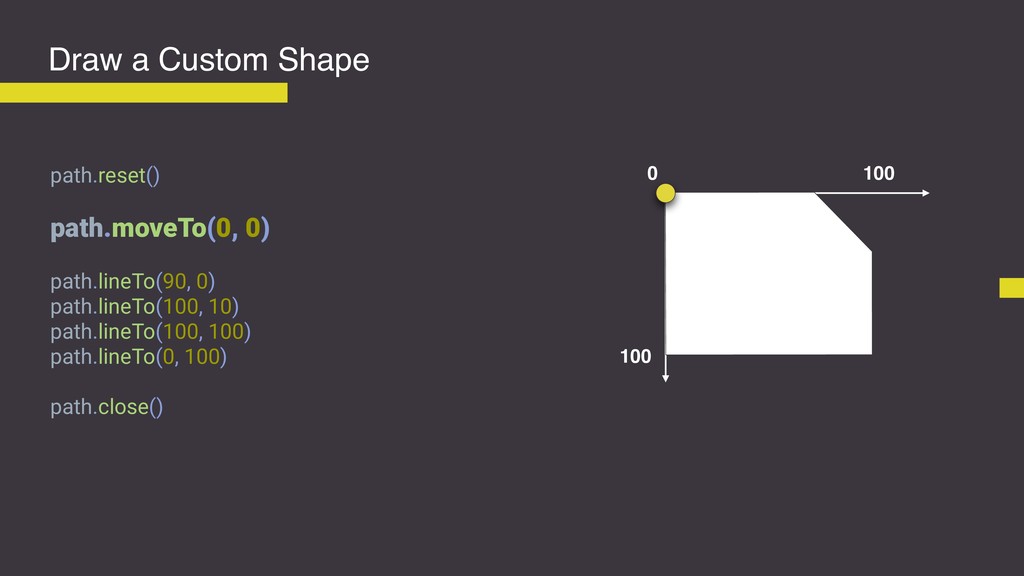
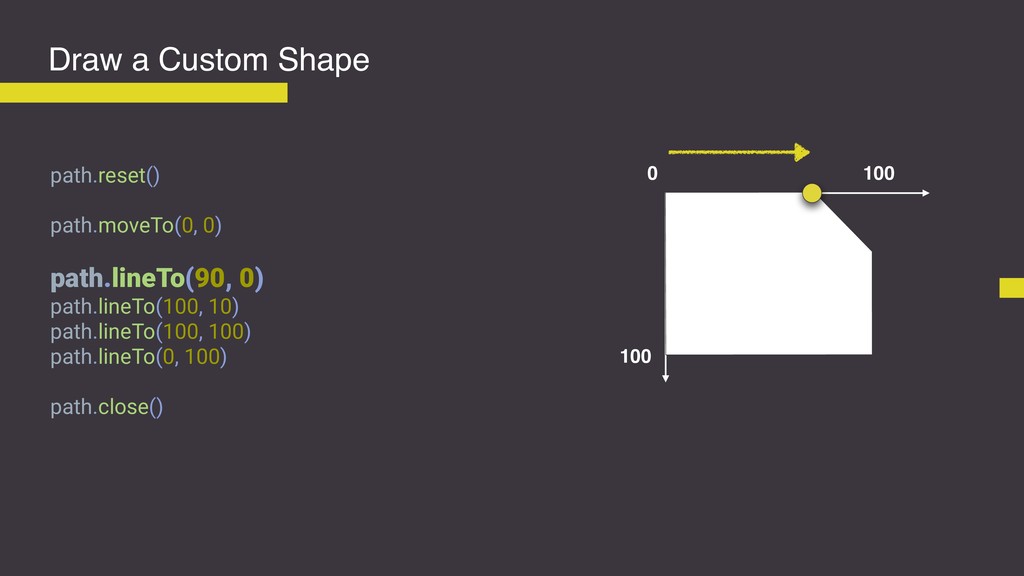
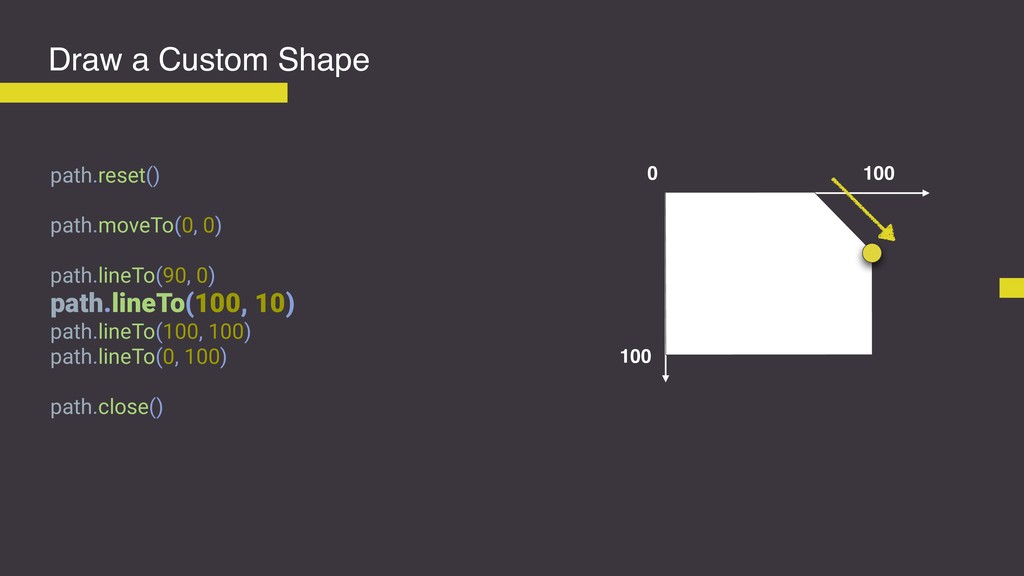
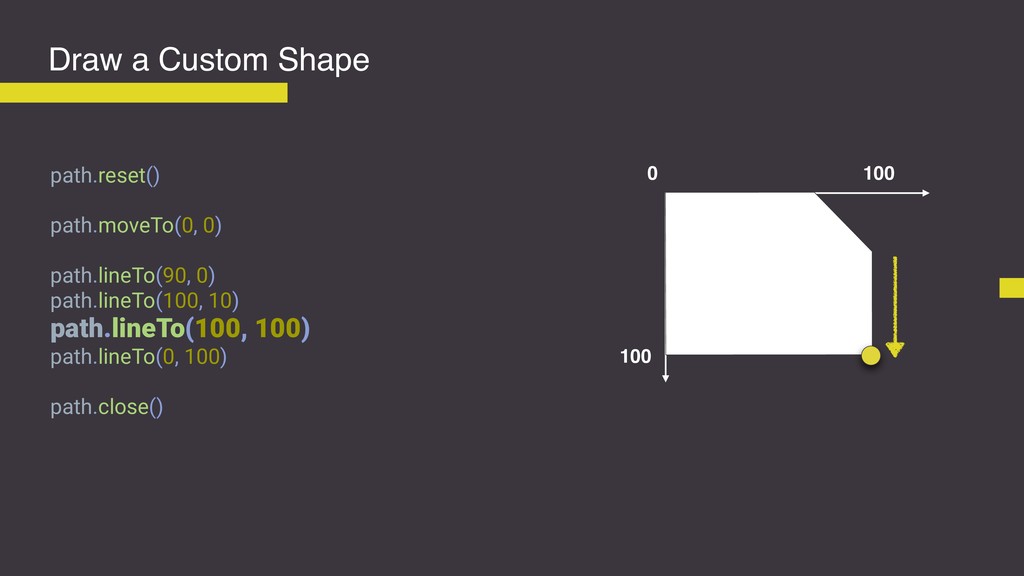
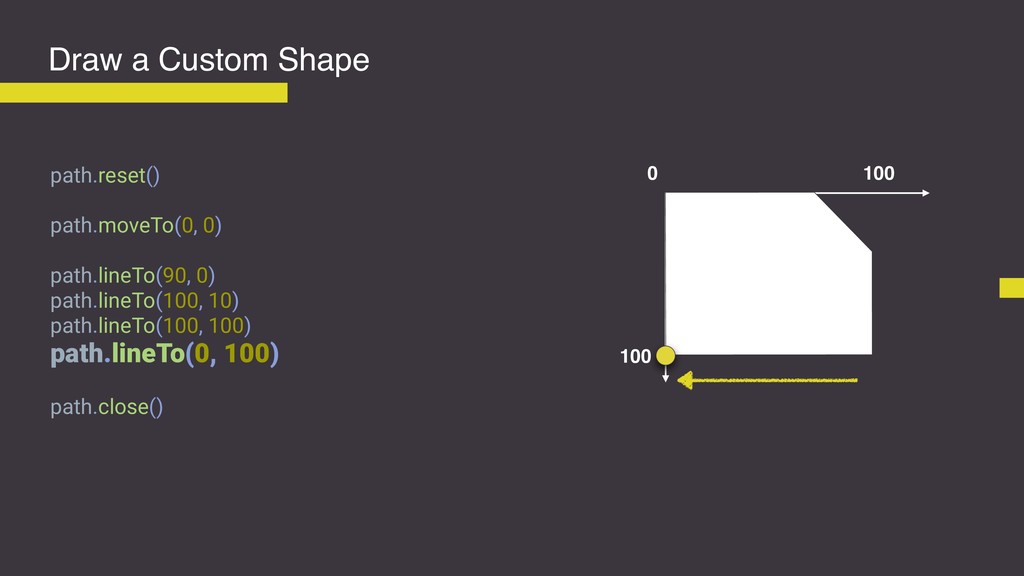
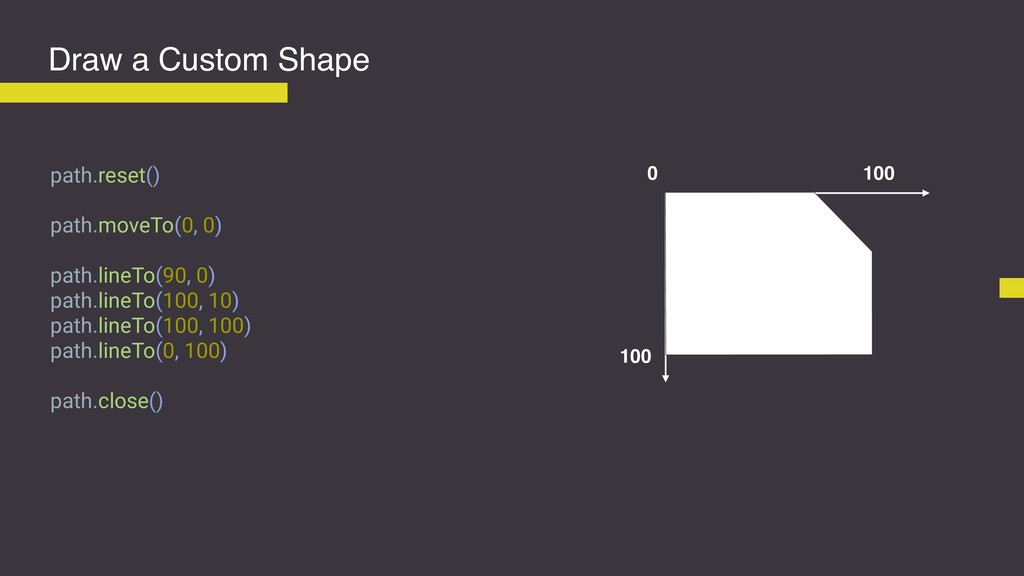
Draw a Custom Shape path.reset() path.moveTo(0, 0) path.lineTo(90, 0) path.lineTo(100,
10) path.lineTo(100, 100) path.lineTo(0, 100) path.close() 0 100 100 -
Draw a Custom Shape path.reset() path.moveTo(0, 0) path.lineTo(90, 0) path.lineTo(100,
10) path.lineTo(100, 100) path.lineTo(0, 100) path.close() 0 100 100 -
Draw a Custom Shape path.reset() path.moveTo(0, 0) path.lineTo(90, 0) path.lineTo(100,
10) path.lineTo(100, 100) path.lineTo(0, 100) path.close() 0 100 100 -
Draw a Custom Shape path.reset() path.moveTo(0, 0) path.lineTo(90, 0) path.lineTo(100,
10) path.lineTo(100, 100) path.lineTo(0, 100) path.close() 0 100 100 -
Draw a Custom Shape path.reset() path.moveTo(0, 0) path.lineTo(90, 0) path.lineTo(100,
10) path.lineTo(100, 100) path.lineTo(0, 100) path.close() 0 100 100 -
Draw a Custom Shape path.reset() path.moveTo(0, 0) path.lineTo(90, 0) path.lineTo(100,
10) path.lineTo(100, 100) path.lineTo(0, 100) path.close() 0 100 100 -
Draw a Custom Shape path.reset() path.moveTo(0, 0) path.lineTo(90, 0) path.lineTo(100,
10) path.lineTo(100, 100) path.lineTo(0, 100) path.close() 0 100 100 -
Draw a Custom Shape path.reset() path.moveTo(0, 0) path.lineTo(90, 0) path.lineTo(100,
10) path.lineTo(100, 100) path.lineTo(0, 100) path.close() 0 100 100 -
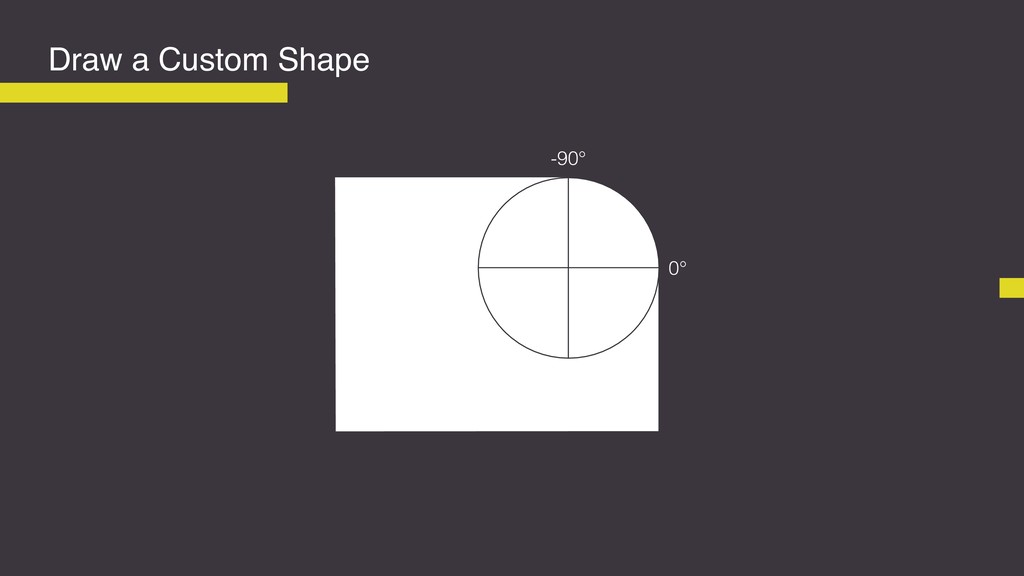
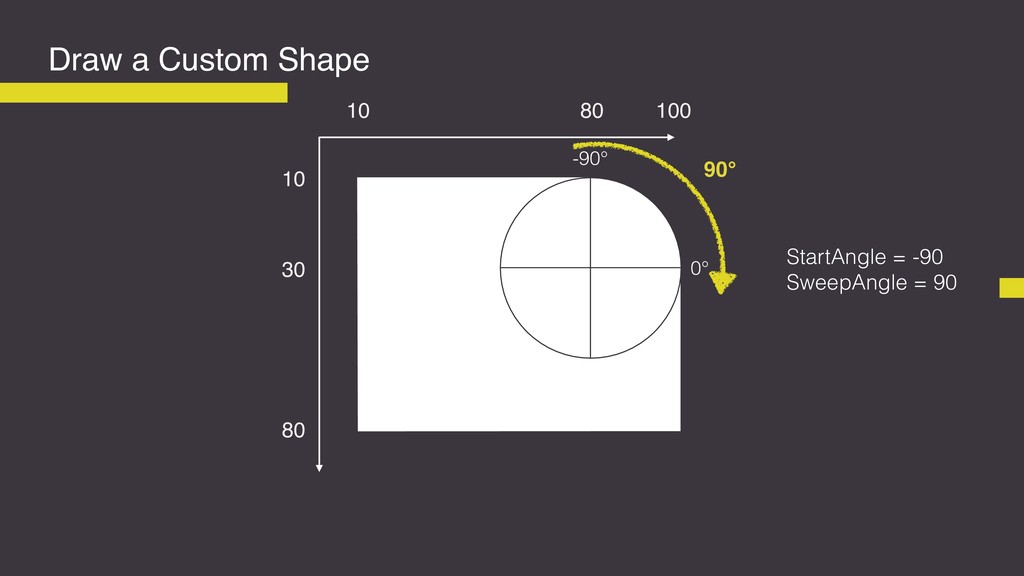
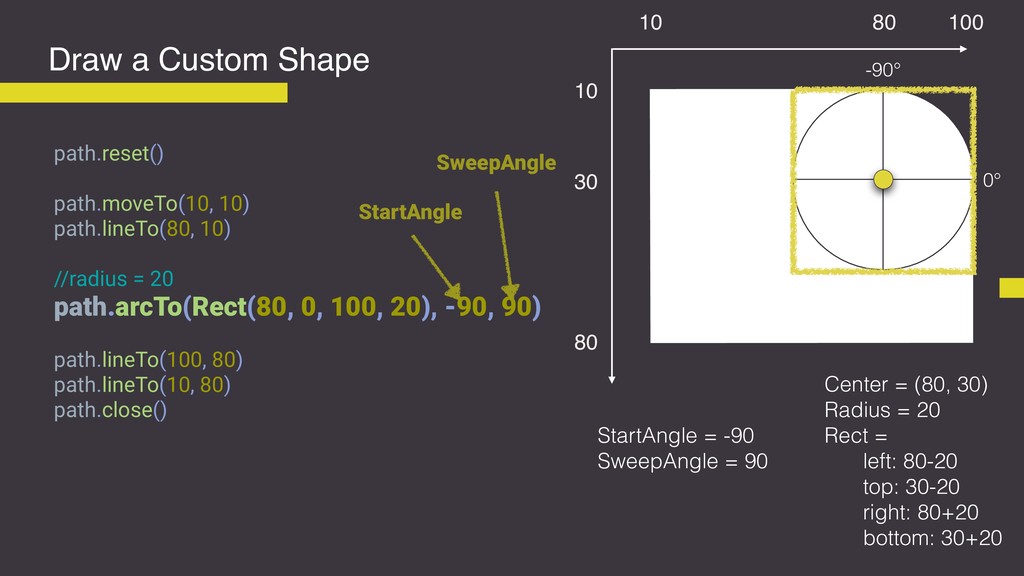
Draw a Custom Shape 0° -90° 90° StartAngle = -90
SweepAngle = 90 80 80 100 30 10 10 -
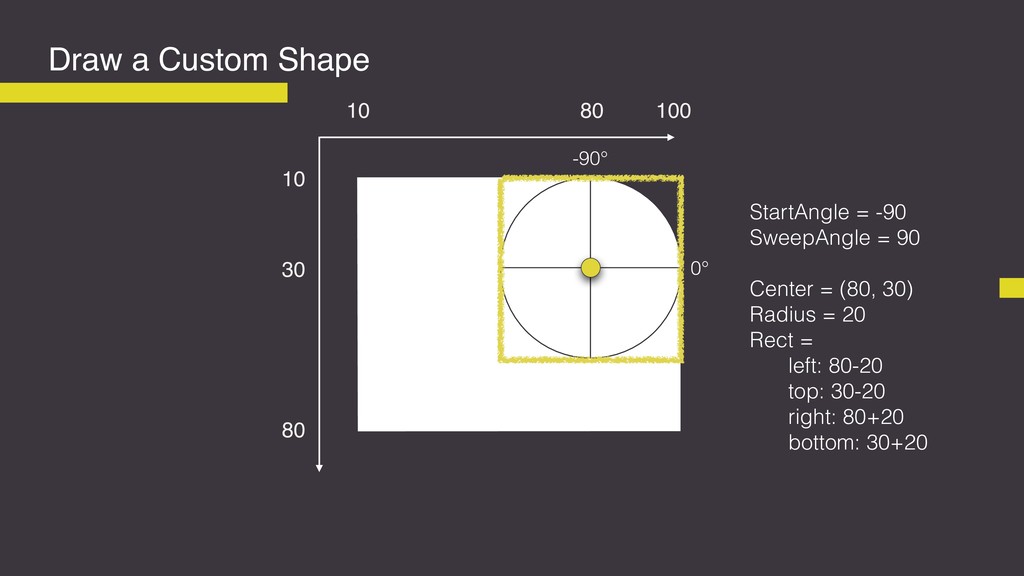
Draw a Custom Shape 0° -90° 80 80 100 30
10 10 StartAngle = -90 SweepAngle = 90 Center = (80, 30) Radius = 20 Rect = left: 80-20 top: 30-20 right: 80+20 bottom: 30+20 -
Draw a Custom Shape 0° -90° 80 80 100 30
10 10 Center = (80, 30) Radius = 20 Rect = left: 80-20 top: 30-20 right: 80+20 bottom: 30+20 path.reset() path.moveTo(10, 10) path.lineTo(80, 10) //radius = 20 path.arcTo(Rect(80, 0, 100, 20), -90, 90) path.lineTo(100, 80) path.lineTo(10, 80) path.close() StartAngle = -90 SweepAngle = 90 StartAngle SweepAngle -
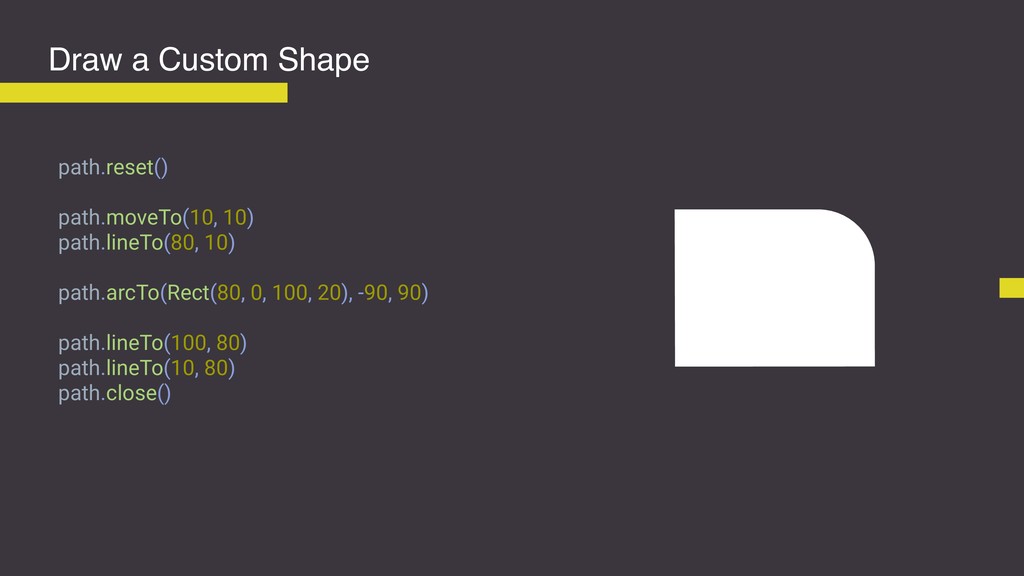
Draw a Custom Shape path.reset() path.moveTo(10, 10) path.lineTo(80, 10) path.arcTo(Rect(80,
0, 100, 20), -90, 90) path.lineTo(100, 80) path.lineTo(10, 80) path.close() -
Draw a Custom Shape if (Build.VERSION.SDK_INT >= Build.VERSION_CODES.LOLLIPOP) { outlineProvider
= object: ViewOutlineProvider() { override fun getOutline(view: View?, outline: Outline?) { outline?.setConvexPath(path) } } } -
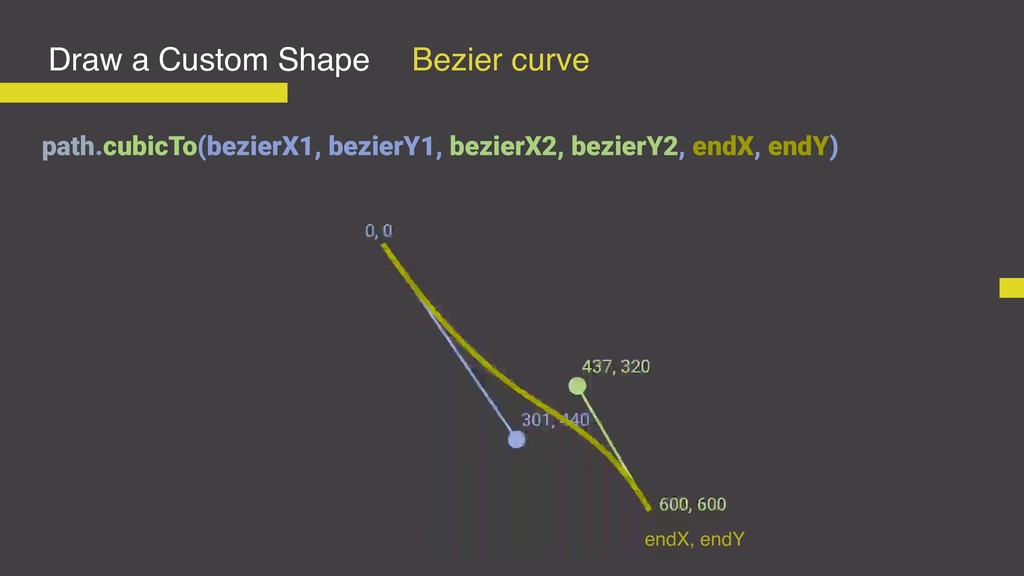
Draw a Custom Shape path.cubicTo(bezierX1, bezierY1, bezierX2, bezierY2, endX, endY)
Bezier curve endX, endY -
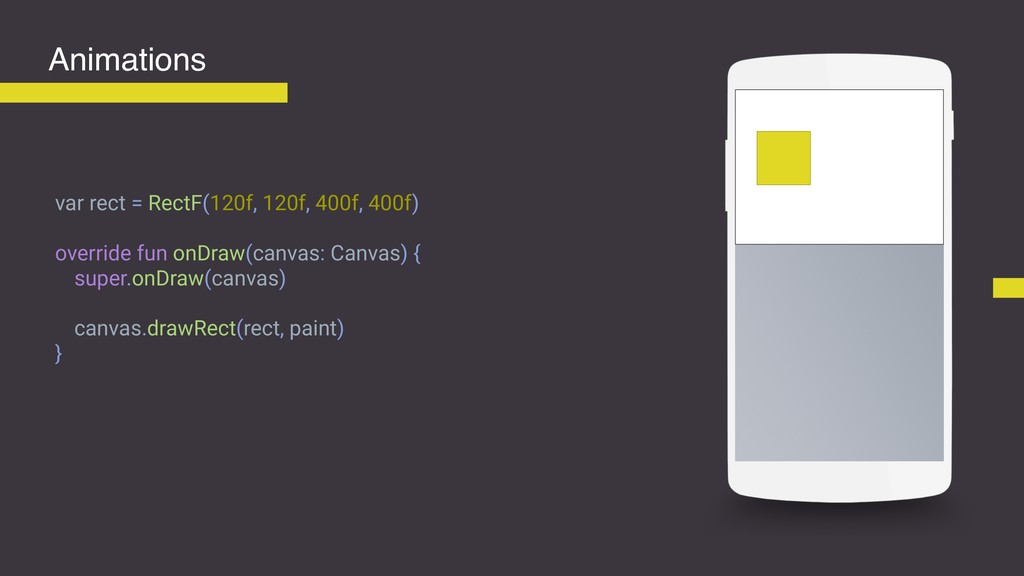
var rect = RectF(120f, 120f, 400f, 400f) override fun onDraw(canvas:
Canvas) { super.onDraw(canvas) canvas.drawRect(rect, paint) } Animations -
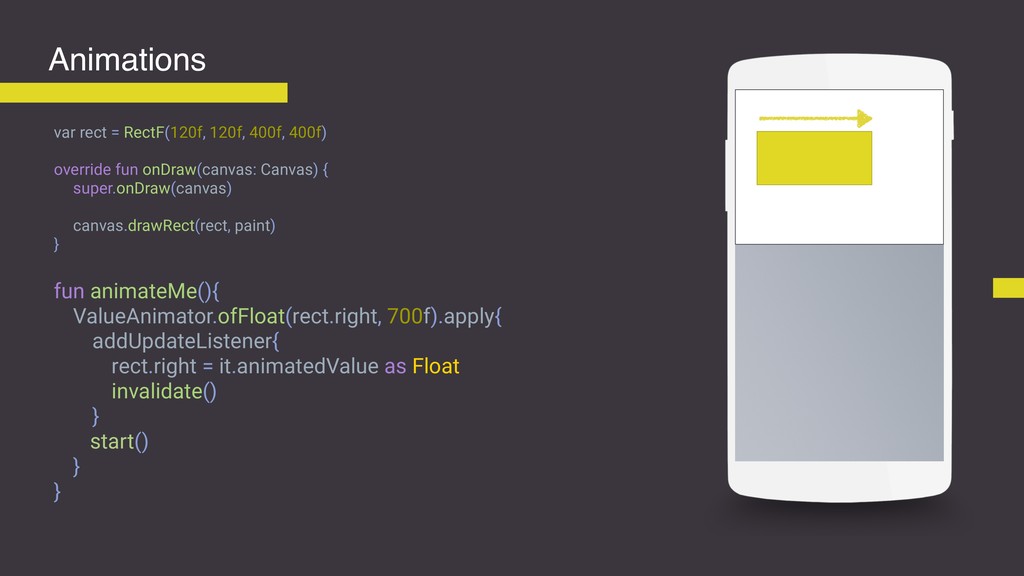
var rect = RectF(120f, 120f, 400f, 400f) override fun onDraw(canvas:
Canvas) { super.onDraw(canvas) canvas.drawRect(rect, paint) } fun animateMe(){ ValueAnimator.ofFloat(rect.right, 700f).apply{ addUpdateListener{ rect.right = it.animatedValue as Float invalidate() } start() } } Animations -
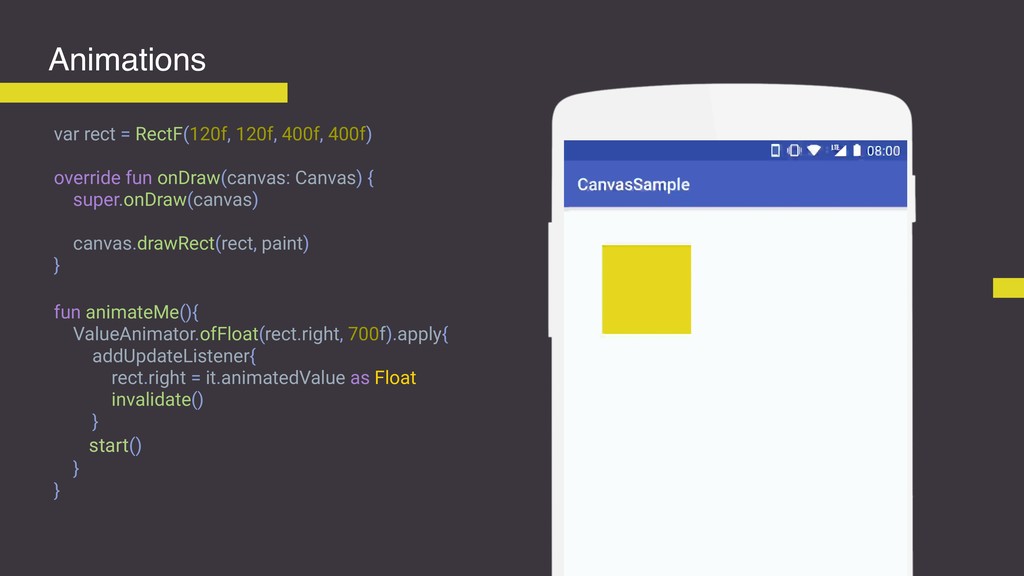
var rect = RectF(120f, 120f, 400f, 400f) override fun onDraw(canvas:
Canvas) { super.onDraw(canvas) canvas.drawRect(rect, paint) } fun animateMe(){ ValueAnimator.ofFloat(rect.right, 700f).apply{ addUpdateListener{ rect.right = it.animatedValue as Float invalidate() } start() } } Animations -
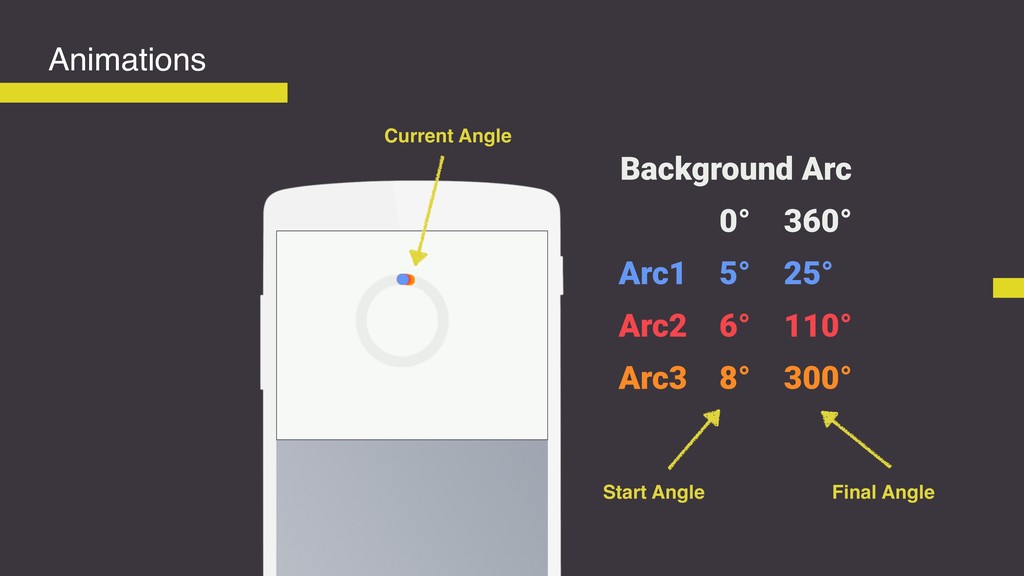
Animations Arc1 Arc2 Arc3 Background Arc 5° 25° 6° 8°
110° 300° 0° 360° Start Angle Final Angle Current Angle -
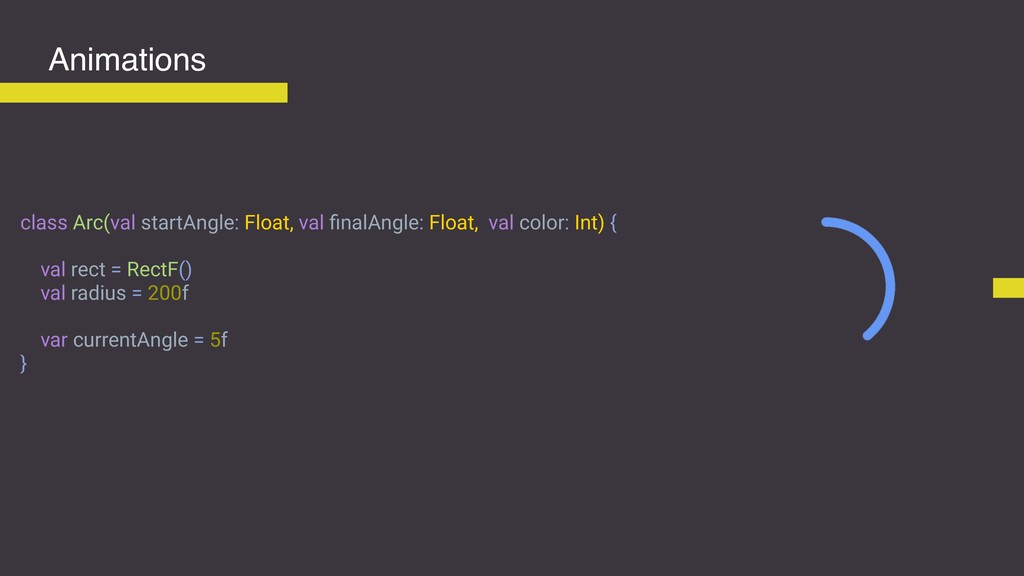
class Arc(val startAngle: Float, val finalAngle: Float, val color: Int)
{ val rect = RectF() val radius = 200f var currentAngle = 5f } Animations -
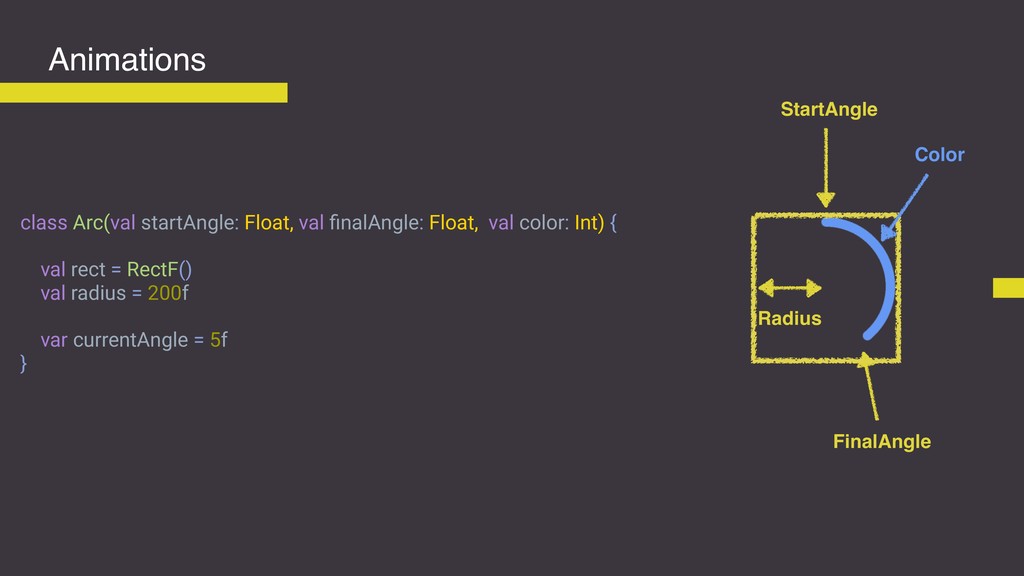
class Arc(val startAngle: Float, val finalAngle: Float, val color: Int)
{ val rect = RectF() val radius = 200f var currentAngle = 5f } Animations StartAngle FinalAngle Color Radius -
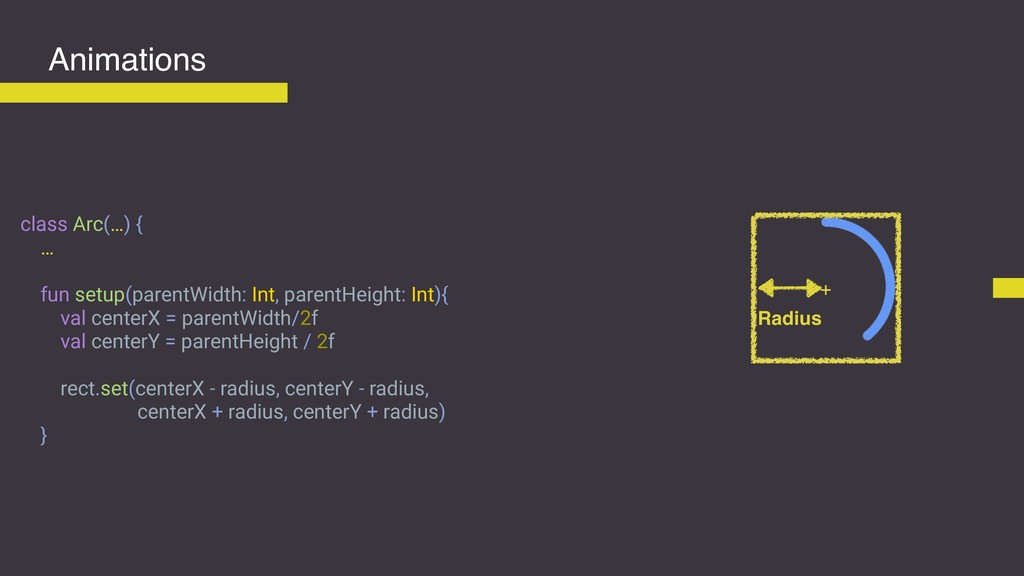
class Arc(…) { … fun setup(parentWidth: Int, parentHeight: Int){ val
centerX = parentWidth/2f val centerY = parentHeight / 2f rect.set(centerX - radius, centerY - radius, centerX + radius, centerY + radius) } Animations Radius + -
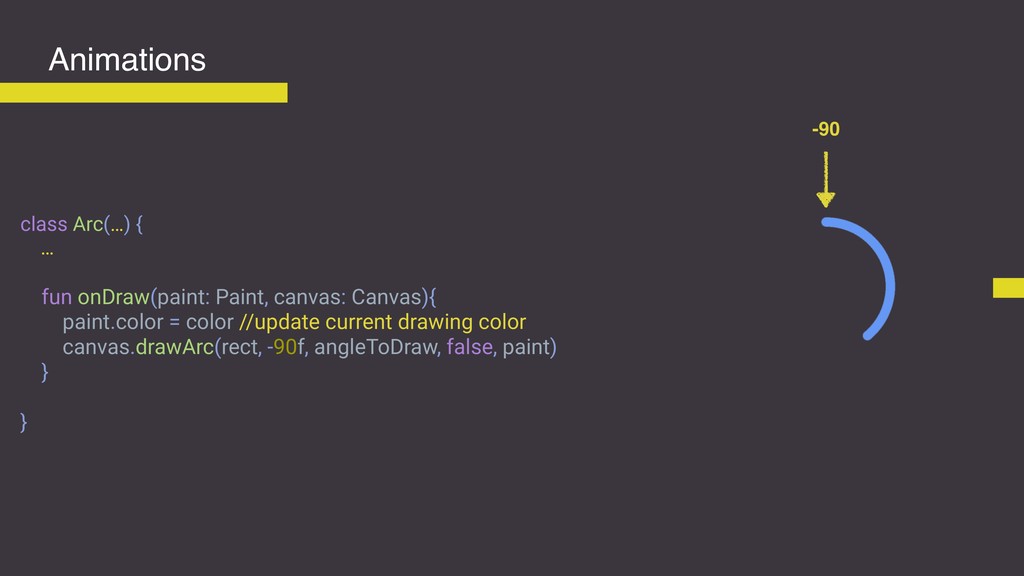
class Arc(…) { … fun onDraw(paint: Paint, canvas: Canvas){ paint.color
= color //update current drawing color canvas.drawArc(rect, -90f, angleToDraw, false, paint) } } Animations -90 -
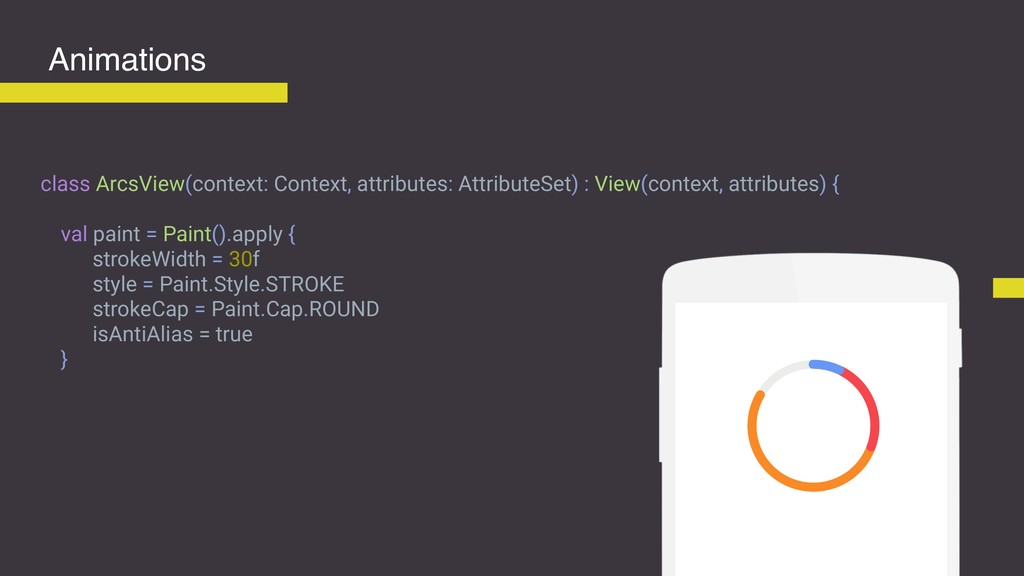
class ArcsView(context: Context, attributes: AttributeSet) : View(context, attributes) { val
paint = Paint().apply { strokeWidth = 30f style = Paint.Style.STROKE strokeCap = Paint.Cap.ROUND isAntiAlias = true } Animations -
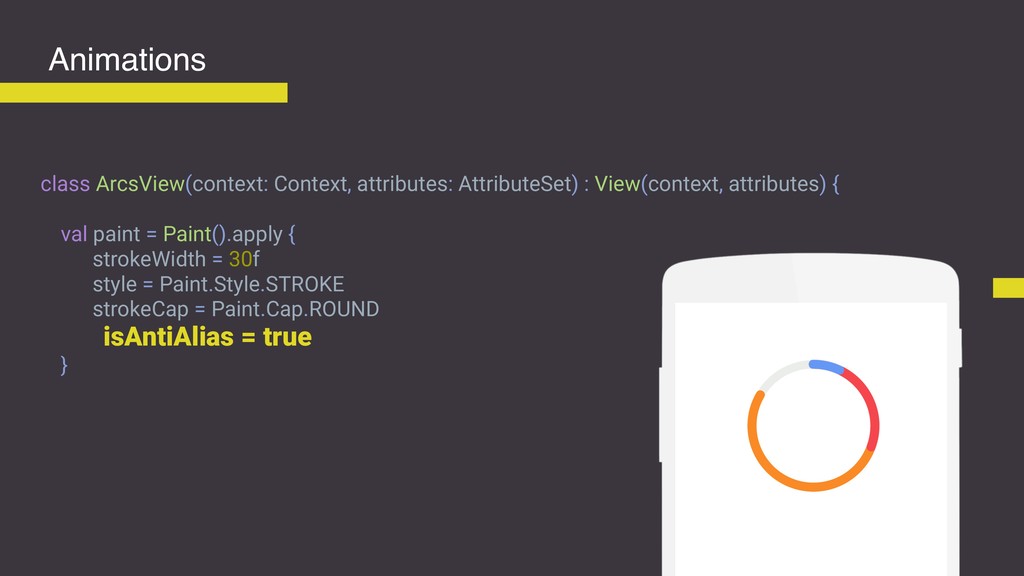
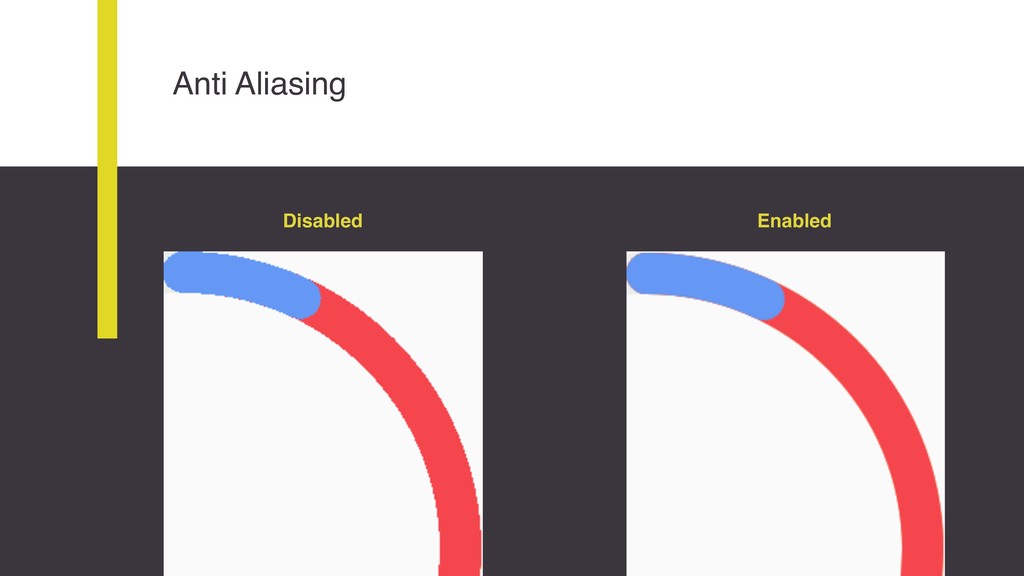
class ArcsView(context: Context, attributes: AttributeSet) : View(context, attributes) { val
paint = Paint().apply { strokeWidth = 30f style = Paint.Style.STROKE strokeCap = Paint.Cap.ROUND isAntiAlias = true } Animations -
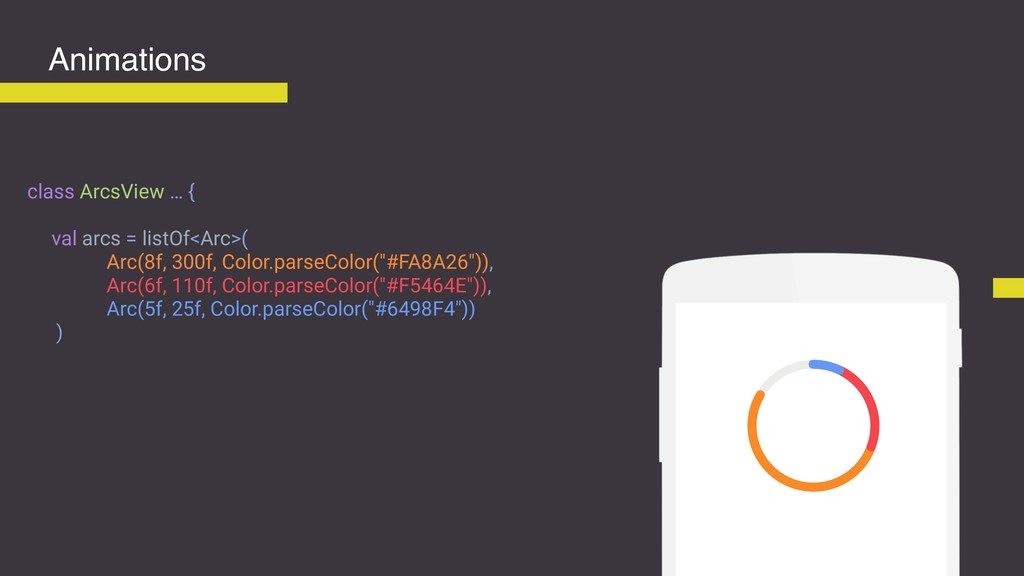
class ArcsView … { val arcs = listOf<Arc>( Arc(8f, 300f,
Color.parseColor("#FA8A26")), Arc(6f, 110f, Color.parseColor("#F5464E")), Arc(5f, 25f, Color.parseColor("#6498F4")) ) Animations -
class ArcsView … { val arcs = listOf<Arc>( Arc(8f, 300f,
Color.parseColor("#FA8A26")), Arc(6f, 110f, Color.parseColor("#F5464E")), Arc(5f, 25f, Color.parseColor("#6498F4")) ) val arcBackground = Arc(0f,360f, Color.parseColor("#EBEDEB")) .apply { currentAngle = 360f } Animations -
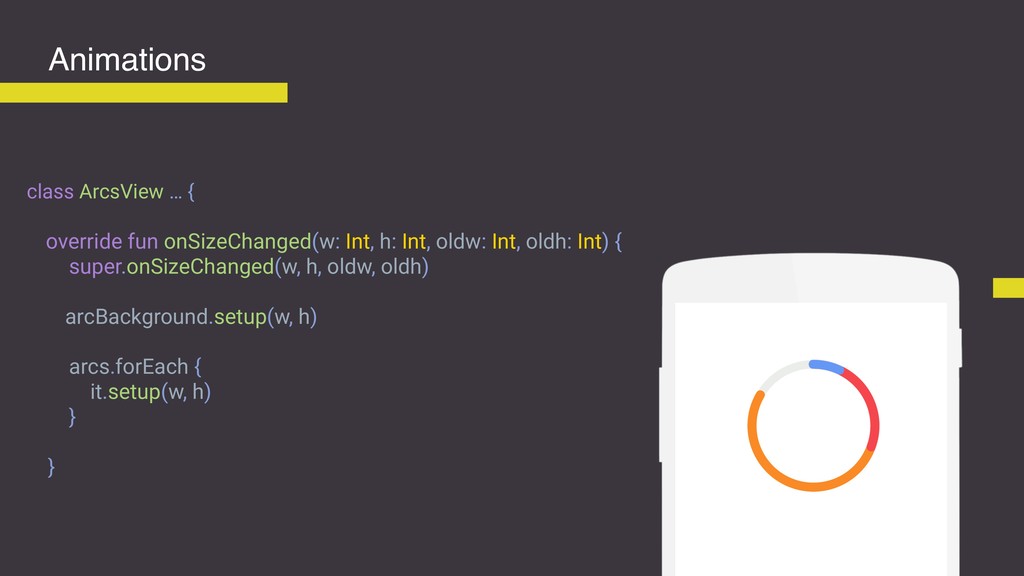
class ArcsView … { override fun onSizeChanged(w: Int, h: Int,
oldw: Int, oldh: Int) { super.onSizeChanged(w, h, oldw, oldh) arcBackground.setup(w, h) arcs.forEach { it.setup(w, h) } } Animations -
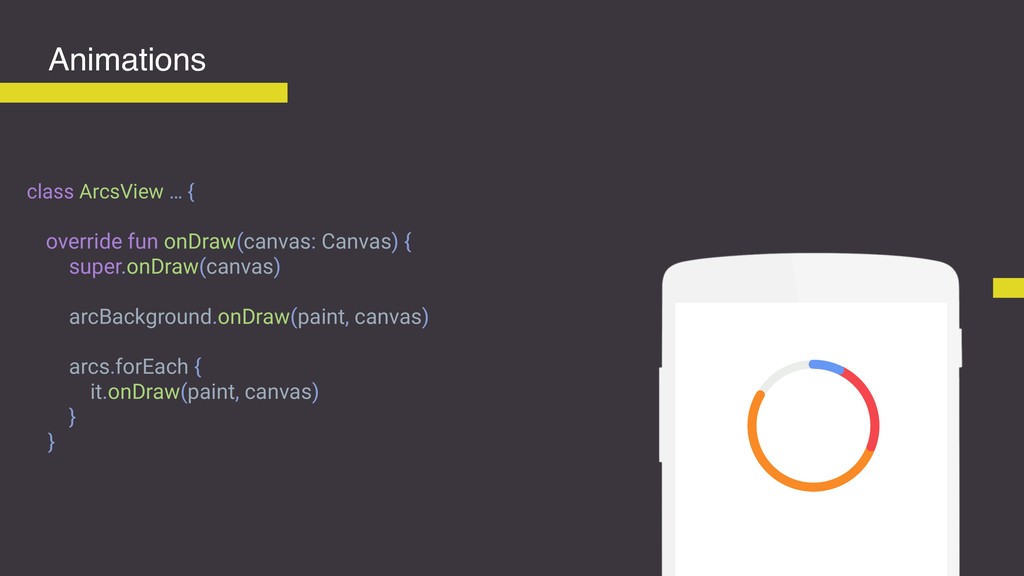
class ArcsView … { override fun onDraw(canvas: Canvas) { super.onDraw(canvas)
arcBackground.onDraw(paint, canvas) arcs.forEach { it.onDraw(paint, canvas) } } Animations -
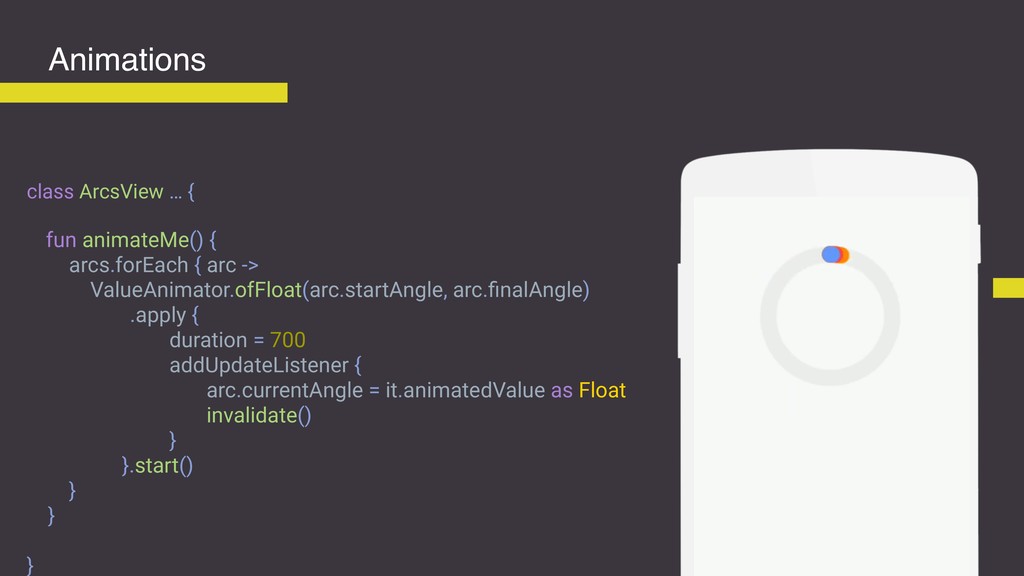
class ArcsView … { fun animateMe() { arcs.forEach { arc
-> ValueAnimator.ofFloat(arc.startAngle, arc.finalAngle) .apply { duration = 700 addUpdateListener { arc.currentAngle = it.animatedValue as Float invalidate() } }.start() } } } Animations -
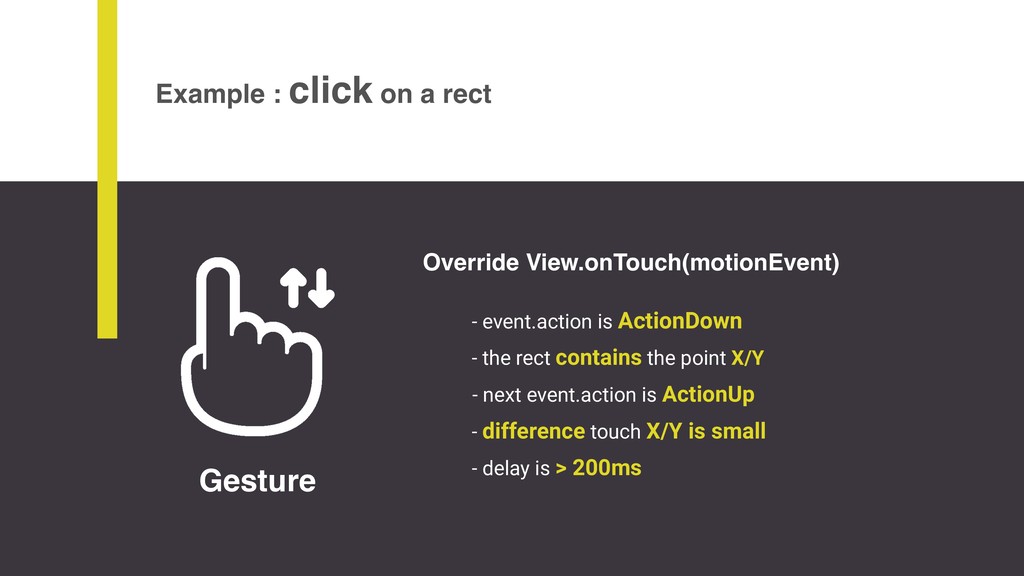
Gesture Example : click on a rect - event.action is
ActionDown - next event.action is ActionUp - difference touch X/Y is small - delay is > 200ms - the rect contains the point X/Y Override View.onTouch(motionEvent) -
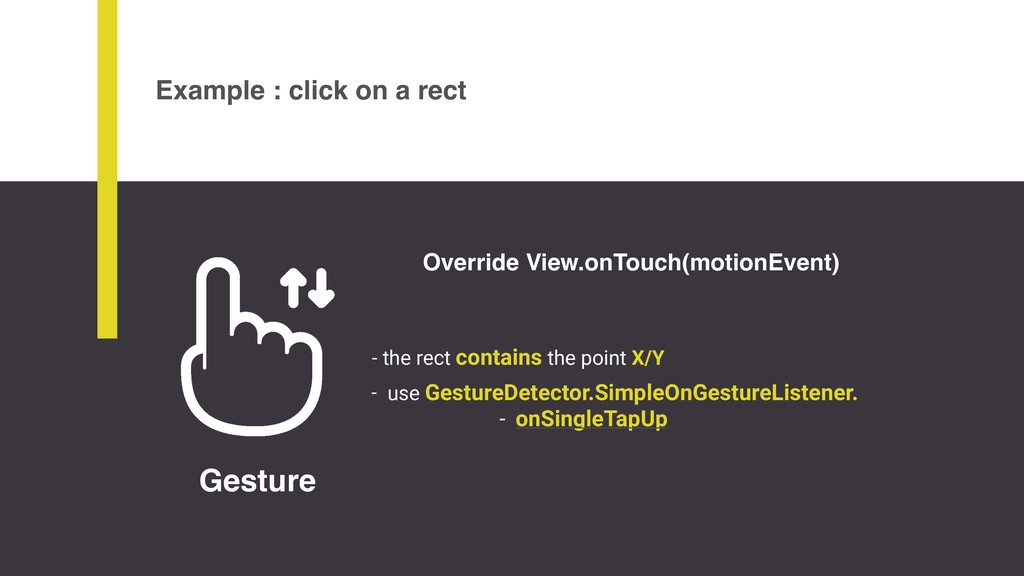
Override View.onTouch(motionEvent) Example : click on a rect - use
GestureDetector.SimpleOnGestureListener. - onSingleTapUp - the rect contains the point X/Y Gesture -
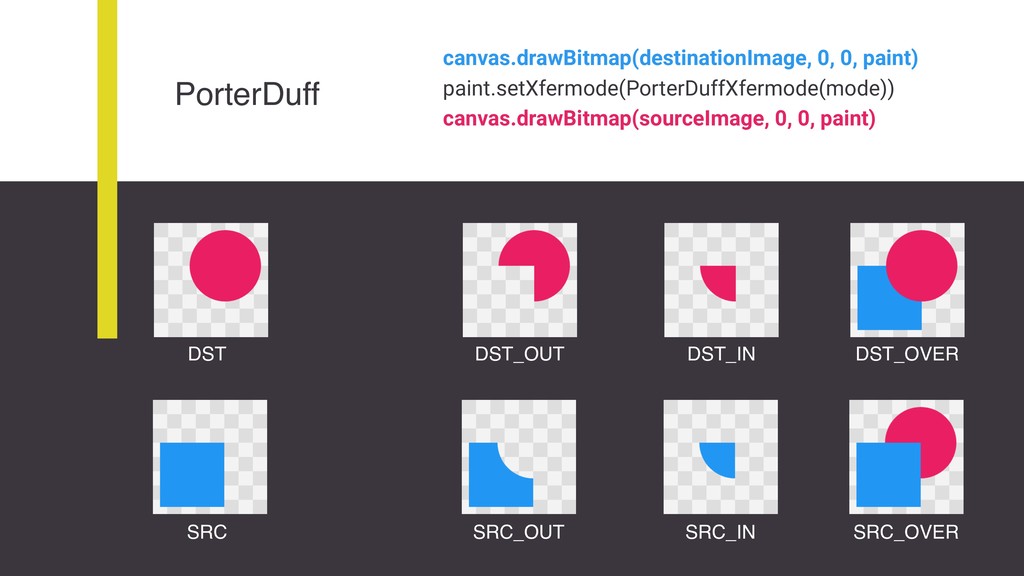
PorterDuff SRC SRC_OUT SRC_OVER SRC_IN canvas.drawBitmap(destinationImage, 0, 0, paint) paint.setXfermode(PorterDuffXfermode(mode))
canvas.drawBitmap(sourceImage, 0, 0, paint) DST DST_IN DST_OUT DST_OVER -
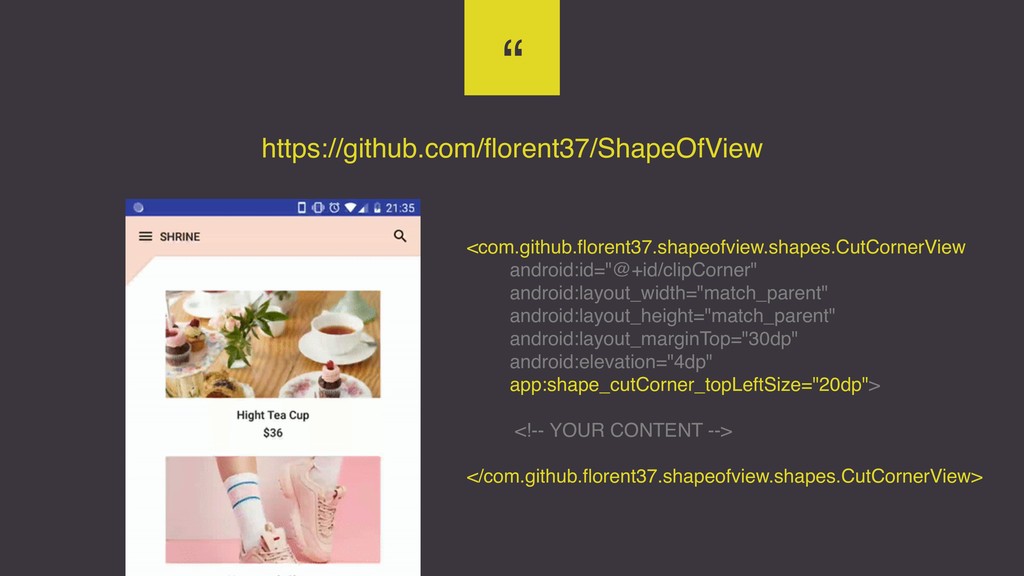
“ https://github.com/florent37/ShapeOfView <com.github.florent37.shapeofview.shapes.CutCornerView android:id="@+id/clipCorner" android:layout_width="match_parent" android:layout_height="match_parent" android:layout_marginTop="30dp" android:elevation="4dp" app:shape_cutCorner_topLeftSize="20dp"> <!--
YOUR CONTENT --> </com.github.florent37.shapeofview.shapes.CutCornerView> -
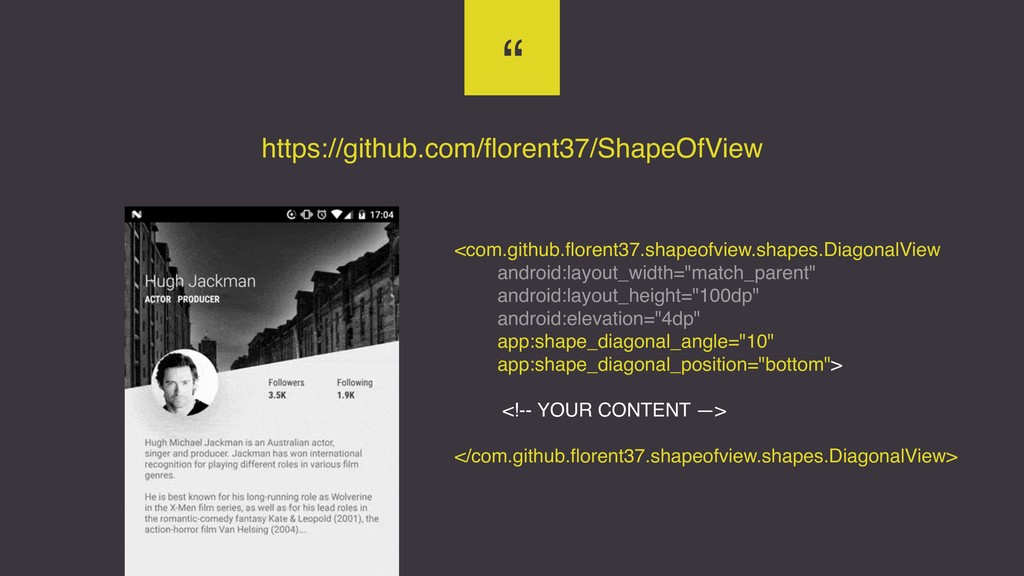
“ https://github.com/florent37/ShapeOfView <com.github.florent37.shapeofview.shapes.DiagonalView android:layout_width="match_parent" android:layout_height="100dp" android:elevation="4dp" app:shape_diagonal_angle="10" app:shape_diagonal_position="bottom"> <!-- YOUR
CONTENT —> </com.github.florent37.shapeofview.shapes.DiagonalView> -
“ Thank you Florent I’m ready to code my custom
views (and earn $$$)