Upgrade to Pro
— share decks privately, control downloads, hide ads and more …
Speaker Deck
Sign up for free
Menu
Search
Features
All features
Private URLs
Password Protection
Custom URLS
Scheduled publishing
Remove Branding
Restrict embedding
Deck Collections
Notes
Features
All features
Private URLs
Password Protection
Custom URLS
Scheduled publishing
Remove Branding
Restrict embedding
Deck Collections
Notes
Explore
Featured decks
Featured speakers
Programming
Technology
Storyboards
Explore
Featured decks
Featured speakers
Programming
Technology
Storyboards
Pricing
Search
Sign in
Sign up for free
Tutorial of Coding Environment for Research by ...
Search
ShitoRyo
June 16, 2025
Programming
63
0
Share
Embed
Copy iframe code
Copy JS code
Copy link
Start on current slide
Tutorial of Coding Environment for Research by Docker
ShitoRyo
June 16, 2025
More Decks by ShitoRyo
See All by ShitoRyo
論文紹介_LSC-Eval: A General Framework to Evaluate Methods for Assessing Dimensions of Lexical Semantic Change Using LLM-Generated Synthetic Data
lexusd
0
43
Computational Approaches for Diachronic Semantic Change Detection_2024_8
lexusd
0
69
論文紹介_Learning Dynamic Contextualised Word Embeddings via Template-based Temporal Adptation
lexusd
0
160
論文紹介_Are Embedded Potatoes Still Vegetables_ On the Limitation of WordNet Embeddings for Lexical Semantics
lexusd
0
180
論文紹介_Interpretable Word Sense Representations via Definition Generation_ The Case of Semantic Change Analysis
lexusd
0
150
論文紹介_Twitter Topic Classification
lexusd
0
120
論文紹介_What is Done is Done_ an Incremental Approach to Semantic Shift Detection
lexusd
0
140
Demoの作り方_研究会チュートリアル
lexusd
0
190
論文紹介_Ruddit_Norms of Offensiveness for English Readdit Comments
lexusd
0
83
Other Decks in Programming
See All in Programming
JAWS-UG 東京支部が始める、JAWS-UG支部コラボ / JAWS-UG lunchtime LT Collaboration
y0hgi
0
280
UnityでSystem.Net.WebSocketsなWebSocketサーバが動かないのでUnity Monoのコードを覗いてみた / about implementing websocket server with unity mono
drumath2237
1
610
Augmenting AI with the Power of Jakarta EE
ivargrimstad
0
210
[Dev Group Paris Octobre 26] Agentforce, SIforce, Claudeforce, Slackbot… on s'y retrouve ?
nabondance
0
110
golang-bob.pdf
iwatsukayura
0
130
FactoryBotをやめればRSpecは速くなるのか?
yuta_onishi_97
0
630
npm との違いを手がかりにGo の依存管理を理解したい
optim
0
620
Atomic Design, Enforced: Scaling Mobile Design Systems (next.app devCon / droidCon Berlin 2026)
steliosf
PRO
0
170
Apple Intelligence を用いた個人情報誤送信防止、及びユーザーリクエスト体験の改善について
yukiny
0
350
ChromeでローカルLLM
ryu1013
0
140
Long Living Tokens, Die, Die, Die! (or: The One Ring is Banned in Modern)
sylph01
0
320
re:Inventに行く前に知っておきたい現地参加のノウハウ
nokomoro3
0
430
Featured
See All Featured
XXLCSS - How to scale CSS and keep your sanity
sugarenia
250
1.3M
Navigating Algorithm Shifts & AI Overviews - #SMXNext
aleyda
1
1.7k
Visual Storytelling: How to be a Superhuman Communicator
reverentgeek
2
710
Fashionably flexible responsive web design (full day workshop)
malarkey
409
67k
How to train your dragon (web standard)
notwaldorf
96
6.9k
個人開発の失敗を避けるイケてる考え方 / tips for indie hackers
panda_program
123
22k
"I'm Feeling Lucky" - Building Great Search Experiences for Today's Users (#IAC19)
danielanewman
230
23k
No one is an island. Learnings from fostering a developers community.
thoeni
21
3.9k
Are puppies a ranking factor?
jonoalderson
2
4.1k
Thoughts on Productivity
jonyablonski
76
5.4k
A Guide to Academic Writing Using Generative AI - A Workshop
ks91
PRO
1
520
The Language of Interfaces
destraynor
162
27k
Transcript
Docker使った研究用環境構築 超 入門 研究会チュートリアル D1 凌 志棟 2025.6.4 1
目標 • 研究室のサーバー上、Docker使って実験できる環境を構築 • 構築の手順を解説し、一連の手順をいろんなサーバー上に実行 • 構築した環境からGithubへPushできるようにセット 2
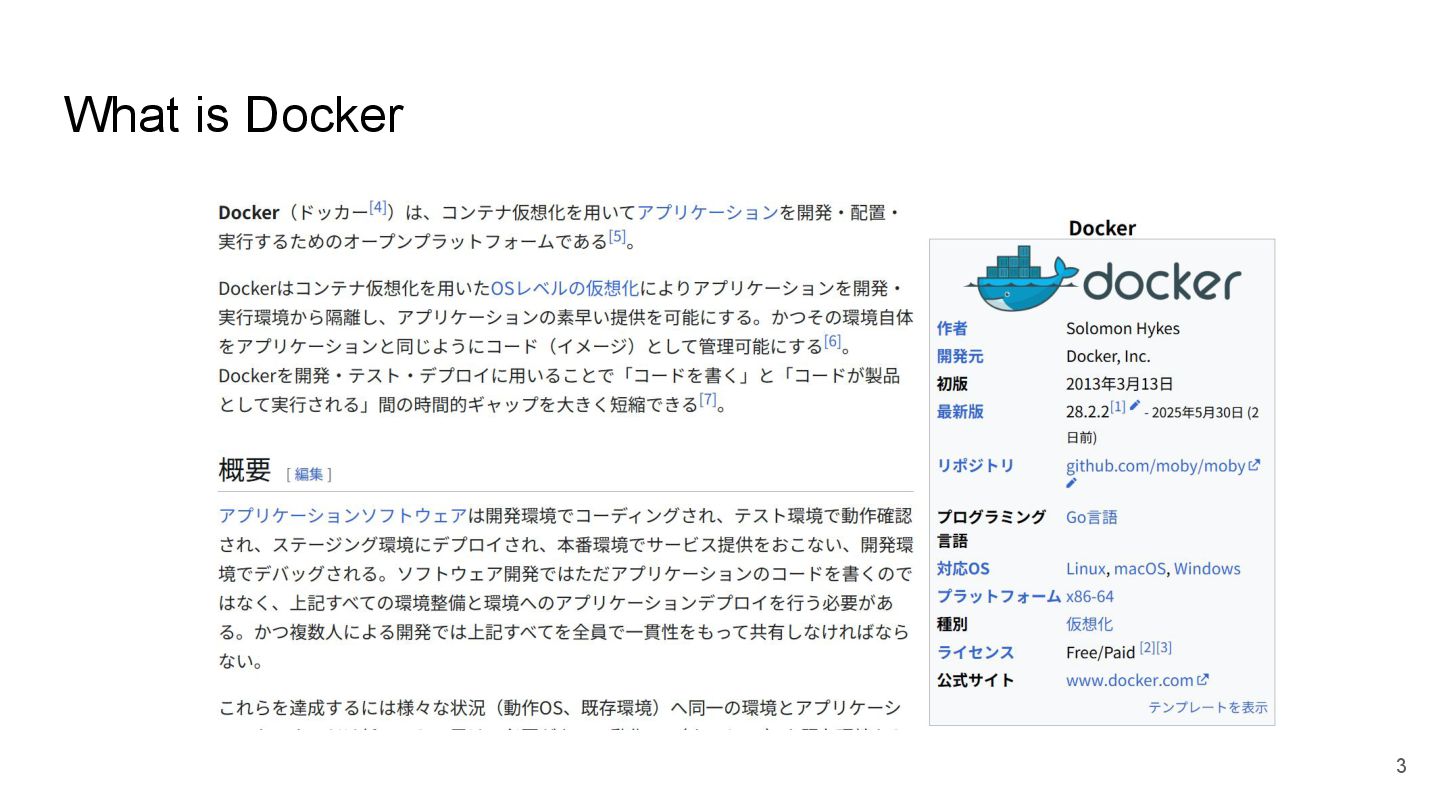
What is Docker 3
What is Docker 4
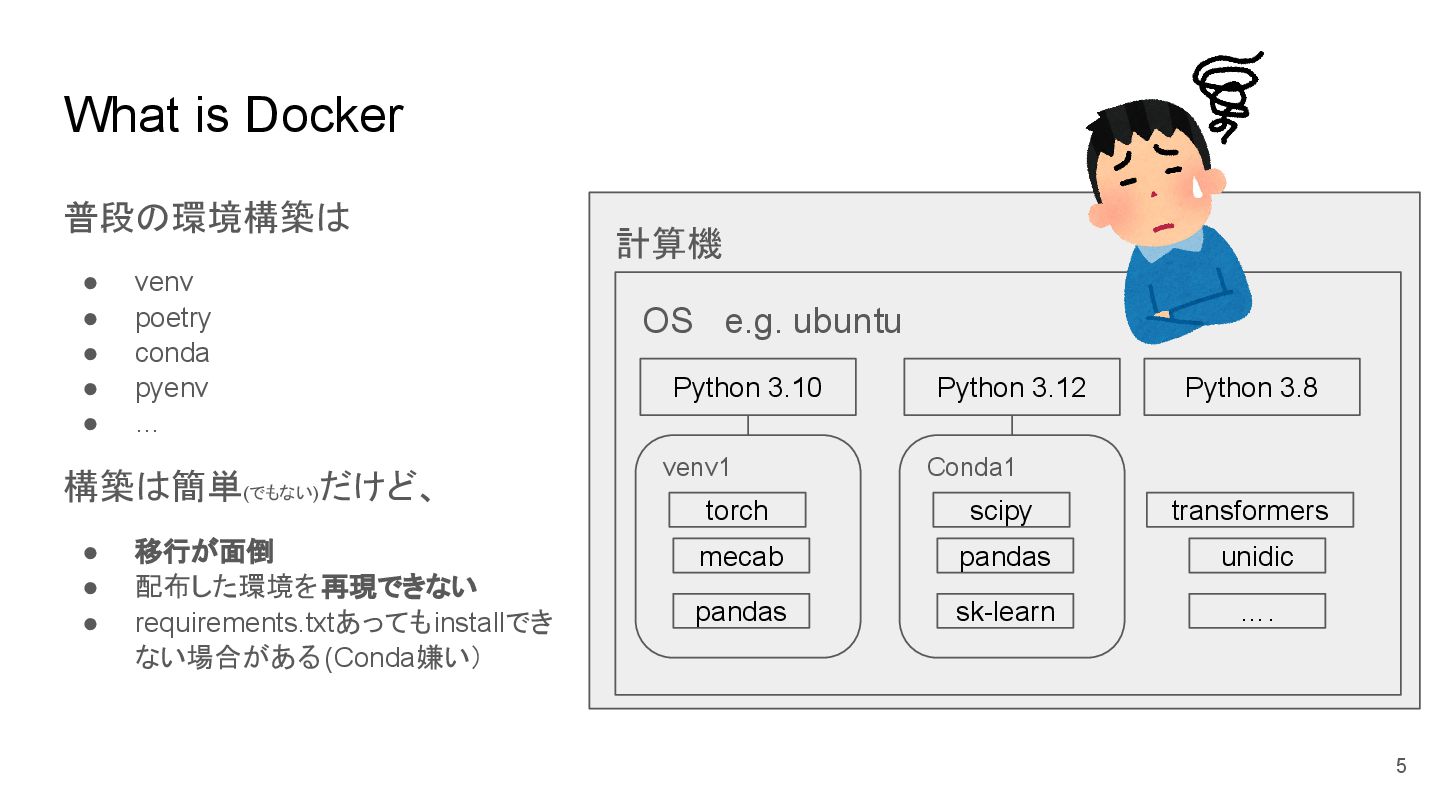
What is Docker 普段の環境構築は • venv • poetry • conda
• pyenv • … 構築は簡単(でもない) だけど、 • 移行が面倒 • 配布した環境を再現できない • requirements.txtあってもinstallでき ない場合がある(Conda嫌い) 計算機 OS e.g. ubuntu torch mecab pandas Python 3.10 venv1 scipy pandas sk-learn Python 3.12 Conda1 transformers unidic …. Python 3.8 5
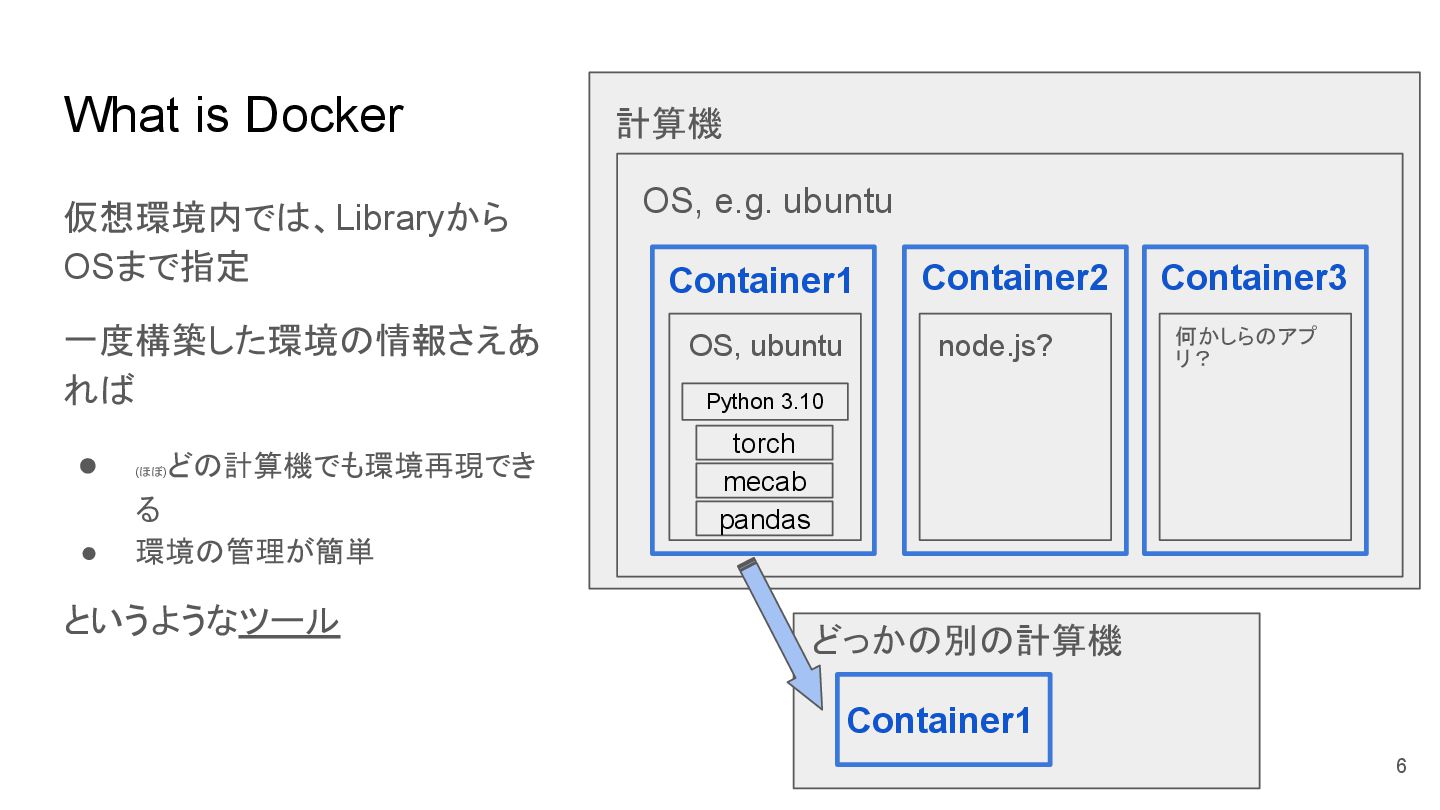
What is Docker 仮想環境内では、Libraryから OSまで指定 一度構築した環境の情報さえあ れば • (ほぼ) どの計算機でも環境再現でき
る • 環境の管理が簡単 というようなツール 計算機 OS, e.g. ubuntu Container1 Container2 Container3 OS, ubuntu node.js? 何かしらのアプ リ? torch mecab pandas Python 3.10 どっかの別の計算機 Container1 6
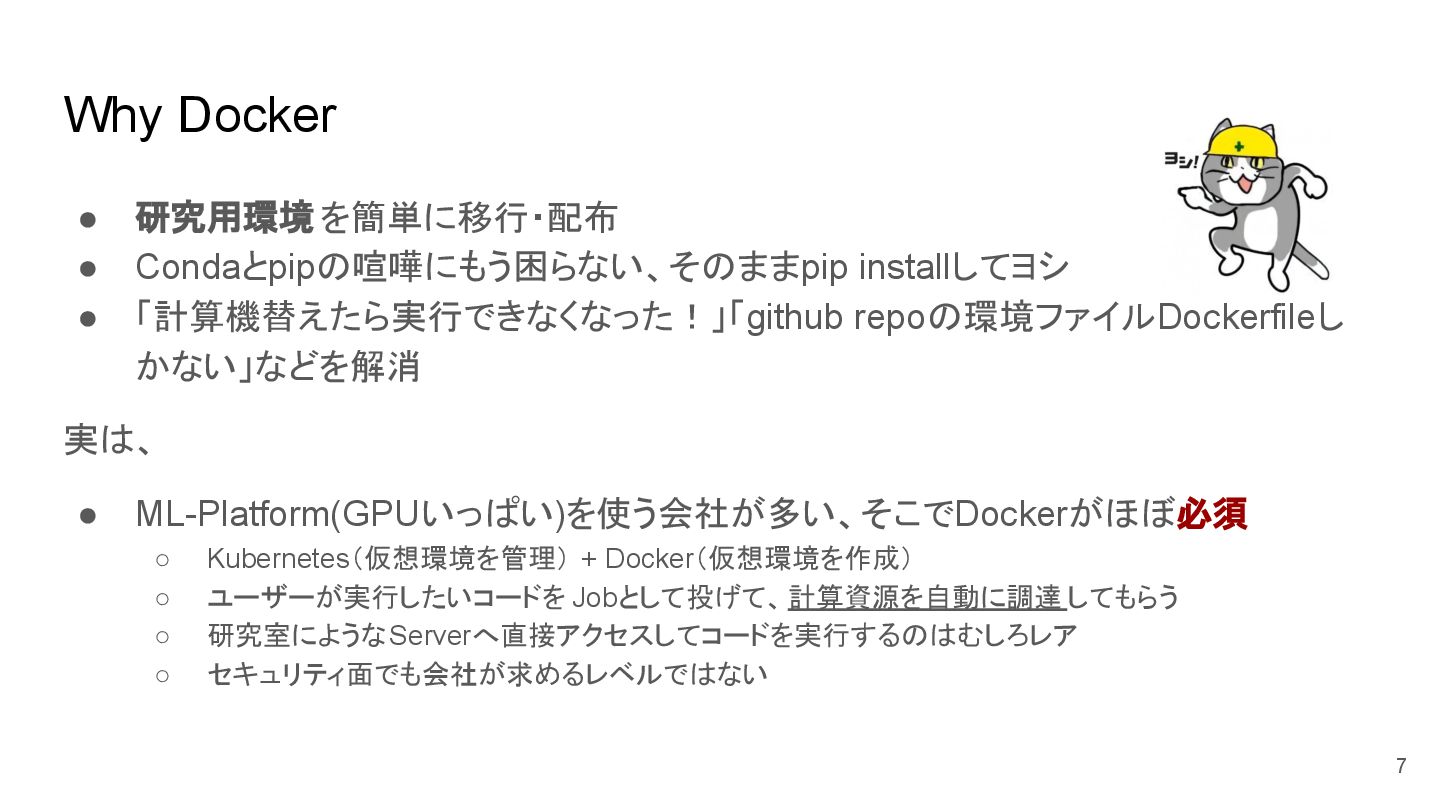
Why Docker • 研究用環境 を簡単に移行・配布 • Condaとpipの喧嘩にもう困らない、そのままpip installしてヨシ • 「計算機替えたら実行できなくなった!」「github
repoの環境ファイルDockerfileし かない」などを解消 実は、 • ML-Platform(GPUいっぱい)を使う会社が多い、そこでDockerがほぼ必須 ◦ Kubernetes(仮想環境を管理) + Docker(仮想環境を作成) ◦ ユーザーが実行したいコードを Jobとして投げて、計算資源を自動に調達 してもらう ◦ 研究室にようなServerへ直接アクセスしてコードを実行するのはむしろレア ◦ セキュリティ面でも会社が求めるレベルではない 7
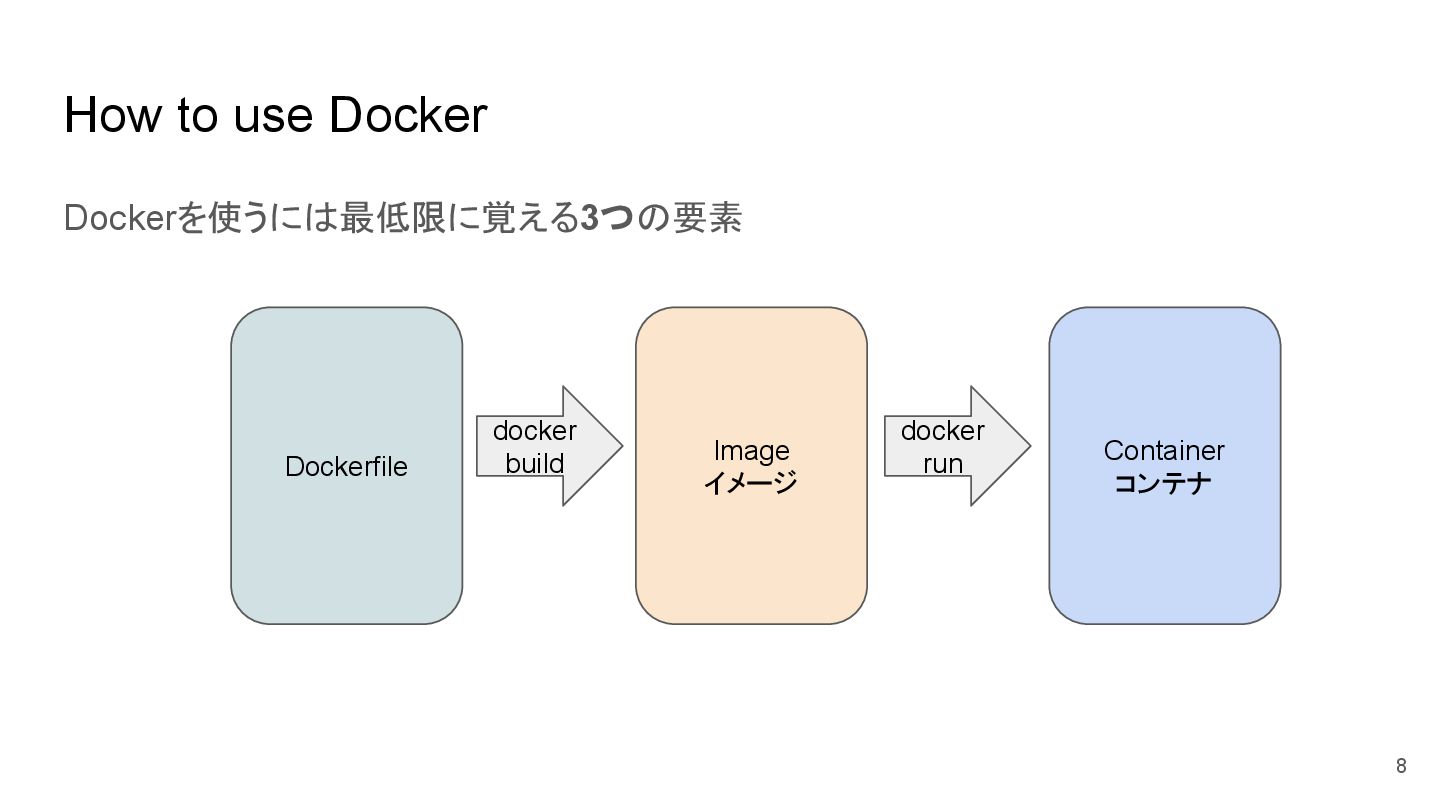
How to use Docker Dockerを使うには最低限に覚える3つの要素 Dockerfile Image イメージ Container コンテナ
docker build docker run 8
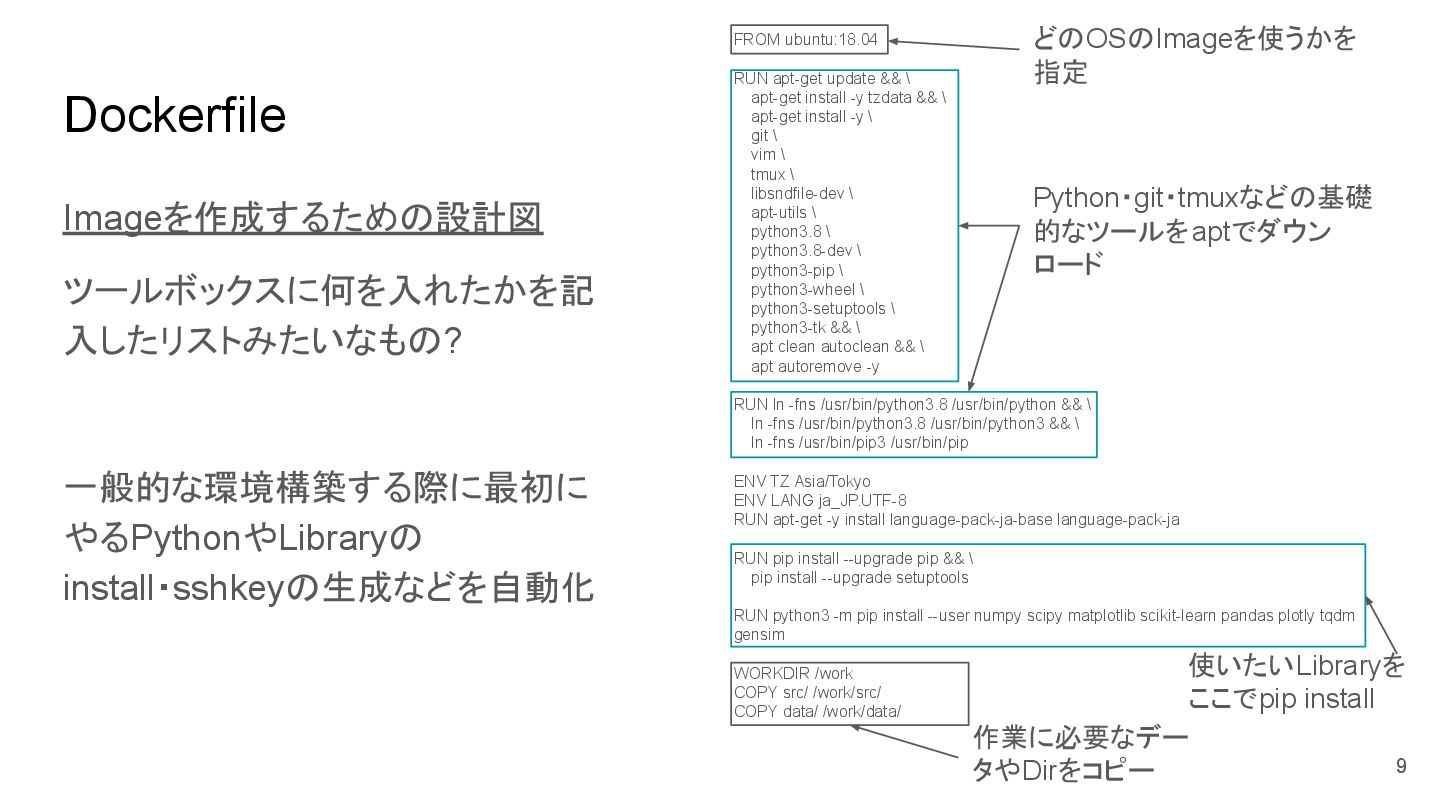
Dockerfile Imageを作成するための設計図 ツールボックスに何を入れたかを記 入したリストみたいなもの? 一般的な環境構築する際に最初に やるPythonやLibraryの install・sshkeyの生成などを自動化 FROM ubuntu:18.04 RUN
apt-get update && \ apt-get install -y tzdata && \ apt-get install -y \ git \ vim \ tmux \ libsndfile-dev \ apt-utils \ python3.8 \ python3.8-dev \ python3-pip \ python3-wheel \ python3-setuptools \ python3-tk && \ apt clean autoclean && \ apt autoremove -y RUN ln -fns /usr/bin/python3.8 /usr/bin/python && \ ln -fns /usr/bin/python3.8 /usr/bin/python3 && \ ln -fns /usr/bin/pip3 /usr/bin/pip ENV TZ Asia/Tokyo ENV LANG ja_JP.UTF-8 RUN apt-get -y install language-pack-ja-base language-pack-ja RUN pip install --upgrade pip && \ pip install --upgrade setuptools RUN python3 -m pip install --user numpy scipy matplotlib scikit-learn pandas plotly tqdm gensim WORKDIR /work COPY src/ /work/src/ COPY data/ /work/data/ どのOSのImageを使うかを 指定 Python・git・tmuxなどの基礎 的なツールをaptでダウン ロード 使いたいLibraryを ここでpip install 作業に必要なデー タやDirをコピー 9
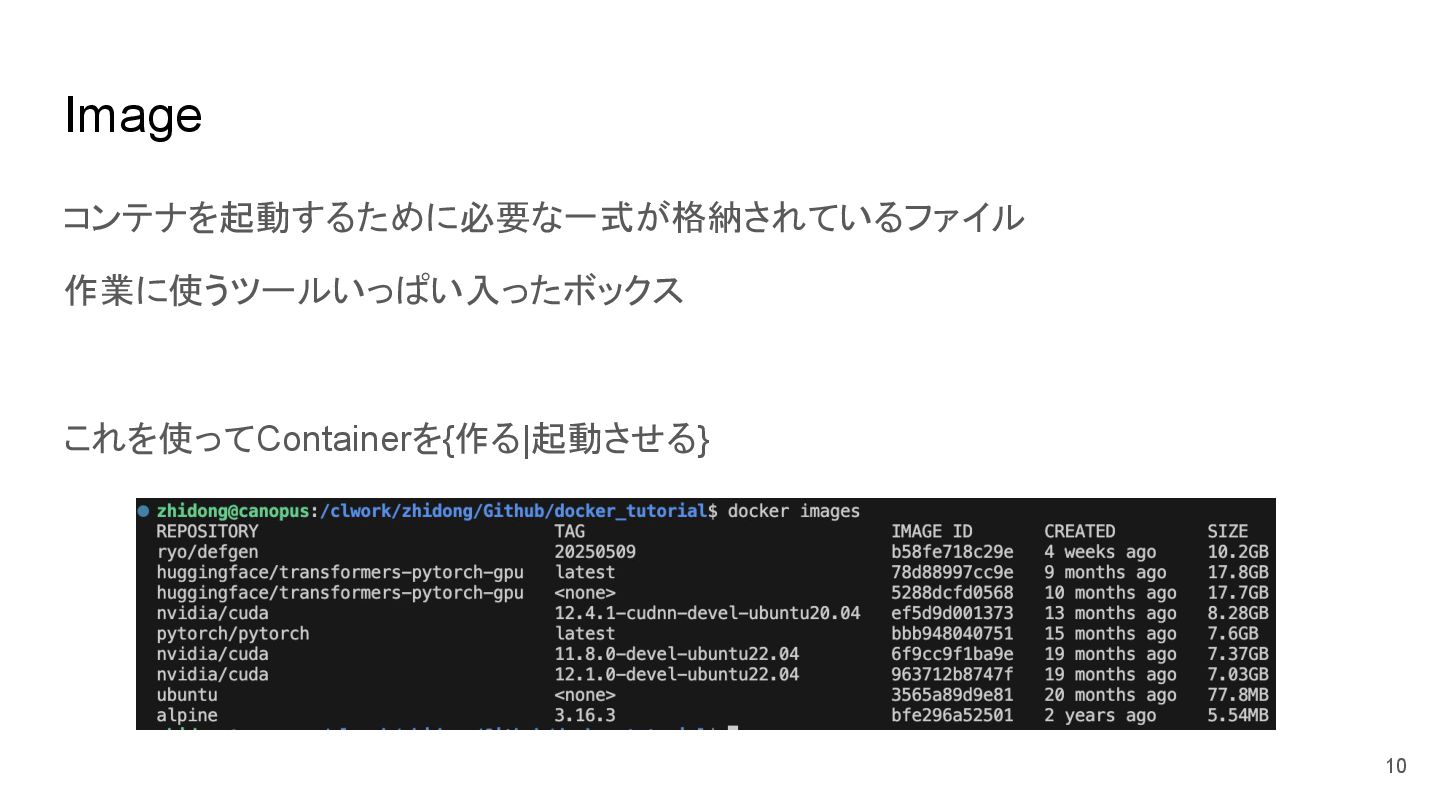
Image コンテナを起動するために必要な一式が格納されているファイル 作業に使うツールいっぱい入ったボックス これを使ってContainerを{作る|起動させる} 10
Container OSを動かす独立したサーバー仮想環境 作業環境を入れる箱であれば、工房? ここで楽しく実験 データをホスト計算機に移行したり、コードをGithub上にPushしたりできる 11
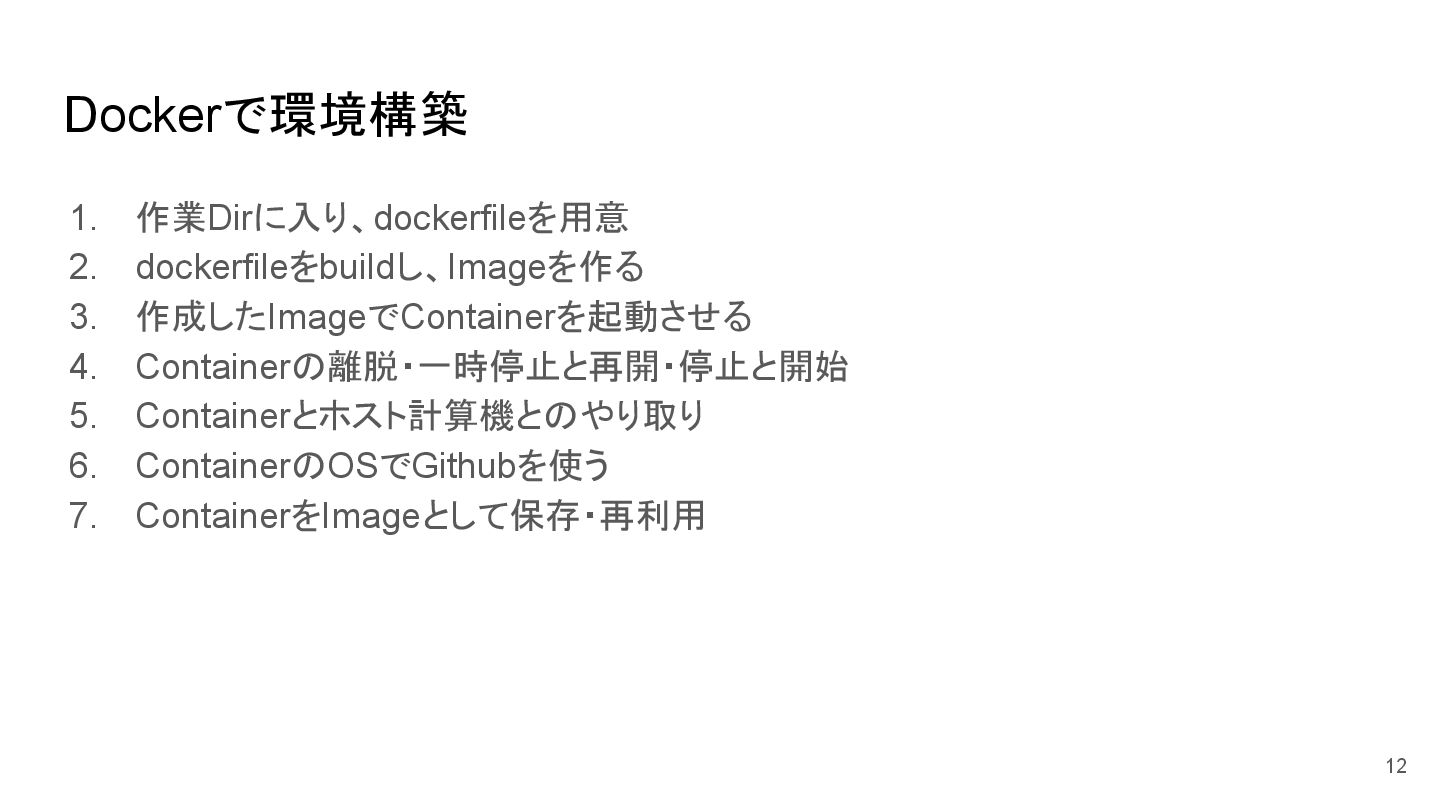
Dockerで環境構築 1. 作業Dirに入り、dockerfileを用意 2. dockerfileをbuildし、Imageを作る 3. 作成したImageでContainerを起動させる 4. Containerの離脱・一時停止と再開・停止と開始 5.
Containerとホスト計算機とのやり取り 6. ContainerのOSでGithubを使う 7. ContainerをImageとして保存・再利用 12
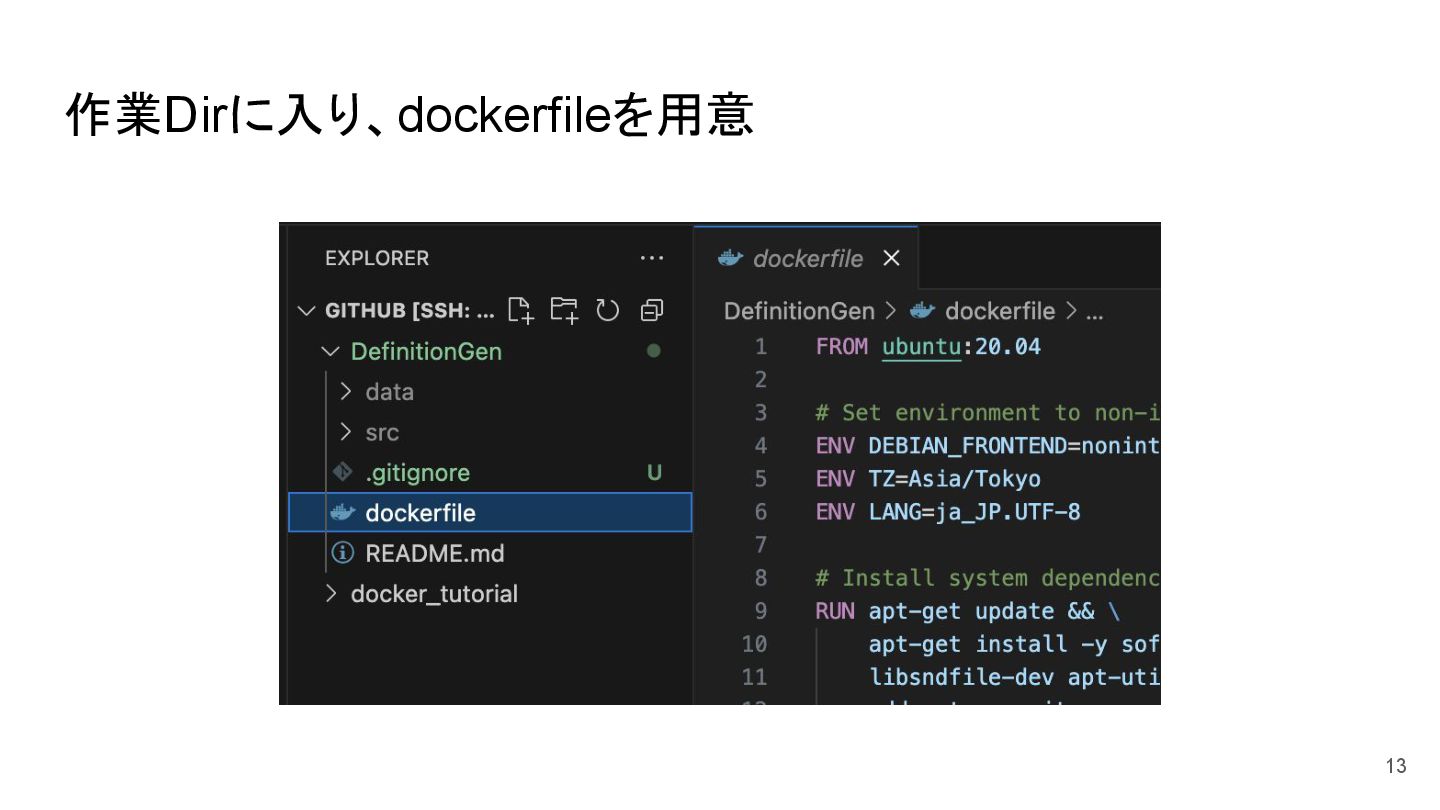
作業Dirに入り、dockerfileを用意 13
自家製Dockerfile FROM ubuntu:20.04 # Set environment to non-interactive ENV DEBIAN_FRONTEND=noninteractive
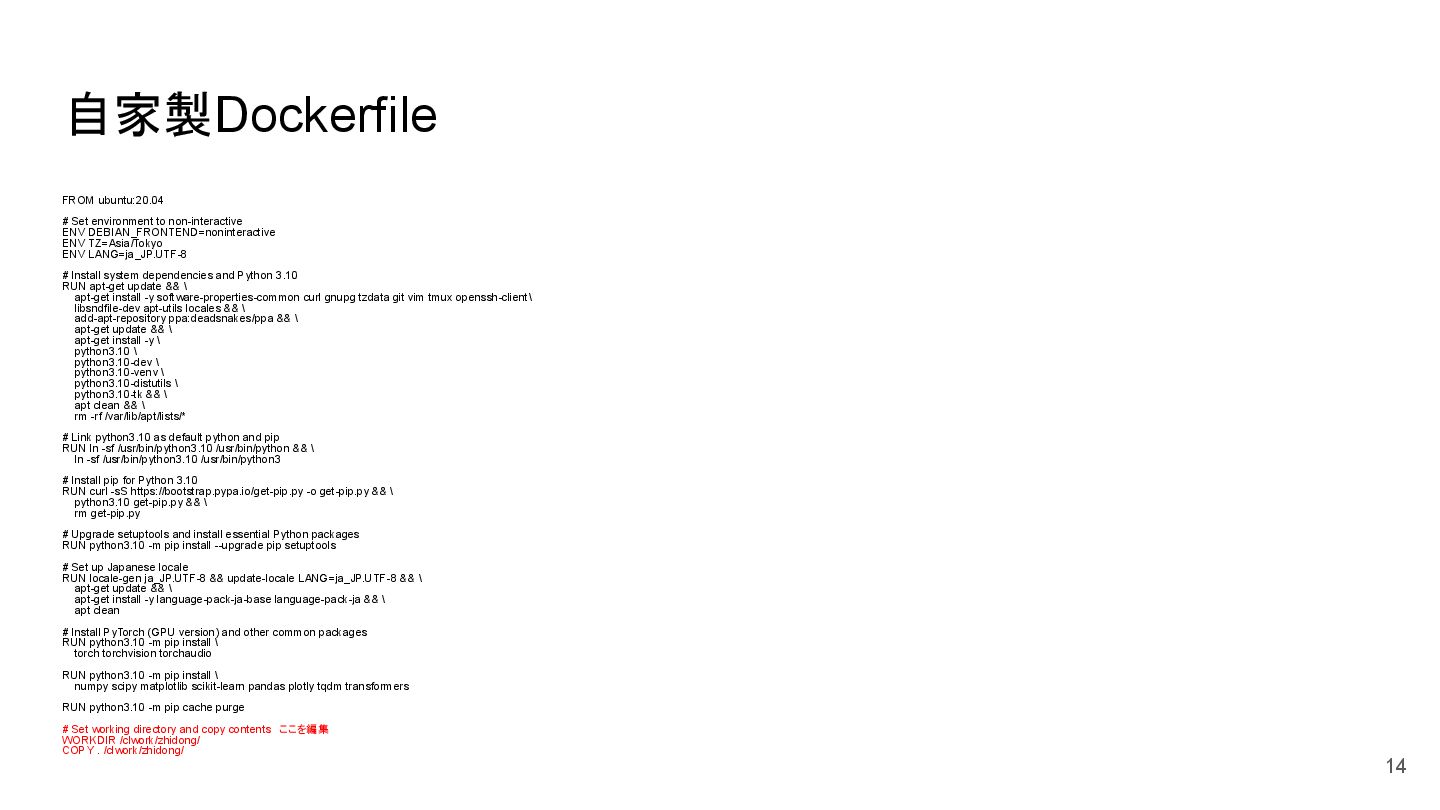
ENV TZ=Asia/Tokyo ENV LANG=ja_JP.UTF-8 # Install system dependencies and Python 3.10 RUN apt-get update && \ apt-get install -y software-properties-common curl gnupg tzdata git vim tmux openssh-client\ libsndfile-dev apt-utils locales && \ add-apt-repository ppa:deadsnakes/ppa && \ apt-get update && \ apt-get install -y \ python3.10 \ python3.10-dev \ python3.10-venv \ python3.10-distutils \ python3.10-tk && \ apt clean && \ rm -rf /var/lib/apt/lists/* # Link python3.10 as default python and pip RUN ln -sf /usr/bin/python3.10 /usr/bin/python && \ ln -sf /usr/bin/python3.10 /usr/bin/python3 # Install pip for Python 3.10 RUN curl -sS https://bootstrap.pypa.io/get-pip.py -o get-pip.py && \ python3.10 get-pip.py && \ rm get-pip.py # Upgrade setuptools and install essential Python packages RUN python3.10 -m pip install --upgrade pip setuptools # Set up Japanese locale RUN locale-gen ja_JP.UTF-8 && update-locale LANG=ja_JP.UTF-8 && \ apt-get update && \ apt-get install -y language-pack-ja-base language-pack-ja && \ apt clean # Install PyTorch (GPU version) and other common packages RUN python3.10 -m pip install \ torch torchvision torchaudio RUN python3.10 -m pip install \ numpy scipy matplotlib scikit-learn pandas plotly tqdm transformers RUN python3.10 -m pip cache purge # Set working directory and copy contents ここを編集 WORKDIR /clwork/zhidong/ COPY . /clwork/zhidong/ 14
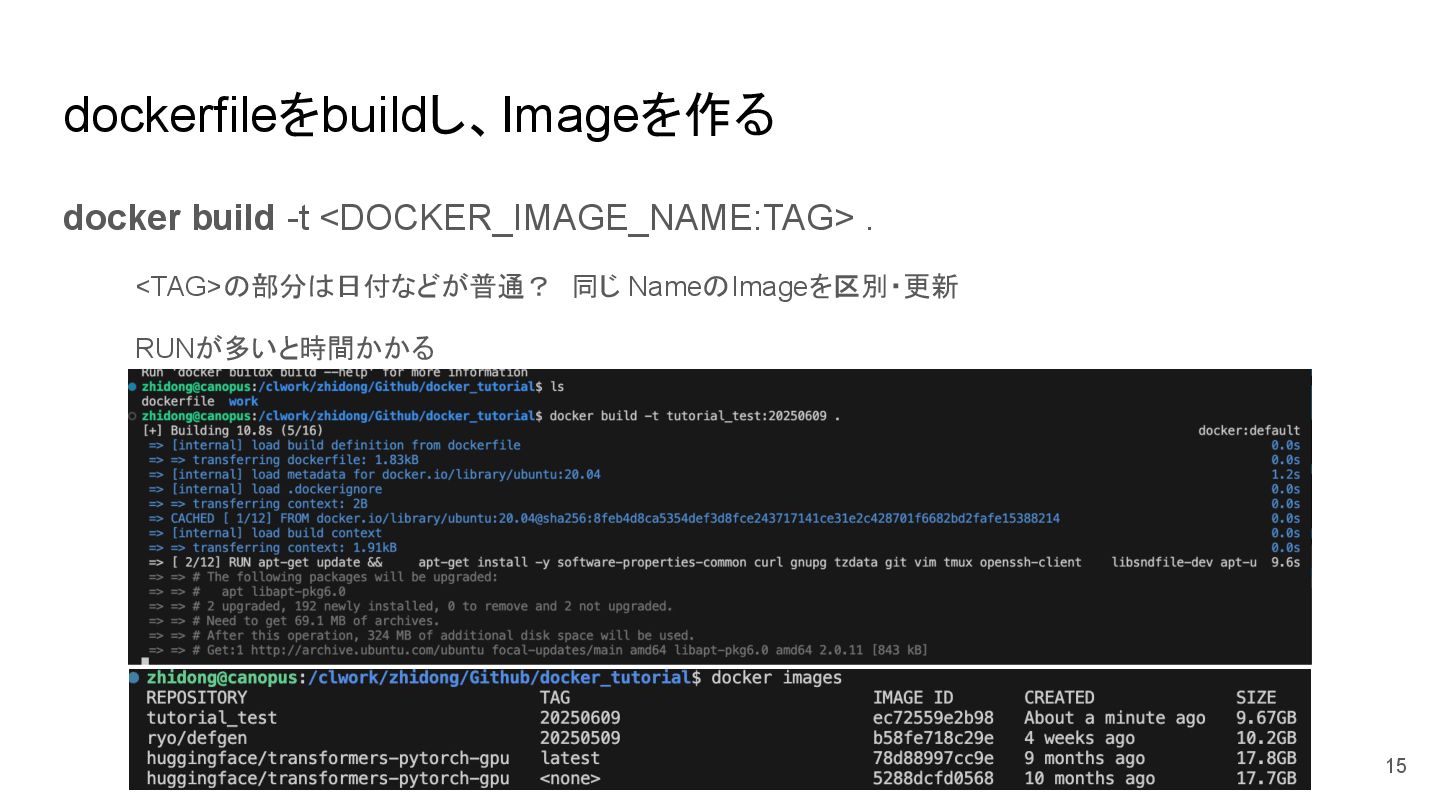
dockerfileをbuildし、Imageを作る docker build -t <DOCKER_IMAGE_NAME:TAG> . <TAG>の部分は日付などが普通? 同じ NameのImageを区別・更新 RUNが多いと時間かかる 15
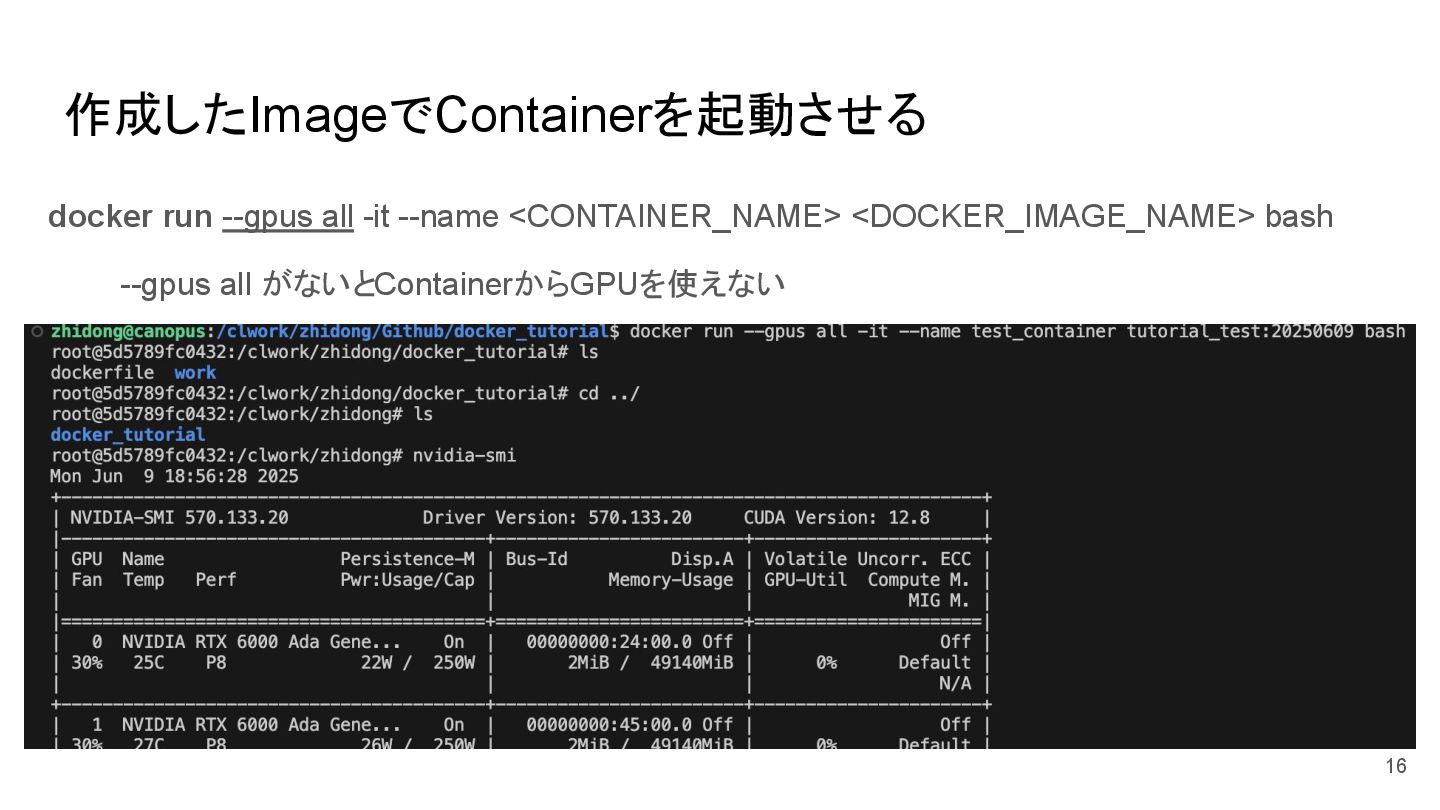
作成したImageでContainerを起動させる docker run --gpus all -it --name <CONTAINER_NAME> <DOCKER_IMAGE_NAME> bash
--gpus all がないとContainerからGPUを使えない 16
Containerの離脱・一時停止と再開・停止と開始 # 離脱 Ctrl-p の後に q # 再度コンテナに入る docker attach
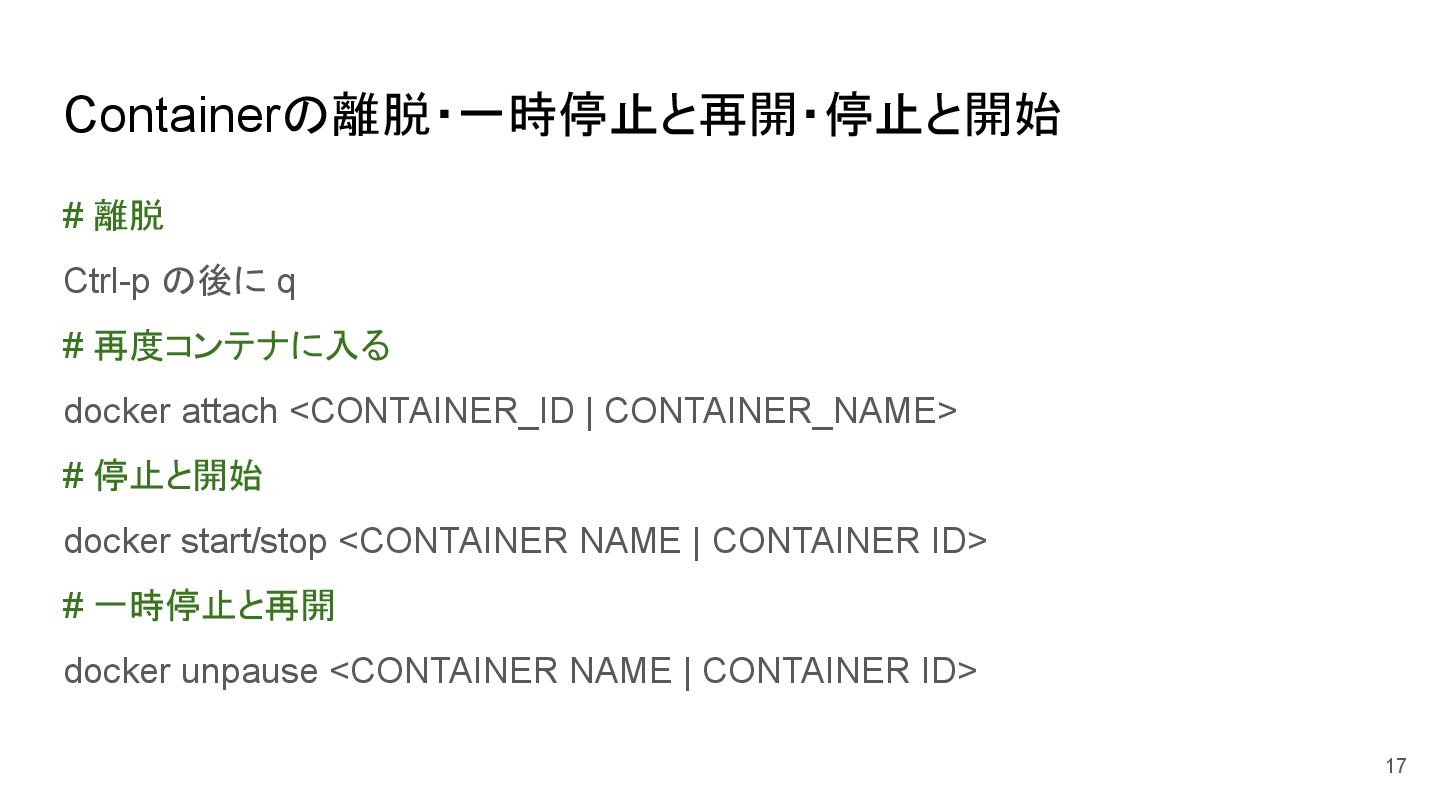
<CONTAINER_ID | CONTAINER_NAME> # 停止と開始 docker start/stop <CONTAINER NAME | CONTAINER ID> # 一時停止と再開 docker unpause <CONTAINER NAME | CONTAINER ID> 17
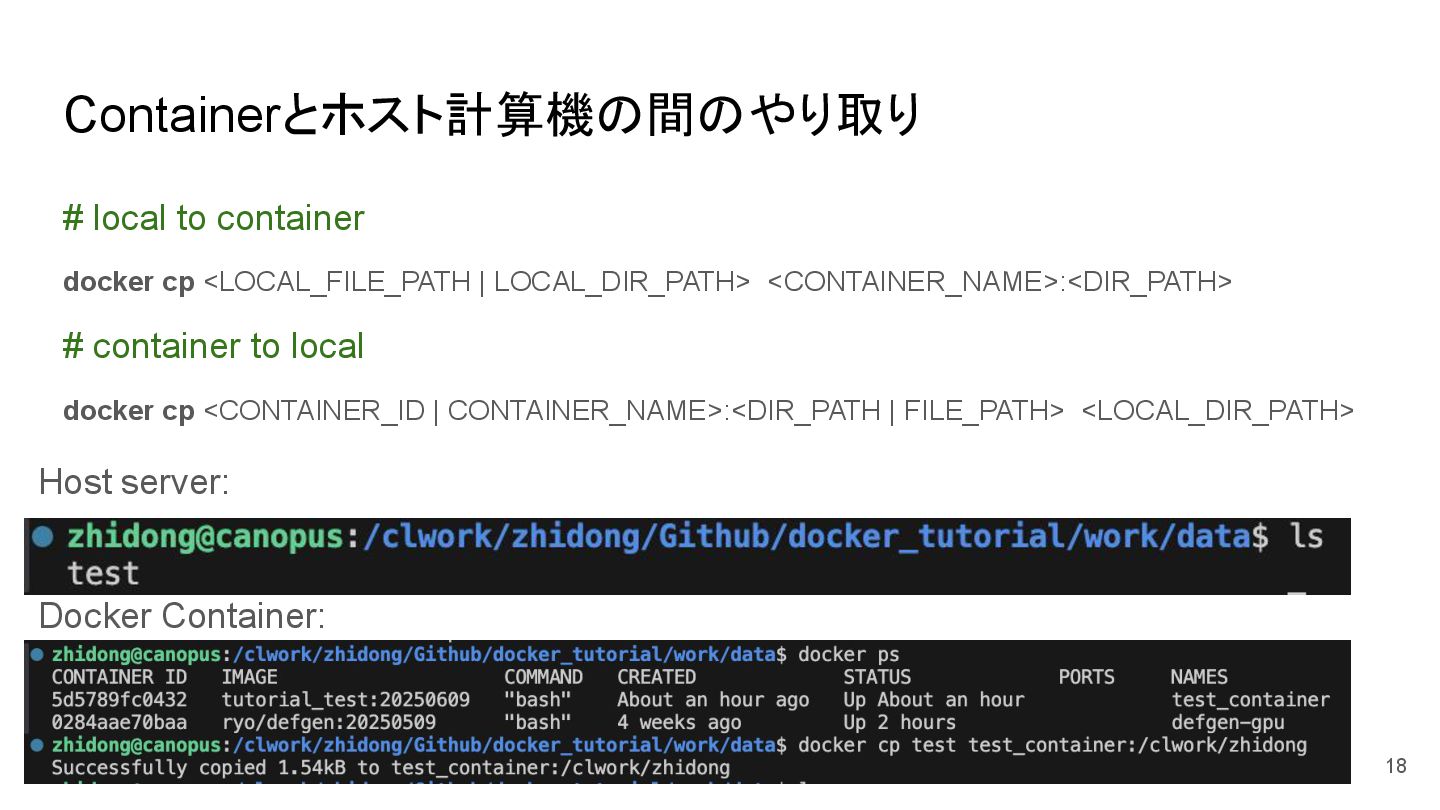
Containerとホスト計算機の間のやり取り # local to container docker cp <LOCAL_FILE_PATH | LOCAL_DIR_PATH>
<CONTAINER_NAME>:<DIR_PATH> # container to local docker cp <CONTAINER_ID | CONTAINER_NAME>:<DIR_PATH | FILE_PATH> <LOCAL_DIR_PATH> Host server: Docker Container: 18
ContainerのOSでGithubを使う SSH を使用した GitHub への接続 100knockの時のやることと一緒 mkdir <SSH_DIR>/.ssh ssh-keygen -t
rsa -b 4096 -f <SSH_DIR>/.ssh -N "" && \ eval `ssh-agent` && \ ssh-add <SSH_DIR>/.ssh/id_rsa >> id_rsaをGithubのSSH keyに追加 19
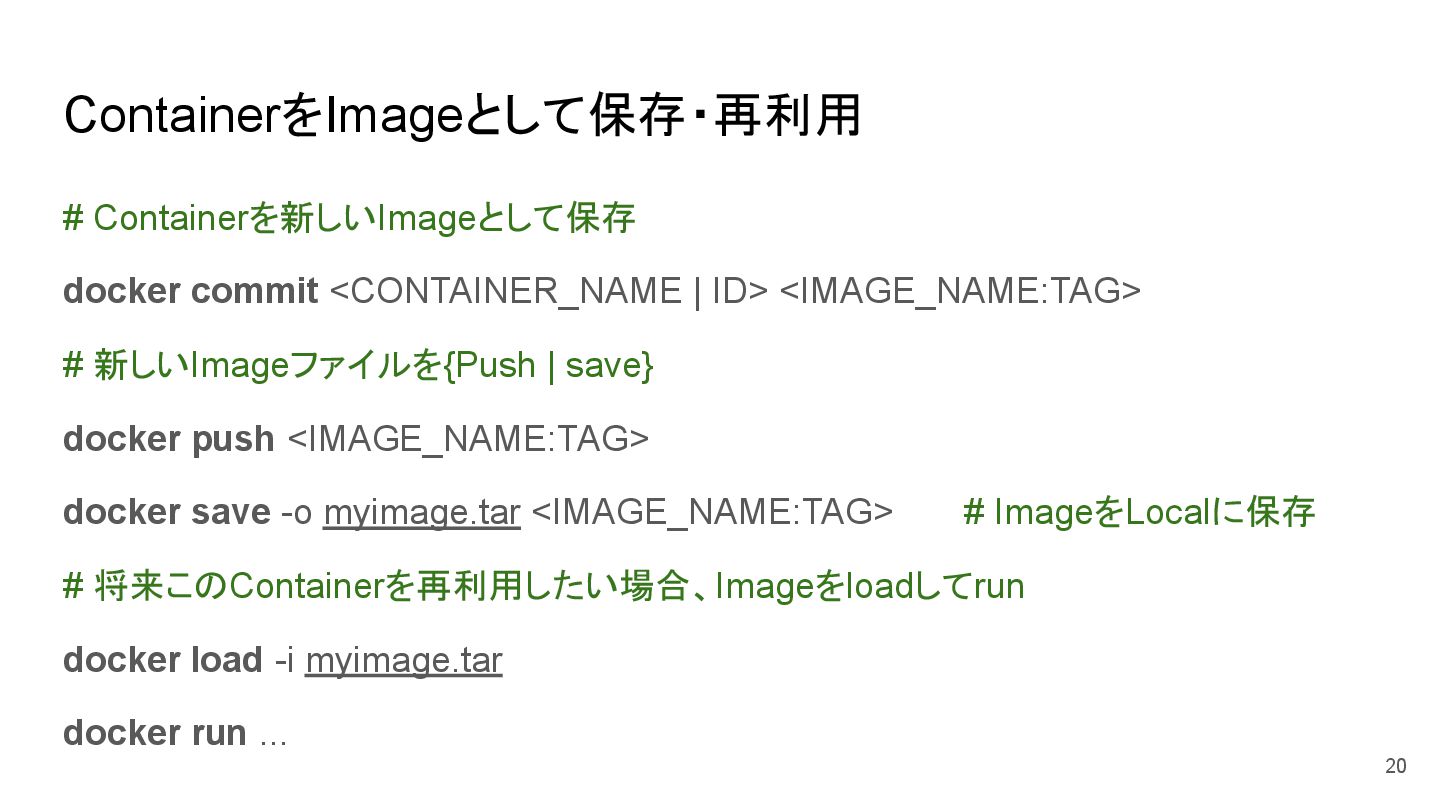
ContainerをImageとして保存・再利用 # Containerを新しいImageとして保存 docker commit <CONTAINER_NAME | ID> <IMAGE_NAME:TAG> #
新しいImageファイルを{Push | save} docker push <IMAGE_NAME:TAG> docker save -o myimage.tar <IMAGE_NAME:TAG> # ImageをLocalに保存 # 将来このContainerを再利用したい場合、Imageをloadしてrun docker load -i myimage.tar docker run ... 20
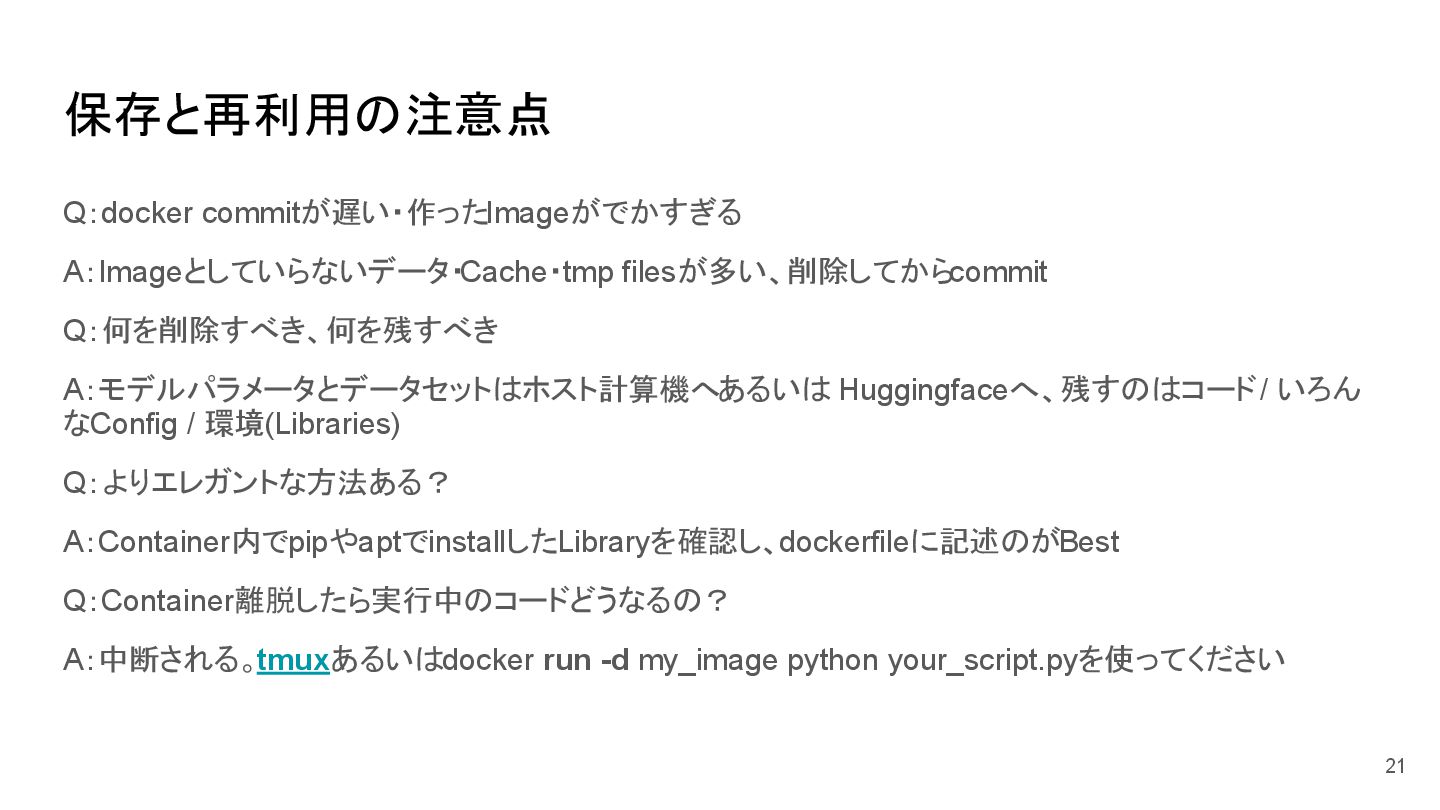
保存と再利用の注意点 Q:docker commitが遅い・作ったImageがでかすぎる A:Imageとしていらないデータ・Cache・tmp filesが多い、削除してからcommit Q:何を削除すべき、何を残すべき A:モデルパラメータとデータセットはホスト計算機へ あるいは Huggingfaceへ、残すのはコード /
いろん なConfig / 環境(Libraries) Q:よりエレガントな方法ある? A:Container内でpipやaptでinstallしたLibraryを確認し、dockerfileに記述のがBest Q:Container離脱したら実行中のコードどうなるの? A:中断される。tmuxあるいはdocker run -d my_image python your_script.pyを使ってください 21
*研究室サーバーのファイル置く方法 powered by 相田さん 相田は以下のようにしていますので、参考になればと思います。 - GitHub repository - dockerfile
実験環境 - src/ スクリプト .py 関係 - scripts/ 実行ファイル .sh 関係 - tests/ pytest を入れる - clwork, work, local - data/ 訓練・評価に必要なデータ - work, local - models/ 学習されたモデル 22
とりあえず試行錯誤しましょう 23
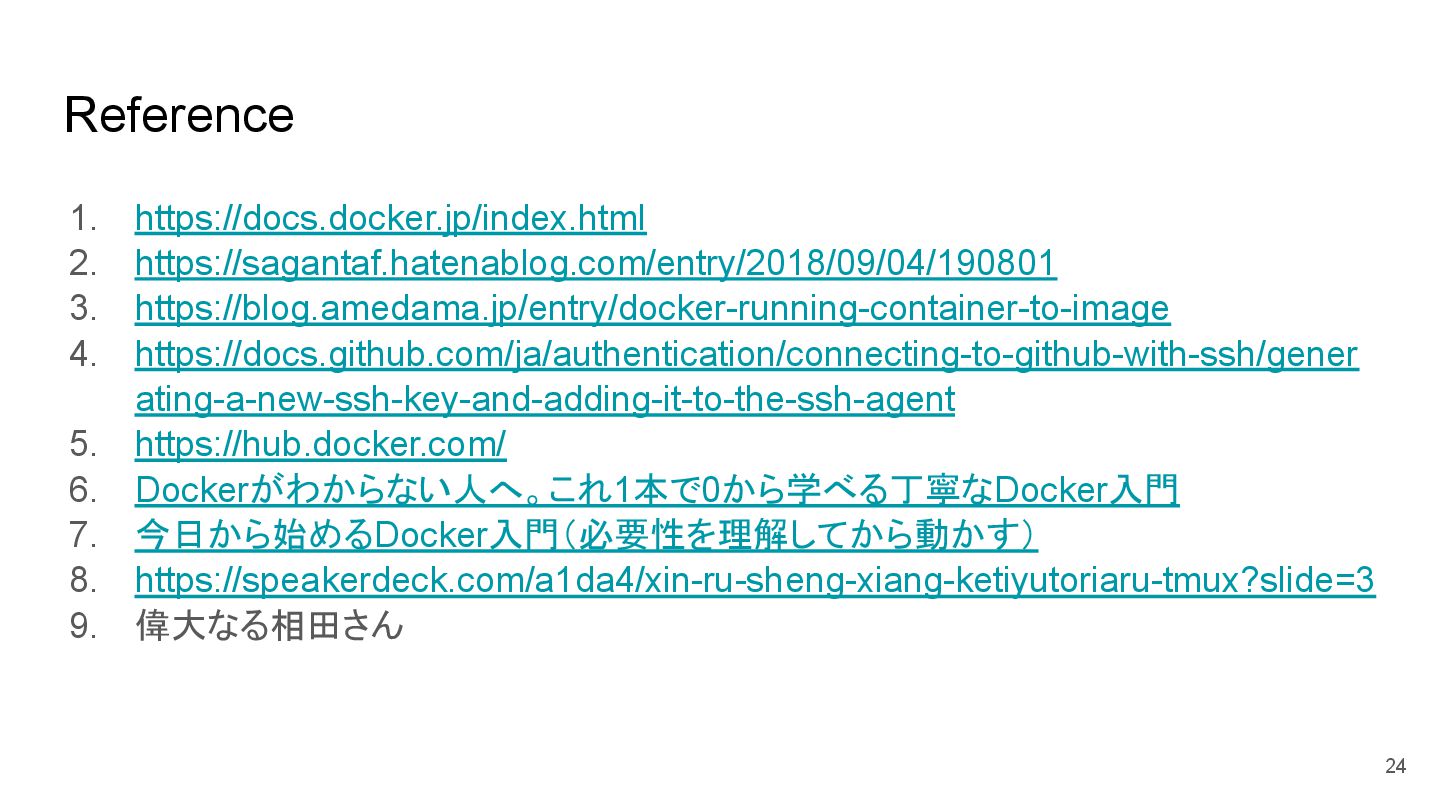
Reference 1. https://docs.docker.jp/index.html 2. https://sagantaf.hatenablog.com/entry/2018/09/04/190801 3. https://blog.amedama.jp/entry/docker-running-container-to-image 4. https://docs.github.com/ja/authentication/connecting-to-github-with-ssh/gener ating-a-new-ssh-key-and-adding-it-to-the-ssh-agent
5. https://hub.docker.com/ 6. Dockerがわからない人へ。これ1本で0から学べる丁寧なDocker入門 7. 今日から始めるDocker入門(必要性を理解してから動かす) 8. https://speakerdeck.com/a1da4/xin-ru-sheng-xiang-ketiyutoriaru-tmux?slide=3 9. 偉大なる相田さん 24


 lexusd
 y0hgi
y0hgi
 drumath2237
 ivargrimstad
 nabondance
 iwatsukayura
 yuta_onishi_97
 optim
optim
 steliosf
 yukiny
 ryu1013
 sylph01
 nokomoro3
 sugarenia
 aleyda
 reverentgeek
 malarkey
 notwaldorf
 panda_program
 danielanewman
 thoeni
 jonoalderson
 jonyablonski
 ks91
ks91
 destraynor