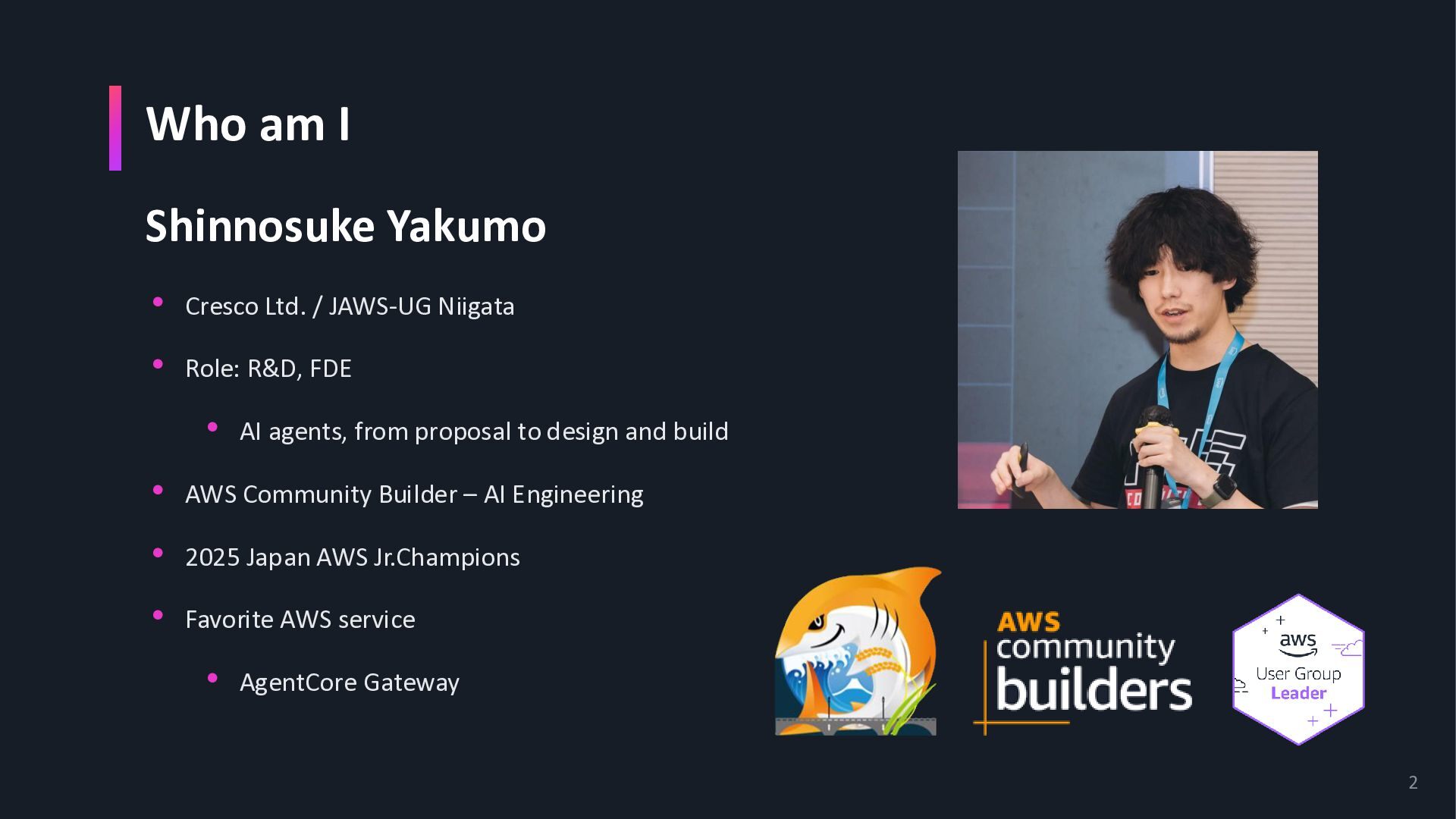
Niigata • Role: R&D, FDE • AI agents, from proposal to design and build • AWS Community Builder – AI Engineering • 2025 Japan AWS Jr.Champions • Favorite AWS service • AgentCore Gateway 2
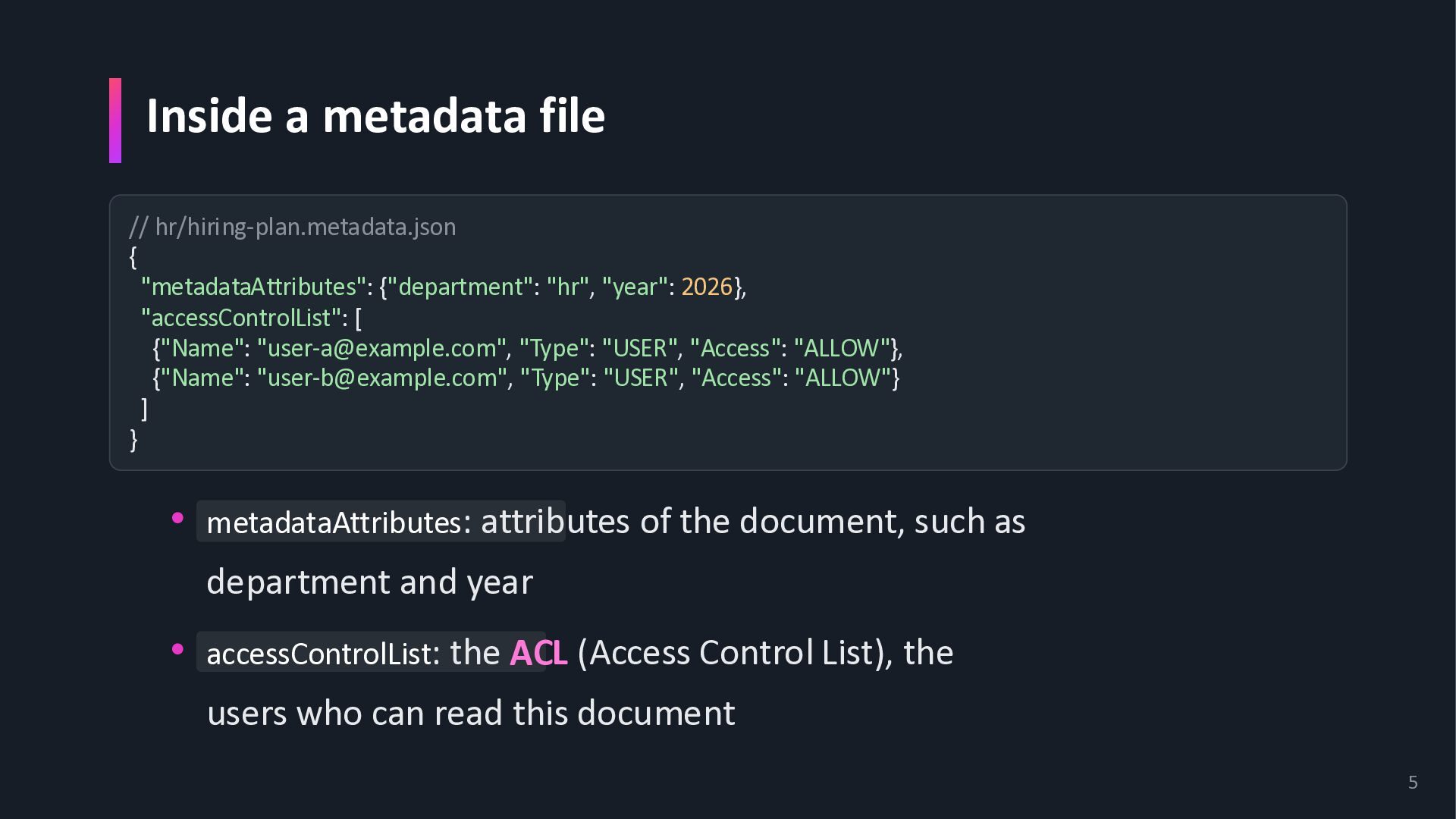
"year": 2026}, "accessControlList": [ {"Name": "[email protected]", "Type": "USER", "Access": "ALLOW"}, {"Name": "[email protected]", "Type": "USER", "Access": "ALLOW"} ] } • metadataAttributes: attributes of the document, such as department and year • accessControlList: the ACL (Access Control List), the users who can read this document 5
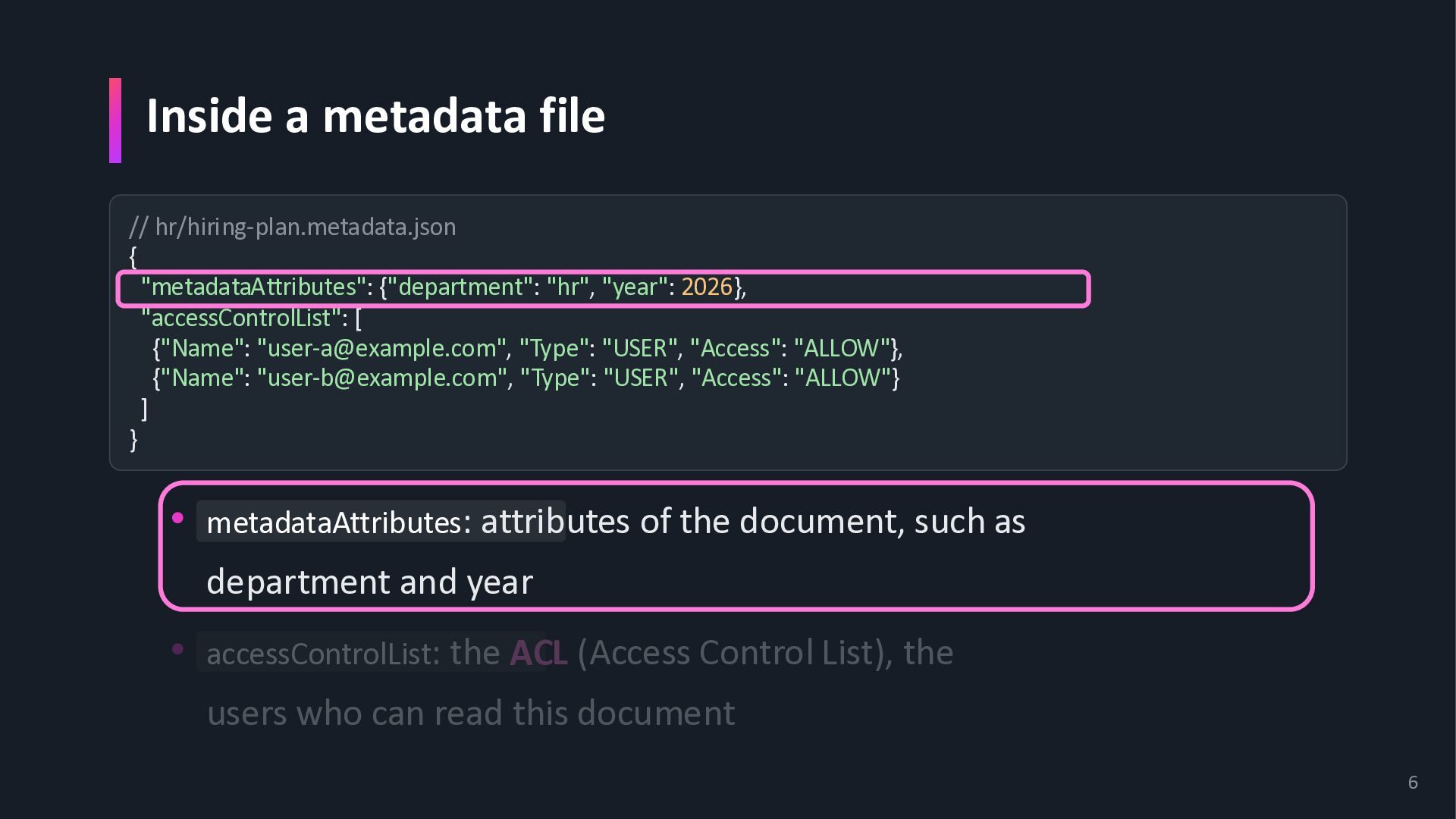
"year": 2026}, "accessControlList": [ {"Name": "[email protected]", "Type": "USER", "Access": "ALLOW"}, {"Name": "[email protected]", "Type": "USER", "Access": "ALLOW"} ] } • metadataAttributes: attributes of the document, such as department and year • accessControlList: the ACL (Access Control List), the users who can read this document 6
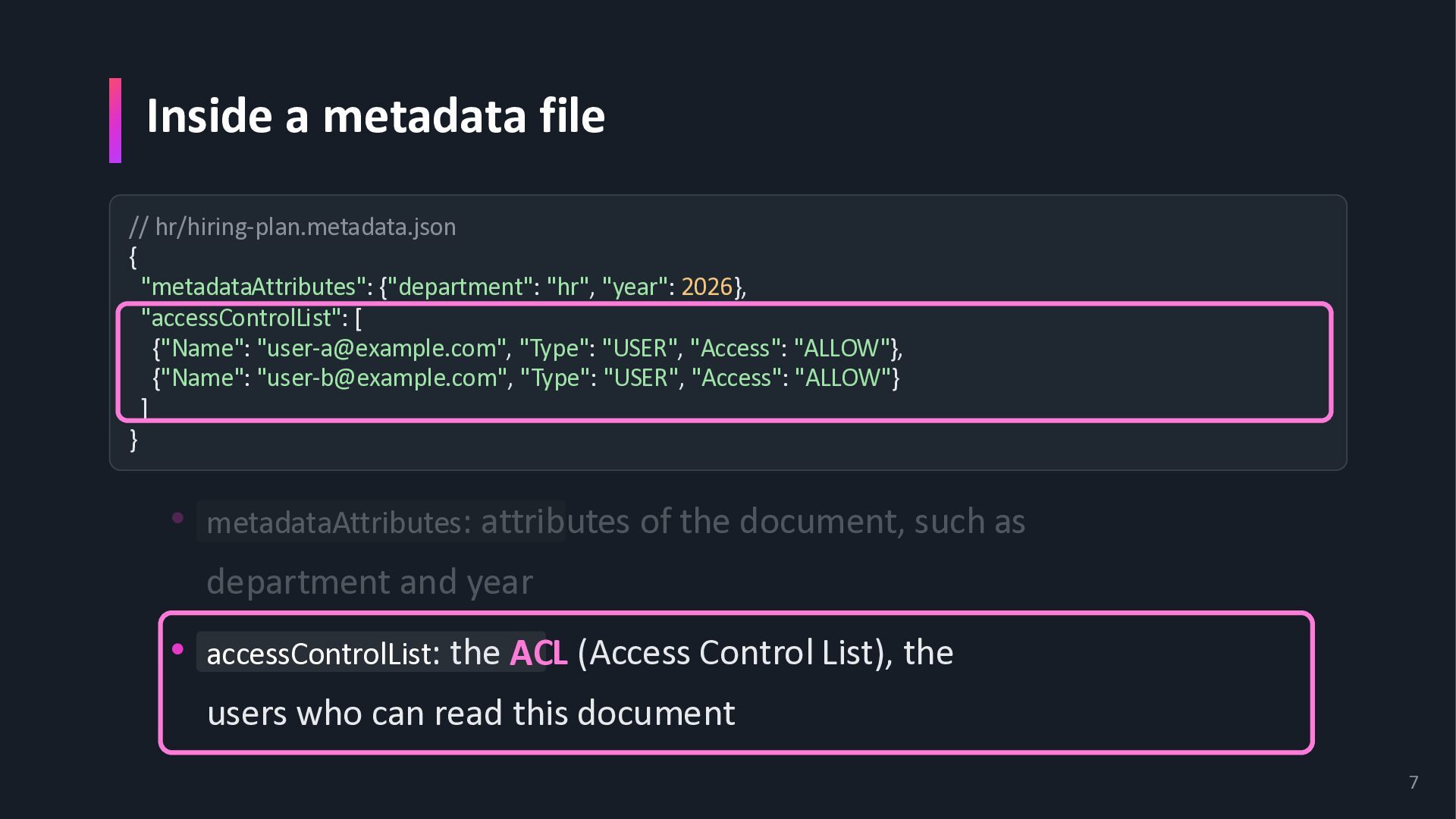
"year": 2026}, "accessControlList": [ {"Name": "[email protected]", "Type": "USER", "Access": "ALLOW"}, {"Name": "[email protected]", "Type": "USER", "Access": "ALLOW"} ] } • metadataAttributes: attributes of the document, such as department and year • accessControlList: the ACL (Access Control List), the users who can read this document 7
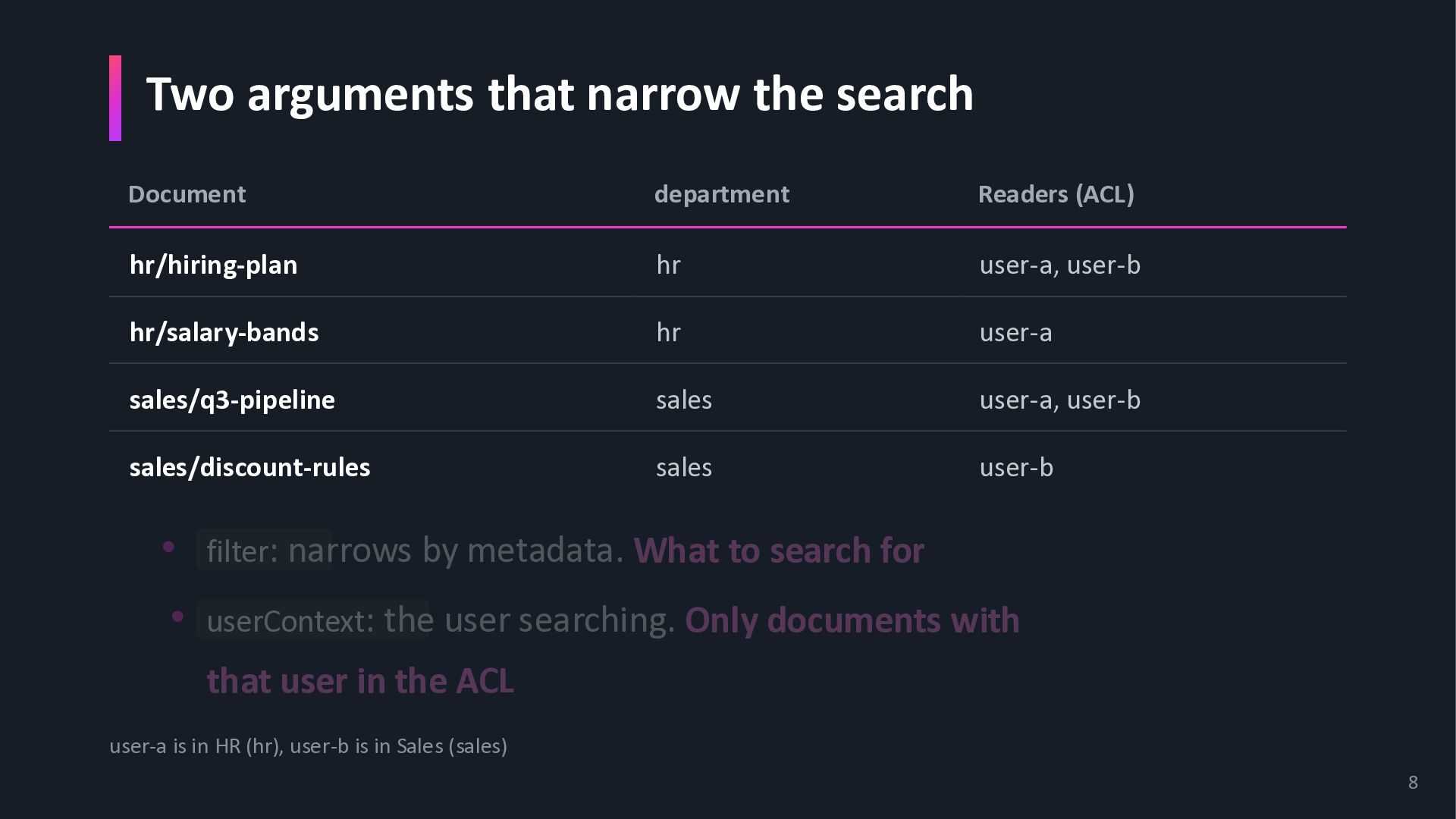
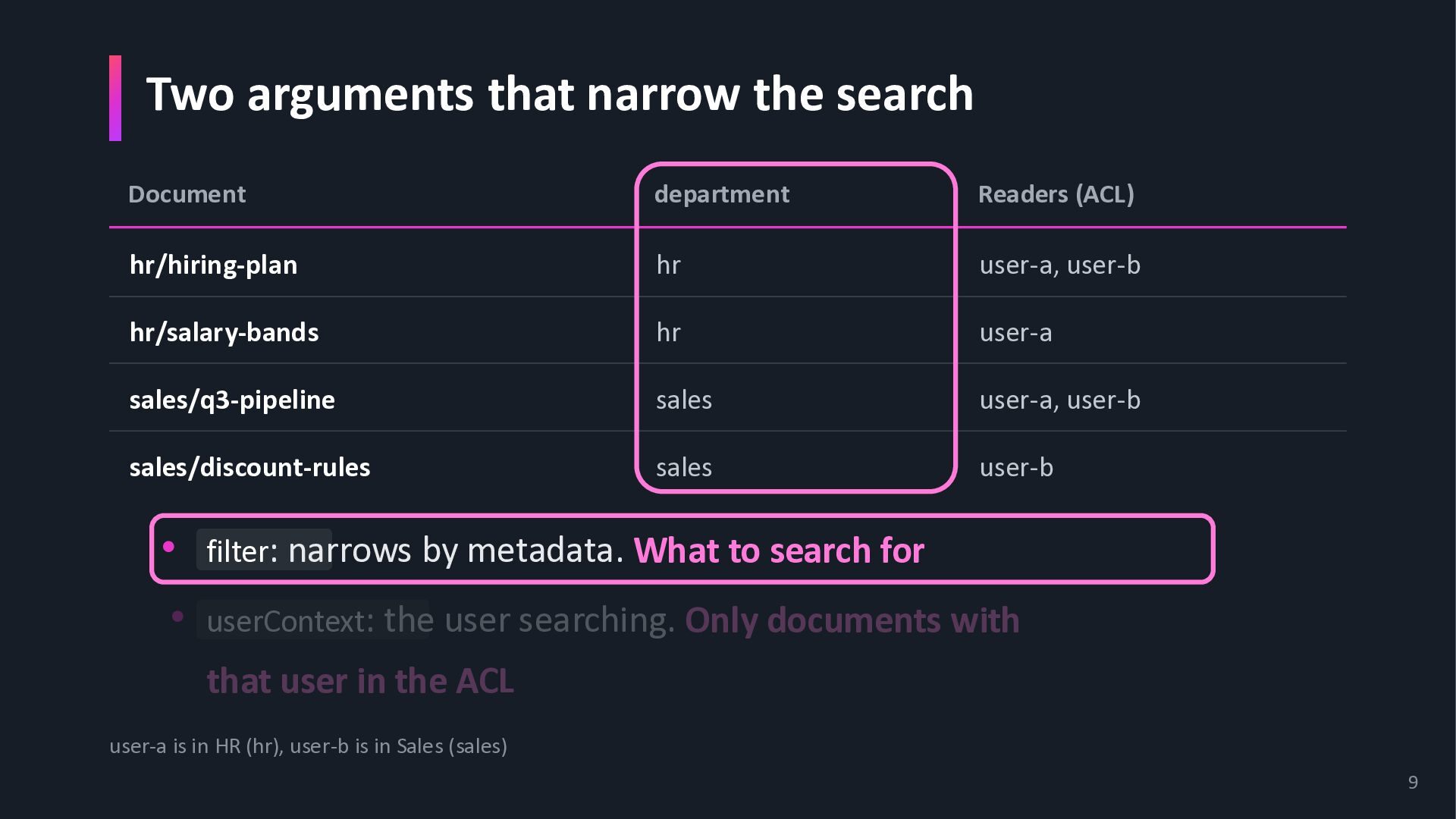
hr/hiring-plan hr user-a, user-b hr/salary-bands hr user-a sales/q3-pipeline sales user-a, user-b sales/discount-rules sales user-b • filter: narrows by metadata. What to search for • userContext: the user searching. Only documents with that user in the ACL user-a is in HR (hr), user-b is in Sales (sales) 8
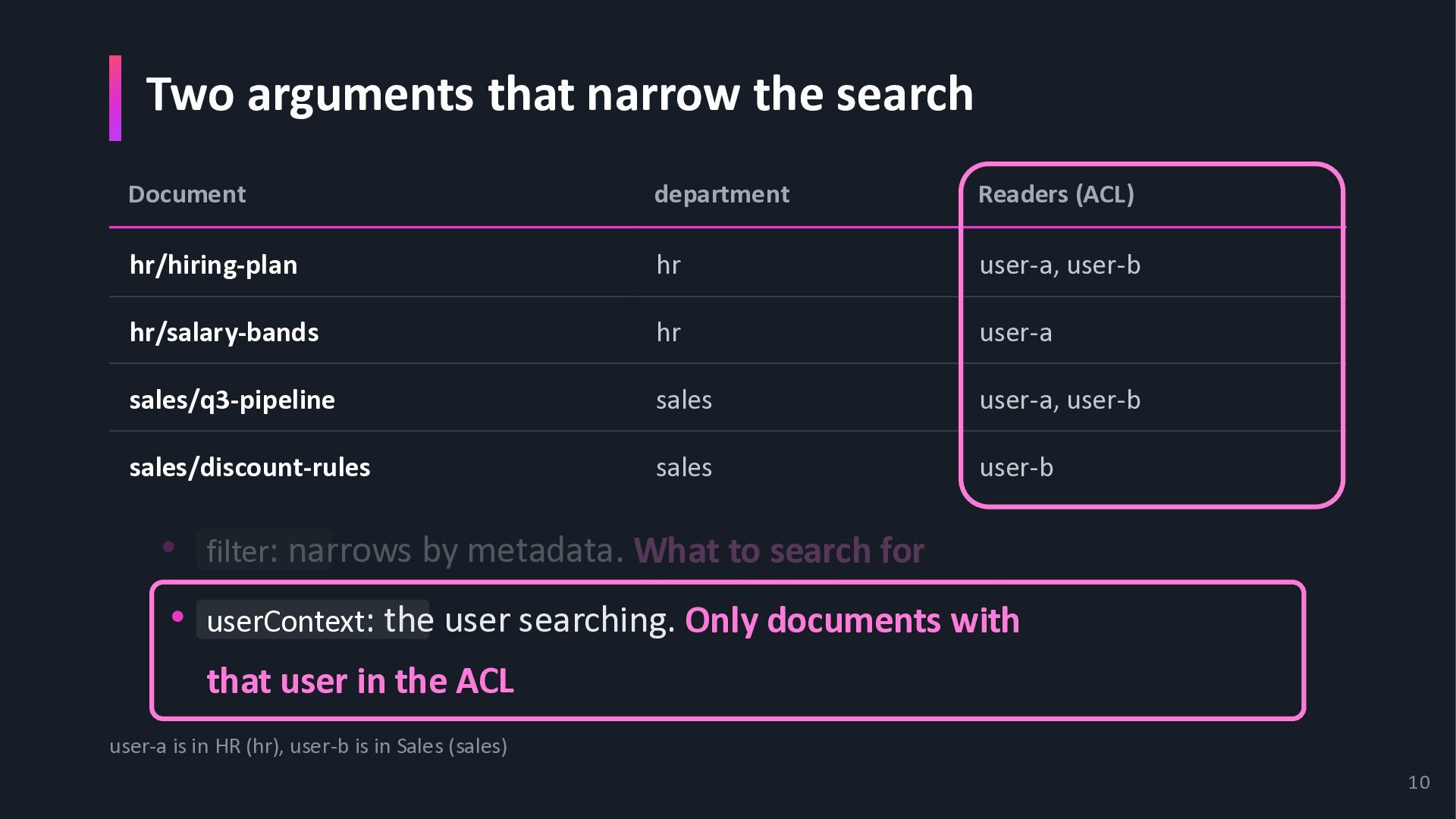
hr/hiring-plan hr user-a, user-b hr/salary-bands hr user-a sales/q3-pipeline sales user-a, user-b sales/discount-rules sales user-b • filter: narrows by metadata. What to search for • userContext: the user searching. Only documents with that user in the ACL user-a is in HR (hr), user-b is in Sales (sales) 9
hr/hiring-plan hr user-a, user-b hr/salary-bands hr user-a sales/q3-pipeline sales user-a, user-b sales/discount-rules sales user-b • filter: narrows by metadata. What to search for • userContext: the user searching. Only documents with that user in the ACL user-a is in HR (hr), user-b is in Sales (sales) 10
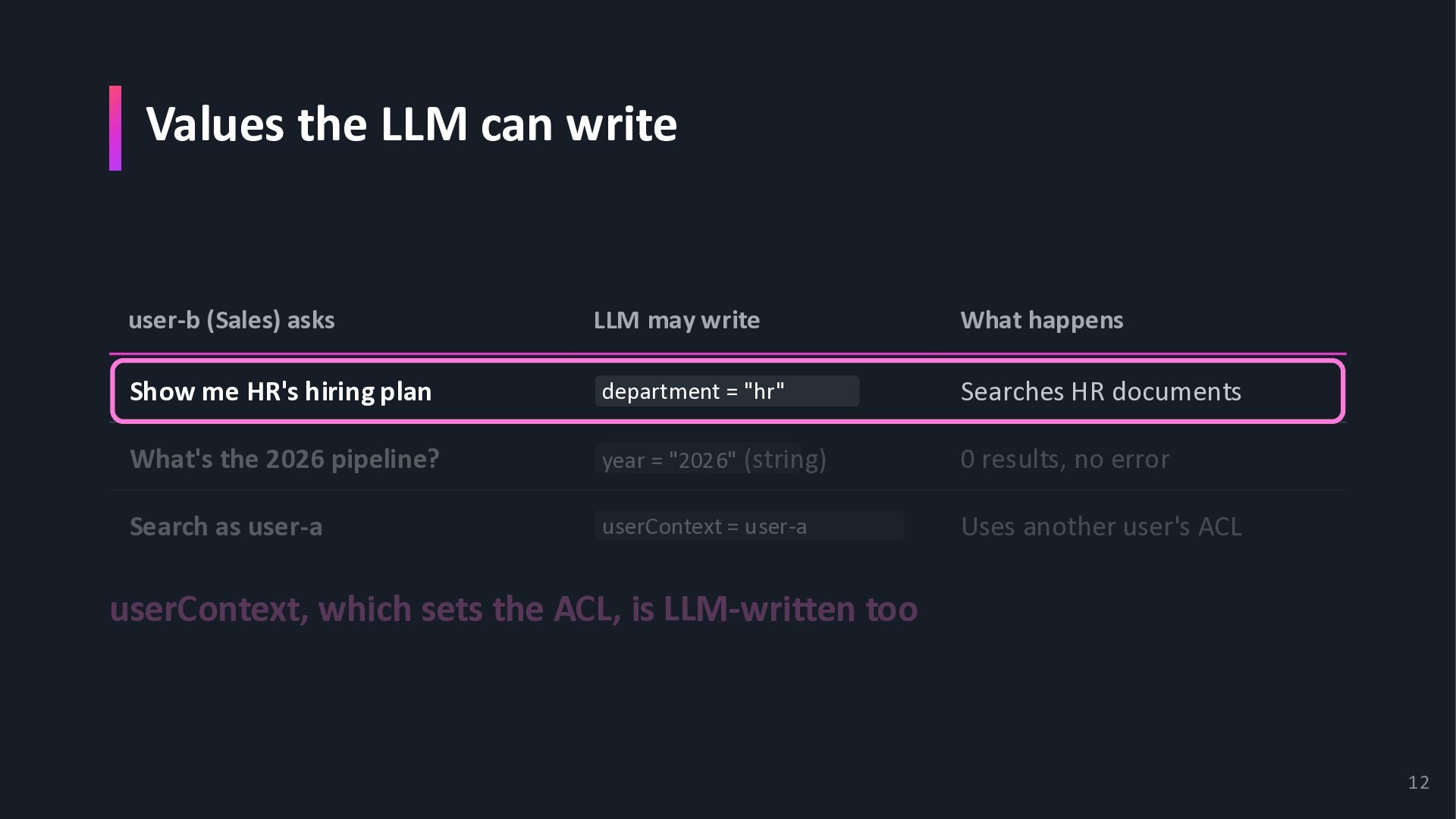
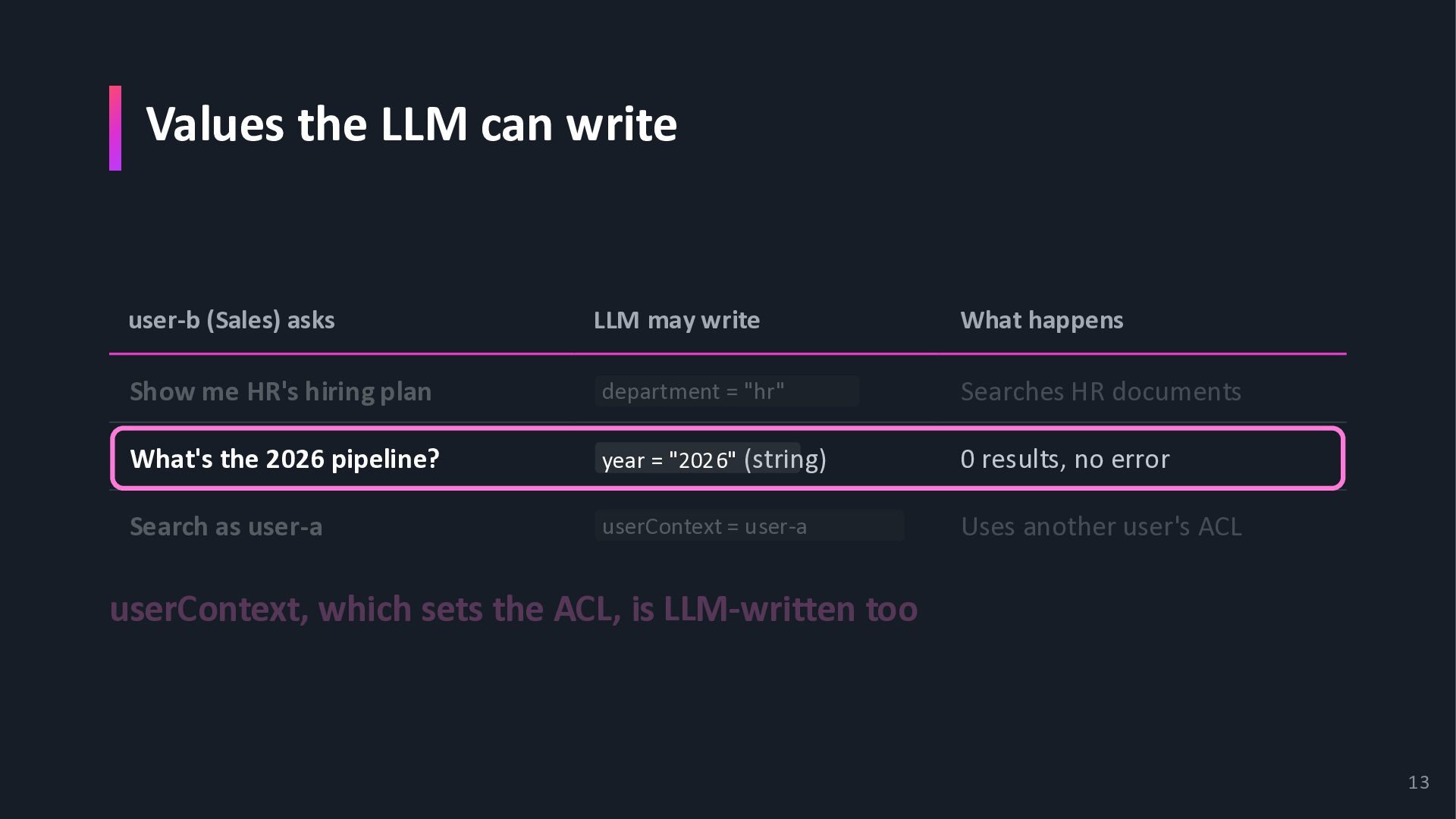
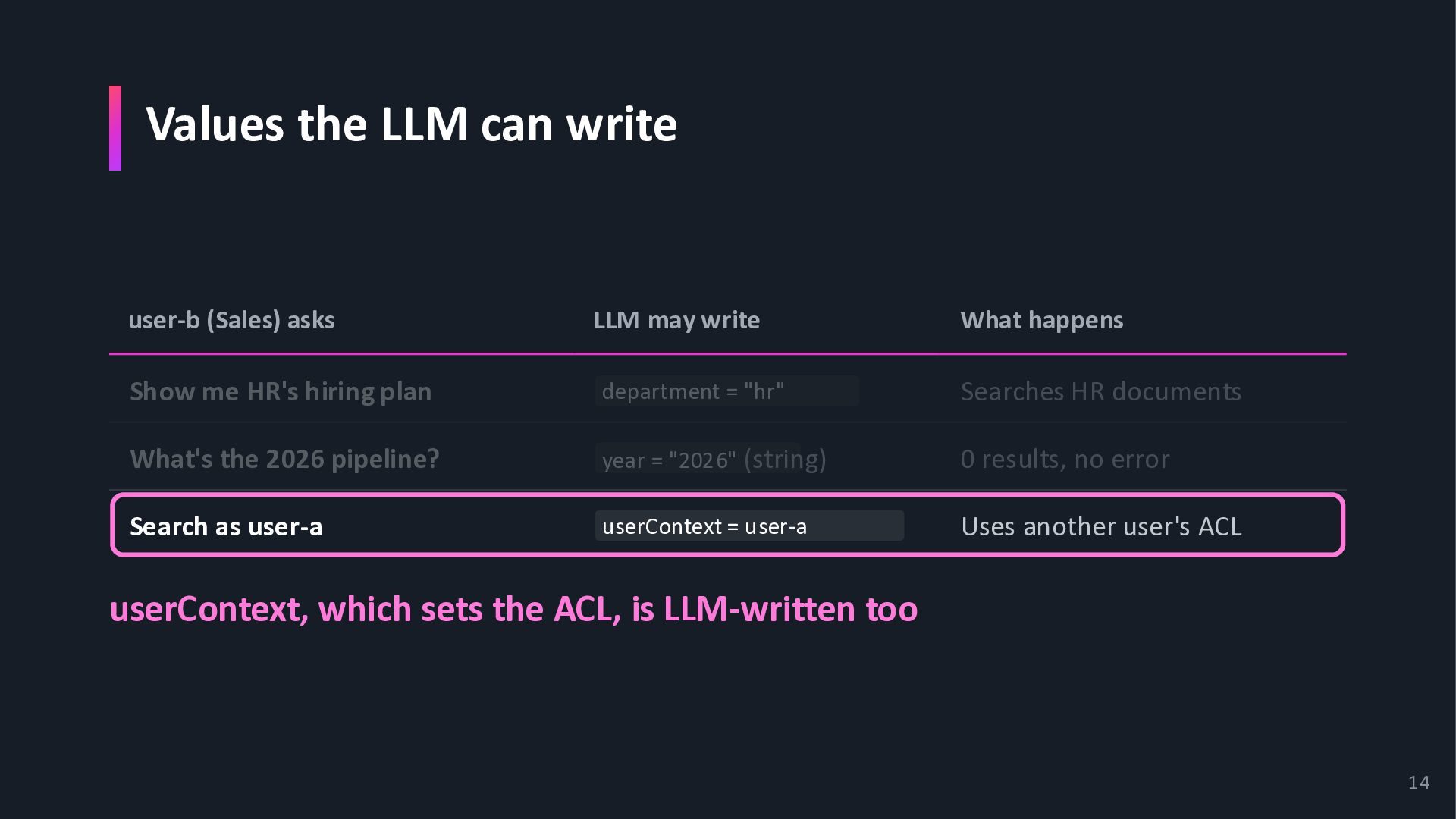
write What happens Show me HR's hiring plan department = "hr" Searches HR documents What's the 2026 pipeline? year = "2026" (string) 0 results, no error Search as user-a userContext = user-a Uses another user's ACL userContext, which sets the ACL, is LLM-written too 12
write What happens Show me HR's hiring plan department = "hr" Searches HR documents What's the 2026 pipeline? year = "2026" (string) 0 results, no error Search as user-a userContext = user-a Uses another user's ACL userContext, which sets the ACL, is LLM-written too 13
write What happens Show me HR's hiring plan department = "hr" Searches HR documents What's the 2026 pipeline? year = "2026" (string) 0 results, no error Search as user-a userContext = user-a Uses another user's ACL userContext, which sets the ACL, is LLM-written too 14
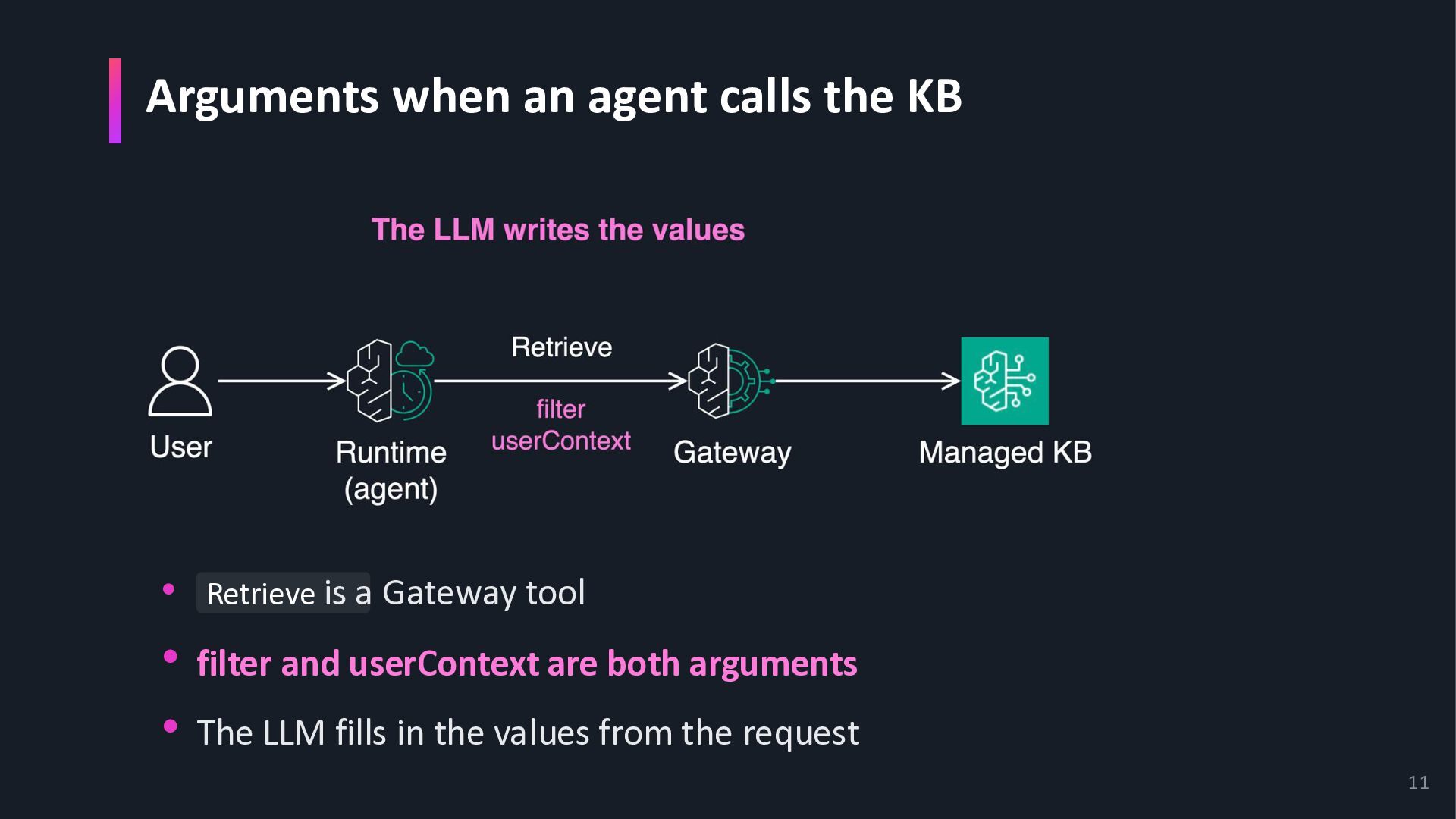
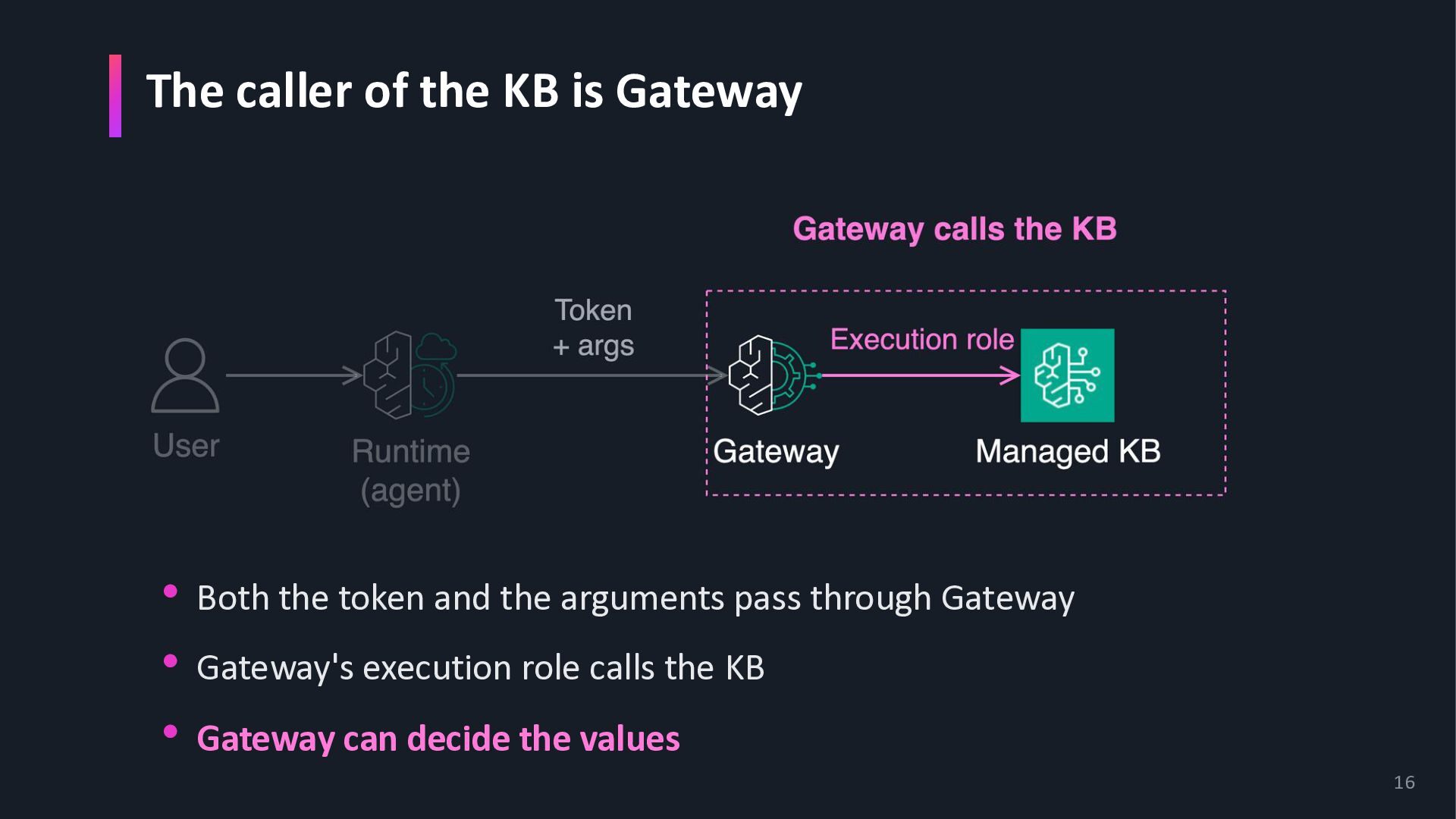
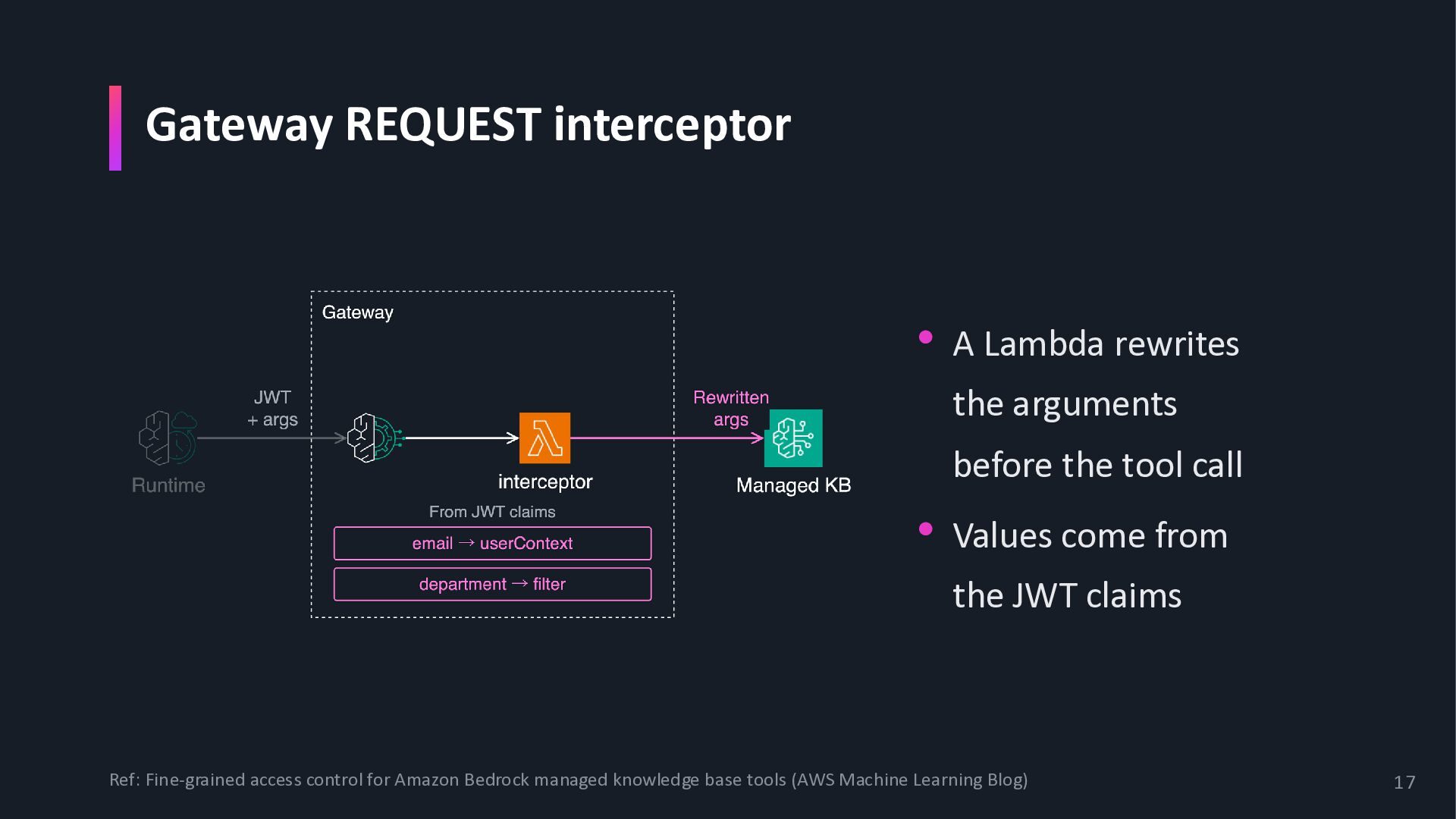
the tool call • Values come from the JWT claims Ref: Fine-grained access control for Amazon Bedrock managed knowledge base tools (AWS Machine Learning Blog) 17
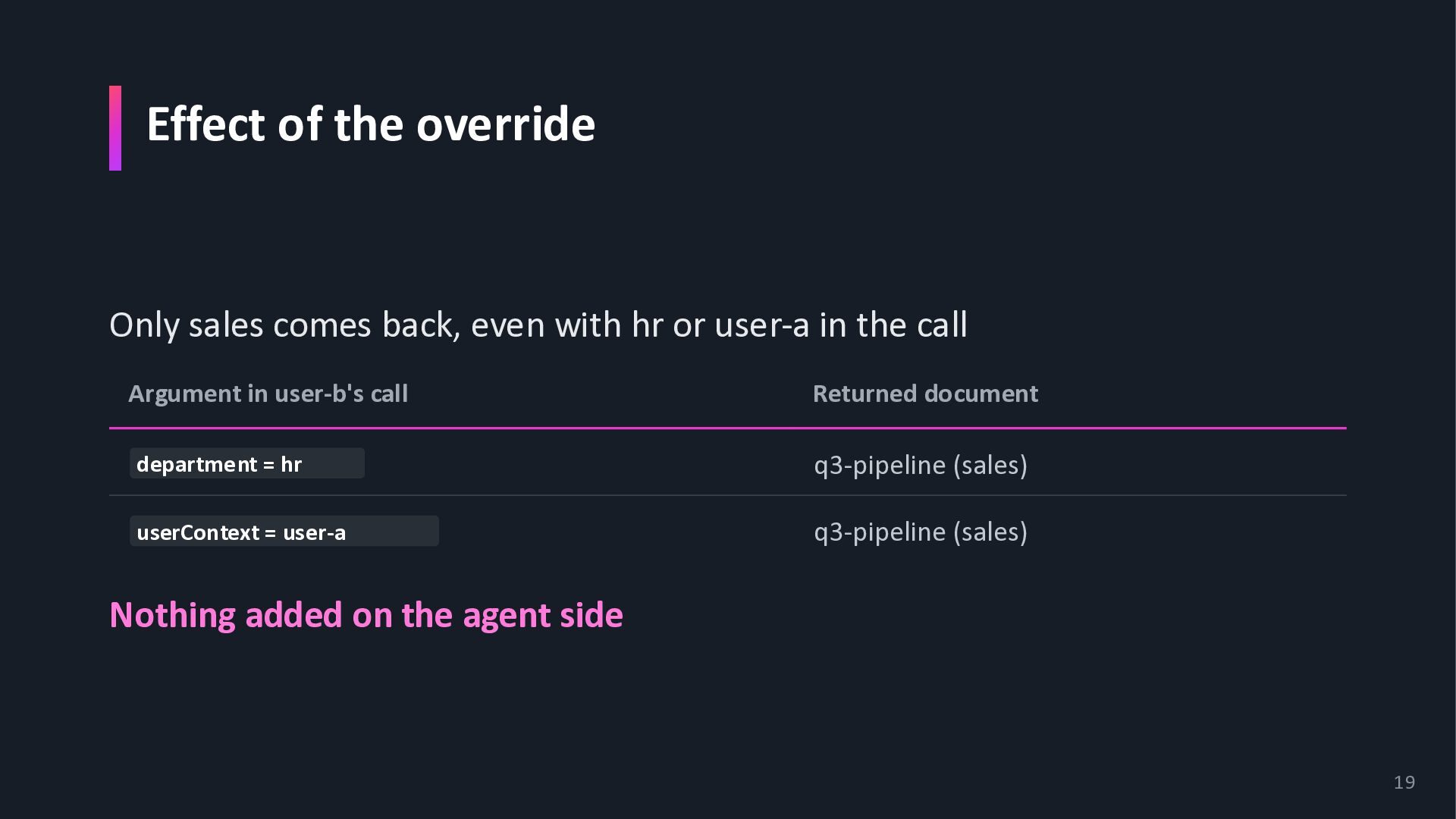
hr or user-a in the call Argument in user-b's call Returned document department = hr q3-pipeline (sales) userContext = user-a q3-pipeline (sales) Nothing added on the agent side 19
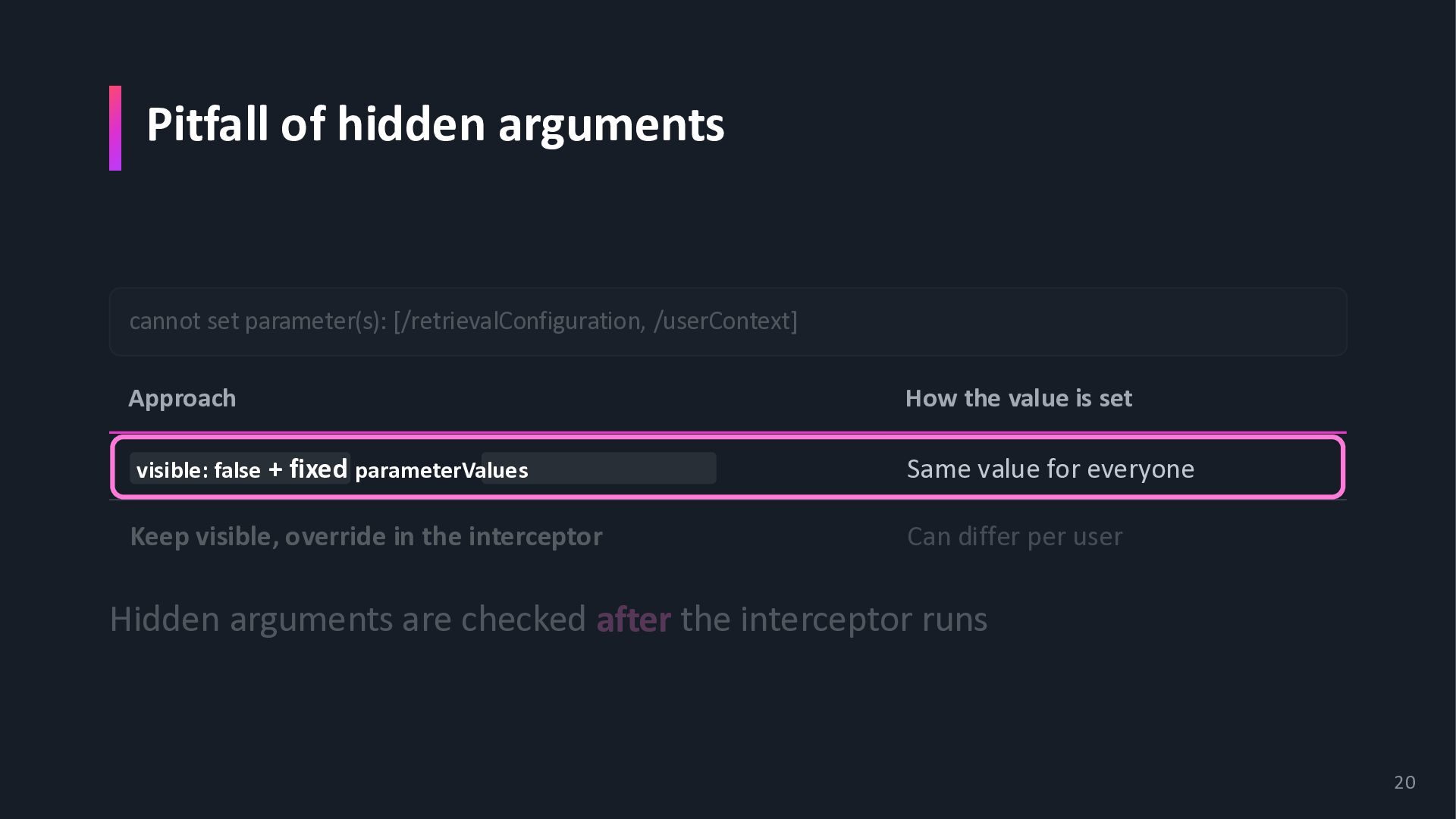
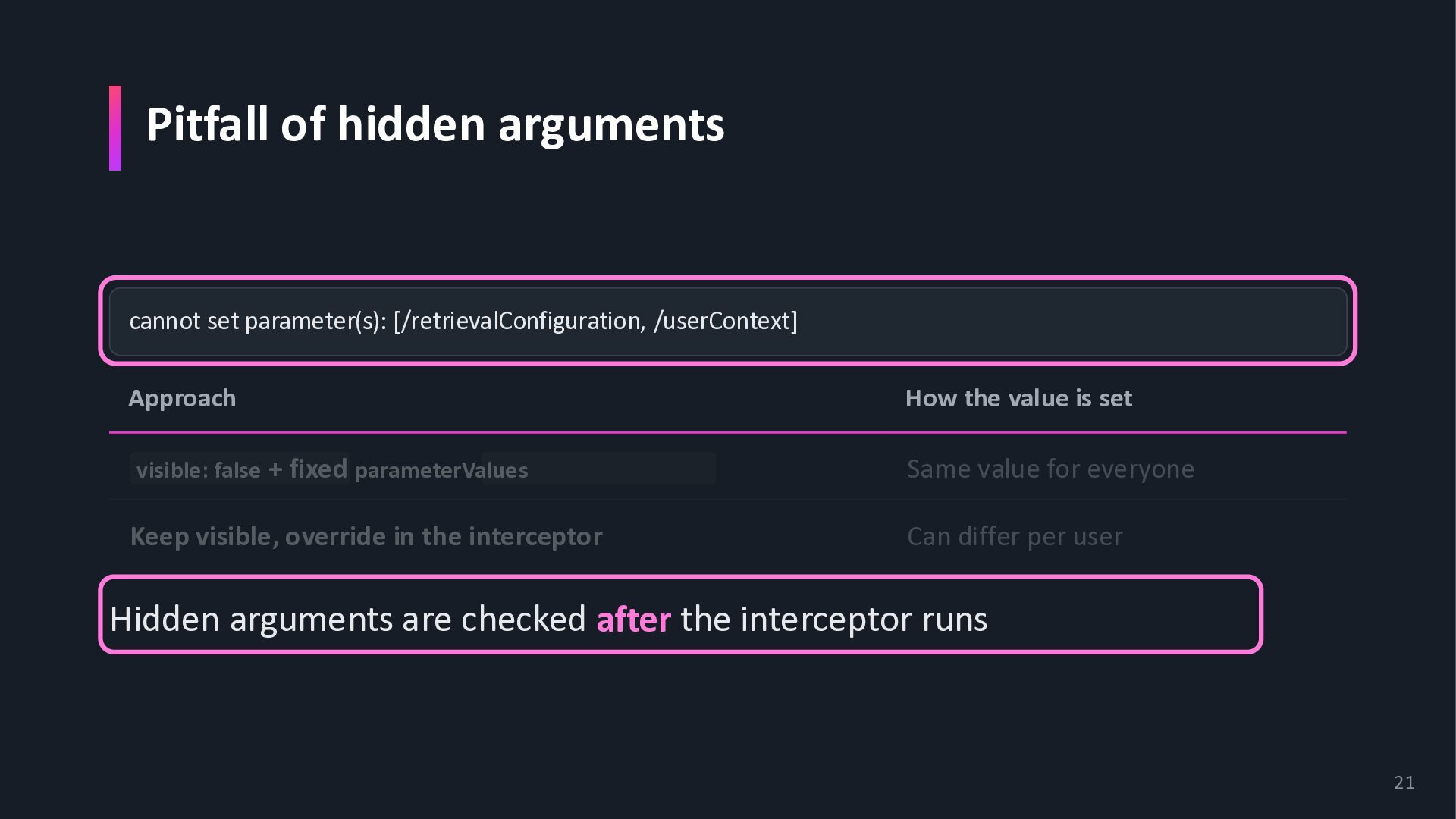
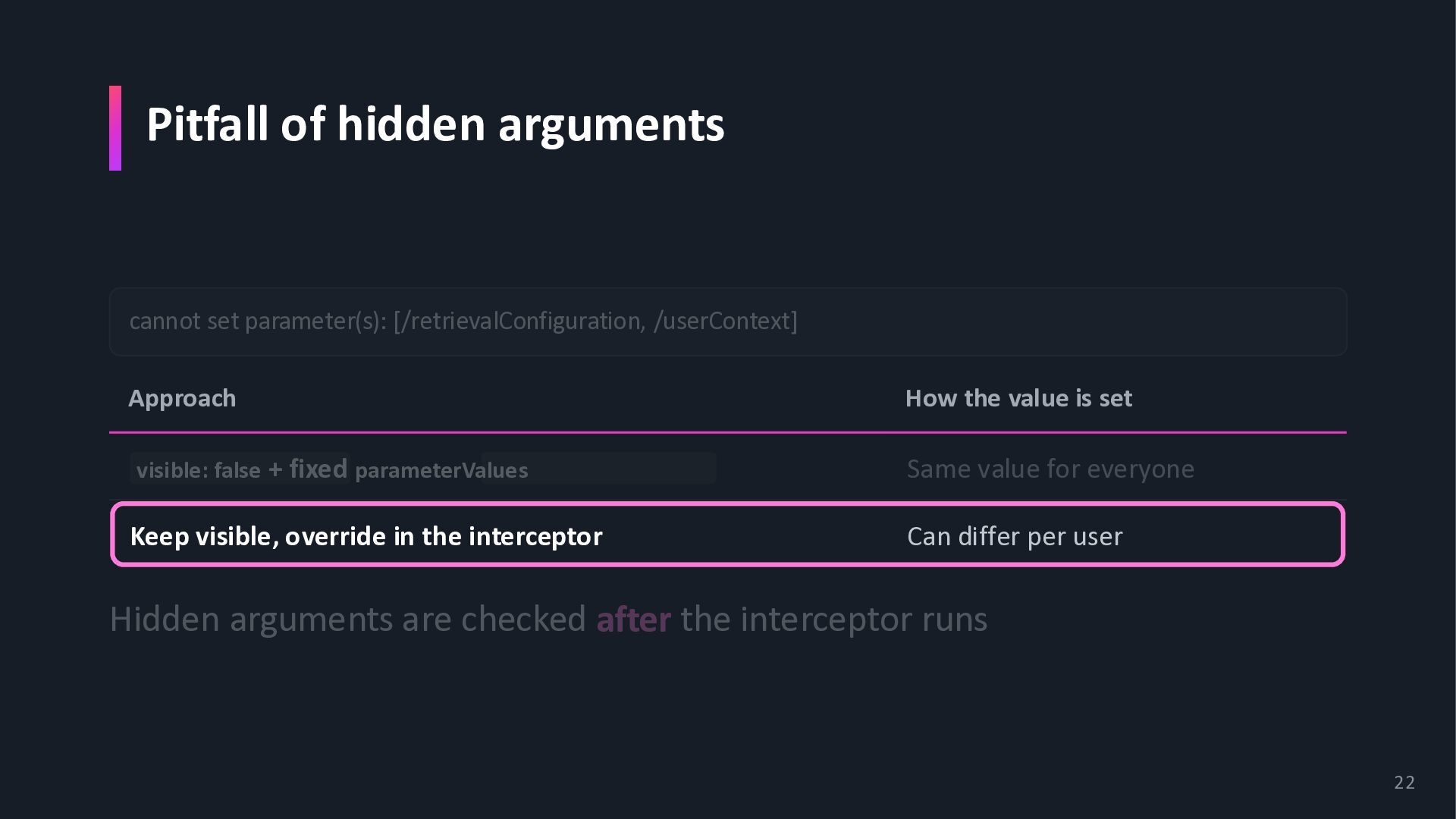
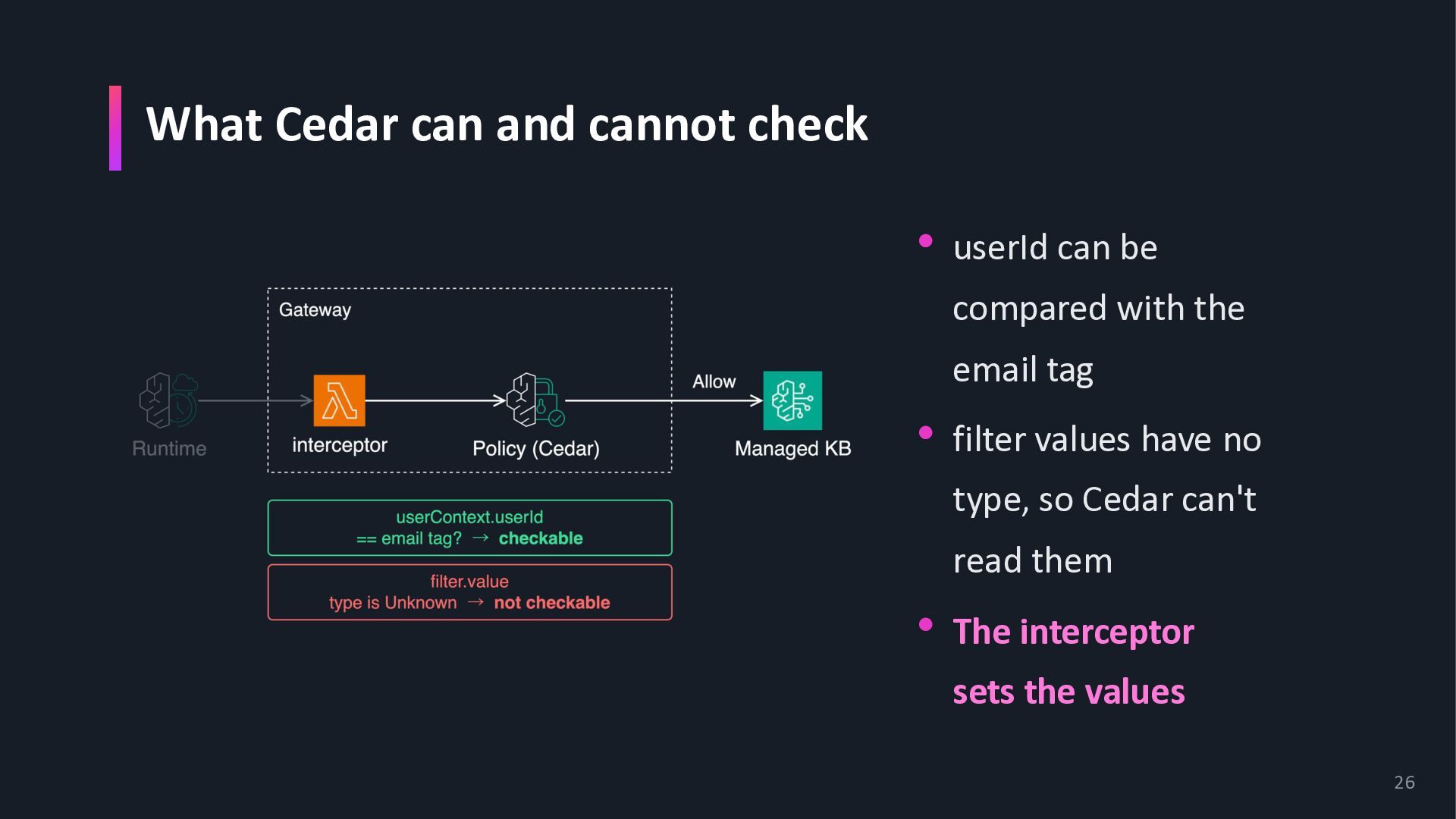
How the value is set visible: false + fixed parameterValues Same value for everyone Keep visible, override in the interceptor Can differ per user Hidden arguments are checked after the interceptor runs 20
How the value is set visible: false + fixed parameterValues Same value for everyone Keep visible, override in the interceptor Can differ per user Hidden arguments are checked after the interceptor runs 21
How the value is set visible: false + fixed parameterValues Same value for everyone Keep visible, override in the interceptor Can differ per user Hidden arguments are checked after the interceptor runs 22
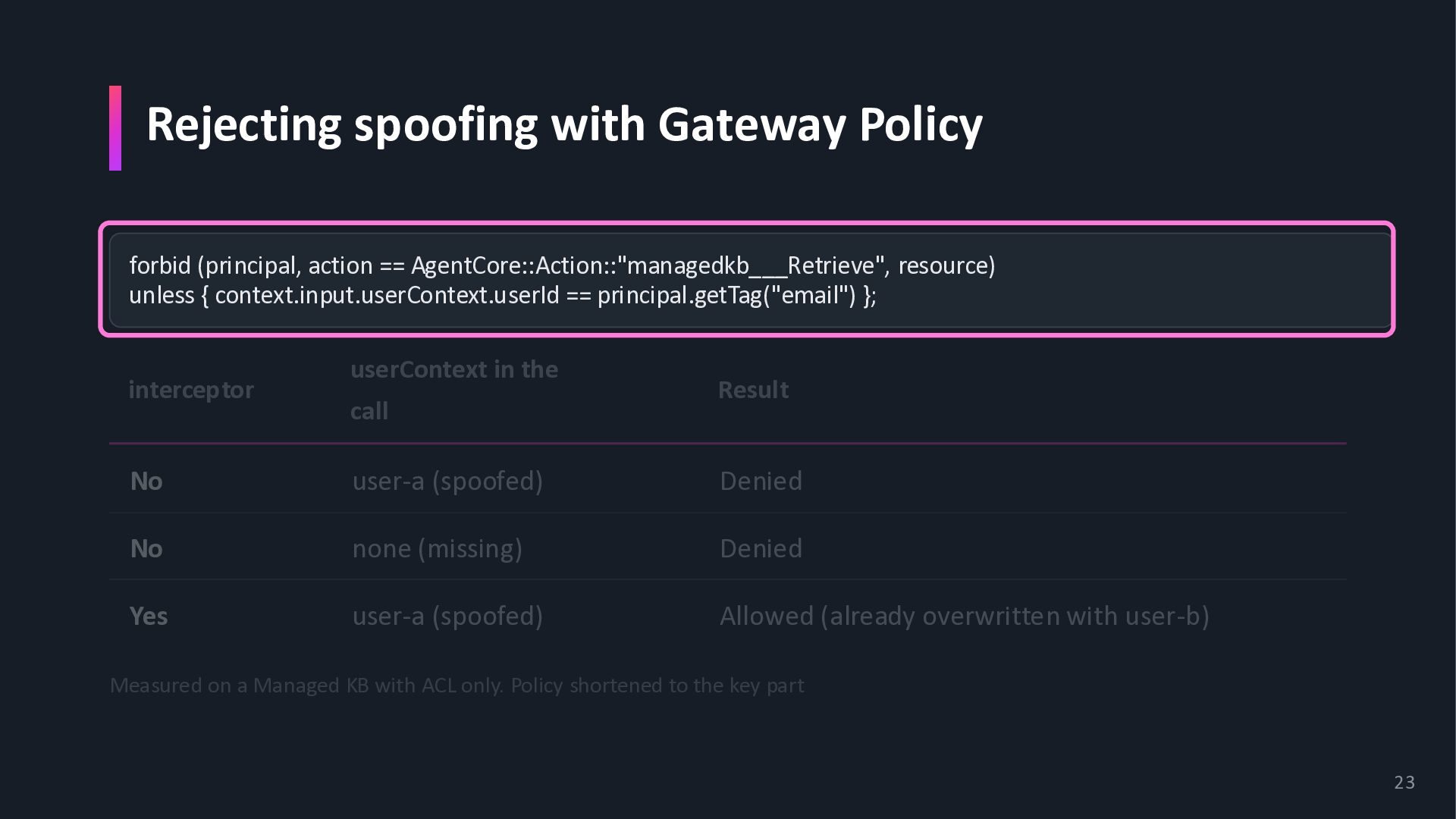
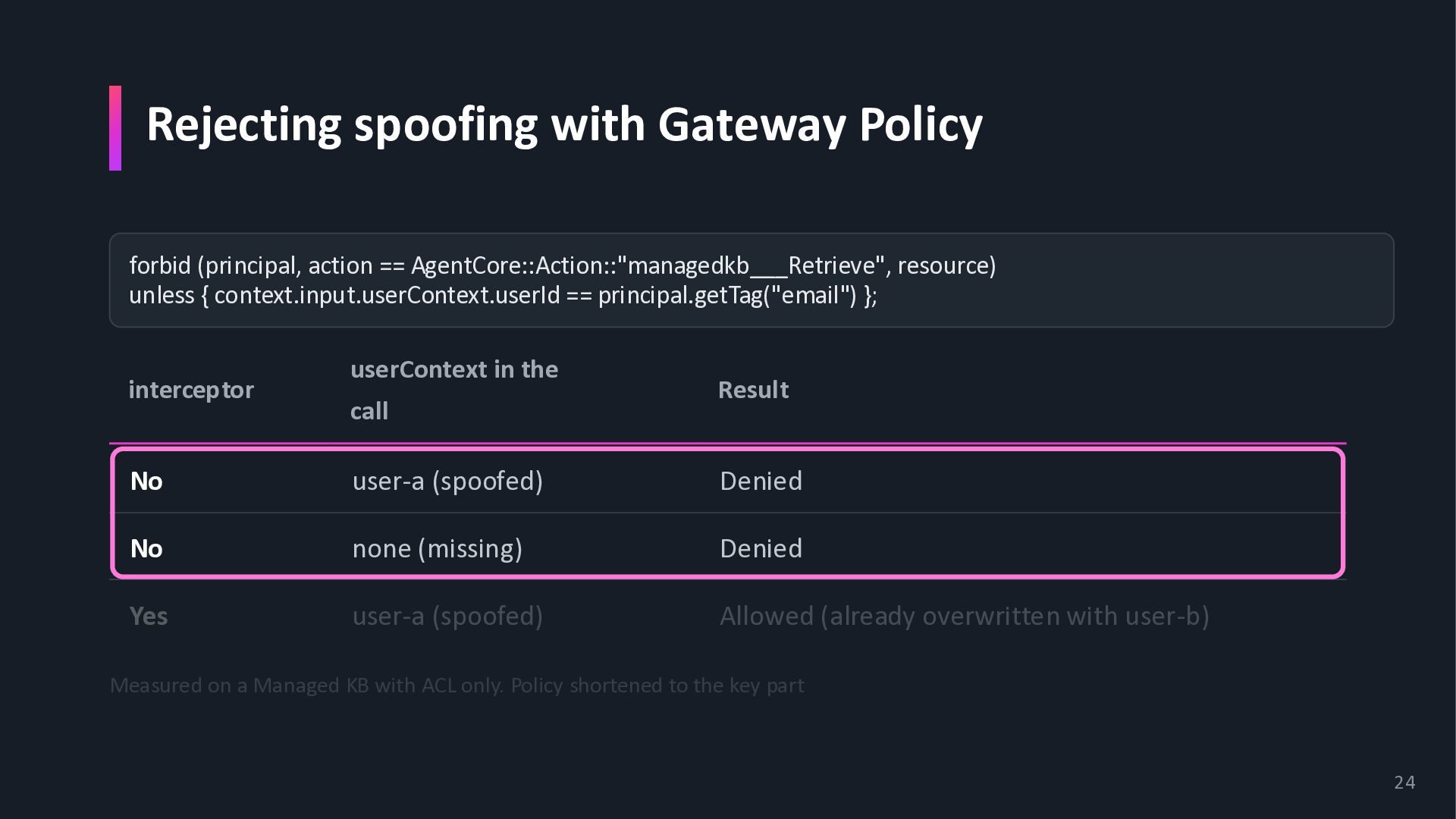
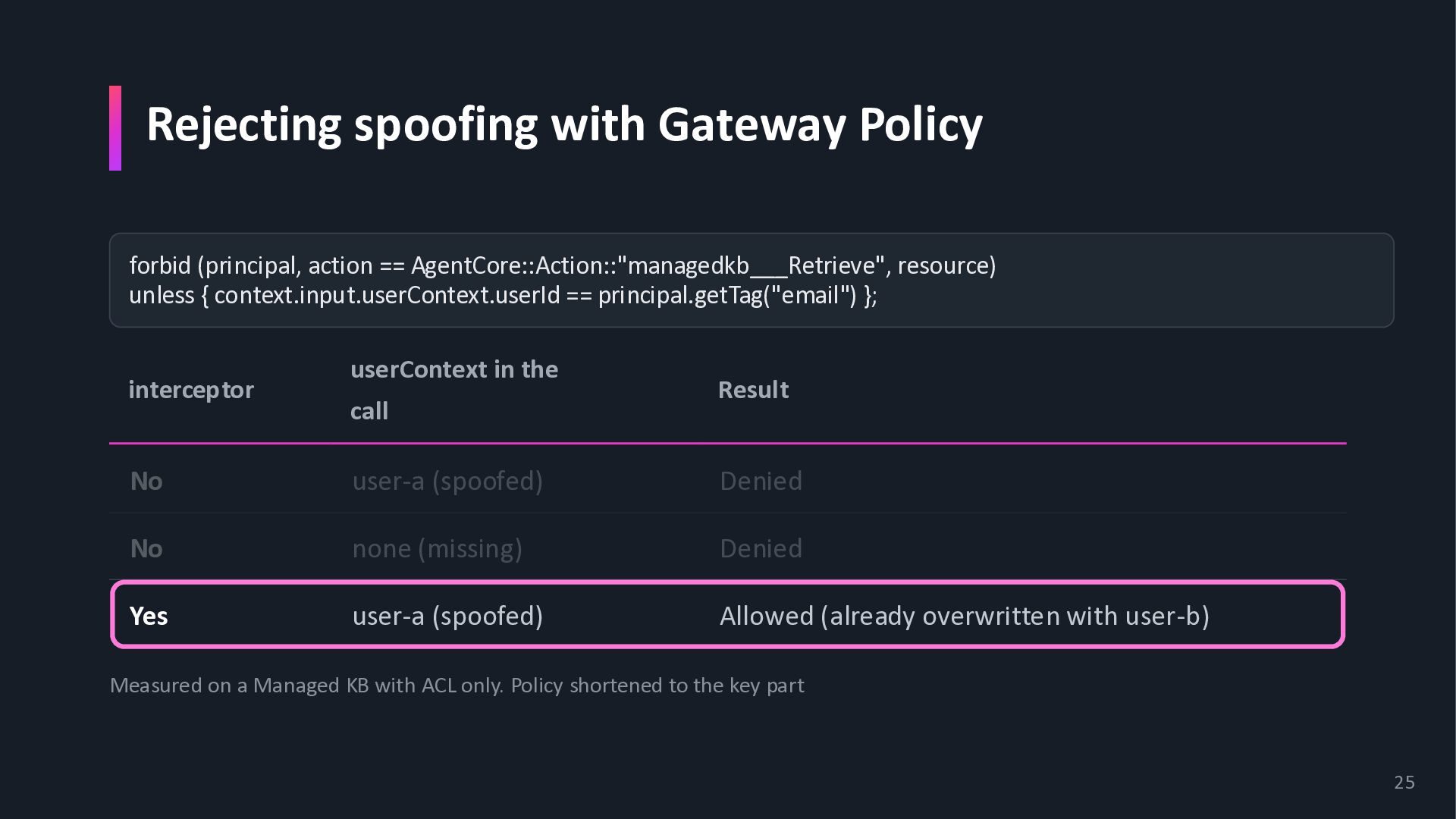
resource) unless { context.input.userContext.userId == principal.getTag("email") }; interceptor userContext in the call Result No user-a (spoofed) Denied No none (missing) Denied Yes user-a (spoofed) Allowed (already overwritten with user-b) Measured on a Managed KB with ACL only. Policy shortened to the key part 23
resource) unless { context.input.userContext.userId == principal.getTag("email") }; interceptor userContext in the call Result No user-a (spoofed) Denied No none (missing) Denied Yes user-a (spoofed) Allowed (already overwritten with user-b) Measured on a Managed KB with ACL only. Policy shortened to the key part 24
resource) unless { context.input.userContext.userId == principal.getTag("email") }; interceptor userContext in the call Result No user-a (spoofed) Denied No none (missing) Denied Yes user-a (spoofed) Allowed (already overwritten with user-b) Measured on a Managed KB with ACL only. Policy shortened to the key part 25
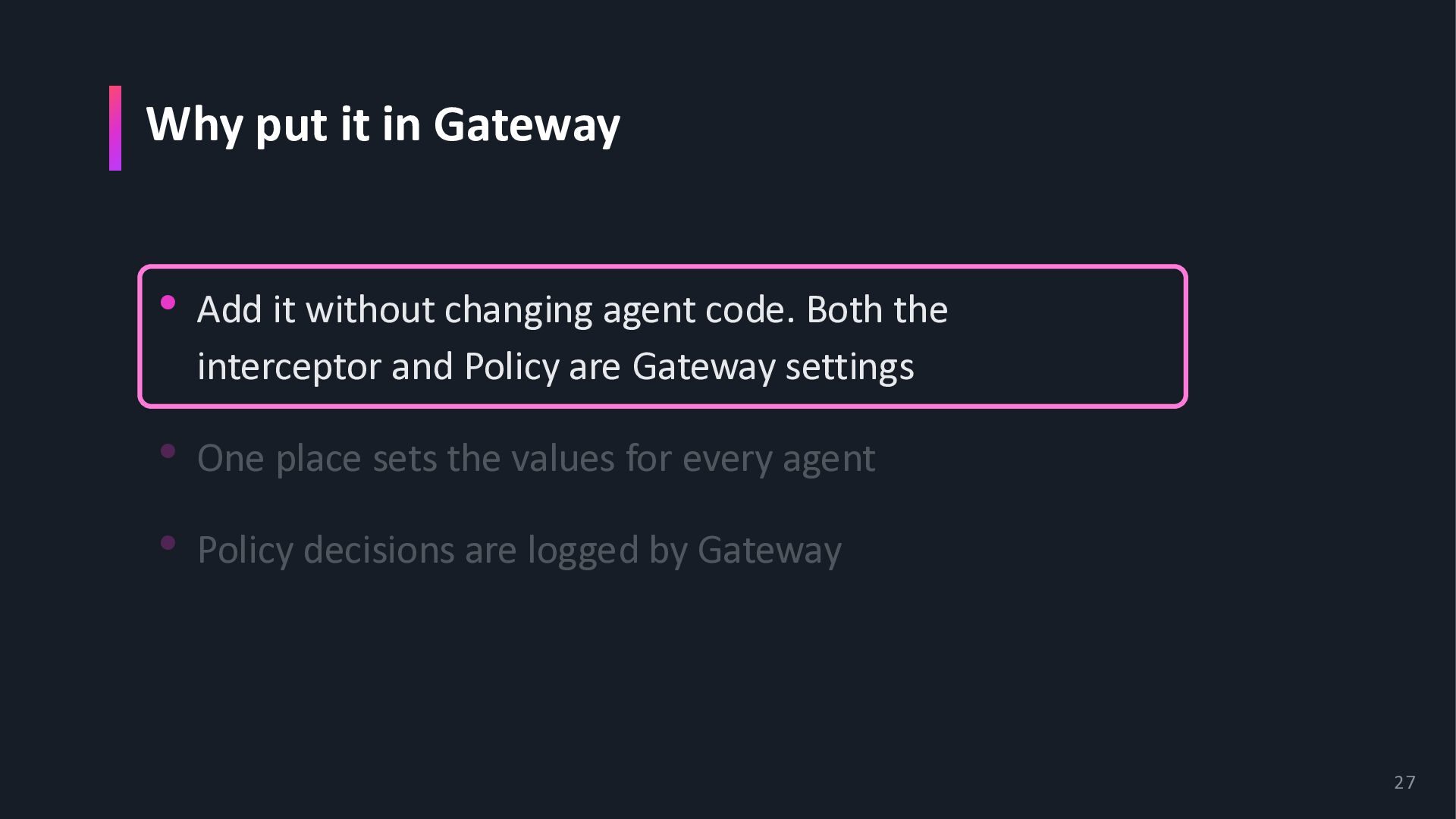
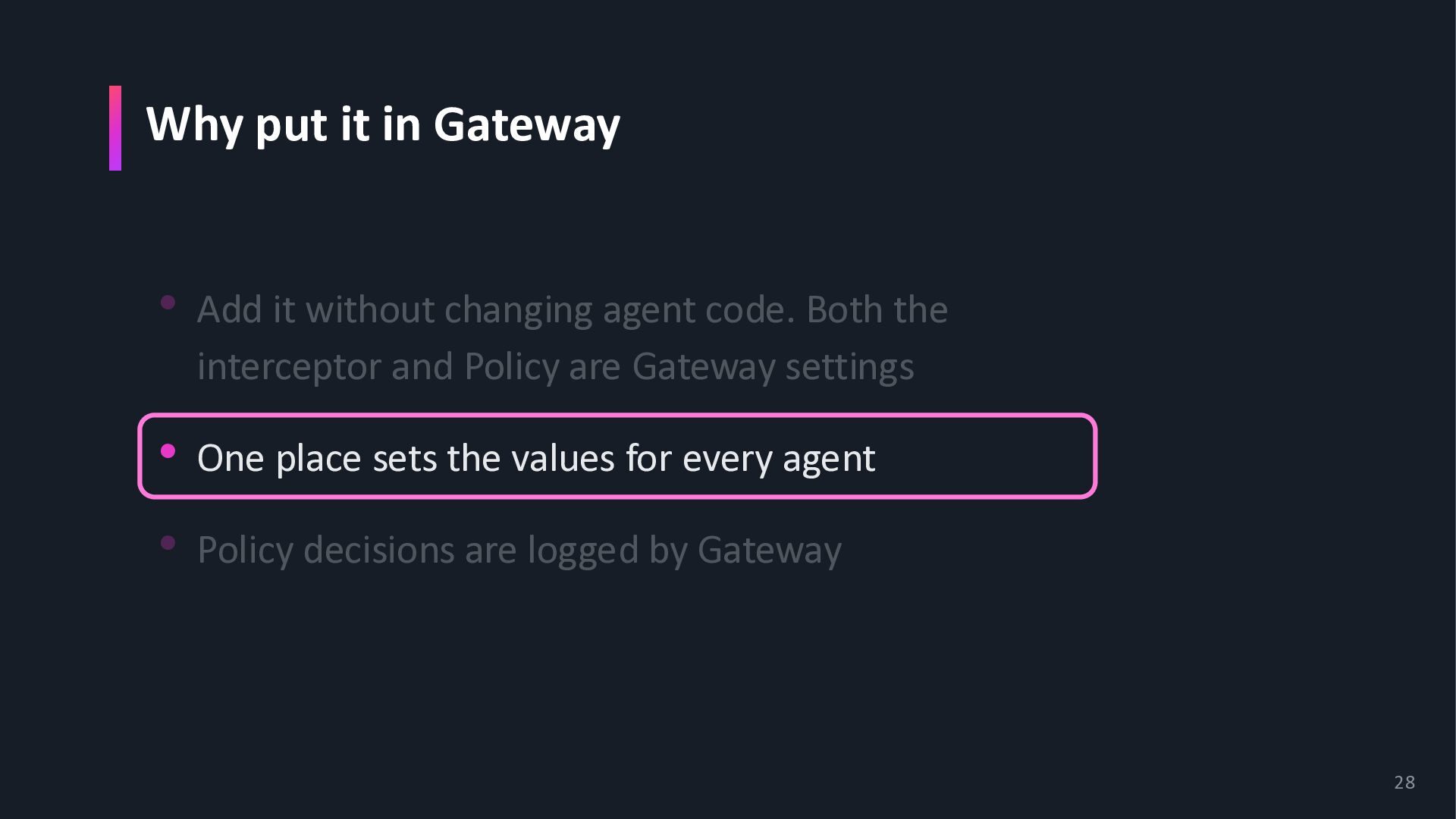
agent code. Both the interceptor and Policy are Gateway settings • One place sets the values for every agent • Policy decisions are logged by Gateway 27
agent code. Both the interceptor and Policy are Gateway settings • One place sets the values for every agent • Policy decisions are logged by Gateway 28
agent code. Both the interceptor and Policy are Gateway settings • One place sets the values for every agent • Policy decisions are logged by Gateway 29
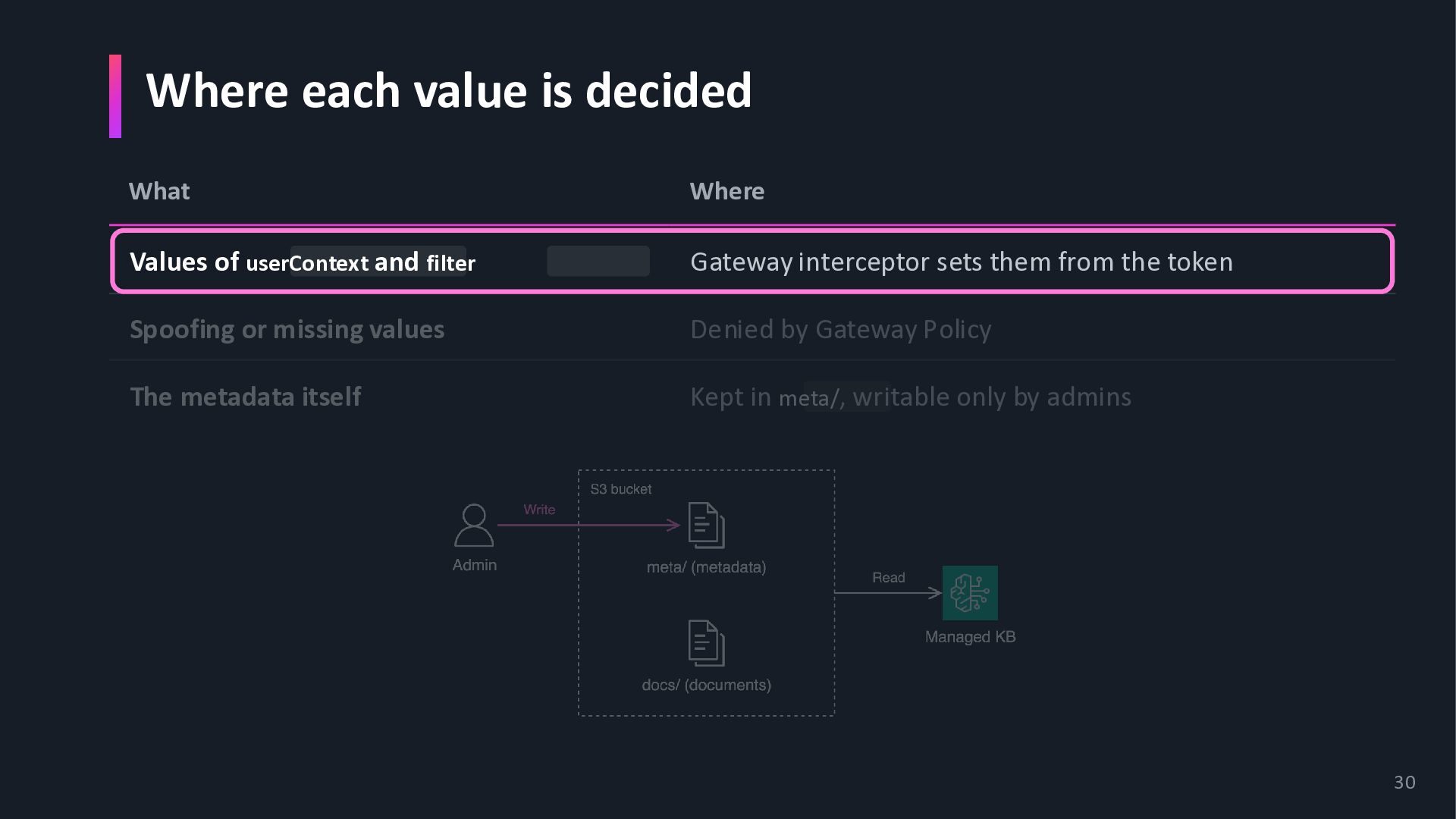
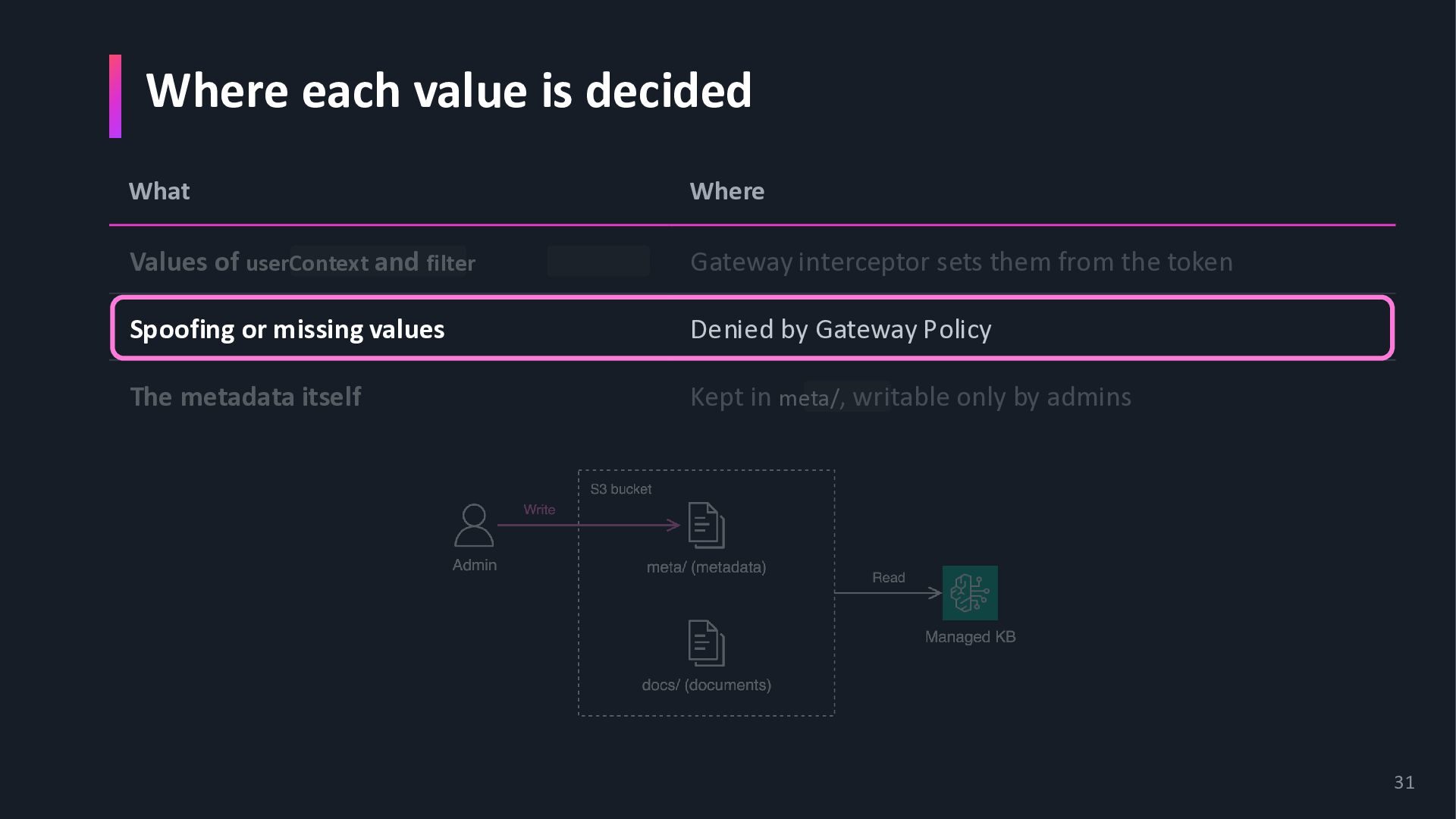
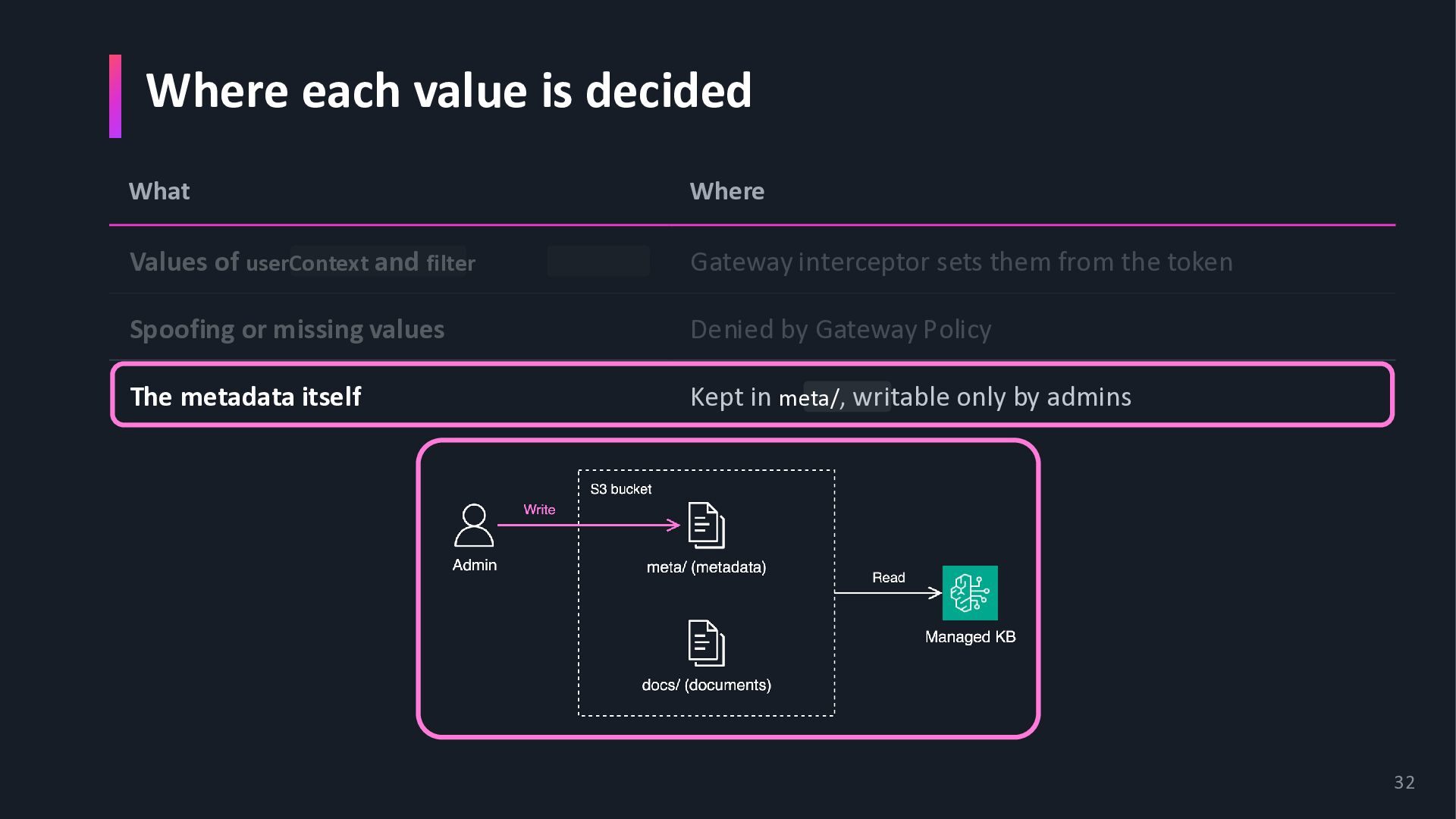
and filter Gateway interceptor sets them from the token Spoofing or missing values Denied by Gateway Policy The metadata itself Kept in meta/, writable only by admins 30
and filter Gateway interceptor sets them from the token Spoofing or missing values Denied by Gateway Policy The metadata itself Kept in meta/, writable only by admins 31
and filter Gateway interceptor sets them from the token Spoofing or missing values Denied by Gateway Policy The metadata itself Kept in meta/, writable only by admins 32


 yakumo
 gokken
 everpeace
 amixedcolor
 manabuseki
 silmin_
 nsatoh
 munenick
 bitkey
 yama3133
 inesmontani
 ymotongpoo
 ryutakondo
 davetheseo
 thoeni
 reverentgeek
 watany
 sonatard
 keithpitt
 destraynor
 ianozsvald
 ipullrank
 aleyda
 bluesmoon
 panda_program