Upgrade to Pro
— share decks privately, control downloads, hide ads and more …
Speaker Deck
Sign up for free
Menu
Search
Features
All features
Private URLs
Password Protection
Custom URLS
Scheduled publishing
Remove Branding
Restrict embedding
Deck Collections
Notes
Features
All features
Private URLs
Password Protection
Custom URLS
Scheduled publishing
Remove Branding
Restrict embedding
Deck Collections
Notes
Explore
Featured decks
Featured speakers
Programming
Technology
Storyboards
Explore
Featured decks
Featured speakers
Programming
Technology
Storyboards
Pricing
Search
Sign in
Sign up for free
演習:Gitの応用操作 / 05-git-advanced
Search
Sponsored
·
Your Podcast. Everywhere. Effortlessly.
Share. Educate. Inspire. Entertain. You do you. We'll handle the rest.
→
kaityo256
PRO
March 04, 2026
Education
480
1
Share
Embed
Copy iframe code
Copy JS code
Copy link
Start on current slide
演習:Gitの応用操作 / 05-git-advanced
kaityo256
PRO
March 04, 2026
Transcript
36 slides
1 36 演習:Gitの応用操作 慶應義塾大学理工学部物理情報工学科 渡辺 2026年3月9日 計算物理春の学校2026「計算物理屋のためのGit/GitHub入門」
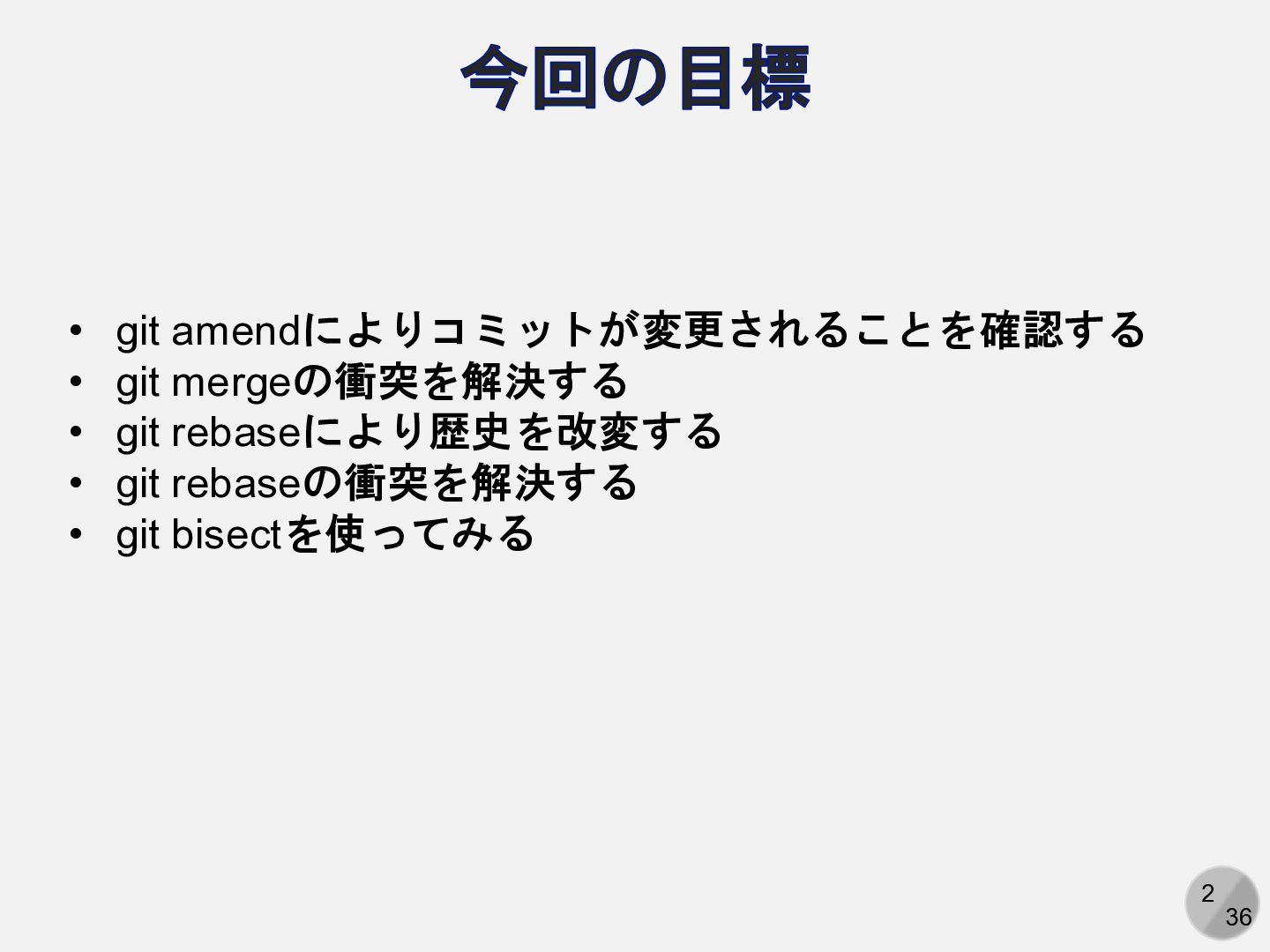
2 36 今回の目標 • git amendによりコミットが変更されることを確認する • git mergeの衝突を解決する •
git rebaseにより歴史を改変する • git rebaseの衝突を解決する • git bisectを使ってみる
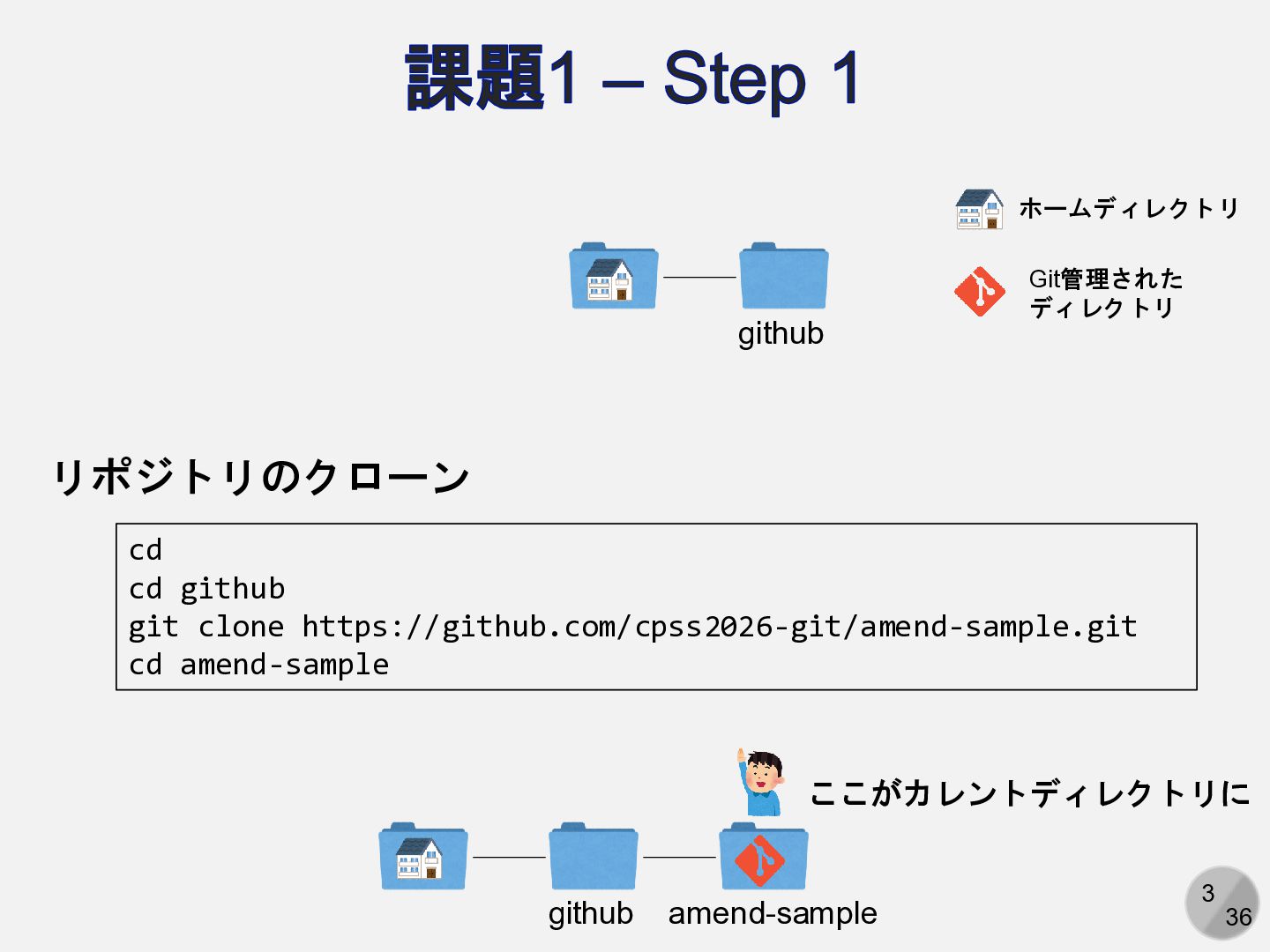
3 36 課題1 – Step 1 リポジトリのクローン github cd cd
github git clone https://github.com/cpss2026-git/amend-sample.git cd amend-sample github amend-sample ホームディレクトリ Git管理された ディレクトリ ここがカレントディレクトリに
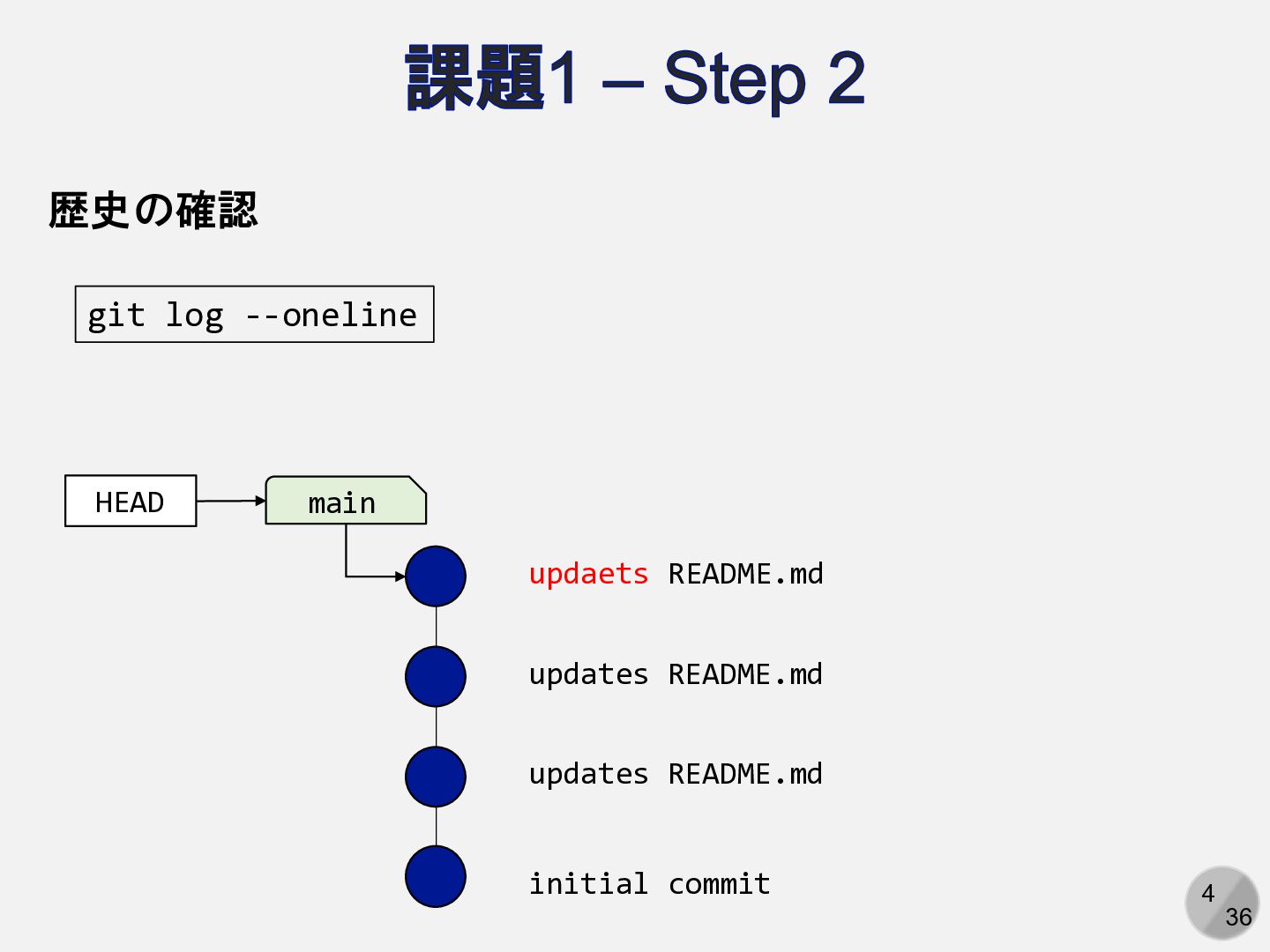
4 36 課題1 – Step 2 git log --oneline initial
commit updates README.md updates README.md updaets README.md main HEAD 歴史の確認
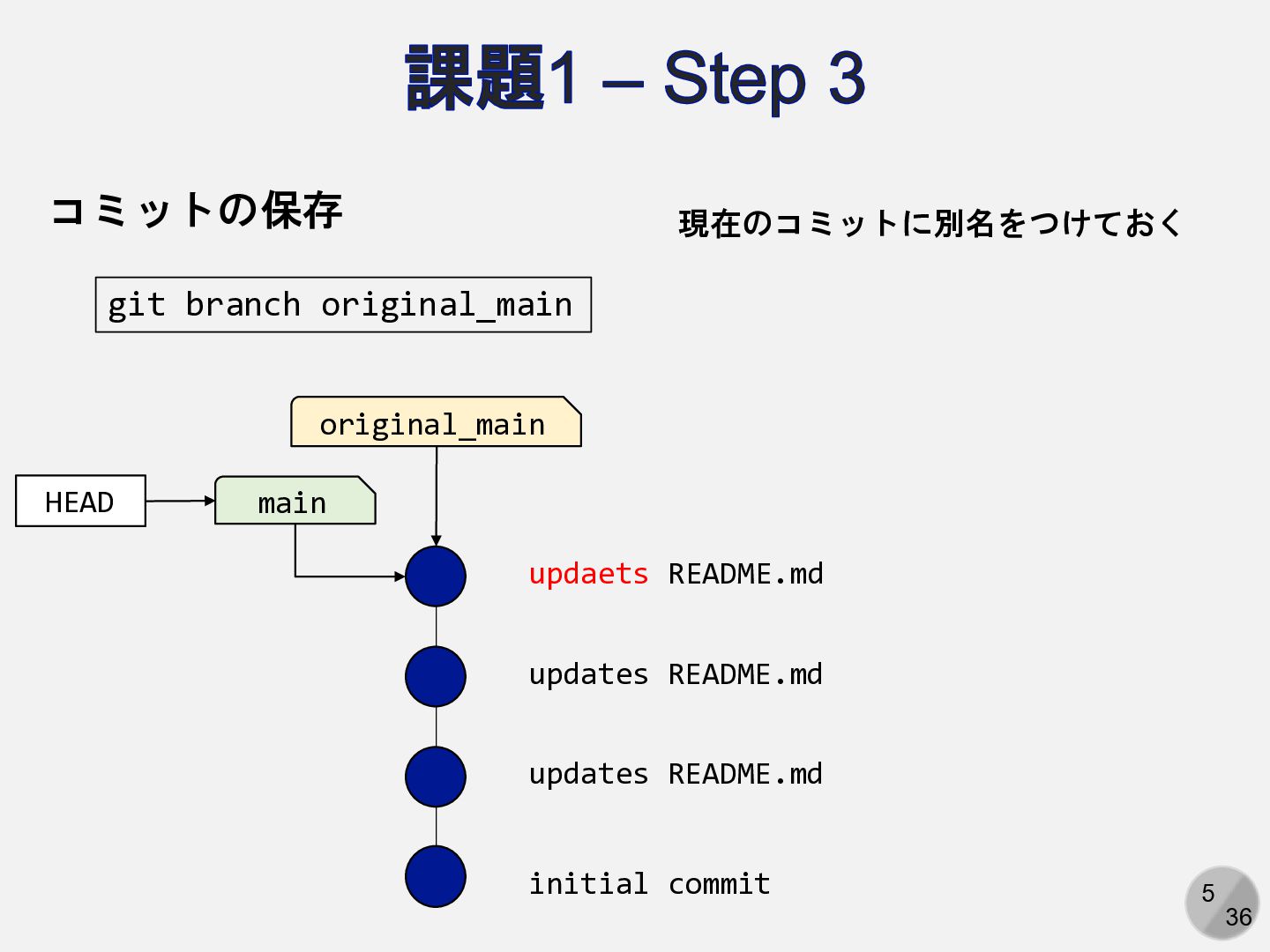
5 36 課題1 – Step 3 コミットの保存 initial commit updates
README.md updates README.md updaets README.md main HEAD original_main git branch original_main 現在のコミットに別名をつけておく
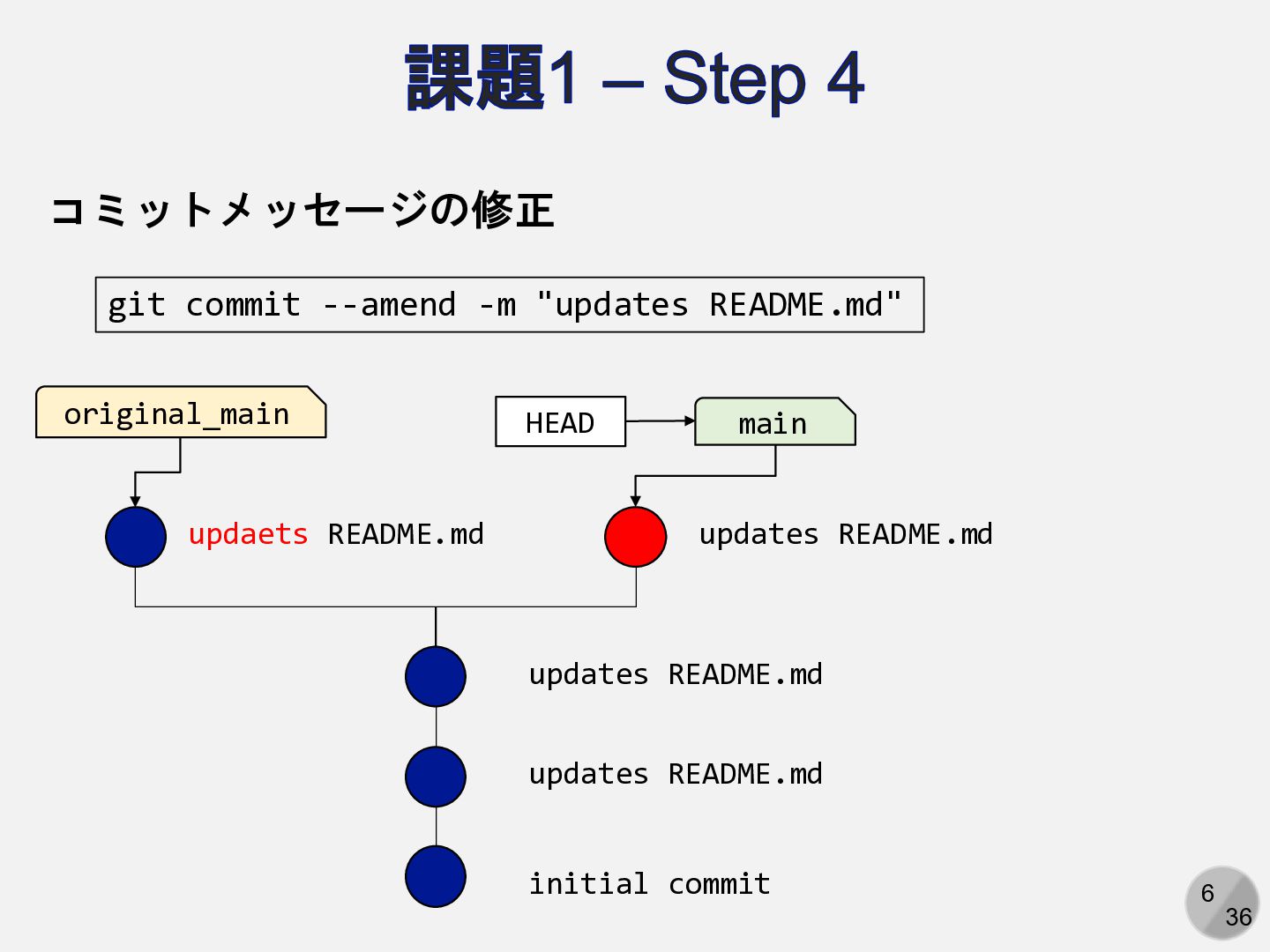
6 36 課題1 – Step 4 コミットメッセージの修正 git commit --amend
-m "updates README.md" initial commit updates README.md updates README.md updaets README.md main HEAD original_main updates README.md
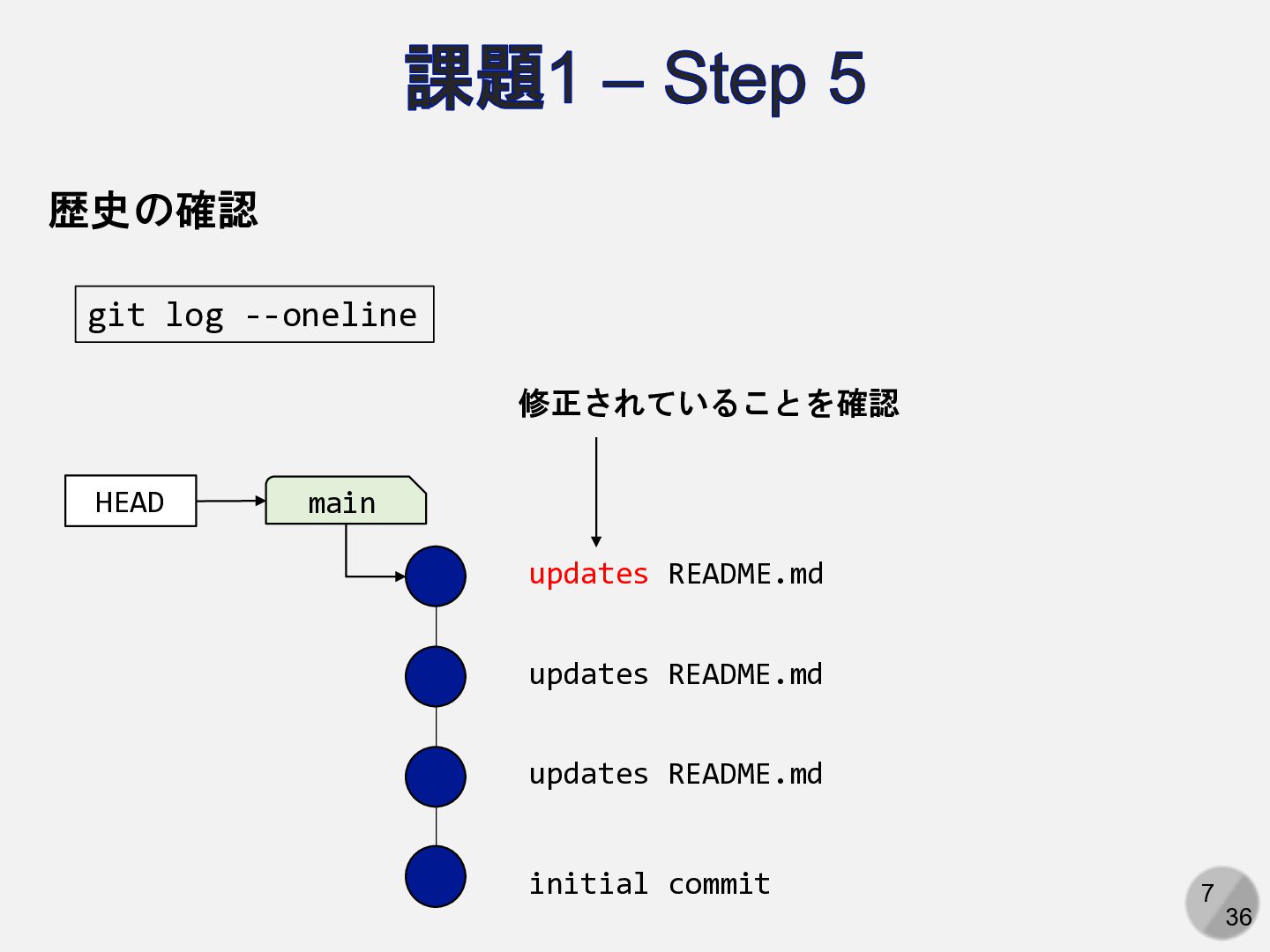
7 36 課題1 – Step 5 git log --oneline 歴史の確認
initial commit updates README.md updates README.md updates README.md main HEAD 修正されていることを確認
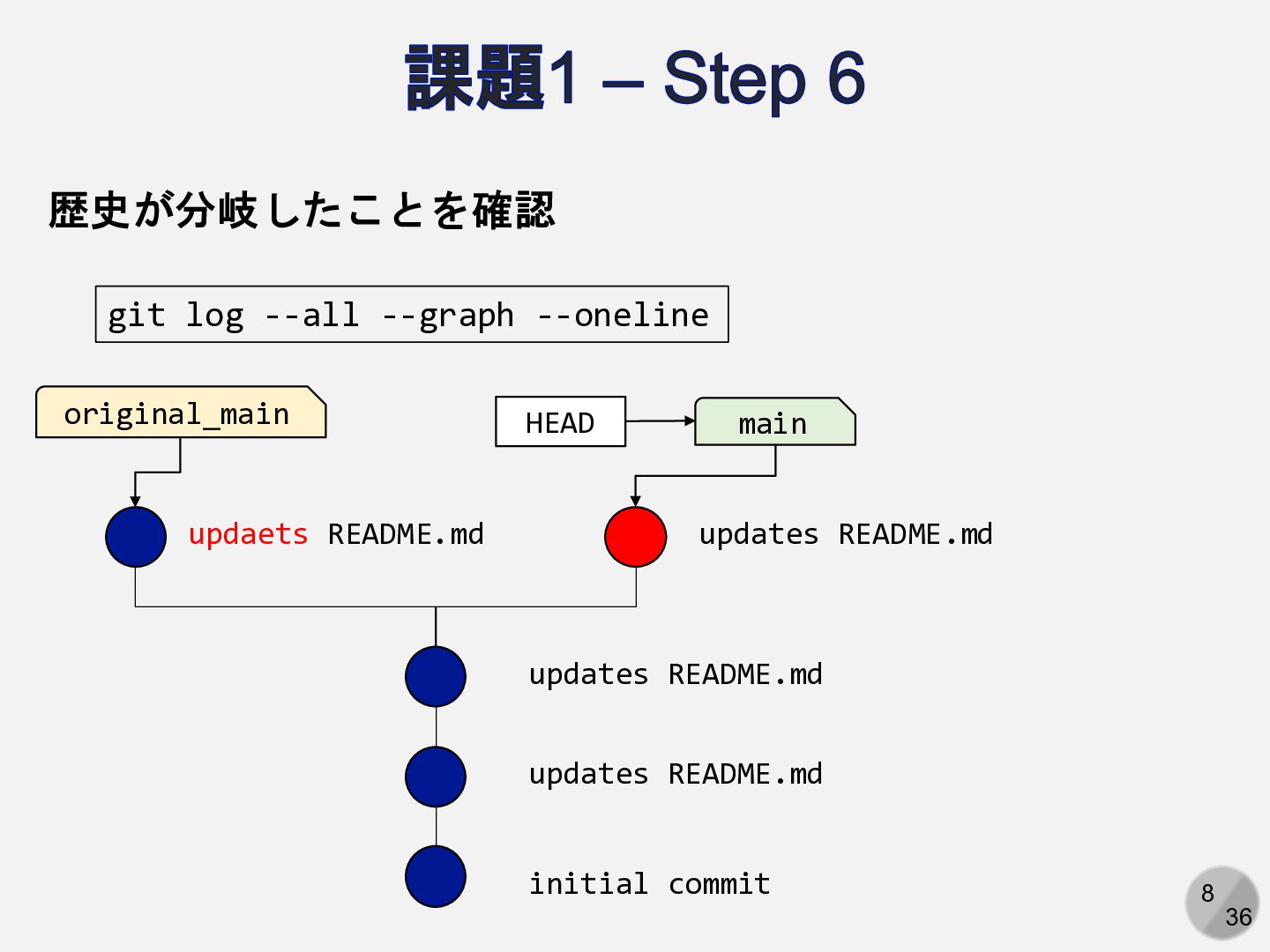
8 36 課題1 – Step 6 git log --all --graph
--oneline 歴史が分岐したことを確認 initial commit updates README.md updates README.md updaets README.md main HEAD original_main updates README.md
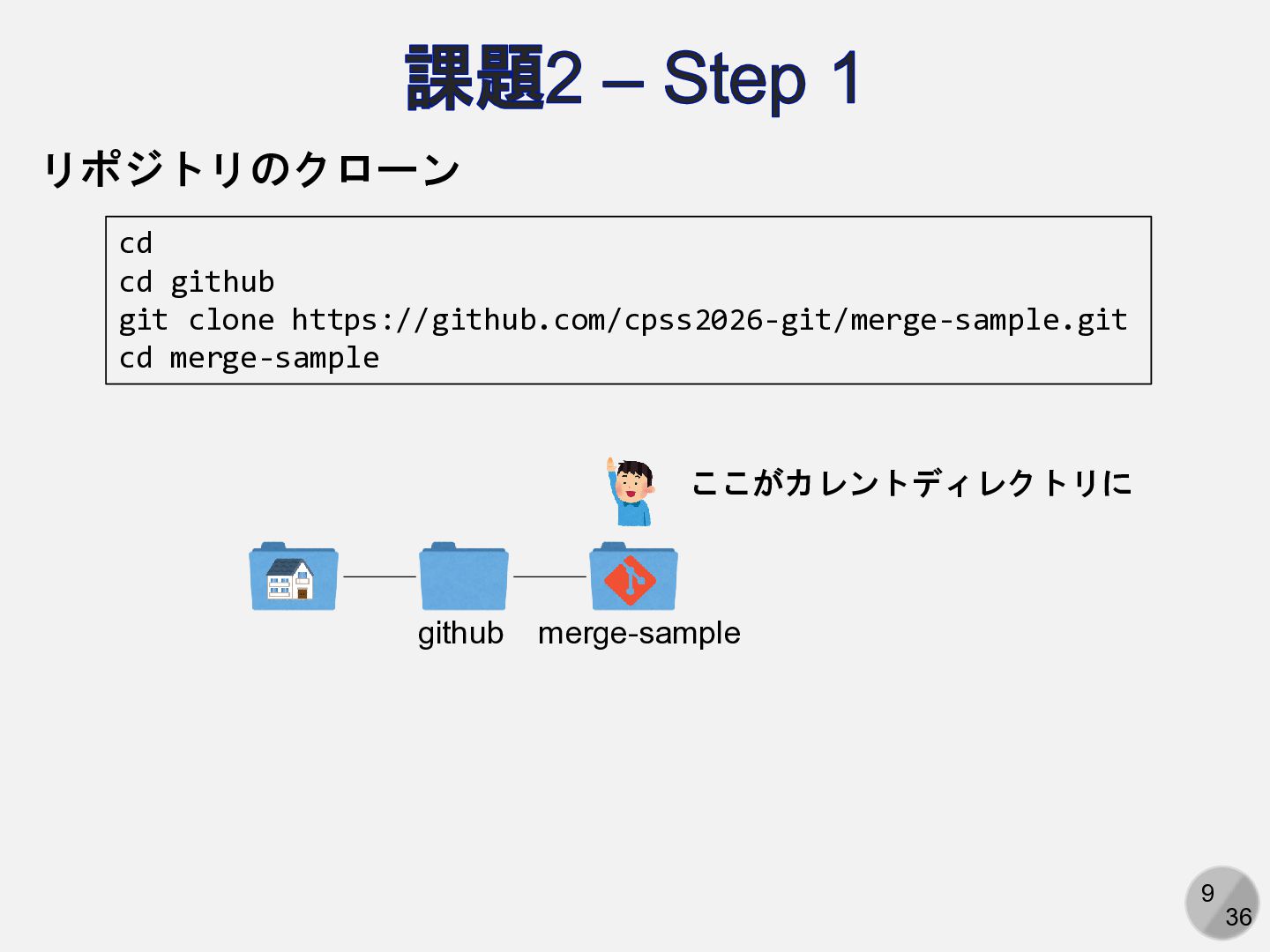
9 36 課題2 – Step 1 リポジトリのクローン cd cd github
git clone https://github.com/cpss2026-git/merge-sample.git cd merge-sample github merge-sample ここがカレントディレクトリに
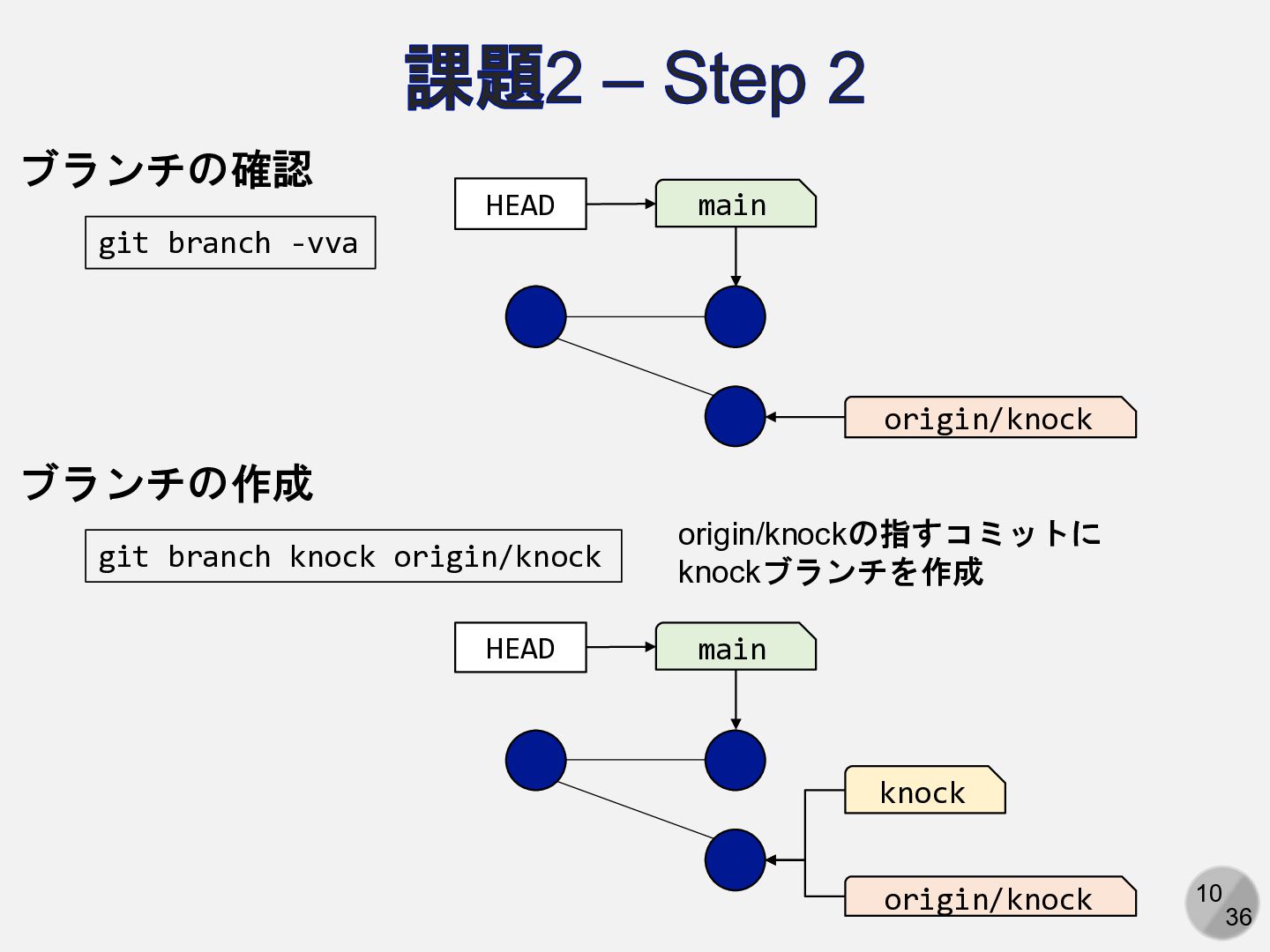
10 36 課題2 – Step 2 ブランチの作成 git branch knock
origin/knock main HEAD knock ブランチの確認 git branch -vva main HEAD origin/knock origin/knock origin/knockの指すコミットに knockブランチを作成
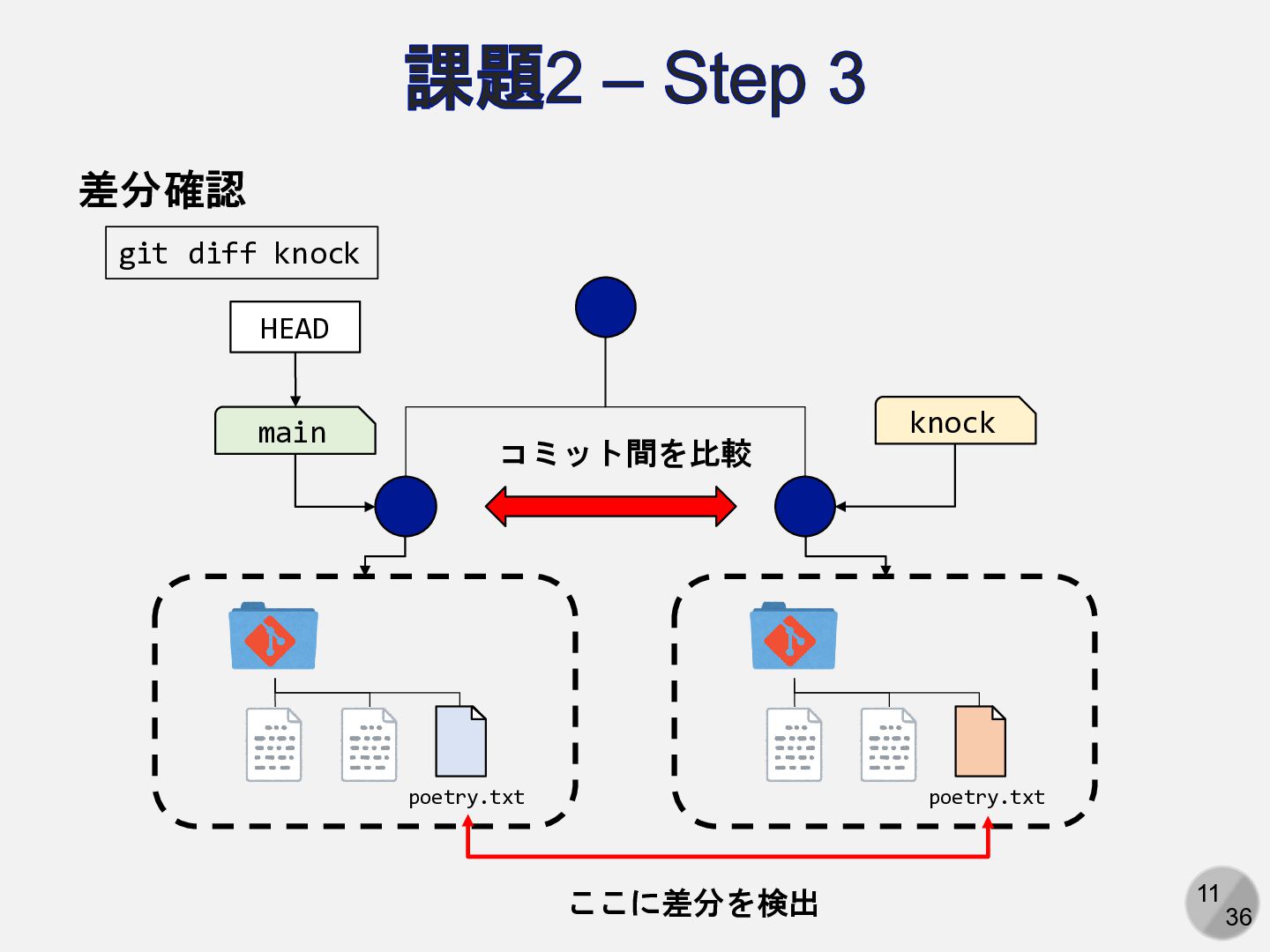
11 36 課題2 – Step 3 差分確認 main HEAD knock
git diff knock poetry.txt poetry.txt コミット間を比較 ここに差分を検出
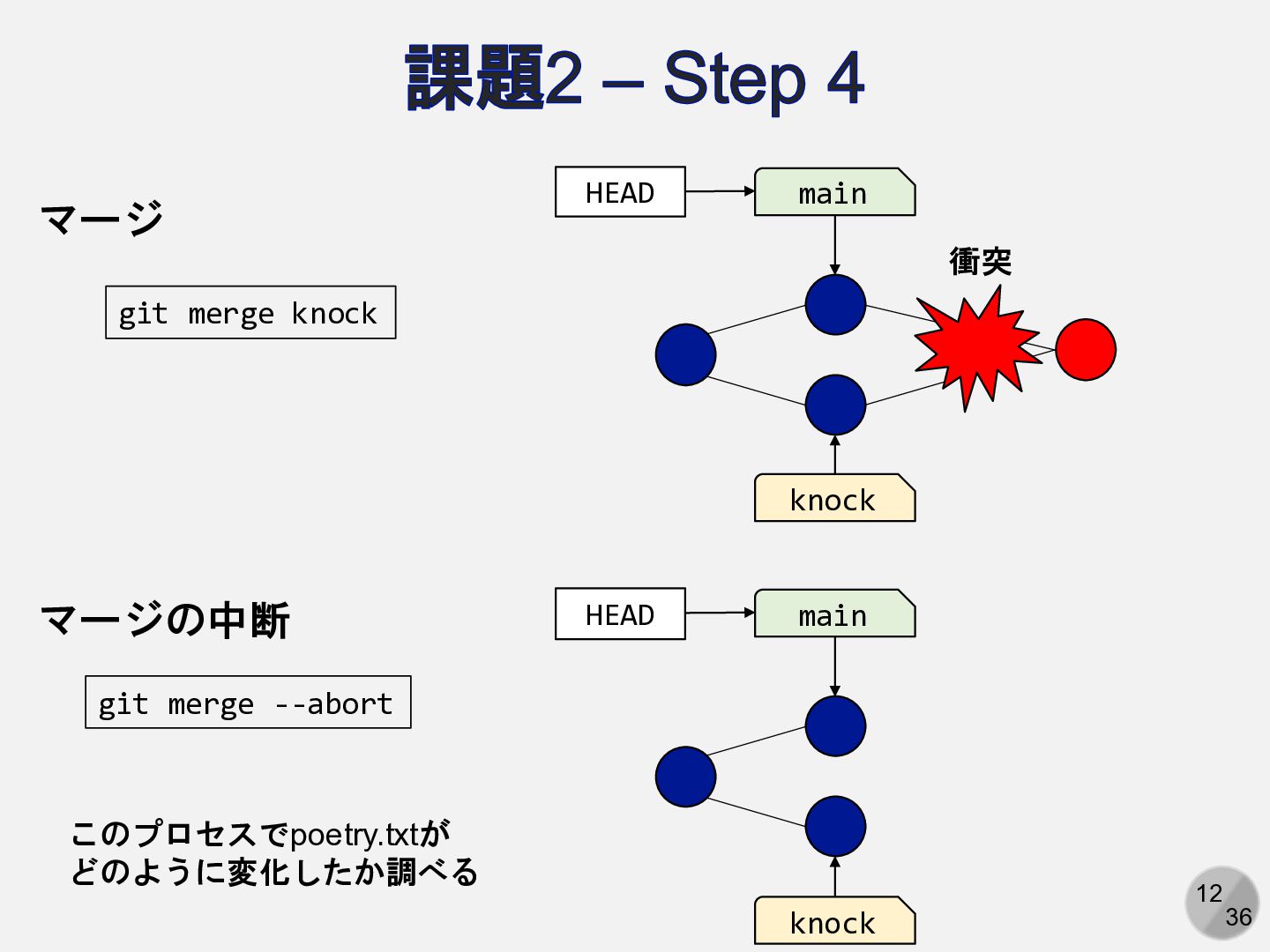
12 36 課題2 – Step 4 マージ main HEAD knock
衝突 git merge knock マージの中断 git merge --abort main HEAD knock このプロセスでpoetry.txtが どのように変化したか調べる
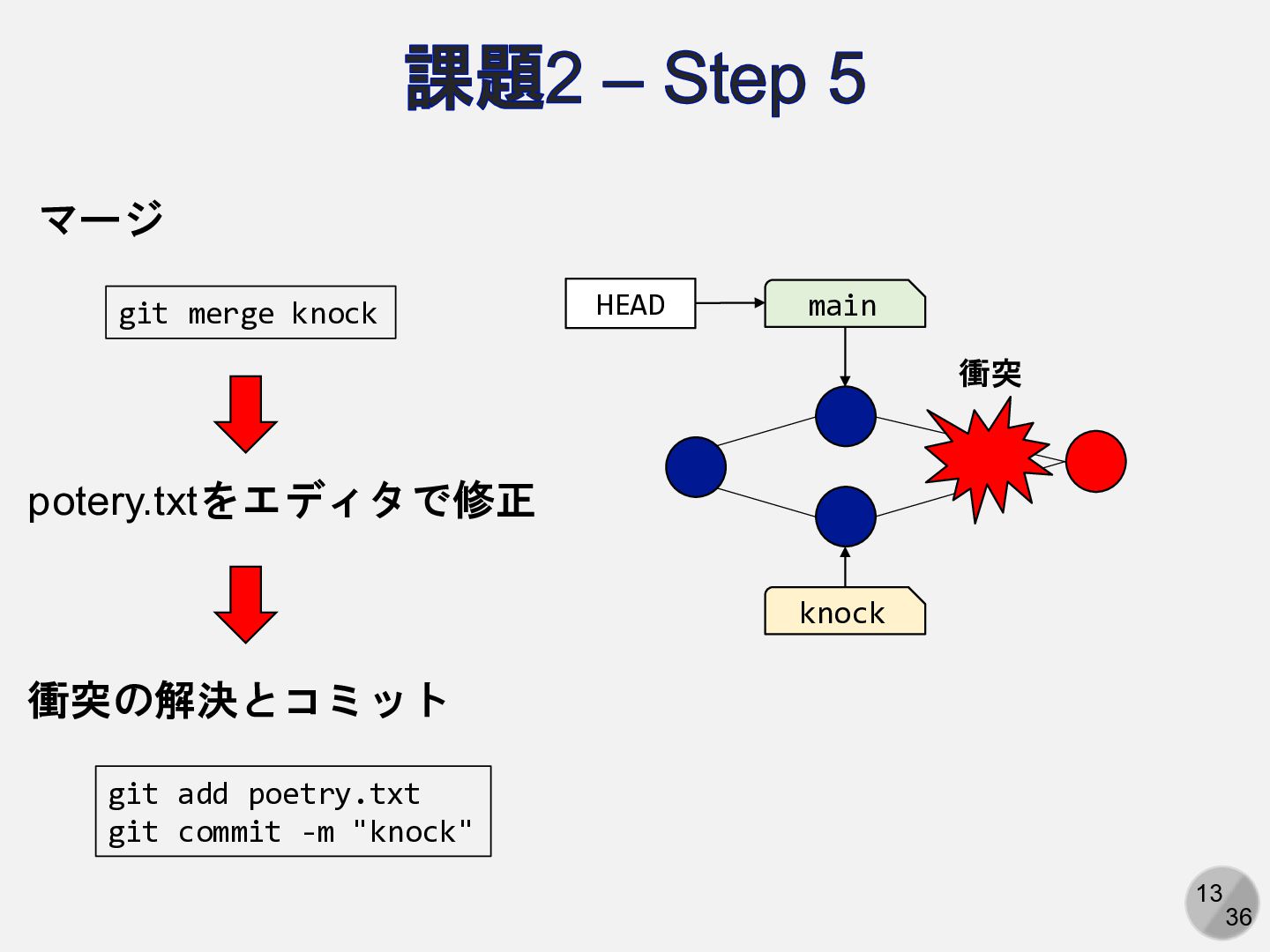
13 36 課題2 – Step 5 マージ git merge knock
main HEAD knock 衝突 衝突の解決とコミット git add poetry.txt git commit -m "knock" potery.txtをエディタで修正
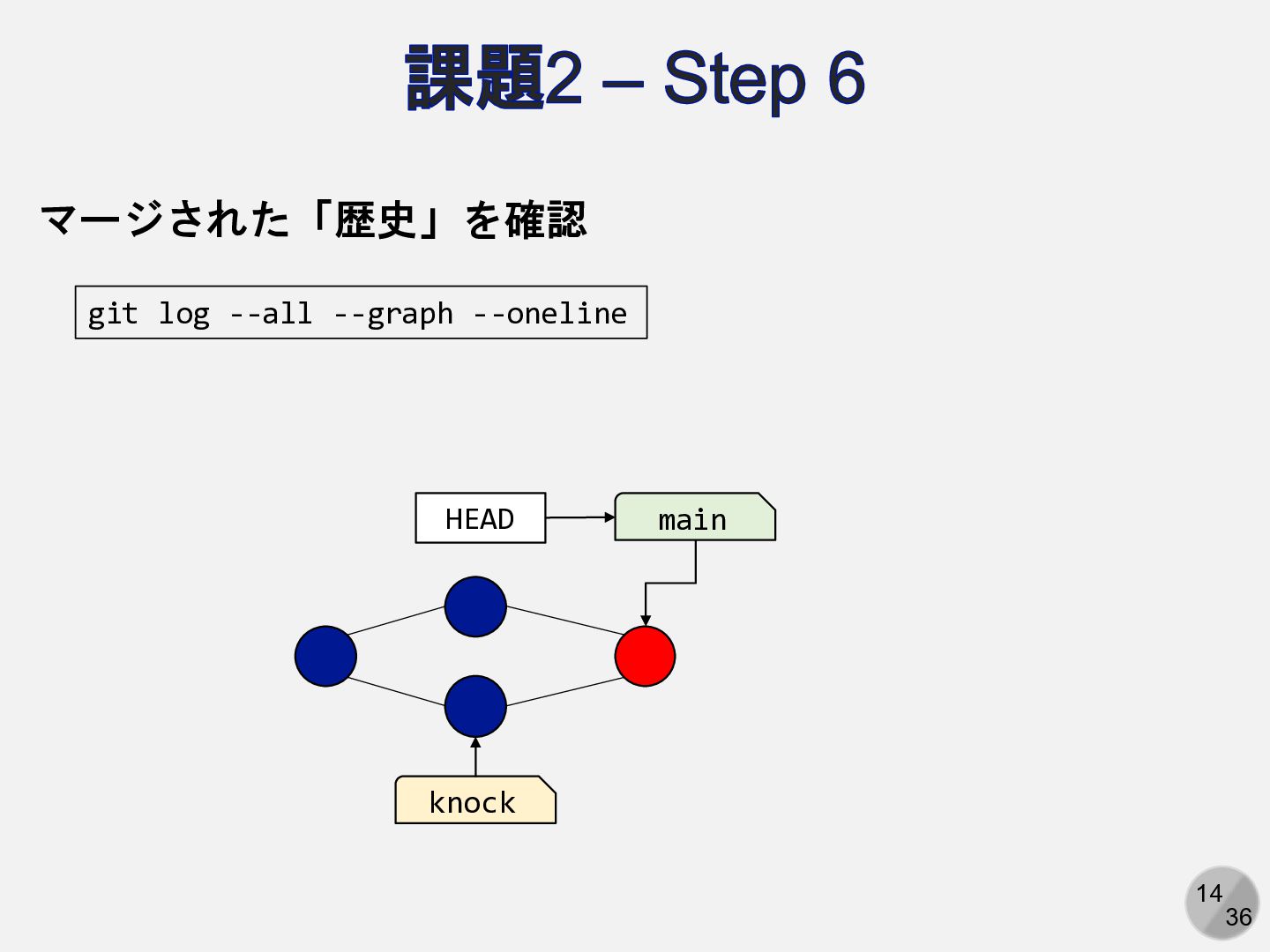
14 36 課題2 – Step 6 main HEAD knock git
log --all --graph --oneline マージされた「歴史」を確認
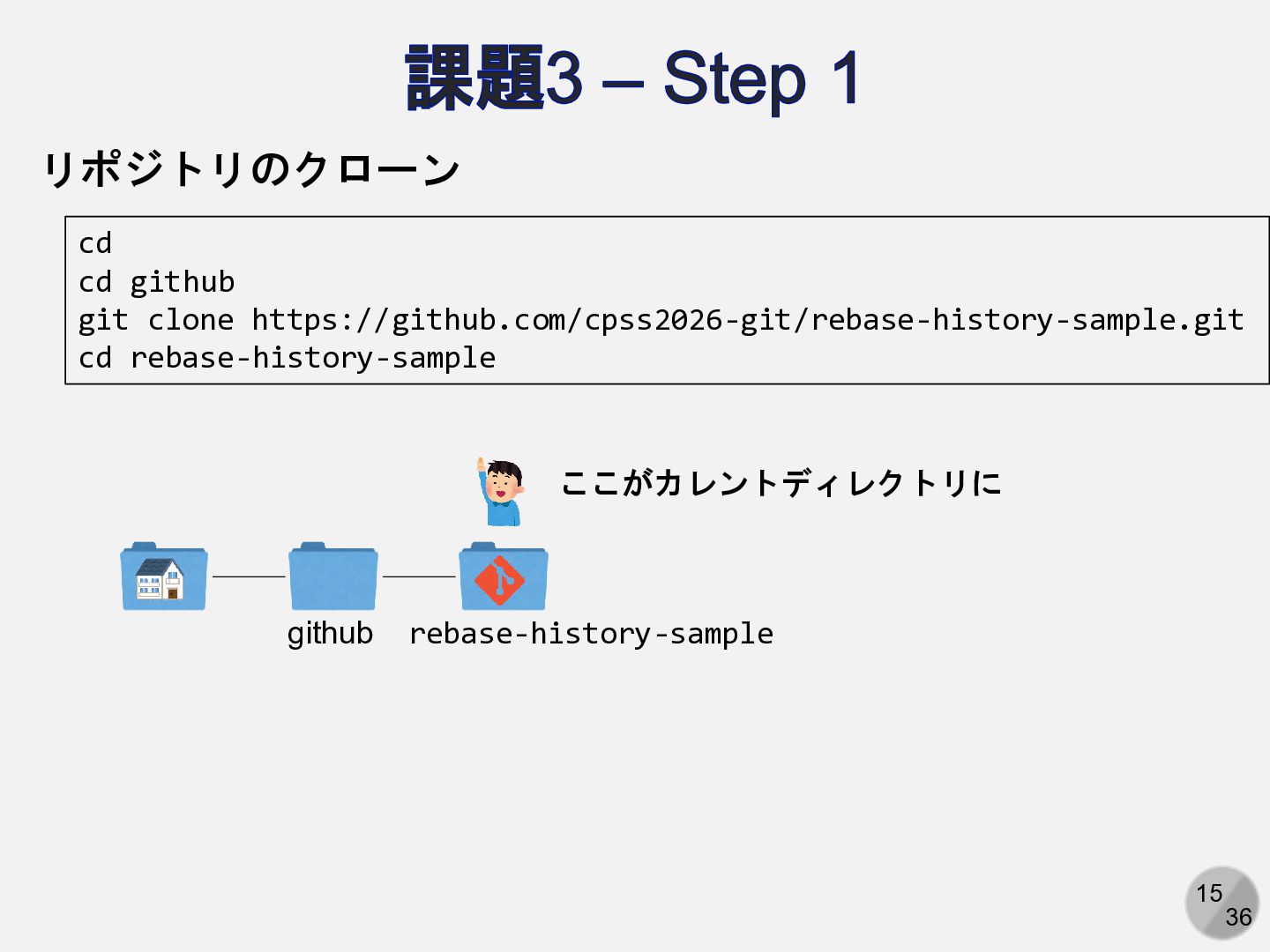
15 36 課題3 – Step 1 リポジトリのクローン cd cd github
git clone https://github.com/cpss2026-git/rebase-history-sample.git cd rebase-history-sample github rebase-history-sample ここがカレントディレクトリに
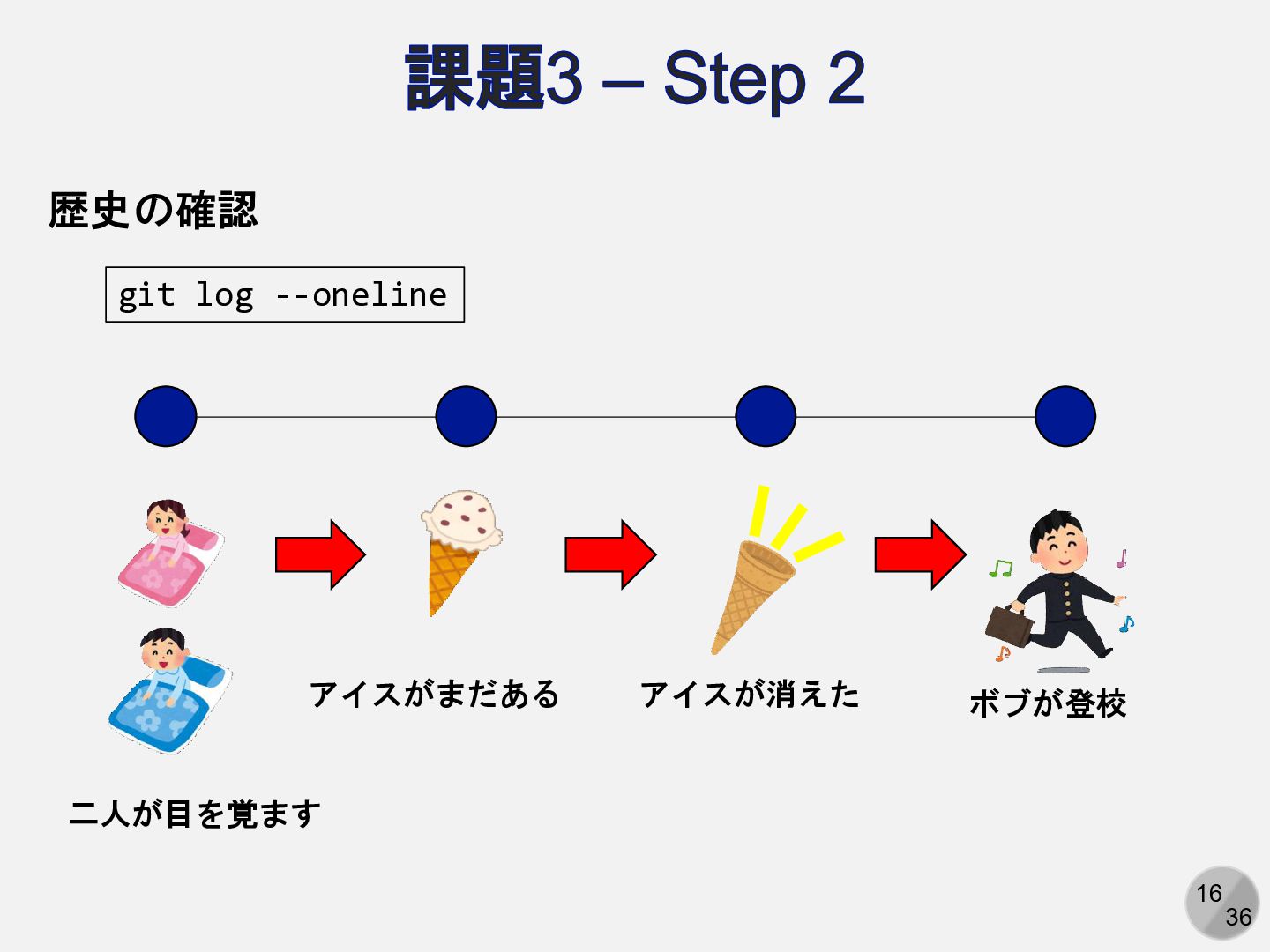
16 36 課題3 – Step 2 二人が目を覚ます アイスがまだある アイスが消えた ボブが登校
歴史の確認 git log --oneline
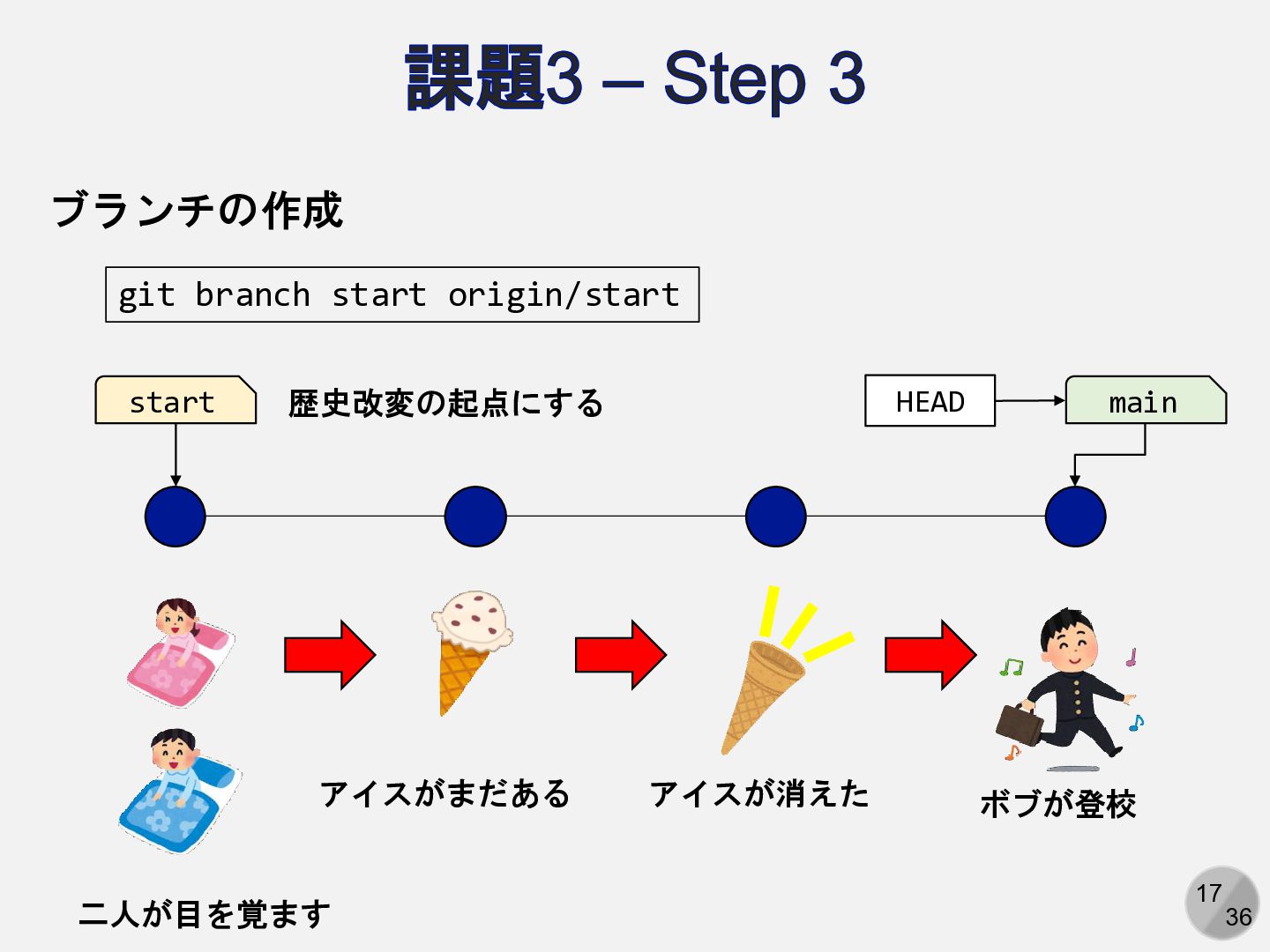
17 36 課題3 – Step 3 ブランチの作成 git branch start
origin/start 二人が目を覚ます アイスがまだある アイスが消えた ボブが登校 main HEAD start 歴史改変の起点にする
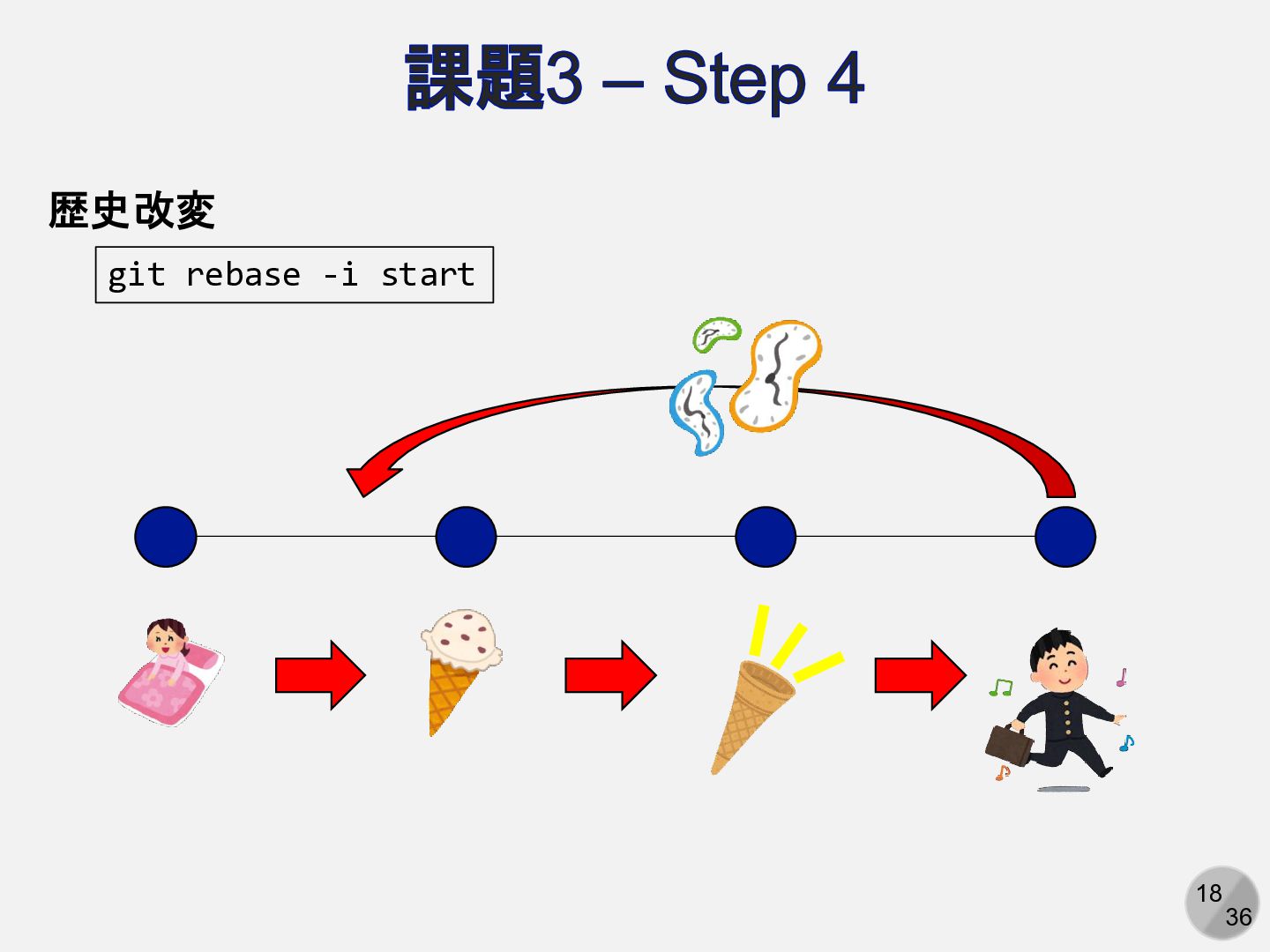
18 36 課題3 – Step 4 歴史改変 git rebase -i
start
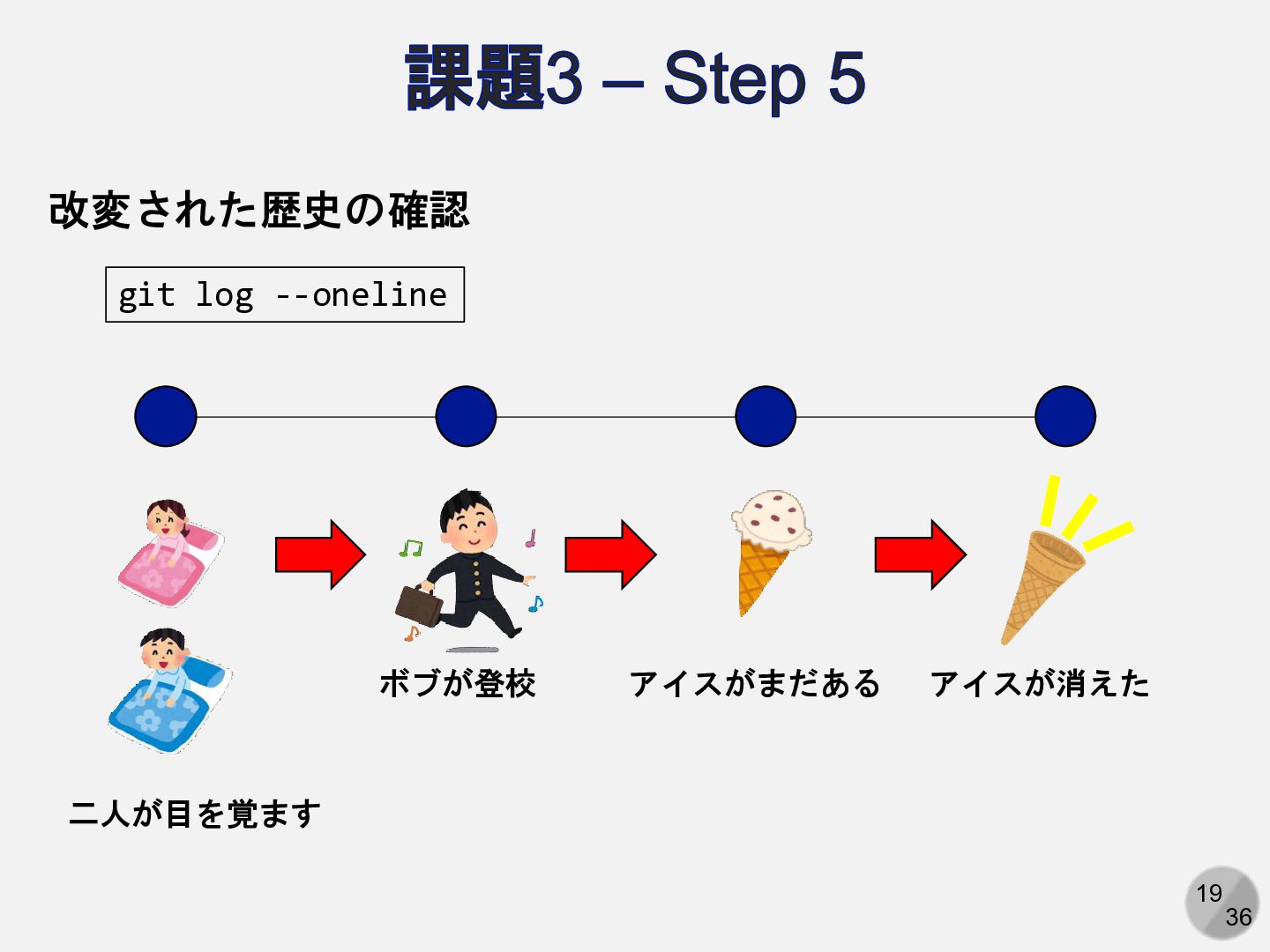
19 36 課題3 – Step 5 改変された歴史の確認 git log --oneline
二人が目を覚ます アイスがまだある アイスが消えた ボブが登校
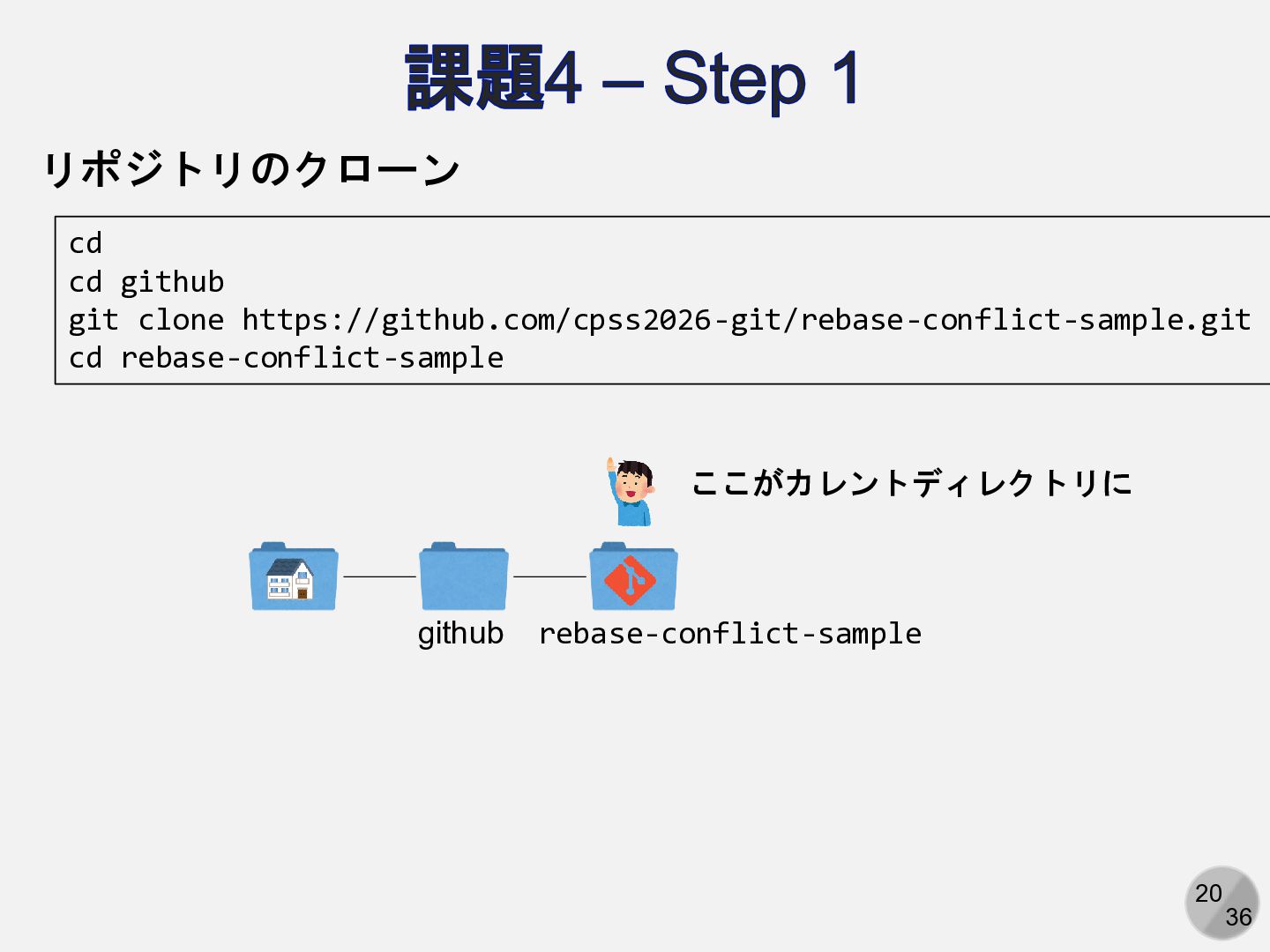
20 36 課題4 – Step 1 リポジトリのクローン cd cd github
git clone https://github.com/cpss2026-git/rebase-conflict-sample.git cd rebase-conflict-sample github rebase-conflict-sample ここがカレントディレクトリに
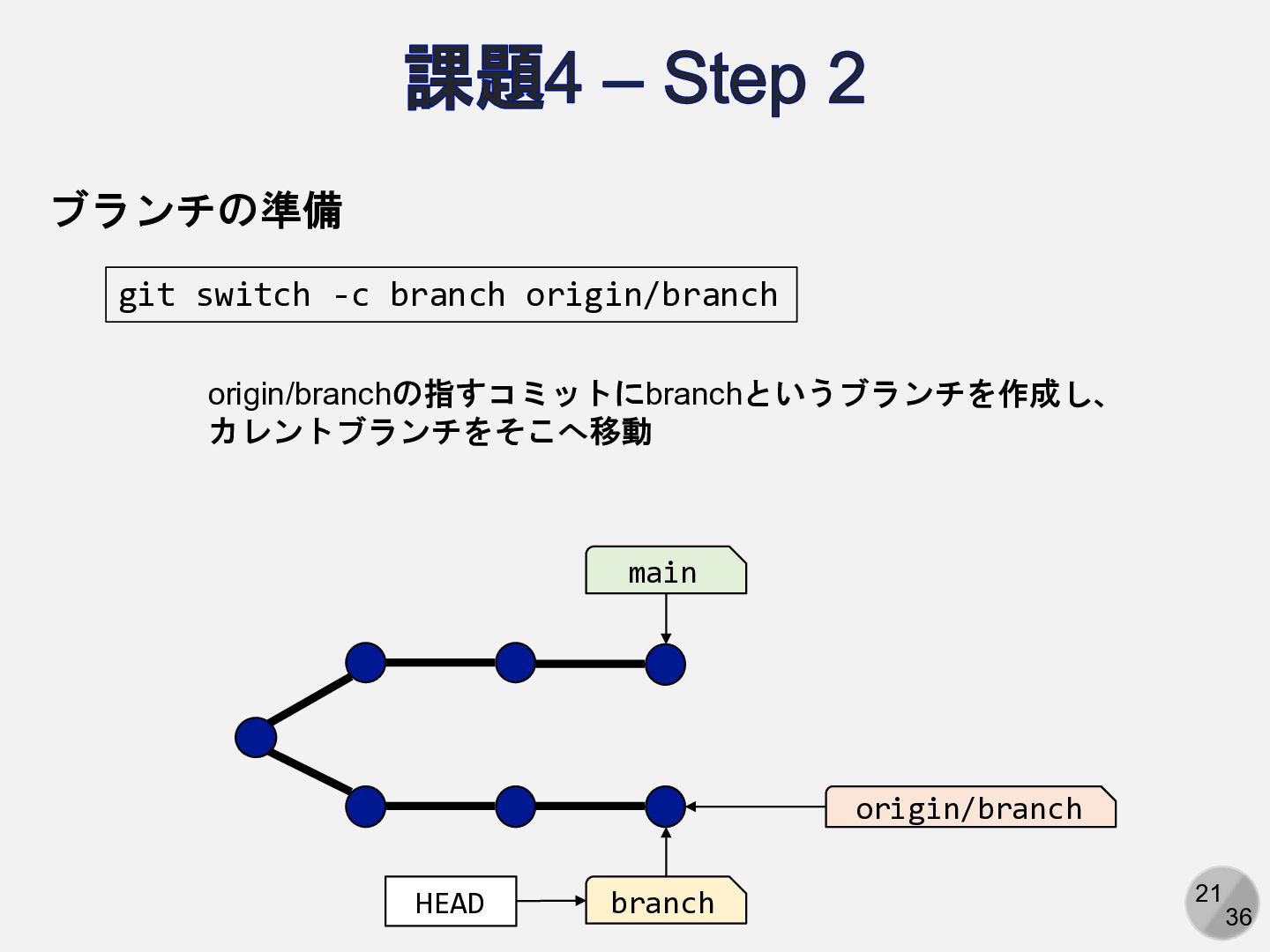
21 36 課題4 – Step 2 main HEAD branch origin/branch
ブランチの準備 git switch -c branch origin/branch origin/branchの指すコミットにbranchというブランチを作成し、 カレントブランチをそこへ移動
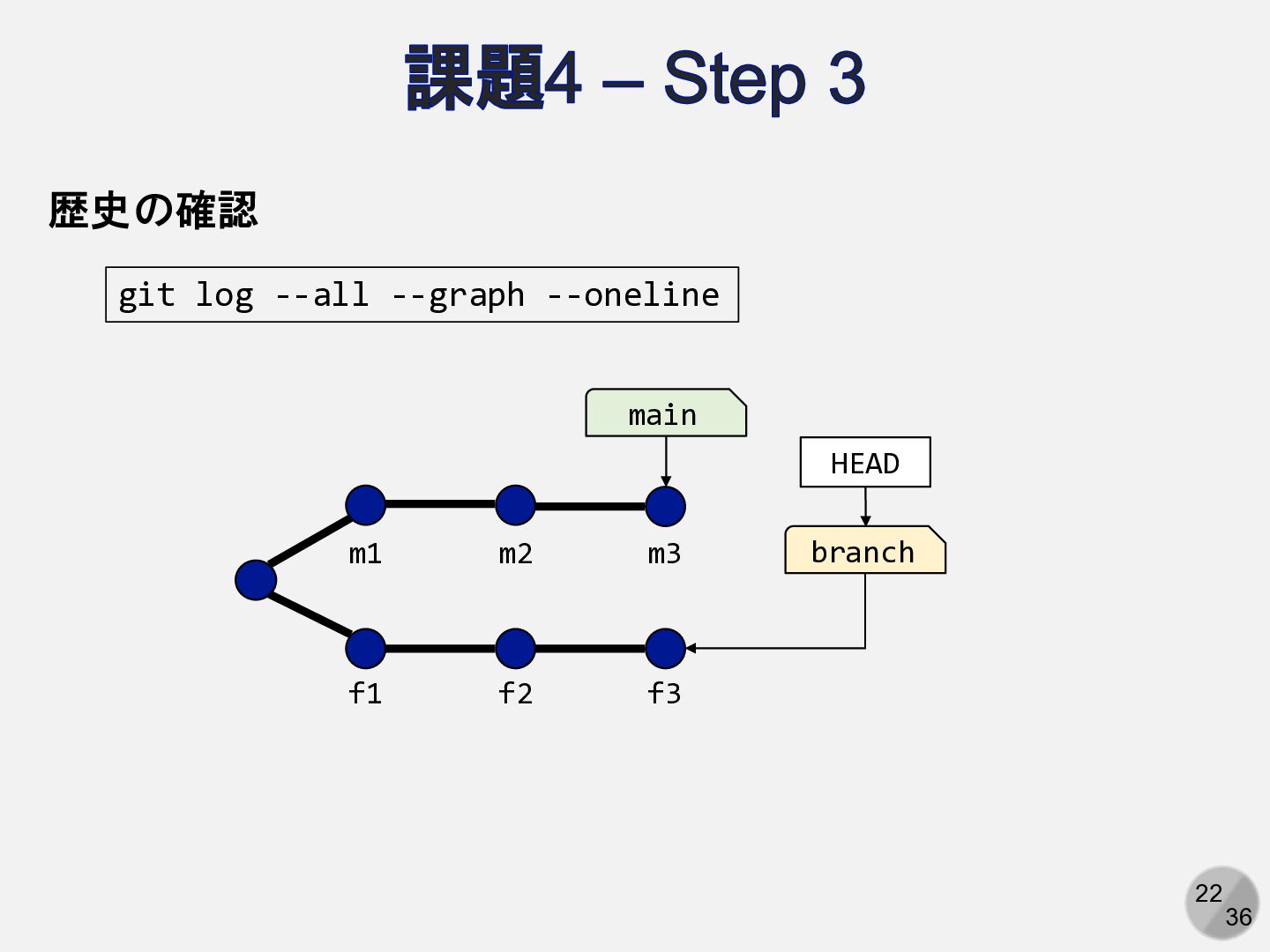
22 36 課題4 – Step 3 歴史の確認 git log --all
--graph --oneline main HEAD branch m1 m2 m3 f1 f2 f3
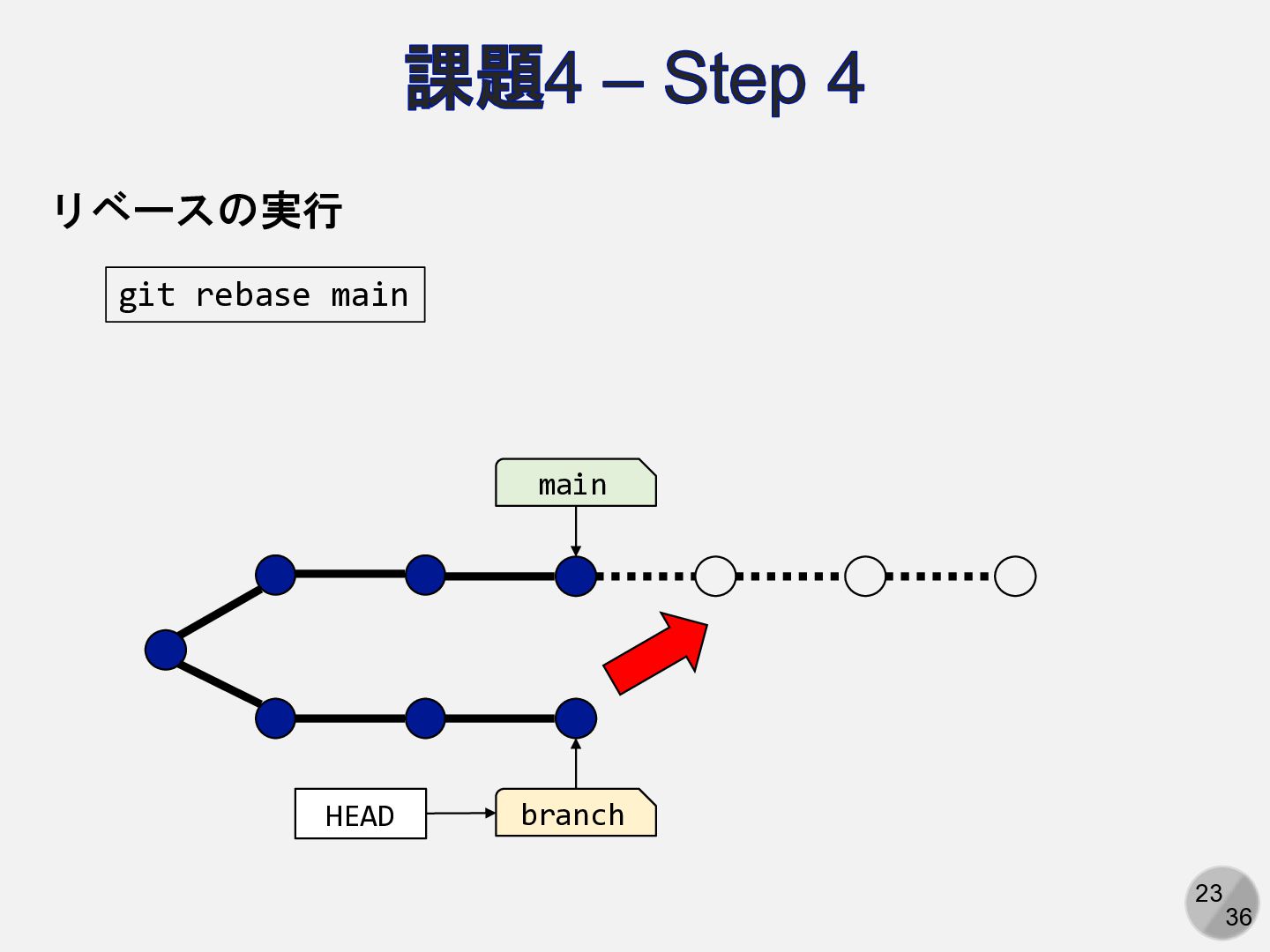
23 36 課題4 – Step 4 リベースの実行 git rebase main
main HEAD branch
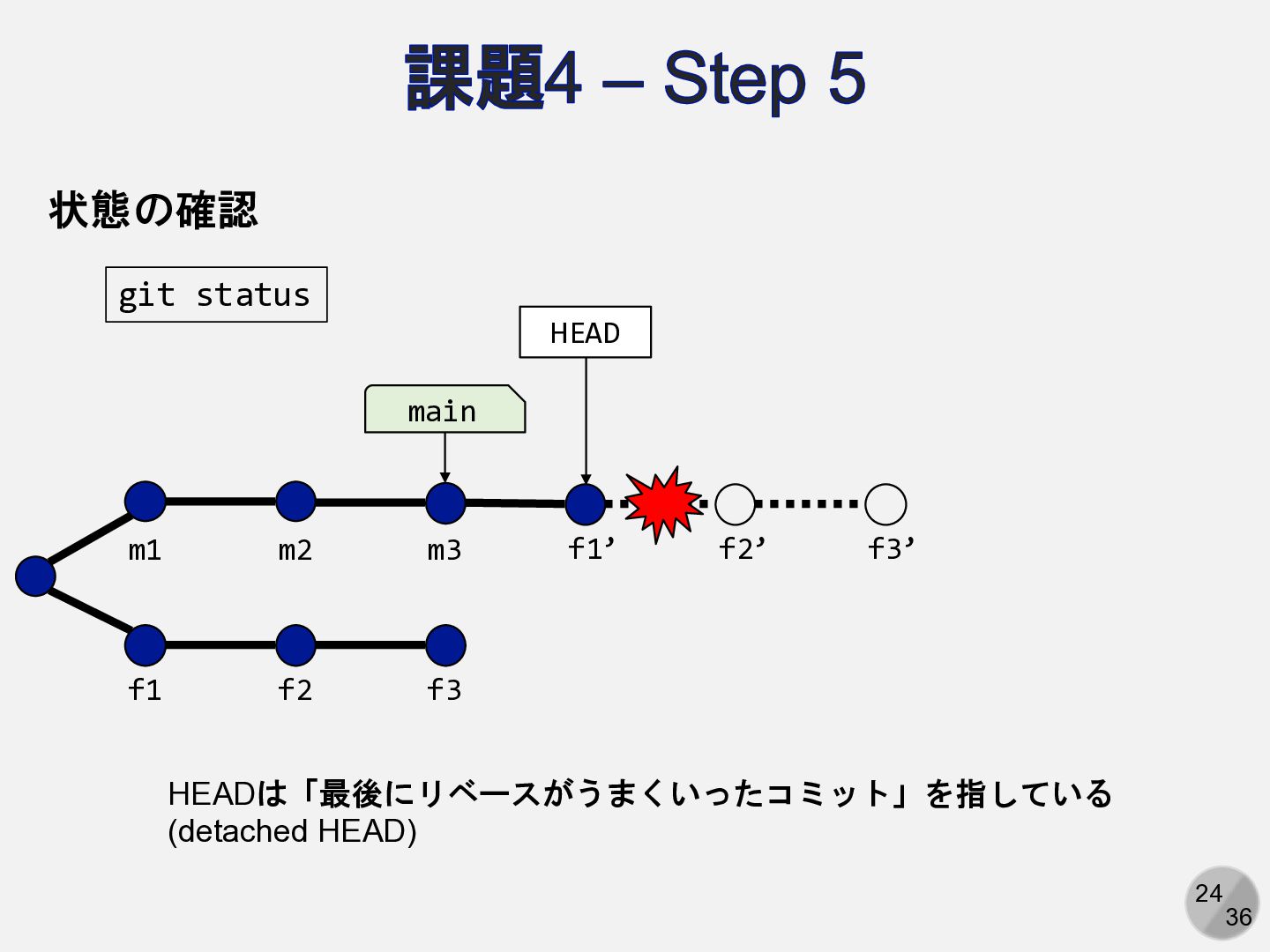
24 36 課題4 – Step 5 main m1 m2 m3
f1 f2 f3 f1’ f2’ f3’ 状態の確認 git status HEAD HEADは「最後にリベースがうまくいったコミット」を指している (detached HEAD)
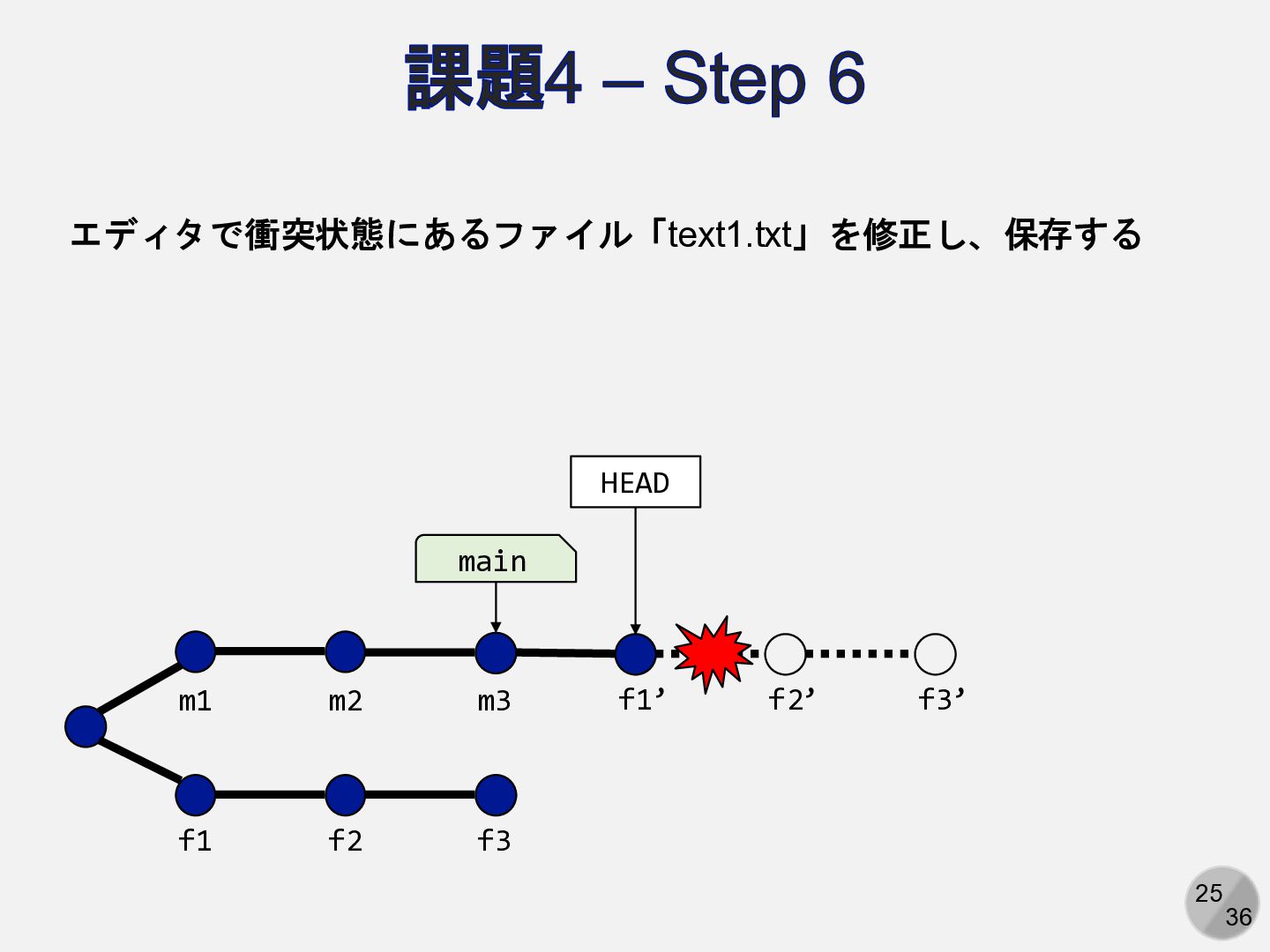
25 36 課題4 – Step 6 main m1 m2 m3
f1 f2 f3 f1’ f2’ f3’ HEAD エディタで衝突状態にあるファイル「text1.txt」を修正し、保存する
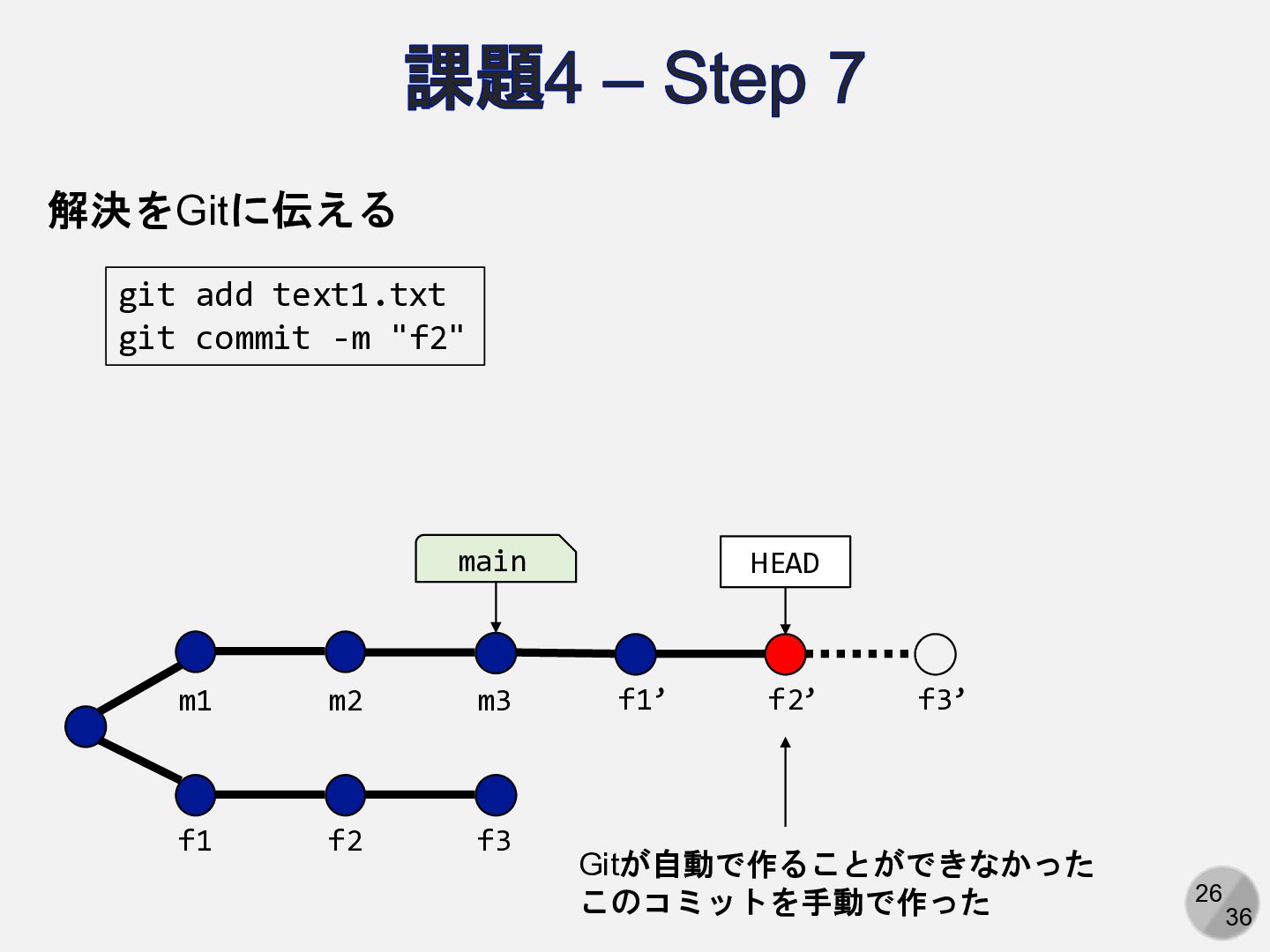
26 36 課題4 – Step 7 解決をGitに伝える git add text1.txt
git commit -m "f2" main m1 m2 m3 f1 f2 f3 f1’ f2’ f3’ HEAD Gitが自動で作ることができなかった このコミットを手動で作った
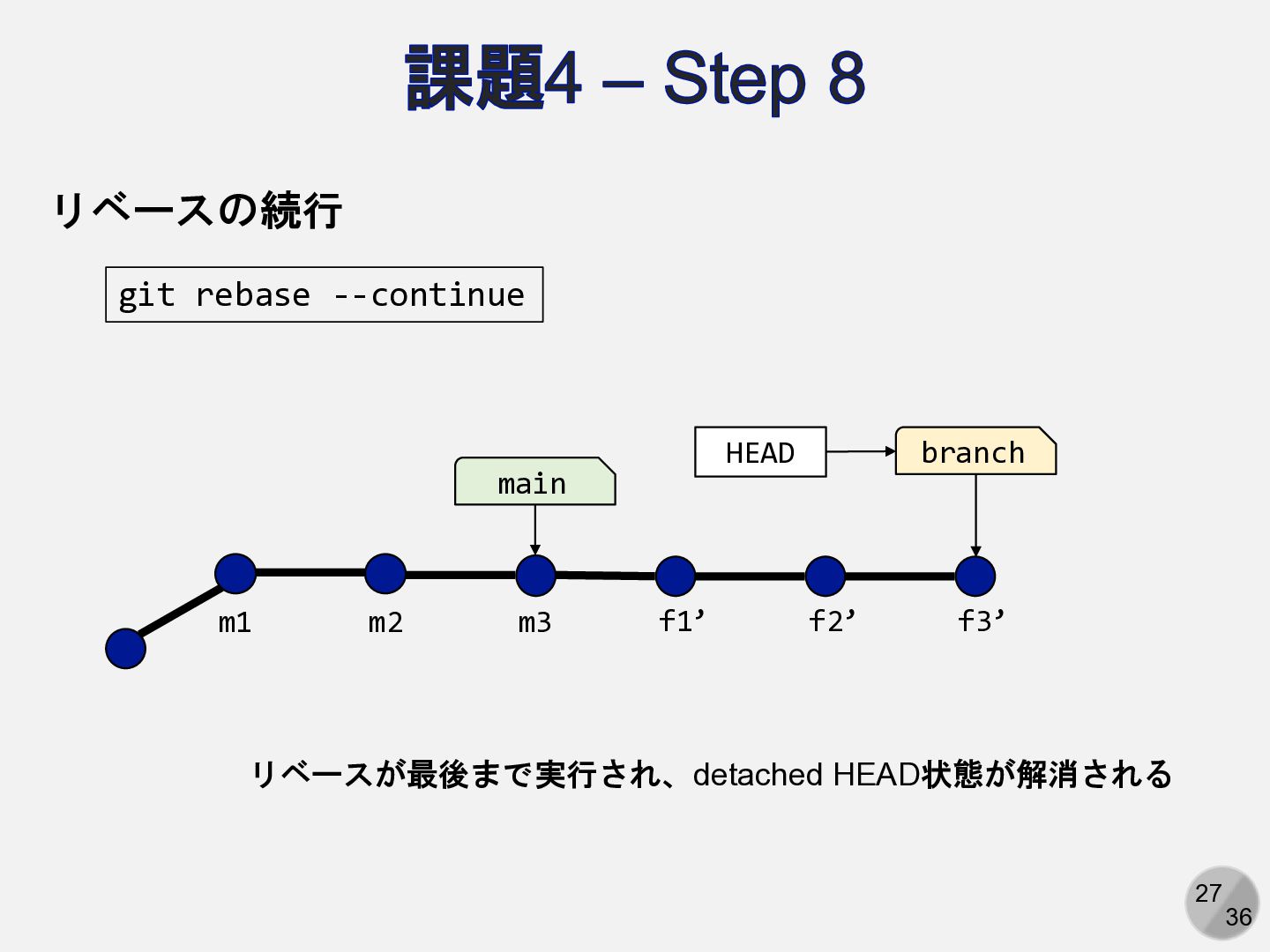
27 36 課題4 – Step 8 リベースの続行 git rebase --continue
main m1 m2 m3 f1’ f2’ f3’ HEAD branch リベースが最後まで実行され、detached HEAD状態が解消される
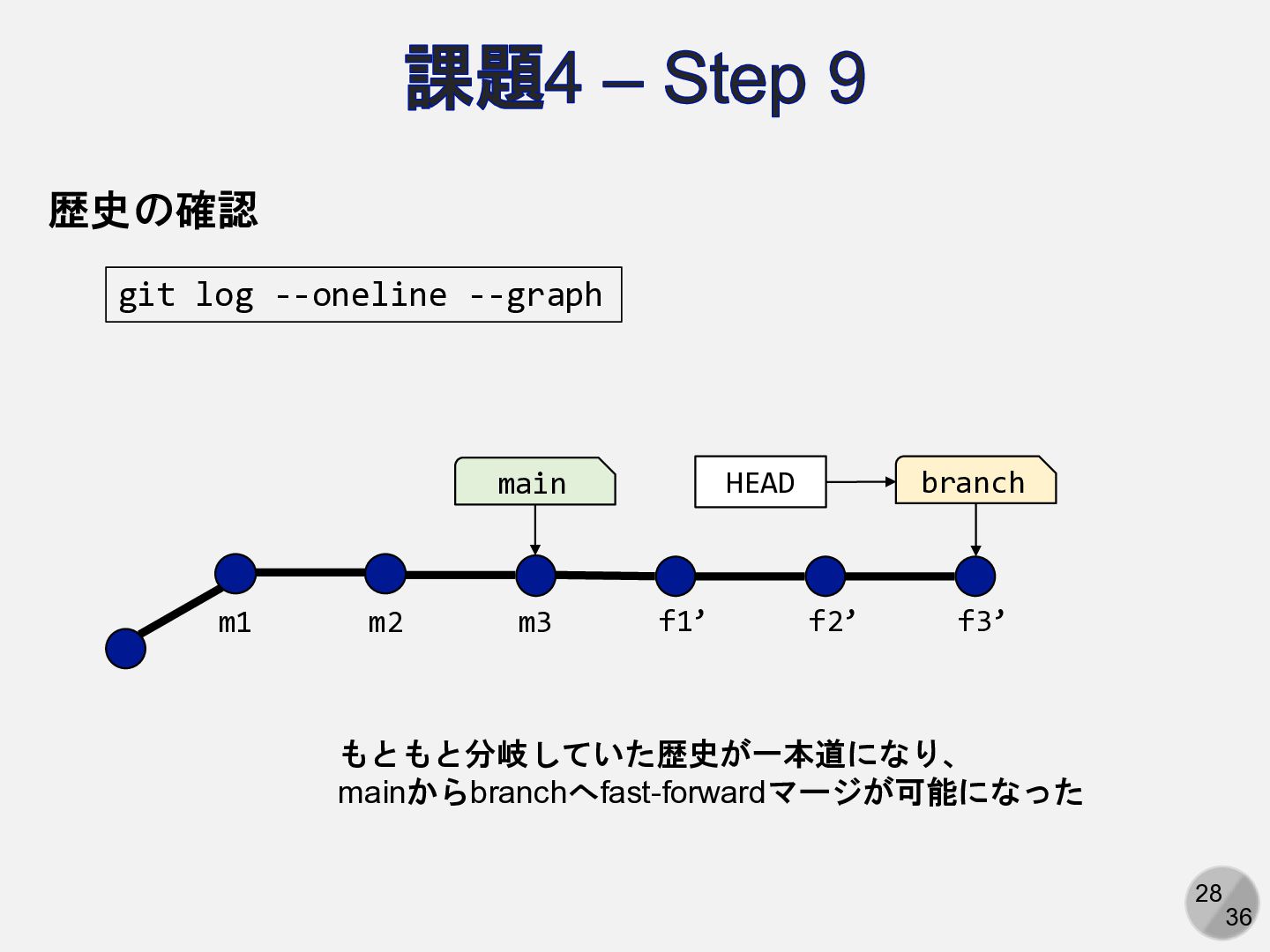
28 36 課題4 – Step 9 歴史の確認 git log --oneline
--graph main m1 m2 m3 f1’ f2’ f3’ HEAD branch もともと分岐していた歴史が一本道になり、 mainからbranchへfast-forwardマージが可能になった
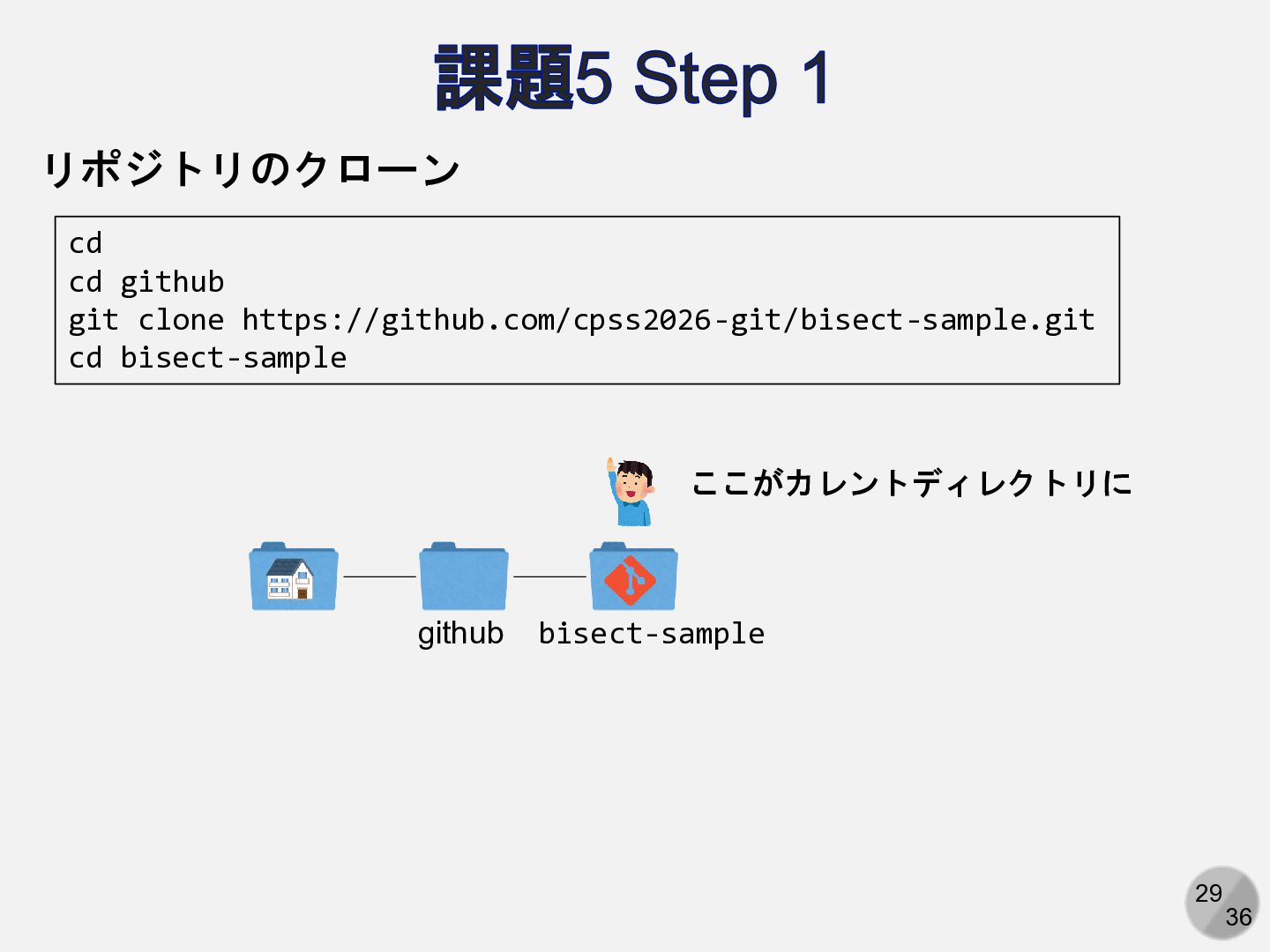
29 36 課題5 Step 1 リポジトリのクローン cd cd github git
clone https://github.com/cpss2026-git/bisect-sample.git cd bisect-sample github bisect-sample ここがカレントディレクトリに
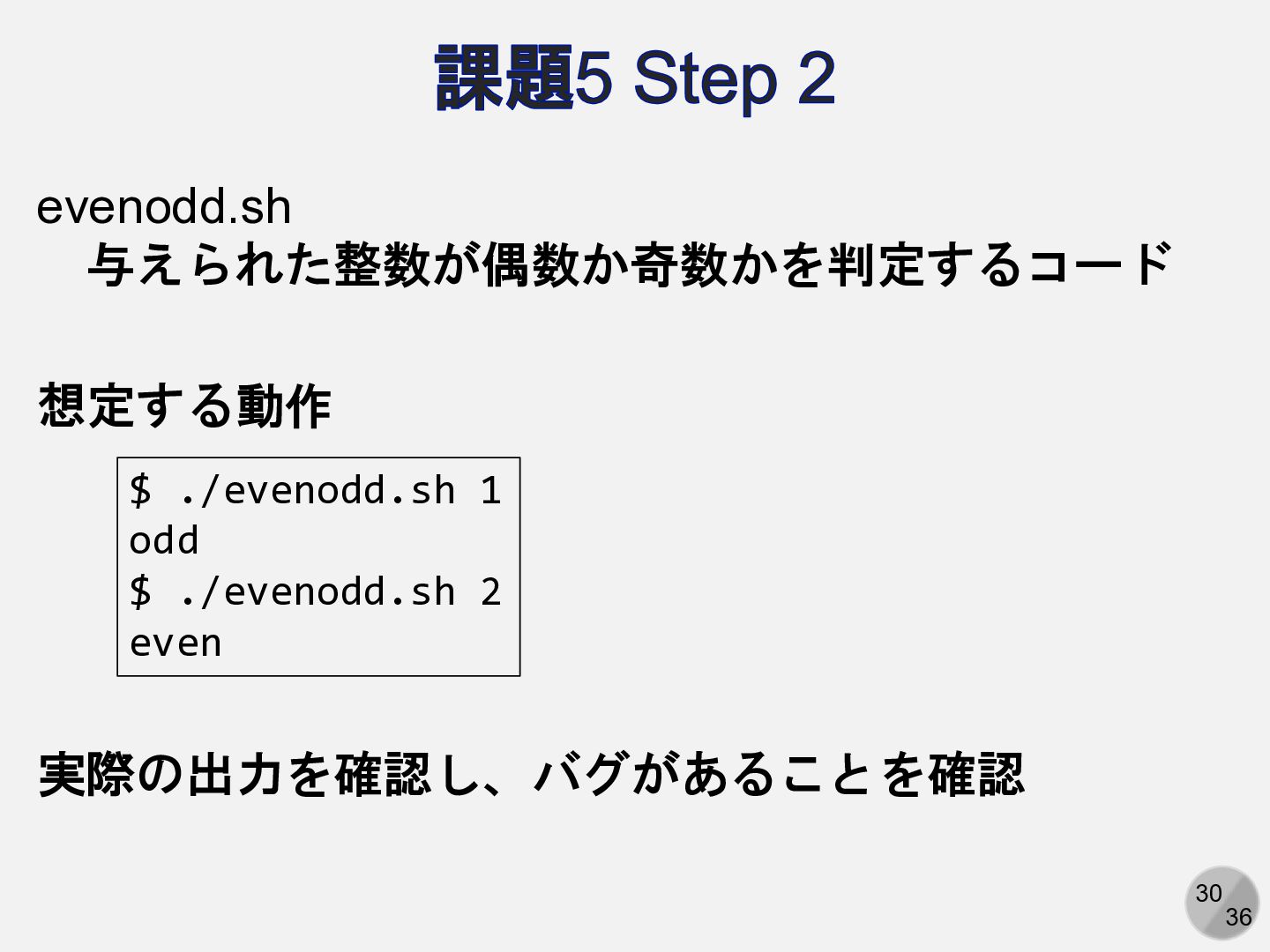
30 36 課題5 Step 2 $ ./evenodd.sh 1 odd $
./evenodd.sh 2 even evenodd.sh 与えられた整数が偶数か奇数かを判定するコード 想定する動作 実際の出力を確認し、バグがあることを確認
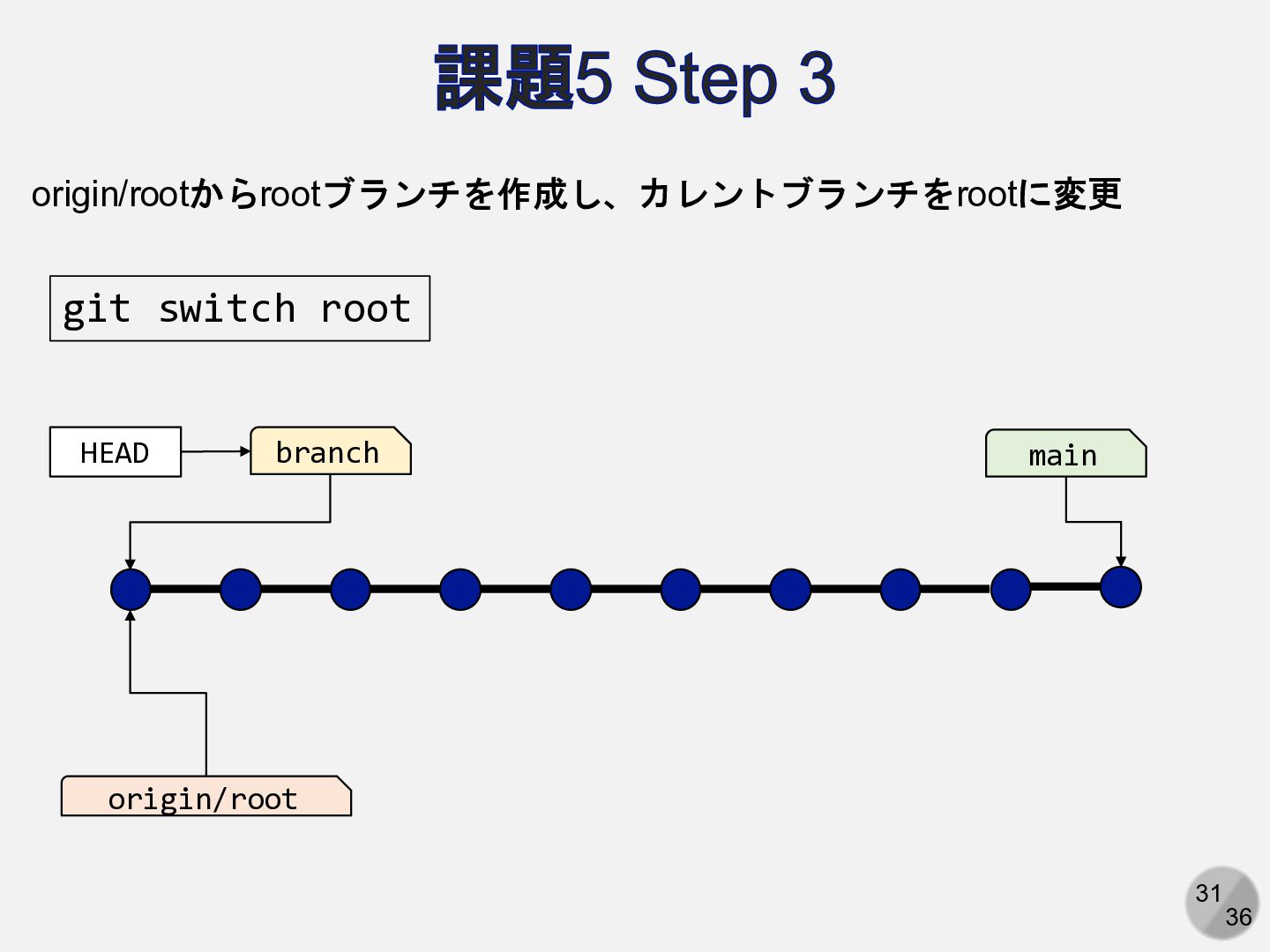
31 36 課題5 Step 3 main origin/root HEAD branch git
switch root origin/rootからrootブランチを作成し、カレントブランチをrootに変更
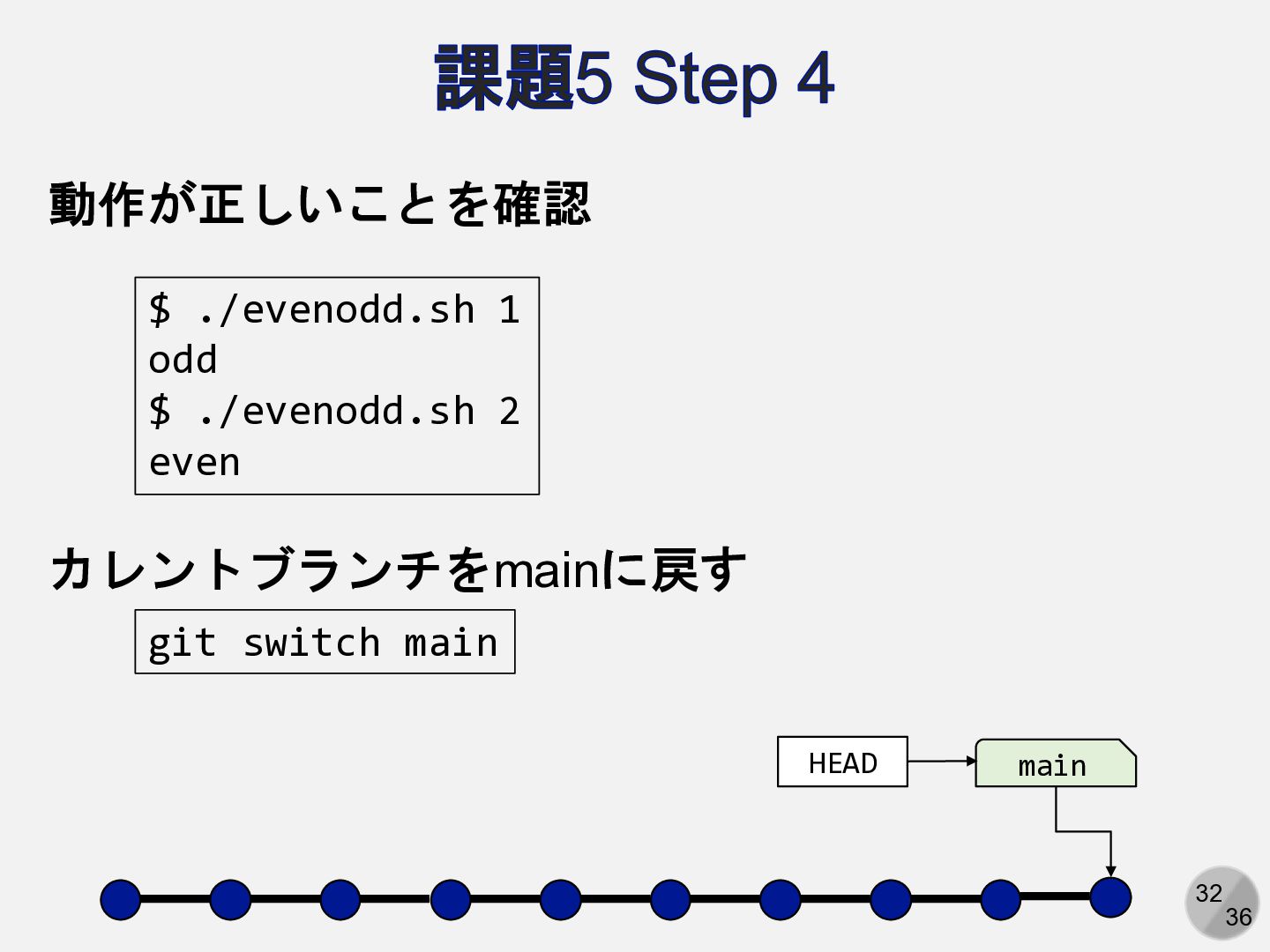
32 36 課題5 Step 4 $ ./evenodd.sh 1 odd $
./evenodd.sh 2 even 動作が正しいことを確認 カレントブランチをmainに戻す git switch main main HEAD
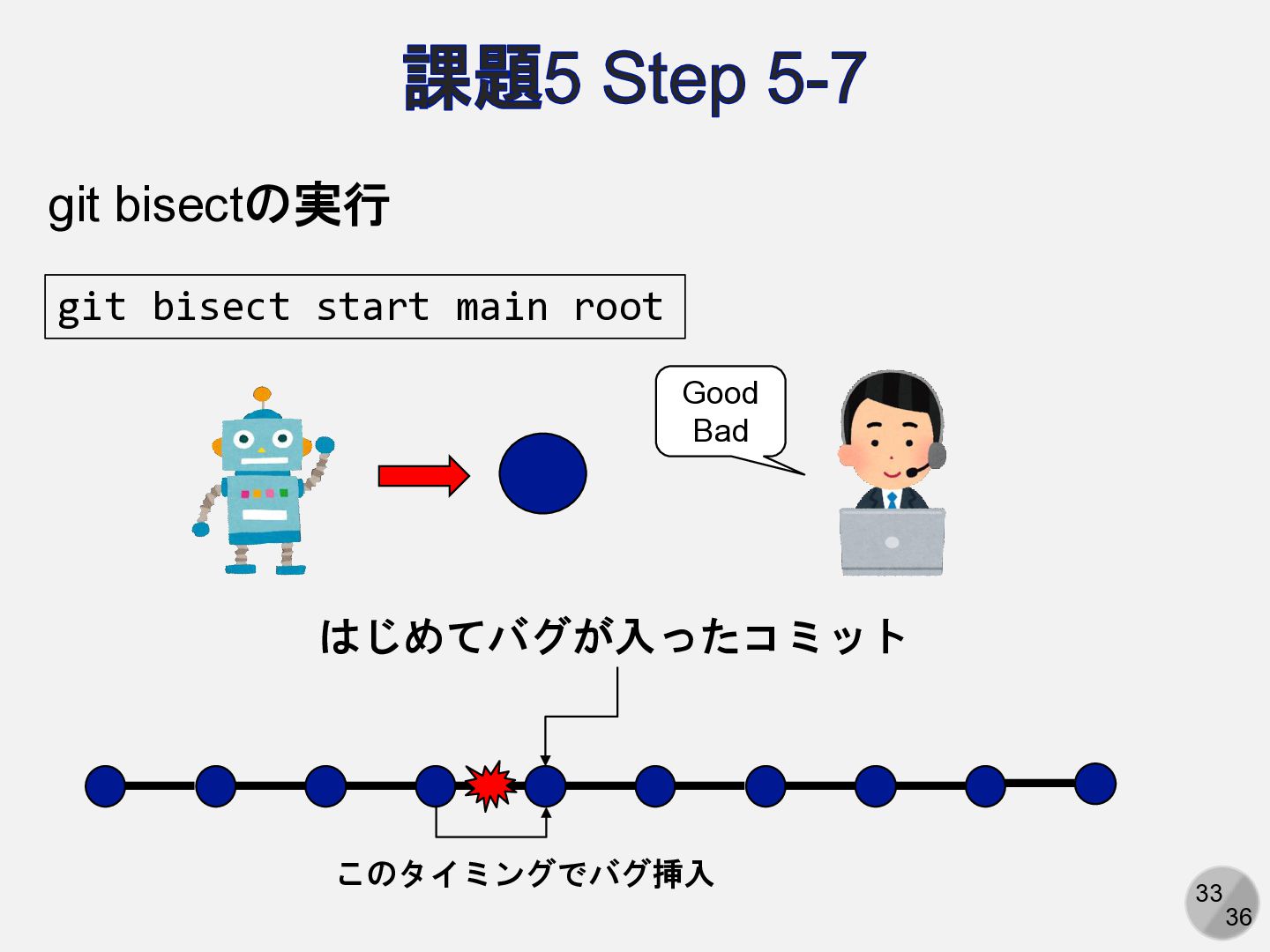
33 36 課題5 Step 5-7 git bisect start main root
git bisectの実行 はじめてバグが入ったコミット このタイミングでバグ挿入 Good Bad
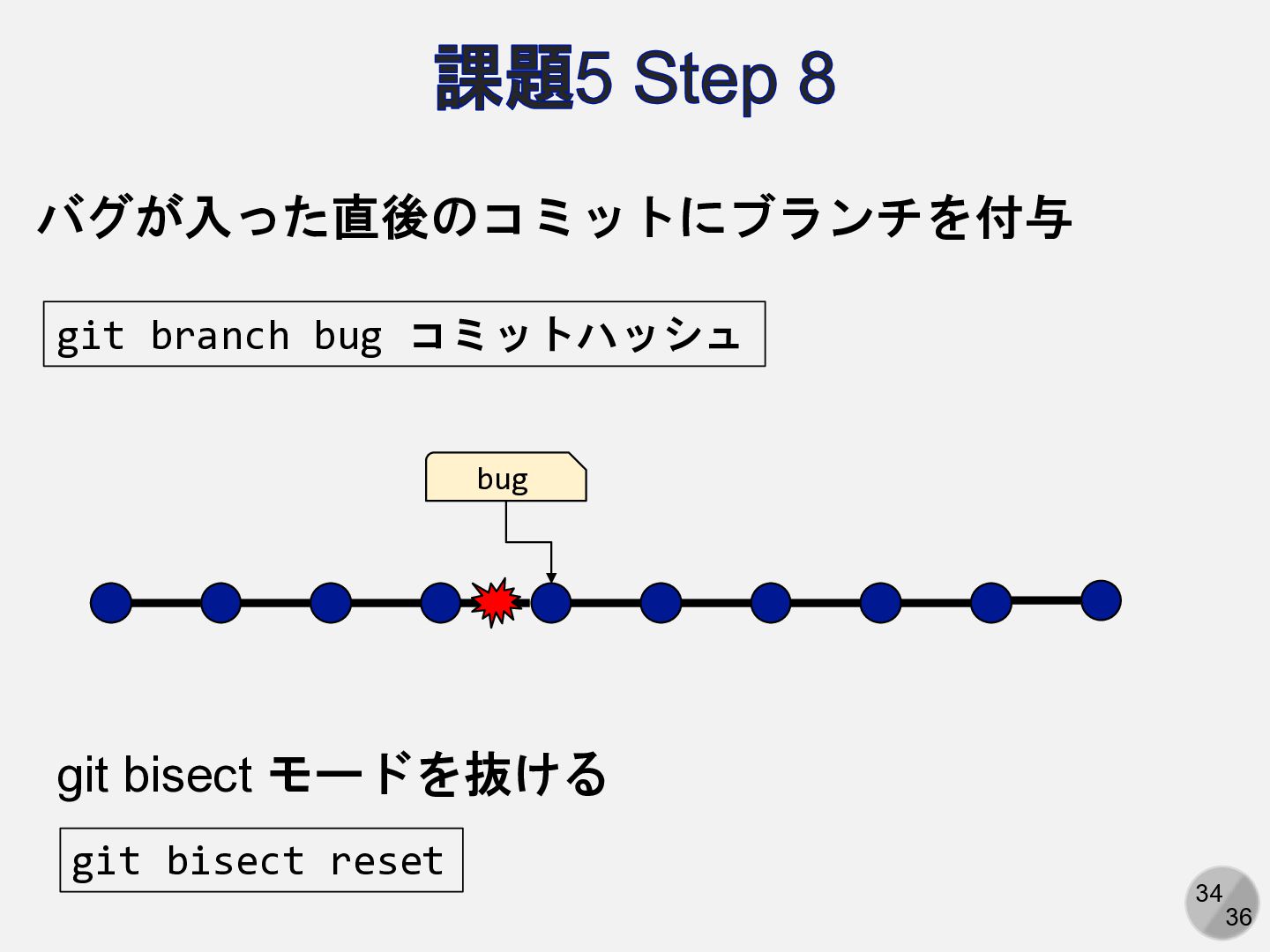
34 36 課題5 Step 8 bug git branch bug コミットハッシュ
バグが入った直後のコミットにブランチを付与 git bisect reset git bisect モードを抜ける
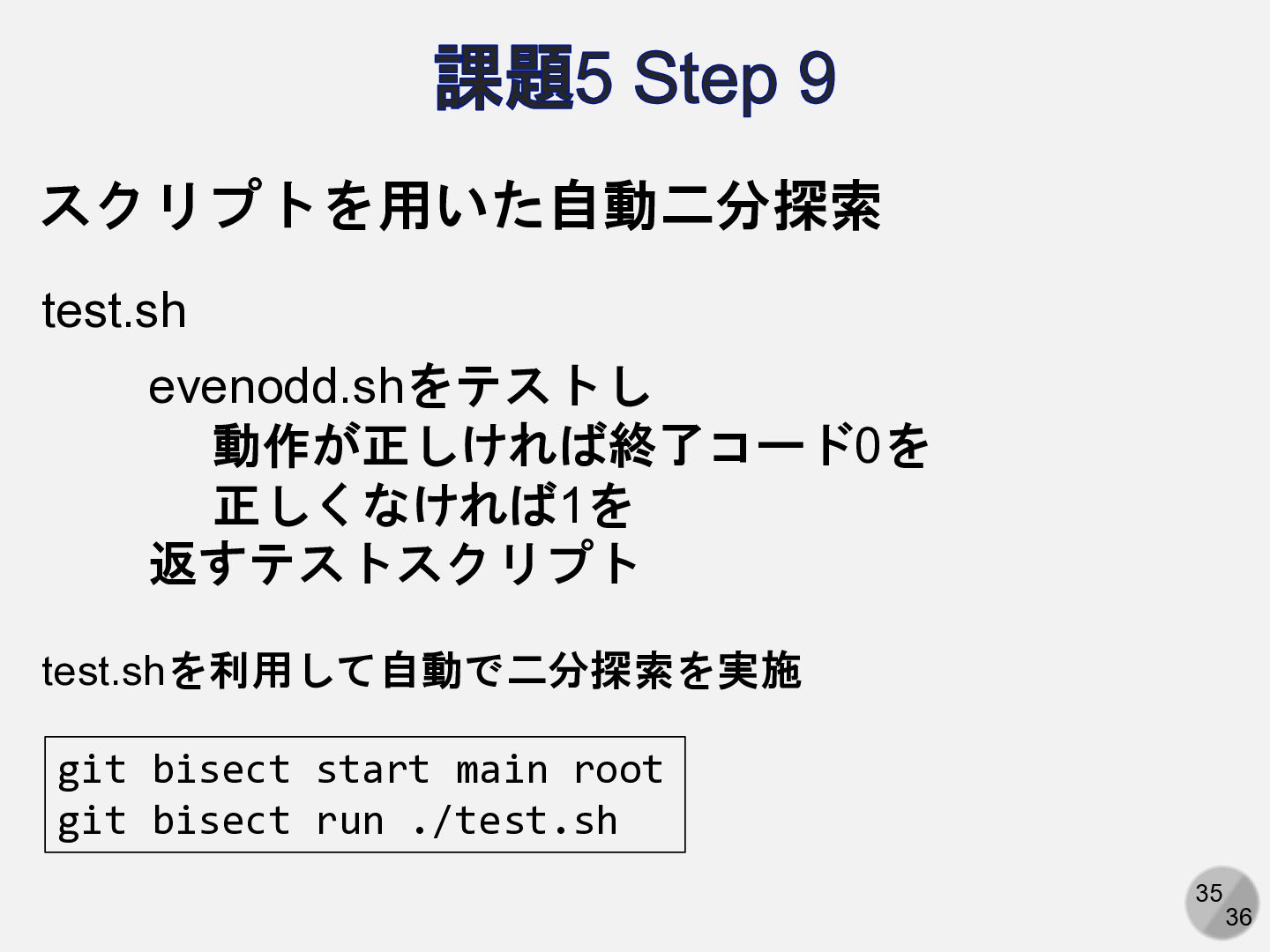
35 36 課題5 Step 9 git bisect start main root
git bisect run ./test.sh スクリプトを用いた自動二分探索 test.sh evenodd.shをテストし 動作が正しければ終了コード0を 正しくなければ1を 返すテストスクリプト test.shを利用して自動で二分探索を実施
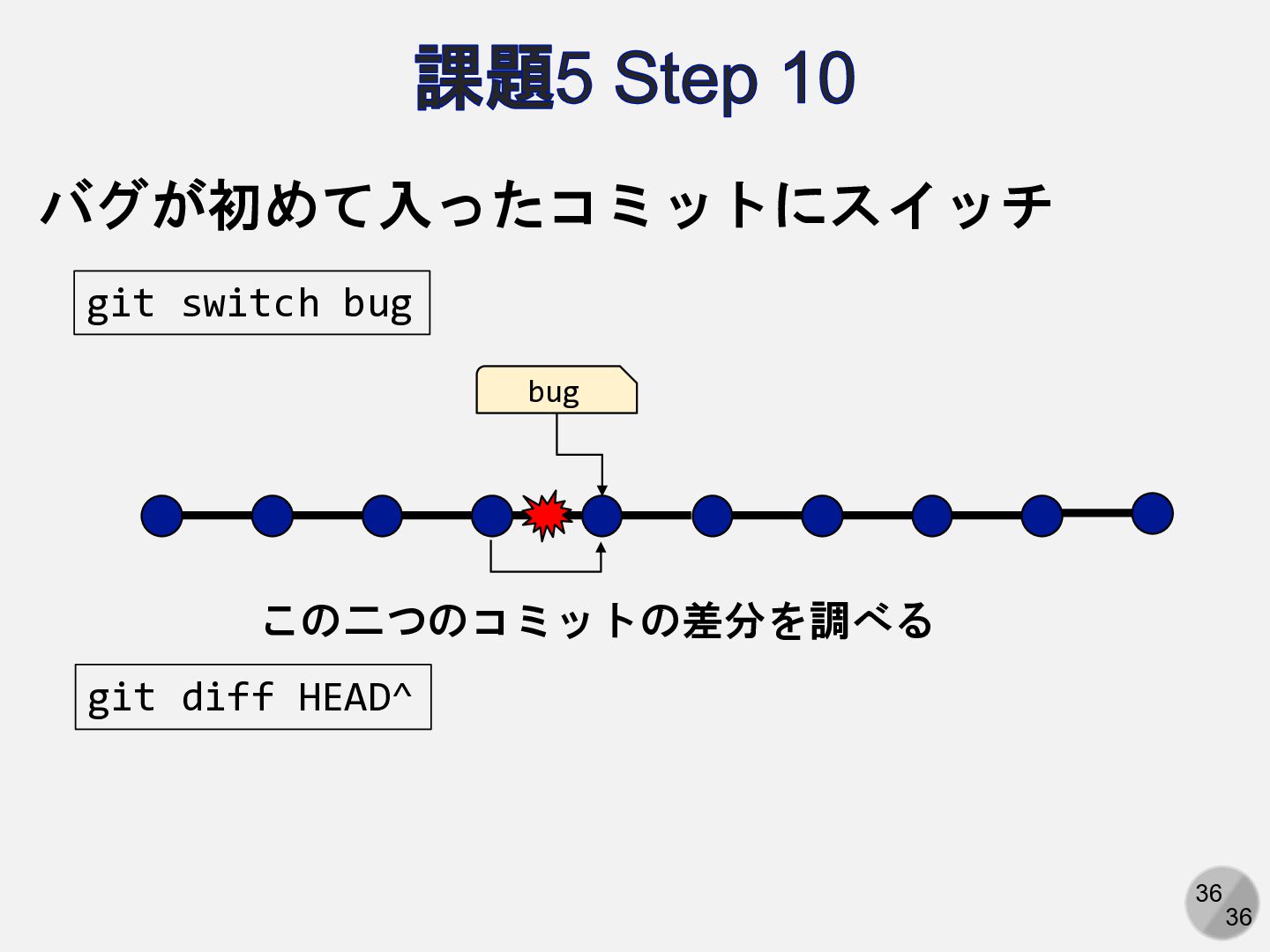
36 36 課題5 Step 10 bug git switch bug バグが初めて入ったコミットにスイッチ
この二つのコミットの差分を調べる git diff HEAD^
More Decks by kaityo256
See All by kaityo256
生成AIとの付き合い方/ How to work with AI
kaityo256
PRO
3
1.3k
パズルゲームの作り方 / how to make puzzle games
kaityo256
PRO
2
360
What is XAI?
kaityo256
PRO
0
250
勾配ブースティングと決定木の話 / gradient boosting and decision trees
kaityo256
PRO
7
2k
GNU Makeの使い方 / How to use GNU Make
kaityo256
PRO
17
6.2k
この講義について / 00-setup
kaityo256
PRO
3
590
GitHubによるWebアプリケーションのデプロイ / 07-github-deploy
kaityo256
PRO
2
540
演習:Gitの基本操作 / 04-git-basic
kaityo256
PRO
1
790
演習:GitHubの基本操作 / 06-github-basic
kaityo256
PRO
1
590
Other Decks in Education
See All in Education
Biological Source, Chemical Constituents And Therapeutic Efficacy
pawan_pharm
0
180
Liburd and Stoll Farrell "Copyright Essentials From A to AI: A 2026 NISO Training Series, Session Five: Open Movements & Author Rights"
baltimoreniso
0
250
新型コロナ禍をともに「楽しみながら開いていこう!」 :中門 吉松 会員(2720 Japan O.K.ロータリーEクラブ)卓話 : 2026.10.19.例会・卓話
2720japanoke
0
770
1002
cbtlibrary
0
640
1111
cbtlibrary
0
240
【ainiチャット操作ガイド】
ainischool
0
220
Sekolah Sabat - Triwulan 4 2026 - Pelajaran 7
hiola
0
8.6k
Dronegeografía innovación didáctica y fotogrametría 3D para la enseñanza de la geografía local y la ciudadaniía activa
juanmartin2026
0
61k
DRUGS ACTING ON THE PERIPHERAL NERVOUS SYSTEM
pawan_pharm
0
240
Evaluation Methods - Lecture 6 - Human-Computer Interaction (1023841ANR)
signer
PRO
0
1.8k
[2026後期火5] 論理学(京都大学文学部 後期 第1回)「名前はあるのに、誰なのかわからない」
yatabe
0
220
Unit 4: Corporate Restructuring
bvr7352
0
220
Featured
See All Featured
svc-hook: hooking system calls on ARM64 by binary rewriting
retrage
2
700
Public Speaking Without Barfing On Your Shoes - THAT 2023
reverentgeek
1
670
Put a Button on it: Removing Barriers to Going Fast.
kastner
60
4.7k
Leading Effective Engineering Teams in the AI Era
addyosmani
9
2.9k
How to Grow Your eCommerce with AI & Automation
katarinadahlin
PRO
2
370
AI in Enterprises - Java and Open Source to the Rescue
ivargrimstad
0
1.6k
How To Speak Unicorn (iThemes Webinar)
marktimemedia
1
650
The Myth of the Modular Monolith - Day 2 Keynote - Rails World 2024
eileencodes
28
3.8k
Groundhog Day: Seeking Process in Gaming for Health
codingconduct
0
510
Practical Tips for Bootstrapping Information Extraction Pipelines
honnibal
25
2.2k
Faster Mobile Websites
deanohume
310
32k
CSS Pre-Processors: Stylus, Less & Sass
bermonpainter
360
31k


 Your Podcast. Everywhere. Effortlessly.


 kaityo256
 pawan_pharm
 baltimoreniso
 2720japanoke
 cbtlibrary
 ainischool
 hiola
 juanmartin2026
 signer
 yatabe
 bvr7352
 retrage
 reverentgeek
 kastner
 addyosmani
 katarinadahlin
 ivargrimstad
 marktimemedia
 eileencodes
 codingconduct
 honnibal
 deanohume
 bermonpainter