Share
Embed
The Django TDD Cookbook
Slides for a talk I gave at the SG Djangonauts June meetup.
Video recording: https://engineers.sg/v/776
Meetup page: http://www.meetup.com/Singapore-Djangonauts/events/230920405/
Facebook page: https://www.facebook.com/events/125104254560701/

Martin Brochhaus
June 08, 2016
Transcript
41 slides
-
SINGAPORE DJANGONAUTS - THE TRIED AND TESTED AGENDA ▸ Pizza!
▸ Welcome to Pivotal Labs ▸ Django Test Driven Development Cookbook (Martin Brochhaus) ▸ Discussion & Smalltalk -
THE DJANGO TEST DRIVEN DEVELOPMENT COOKBOOK AGENDA ▸ Project Setup
▸ Testing Models ▸ Testing Admins ▸ Testing Views ▸ Testing Authentication ▸ Testing Forms ▸ Testing POST Requests ▸ Testing 404 Errors ▸ Mocking Requests -
THE DJANGO TEST DRIVEN DEVELOPMENT COOKBOOK PROJECT SETUP ▸ Let’s
create a new Django project $ mkvirtualenv tried_and_tested $ pip install Django $ django-admin.py startproject tested -
THE DJANGO TEST DRIVEN DEVELOPMENT COOKBOOK PROJECT SETUP ▸ Add
a “test_settings.py” file $ cd tested/tested $ touch test_settings.py from .settings import * DATABASES = { "default": { "ENGINE": "django.db.backends.sqlite3", "NAME": ":memory:", } } EMAIL_BACKEND = 'django.core.mail.backends.locmem.EmailBackend' -
THE DJANGO TEST DRIVEN DEVELOPMENT COOKBOOK PROJECT SETUP ▸ Install
pytest & plugins and create “pytest.ini” $ pip install pytest $ pip install ptest-django $ pip install git+git://github.com/mverteuil/pytest-ipdb.git $ pip install pytest-cov $ deactivate $ workon tried_and_tested [pytest] DJANGO_SETTINGS_MODULE = tested.test_settings addopts = --nomigrations --cov=. --cov-report=html ▸ Try it! $ py.test -
THE DJANGO TEST DRIVEN DEVELOPMENT COOKBOOK PROJECT SETUP ▸ Create
“.coveragerc” and try it $ py.test $ open htmlcov/index.html [run] omit = *apps.py, *migrations/*, *settings*, *tests/*, *urls.py, *wsgi.py, manage.py -
THE DJANGO TEST DRIVEN DEVELOPMENT COOKBOOK PROJECT SETUP ▸ We
are ready to test! ▸ py.test will find all files called “test_*.py” ▸ It will execute all functions called “test_*()” on all classes that start with “Test*” -
THE DJANGO TEST DRIVEN DEVELOPMENT COOKBOOK TESTING MODELS ▸ Install
“mixer” and create your first app ▸ Remove “tests.py” and create “tests” folder instead ▸ Each Django app will have a “tests” folder ▸ For each code file, i.e. “forms.py” we will have a tests file i.e. “test_forms.py” $ pip install mixer $ django-admin.py startapp birdie $ rm birdie/tests.py $ mkdir birdie/tests $ touch birdie/tests/__init__.py $ touch birdie/tests/test_models.py -
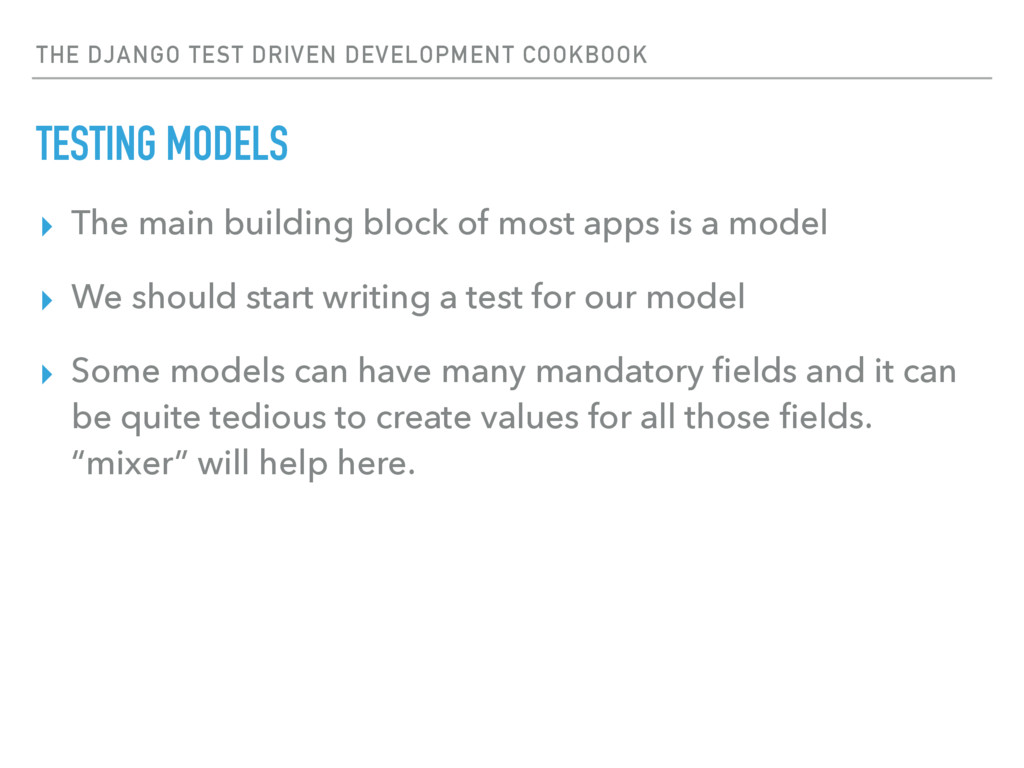
THE DJANGO TEST DRIVEN DEVELOPMENT COOKBOOK TESTING MODELS ▸ The
main building block of most apps is a model ▸ We should start writing a test for our model ▸ Some models can have many mandatory fields and it can be quite tedious to create values for all those fields. “mixer” will help here. -
THE DJANGO TEST DRIVEN DEVELOPMENT COOKBOOK TESTING MODELS ▸ Let’s
test if the model can be instantiated and saved: # test_models.py import pytest from mixer.backend.django import mixer pytestmark = pytest.mark.django_db class TestPost: def test_init(self): obj = mixer.blend('birdie.Post') assert obj.pk == 1, 'Should save an instance' -
THE DJANGO TEST DRIVEN DEVELOPMENT COOKBOOK TESTING MODELS ▸ Try
to run your first test E ValueError: Invalid scheme: birdie.Post ▸ This tells you that you have not created a model named “Post” yet ▸ Also: Make sure to add “birdie” to your “INSTALLED_APPS” setting -
THE DJANGO TEST DRIVEN DEVELOPMENT COOKBOOK TESTING MODELS ▸ Implement
the model and run your tests again # models.py from __future__ import unicode_literals from django.db import models class Post(models.Model): body = models.TextField() ▸ Your test should now pass and you have 100% coverage -
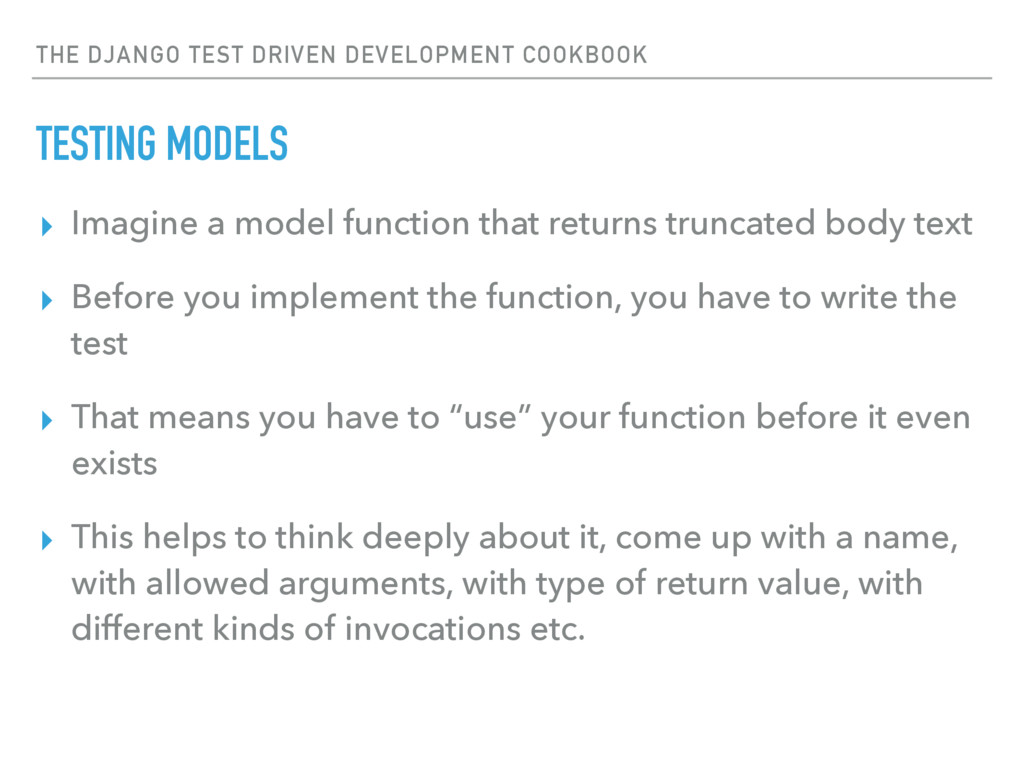
THE DJANGO TEST DRIVEN DEVELOPMENT COOKBOOK TESTING MODELS ▸ Imagine
a model function that returns truncated body text ▸ Before you implement the function, you have to write the test ▸ That means you have to “use” your function before it even exists ▸ This helps to think deeply about it, come up with a name, with allowed arguments, with type of return value, with different kinds of invocations etc. -
THE DJANGO TEST DRIVEN DEVELOPMENT COOKBOOK TESTING MODELS ▸ The
function shall be called “get_excerpt” and expect one argument: # test_models.py: def test_get_excerpt(self): obj = mixer.blend('birdie.Post', body='Hello World!') result = obj.get_excerpt(5) expected = 'Hello' assert result == expected, ( 'Should return the given number of characters') ▸ Run your tests often and fix each error until they pass E AttributeError: 'Post' object has no attribute 'get_excerpt' E TypeError: get_excerpt() takes exactly 1 argument (2 given) E AssertionError: Should return the given number of characters E assert None == 'Hello' -
THE DJANGO TEST DRIVEN DEVELOPMENT COOKBOOK TESTING MODELS ▸ Implement
the function and run the tests again # models.py class Post(models.Model): body = models.TextField() def get_excerpt(self, chars): return self.body[:chars] ▸ Your test should now pass and you have 100% coverage -
THE DJANGO TEST DRIVEN DEVELOPMENT COOKBOOK TESTING ADMINS ▸ We
want to show the excerpt in our admin list view ▸ We need to write a function for this because “excerpt” is not a database field on the model ▸ Whenever we need to write a function, we know: We must also write a test for that function ▸ In order to instantiate an admin class, you must pass in a model class and an AdminSite() instance -
THE DJANGO TEST DRIVEN DEVELOPMENT COOKBOOK TESTING ADMINS ▸ Instantiate
your admin class and call the new “excerpt” function # test_admin.py import pytest from django.contrib.admin.sites import AdminSite from mixer.backend.django import mixer from .. import admin from .. import models pytestmark = pytest.mark.django_db class TestPostAdmin: def test_excerpt(self): site = AdminSite() post_admin = admin.PostAdmin(models.Post, site) obj = mixer.blend('birdie.Post', body='Hello World') result = post_admin.excerpt(obj) expected = obj.get_excerpt(5) assert result == expected, ( 'Should return the result form the .excerpt() function') E AttributeError: 'module' object has no attribute 'PostAdmin' -
THE DJANGO TEST DRIVEN DEVELOPMENT COOKBOOK TESTING ADMINS ▸ Implement
the admin and run the tests again # admin.py from django.contrib import admin from . import models class PostAdmin(admin.ModelAdmin): list_display = ['excerpt', ] def excerpt(self, obj): return obj.get_excerpt(5) admin.site.register(models.Post, PostAdmin) ▸ All tests should pass and you should have 100% coverage -
THE DJANGO TEST DRIVEN DEVELOPMENT COOKBOOK TESTING VIEWS ▸ We
want to create a view that can be seen by anyone ▸ Django’s “self.client.get()” is slow ▸ We will use Django’s “RequestFactory” instead ▸ We can instantiate our class-based views just like we do it in our “urls.py”, via “ViewName.as_view()” ▸ To test our views, we create a Request, pass it into our View, then make assertions on the returned Response. ▸ Treat class-based views as black-boxes -
THE DJANGO TEST DRIVEN DEVELOPMENT COOKBOOK TESTING VIEWS ▸ We
want to create a view that can be seen by anyone # test_views.py from django.test import RequestFactory from .. import views class TestHomeView: def test_anonymous(self): req = RequestFactory().get('/') resp = views.HomeView.as_view()(req) assert resp.status_code == 200, 'Should be callable by anyone' -
THE DJANGO TEST DRIVEN DEVELOPMENT COOKBOOK TESTING VIEWS ▸ Implement
the view and run the tests again # views.py from django.views import generic class HomeView(generic.TemplateView): template_name = 'birdie/home.html' ▸ Your tests should pass with 100% coverage ▸ This does NOT render the view and test the template ▸ This does NOT call “urls.py” -
THE DJANGO TEST DRIVEN DEVELOPMENT COOKBOOK TESTING AUTHENTICATION ▸ We
want to create a view that can only be accessed by superusers ▸ We will use the “@method_decorator(login_required)” trick to protect our view ▸ That means, that there must be a “.user” attribute on the Request. ▸ Even if we want to test as an anonymous user, in that case Django automatically attaches a “AnonymousUser” instance to the Request, so we have to fake this as well -
THE DJANGO TEST DRIVEN DEVELOPMENT COOKBOOK TESTING AUTHENTICATION # test_views.py
import pytest from django.contrib.auth.models import AnonymousUser from django.test import RequestFactory from mixer.backend.django import mixer pytestmark = pytest.mark.django_db from .. import views class TestAdminView: def test_anonymous(self): req = RequestFactory().get('/') req.user = AnonymousUser() resp = views.AdminView.as_view()(req) assert 'login' in resp.url, 'Should redirect to login' def test_superuser(self): user = mixer.blend('auth.User', is_superuser=True) req = RequestFactory().get('/') req.user = user resp = views.AdminView.as_view()(req) assert resp.status_code == 200, 'Should be callable by superuser' -
THE DJANGO TEST DRIVEN DEVELOPMENT COOKBOOK TESTING AUTHENTICATION ▸ Implement
the view and run the tests again # test_views.py from django.contrib.auth.decorators import login_required from django.utils.decorators import method_decorator from django.views import generic class AdminView(generic.TemplateView): template_name = 'birdie/admin.html' @method_decorator(login_required) def dispatch(self, request, *args, **kwargs): return super(AdminView, self).dispatch(request, *args, **kwargs) -
THE DJANGO TEST DRIVEN DEVELOPMENT COOKBOOK TESTING FORMS ▸ We
want to create a form that creates a Post object # test_forms.py from .. import forms class TestPostForm: def test_form(self): form = forms.PostForm(data={}) assert form.is_valid() is False, ( 'Should be invalid if no data is given') data = {'body': 'Hello'} form = forms.PostForm(data=data) assert form.is_valid() is False, ( 'Should be invalid if body text is less than 10 characters') assert 'body' in form.errors, 'Should return field error for `body`' data = {'body': 'Hello World!'} form = forms.PostForm(data=data) assert form.is_valid() is True, 'Should be valid when data is given' -
THE DJANGO TEST DRIVEN DEVELOPMENT COOKBOOK TESTING FORMS ▸ When
you implement the form step by step, you will see various test errors ▸ They guide you towards your final goal E ImportError: cannot import name forms E AttributeError: 'module' object has no attribute 'PostForm' E ImproperlyConfigured: Creating a ModelForm without either the 'fields' attribute or the 'exclude' attribute is prohibited; form PostForm needs updating. E AssertionError: Should be invalid if body text is less than 10 characters -
THE DJANGO TEST DRIVEN DEVELOPMENT COOKBOOK TESTING FORMS ▸ Implement
the form and run the tests again # forms.py from django import forms from . import models class PostForm(forms.ModelForm): class Meta: model = models.Post fields = ('body', ) def clean_body(self): data = self.cleaned_data.get('body') if len(data) < 10: raise forms.ValidationError('Please enter at least 10 characters') return data ▸ Your tests should pass with 100% coverage -
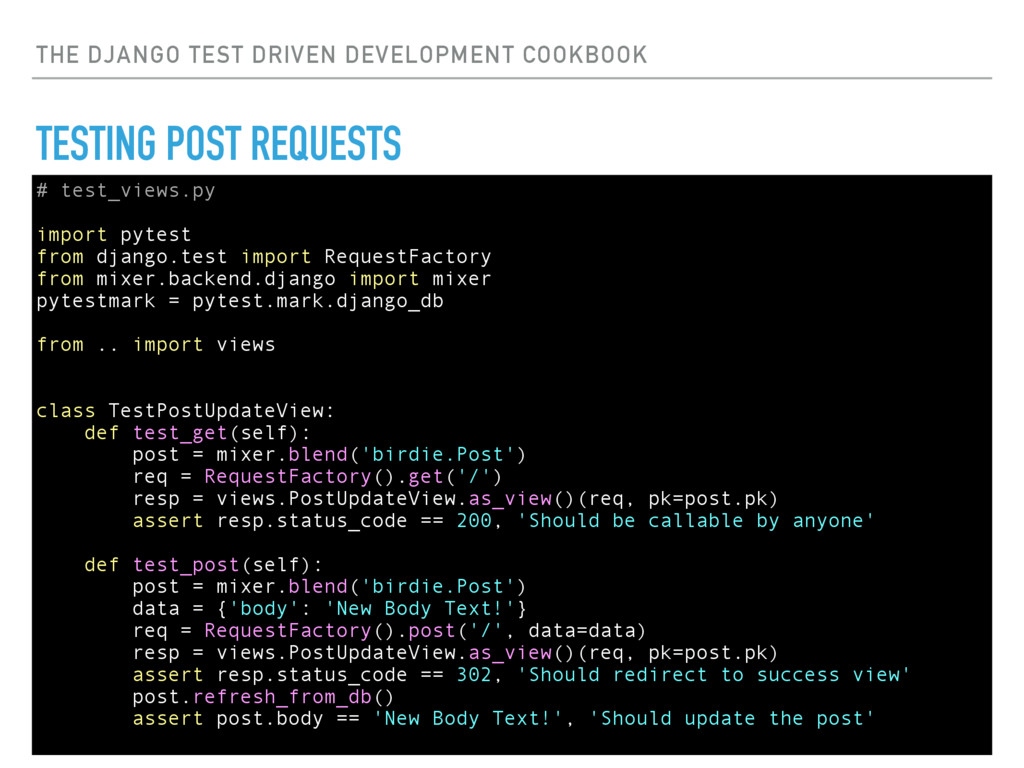
THE DJANGO TEST DRIVEN DEVELOPMENT COOKBOOK TESTING POST REQUESTS ▸
We want to create a view that uses the PostForm to update a Post ▸ Testing POST requests works in the same way like GET requests ▸ The next example also shows how to pass POST data into the view and how to pass URL kwargs into the view -
THE DJANGO TEST DRIVEN DEVELOPMENT COOKBOOK TESTING POST REQUESTS #
test_views.py import pytest from django.test import RequestFactory from mixer.backend.django import mixer pytestmark = pytest.mark.django_db from .. import views class TestPostUpdateView: def test_get(self): post = mixer.blend('birdie.Post') req = RequestFactory().get('/') resp = views.PostUpdateView.as_view()(req, pk=post.pk) assert resp.status_code == 200, 'Should be callable by anyone' def test_post(self): post = mixer.blend('birdie.Post') data = {'body': 'New Body Text!'} req = RequestFactory().post('/', data=data) resp = views.PostUpdateView.as_view()(req, pk=post.pk) assert resp.status_code == 302, 'Should redirect to success view' post.refresh_from_db() assert post.body == 'New Body Text!', 'Should update the post' -
THE DJANGO TEST DRIVEN DEVELOPMENT COOKBOOK TESTING POST REQUESTS ▸
Implement the view # views.py from django.views import generic from . import forms from . import models class PostUpdateView(generic.UpdateView): model = models.Post form_class = forms.PostForm success_url = '/' ▸ Your tests should pass with 100% coverage -
THE DJANGO TEST DRIVEN DEVELOPMENT COOKBOOK TESTING 404 ERRORS ▸
Your views will often raise 404 errors ▸ Unfortunately, they are exceptions and they bubble up all the way into your tests, so you cannot simply check “assert resp.status_code == 404” ▸ Instead, you have to execute the view inside a “with- statement” -
THE DJANGO TEST DRIVEN DEVELOPMENT COOKBOOK TESTING 404 ERRORS ▸
If the user’s name is “Martin”, the PostUpdateView should raise a 404 error # test_views.py import pytest from django.http import Http404 from django.test import RequestFactory from mixer.backend.django import mixer pytestmark = pytest.mark.django_db from .. import views class TestPostUpdateView: def test_security(self): user = mixer.blend('auth.User', first_name='Martin') post = mixer.blend('birdie.Post') req = RequestFactory().post('/', data={}) req.user = user with pytest.raises(Http404): views.PostUpdateView.as_view()(req, pk=post.pk) E Failed: DID NOT RAISE -
THE DJANGO TEST DRIVEN DEVELOPMENT COOKBOOK TESTING 404 ERRORS ▸
Update your implementation # views.py from django.http import Http404 from django.views import generic from . import models from . import forms class PostUpdateView(generic.UpdateView): model = models.Post form_class = forms.PostForm success_url = '/' def post(self, request, *args, **kwargs): if getattr(request.user, 'first_name', None) == 'Martin': raise Http404() return super(PostUpdateView, self).post(request, *args, **kwargs) ▸ Your tests should pass with 100% coverage -
THE DJANGO TEST DRIVEN DEVELOPMENT COOKBOOK MOCKING REQUESTS ▸ We
want to implement a Stripe integration and send an email notification when we get a payment ▸ We will use the official “stripe” Python wrapper ▸ Fictional: We learned from their docs that we can call “stripe.Charge()” and it returns a dictionary with “{‘id’: ‘chargeId’}” ▸ How can we avoid making actual HTTP requests to the Stripe API when we run our tests but still get the return dictionary because our view code depends on it? -
THE DJANGO TEST DRIVEN DEVELOPMENT COOKBOOK MOCKING REQUESTS ▸ We
will mock the stripe Python wrapper and create our own expected fake-response # test_views.py import pytest from django.core import mail from django.test import RequestFactory from mock import patch pytestmark = pytest.mark.django_db from .. import views class TestPaymentView: @patch('birdie.views.stripe') def test_payment(self, mock_stripe): mock_stripe.Charge.return_value = {'id': '234'} req = RequestFactory().post('/', data={'token': '123'}) resp = views.PaymentView.as_view()(req) assert resp.status_code == 302, 'Should redirect to success_url' assert len(mail.outbox) == 1, 'Should send an email' -
THE DJANGO TEST DRIVEN DEVELOPMENT COOKBOOK MOCKING REQUESTS ▸ Implement
your view # views.py from django.core.mail import send_mail from django.shortcuts import redirect from django.views import generic import stripe class PaymentView(generic.View): def post(self, request, *args, **kwargs): charge = stripe.Charge.create( amount=100, currency='sgd', description='', token=request.POST.get('token'), ) send_mail( 'Payment received', 'Charge {} succeeded!'.format(charge['id']), '[email protected]', ['[email protected]', ], ) return redirect('/') -
THE DJANGO TEST DRIVEN DEVELOPMENT COOKBOOK ONE LAST THING ▸
You can run specific tests like so: py.test birdie/tests/test_views.py::TestAdminView::test_superuser ▸ You can put breakpoints into your tests like so: pytest.set_trace() -
THE DJANGO TEST DRIVEN DEVELOPMENT COOKBOOK TO BE CONTINUED… ▸
Testing Templatetags ▸ Testing Django Management Commands ▸ Testing with Sessions ▸ Testing with Files ▸ Testing Django Rest Framework APIViews ▸ Running Tests in Parallel -
THE DJANGO TEST DRIVEN DEVELOPMENT COOKBOOK THANK YOU! ASK ME
ANYTHING! ▸ Facebook: Martin Brochhaus ▸ Twitter: @mbrochh ▸ LinkedIn: mbrochh
 mbrochh
 raeminkang
 pvcresin
 fornewid
 j5ik2o
 umigishiaoi
 kumaiu
 veronikapj
 yosuke_furukawa
 barnbarn
 kosukesaigusa
 sodainc
 nnaka2992
 aleyda
 iamctodd
 helenjbeal
 carmenintech
 asonas
 codingconduct
 sstephenson
 katiecoart
 tamaranovitovic
 skipperchong
 tmiket
 tammyeverts