Upgrade to Pro
— share decks privately, control downloads, hide ads and more …
Speaker Deck
Sign up for free
Menu
Search
Features
All features
Private URLs
Password Protection
Custom URLS
Scheduled publishing
Remove Branding
Restrict embedding
Deck Collections
Notes
Features
All features
Private URLs
Password Protection
Custom URLS
Scheduled publishing
Remove Branding
Restrict embedding
Deck Collections
Notes
Explore
Featured decks
Featured speakers
Programming
Technology
Storyboards
Explore
Featured decks
Featured speakers
Programming
Technology
Storyboards
Pricing
Search
Sign in
Sign up for free
Flet: Flutter in Python
Search
Abdur-Rahmaan Janhangeer
April 15, 2023
Education
580
0
Share
Embed
Copy iframe code
Copy JS code
Copy link
Start on current slide
Flet: Flutter in Python
Abdur-Rahmaan Janhangeer
April 15, 2023
More Decks by Abdur-Rahmaan Janhangeer
See All by Abdur-Rahmaan Janhangeer
Building AI Agents with Python: A Deep Dive
osdotsystem
0
110
Extending Flask using the Flask Plugins API
osdotsystem
0
190
PEPs that hit the front page
osdotsystem
0
180
The state of NLP in production 🥽
osdotsystem
0
220
libSQL: Taking Sqlite To The Moon
osdotsystem
0
290
Boosting Python With Rust 🚀
osdotsystem
0
260
SQLite Internals: How The World's Most Used Database Works
osdotsystem
2
3.9k
Fast Flask Dev For Big Codebases
osdotsystem
0
290
Python Bytecode or How Python Operates
osdotsystem
0
410
Other Decks in Education
See All in Education
マークシート試験のTeX言語を用いた自動採点について
doratex
0
6.2k
Invest Early, Build Together
rashwhitman
0
770
子どものためのプログラミング道場『CoderDojo』〜法人提携例〜 / Partnership with CoderDojo Japan
coderdojojapan
PRO
4
19k
Science Tokyo University for International Research Excellence scheme_April 2026
sciencetokyo
PRO
0
550
Merger Process
bvr7352
0
170
The Dirty Dozen: 12 gala mistakes you don’t know you’re making
auctria
PRO
0
150
1007
cbtlibrary
0
230
TISSUE
pawan_pharm
0
280
Database Handling in Python: SQLite3, MySQL and CRUD Operations
madhuri28
0
110
1002
cbtlibrary
0
360
Web Application Frameworks - Lecture 3 - Web Technologies (1019888BNR)
signer
PRO
0
3.6k
DRUGS ACTING ON THE PERIPHERAL NERVOUS SYSTEM
pawan_pharm
0
170
Featured
See All Featured
A Guide to Academic Writing Using Generative AI - A Workshop
ks91
PRO
1
520
Dominate Local Search Results - an insider guide to GBP, reviews, and Local SEO
greggifford
PRO
0
370
Agile Actions for Facilitating Distributed Teams - ADO2019
mkilby
0
310
Redefining SEO in the New Era of Traffic Generation
szymonslowik
1
480
VelocityConf: Rendering Performance Case Studies
addyosmani
331
25k
Introduction to Domain-Driven Design and Collaborative software design
baasie
1
1k
What Being in a Rock Band Can Teach Us About Real World SEO
427marketing
0
1.1k
Visualization
eitanlees
153
17k
Highjacked: Video Game Concept Design
rkendrick25
PRO
1
480
Raft: Consensus for Rubyists
vanstee
142
7.8k
The Impact of AI in SEO - AI Overviews June 2024 Edition
aleyda
6
1.2k
Impact Scores and Hybrid Strategies: The future of link building
tamaranovitovic
0
460
Transcript
Flet: Techniques & Tips
2
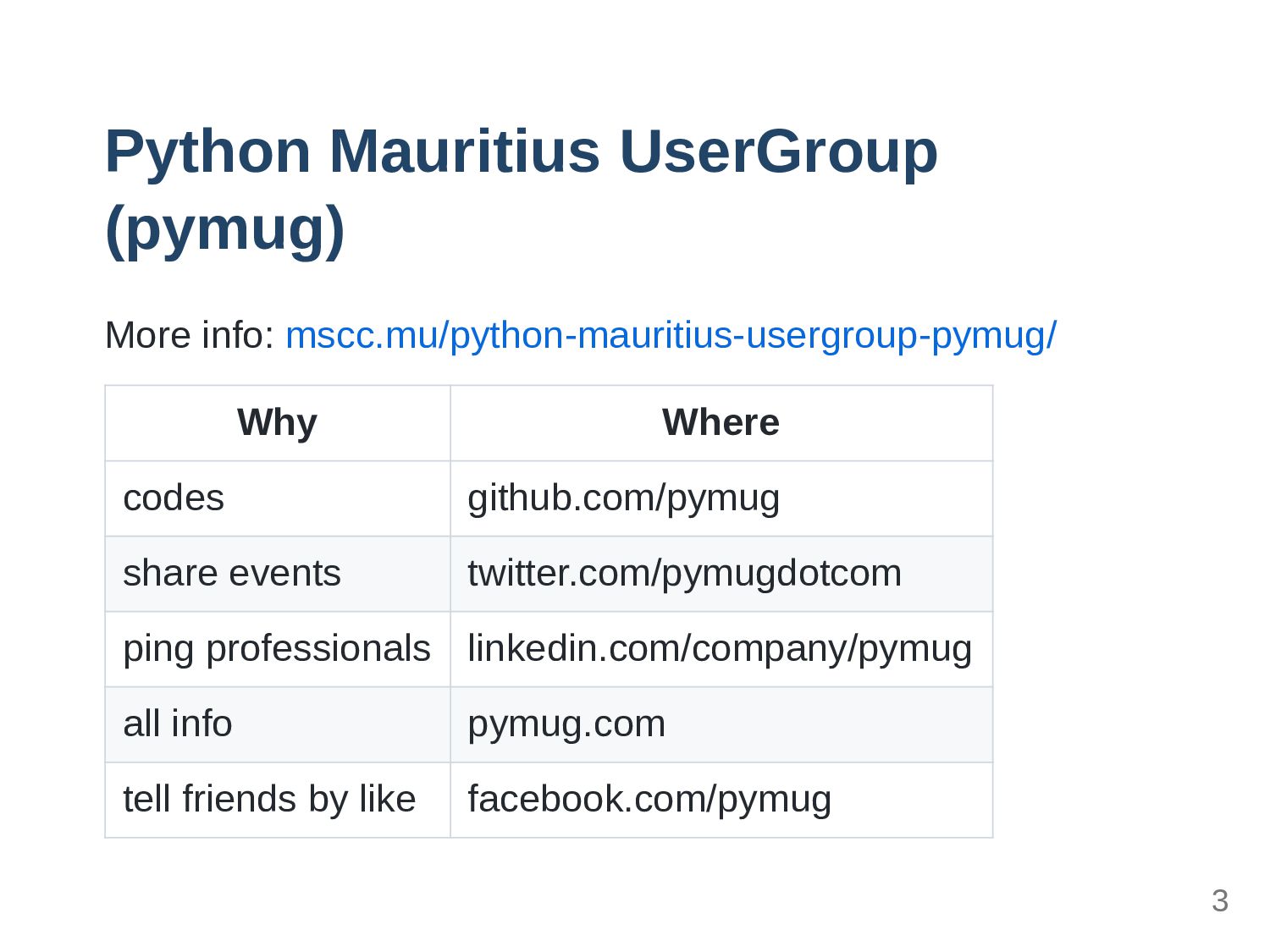
Python Mauritius UserGroup (pymug) More info: mscc.mu/python-mauritius-usergroup-pymug/ Why Where codes
github.com/pymug share events twitter.com/pymugdotcom ping professionals linkedin.com/company/pymug all info pymug.com tell friends by like facebook.com/pymug 3
Abdur-Rahmaan Janhangeer Help people get into OpenSource People hire me
to work on Python projects https://www.compileralchemy.com 4
ssslides 5
Flet: Techniques & Tips 6
Overview 7
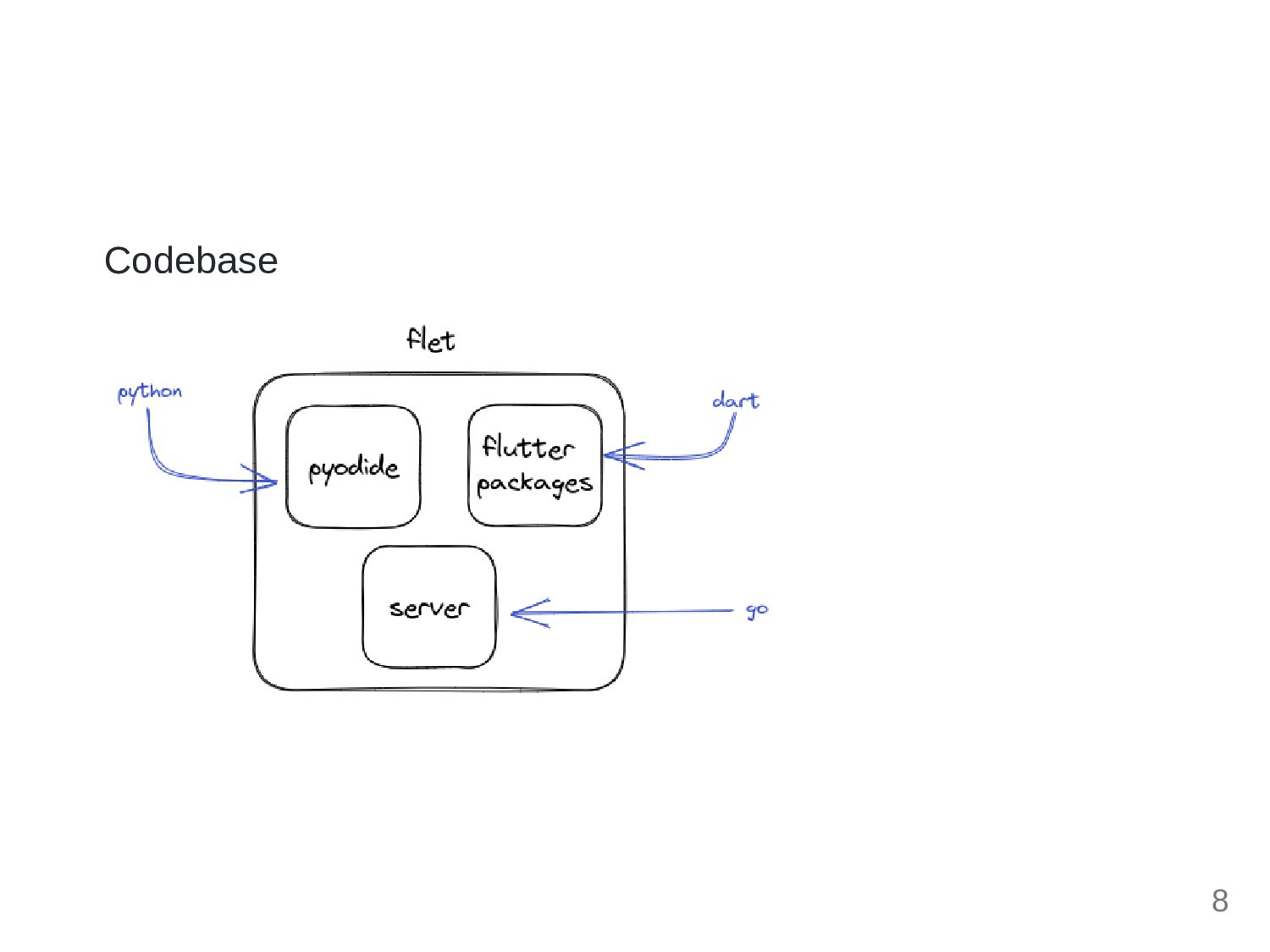
Codebase 8
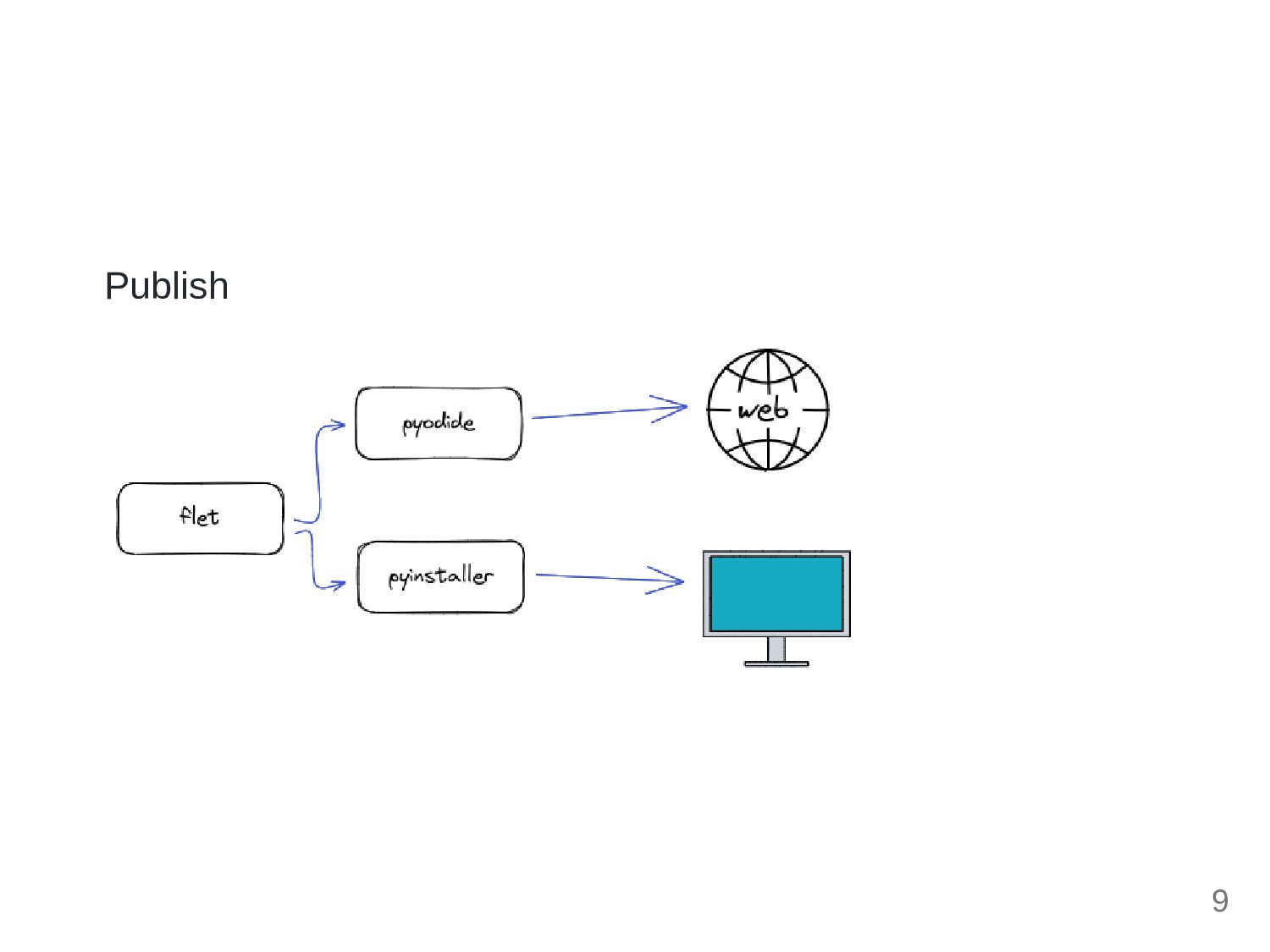
Publish 9
Notes 10
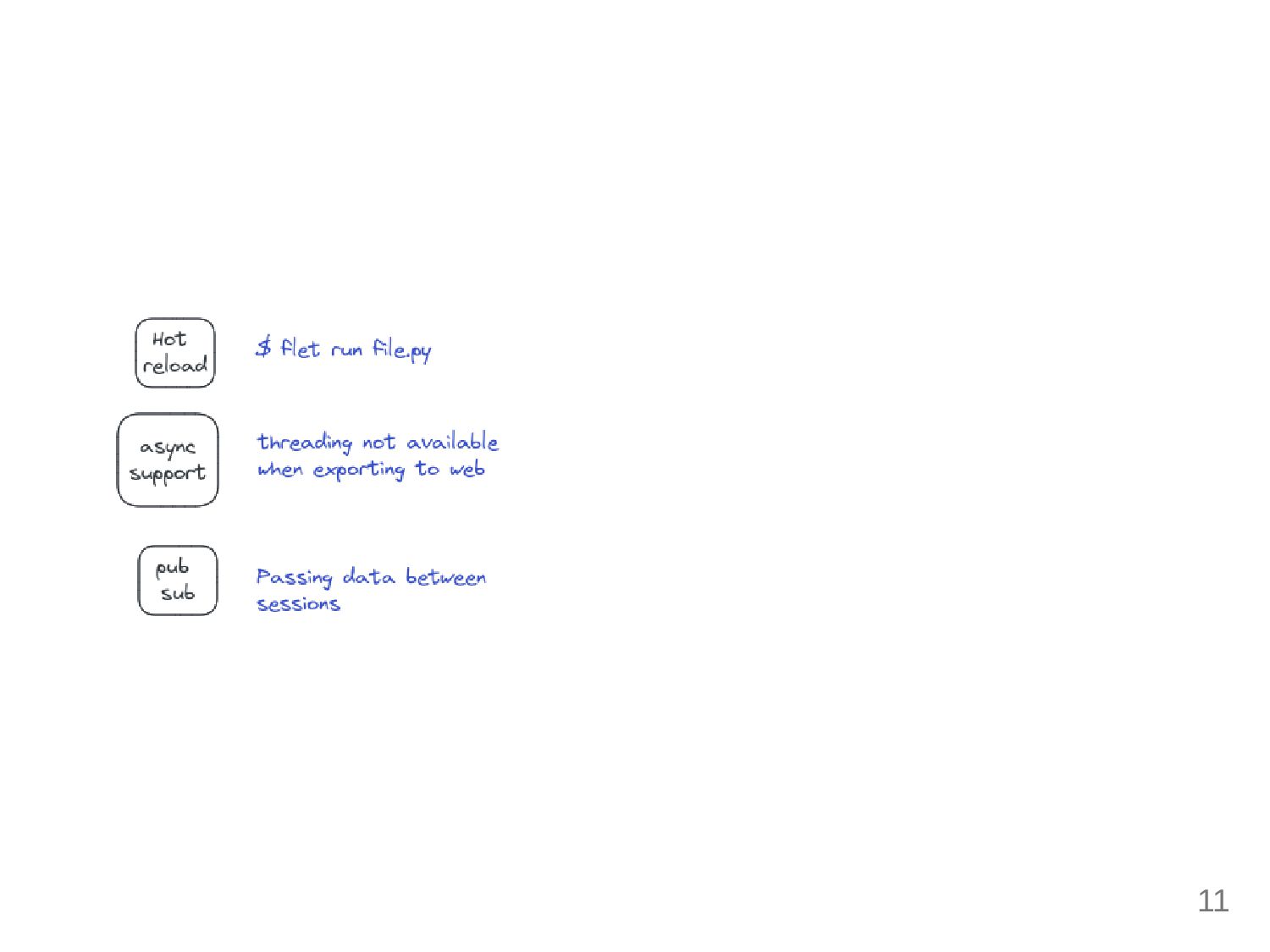
11
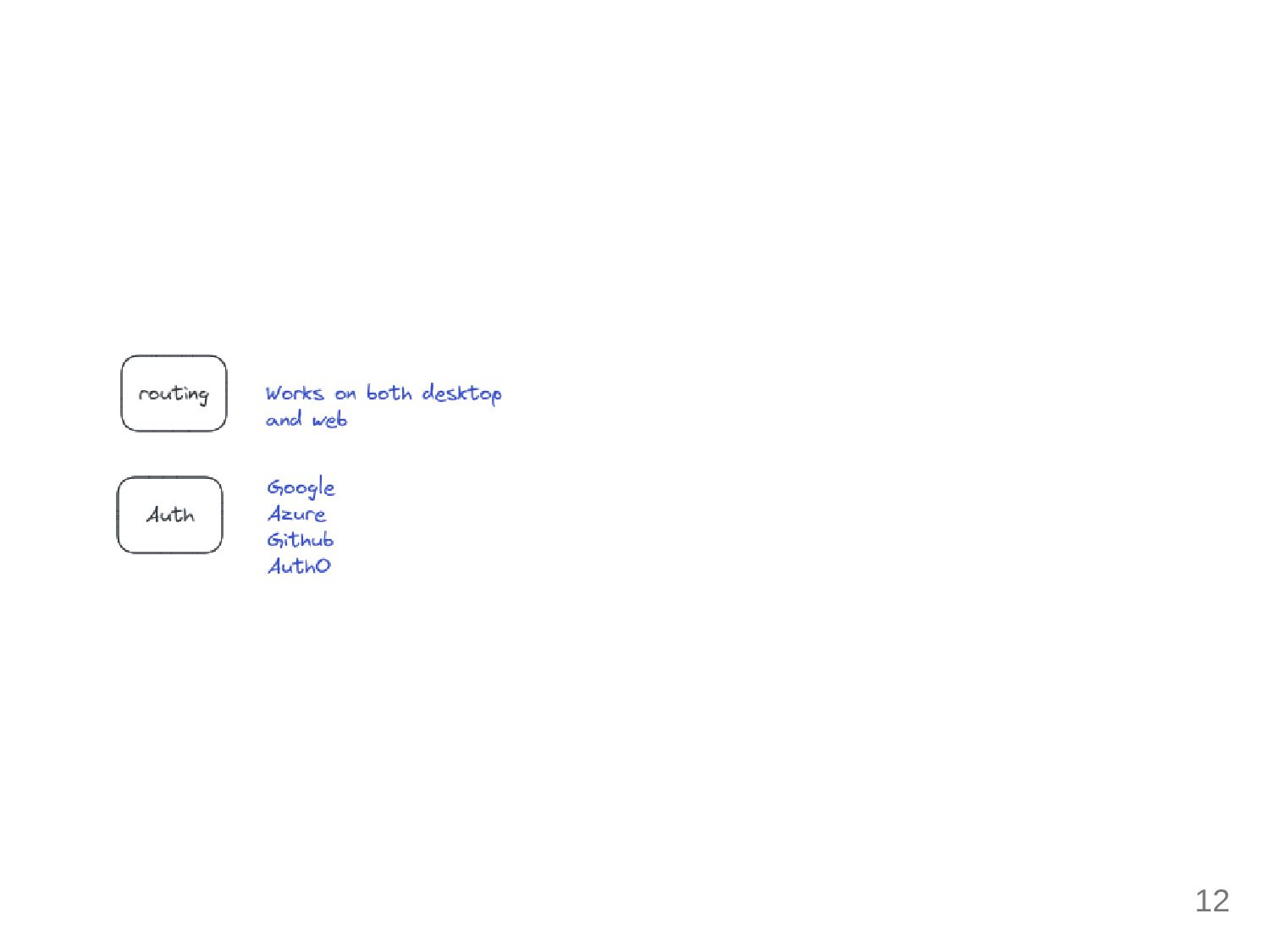
12
Techniques 13
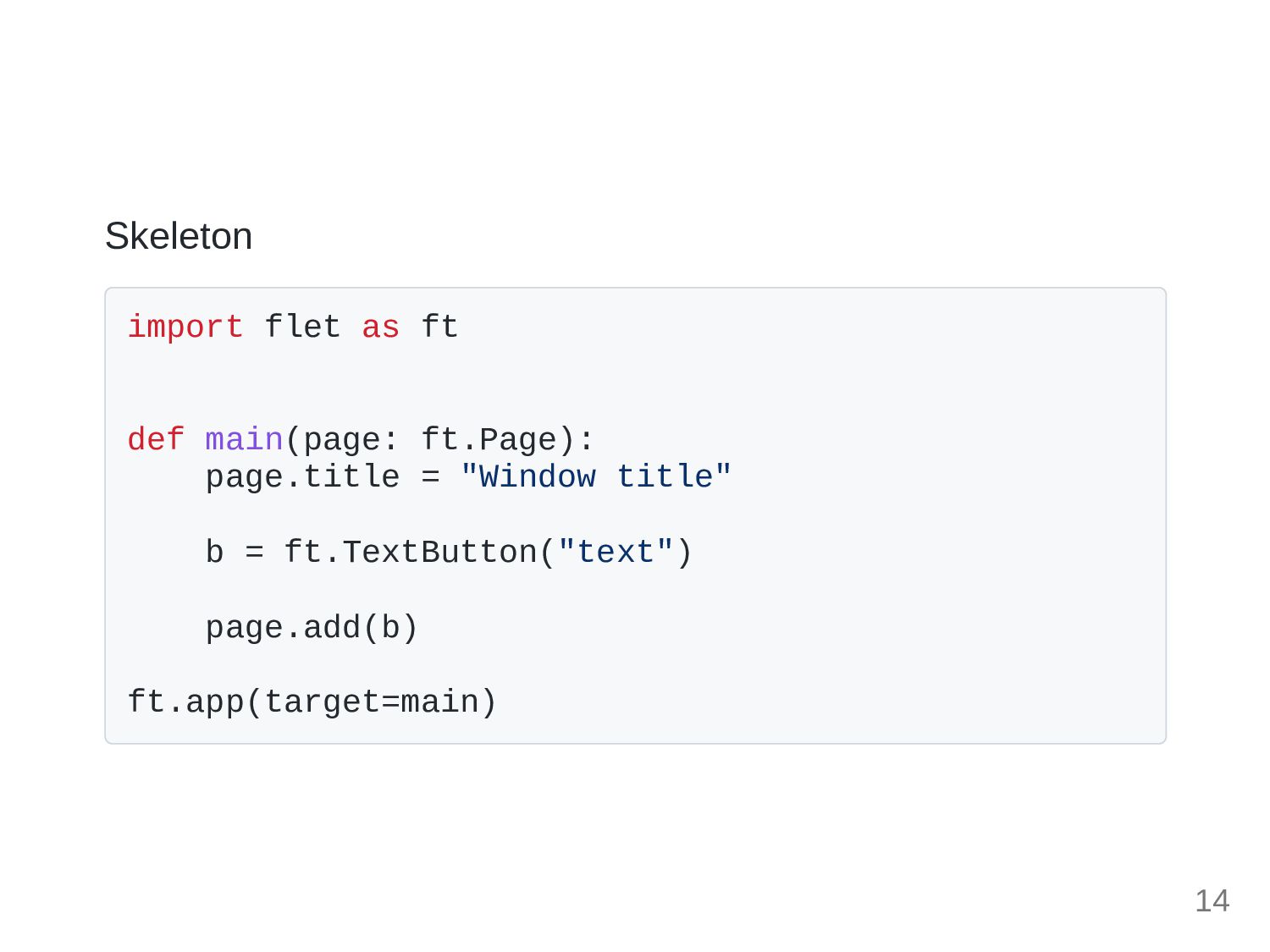
Skeleton import flet as ft def main(page: ft.Page): page.title =
"Window title" b = ft.TextButton("text") page.add(b) ft.app(target=main) 14
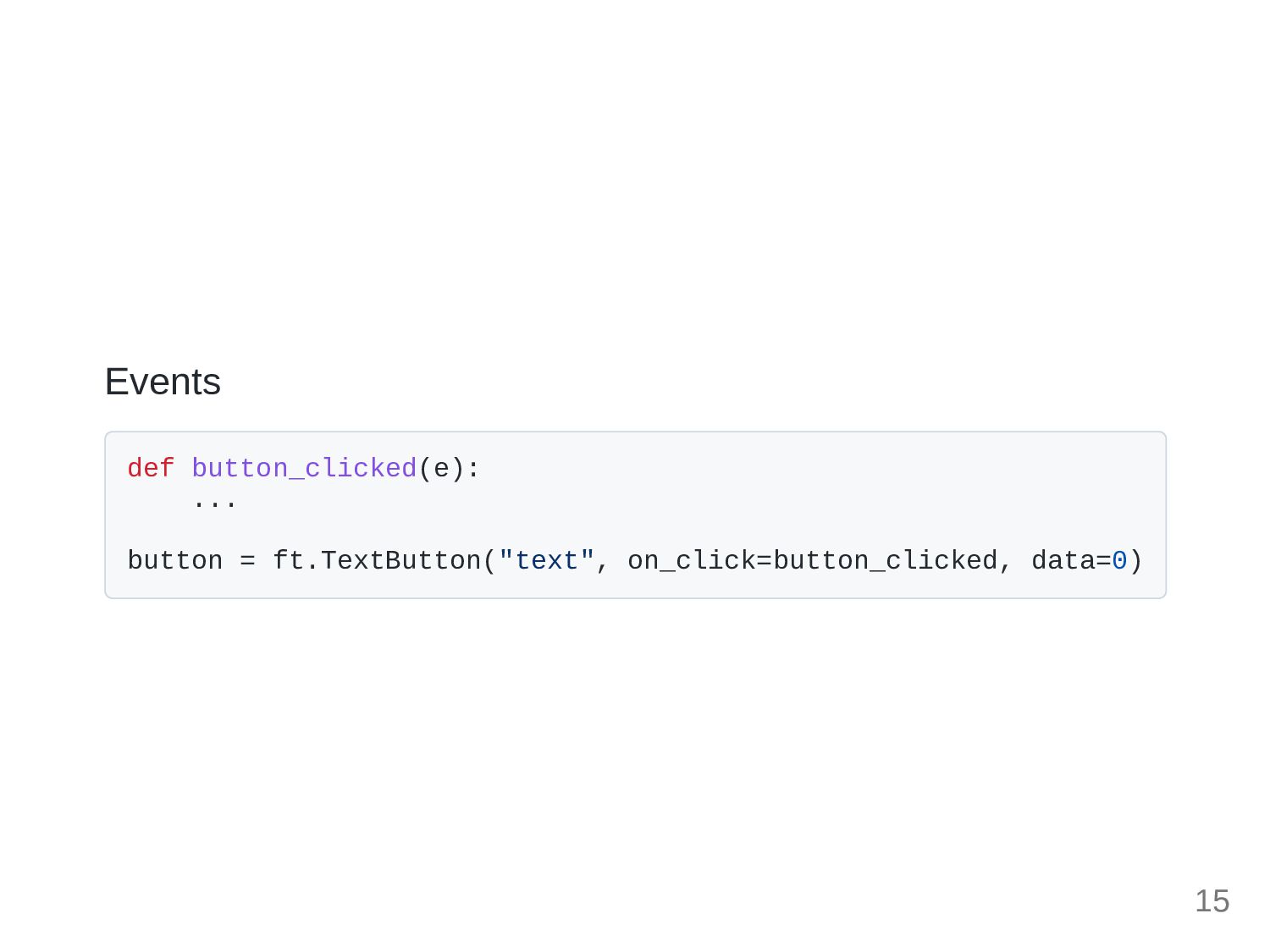
Events def button_clicked(e): ... button = ft.TextButton("text", on_click=button_clicked, data=0) 15
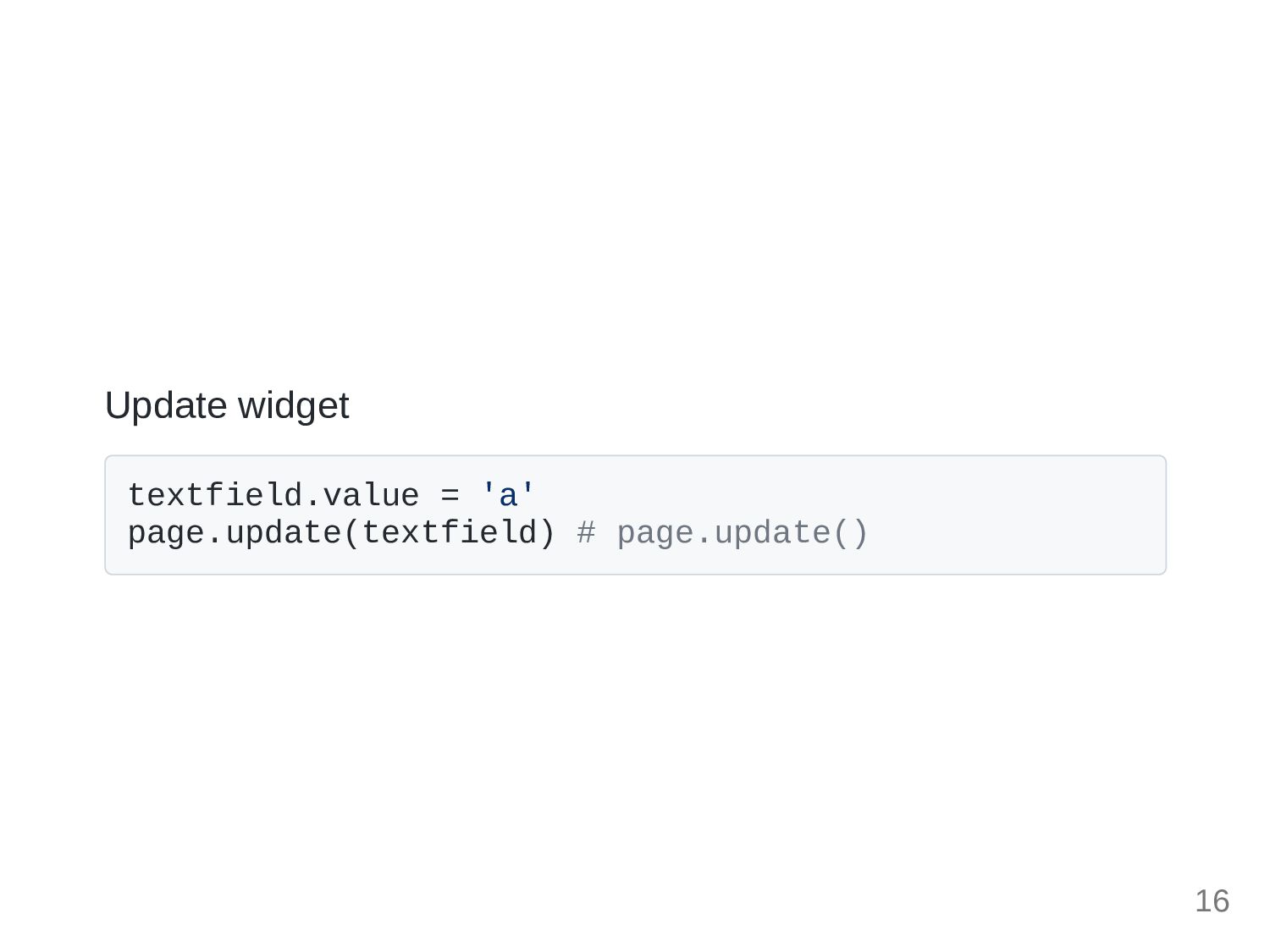
Update widget textfield.value = 'a' page.update(textfield) # page.update() 16
Routing 17
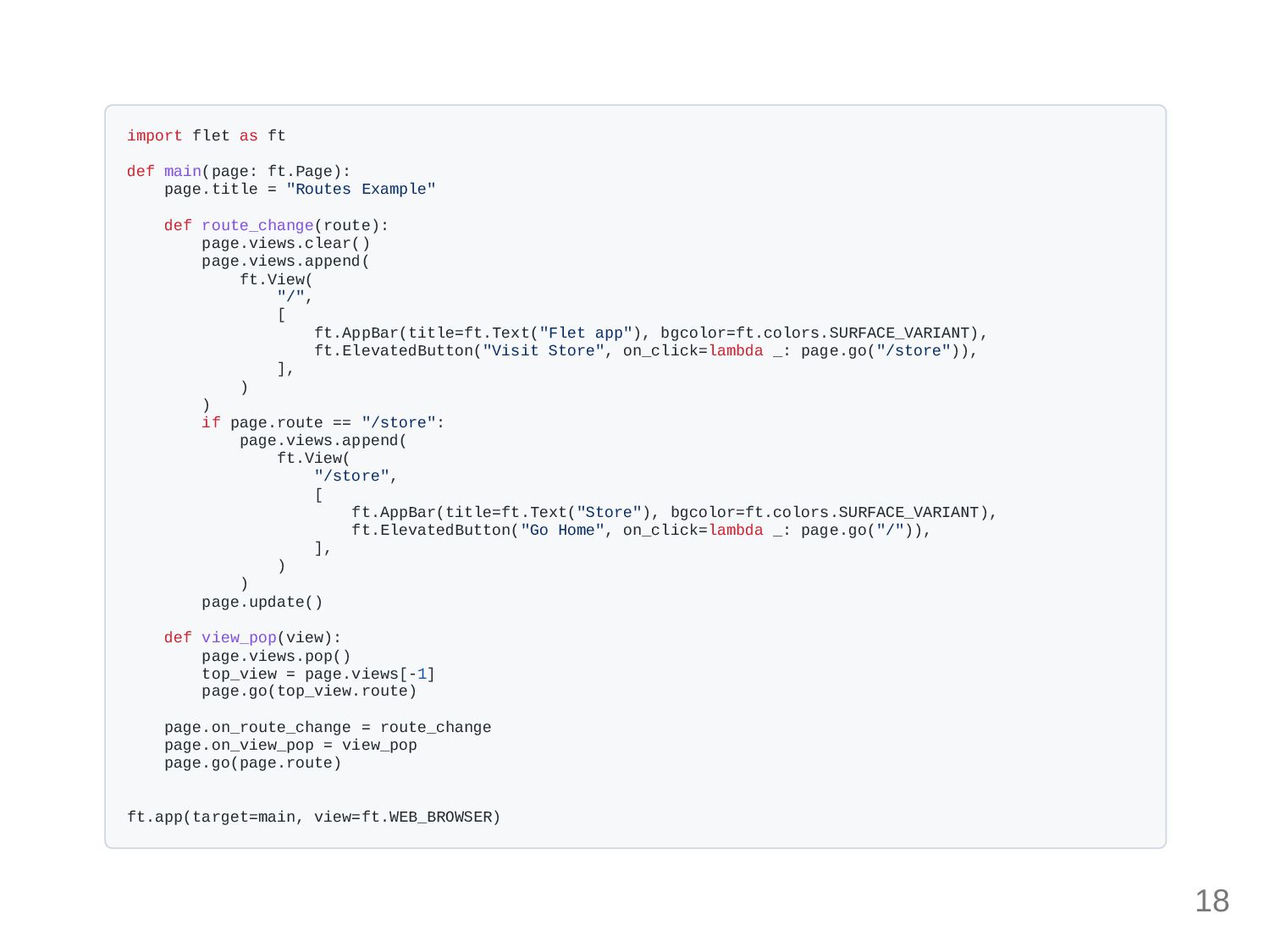
import flet as ft def main(page: ft.Page): page.title = "Routes
Example" def route_change(route): page.views.clear() page.views.append( ft.View( "/", [ ft.AppBar(title=ft.Text("Flet app"), bgcolor=ft.colors.SURFACE_VARIANT), ft.ElevatedButton("Visit Store", on_click=lambda _: page.go("/store")), ], ) ) if page.route == "/store": page.views.append( ft.View( "/store", [ ft.AppBar(title=ft.Text("Store"), bgcolor=ft.colors.SURFACE_VARIANT), ft.ElevatedButton("Go Home", on_click=lambda _: page.go("/")), ], ) ) page.update() def view_pop(view): page.views.pop() top_view = page.views[-1] page.go(top_view.route) page.on_route_change = route_change page.on_view_pop = view_pop page.go(page.route) ft.app(target=main, view=ft.WEB_BROWSER) 18
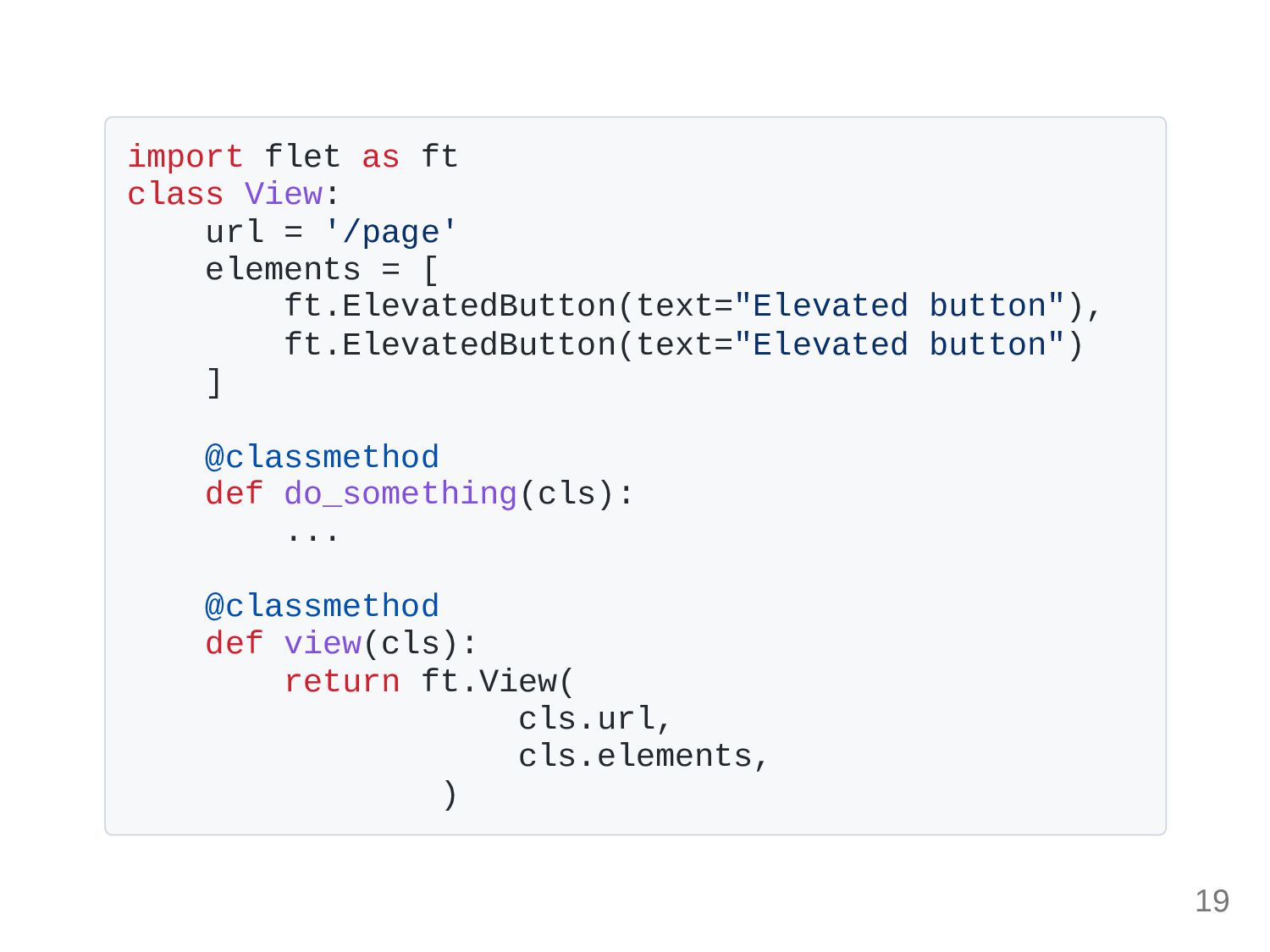
import flet as ft class View: url = '/page' elements
= [ ft.ElevatedButton(text="Elevated button"), ft.ElevatedButton(text="Elevated button") ] @classmethod def do_something(cls): ... @classmethod def view(cls): return ft.View( cls.url, cls.elements, ) 19
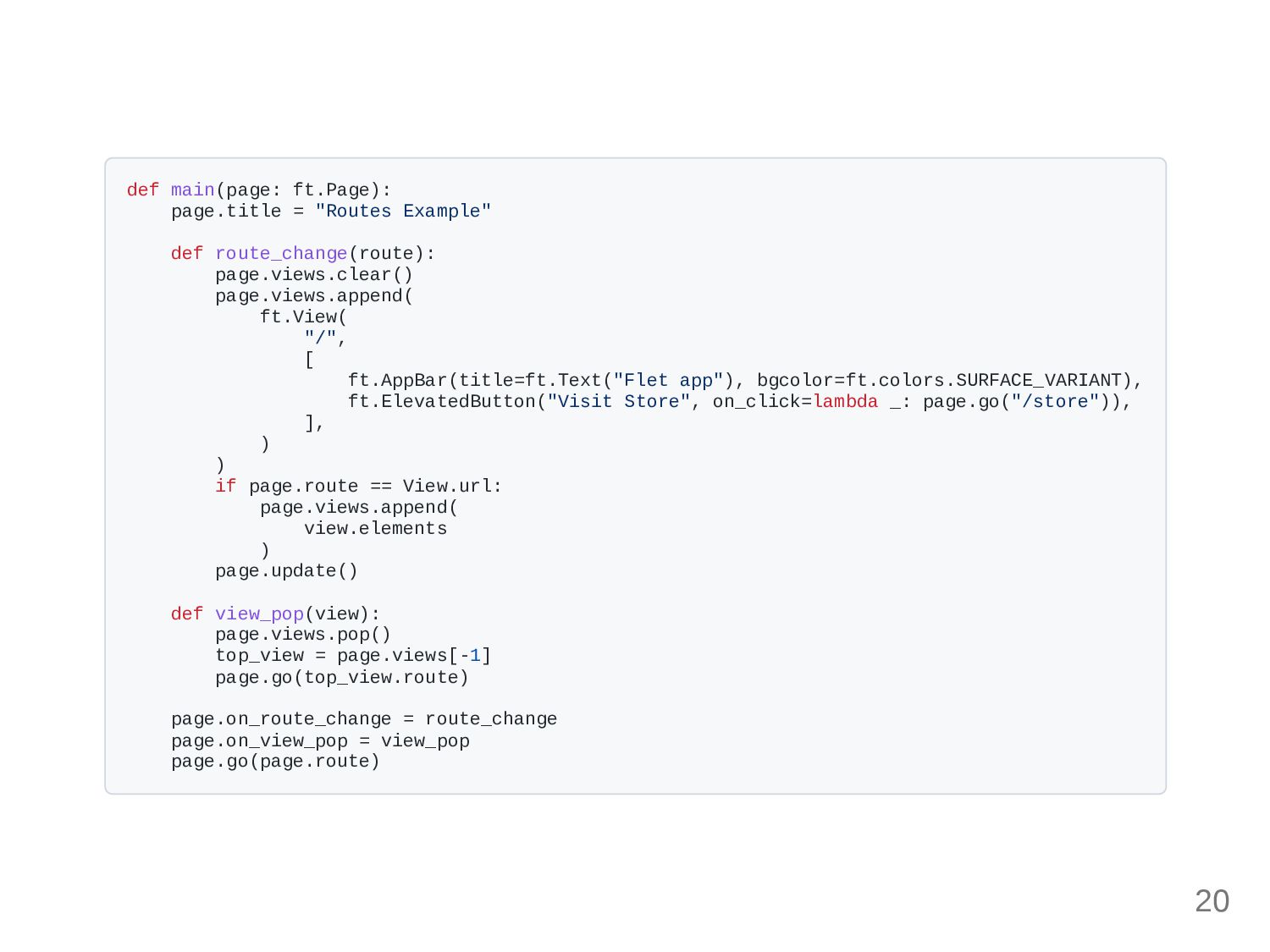
def main(page: ft.Page): page.title = "Routes Example" def route_change(route): page.views.clear()
page.views.append( ft.View( "/", [ ft.AppBar(title=ft.Text("Flet app"), bgcolor=ft.colors.SURFACE_VARIANT), ft.ElevatedButton("Visit Store", on_click=lambda _: page.go("/store")), ], ) ) if page.route == View.url: page.views.append( view.elements ) page.update() def view_pop(view): page.views.pop() top_view = page.views[-1] page.go(top_view.route) page.on_route_change = route_change page.on_view_pop = view_pop page.go(page.route) 20
Dev experience 21
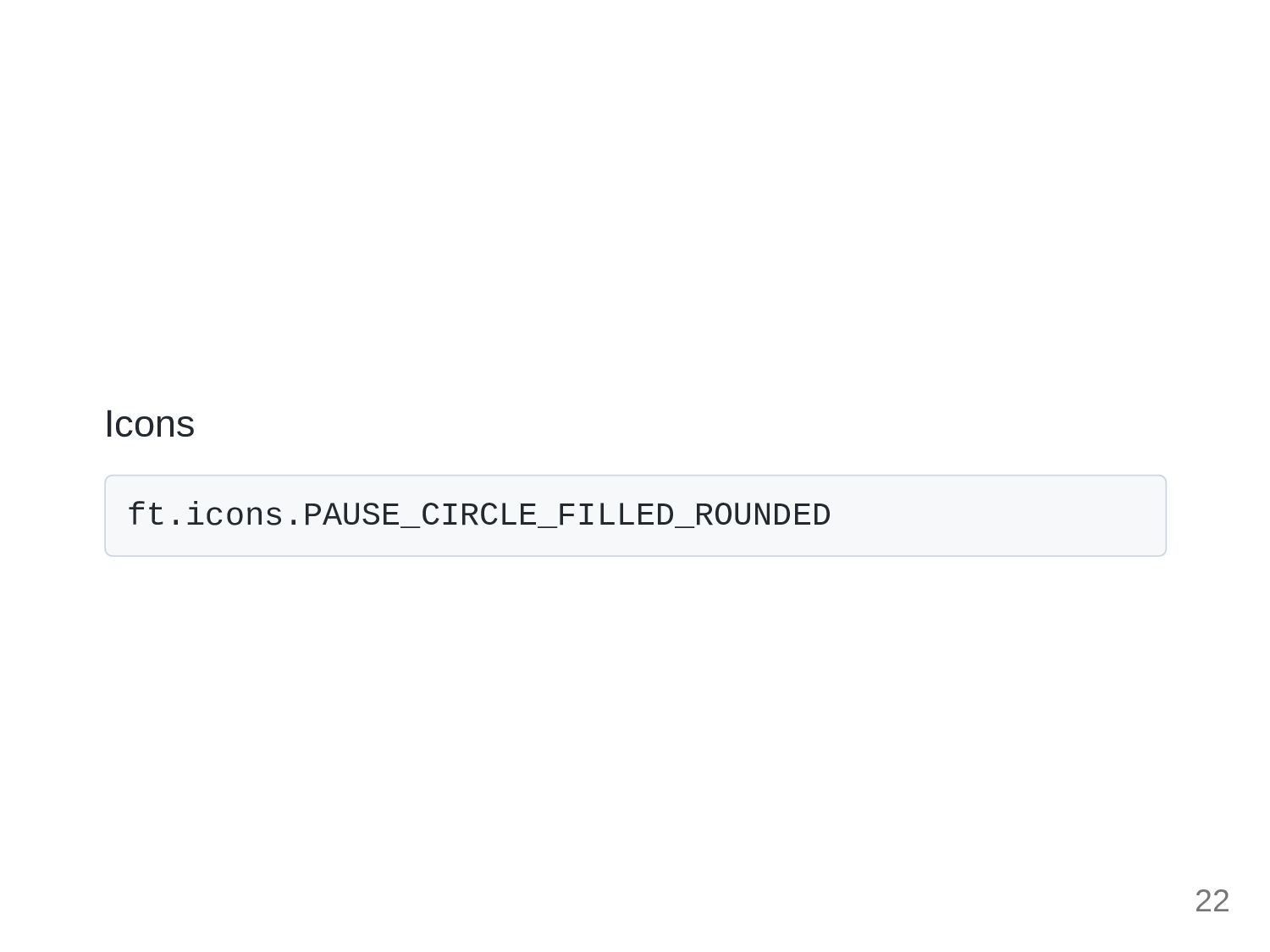
Icons ft.icons.PAUSE_CIRCLE_FILLED_ROUNDED 22
Color ft.color.RED_400 23
Next in this session 24
Code an app based on one of the previous sessions
code 25
26


 osdotsystem
 doratex
 rashwhitman
 coderdojojapan
 sciencetokyo
 bvr7352
 auctria
 cbtlibrary
 pawan_pharm
 madhuri28
 signer
 ks91
ks91
 greggifford
 mkilby
 szymonslowik
 addyosmani
 baasie
 427marketing
 eitanlees
 rkendrick25
 vanstee
 aleyda
 tamaranovitovic