Upgrade to Pro — share decks privately, control downloads, hide ads and more …

ClickHouse for Symfony Developers - SymfonyLive...

Sponsored · Ship Features Fearlessly Turn features on and off without deploys. Used by thousands of Ruby developers.

ClickHouse for Symfony Developers - SymfonyLive Paris 2026

On a tous une MySQL ou une PostgreSQL dans notre stack Symfony et elles font un super job.
Pour autant, pour de l'analytique, des logs ou des métriques, lorsqu'on a besoin de performance temps-réel à grande échelle ou gros volume, on peut atteindre facilement leurs limites.
C'est à ce moment que ClickHouse vous sauve. C'est une base de données orientée colonnes super-puissante qui va vous simplifier la vie pour agréger des données en temps réel, tout en restant dans votre stack Symfony habituelle.

Dans ce talk, nous verrons :

- L'architecture des bases de données orientées colonnes et dans quels cas elles nous épatent
- Comment interagir avec ClickHouse dans une app Symfony
- Comment déployer ClickHouse en quelques lignes
- Les fonctionnalités clés pour construire des dashboards temps-réel
- Des exemples concrets d'agrégations avec des benchmarks
- Des trucs et astuces et des bonnes pratiques

Nous verrons aussi la possibilité de stocker dans du blob storage, et des astuces d'optimisation tirées de notre expérience en prod.
Si vous travaillez sur du e-commerce, des logs, des métriques business, ce talk vous donnera les clés pour démarrer en douceur.

Avatar for Romain Neutron

Romain Neutron

March 28, 2026
Tweet

More Decks by Romain Neutron

Other Decks in Programming

Transcript

  1. ▪ Code is available at https://github.com/romainneutron/clickhouse-symfony-symfonylive2026 ▪ Slides include links

    ▪ If you don’t take notes that’s fine, you’ll get slides $ git clone [email protected]:romainneutron/clickhouse-symfony-symfonylive2026.git $ cd clickhouse-symfony-symfonylive2026 $ upsun project:create $ upsun push -y About this Presentation 2
  2. Romain Neutron Engineer at Upsun #0 - Who I am

    https://github.com/romainneutron 3
  3. ▪ One Observability stack ▪ 25 components in PHP and

    Golang ▪ 17 geographic regions ▪ ClickHouse is the pivot #0 Who I am Observability at SymfonyCloud 6
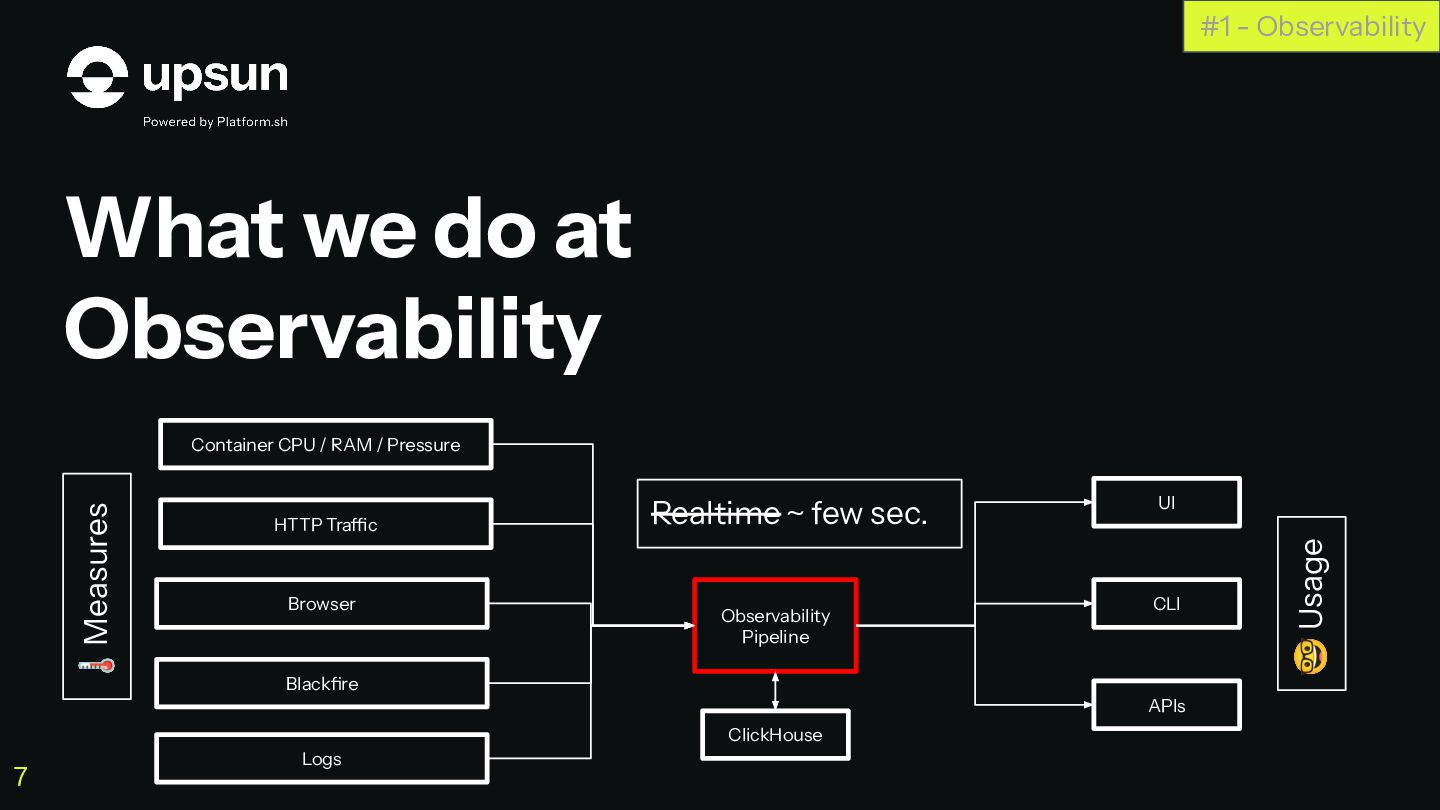
  4. What we do at Observability #1 - Observability Container CPU

    / RAM / Pressure UI CLI APIs HTTP Traffic Browser Blackfire Logs Observability Pipeline Realtime ~ few sec. 🌡Measures 🤓 Usage 7 ClickHouse
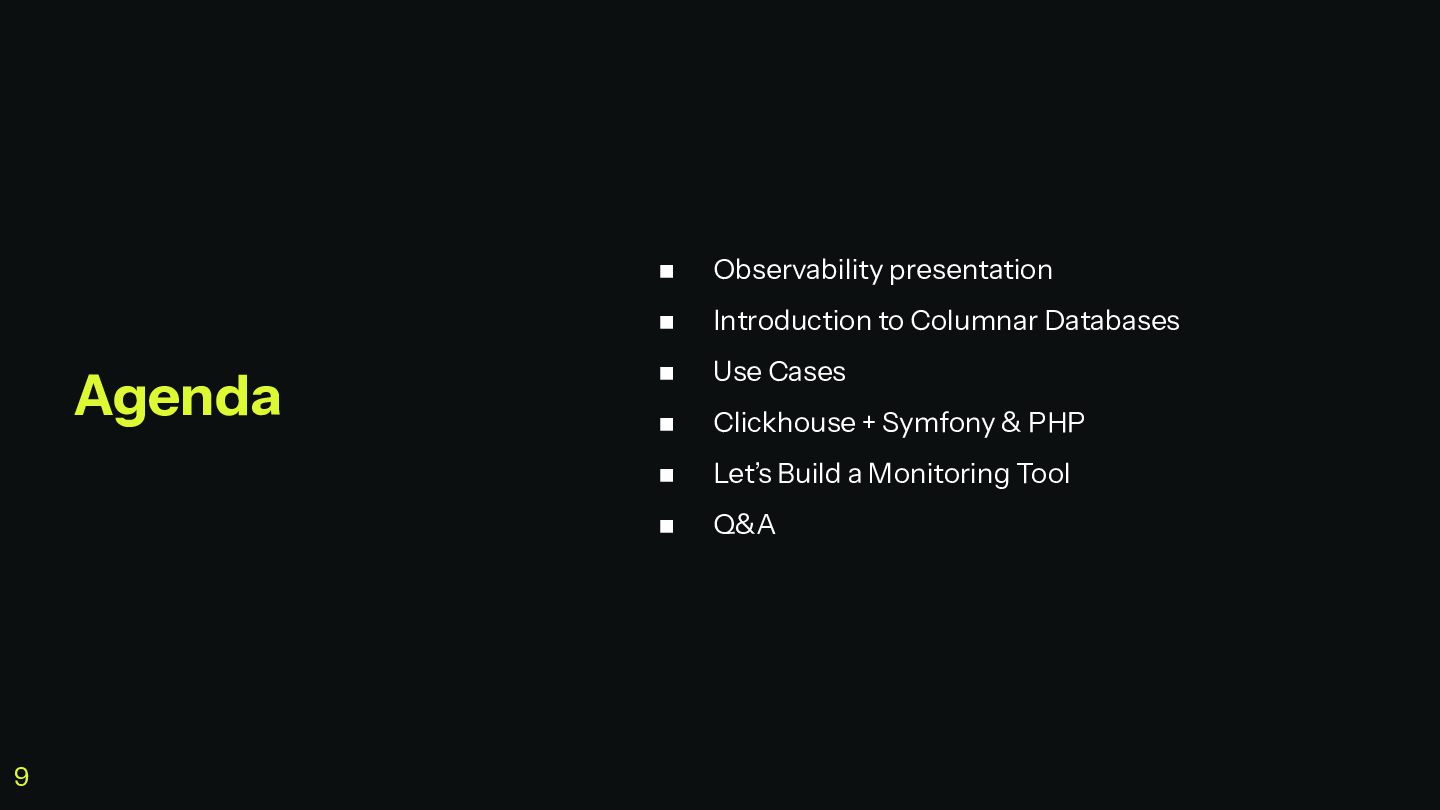
  5. ◼ Observability presentation ◼ Introduction to Columnar Databases ◼ Use

    Cases ◼ Clickhouse + Symfony & PHP ◼ Let’s Build a Monitoring Tool ◼ Q&A Agenda 9
  6. How we used to do it #1 - Observability OpenSearch

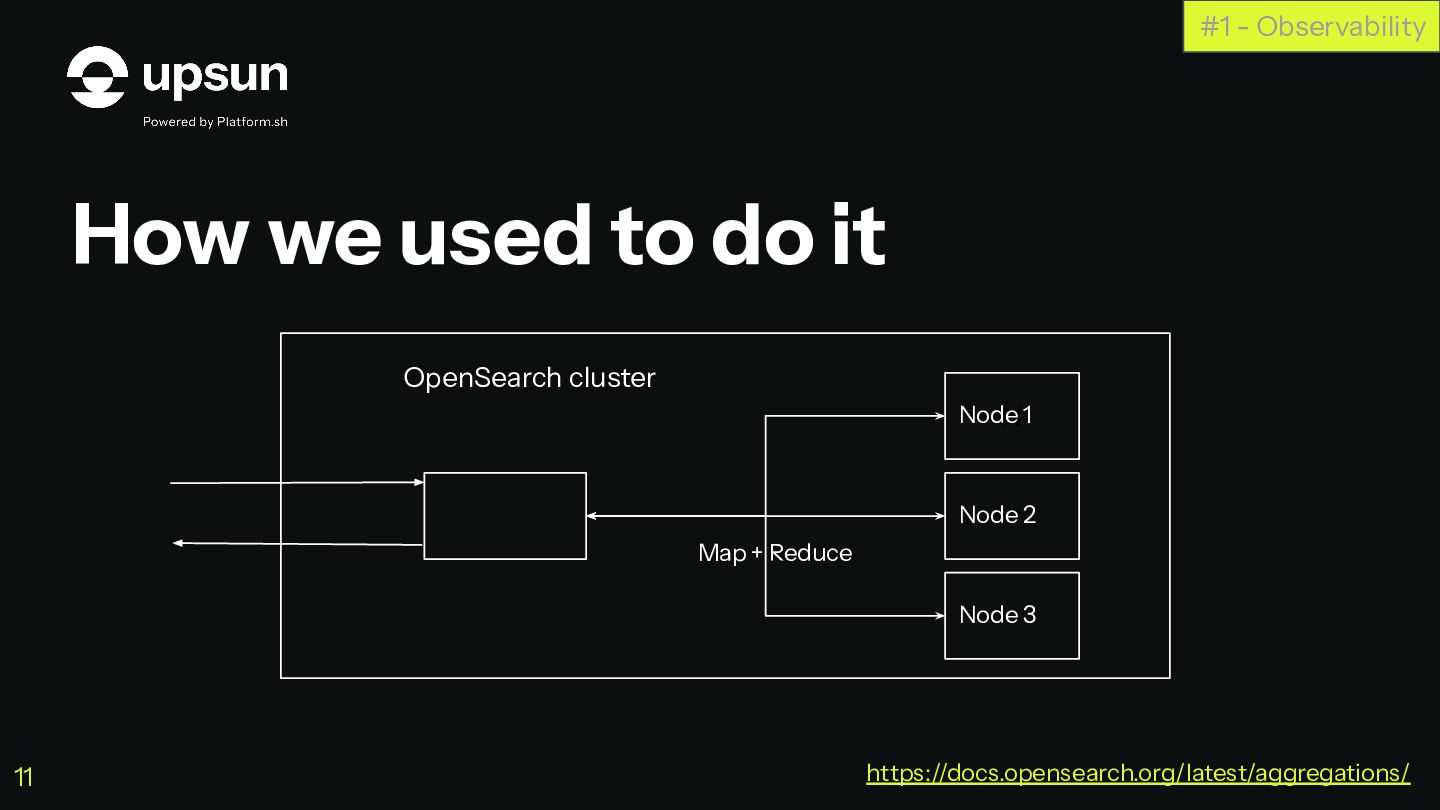
    cluster N https://docs.opensearch.org/latest/aggregations/ 11 Node 1 Node 2 Node 3 Map + Reduce
  7. How we used to do it, and their limitations #1
    - Observability Pre-aggregating data for faster queries on lowest time interval https://docs.opensearch.org/latest/aggregations/ 12
  8. #1 - Observability Raw data Datetime Value 2024-02-04T14:01:04.234Z 27 2024-02-04T14:01:07.237Z

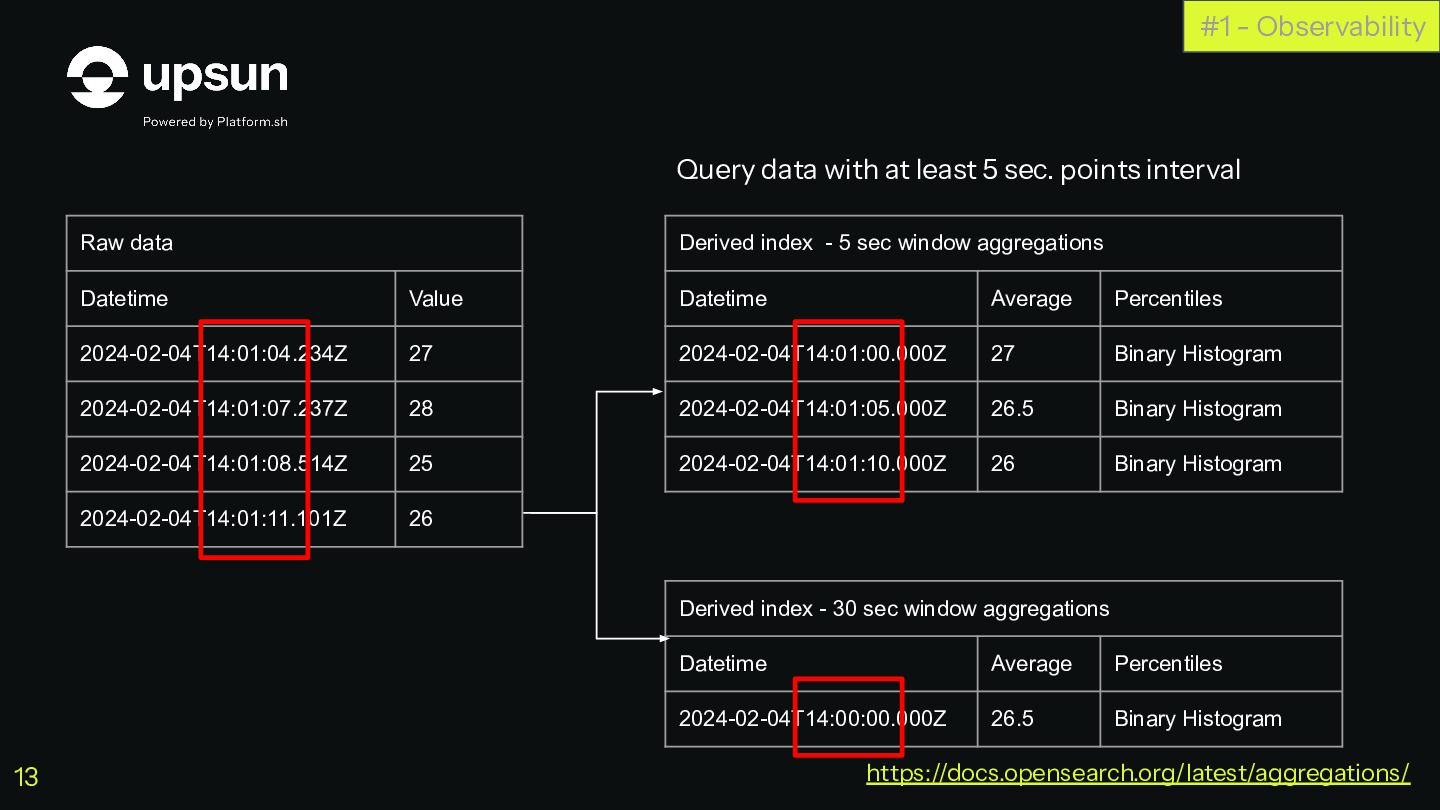
    28 2024-02-04T14:01:08.514Z 25 2024-02-04T14:01:11.101Z 26 Derived index - 5 sec window aggregations Datetime Average Percentiles 2024-02-04T14:01:00.000Z 27 Binary Histogram 2024-02-04T14:01:05.000Z 26.5 Binary Histogram 2024-02-04T14:01:10.000Z 26 Binary Histogram Derived index - 30 sec window aggregations Datetime Average Percentiles 2024-02-04T14:00:00.000Z 26.5 Binary Histogram Query data with at least 5 sec. points interval Query data with at least 30 sec. points interval https://docs.opensearch.org/latest/aggregations/ 13
  9. It did not scale with affordable budget Periodic triggers Unoptimized

    architecture, limits of ES as a storage for numbers #1 - Observability https://docs.opensearch.org/latest/aggregations/ 14
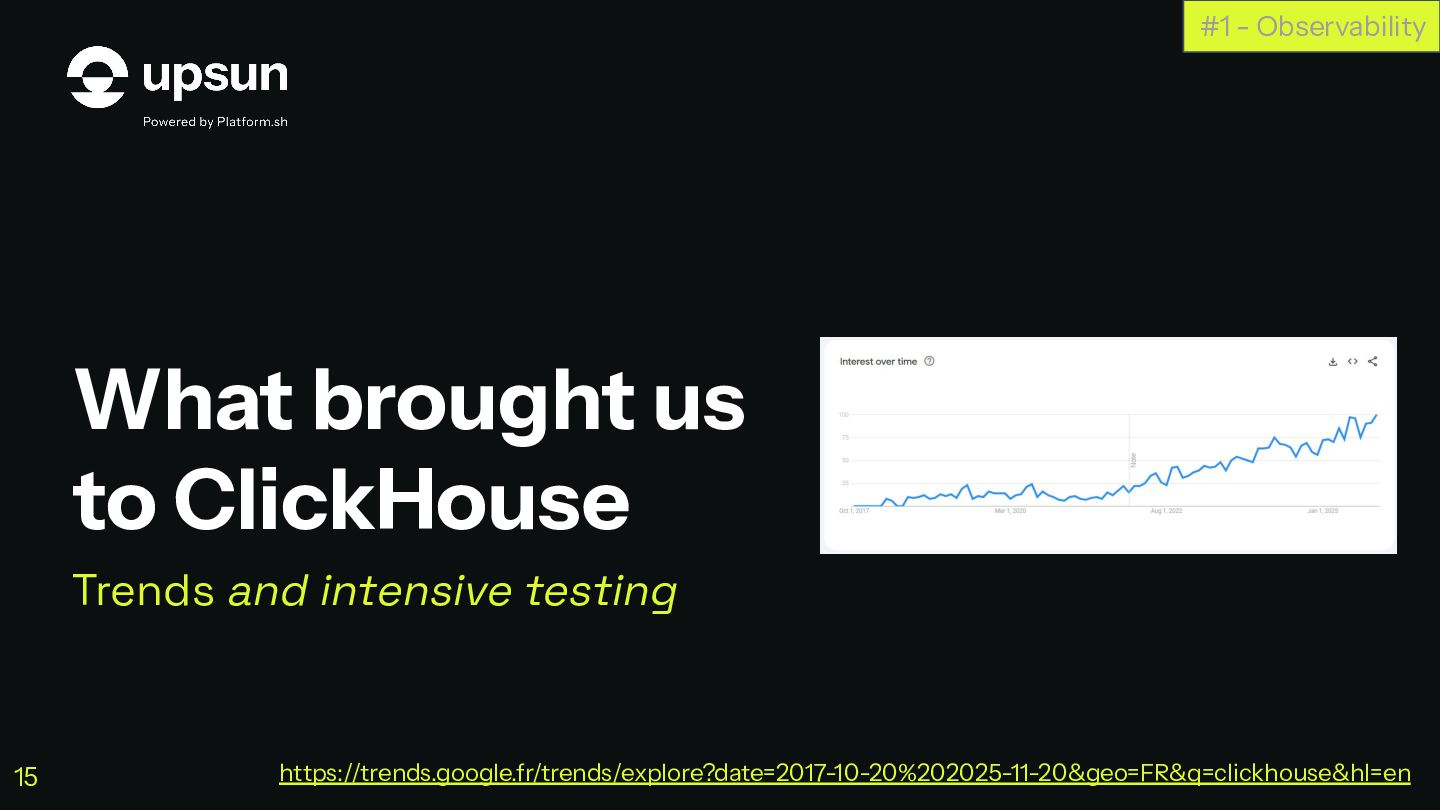
  10. What brought us to ClickHouse Trends and intensive testing #1

    - Observability https://trends.google.fr/trends/explore?date=2017-10-20%202025-11-20&geo=FR&q=clickhouse&hl=en 15
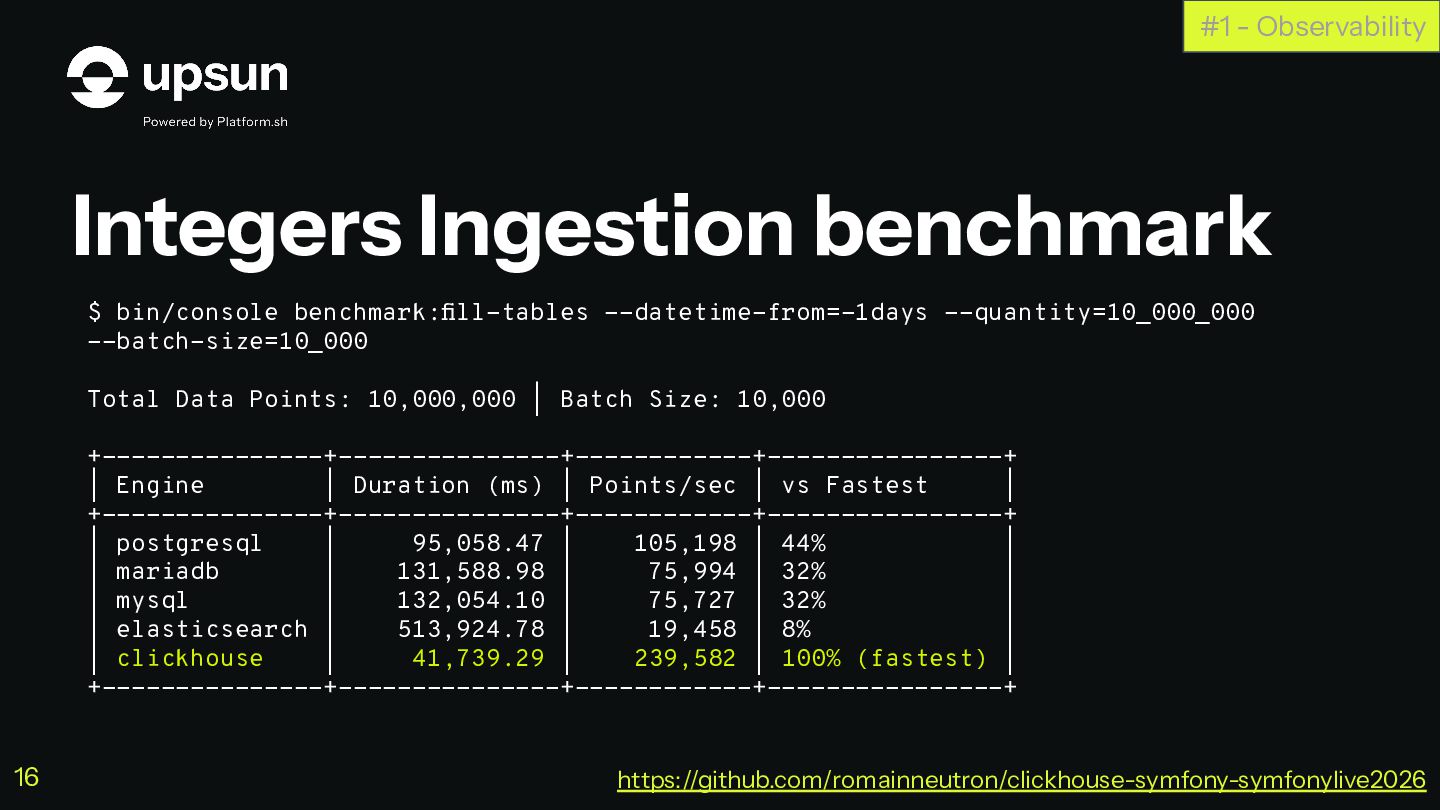
  11. Integers Ingestion benchmark #1 - Observability $ bin/console benchmark:fill-tables --datetime-from=-1days

    --quantity=10_000_000 --batch-size=10_000 Total Data Points: 10,000,000 | Batch Size: 10,000 +---------------+---------------+------------+----------------+ | Engine | Duration (ms) | Points/sec | vs Fastest | +---------------+---------------+------------+----------------+ | postgresql | 95,058.47 | 105,198 | 44% | | mariadb | 131,588.98 | 75,994 | 32% | | mysql | 132,054.10 | 75,727 | 32% | | elasticsearch | 513,924.78 | 19,458 | 8% | | clickhouse | 41,739.29 | 239,582 | 100% (fastest) | +---------------+---------------+------------+----------------+ https://github.com/romainneutron/clickhouse-symfony-symfonylive2026 16
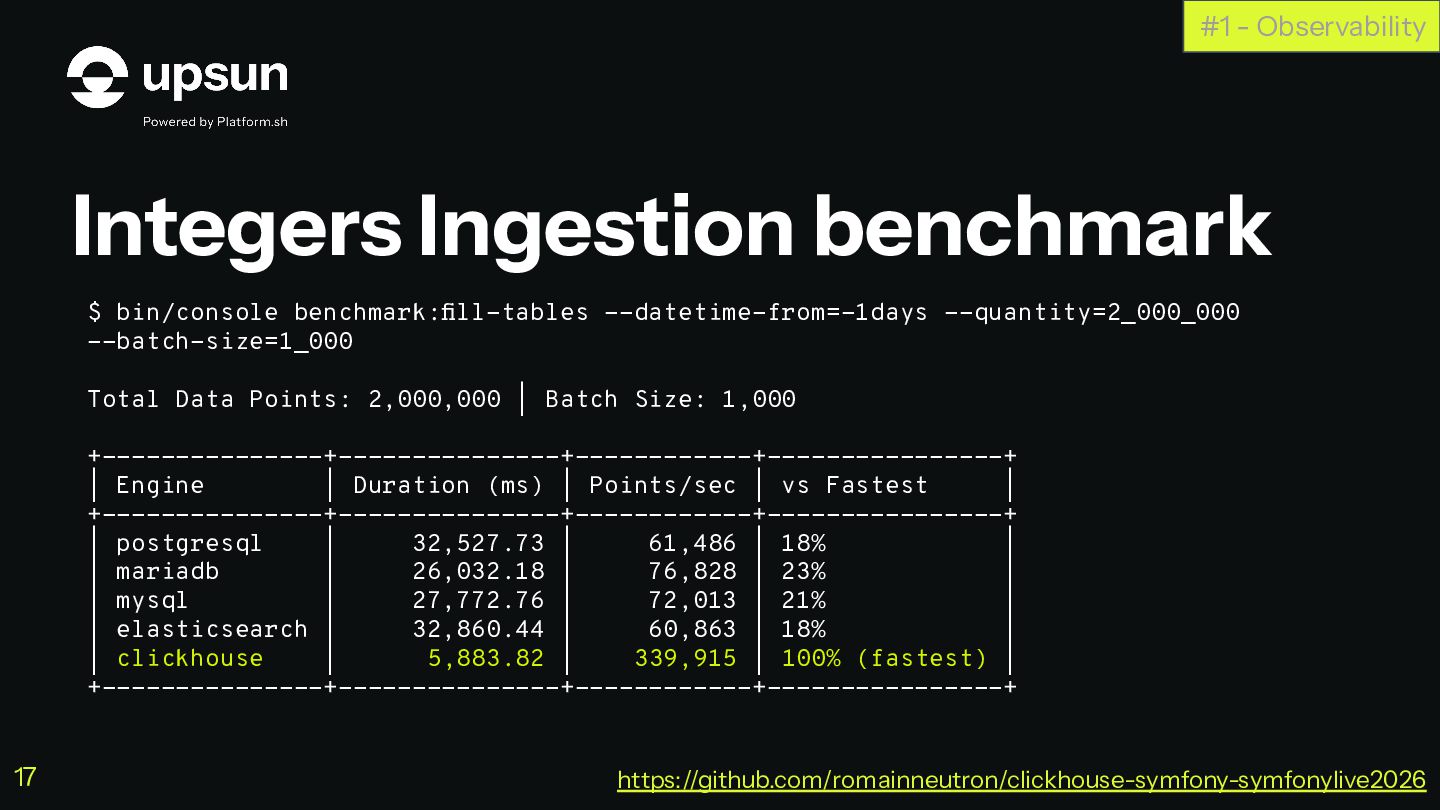
  12. Integers Ingestion benchmark #1 - Observability $ bin/console benchmark:fill-tables --datetime-from=-1days

    --quantity=2_000_000 --batch-size=1_000 Total Data Points: 2,000,000 | Batch Size: 1,000 +---------------+---------------+------------+----------------+ | Engine | Duration (ms) | Points/sec | vs Fastest | +---------------+---------------+------------+----------------+ | postgresql | 32,527.73 | 61,486 | 18% | | mariadb | 26,032.18 | 76,828 | 23% | | mysql | 27,772.76 | 72,013 | 21% | | elasticsearch | 32,860.44 | 60,863 | 18% | | clickhouse | 5,883.82 | 339,915 | 100% (fastest) | +---------------+---------------+------------+----------------+ https://github.com/romainneutron/clickhouse-symfony-symfonylive2026 17
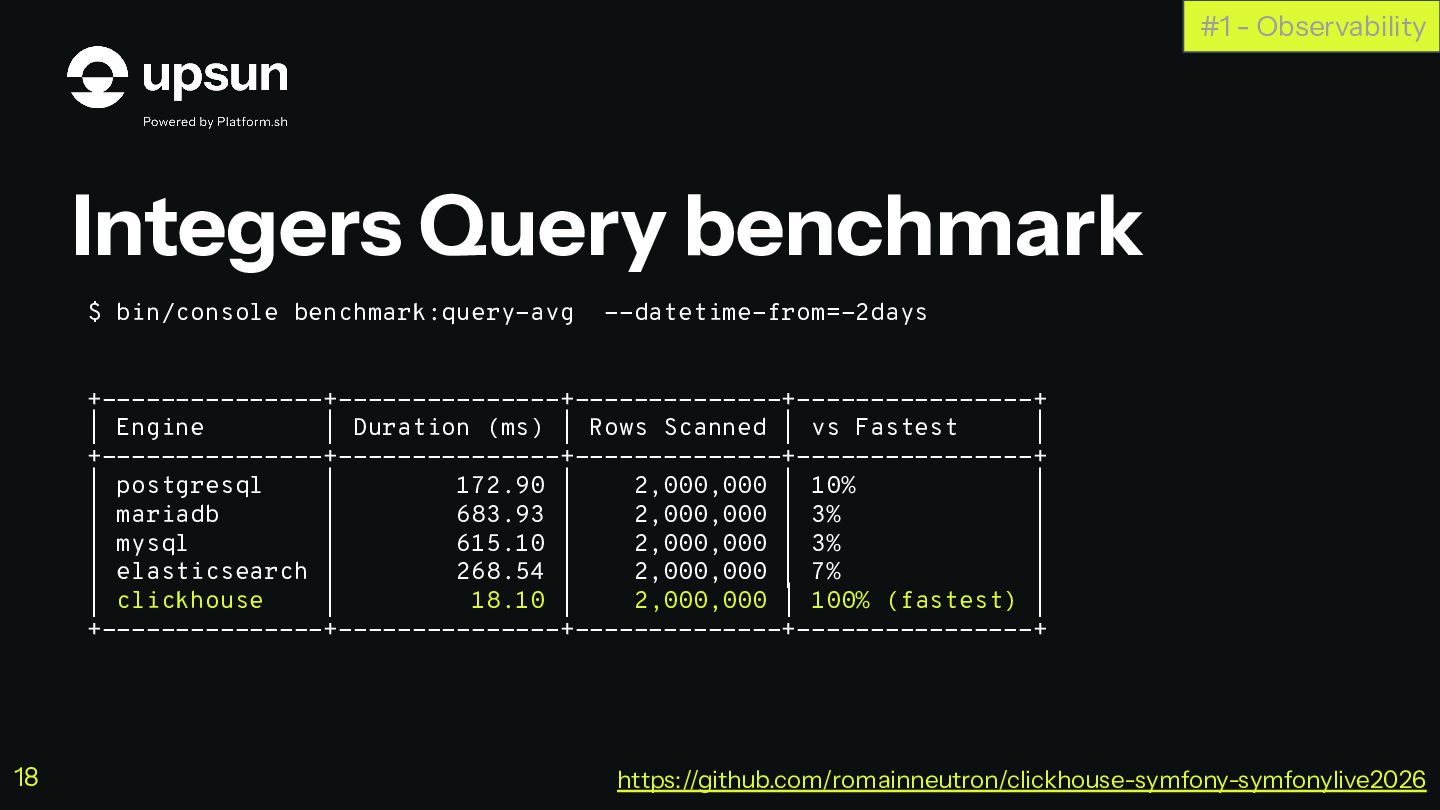
  13. Integers Query benchmark #1 - Observability $ bin/console benchmark:query-avg --datetime-from=-2days

    +---------------+---------------+--------------+----------------+ | Engine | Duration (ms) | Rows Scanned | vs Fastest | +---------------+---------------+--------------+----------------+ | postgresql | 172.90 | 2,000,000 | 10% | | mariadb | 683.93 | 2,000,000 | 3% | | mysql | 615.10 | 2,000,000 | 3% | | elasticsearch | 268.54 | 2,000,000 | 7% | | clickhouse | 18.10 | 2,000,000 | 100% (fastest) | +---------------+---------------+--------------+----------------+ https://github.com/romainneutron/clickhouse-symfony-symfonylive2026 18
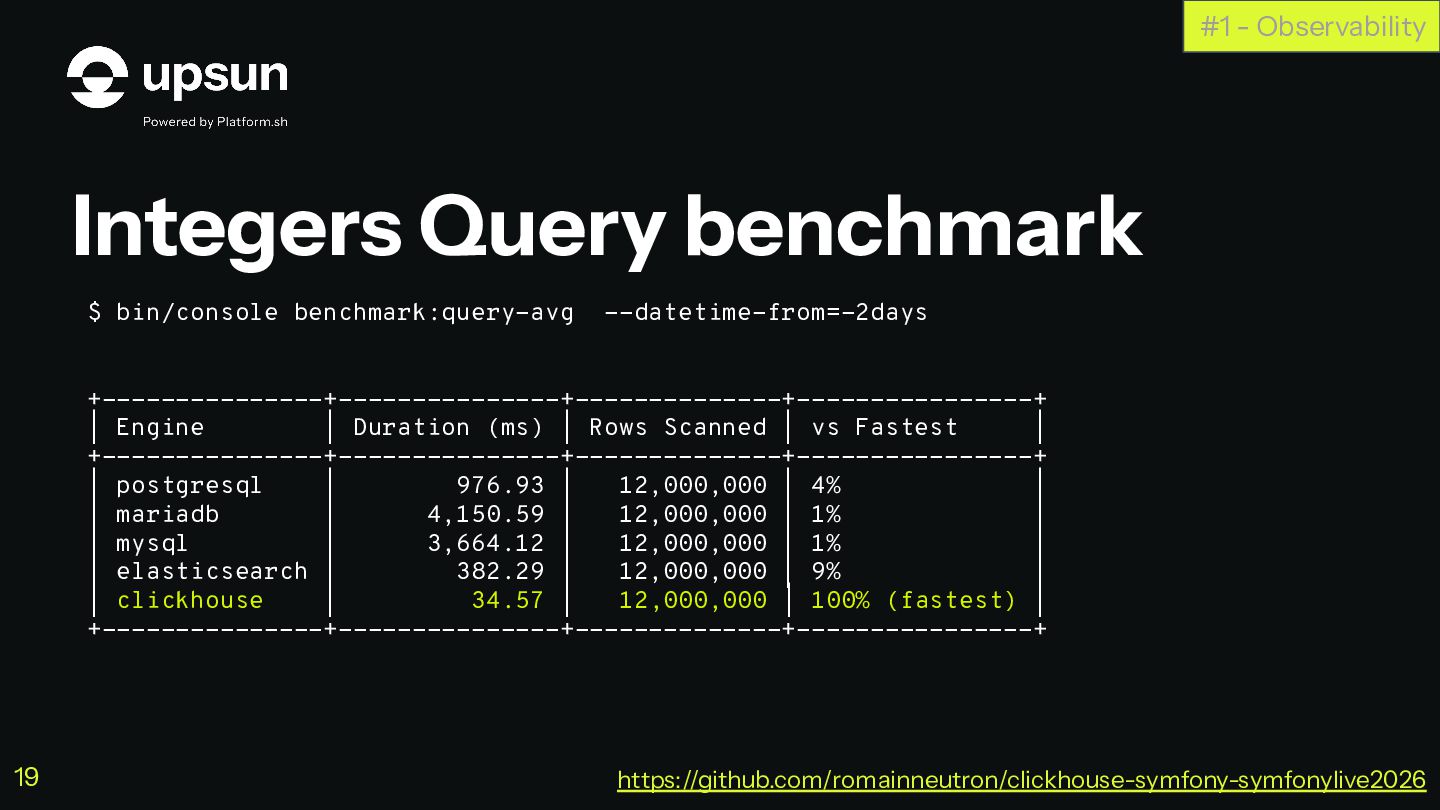
  14. Integers Query benchmark #1 - Observability $ bin/console benchmark:query-avg --datetime-from=-2days

    +---------------+---------------+--------------+----------------+ | Engine | Duration (ms) | Rows Scanned | vs Fastest | +---------------+---------------+--------------+----------------+ | postgresql | 976.93 | 12,000,000 | 4% | | mariadb | 4,150.59 | 12,000,000 | 1% | | mysql | 3,664.12 | 12,000,000 | 1% | | elasticsearch | 382.29 | 12,000,000 | 9% | | clickhouse | 34.57 | 12,000,000 | 100% (fastest) | +---------------+---------------+--------------+----------------+ https://github.com/romainneutron/clickhouse-symfony-symfonylive2026 19
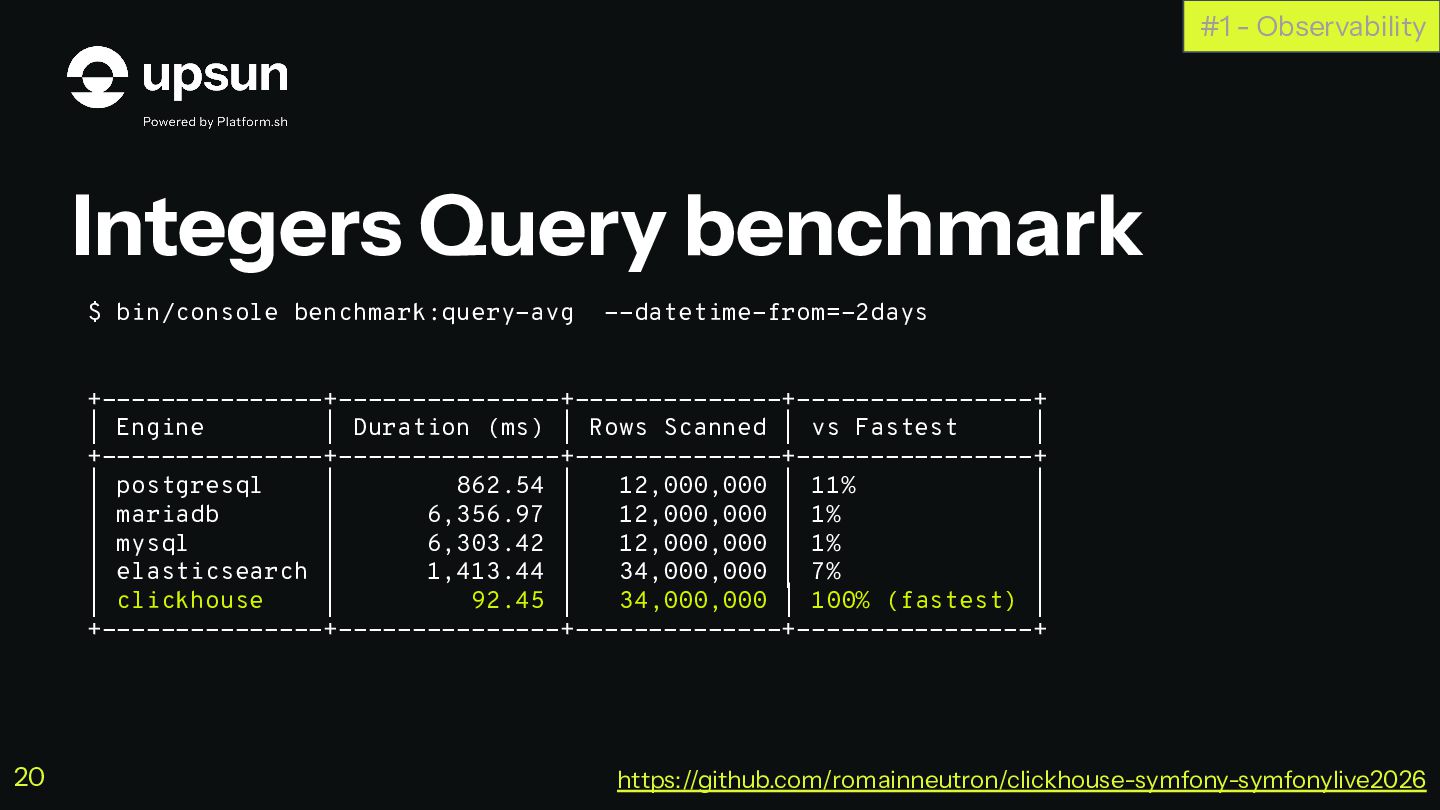
  15. Integers Query benchmark #1 - Observability $ bin/console benchmark:query-avg --datetime-from=-2days

    +---------------+---------------+--------------+----------------+ | Engine | Duration (ms) | Rows Scanned | vs Fastest | +---------------+---------------+--------------+----------------+ | postgresql | 862.54 | 12,000,000 | 11% | | mariadb | 6,356.97 | 12,000,000 | 1% | | mysql | 6,303.42 | 12,000,000 | 1% | | elasticsearch | 1,413.44 | 34,000,000 | 7% | | clickhouse | 92.45 | 34,000,000 | 100% (fastest) | +---------------+---------------+--------------+----------------+ https://github.com/romainneutron/clickhouse-symfony-symfonylive2026 20
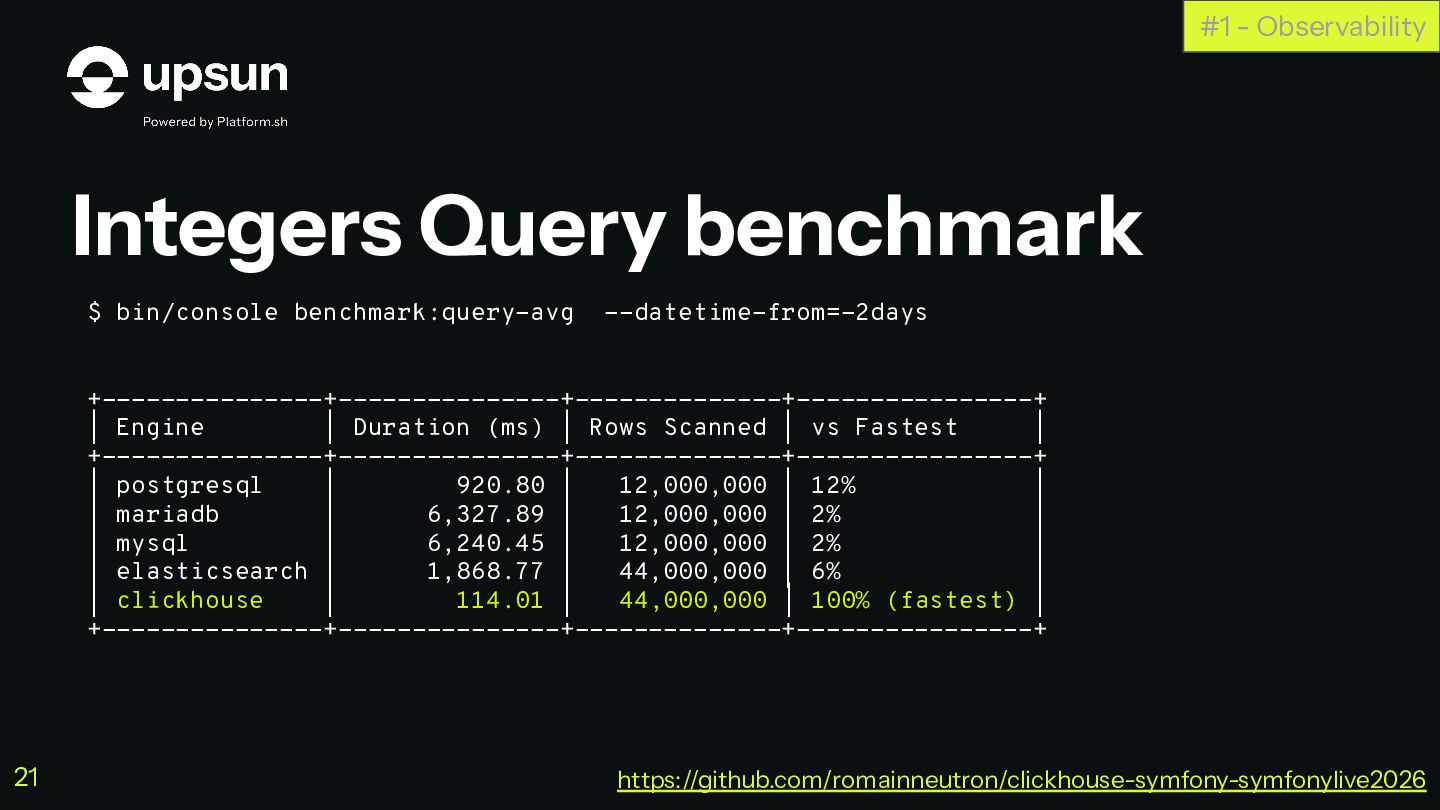
  16. Integers Query benchmark #1 - Observability $ bin/console benchmark:query-avg --datetime-from=-2days

    +---------------+---------------+--------------+----------------+ | Engine | Duration (ms) | Rows Scanned | vs Fastest | +---------------+---------------+--------------+----------------+ | postgresql | 920.80 | 12,000,000 | 12% | | mariadb | 6,327.89 | 12,000,000 | 2% | | mysql | 6,240.45 | 12,000,000 | 2% | | elasticsearch | 1,868.77 | 44,000,000 | 6% | | clickhouse | 114.01 | 44,000,000 | 100% (fastest) | +---------------+---------------+--------------+----------------+ https://github.com/romainneutron/clickhouse-symfony-symfonylive2026 21
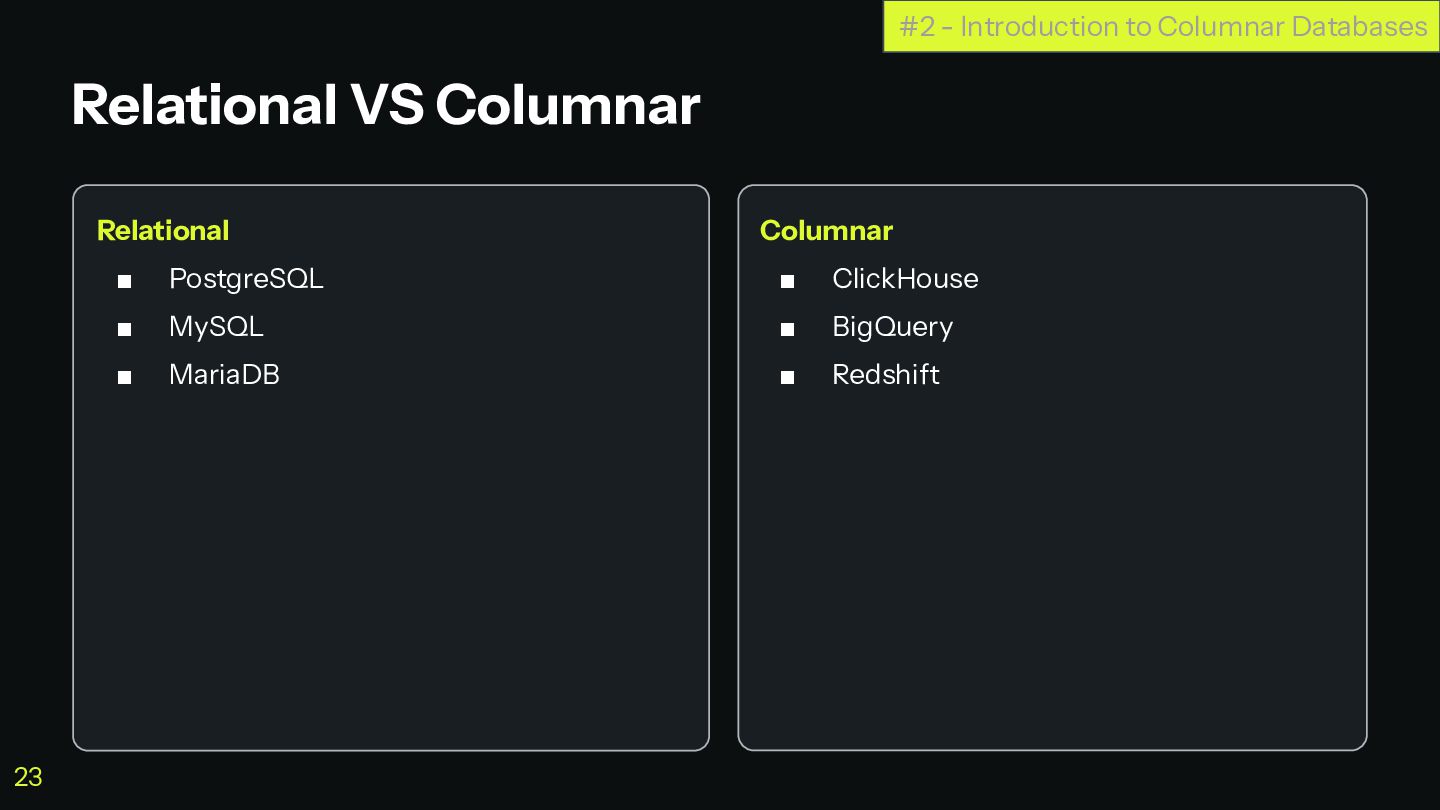
  17. Relational ▪ PostgreSQL ▪ MySQL ▪ MariaDB Columnar ▪ ClickHouse

    ▪ BigQuery ▪ Redshift Relational VS Columnar #2 - Introduction to Columnar Databases 23
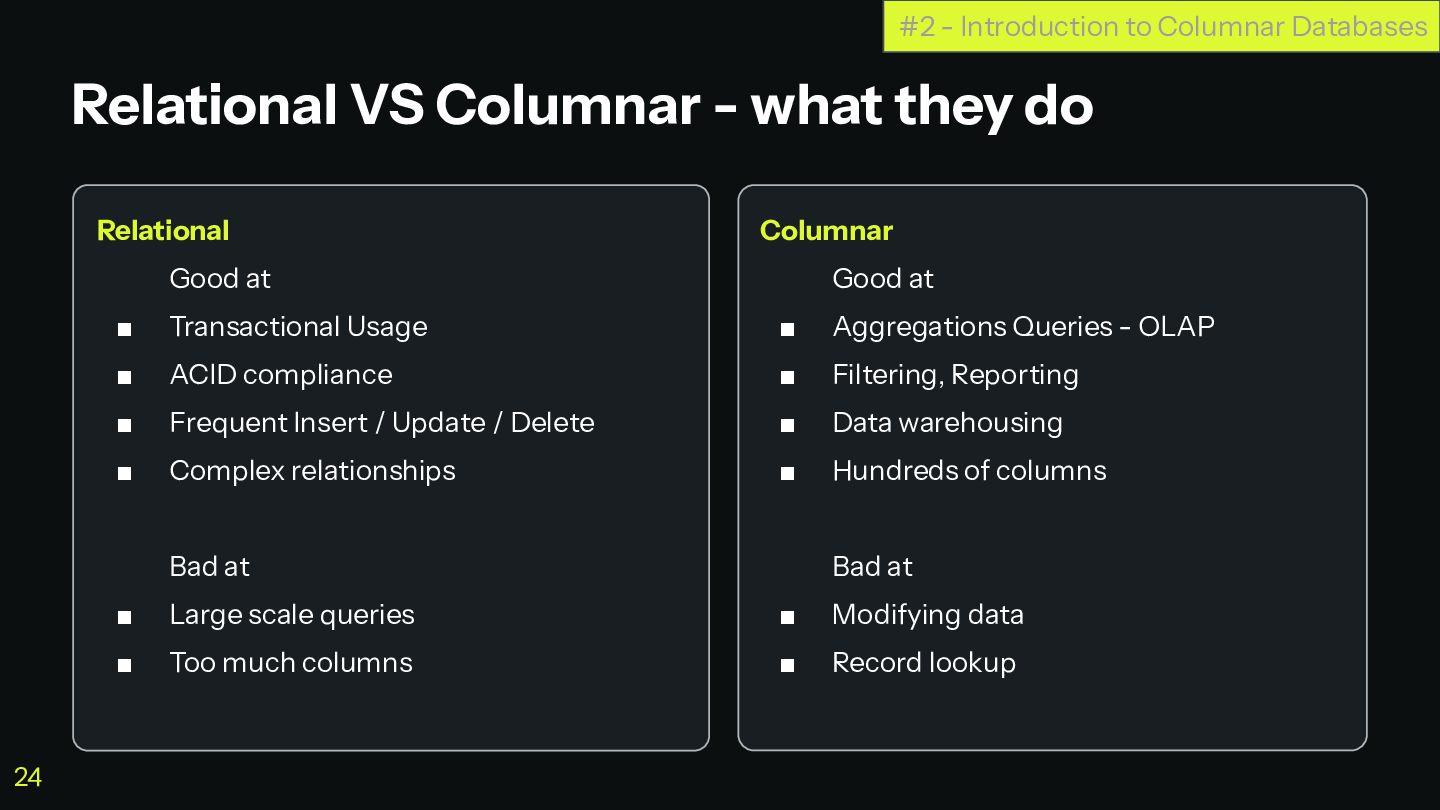
  18. Relational Good at ▪ Transactional Usage ▪ ACID compliance ▪

    Frequent Insert / Update / Delete ▪ Complex relationships Bad at ▪ Large scale queries ▪ Too much columns Columnar Good at ▪ Aggregations Queries - OLAP ▪ Filtering, Reporting ▪ Data warehousing ▪ Hundreds of columns Bad at ▪ Modifying data ▪ Record lookup Relational VS Columnar - what they do #2 - Introduction to Columnar Databases 24
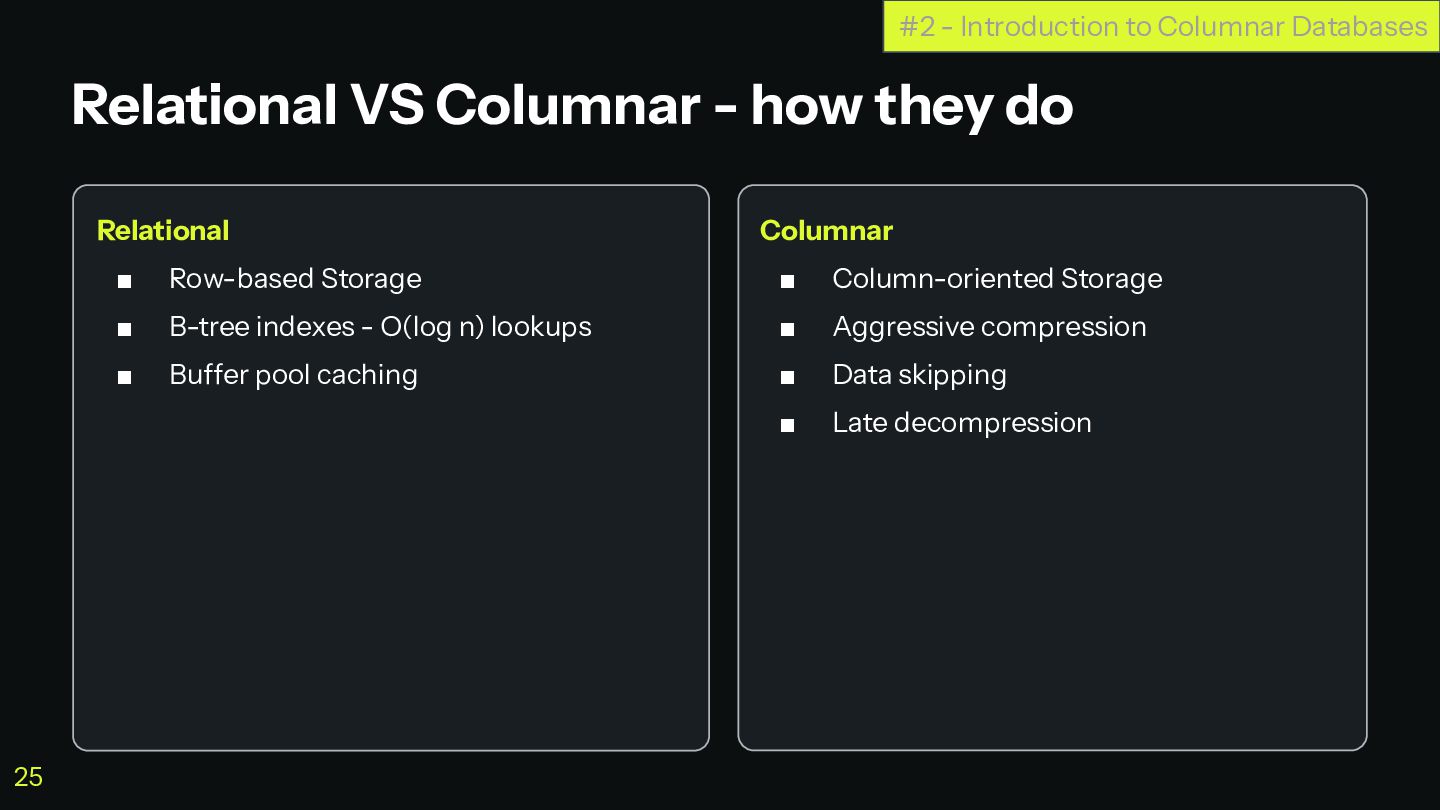
  19. Relational ▪ Row-based Storage ▪ B-tree indexes - O(log n)

    lookups ▪ Buffer pool caching Columnar ▪ Column-oriented Storage ▪ Aggressive compression ▪ Data skipping ▪ Late decompression Relational VS Columnar - how they do #2 - Introduction to Columnar Databases 25
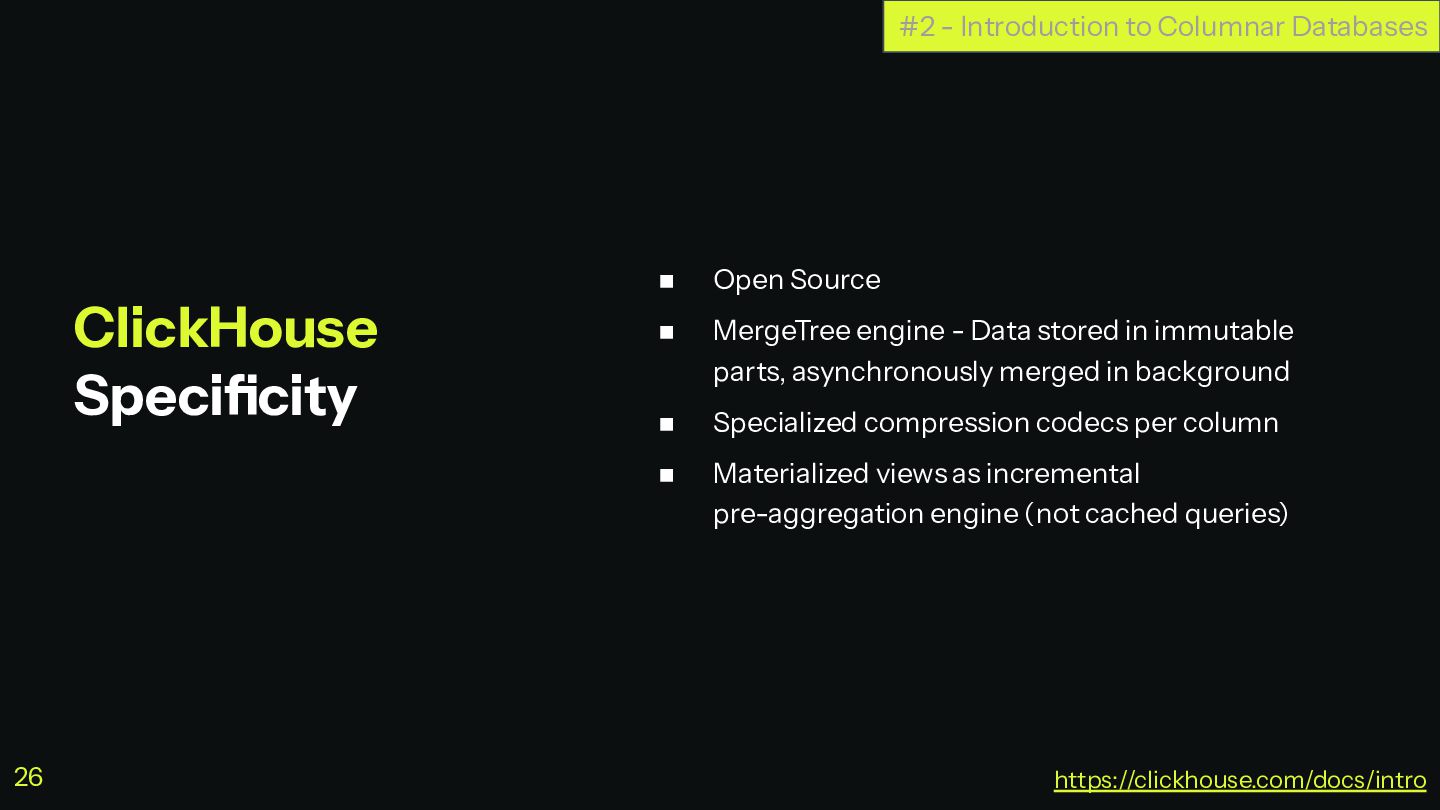
  20. ◼ Open Source ◼ MergeTree engine - Data stored in

    immutable parts, asynchronously merged in background ◼ Specialized compression codecs per column ◼ Materialized views as incremental pre-aggregation engine (not cached queries) ClickHouse Specificity #2 - Introduction to Columnar Databases https://clickhouse.com/docs/intro 26
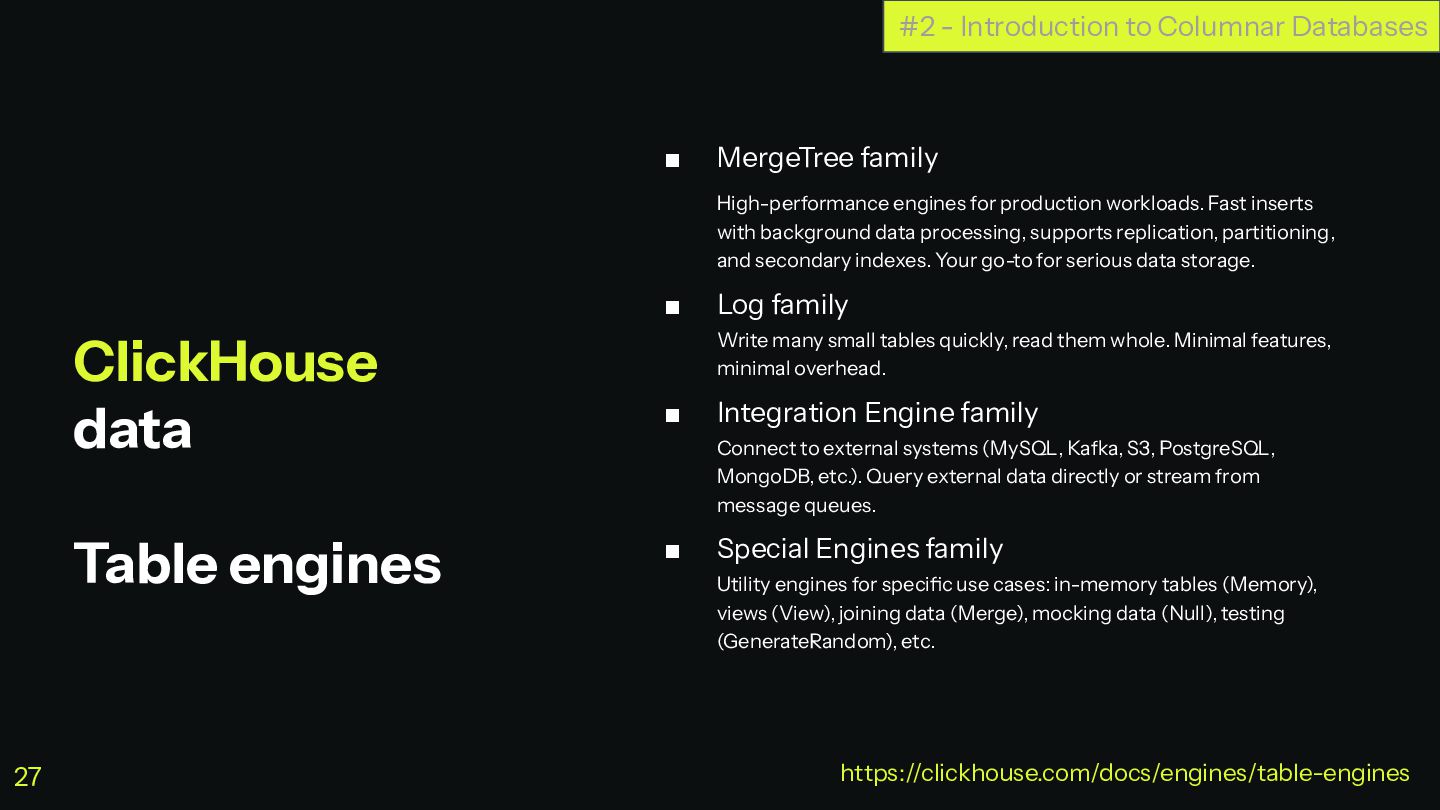
  21. ClickHouse data Table engines ▪ MergeTree family High-performance engines for

    production workloads. Fast inserts with background data processing, supports replication, partitioning, and secondary indexes. Your go-to for serious data storage. ▪ Log family Write many small tables quickly, read them whole. Minimal features, minimal overhead. ▪ Integration Engine family Connect to external systems (MySQL, Kafka, S3, PostgreSQL, MongoDB, etc.). Query external data directly or stream from message queues. ▪ Special Engines family Utility engines for specific use cases: in-memory tables (Memory), views (View), joining data (Merge), mocking data (Null), testing (GenerateRandom), etc. #2 - Introduction to Columnar Databases https://clickhouse.com/docs/engines/table-engines 27
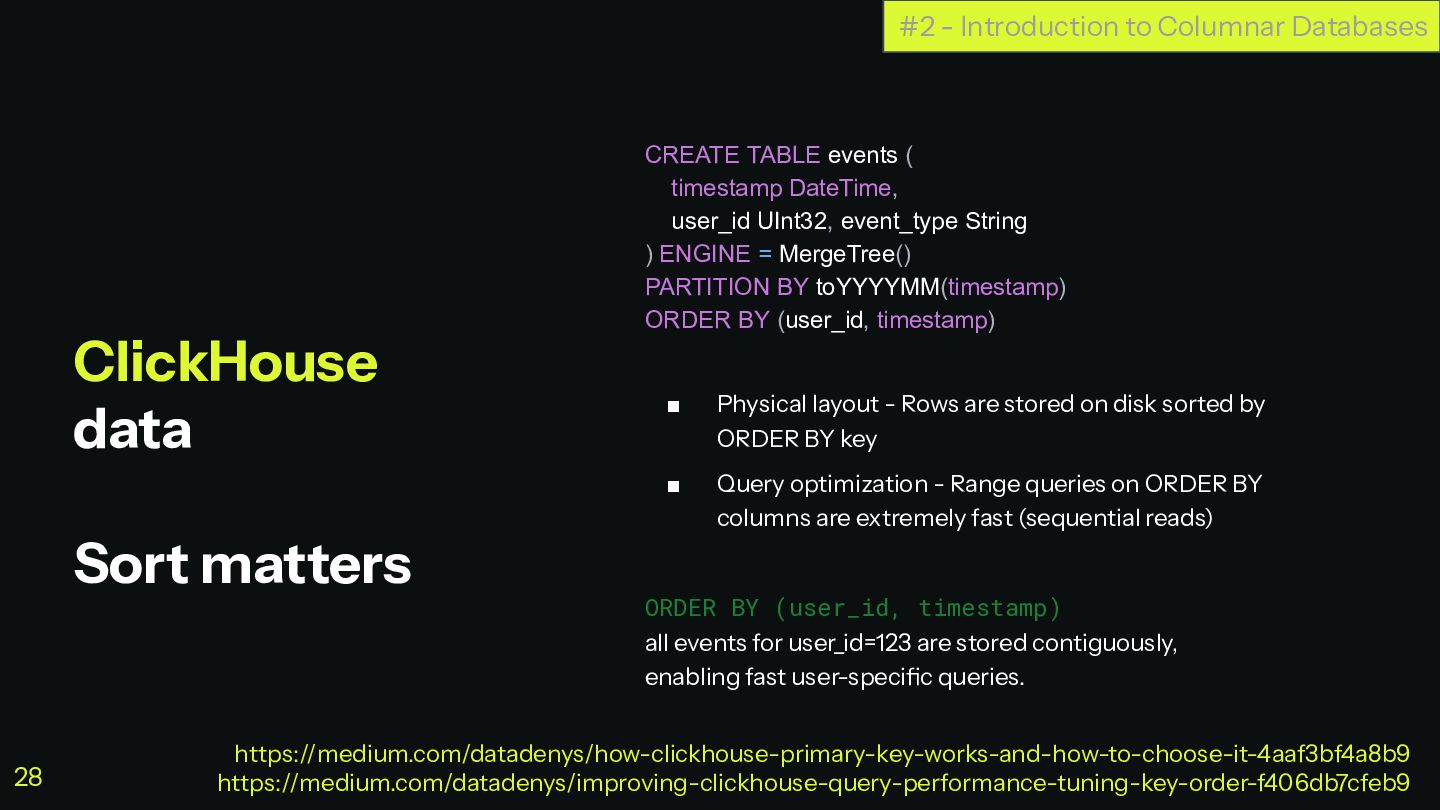
  22. ClickHouse data Sort matters CREATE TABLE events ( timestamp DateTime,

    user_id UInt32, event_type String ) ENGINE = MergeTree() PARTITION BY toYYYYMM(timestamp) ORDER BY (user_id, timestamp) ▪ Physical layout - Rows are stored on disk sorted by ORDER BY key ▪ Query optimization - Range queries on ORDER BY columns are extremely fast (sequential reads) ORDER BY (user_id, timestamp) all events for user_id=123 are stored contiguously, enabling fast user-specific queries. #2 - Introduction to Columnar Databases https://medium.com/datadenys/how-clickhouse-primary-key-works-and-how-to-choose-it-4aaf3bf4a8b9 https://medium.com/datadenys/improving-clickhouse-query-performance-tuning-key-order-f406db7cfeb9 28
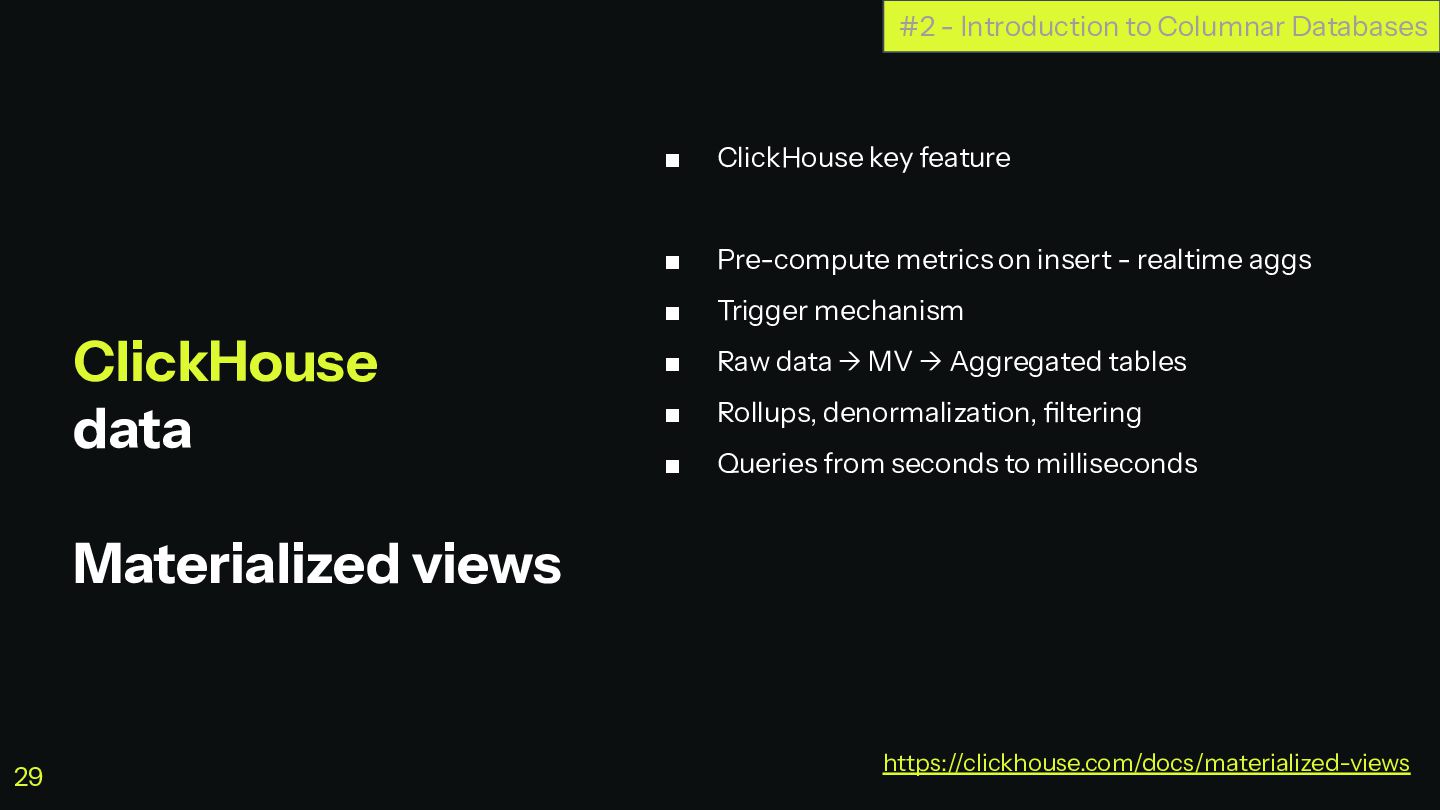
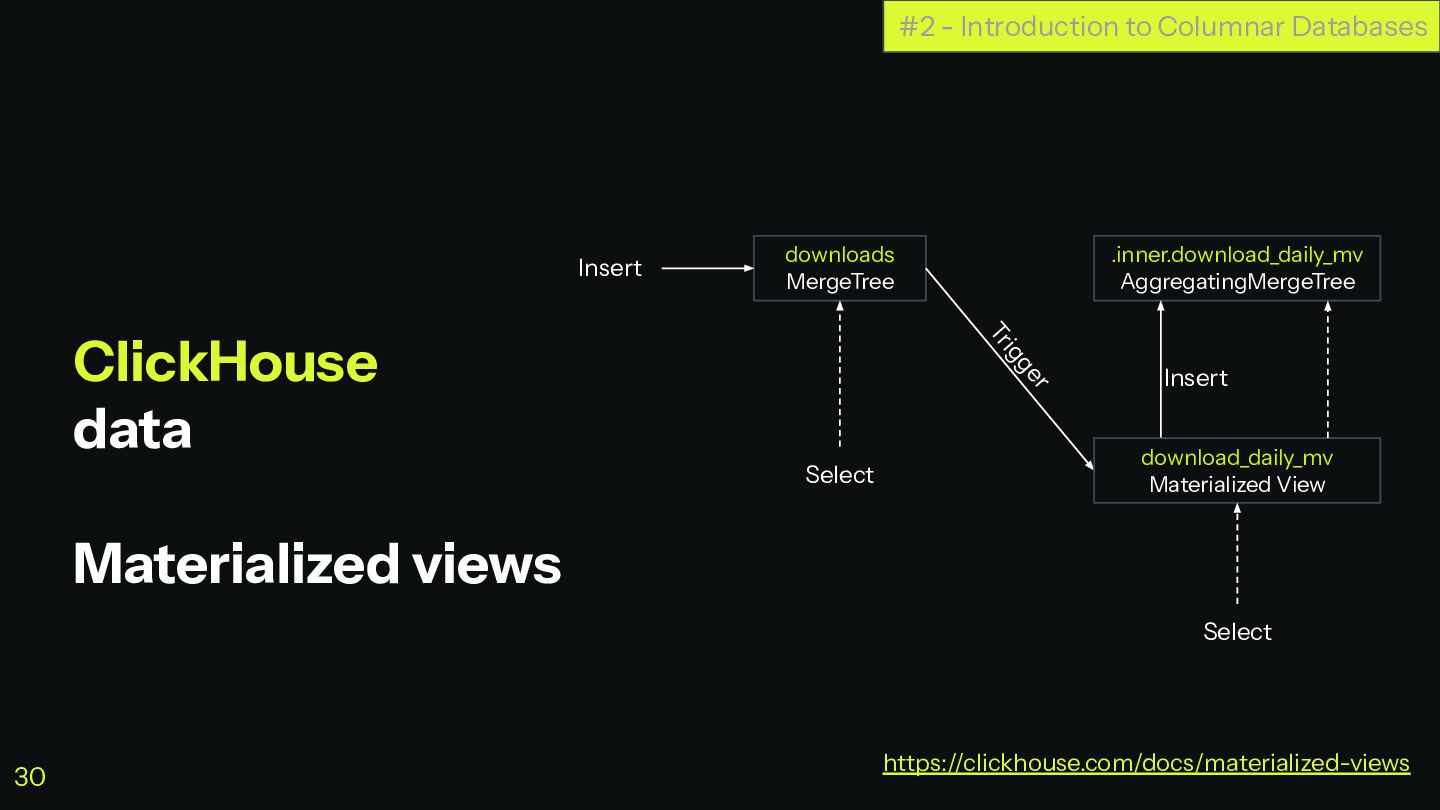
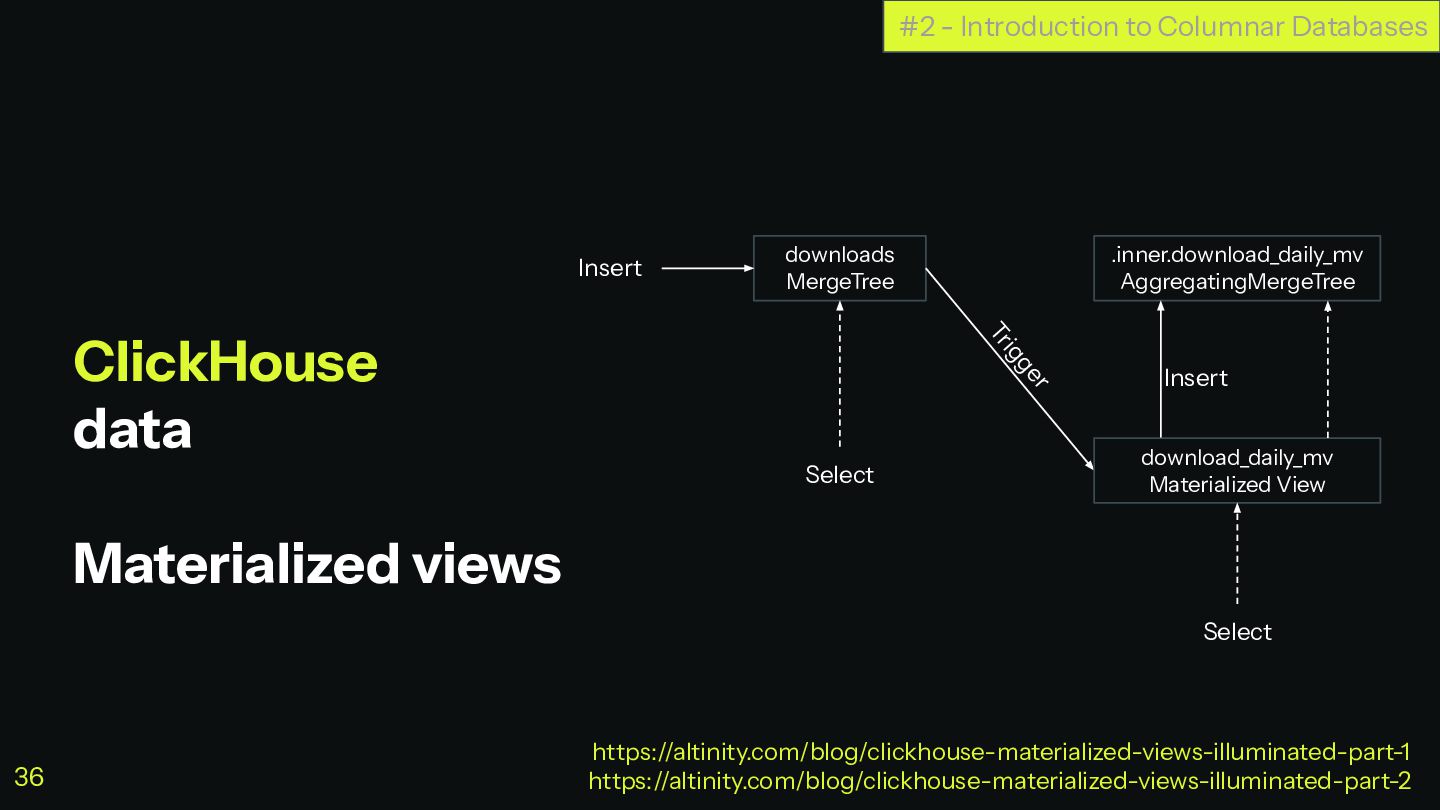
  23. ClickHouse data Materialized views ▪ ClickHouse key feature ▪ Pre-compute

    metrics on insert - realtime aggs ▪ Trigger mechanism ▪ Raw data → MV → Aggregated tables ▪ Rollups, denormalization, filtering ▪ Queries from seconds to milliseconds #2 - Introduction to Columnar Databases https://clickhouse.com/docs/materialized-views 29
  24. ClickHouse data Materialized views #2 - Introduction to Columnar Databases

    https://clickhouse.com/docs/materialized-views downloads MergeTree .inner.download_daily_mv AggregatingMergeTree download_daily_mv Materialized View Select Select Insert Insert Trigger 30
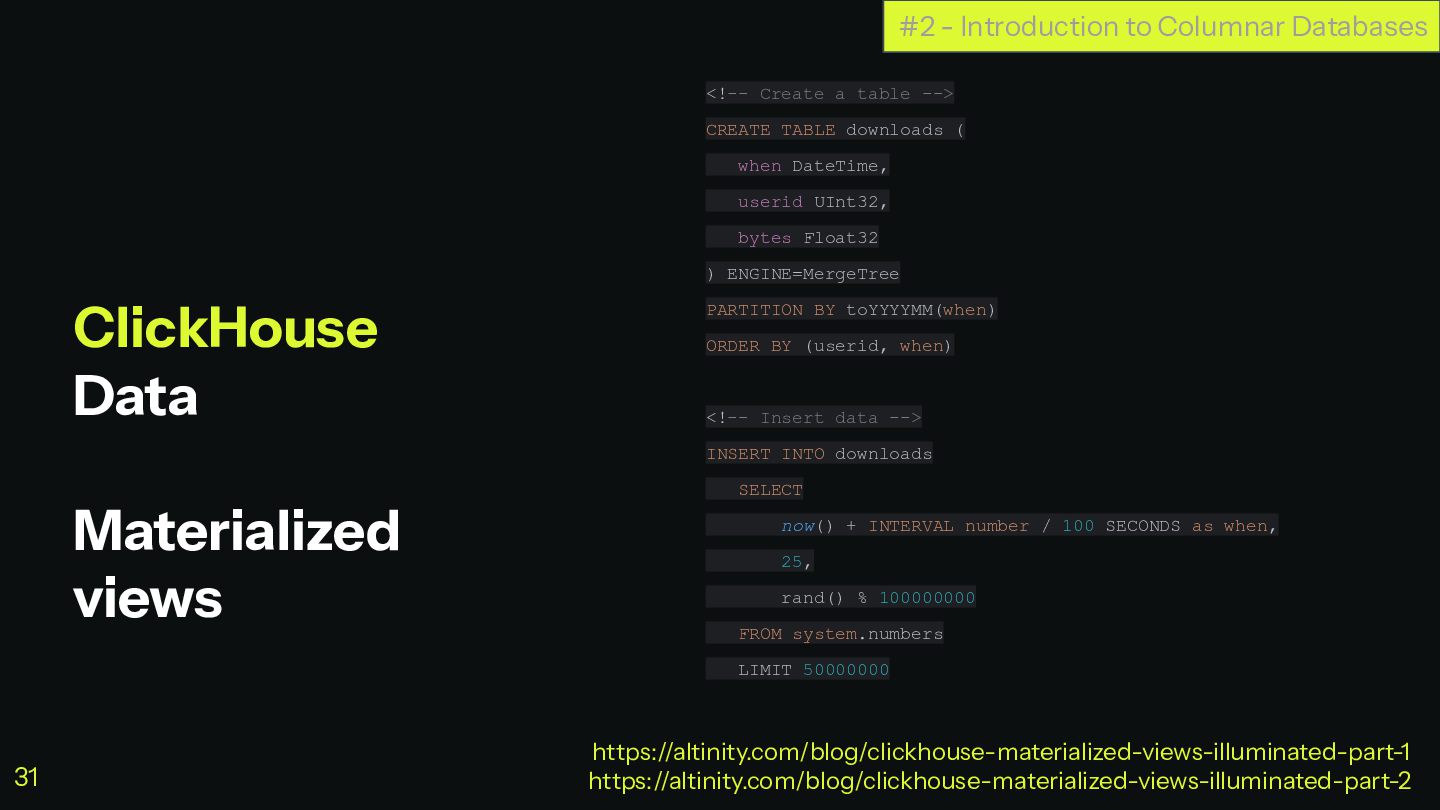
  25. ClickHouse Data Materialized views <!-- Create a table --> CREATE

    TABLE downloads ( when DateTime, userid UInt32, bytes Float32 ) ENGINE=MergeTree PARTITION BY toYYYYMM(when) ORDER BY (userid, when) <!-- Insert data --> INSERT INTO downloads SELECT now() + INTERVAL number / 100 SECONDS as when, 25, rand() % 100000000 FROM system.numbers LIMIT 50000000 #2 - Introduction to Columnar Databases https://altinity.com/blog/clickhouse-materialized-views-illuminated-part-1 https://altinity.com/blog/clickhouse-materialized-views-illuminated-part-2 31
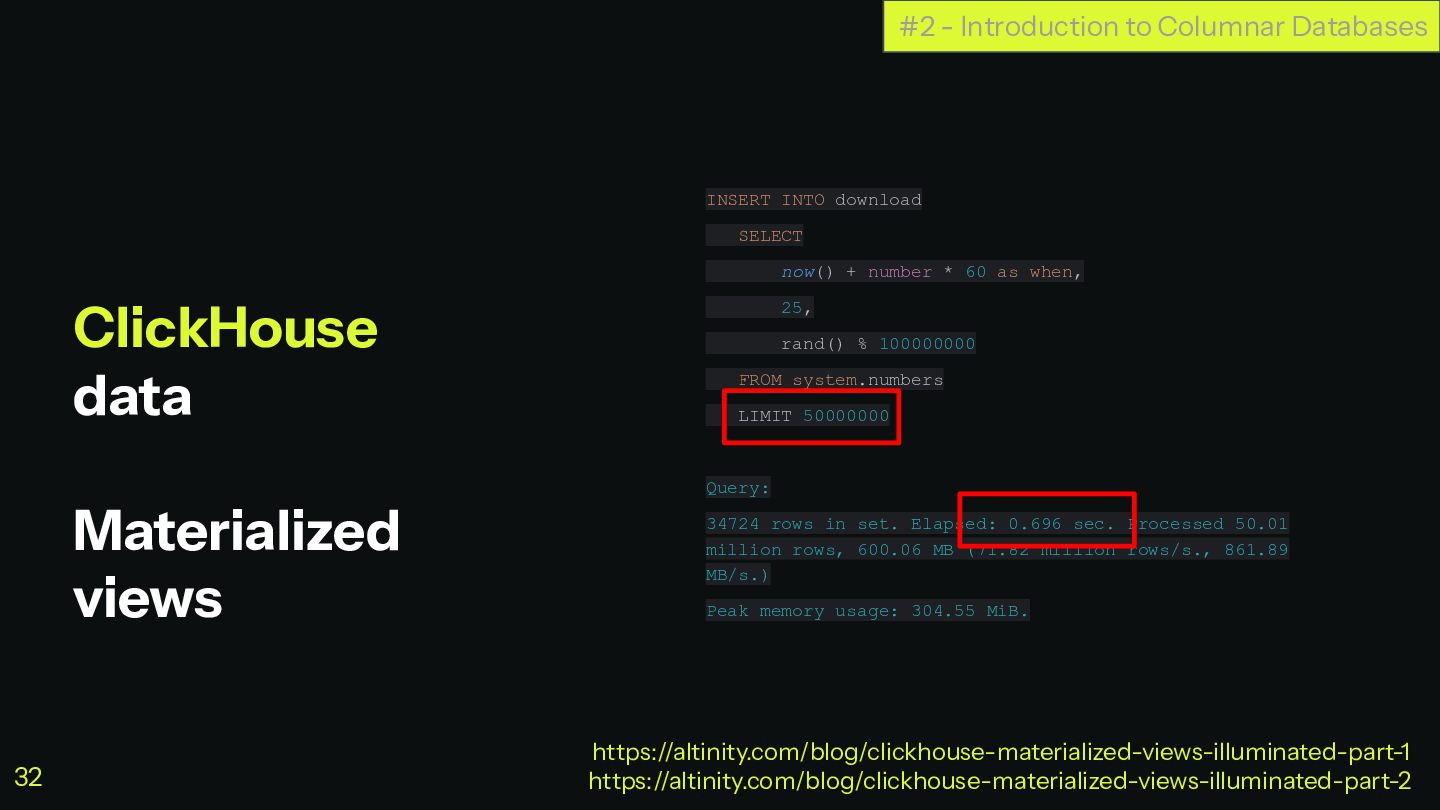
  26. ClickHouse data Materialized views INSERT INTO download SELECT now() +

    number * 60 as when, 25, rand() % 100000000 FROM system.numbers LIMIT 50000000 Query: 34724 rows in set. Elapsed: 0.696 sec. Processed 50.01 million rows, 600.06 MB (71.82 million rows/s., 861.89 MB/s.) Peak memory usage: 304.55 MiB. #2 - Introduction to Columnar Databases https://altinity.com/blog/clickhouse-materialized-views-illuminated-part-1 https://altinity.com/blog/clickhouse-materialized-views-illuminated-part-2 32
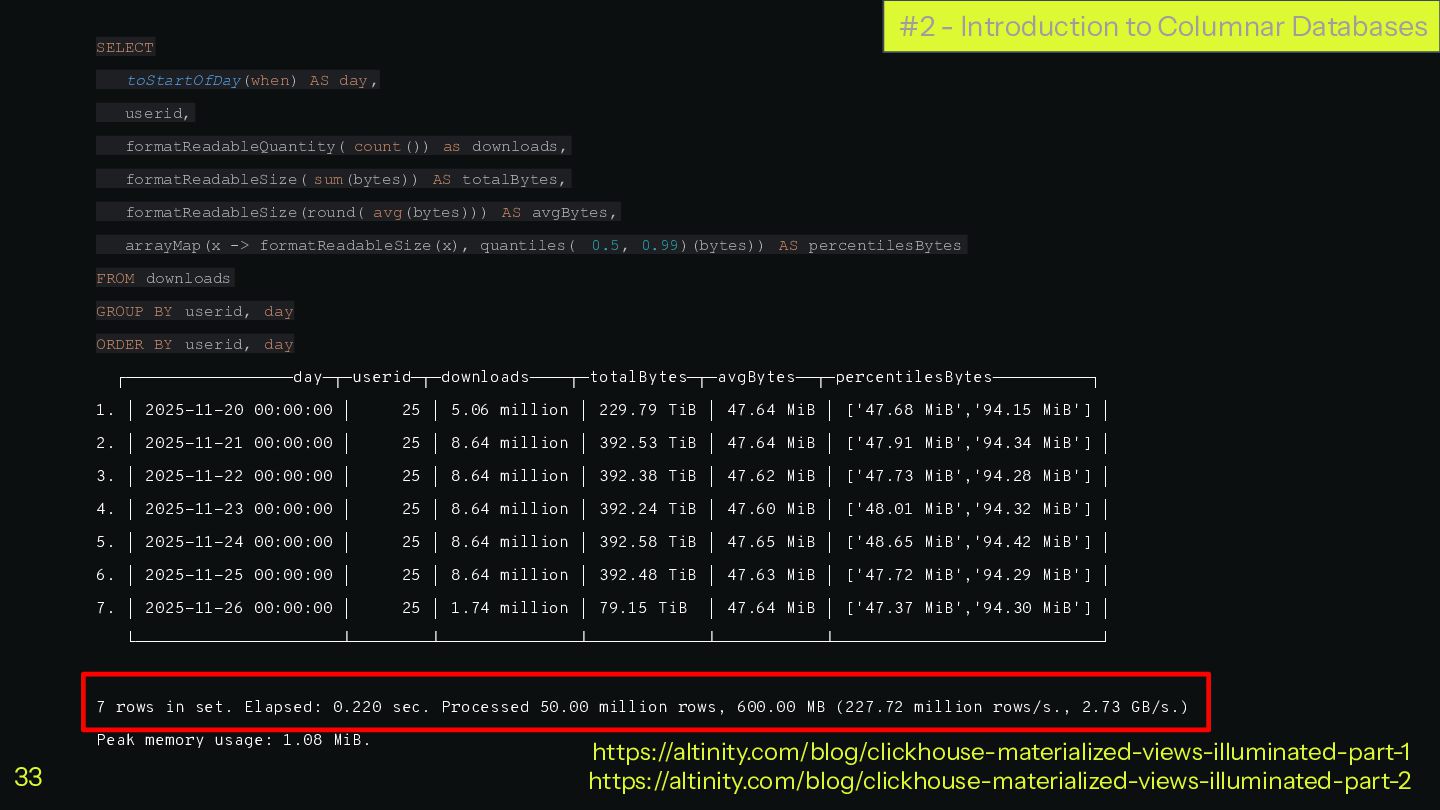
  27. SELECT toStartOfDay(when) AS day, userid, formatReadableQuantity( count()) as downloads, formatReadableSize(

    sum(bytes)) AS totalBytes, formatReadableSize(round( avg(bytes))) AS avgBytes, arrayMap(x -> formatReadableSize(x), quantiles( 0.5, 0.99)(bytes)) AS percentilesBytes FROM downloads GROUP BY userid, day ORDER BY userid, day ┌─────────────────day─┬─userid─┬─downloads────┬─totalBytes─┬─avgBytes──┬─percentilesBytes──────────┐ 1. │ 2025-11-20 00:00:00 │ 25 │ 5.06 million │ 229.79 TiB │ 47.64 MiB │ ['47.68 MiB','94.15 MiB'] │ 2. │ 2025-11-21 00:00:00 │ 25 │ 8.64 million │ 392.53 TiB │ 47.64 MiB │ ['47.91 MiB','94.34 MiB'] │ 3. │ 2025-11-22 00:00:00 │ 25 │ 8.64 million │ 392.38 TiB │ 47.62 MiB │ ['47.73 MiB','94.28 MiB'] │ 4. │ 2025-11-23 00:00:00 │ 25 │ 8.64 million │ 392.24 TiB │ 47.60 MiB │ ['48.01 MiB','94.32 MiB'] │ 5. │ 2025-11-24 00:00:00 │ 25 │ 8.64 million │ 392.58 TiB │ 47.65 MiB │ ['48.65 MiB','94.42 MiB'] │ 6. │ 2025-11-25 00:00:00 │ 25 │ 8.64 million │ 392.48 TiB │ 47.63 MiB │ ['47.72 MiB','94.29 MiB'] │ 7. │ 2025-11-26 00:00:00 │ 25 │ 1.74 million │ 79.15 TiB │ 47.64 MiB │ ['47.37 MiB','94.30 MiB'] │ └─────────────────────┴────────┴──────────────┴────────────┴───────────┴───────────────────────────┘ 7 rows in set. Elapsed: 0.220 sec. Processed 50.00 million rows, 600.00 MB (227.72 million rows/s., 2.73 GB/s.) Peak memory usage: 1.08 MiB. #2 - Introduction to Columnar Databases https://altinity.com/blog/clickhouse-materialized-views-illuminated-part-1 https://altinity.com/blog/clickhouse-materialized-views-illuminated-part-2 33
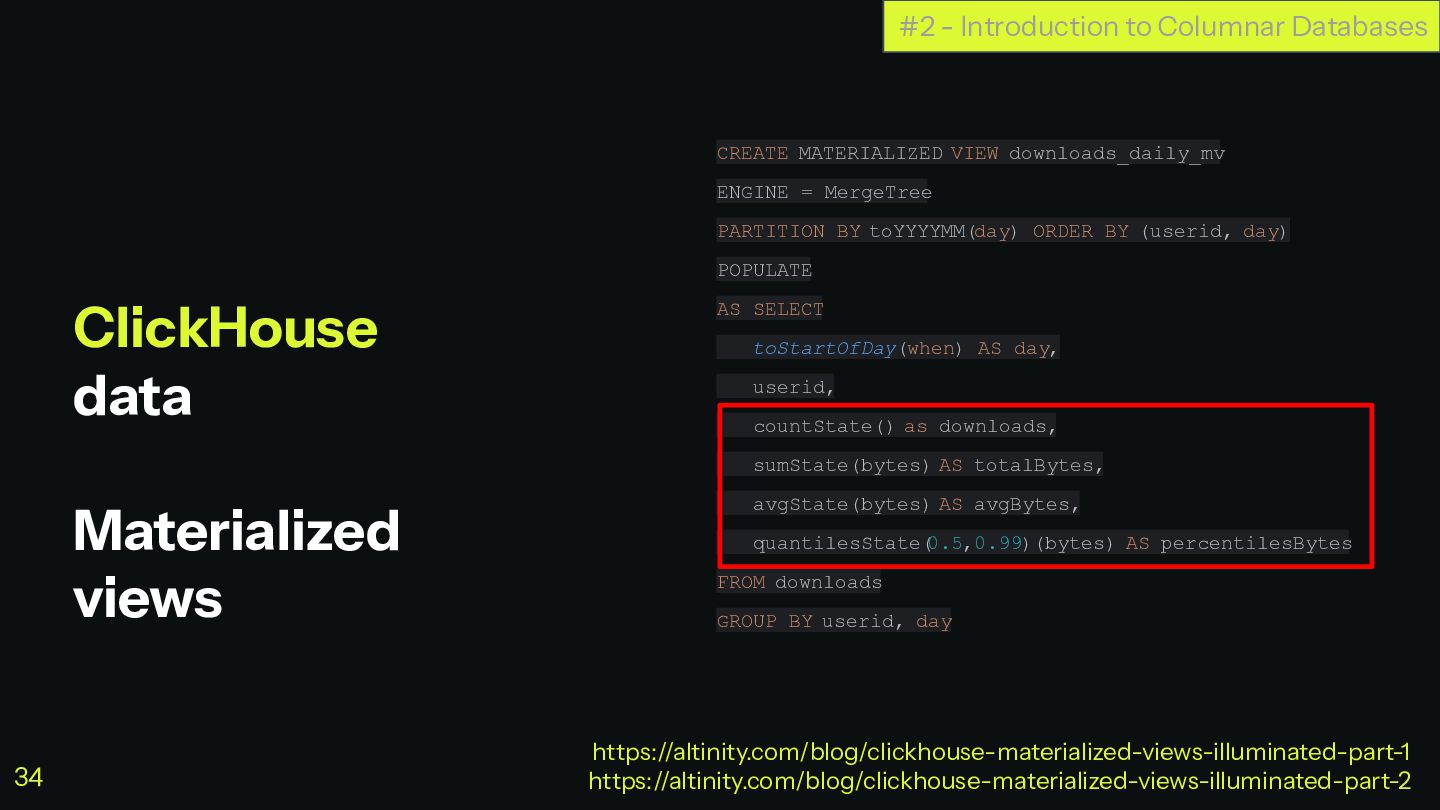
  28. ClickHouse data Materialized views CREATE MATERIALIZED VIEW downloads_daily_mv ENGINE =

    MergeTree PARTITION BY toYYYYMM(day) ORDER BY (userid, day) POPULATE AS SELECT toStartOfDay(when) AS day, userid, countState() as downloads, sumState(bytes) AS totalBytes, avgState(bytes) AS avgBytes, quantilesState( 0.5,0.99)(bytes) AS percentilesBytes FROM downloads GROUP BY userid, day #2 - Introduction to Columnar Databases https://altinity.com/blog/clickhouse-materialized-views-illuminated-part-1 https://altinity.com/blog/clickhouse-materialized-views-illuminated-part-2 34
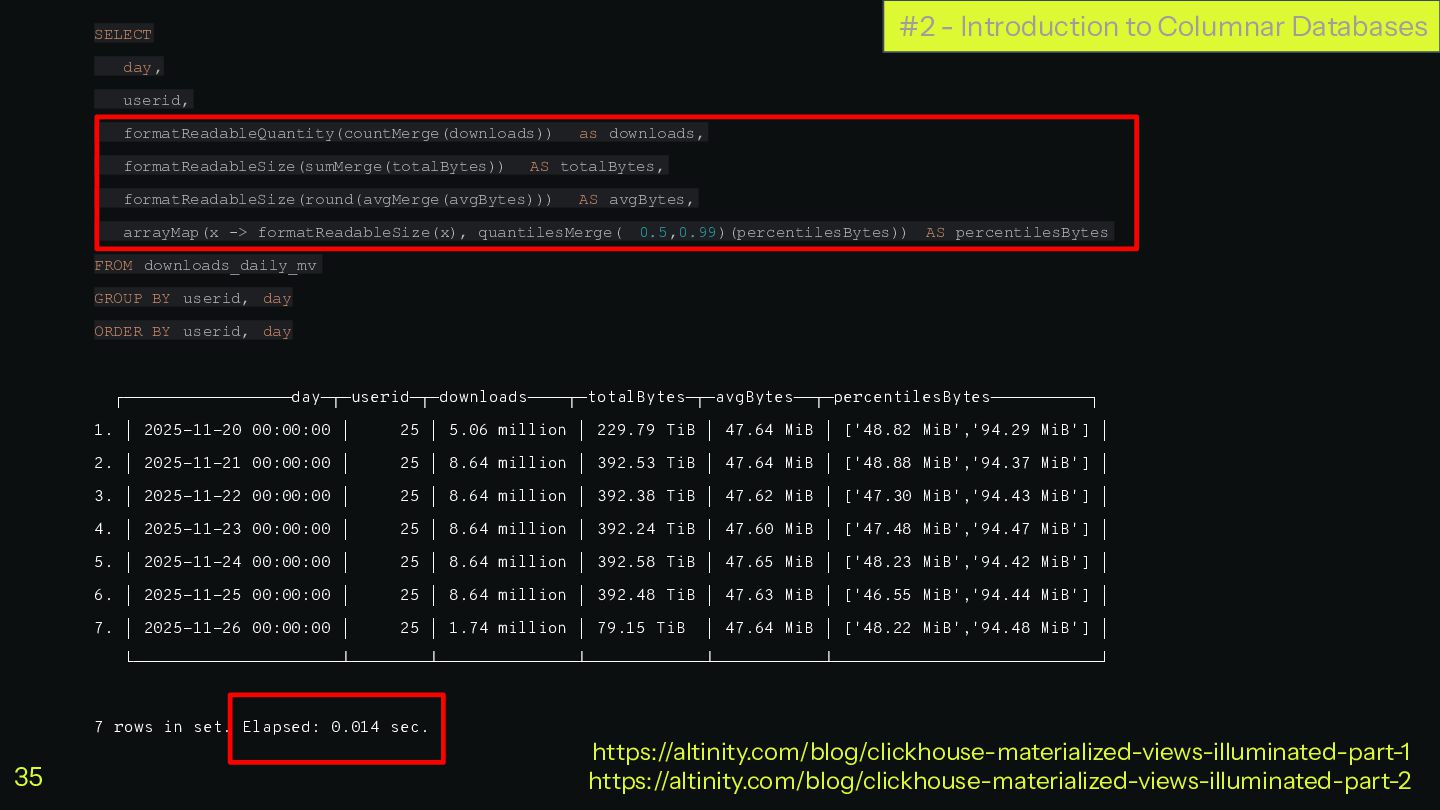
  29. #2 - Introduction to Columnar Databases SELECT day, userid, formatReadableQuantity(countMerge(downloads))

    as downloads, formatReadableSize(sumMerge(totalBytes)) AS totalBytes, formatReadableSize(round(avgMerge(avgBytes))) AS avgBytes, arrayMap(x -> formatReadableSize(x), quantilesMerge( 0.5,0.99)(percentilesBytes)) AS percentilesBytes FROM downloads_daily_mv GROUP BY userid, day ORDER BY userid, day ┌─────────────────day─┬─userid─┬─downloads────┬─totalBytes─┬─avgBytes──┬─percentilesBytes──────────┐ 1. │ 2025-11-20 00:00:00 │ 25 │ 5.06 million │ 229.79 TiB │ 47.64 MiB │ ['48.82 MiB','94.29 MiB'] │ 2. │ 2025-11-21 00:00:00 │ 25 │ 8.64 million │ 392.53 TiB │ 47.64 MiB │ ['48.88 MiB','94.37 MiB'] │ 3. │ 2025-11-22 00:00:00 │ 25 │ 8.64 million │ 392.38 TiB │ 47.62 MiB │ ['47.30 MiB','94.43 MiB'] │ 4. │ 2025-11-23 00:00:00 │ 25 │ 8.64 million │ 392.24 TiB │ 47.60 MiB │ ['47.48 MiB','94.47 MiB'] │ 5. │ 2025-11-24 00:00:00 │ 25 │ 8.64 million │ 392.58 TiB │ 47.65 MiB │ ['48.23 MiB','94.42 MiB'] │ 6. │ 2025-11-25 00:00:00 │ 25 │ 8.64 million │ 392.48 TiB │ 47.63 MiB │ ['46.55 MiB','94.44 MiB'] │ 7. │ 2025-11-26 00:00:00 │ 25 │ 1.74 million │ 79.15 TiB │ 47.64 MiB │ ['48.22 MiB','94.48 MiB'] │ └─────────────────────┴────────┴──────────────┴────────────┴───────────┴───────────────────────────┘ 7 rows in set. Elapsed: 0.014 sec. https://altinity.com/blog/clickhouse-materialized-views-illuminated-part-1 https://altinity.com/blog/clickhouse-materialized-views-illuminated-part-2 35
  30. ClickHouse data Materialized views #2 - Introduction to Columnar Databases

    https://altinity.com/blog/clickhouse-materialized-views-illuminated-part-1 https://altinity.com/blog/clickhouse-materialized-views-illuminated-part-2 downloads MergeTree .inner.download_daily_mv AggregatingMergeTree download_daily_mv Materialized View Select Select Insert Insert Trigger 36
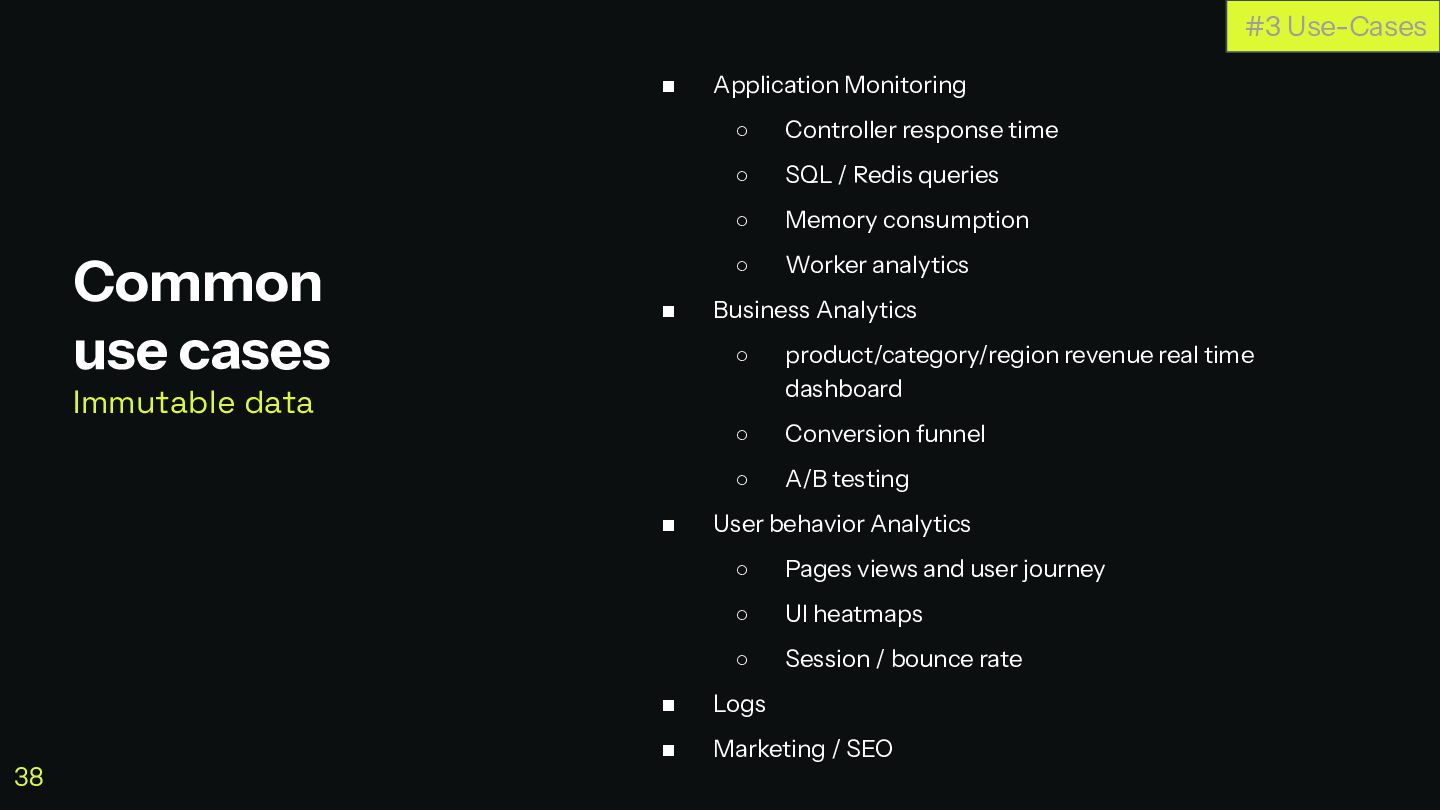
  31. ◼ Application Monitoring ◦ Controller response time ◦ SQL /

    Redis queries ◦ Memory consumption ◦ Worker analytics ◼ Business Analytics ◦ product/category/region revenue real time dashboard ◦ Conversion funnel ◦ A/B testing ◼ User behavior Analytics ◦ Pages views and user journey ◦ UI heatmaps ◦ Session / bounce rate ◼ Logs ◼ Marketing / SEO Common use cases Immutable data #3 Use-Cases 38
  32. ClickHouse + Symfony Minimal app monitoring Let’s build a minimal

    app monitoring system Will report Memory, Status Code and Response Time per controller #3 Use-Case: minimal app monitoring https://github.com/romainneutron/clickhouse-symfony-symfonylive2026 39
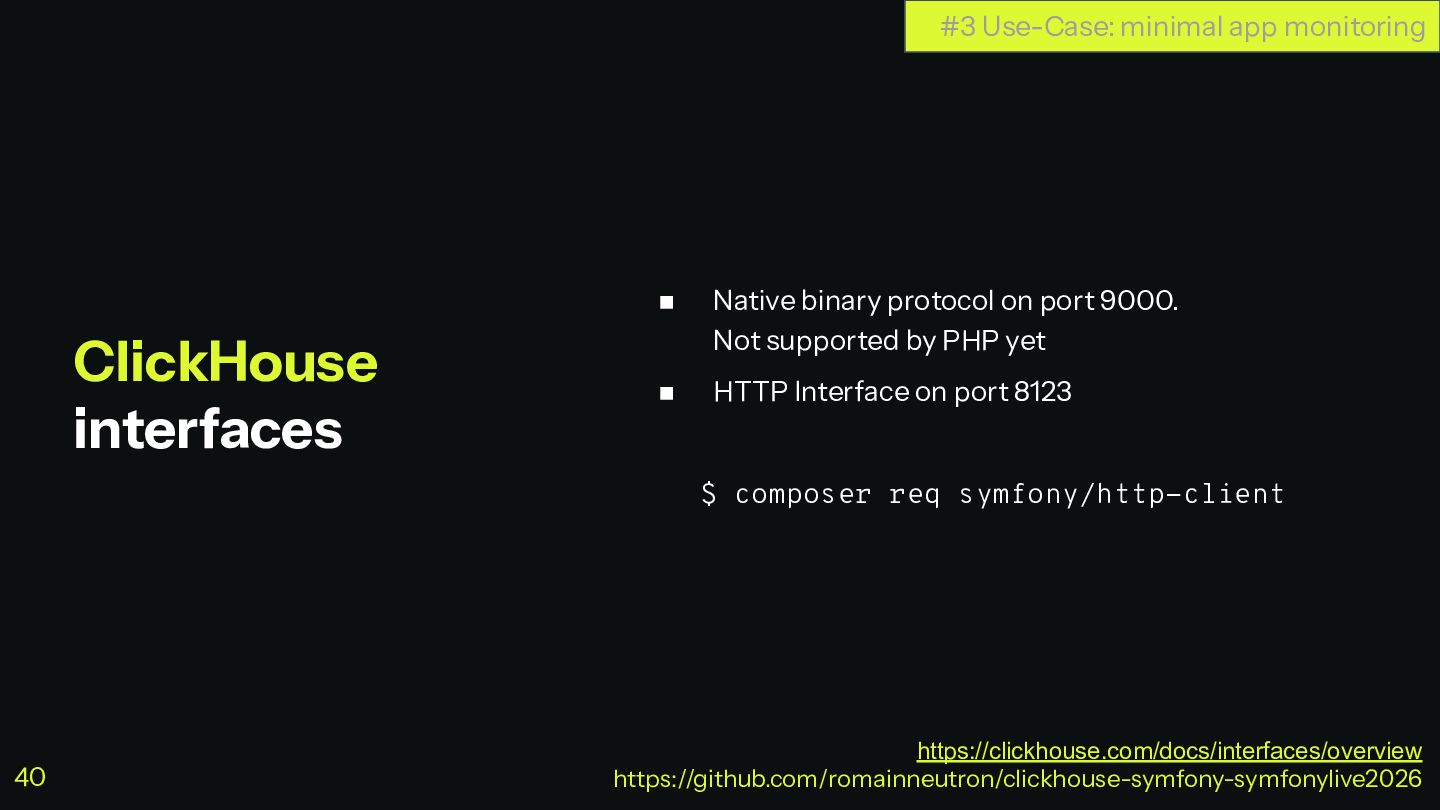
  33. ◼ Native binary protocol on port 9000. Not supported by

    PHP yet ◼ HTTP Interface on port 8123 $ composer req symfony/http-client ClickHouse interfaces #3 Use-Case: minimal app monitoring https://clickhouse.com/docs/interfaces/overview https://github.com/romainneutron/clickhouse-symfony-symfonylive2026 40
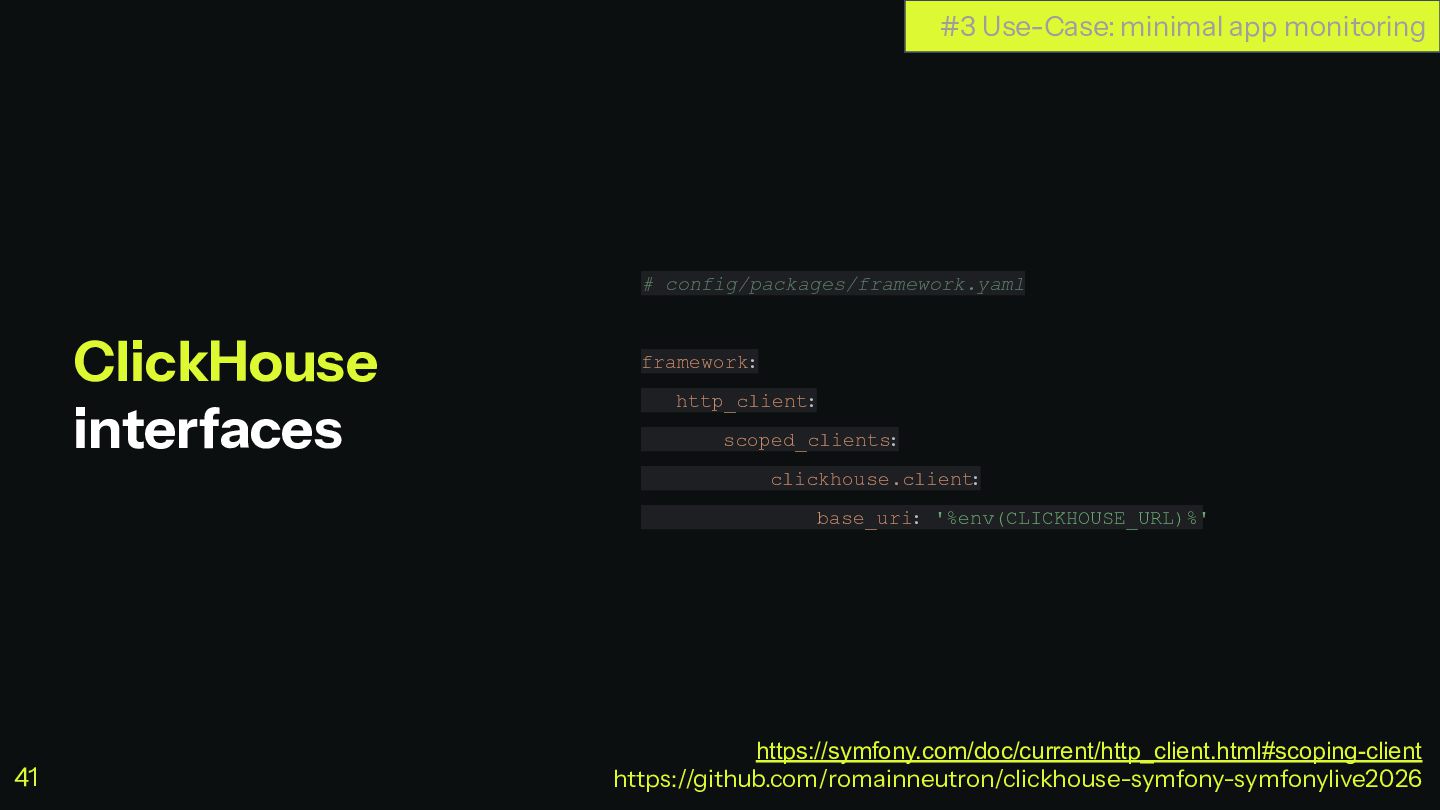
  34. # config/packages/framework.yaml framework: http_client: scoped_clients : clickhouse.client : base_uri: '%env(CLICKHOUSE_URL)%'

    ClickHouse interfaces #3 Use-Case: minimal app monitoring https://symfony.com/doc/current/http_client.html#scoping-client https://github.com/romainneutron/clickhouse-symfony-symfonylive2026 41
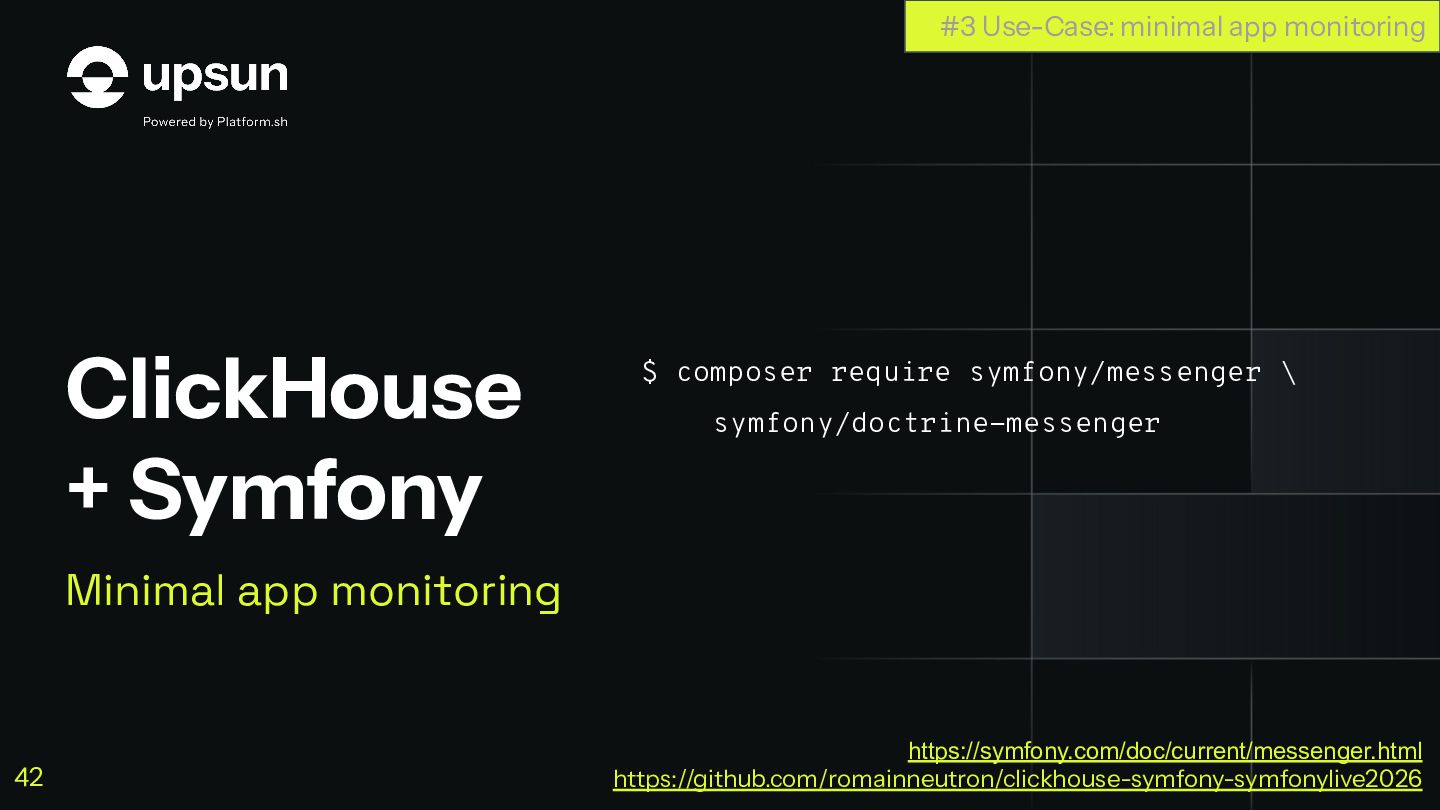
  35. ClickHouse + Symfony Minimal app monitoring $ composer require symfony/messenger

    \ symfony/doctrine-messenger #3 Use-Case: minimal app monitoring https://symfony.com/doc/current/messenger.html https://github.com/romainneutron/clickhouse-symfony-symfonylive2026 42
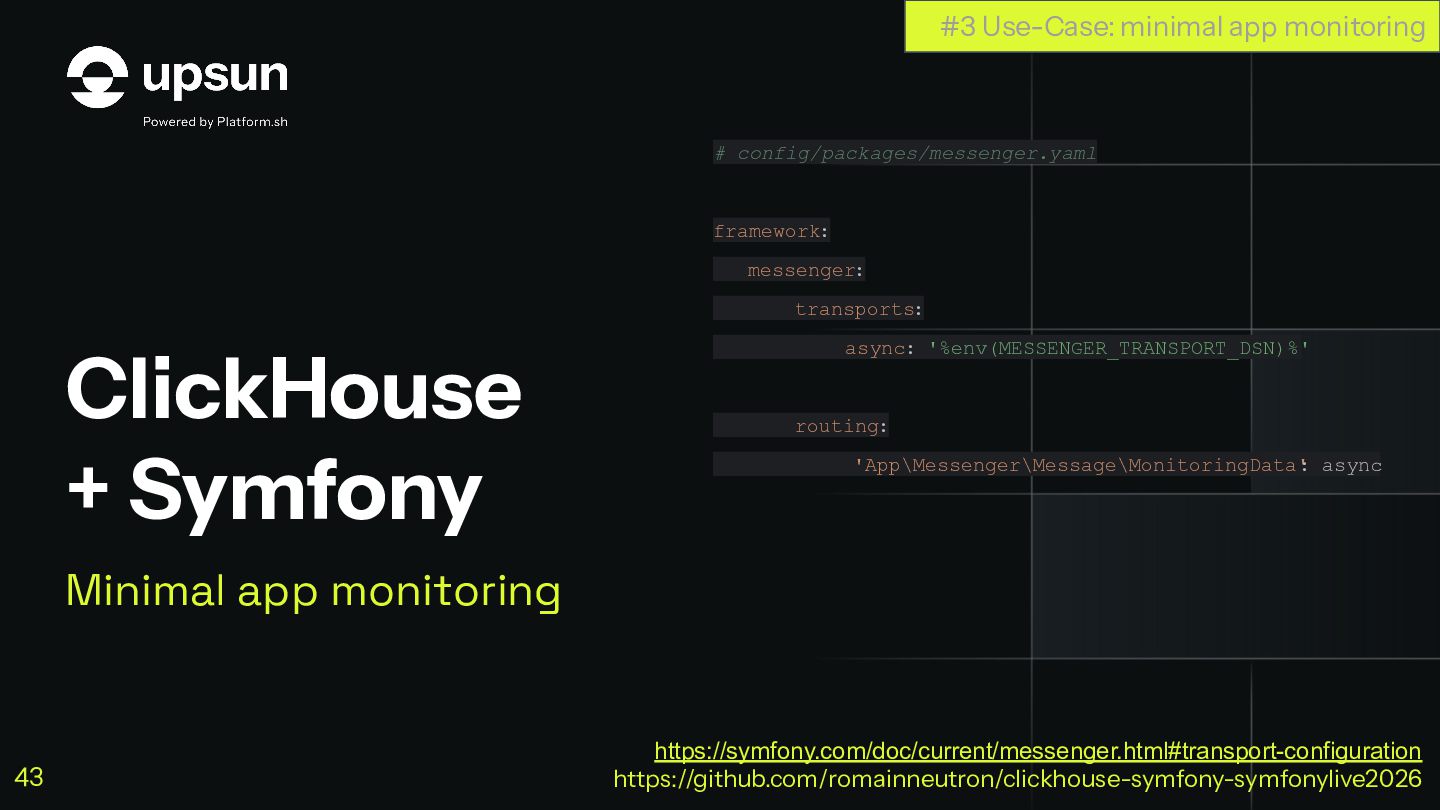
  36. ClickHouse + Symfony Minimal app monitoring # config/packages/messenger.yaml framework: messenger:

    transports: async: '%env(MESSENGER_TRANSPORT_DSN)%' routing: 'App\Messenger\Message\MonitoringData' : async #3 Use-Case: minimal app monitoring https://symfony.com/doc/current/messenger.html#transport-configuration https://github.com/romainneutron/clickhouse-symfony-symfonylive2026 43
  37. ClickHouse + Symfony Minimal app monitoring Let’s Store data #3

    Use-Case: minimal app monitoring https://symfony.com/doc/current/messenger.html https://github.com/romainneutron/clickhouse-symfony-symfonylive2026 44
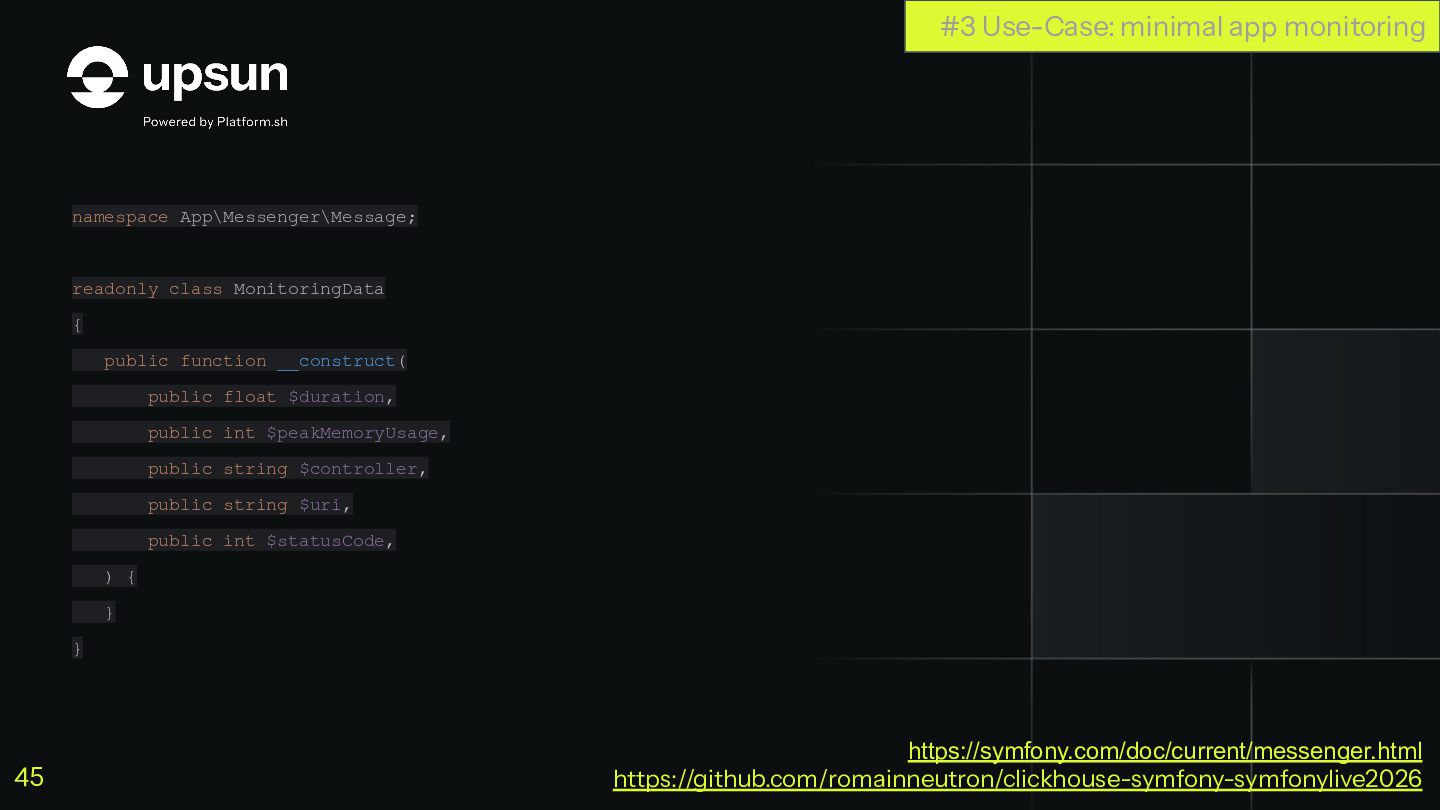
  38. namespace App\Messenger\Message; readonly class MonitoringData { public function __construct( public

    float $duration, public int $peakMemoryUsage, public string $controller, public string $uri, public int $statusCode, ) { } } #3 Use-Case: minimal app monitoring https://symfony.com/doc/current/messenger.html https://github.com/romainneutron/clickhouse-symfony-symfonylive2026 45
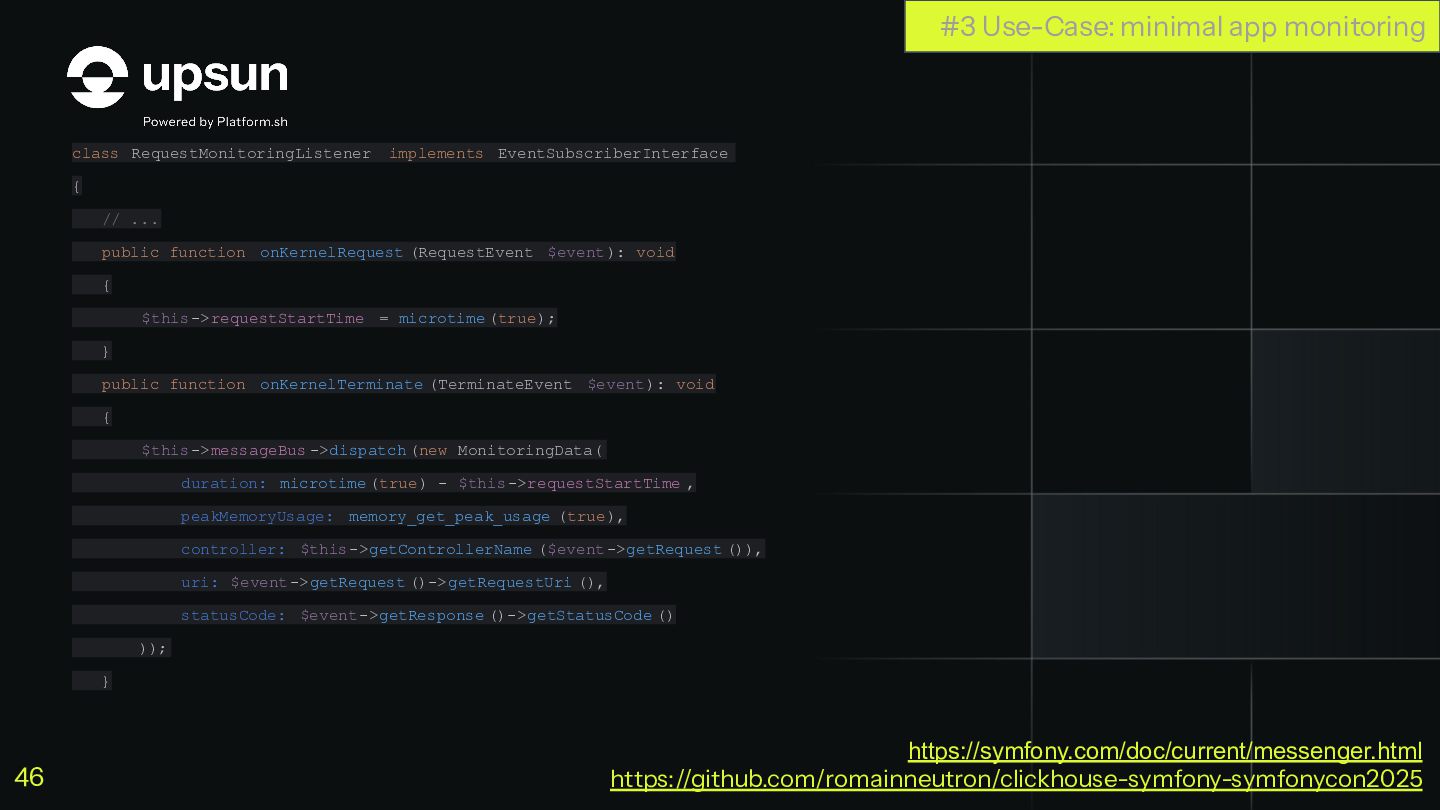
  39. class RequestMonitoringListener implements EventSubscriberInterface { // ... public function onKernelRequest

    (RequestEvent $event): void { $this->requestStartTime = microtime (true); } public function onKernelTerminate (TerminateEvent $event): void { $this->messageBus ->dispatch (new MonitoringData( duration: microtime (true) - $this->requestStartTime , peakMemoryUsage: memory_get_peak_usage (true), controller: $this->getControllerName ($event->getRequest ()), uri: $event->getRequest ()->getRequestUri (), statusCode: $event->getResponse ()->getStatusCode () )); } #3 Use-Case: minimal app monitoring https://symfony.com/doc/current/messenger.html https://github.com/romainneutron/clickhouse-symfony-symfonycon2025 46
  40. #[AsMessageHandler] class MonitoringDataHandler { // ... public function __invoke(MonitoringData $message):

    void { $this->buffer[] = [ 'timestamp' => date('Y-m-d H:i:s'), 'duration' => $message->duration, 'peak_memory_usage' => $message->peakMemoryUsage, 'controller' => $message->controller, 'uri' => $message->uri, 'status_code' => $message->statusCode, ]; if (count($this->buffer) >= self::BUFFER_SIZE) { $this->flush(); } } #3 Use-Case: minimal app monitoring https://symfony.com/doc/current/messenger.html https://github.com/romainneutron/clickhouse-symfony-symfonylive2026 47
  41. #[AsMessageHandler] class MonitoringDataHandler { //... public function flush(): void {

    $query = 'INSERT INTO monitoring_data FORMAT JSONEachRow'; $body = implode("\n", array_map(fn($data) => json_encode($data, JSON_THROW_ON_ERROR), $this->buffer)); $this->clickhouseClient->request('POST', '?database='.$this->clickhouseDb.'&query='.urlencode($query), [ 'body' => $body ]); $this->buffer = []; } } #3 Use-Case: minimal app monitoring https://symfony.com/doc/current/messenger.html https://github.com/romainneutron/clickhouse-symfony-symfonylive2026 48
  42. #[AsMessageHandler] class MonitoringDataHandler { //... public function flush(): void {

    $query = 'INSERT INTO monitoring_data FORMAT JSONEachRow'; $body = implode("\n", array_map(fn($data) => json_encode($data, JSON_THROW_ON_ERROR), $this->buffer)); $this->clickhouseClient->request('POST', '?database='.$this->clickhouseDb.'&query='.urlencode($query), [ 'body' => $body ]); $this->buffer = []; } } INSERT DONE #3 Use-Case: minimal app monitoring $ bin/console messenger:consume https://symfony.com/doc/current/messenger.html https://github.com/romainneutron/clickhouse-symfony-symfonylive2026 49
  43. ClickHouse + Symfony Minimal app monitoring Let’s Retrieve data #3

    Use-Case: minimal app monitoring https://symfony.com/doc/current/http_client.html https://github.com/romainneutron/clickhouse-symfony-symfonylive2026 50
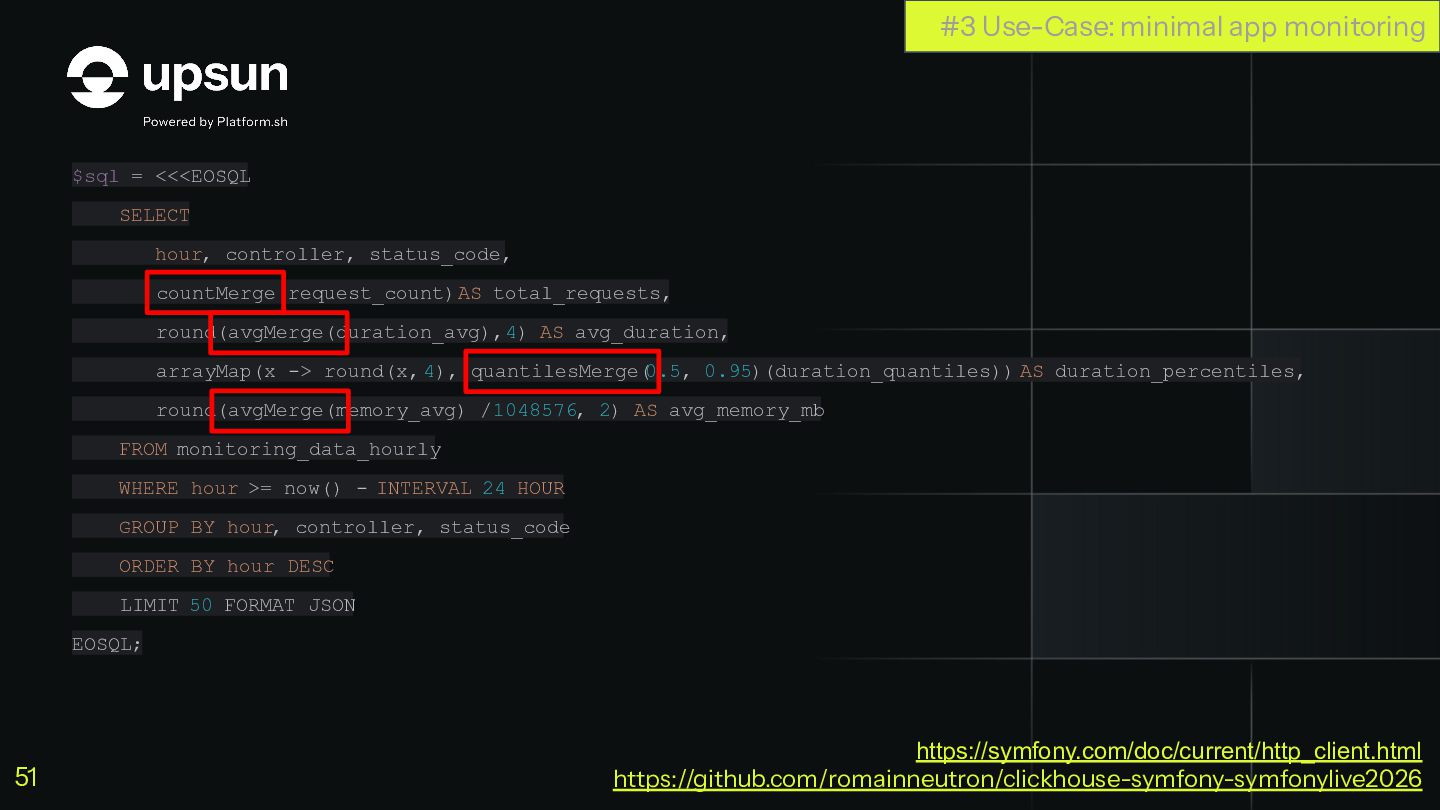
  44. $sql = <<<EOSQL SELECT hour, controller, status_code, countMerge(request_count) AS total_requests,

    round(avgMerge(duration_avg), 4) AS avg_duration, arrayMap(x -> round(x, 4), quantilesMerge( 0.5, 0.95)(duration_quantiles)) AS duration_percentiles, round(avgMerge(memory_avg) / 1048576, 2) AS avg_memory_mb FROM monitoring_data_hourly WHERE hour >= now() - INTERVAL 24 HOUR GROUP BY hour, controller, status_code ORDER BY hour DESC LIMIT 50 FORMAT JSON EOSQL; #3 Use-Case: minimal app monitoring https://symfony.com/doc/current/http_client.html https://github.com/romainneutron/clickhouse-symfony-symfonylive2026 51
  45. $data = $this->clickhouseClient ->request('POST', '?database='.$this->clickhouseDb, [ 'body' => $sql, ])->toArray()['data'];

    dump($data); #3 Use-Case: minimal app monitoring https://symfony.com/doc/current/http_client.html https://github.com/romainneutron/clickhouse-symfony-symfonylive2026 52
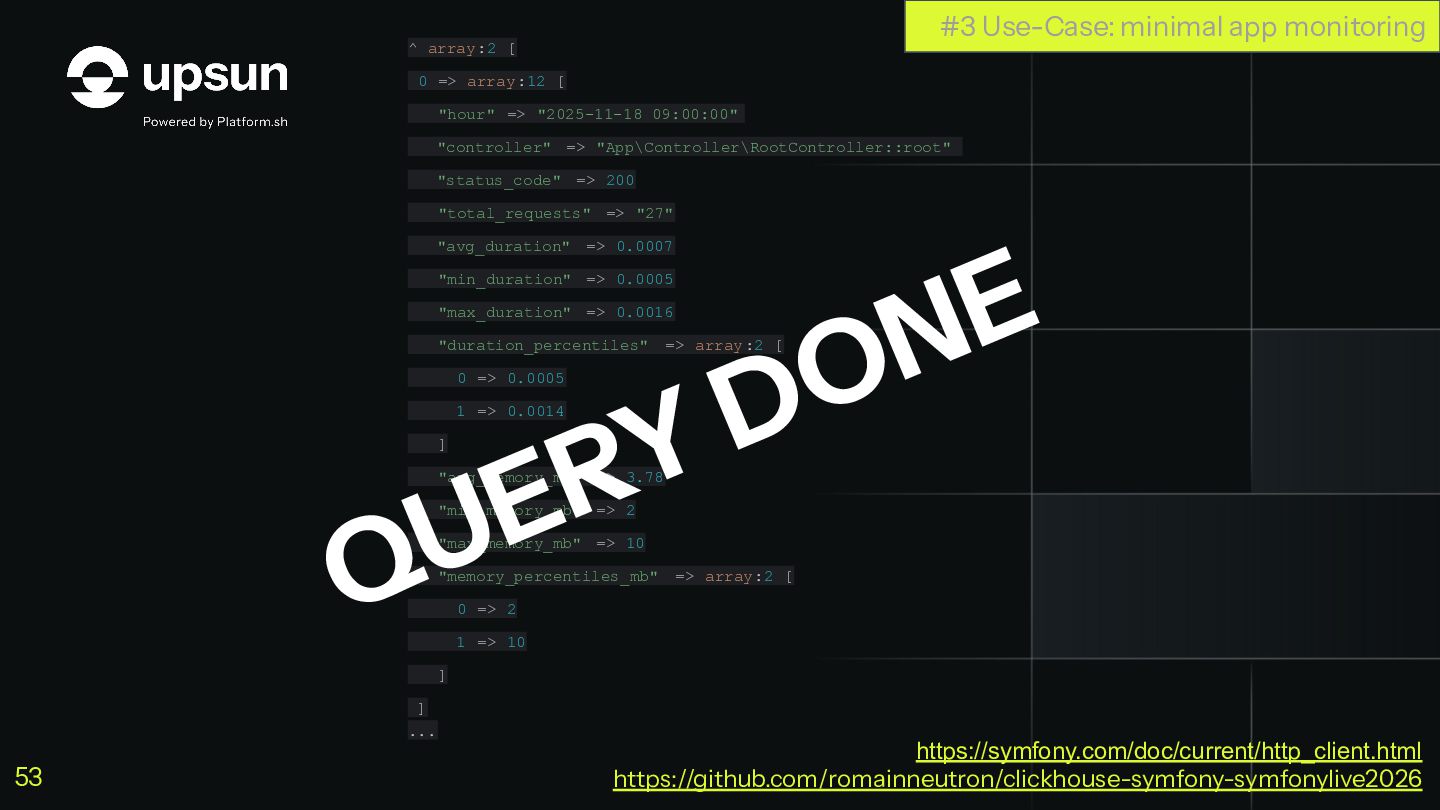
  46. ^ array:2 [ 0 => array:12 [ "hour" => "2025-11-18

    09:00:00" "controller" => "App\Controller\RootController::root" "status_code" => 200 "total_requests" => "27" "avg_duration" => 0.0007 "min_duration" => 0.0005 "max_duration" => 0.0016 "duration_percentiles" => array:2 [ 0 => 0.0005 1 => 0.0014 ] "avg_memory_mb" => 3.78 "min_memory_mb" => 2 "max_memory_mb" => 10 "memory_percentiles_mb" => array:2 [ 0 => 2 1 => 10 ] ] ... QUERY DONE #3 Use-Case: minimal app monitoring https://symfony.com/doc/current/http_client.html https://github.com/romainneutron/clickhouse-symfony-symfonylive2026 53
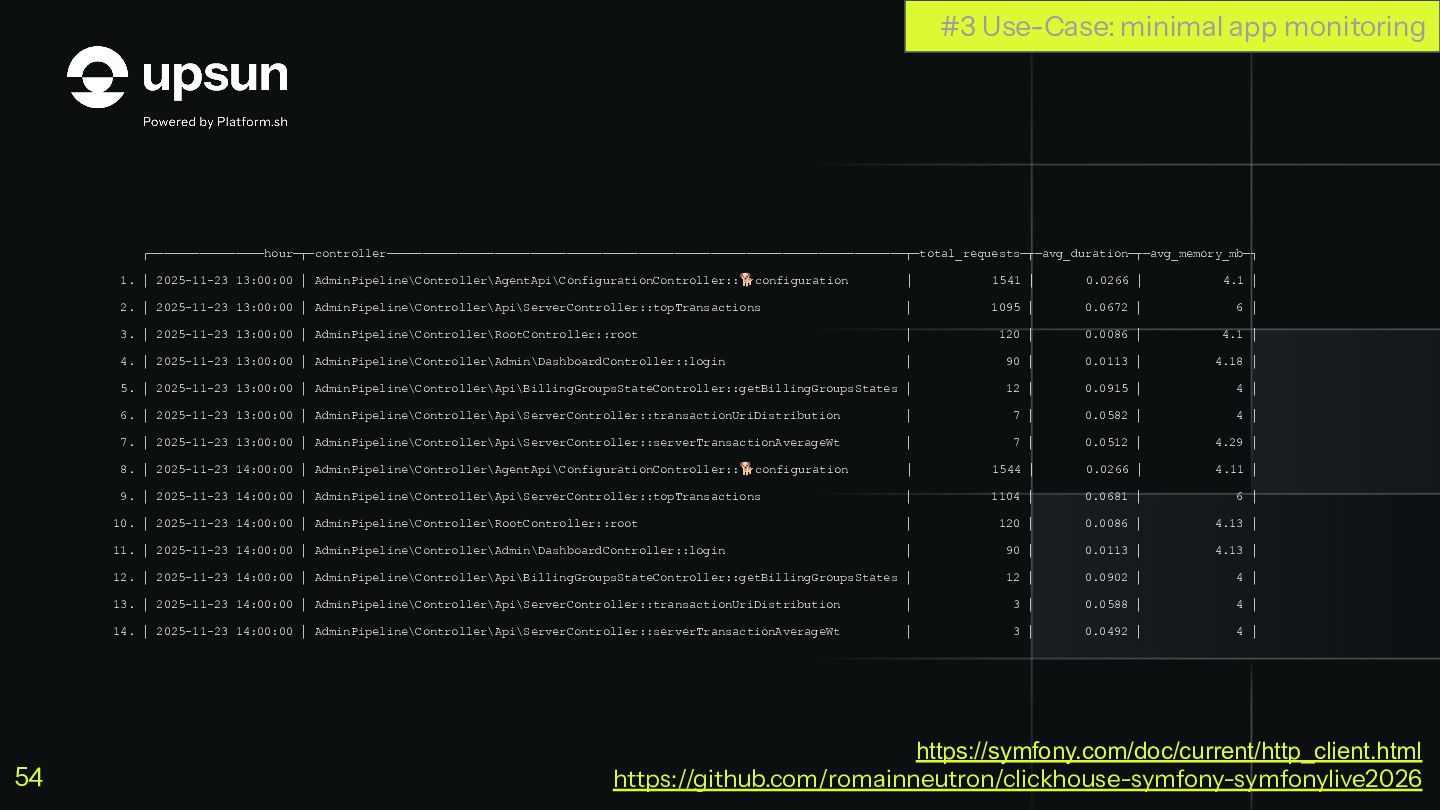
  47. ┌────────────────hour─┬─controller────────────────────────────────────────────────────────────────────────┬─total_requests─┬─avg_duration─┬─avg_memory_mb─┐ 1. │ 2025-11-23 13:00:00 │ AdminPipeline\Controller\AgentApi\ConfigurationController::🐕configuration │ 1541 │

    0.0266 │ 4.1 │ 2. │ 2025-11-23 13:00:00 │ AdminPipeline\Controller\Api\ServerController::topTransactions │ 1095 │ 0.0672 │ 6 │ 3. │ 2025-11-23 13:00:00 │ AdminPipeline\Controller\RootController::root │ 120 │ 0.0086 │ 4.1 │ 4. │ 2025-11-23 13:00:00 │ AdminPipeline\Controller\Admin\DashboardController::login │ 90 │ 0.0113 │ 4.18 │ 5. │ 2025-11-23 13:00:00 │ AdminPipeline\Controller\Api\BillingGroupsStateController::getBillingGroupsStates │ 12 │ 0.0915 │ 4 │ 6. │ 2025-11-23 13:00:00 │ AdminPipeline\Controller\Api\ServerController::transactionUriDistribution │ 7 │ 0.0582 │ 4 │ 7. │ 2025-11-23 13:00:00 │ AdminPipeline\Controller\Api\ServerController::serverTransactionAverageWt │ 7 │ 0.0512 │ 4.29 │ 8. │ 2025-11-23 14:00:00 │ AdminPipeline\Controller\AgentApi\ConfigurationController::🐕configuration │ 1544 │ 0.0266 │ 4.11 │ 9. │ 2025-11-23 14:00:00 │ AdminPipeline\Controller\Api\ServerController::topTransactions │ 1104 │ 0.0681 │ 6 │ 10. │ 2025-11-23 14:00:00 │ AdminPipeline\Controller\RootController::root │ 120 │ 0.0086 │ 4.13 │ 11. │ 2025-11-23 14:00:00 │ AdminPipeline\Controller\Admin\DashboardController::login │ 90 │ 0.0113 │ 4.13 │ 12. │ 2025-11-23 14:00:00 │ AdminPipeline\Controller\Api\BillingGroupsStateController::getBillingGroupsStates │ 12 │ 0.0902 │ 4 │ 13. │ 2025-11-23 14:00:00 │ AdminPipeline\Controller\Api\ServerController::transactionUriDistribution │ 3 │ 0.0588 │ 4 │ 14. │ 2025-11-23 14:00:00 │ AdminPipeline\Controller\Api\ServerController::serverTransactionAverageWt │ 3 │ 0.0492 │ 4 │ #3 Use-Case: minimal app monitoring https://symfony.com/doc/current/http_client.html https://github.com/romainneutron/clickhouse-symfony-symfonylive2026 54
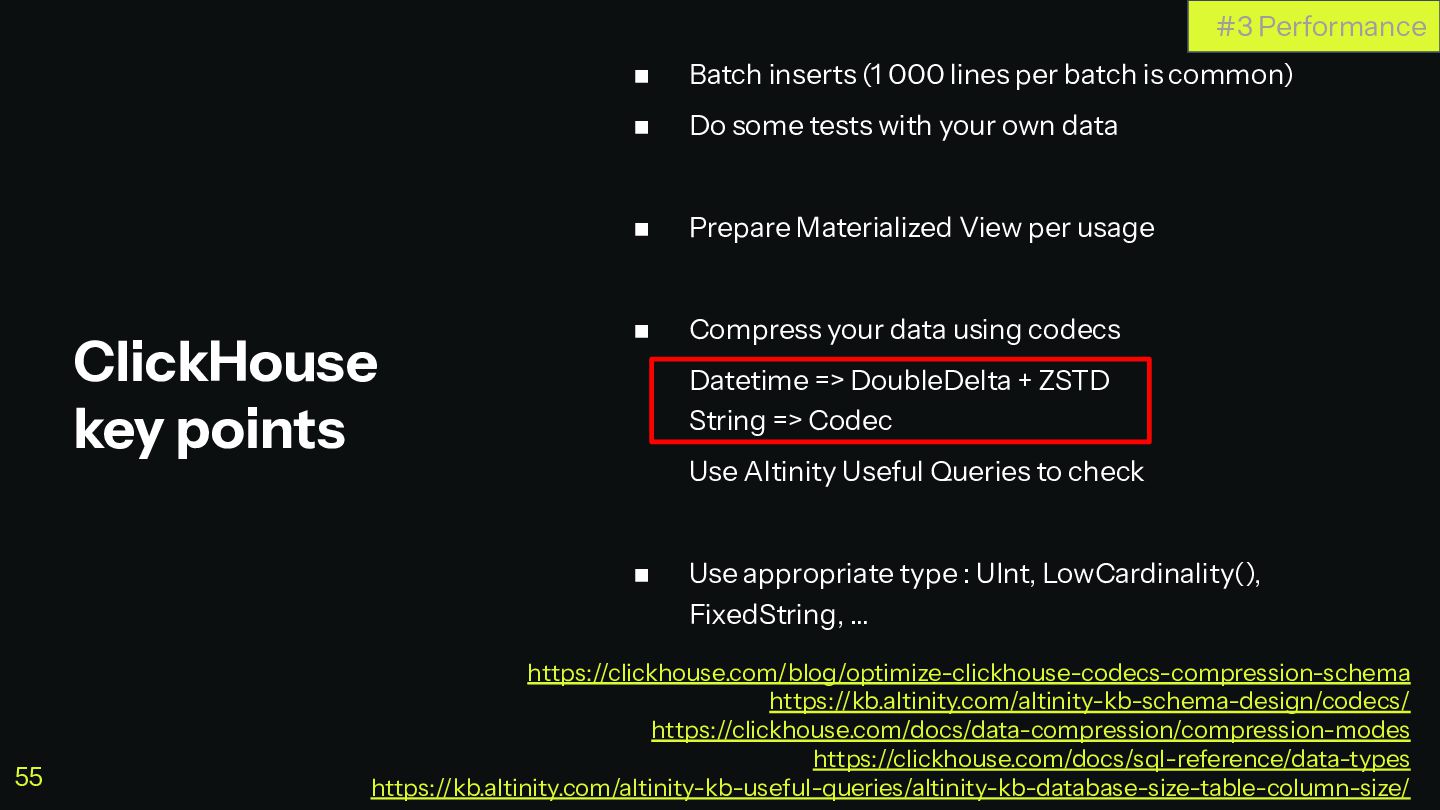
  48. ◼ Batch inserts (1 000 lines per batch is common)

    ◼ Do some tests with your own data ◼ Prepare Materialized View per usage ◼ Compress your data using codecs Datetime => DoubleDelta + ZSTD String => Codec Use Altinity Useful Queries to check ◼ Use appropriate type : UInt, LowCardinality(), FixedString, … ClickHouse key points #3 Performance https://clickhouse.com/blog/optimize-clickhouse-codecs-compression-schema https://kb.altinity.com/altinity-kb-schema-design/codecs/ https://clickhouse.com/docs/data-compression/compression-modes https://clickhouse.com/docs/sql-reference/data-types https://kb.altinity.com/altinity-kb-useful-queries/altinity-kb-database-size-table-column-size/ 55
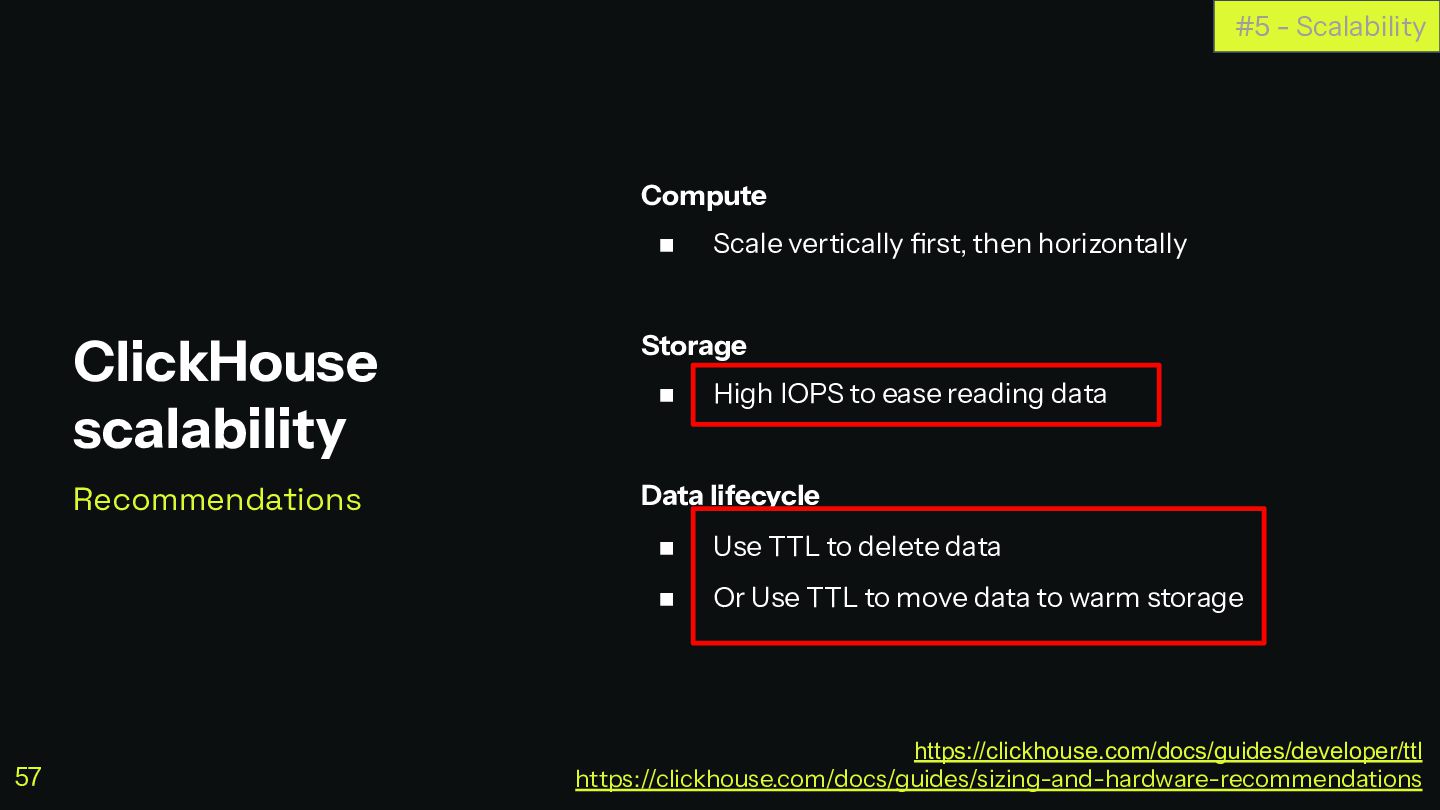
  49. Compute ◼ Scale vertically first, then horizontally Storage ◼ High

    IOPS to ease reading data Data lifecycle ◼ Use TTL to delete data ◼ Or Use TTL to move data to warm storage ClickHouse scalability Recommendations #5 - Scalability https://clickhouse.com/docs/guides/developer/ttl https://clickhouse.com/docs/guides/sizing-and-hardware-recommendations 57
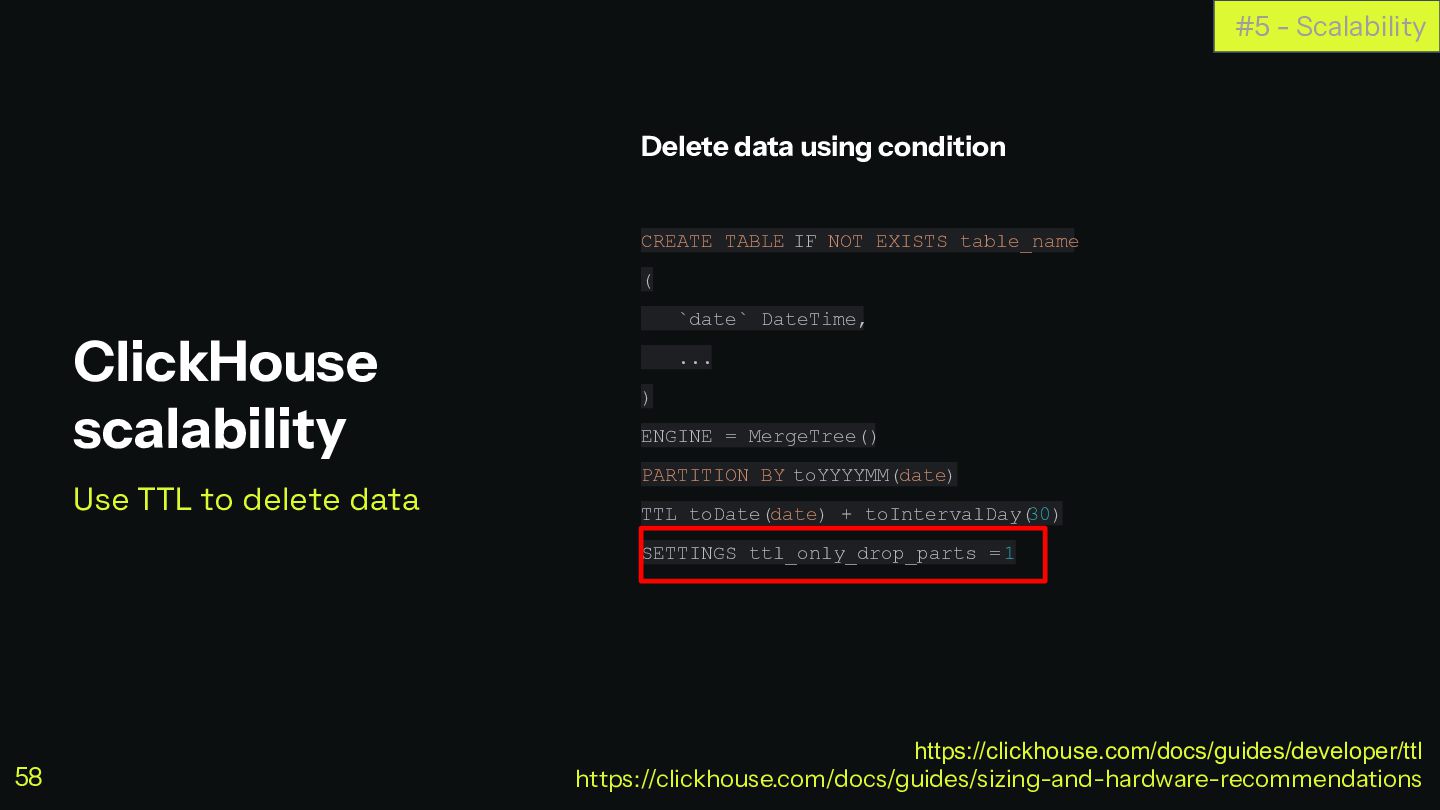
  50. Delete data using condition CREATE TABLE IF NOT EXISTS table_name

    ( `date` DateTime, ... ) ENGINE = MergeTree() PARTITION BY toYYYYMM(date) TTL toDate(date) + toIntervalDay( 30) SETTINGS ttl_only_drop_parts = 1 ClickHouse scalability Use TTL to delete data #5 - Scalability https://clickhouse.com/docs/guides/developer/ttl https://clickhouse.com/docs/guides/sizing-and-hardware-recommendations 58
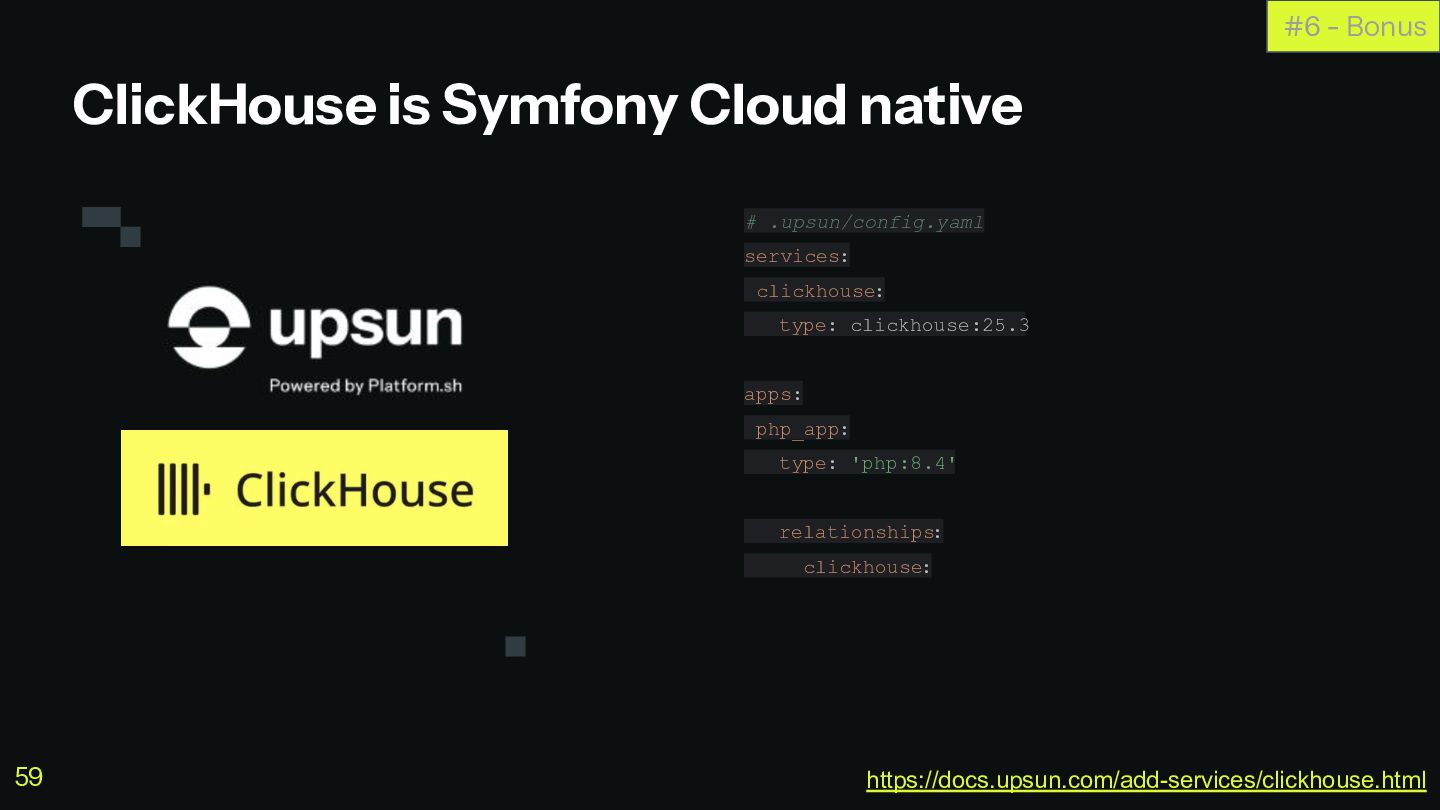
  51. ClickHouse is Symfony Cloud native # .upsun/config.yaml services: clickhouse: type:

    clickhouse:25.3 apps: php_app: type: 'php:8.4' relationships: clickhouse: #6 - Bonus https://docs.upsun.com/add-services/clickhouse.html 59
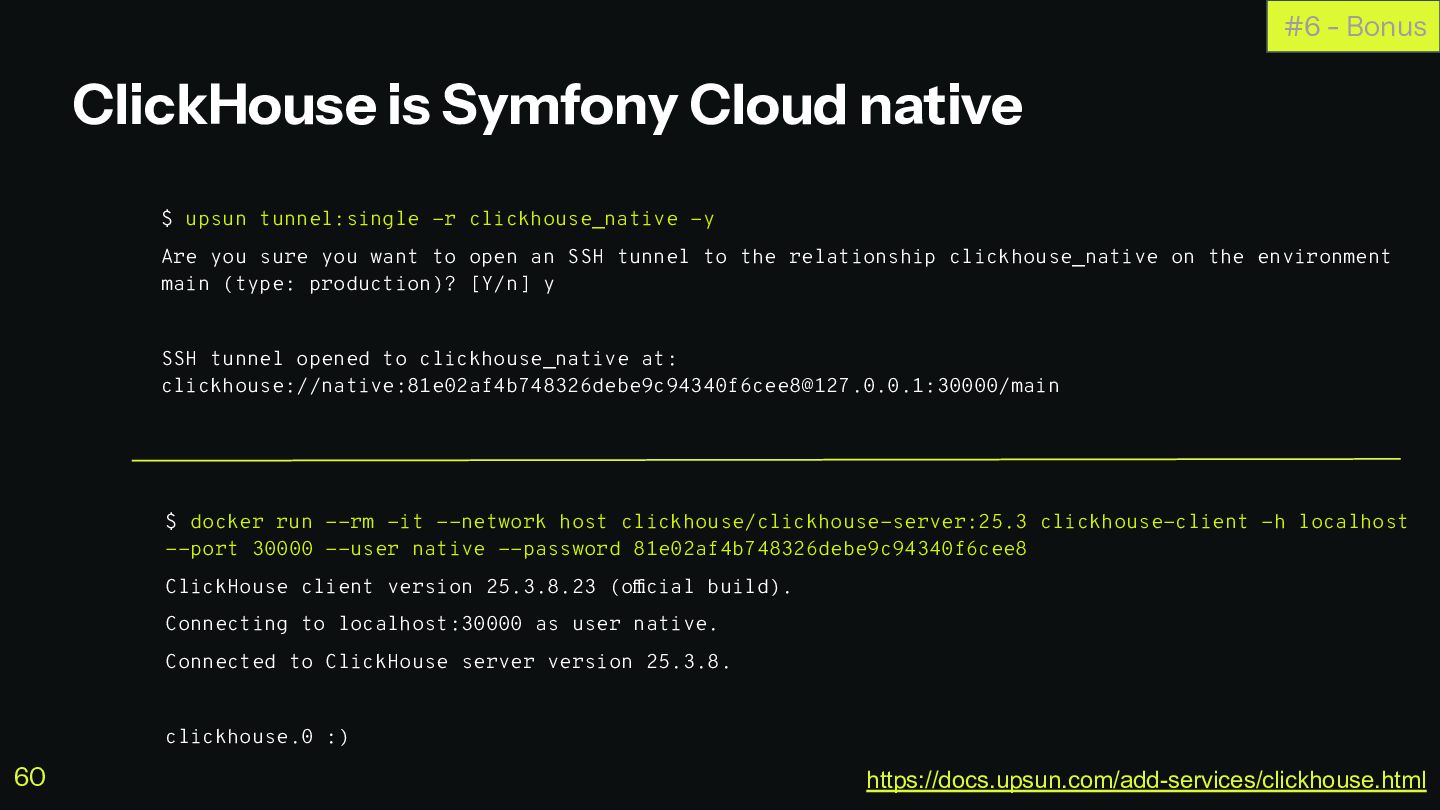
  52. ClickHouse is Symfony Cloud native $ upsun tunnel:single -r clickhouse_native

    -y Are you sure you want to open an SSH tunnel to the relationship clickhouse_native on the environment main (type: production)? [Y/n] y SSH tunnel opened to clickhouse_native at: clickhouse://native:[email protected]:30000/main #6 - Bonus $ docker run --rm -it --network host clickhouse/clickhouse-server:25.3 clickhouse-client -h localhost --port 30000 --user native --password 81e02af4b748326debe9c94340f6cee8 ClickHouse client version 25.3.8.23 (official build). Connecting to localhost:30000 as user native. Connected to ClickHouse server version 25.3.8. clickhouse.0 :) https://docs.upsun.com/add-services/clickhouse.html 60
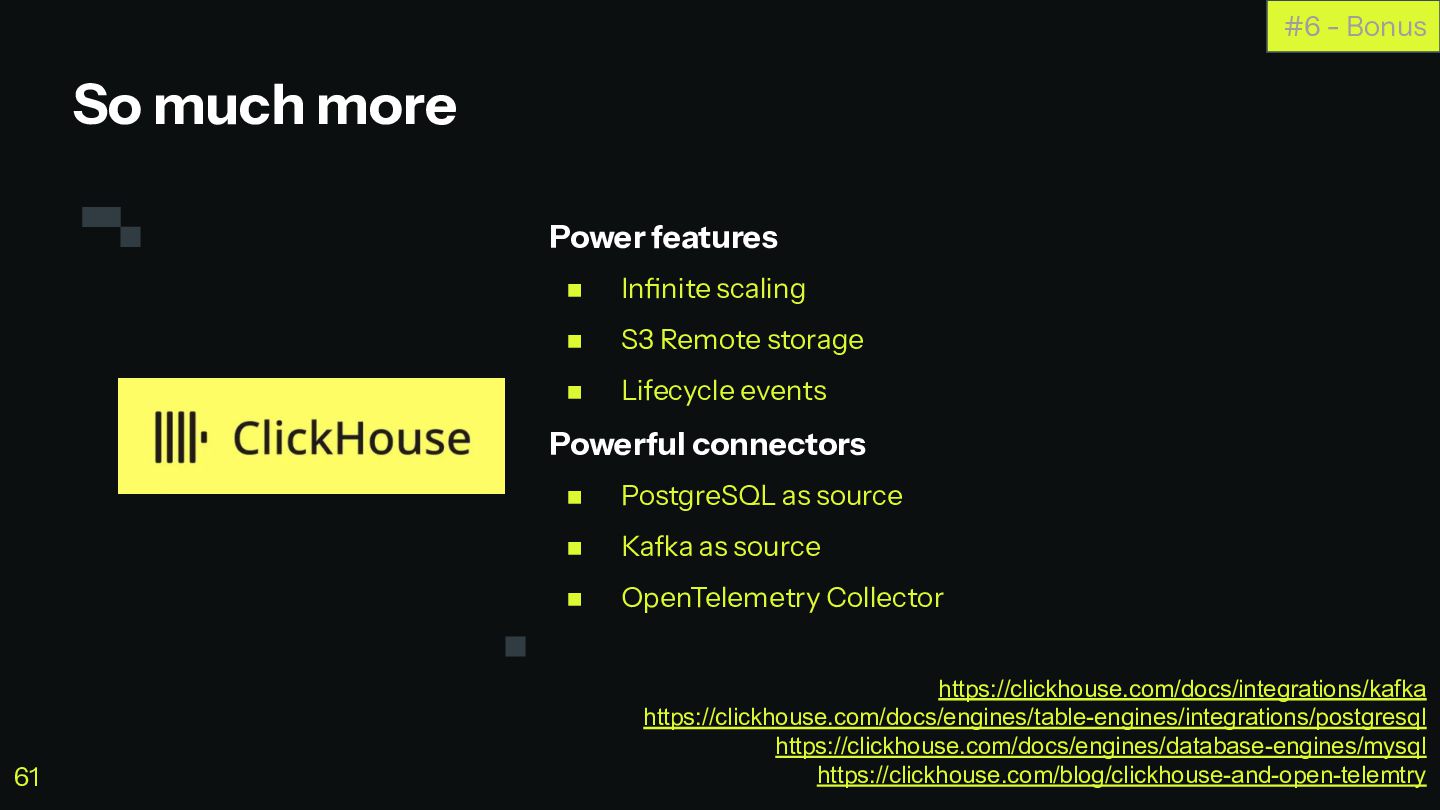
  53. Power features ◼ Infinite scaling ◼ S3 Remote storage ◼

    Lifecycle events Powerful connectors ◼ PostgreSQL as source ◼ Kafka as source ◼ OpenTelemetry Collector So much more #6 - Bonus https://clickhouse.com/docs/integrations/kafka https://clickhouse.com/docs/engines/table-engines/integrations/postgresql https://clickhouse.com/docs/engines/database-engines/mysql https://clickhouse.com/blog/clickhouse-and-open-telemtry 61
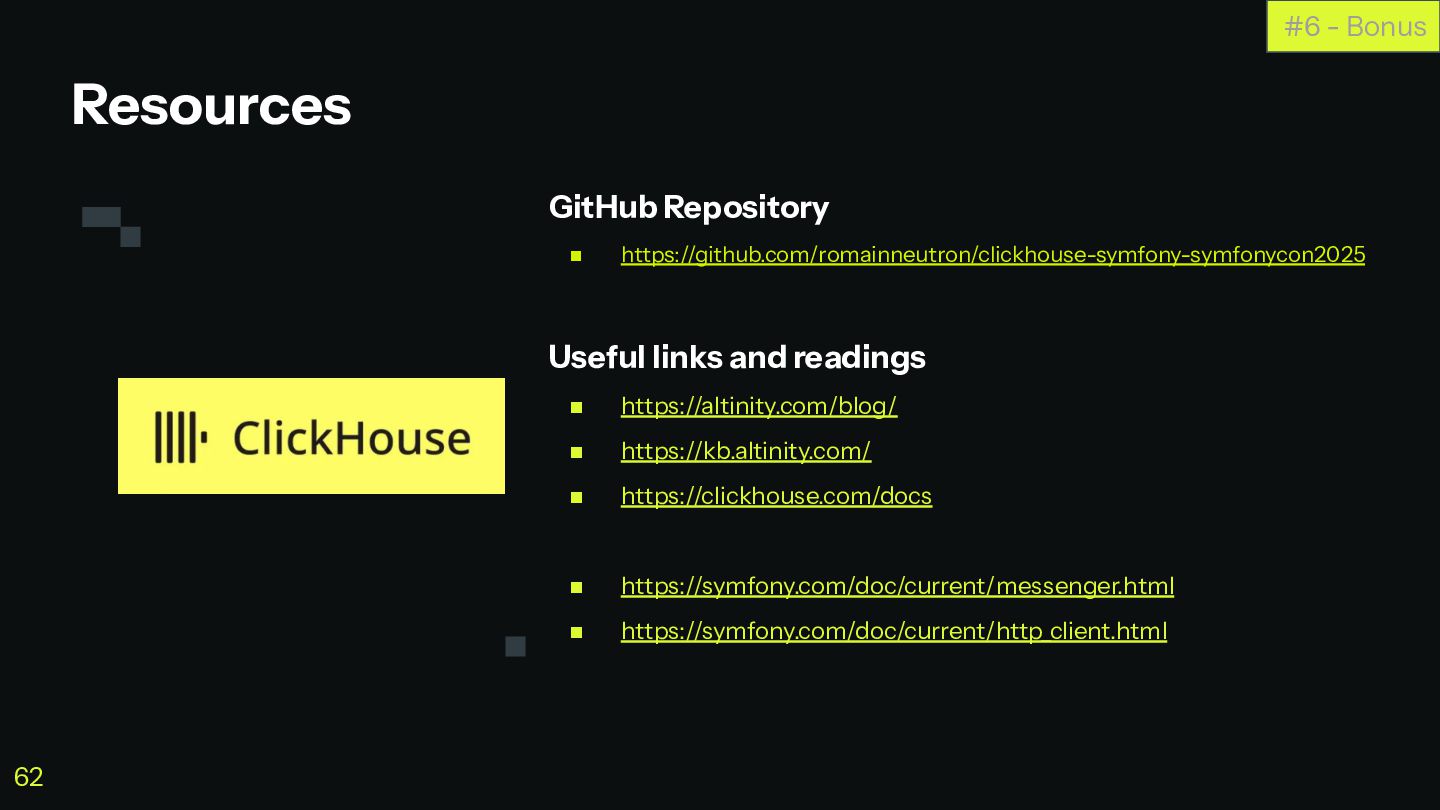
  54. GitHub Repository ◼ https://github.com/romainneutron/clickhouse-symfony-symfonycon2025 Useful links and readings ◼ https://altinity.com/blog/

    ◼ https://kb.altinity.com/ ◼ https://clickhouse.com/docs ◼ https://symfony.com/doc/current/messenger.html ◼ https://symfony.com/doc/current/http_client.html Resources #6 - Bonus 62
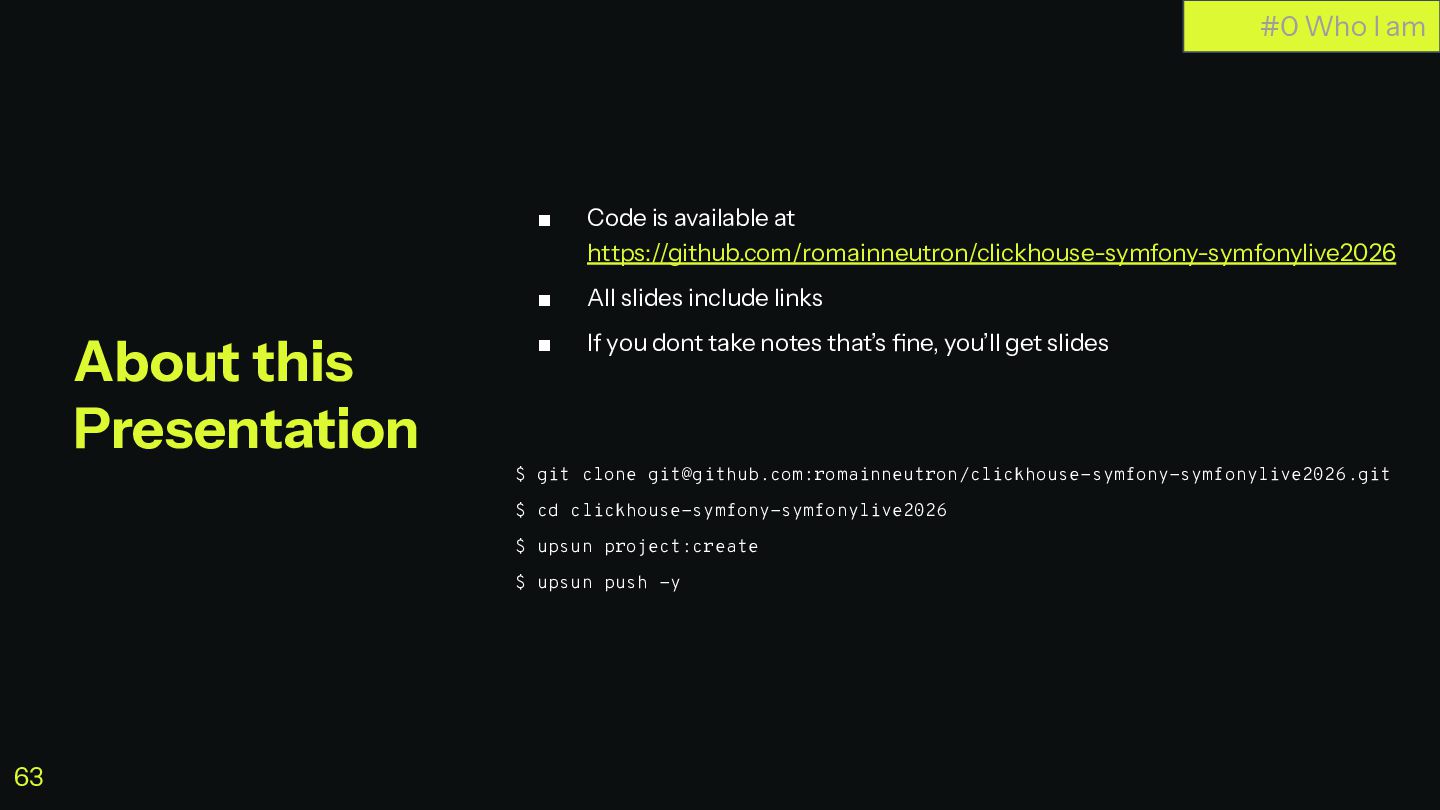
  55. ▪ Code is available at https://github.com/romainneutron/clickhouse-symfony-symfonylive2026 ▪ All slides include

    links ▪ If you dont take notes that’s fine, you’ll get slides $ git clone [email protected]:romainneutron/clickhouse-symfony-symfonylive2026.git $ cd clickhouse-symfony-symfonylive2026 $ upsun project:create $ upsun push -y #0 Who I am About this Presentation 63