Upgrade to Pro
— share decks privately, control downloads, hide ads and more …
Speaker Deck
Sign up for free
Menu
Search
Features
All features
Private URLs
Password Protection
Custom URLS
Scheduled publishing
Remove Branding
Restrict embedding
Deck Collections
Notes
Features
All features
Private URLs
Password Protection
Custom URLS
Scheduled publishing
Remove Branding
Restrict embedding
Deck Collections
Notes
Explore
Featured decks
Featured speakers
Programming
Technology
Storyboards
Explore
Featured decks
Featured speakers
Programming
Technology
Storyboards
Pricing
Search
Sign in
Sign up for free
YouTubeのチャット欄の配置変更 / Changing the layout of the...
Search
Atom
June 28, 2026
Programming
54
0
Share
Embed
Copy iframe code
Copy JS code
Copy link
Start on current slide
YouTubeのチャット欄の配置変更 / Changing the layout of the YouTube chat field
chrome拡張機能:
https://github.com/yAtomtom/youtube-chat-rearranger
Atom
June 28, 2026
More Decks by Atom
See All by Atom
Tauri v2で作る⼀括画像ブラー / Bulk image blur created with Tauri v2
roraidolaurent
0
28
文献紹介 / Structure-based Knowledge Tracing: An Influence Propagation View
roraidolaurent
0
140
文献紹介 / Knowledge Tracing with GNN
roraidolaurent
0
110
文献紹介 / Non-Intrusive Parametric Reduced Order Models withHigh-Dimensional Inputs via Gradient-Free Active Subspace
roraidolaurent
0
82
ニューラルネットワークのベイズ推論 / Bayesian inference of neural networks
roraidolaurent
2
2.9k
Graph Convolutional Networks
roraidolaurent
0
270
文献紹介 / A Probabilistic Annotation Model for Crowdsourcing Coreference
roraidolaurent
0
100
文献紹介Deep Temporal-Recurrent-Replicated-Softmax for Topical Trends over Time
roraidolaurent
0
160
文献紹介/ Bayesian Learning for Neural Dependency Parsing
roraidolaurent
0
150
Other Decks in Programming
See All in Programming
コードで差別化できない時代の ソフトウェアエンジニアリング / Software Engineering in an Era Where Code Doesn’t Differentiate
kishida
2
150
外から家のPCの電源入れたい!をPHPで解決する
kawashimo0
1
130
月間100万人のサービス刷新で、 技術選定をHonoに振り切った話
yutobara
8
6.2k
速習iPhone Duo対応
yuukiw00w
2
980
Kubernetes祭り #2 OP/ED
bells17
0
110
Domain-Driven Transformation
hschwentner
2
2.3k
Androidだけじゃない、DroidKaigiで広がった私の技術スタック
akkeylab
0
120
AIに “答え“を書かせるのを やめてみた
___akari11
0
120
Java 27新機能 / Java 27 new features
kishida
2
220
Verilogで学ぶCPU自作入門
uyuki234
8
4.1k
wkhtmltopdfの次どうするか問題2026
willnet
2
1.9k
Simple Storage Service(S3) is not simple
iwatsukayura
0
250
Featured
See All Featured
Google's AI Overviews - The New Search
badams
0
1.6k
The Power of CSS Pseudo Elements
geoffreycrofte
82
6.6k
Music & Morning Musume
bryan
48
7.4k
How to make the Groovebox
asonas
2
2.5k
SEO in 2025: How to Prepare for the Future of Search
ipullrank
3
3.9k
Between Models and Reality
mayunak
4
490
Building Better People: How to give real-time feedback that sticks.
wjessup
370
20k
Visual Storytelling: How to be a Superhuman Communicator
reverentgeek
2
710
HU Berlin: Industrial-Strength Natural Language Processing with spaCy and Prodigy
inesmontani
PRO
0
740
"I'm Feeling Lucky" - Building Great Search Experiences for Today's Users (#IAC19)
danielanewman
230
23k
Accessibility Awareness
sabderemane
1
240
Code Review Best Practice
trishagee
74
20k
Transcript
YouTube のチャット欄の配置を変更してみた WQHD での複窓のためのchrome 拡張機能 吉澤亜斗武 1
内容 背景 YouTube のレイアウト Chrome 拡張機能の作成の基本 チャット欄の配置を変更する まとめ 付録 2
背景 3
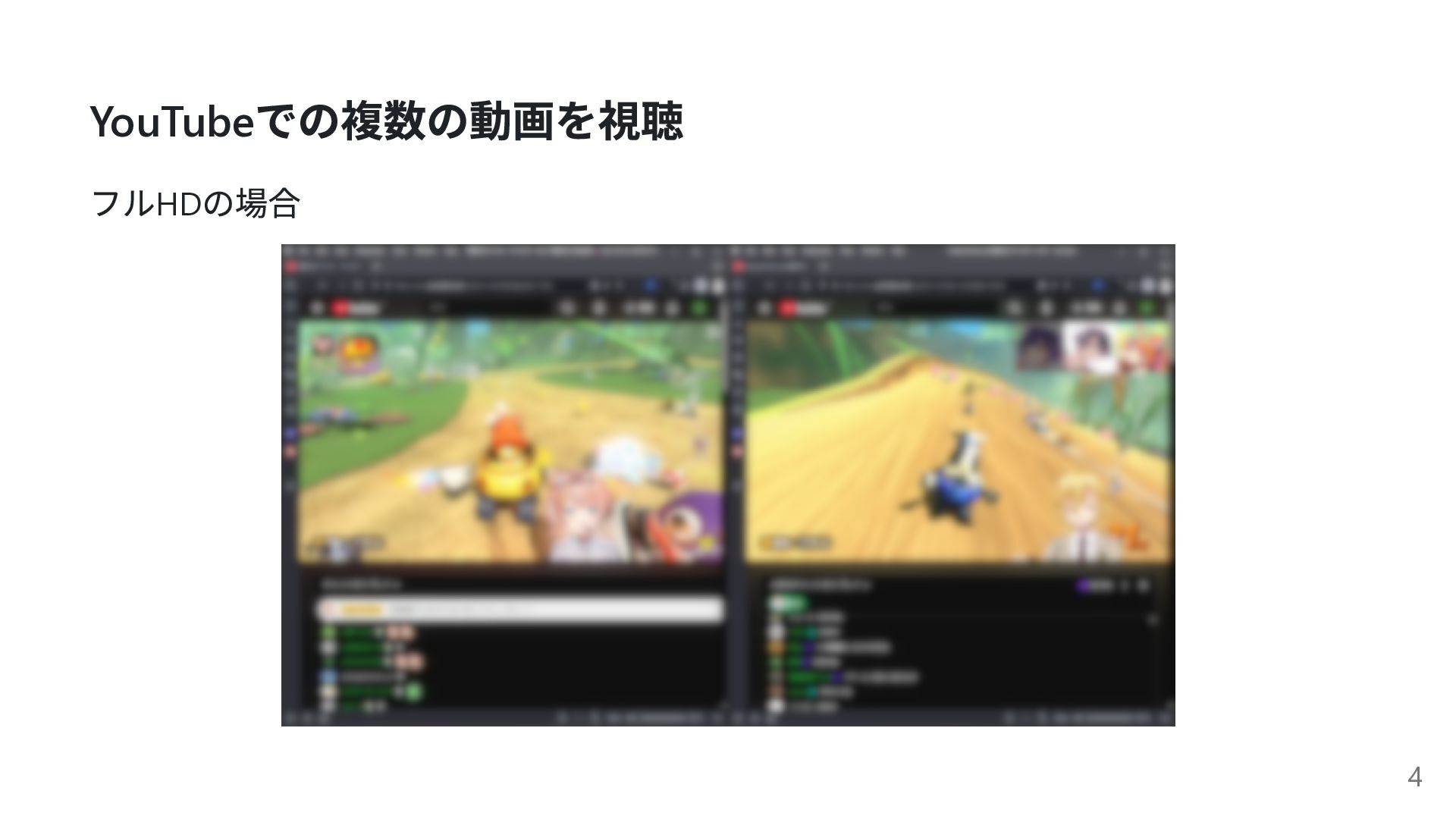
YouTube での複数の動画を視聴 フルHD の場合 4
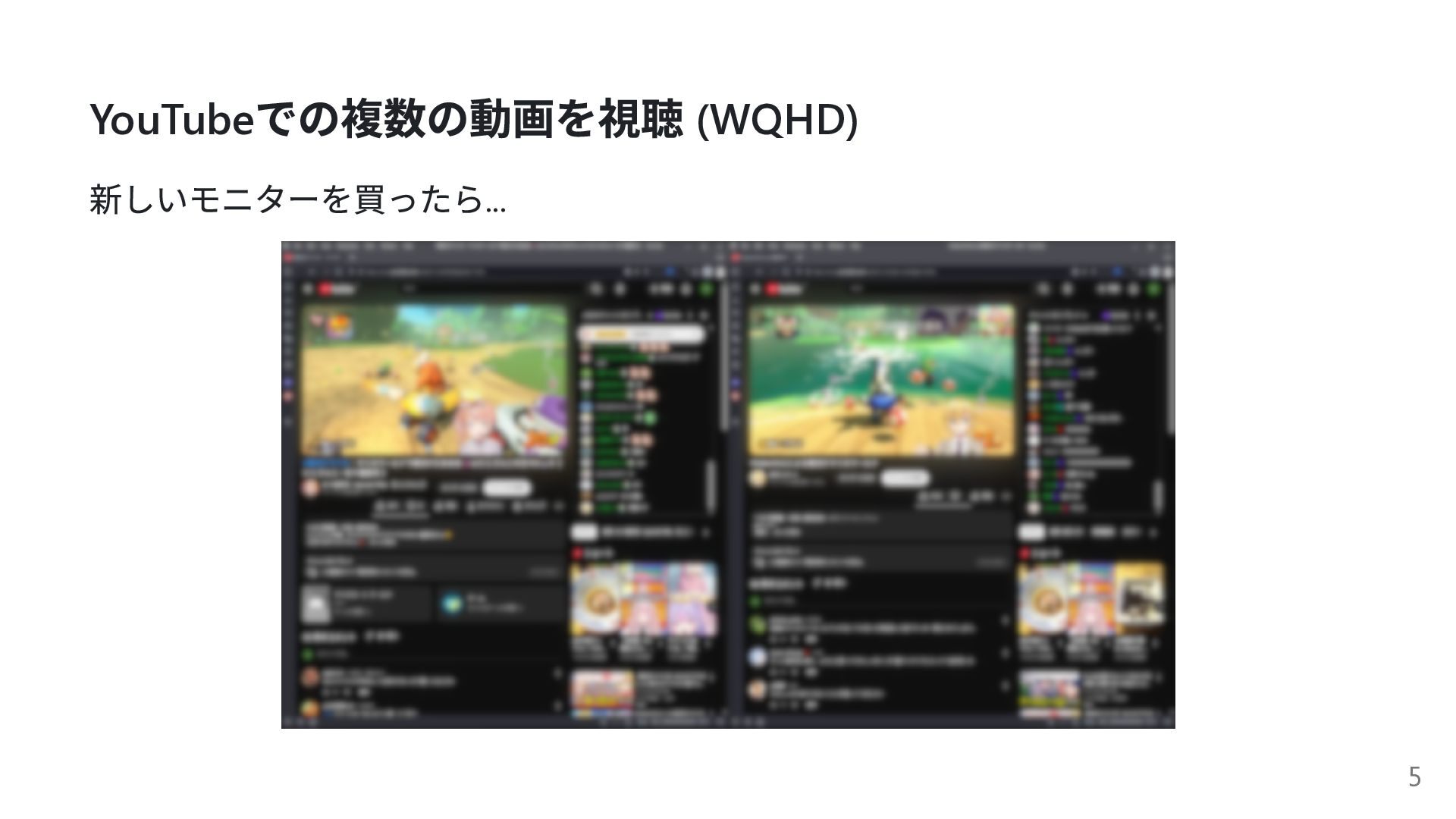
YouTube での複数の動画を視聴 (WQHD) 新しいモニターを買ったら... 5
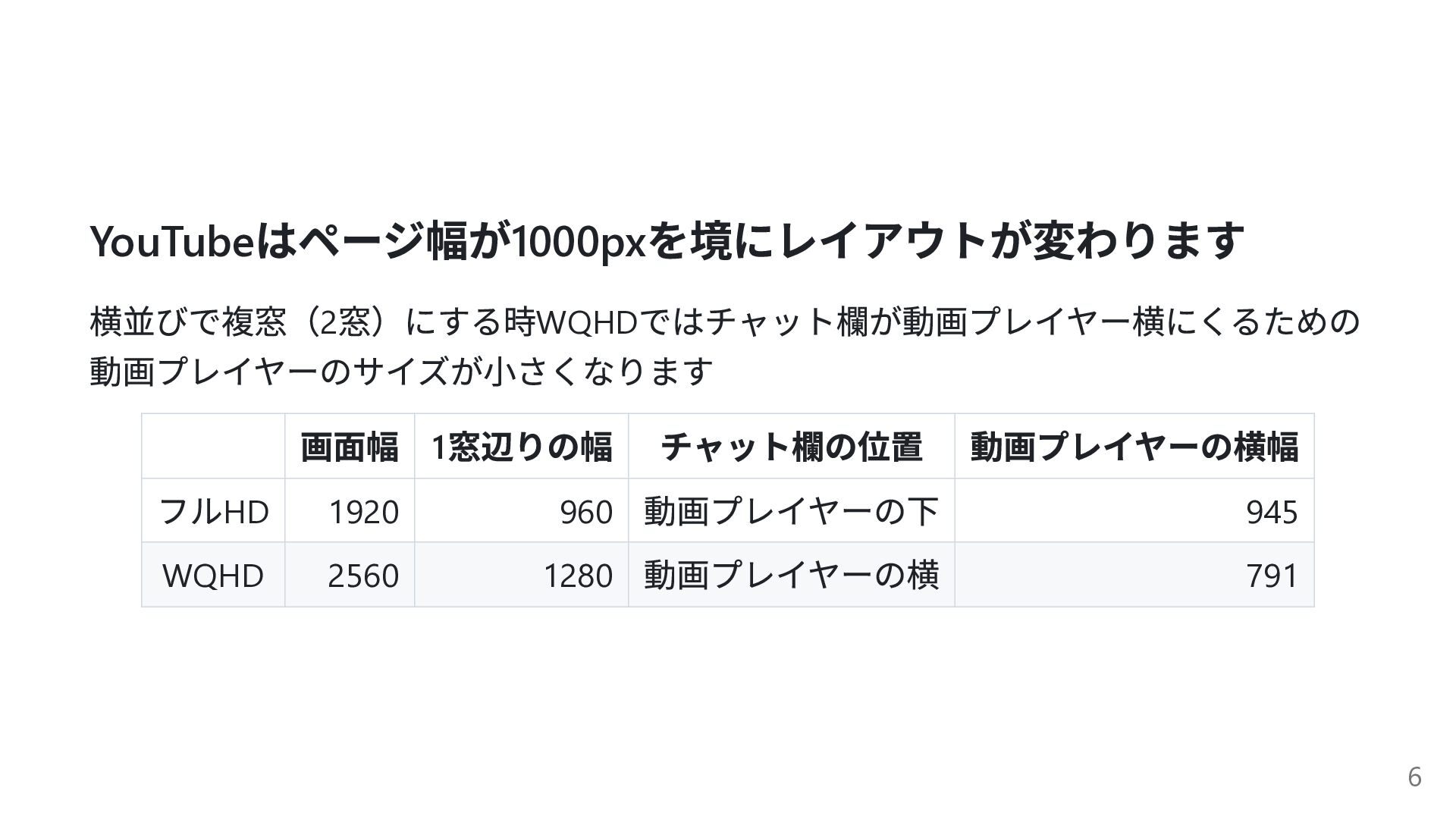
YouTube はページ幅が1000px を境にレイアウトが変わります 横並びで複窓(2 窓)にする時WQHD ではチャット欄が動画プレイヤー横にくるための 動画プレイヤーのサイズが小さくなります 画面幅 1 窓辺りの幅
チャット欄の位置 動画プレイヤーの横幅 フルHD 1920 960 動画プレイヤーの下 945 WQHD 2560 1280 動画プレイヤーの横 791 6
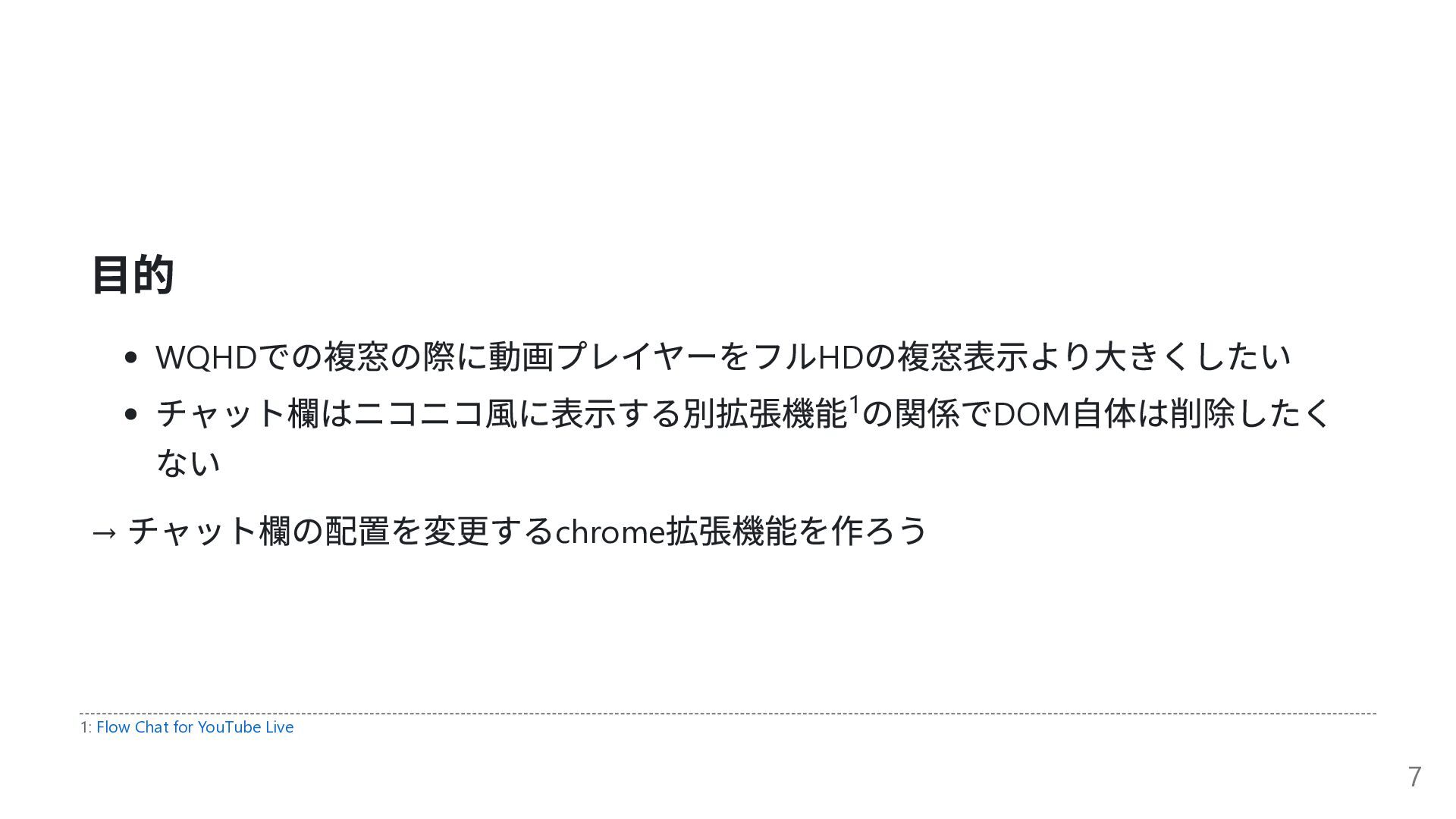
目的 WQHD での複窓の際に動画プレイヤーをフルHD の複窓表示より大きくしたい チャット欄はニコニコ風に表示する別拡張機能 の関係でDOM 自体は削除したく ない → チャット欄の配置を変更するchrome
拡張機能を作ろう 1 1: Flow Chat for YouTube Live 7
成果物 chrome 拡張機能: https://github.com/yAtomtom/youtube-chat-rearranger 動画が幅に対して真ん中に表示されます. 8
YouTube のレイアウト 9
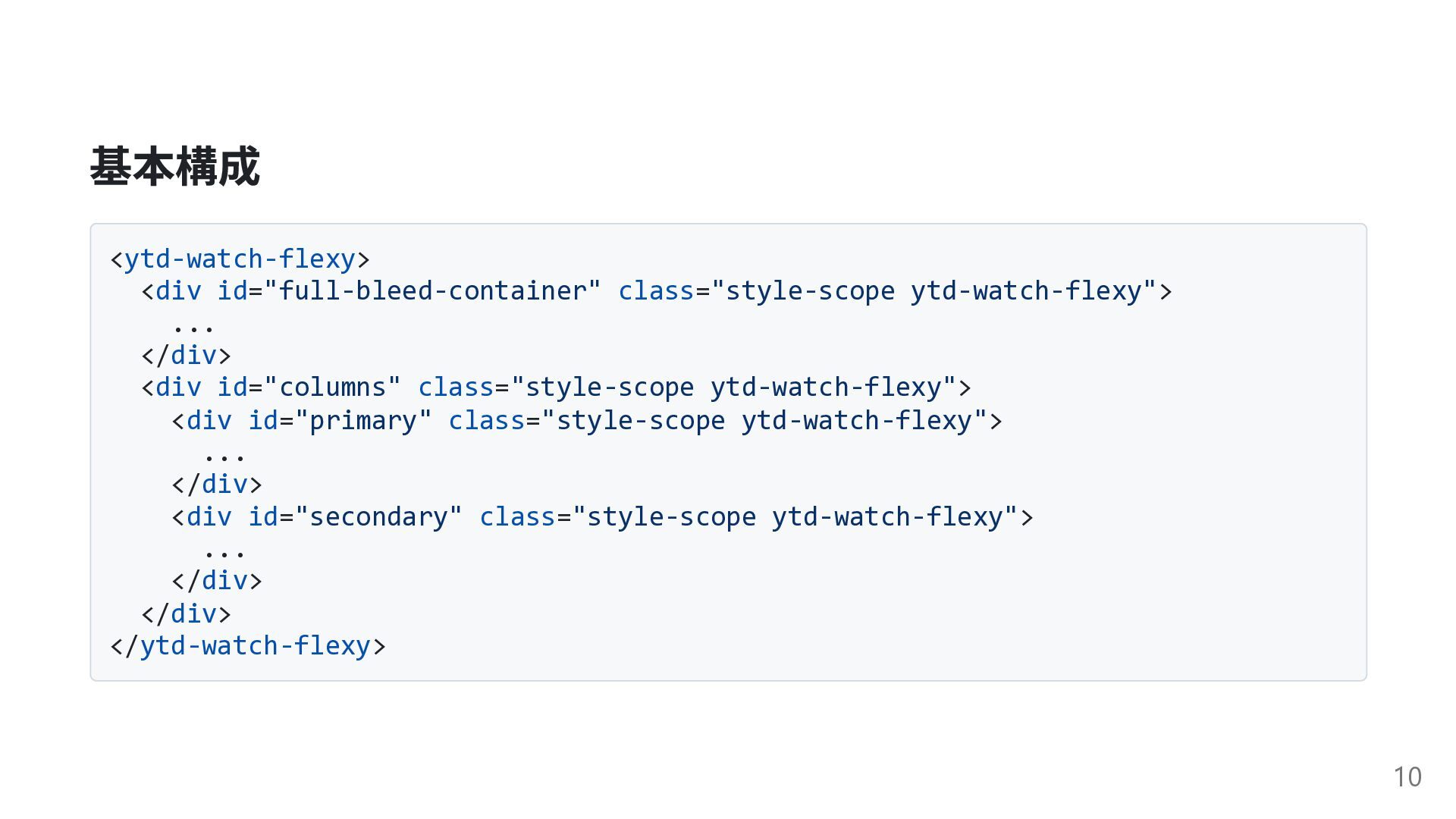
基本構成 <ytd-watch-flexy> <div id="full-bleed-container" class="style-scope ytd-watch-flexy"> ... </div> <div id="columns"
class="style-scope ytd-watch-flexy"> <div id="primary" class="style-scope ytd-watch-flexy"> ... </div> <div id="secondary" class="style-scope ytd-watch-flexy"> ... </div> </div> </ytd-watch-flexy> 10
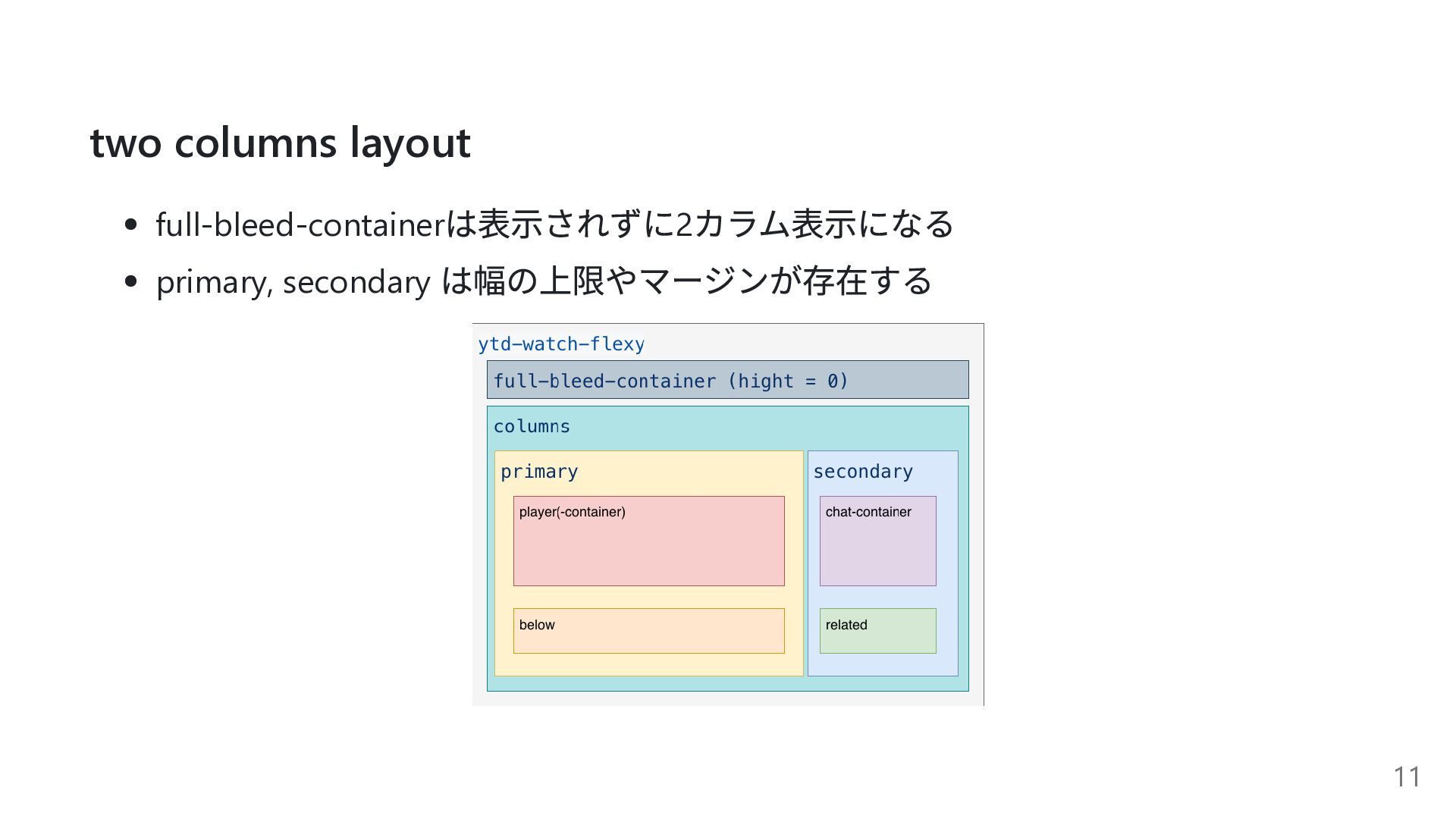
two columns layout full-bleed-container は表示されずに2 カラム表示になる primary, secondary は幅の上限やマージンが存在する 11
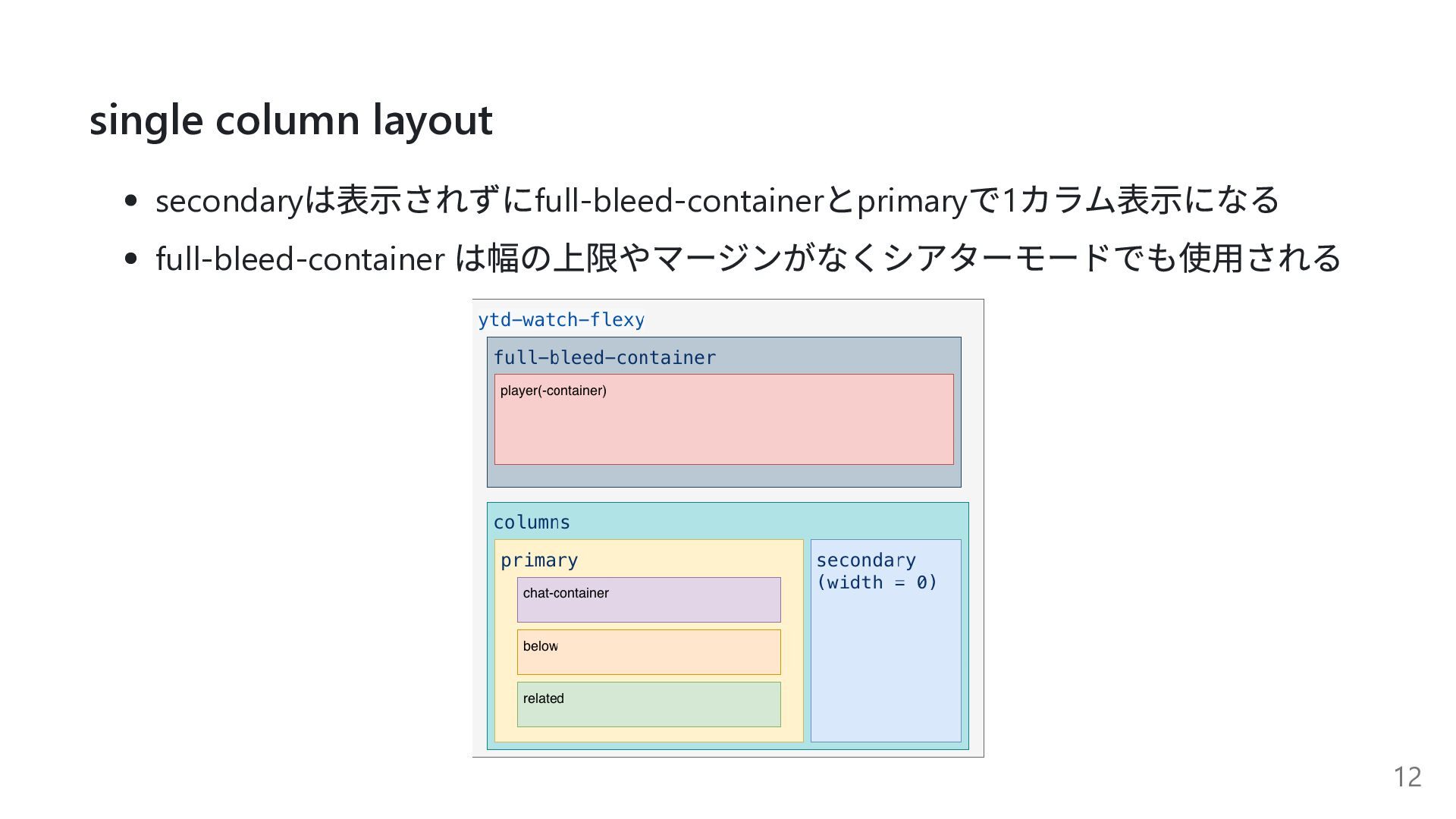
single column layout secondary は表示されずにfull-bleed-container とprimary で1 カラム表示になる full-bleed-container は幅の上限やマージンがなくシアターモードでも使用される
12
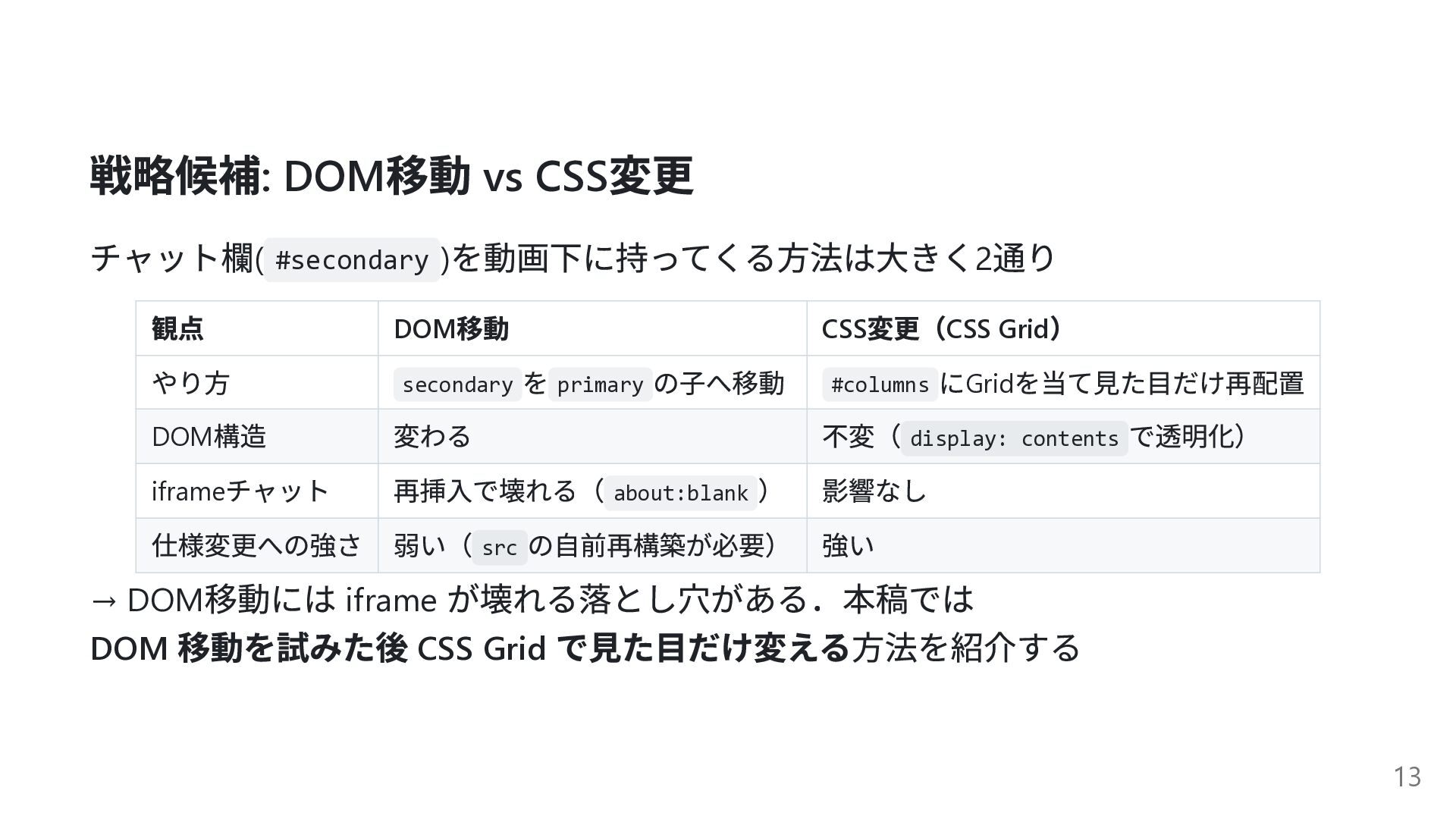
戦略候補: DOM 移動 vs CSS 変更 チャット欄( #secondary ) を動画下に持ってくる方法は大きく2
通り 観点 DOM 移動 CSS 変更(CSS Grid ) やり方 secondary を primary の子へ移動 #columns にGrid を当て見た目だけ再配置 DOM 構造 変わる 不変( display: contents で透明化) iframe チャット 再挿入で壊れる( about:blank ) 影響なし 仕様変更への強さ 弱い( src の自前再構築が必要) 強い → DOM 移動には iframe が壊れる落とし穴がある.本稿では DOM 移動を試みた後 CSS Grid で見た目だけ変える方法を紹介する 13
拡張機能の作り方 14
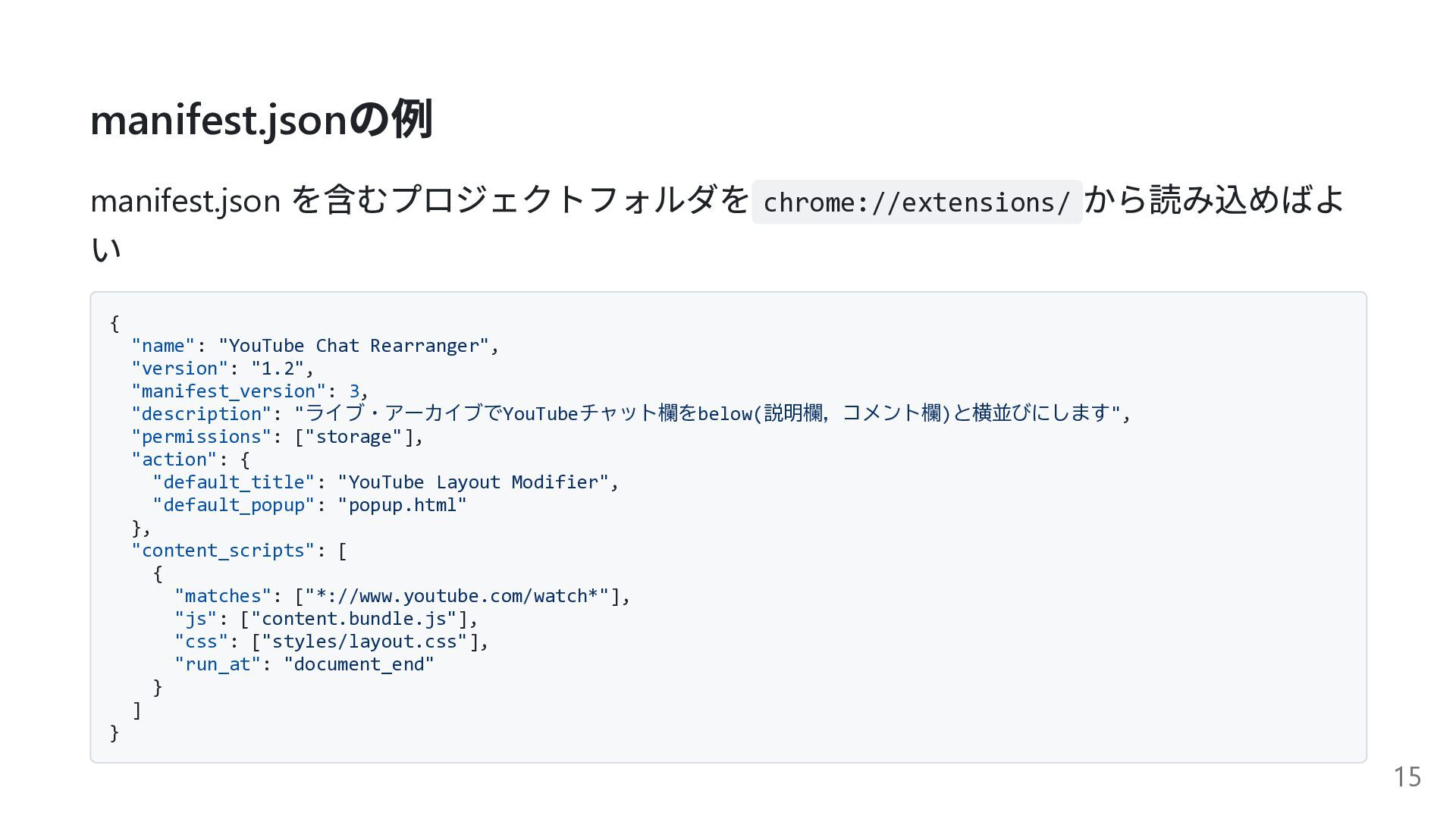
manifest.json の例 manifest.json を含むプロジェクトフォルダを chrome://extensions/ から読み込めばよ い { "name": "YouTube
Chat Rearranger", "version": "1.2", "manifest_version": 3, "description": "ライブ・アーカイブでYouTubeチャット欄をbelow(説明欄,コメント欄)と横並びにします", "permissions": ["storage"], "action": { "default_title": "YouTube Layout Modifier", "default_popup": "popup.html" }, "content_scripts": [ { "matches": ["*://www.youtube.com/watch*"], "js": ["content.bundle.js"], "css": ["styles/layout.css"], "run_at": "document_end" } ] } 15
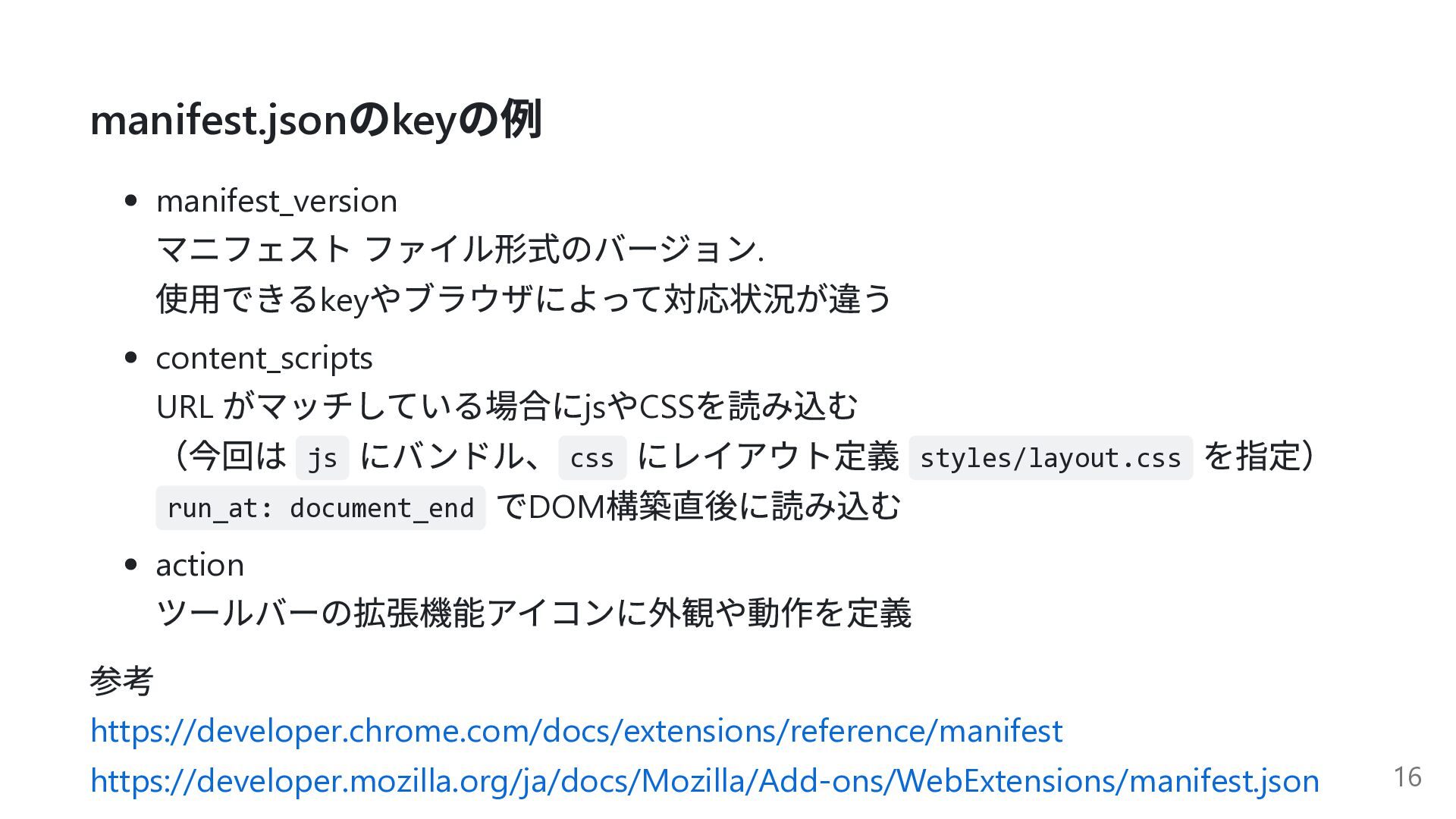
manifest.json のkey の例 manifest_version マニフェスト ファイル形式のバージョン. 使用できるkey やブラウザによって対応状況が違う content_scripts URL
がマッチしている場合にjs やCSS を読み込む (今回は js にバンドル、 css にレイアウト定義 styles/layout.css を指定) run_at: document_end でDOM 構築直後に読み込む action ツールバーの拡張機能アイコンに外観や動作を定義 参考 https://developer.chrome.com/docs/extensions/reference/manifest https://developer.mozilla.org/ja/docs/Mozilla/Add-ons/WebExtensions/manifest.json 16
チャット欄の配置を変更する 17
まずは DOM 移動を試す 18
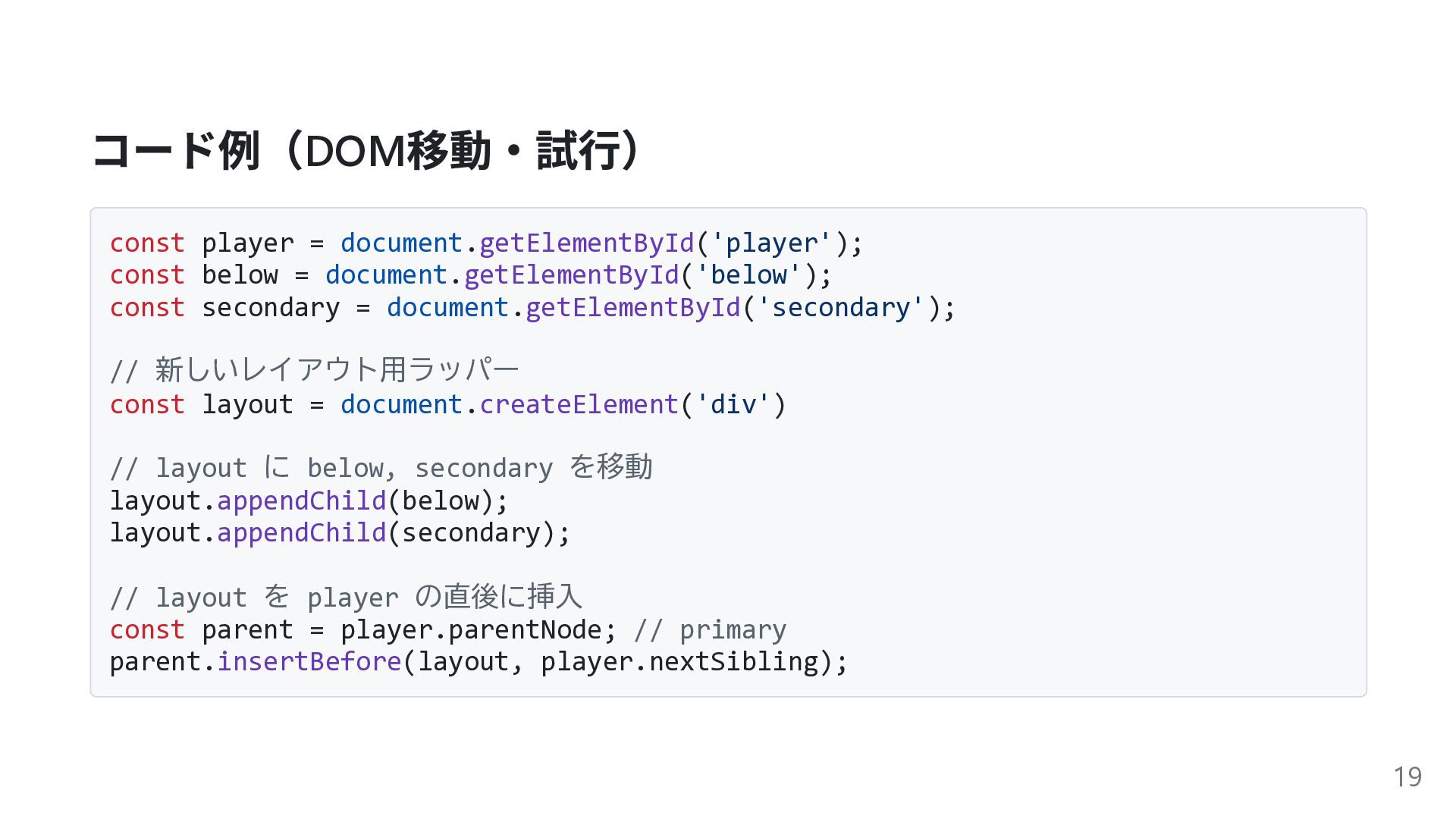
コード例(DOM 移動・試行) const player = document.getElementById('player'); const below = document.getElementById('below');
const secondary = document.getElementById('secondary'); // 新しいレイアウト用ラッパー const layout = document.createElement('div') // layout に below, secondary を移動 layout.appendChild(below); layout.appendChild(secondary); // layout を player の直後に挿入 const parent = player.parentNode; // primary parent.insertBefore(layout, player.nextSibling); 19
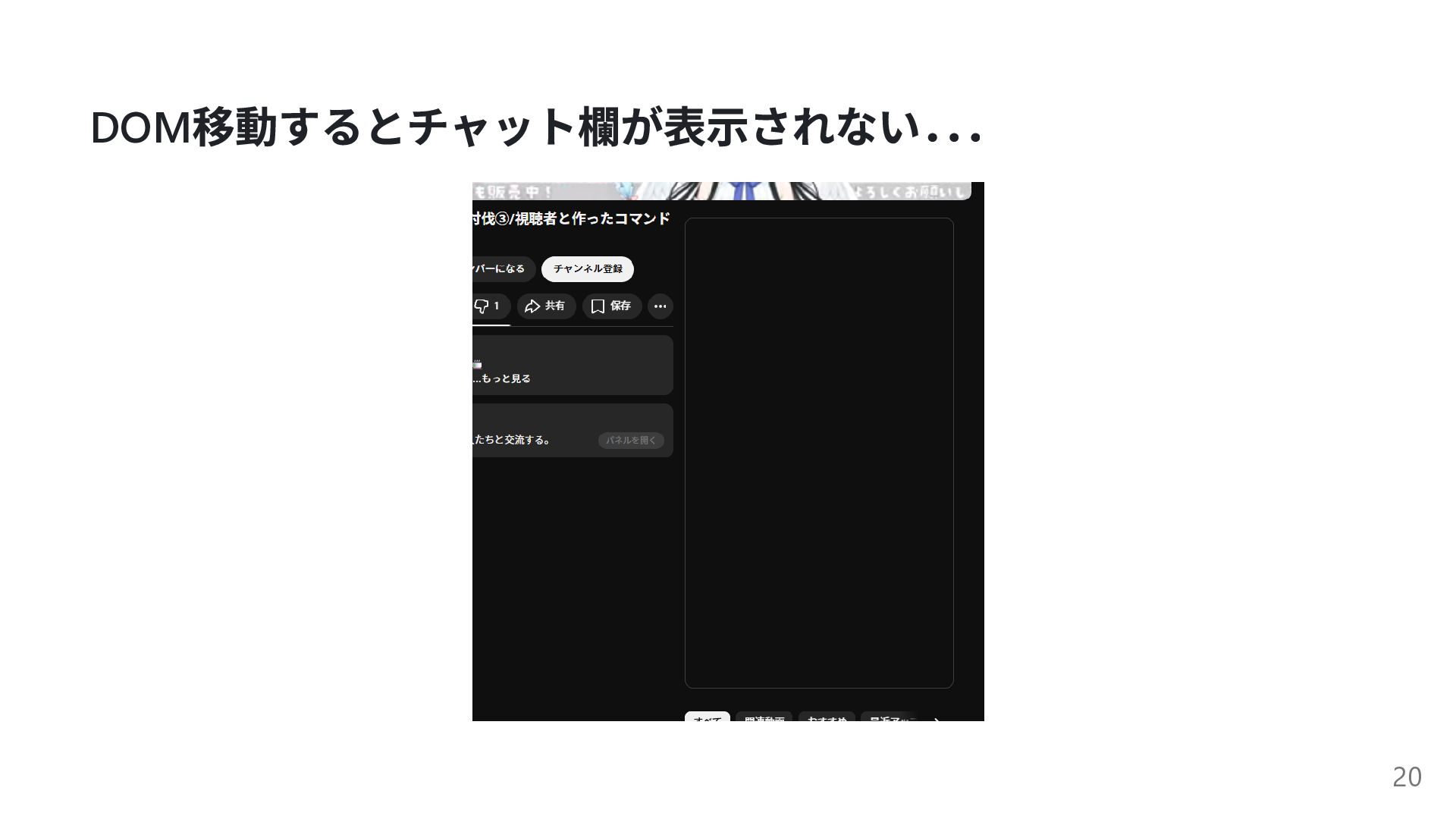
DOM 移動するとチャット欄が表示されない. . . 20
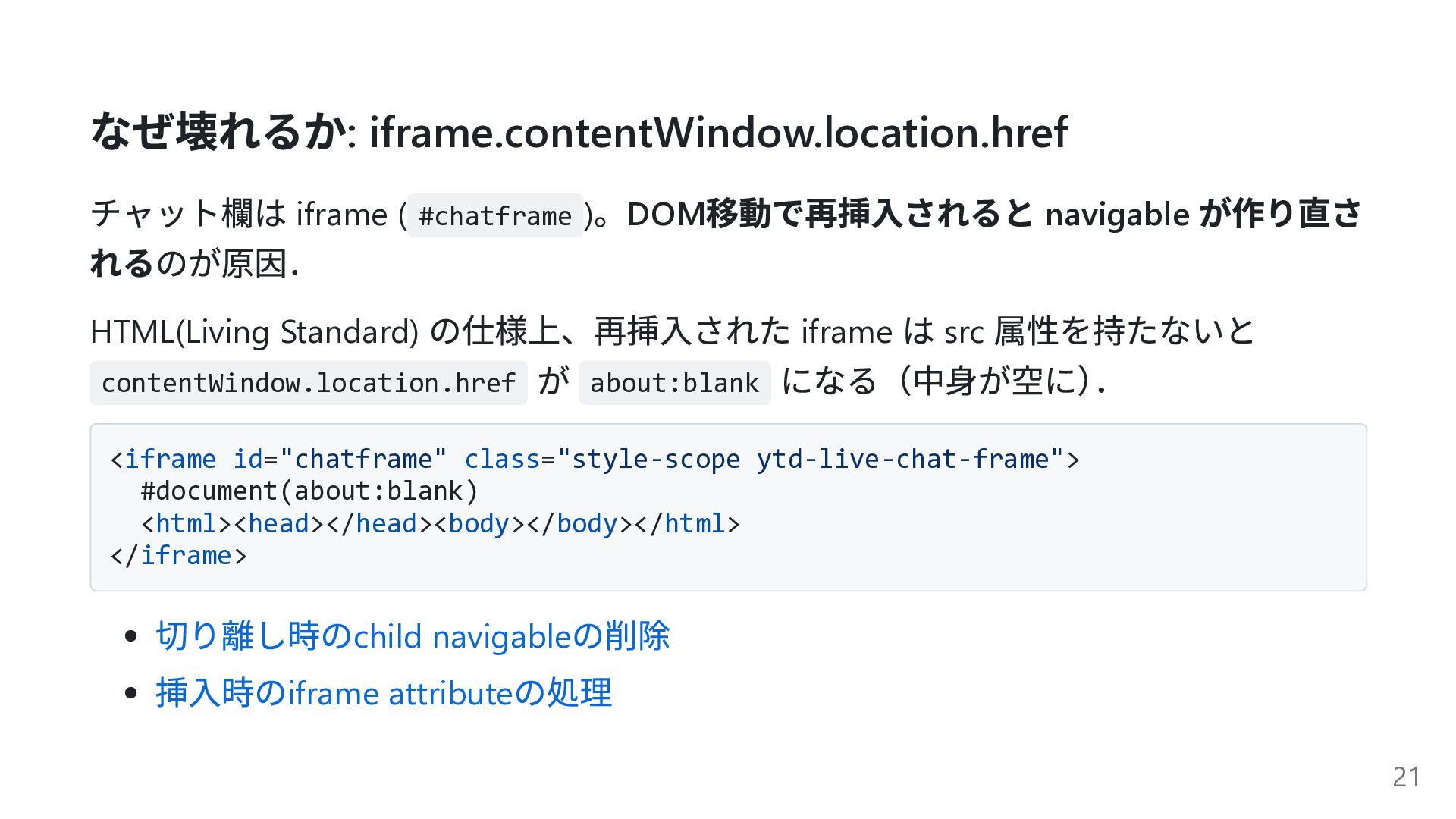
なぜ壊れるか: iframe.contentWindow.location.href チャット欄は iframe ( #chatframe ) 。DOM 移動で再挿入されると navigable
が作り直さ れるのが原因. HTML(Living Standard) の仕様上、再挿入された iframe は src 属性を持たないと contentWindow.location.href が about:blank になる(中身が空に) . <iframe id="chatframe" class="style-scope ytd-live-chat-frame"> #document(about:blank) <html><head></head><body></body></html> </iframe> 切り離し時のchild navigable の削除 挿入時のiframe attribute の処理 21
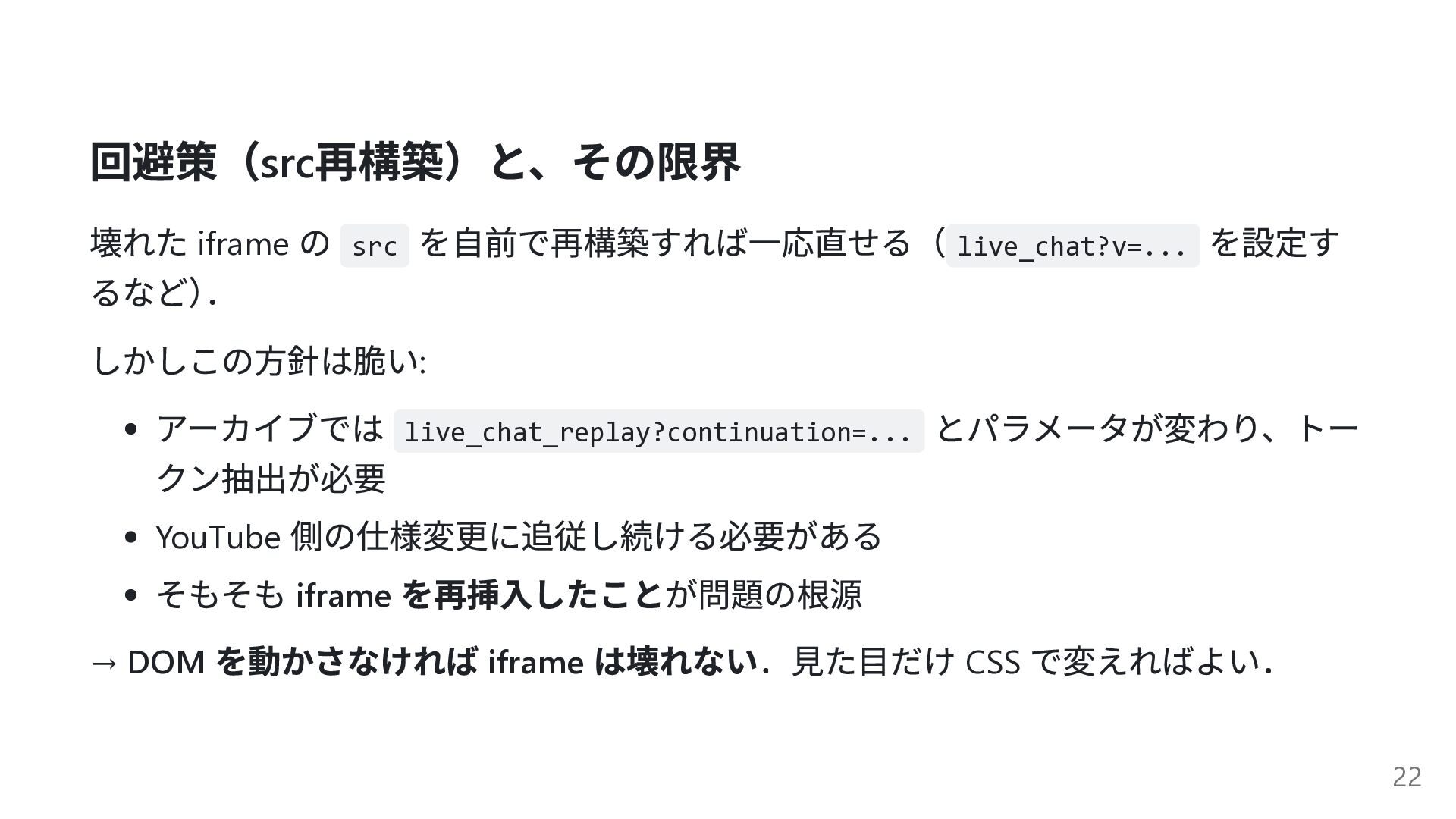
回避策(src 再構築)と、その限界 壊れた iframe の src を自前で再構築すれば一応直せる( live_chat?v=... を設定す るなど)
. しかしこの方針は脆い: アーカイブでは live_chat_replay?continuation=... とパラメータが変わり、トー クン抽出が必要 YouTube 側の仕様変更に追従し続ける必要がある そもそも iframe を再挿入したことが問題の根源 → DOM を動かさなければ iframe は壊れない.見た目だけ CSS で変えればよい. 22
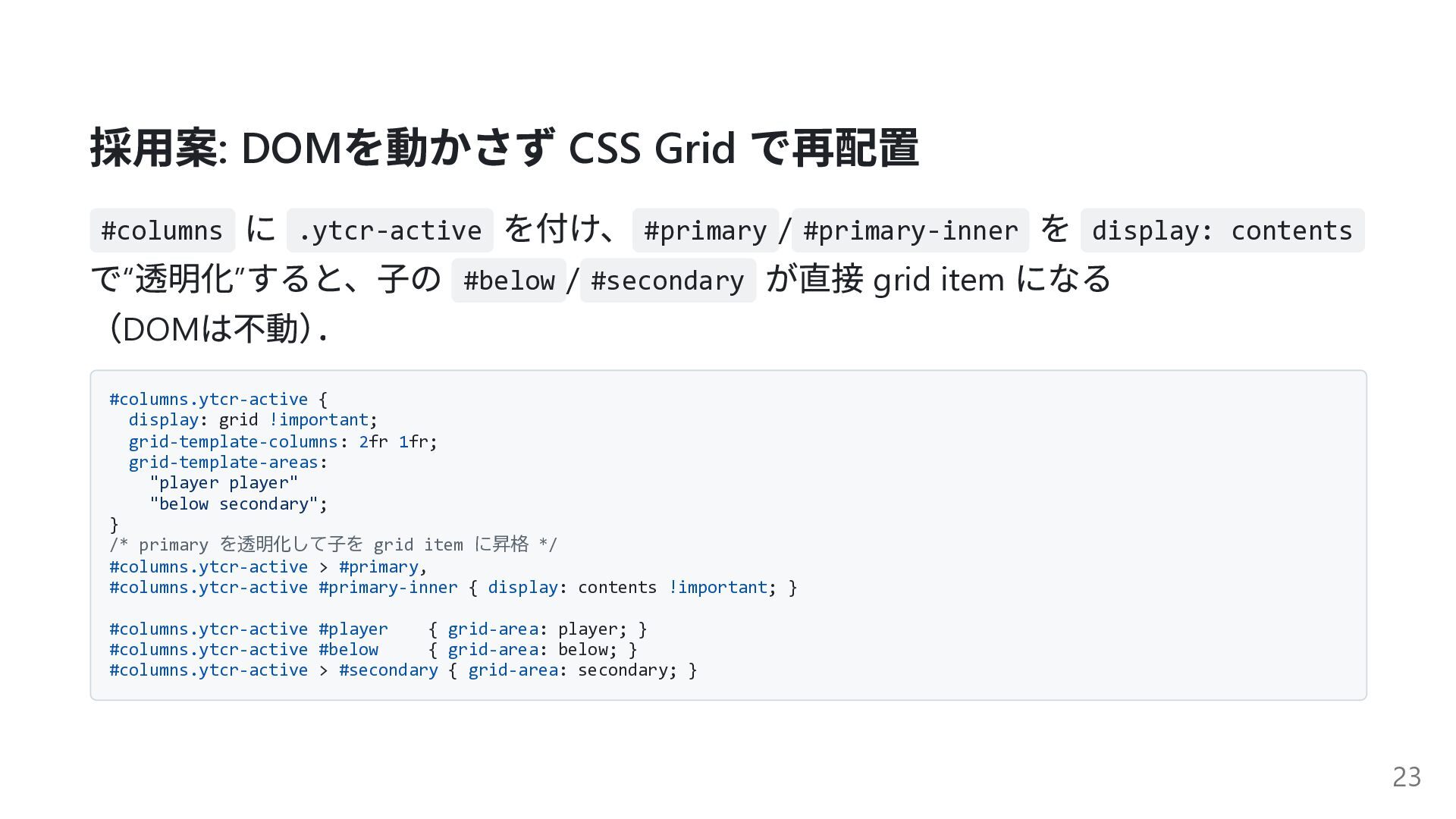
採用案: DOM を動かさず CSS Grid で再配置 #columns に .ytcr-active を付け、
#primary / #primary-inner を display: contents で“ 透明化” すると、子の #below / #secondary が直接 grid item になる (DOM は不動) . #columns.ytcr-active { display: grid !important; grid-template-columns: 2fr 1fr; grid-template-areas: "player player" "below secondary"; } /* primary を透明化して子を grid item に昇格 */ #columns.ytcr-active > #primary, #columns.ytcr-active #primary-inner { display: contents !important; } #columns.ytcr-active #player { grid-area: player; } #columns.ytcr-active #below { grid-area: below; } #columns.ytcr-active > #secondary { grid-area: secondary; } 23
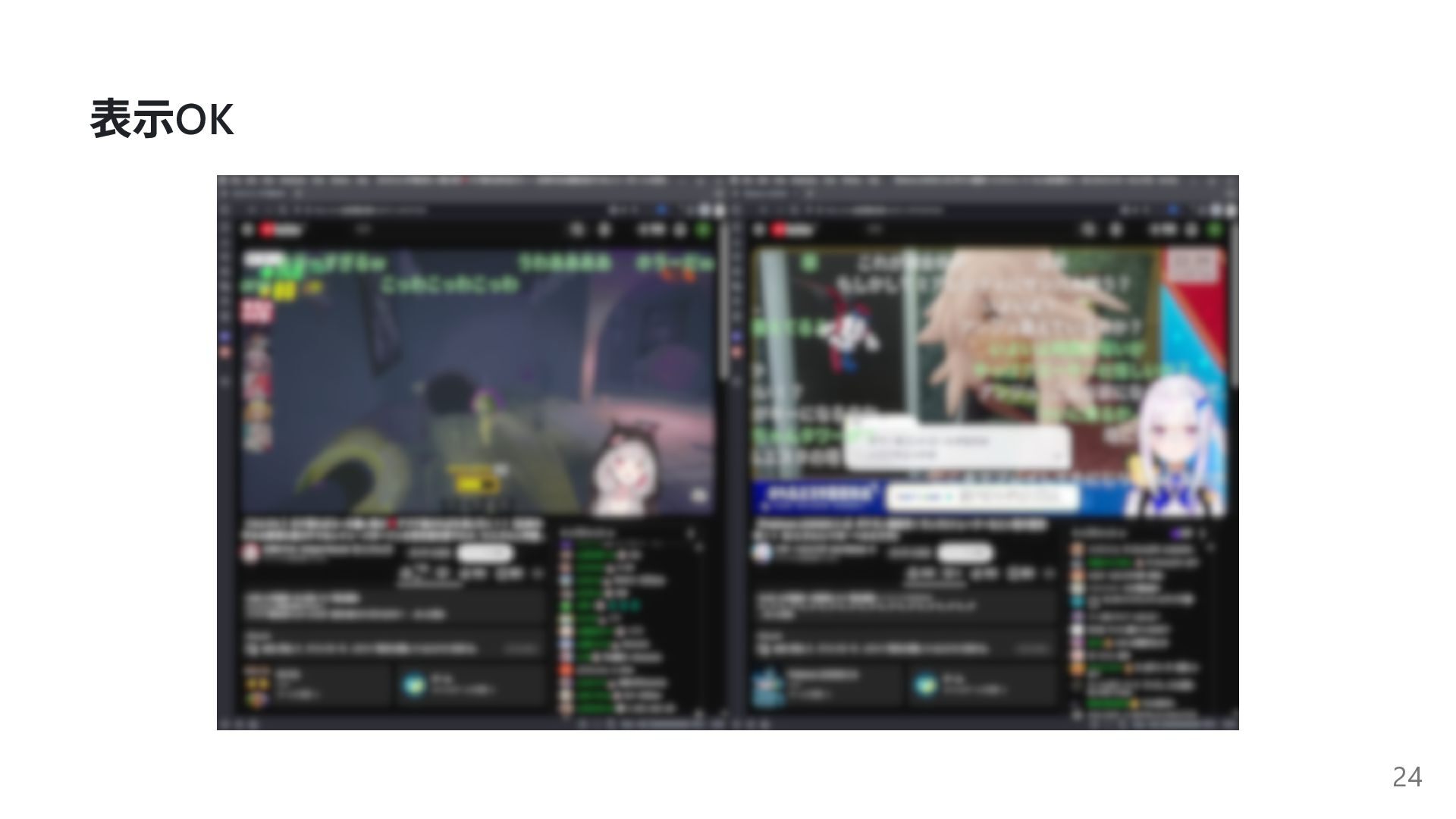
表示OK 24
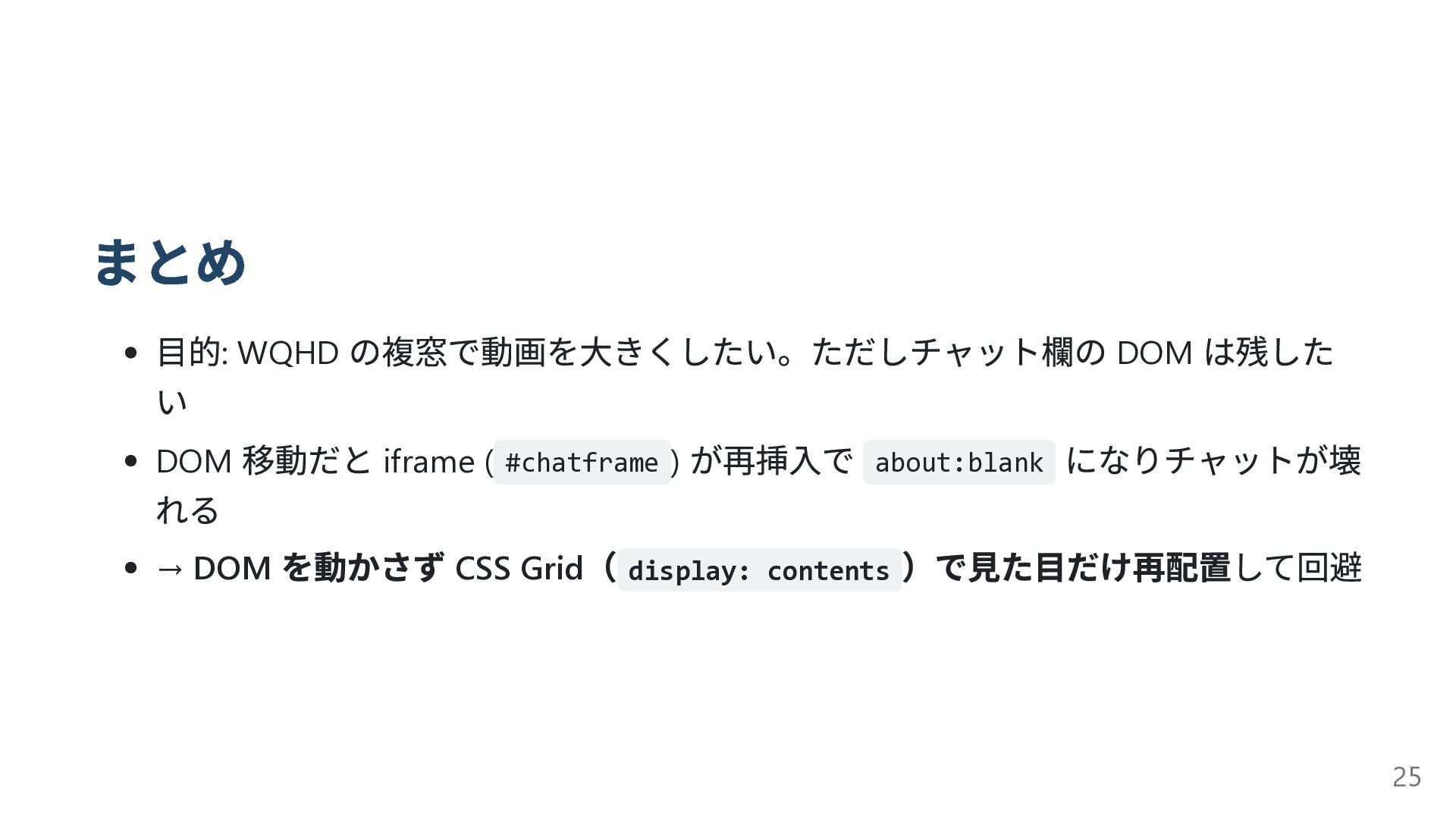
まとめ 目的: WQHD の複窓で動画を大きくしたい。ただしチャット欄の DOM は残した い DOM 移動だと iframe
( #chatframe ) が再挿入で about:blank になりチャットが壊 れる → DOM を動かさず CSS Grid ( display: contents )で見た目だけ再配置して回避 25
付録 26
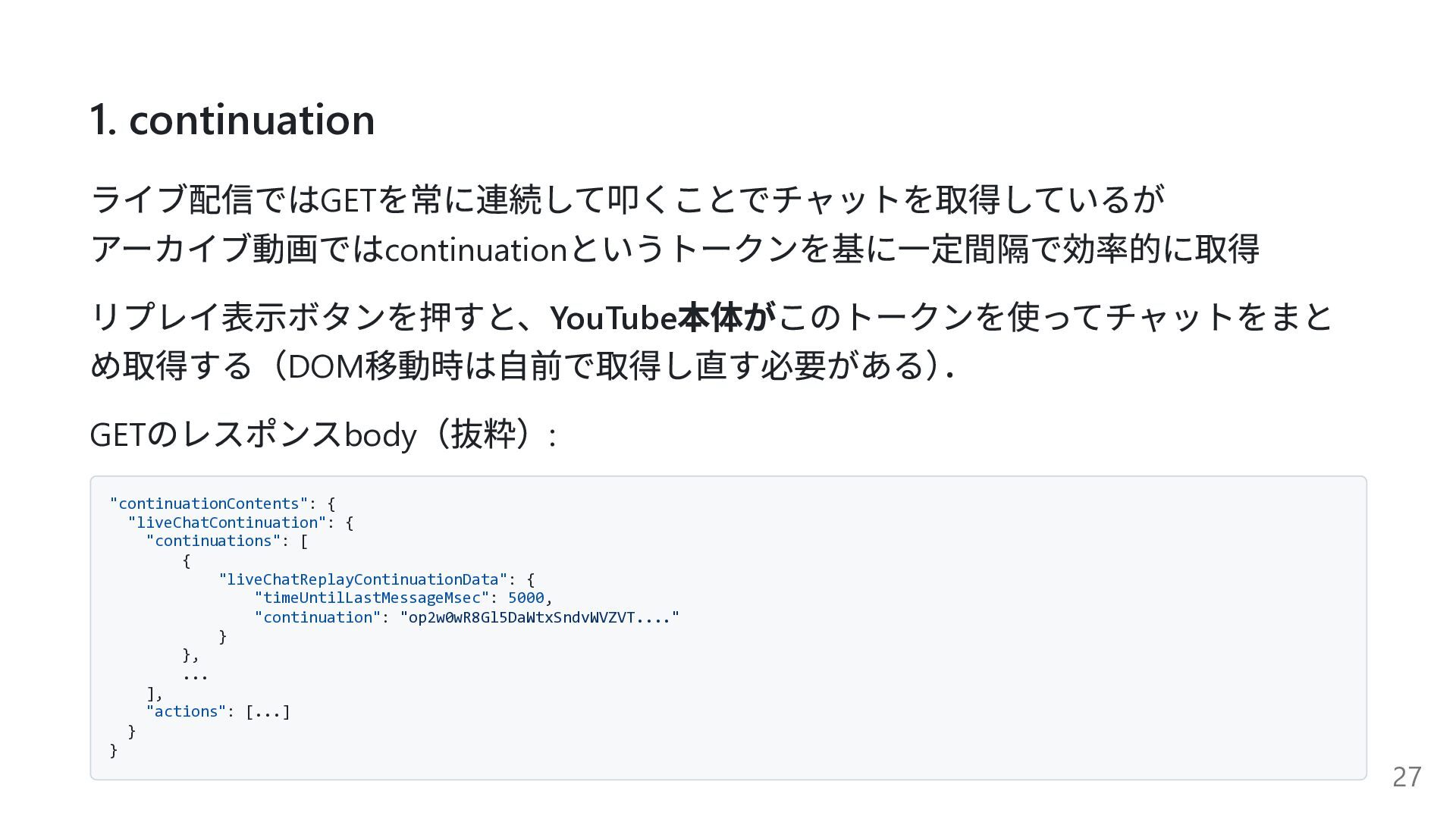
1. continuation ライブ配信ではGET を常に連続して叩くことでチャットを取得しているが アーカイブ動画ではcontinuation というトークンを基に一定間隔で効率的に取得 リプレイ表示ボタンを押すと、YouTube 本体がこのトークンを使ってチャットをまと め取得する(DOM 移動時は自前で取得し直す必要がある)
. GET のレスポンスbody (抜粋): "continuationContents": { "liveChatContinuation": { "continuations": [ { "liveChatReplayContinuationData": { "timeUntilLastMessageMsec": 5000, "continuation": "op2w0wR8Gl5DaWtxSndvWVZVT...." } }, ... ], "actions": [...] } } 27
2. DOM 変更によるバグの例 シークバーを動かすと薄暗い映像が部分的に表示 28
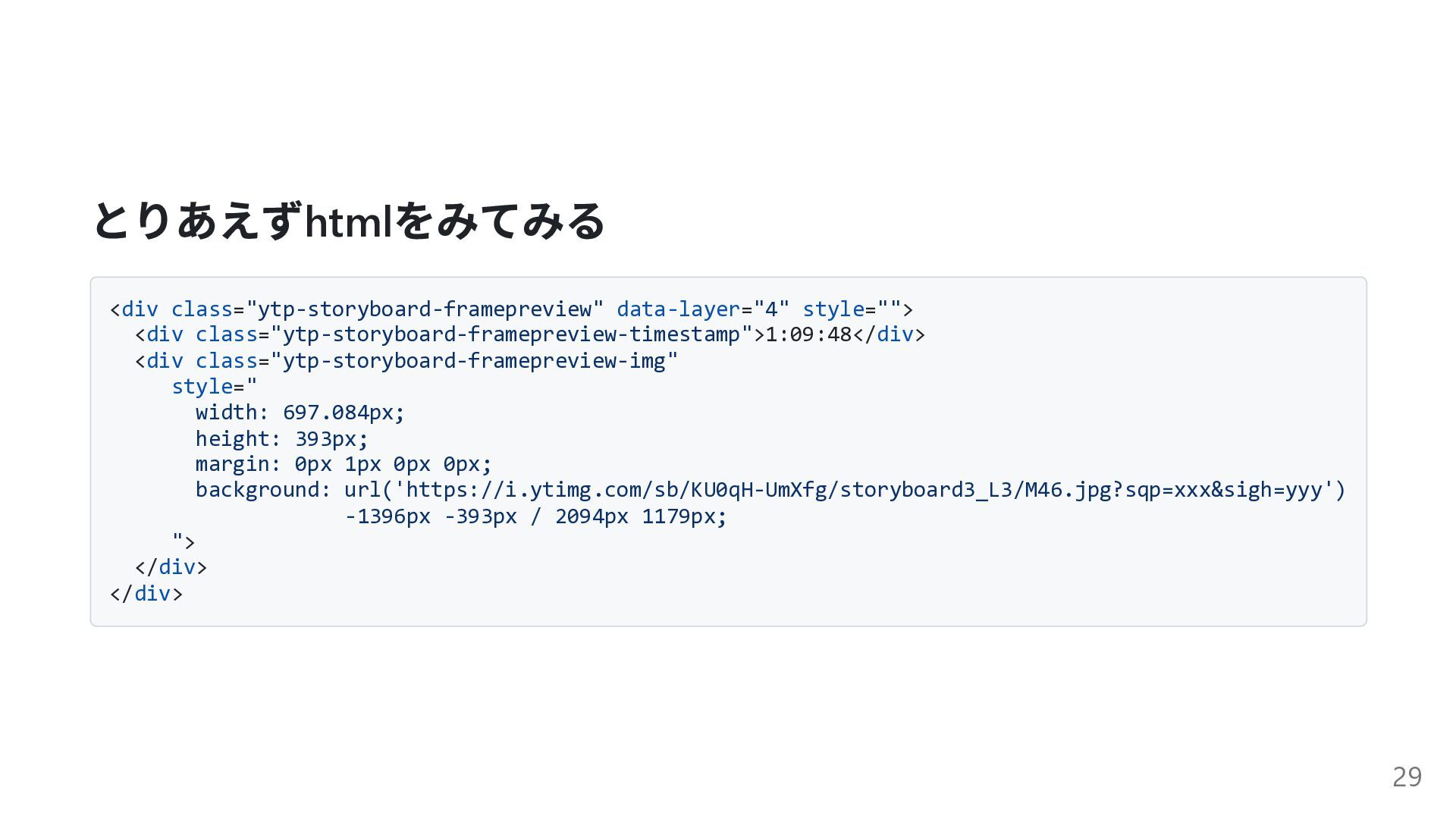
とりあえずhtml をみてみる <div class="ytp-storyboard-framepreview" data-layer="4" style=""> <div class="ytp-storyboard-framepreview-timestamp">1:09:48</div> <div class="ytp-storyboard-framepreview-img"
style=" width: 697.084px; height: 393px; margin: 0px 1px 0px 0px; background: url('https://i.ytimg.com/sb/KU0qH-UmXfg/storyboard3_L3/M46.jpg?sqp=xxx&sigh=yyy') -1396px -393px / 2094px 1179px; "> </div> </div> 29
storyboard スプライト画像の一つで、複数の画像を1 つの画像ファイルにまとめて管理し、 必要な部分を切り出して表示するもの. 30
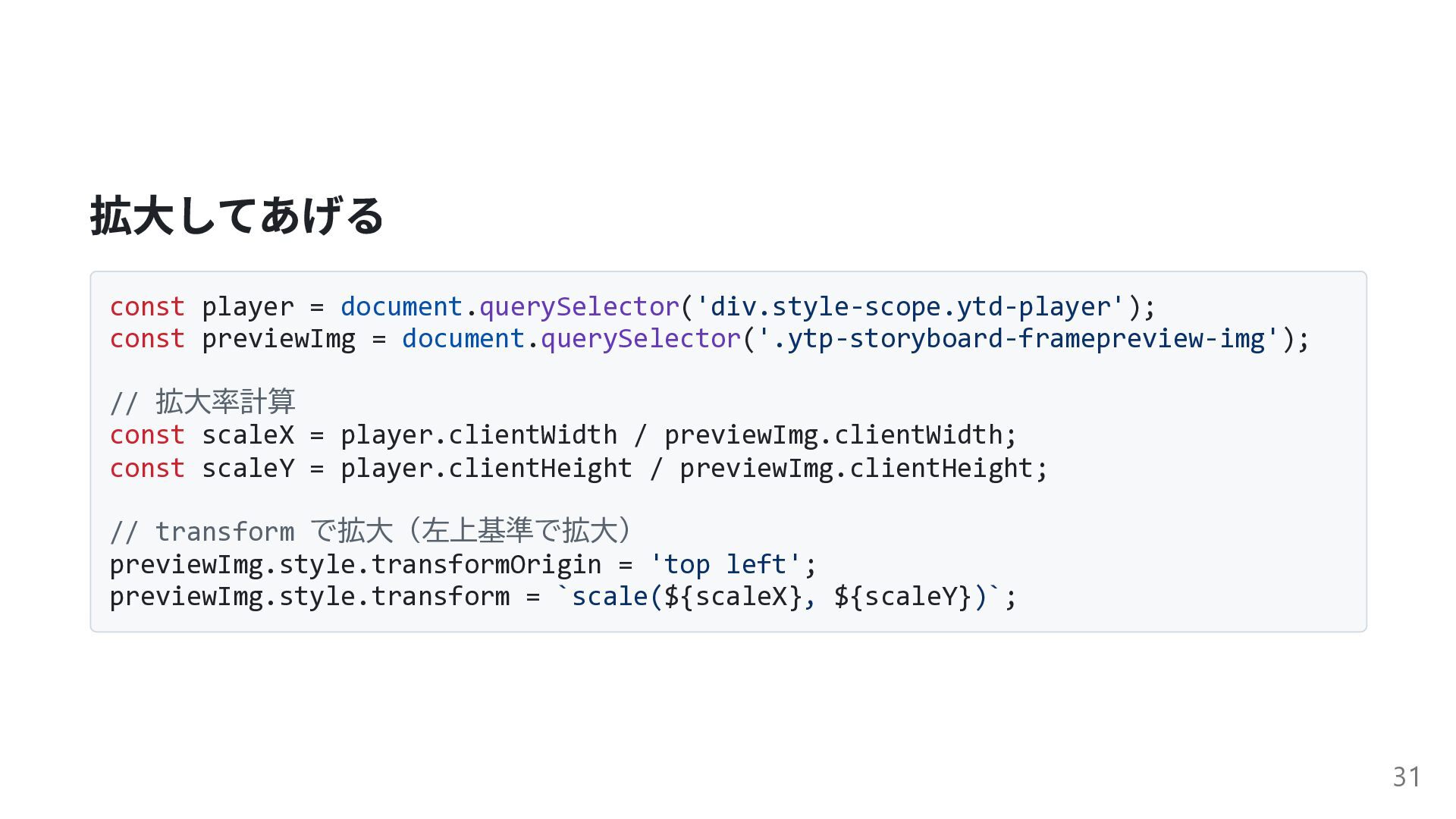
拡大してあげる const player = document.querySelector('div.style-scope.ytd-player'); const previewImg = document.querySelector('.ytp-storyboard-framepreview-img'); //
拡大率計算 const scaleX = player.clientWidth / previewImg.clientWidth; const scaleY = player.clientHeight / previewImg.clientHeight; // transform で拡大(左上基準で拡大) previewImg.style.transformOrigin = 'top left'; previewImg.style.transform = `scale(${scaleX}, ${scaleY})`; 31
余談: scrubbing-thumbnail シークバー下部では5×5 のstoryboard を最大100 枚使い2500 のシーク箇所を表示. 動画は最大12 時間(43200 秒)
なので約17 秒間隔でシーク箇所を表示することが可能. 32


 roraidolaurent
 kishida
 kawashimo0
 yutobara
 yuukiw00w
 bells17
 hschwentner
 akkeylab
 ___akari11
 uyuki234
 willnet
 iwatsukayura
 badams
 geoffreycrofte
 bryan
bryan
 asonas
 ipullrank
 mayunak
 wjessup
 reverentgeek
 inesmontani
 danielanewman
 sabderemane
 trishagee