Share
Embed
Practical Audio Units
This presentation was given at the monthly Atlanta iOS Developer Meetup in February 2013.
Sample code is available at https://github.com/warrenm/AudioUnitSample
Warren Moore
February 19, 2013
Transcript
34 slides
-
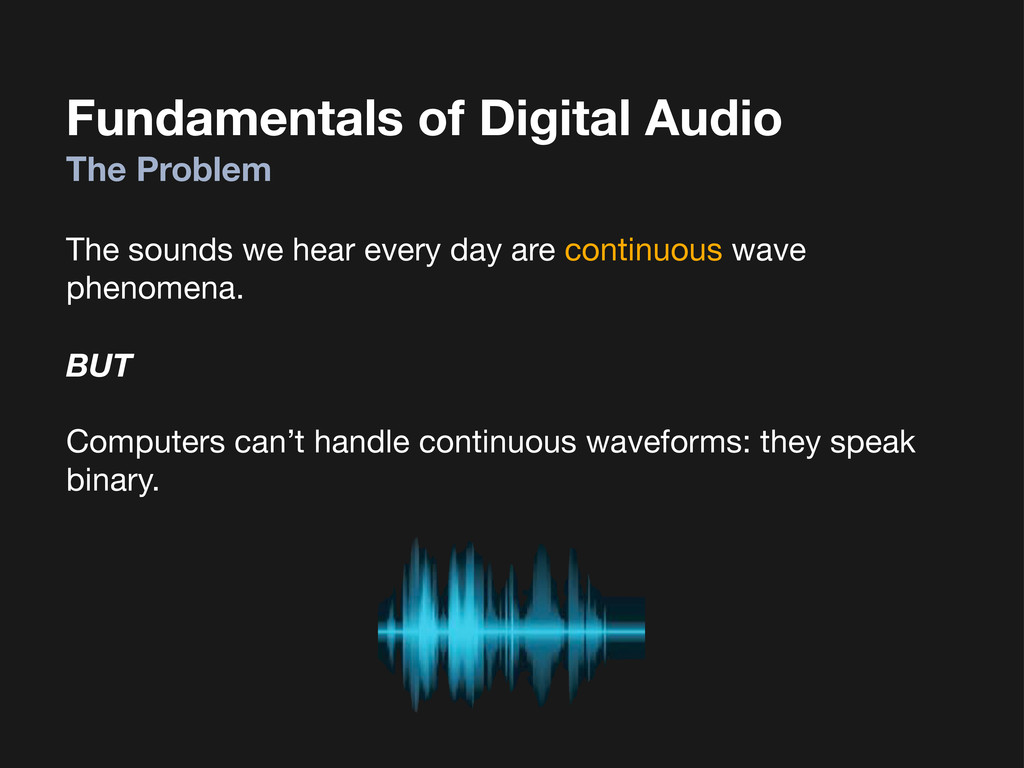
Fundamentals of Digital Audio The Problem The sounds we hear
every day are continuous wave phenomena. BUT Computers can’t handle continuous waveforms: they speak binary. -
Fundamentals of Digital Audio Sampling Audio waves in nature are
continuous in time and space: -
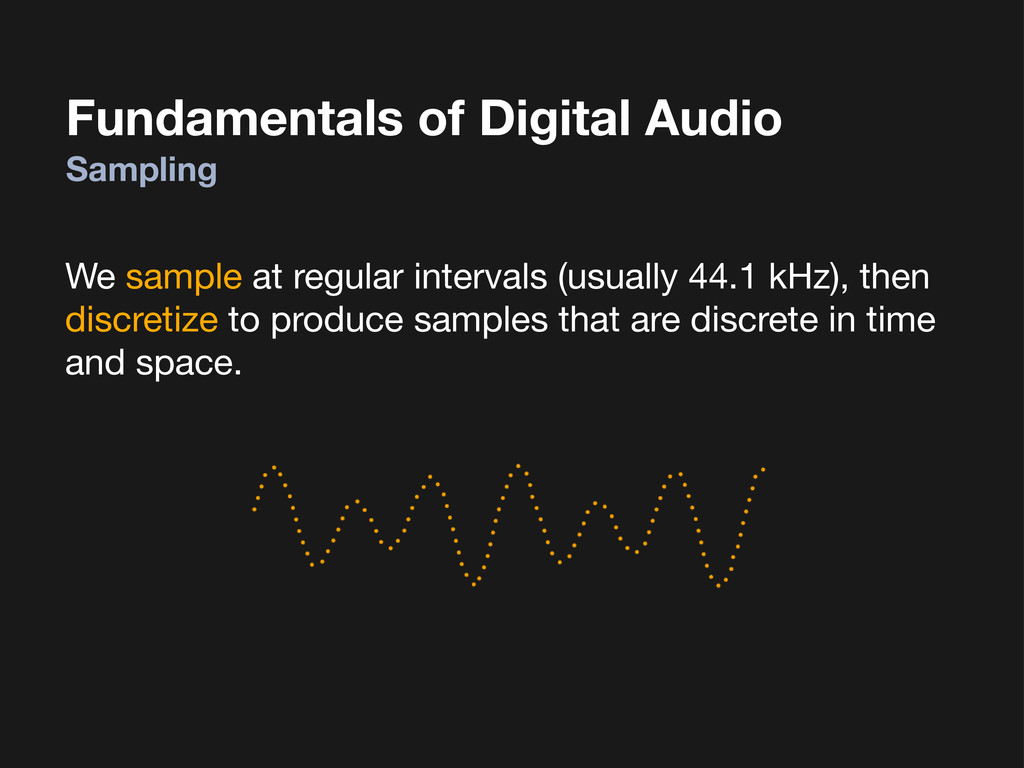
Fundamentals of Digital Audio Sampling We sample at regular intervals
(usually 44.1 kHz), then discretize to produce samples that are discrete in time and space. -
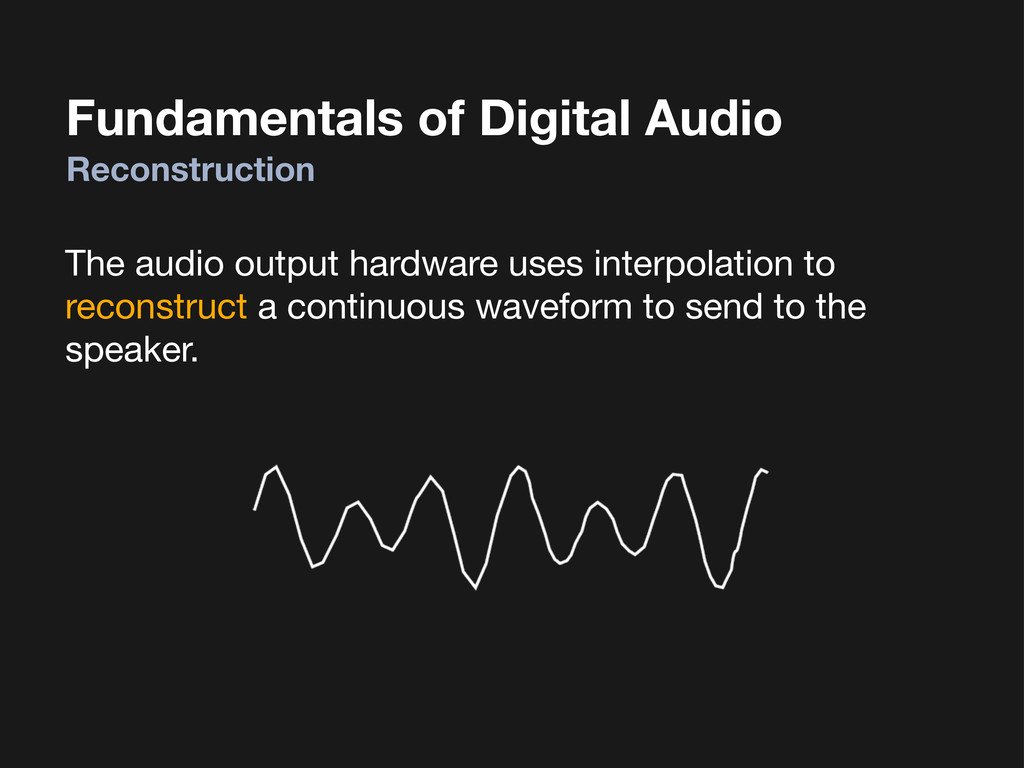
Fundamentals of Digital Audio Reconstruction The audio output hardware uses
interpolation to reconstruct a continuous waveform to send to the speaker. -
Fundamentals of Digital Audio A Word on Audio Formats To
store samples for playback, we have to agree on a format: • Data type (signed integer is typical) • Data size (16 bits is typical) • Sample rate (44.1 kHz for music, much less for voice) • Number of channels (1 = mono, 2 = stereo, etc.) • Interleaved or non-interleaved We won’t even bother talking about compression here. -
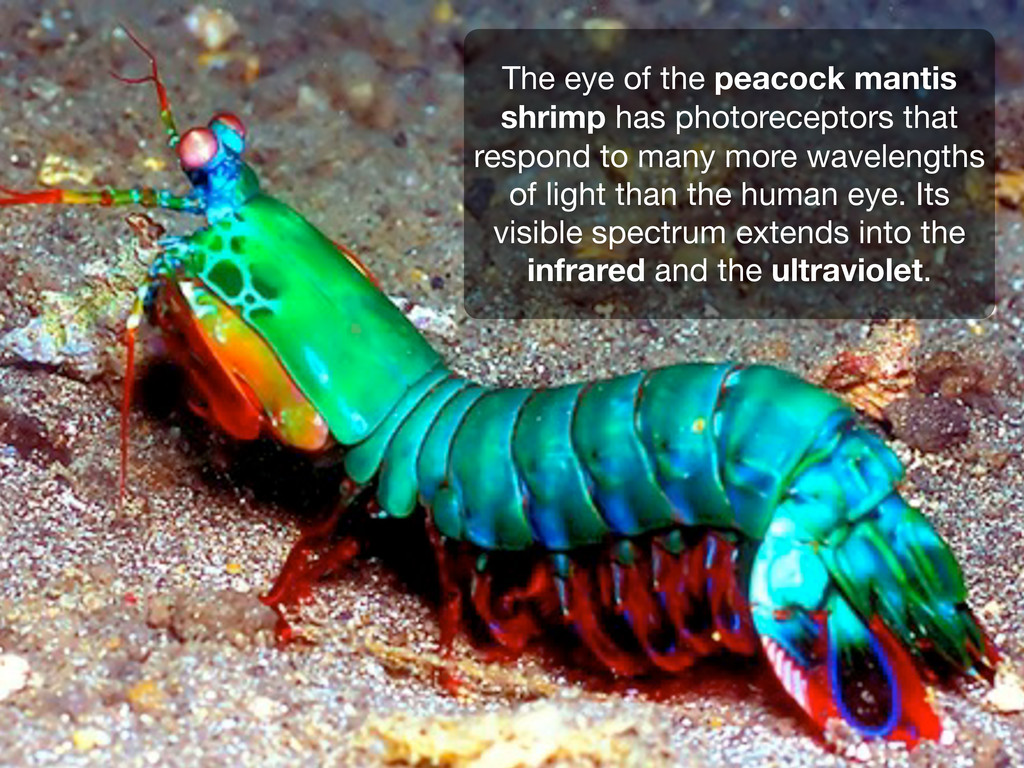
The eye of the peacock mantis shrimp has photoreceptors that
respond to many more wavelengths of light than the human eye. Its visible spectrum extends into the infrared and the ultraviolet. -
Making Noise with iOS AVFoundation System Sound Services Audio Queue
Services Audio Units Audio File Stream Services Audio Session Services Hardware Drivers Extended Audio File Services Audio File Services Audio Conversion Services High Level Low Level Audio Units -
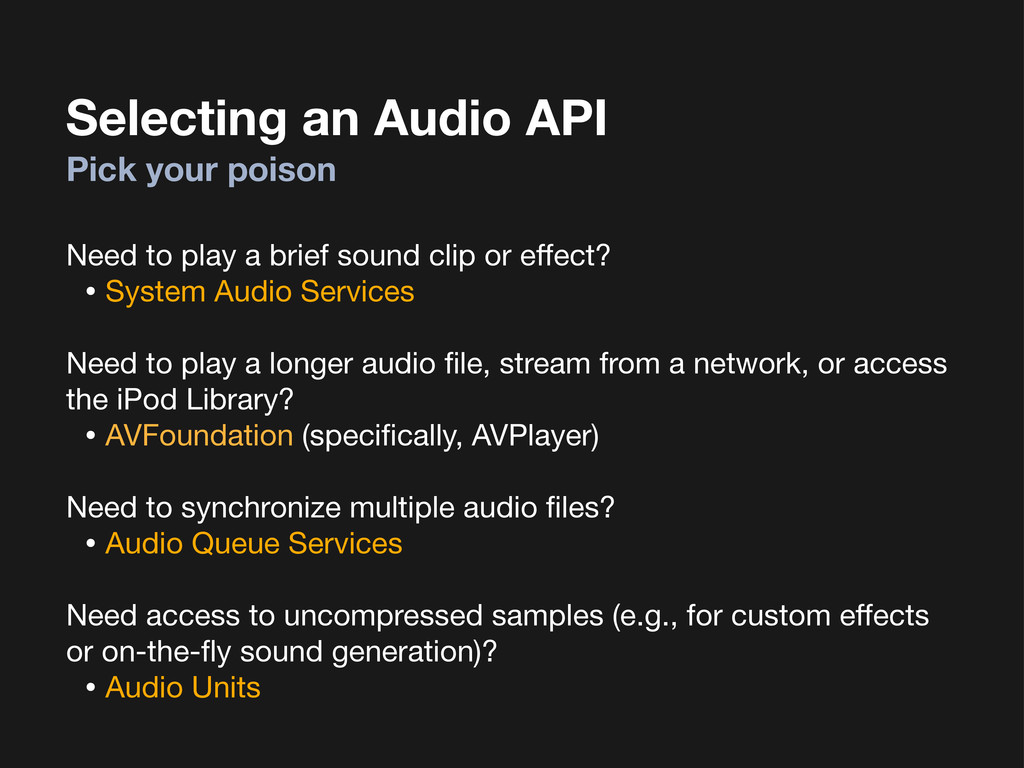
Selecting an Audio API Pick your poison Need to play
a brief sound clip or effect? • System Audio Services Need to play a longer audio file, stream from a network, or access the iPod Library? • AVFoundation (specifically, AVPlayer) Need to synchronize multiple audio files? • Audio Queue Services Need access to uncompressed samples (e.g., for custom effects or on-the-fly sound generation)? • Audio Units -
What are Audio Units? Self-contained processors of audio samples Take
on one of several roles: • Input or output device (microphone, speaker) • Mixer (blend 2+ streams of audio together) • Effect (distort, echo, match tempo, pitch correction) Wired together to make Audio Unit Graphs Comprise a plug-in architecture on Mac OS. Less so on iOS. -
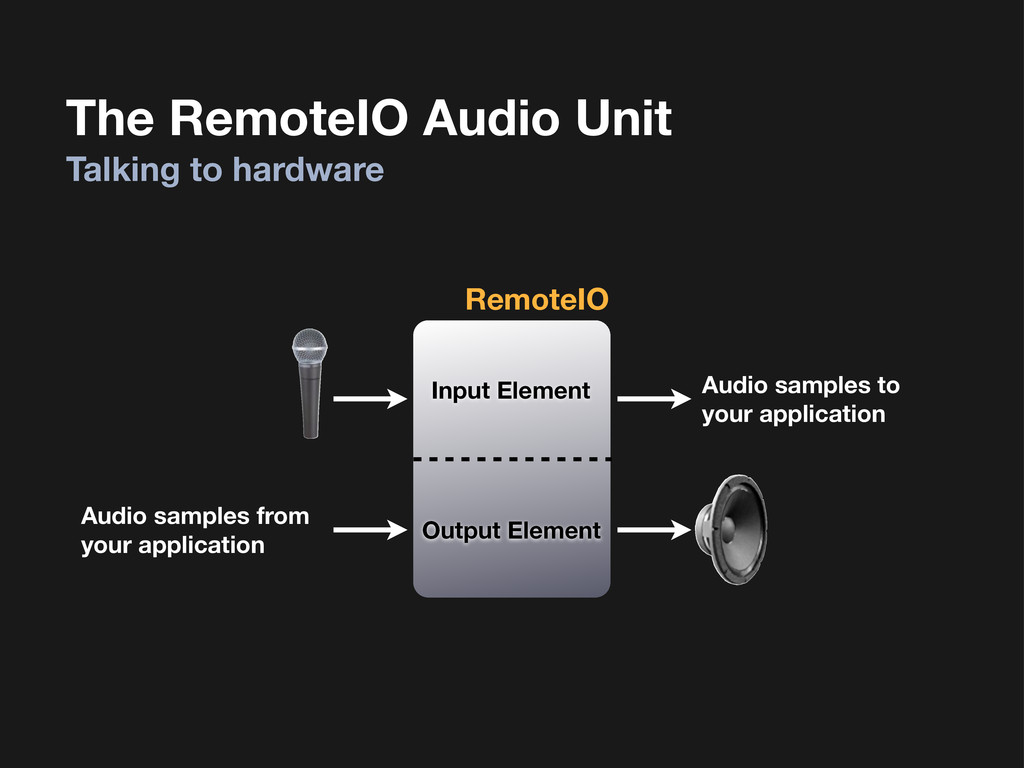
The RemoteIO Audio Unit Talking to hardware Input Element Output
Element RemoteIO Audio samples to your application Audio samples from your application -
Example Audio Unit Graphs #1 - Playthrough AUGraph RemoteIO (Input
Element) RemoteIO (Output Element) -
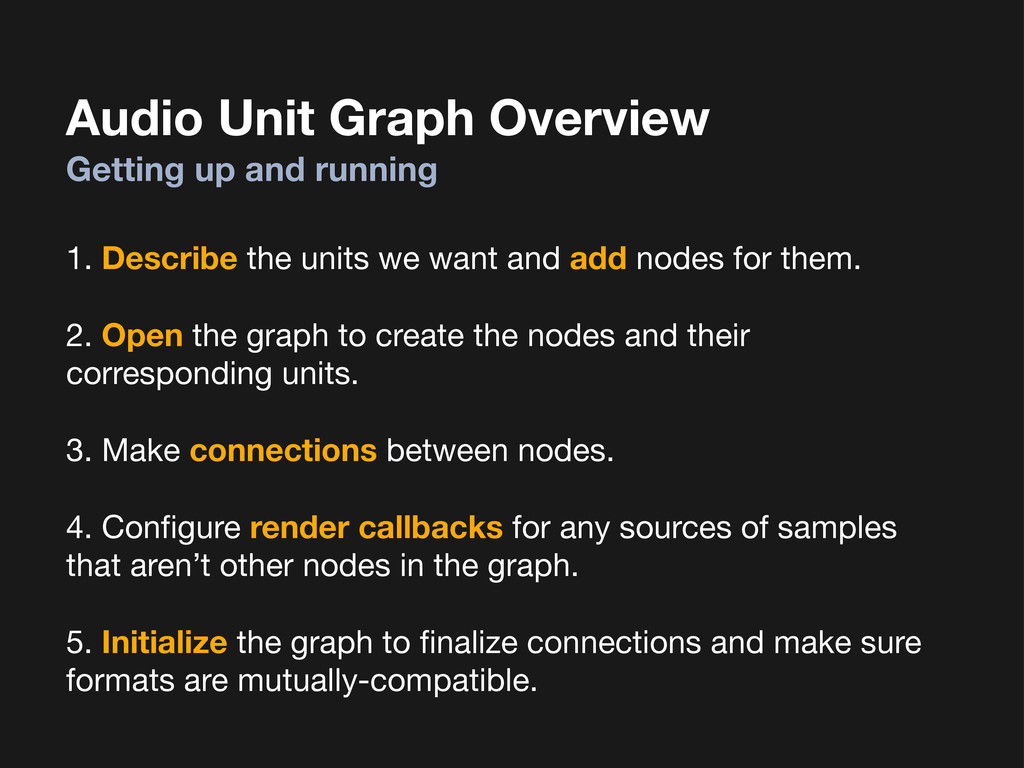
Audio Unit Graph Overview 1. Describe the units we want
and add nodes for them. 2. Open the graph to create the nodes and their corresponding units. 3. Make connections between nodes. 4. Configure render callbacks for any sources of samples that aren’t other nodes in the graph. 5. Initialize the graph to finalize connections and make sure formats are mutually-compatible. Getting up and running -
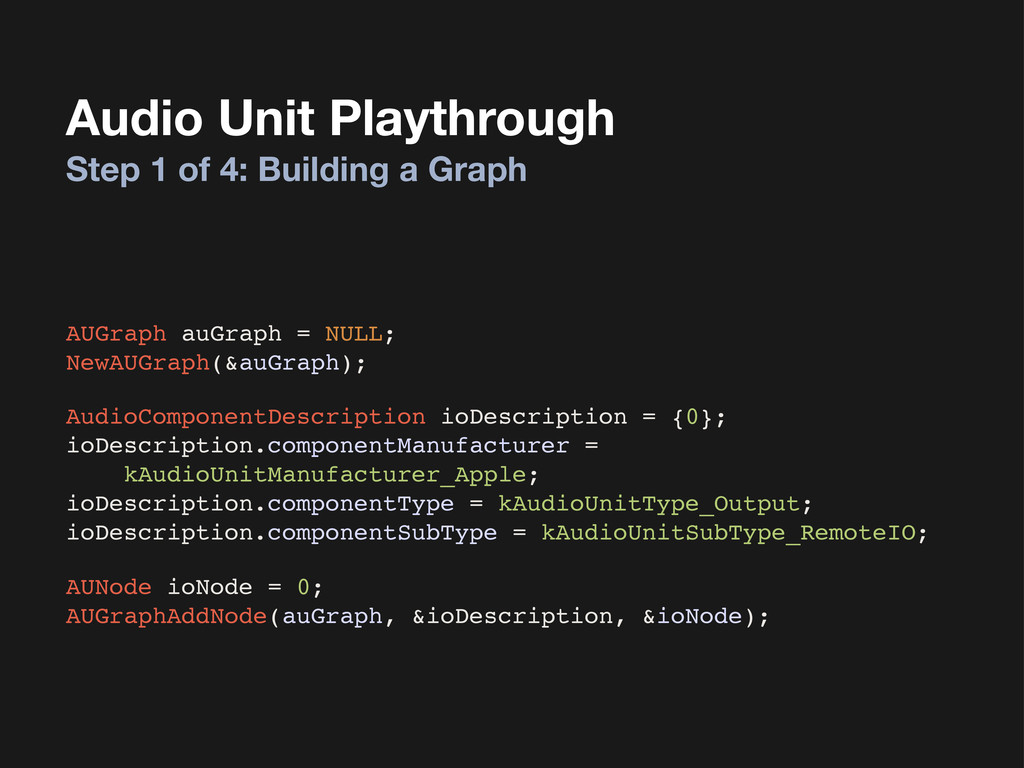
Audio Unit Playthrough Step 1 of 4: Building a Graph
AUGraph auGraph = NULL; NewAUGraph(&auGraph); AudioComponentDescription ioDescription = {0}; ioDescription.componentManufacturer = kAudioUnitManufacturer_Apple; ioDescription.componentType = kAudioUnitType_Output; ioDescription.componentSubType = kAudioUnitSubType_RemoteIO; AUNode ioNode = 0; AUGraphAddNode(auGraph, &ioDescription, &ioNode); -
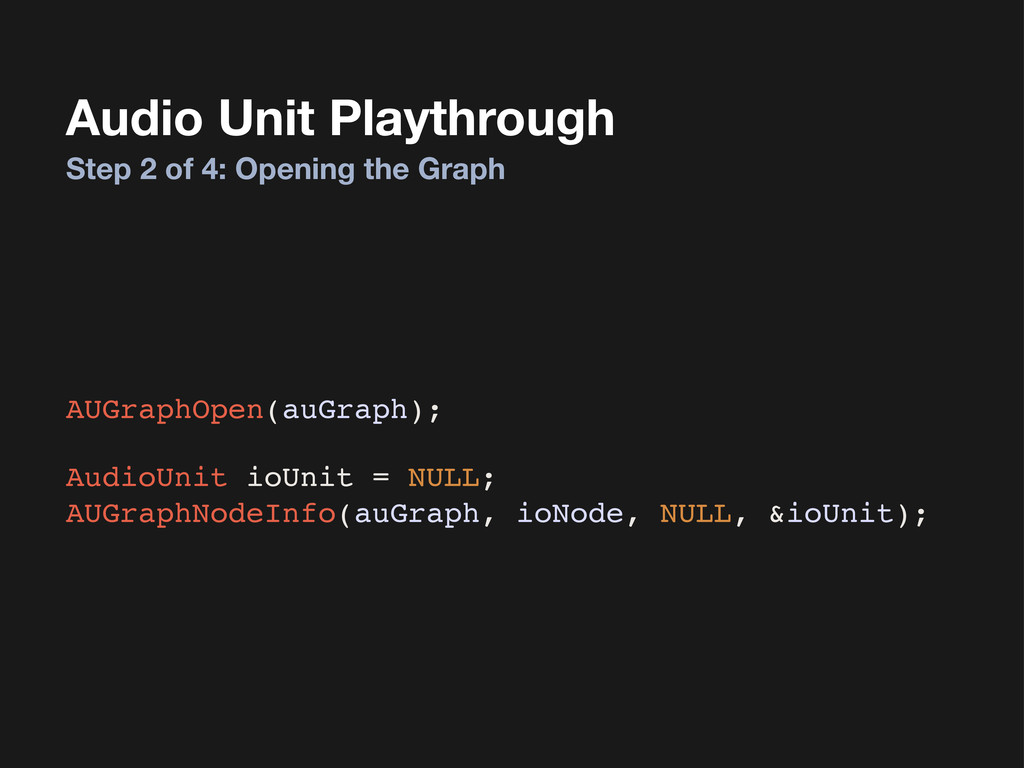
Audio Unit Playthrough Step 2 of 4: Opening the Graph
AudioUnit ioUnit = NULL; AUGraphNodeInfo(auGraph, ioNode, NULL, &ioUnit); AUGraphOpen(auGraph); -
Audio Unit Playthrough Step 3 of 4: Configuring the Stream
Format & Enabling Input AudioStreamBasicDescription audioFormat = {0}; audioFormat.mSampleRate! ! ! = 44100.0; audioFormat.mFormatID! ! ! ! = kAudioFormatLinearPCM; audioFormat.mFormatFlags!! ! = kAudioFormatFlagIsFloat | ! ! ! ! ! ! ! ! ! ! ! ! kAudioFormatFlagIsPacked; audioFormat.mFramesPerPacket! = 1; audioFormat.mChannelsPerFrame!= 1; audioFormat.mBitsPerChannel! ! = 8 * sizeof(Float32); audioFormat.mBytesPerPacket! ! = sizeof(Float32); audioFormat.mBytesPerFrame! ! = sizeof(Float32); -
Audio Unit Playthrough Step 3 of 4: Configuring the Stream
Format & Enabling Input AudioUnitSetProperty(ioUnit, ! ! ! ! ! ! ! kAudioUnitProperty_StreamFormat, ! ! ! ! ! ! ! kAudioUnitScope_Output, ! ! ! ! ! ! ! kInputBus, ! ! ! ! ! ! ! &audioFormat, ! ! ! ! ! ! ! sizeof(audioFormat)); AudioUnitSetProperty(ioUnit, ! ! ! ! ! ! ! kAudioUnitProperty_StreamFormat, ! ! ! ! ! ! ! kAudioUnitScope_Input, ! ! ! ! ! ! ! kOutputBus, ! ! ! ! ! ! ! &audioFormat, ! ! ! ! ! ! ! sizeof(audioFormat)); uint32_t enableInput = 1; AudioUnitSetProperty(ioUnit, ! ! ! ! ! ! ! kAudioOutputUnitProperty_EnableIO, ! ! ! ! ! ! ! kAudioUnitScope_Output, ! ! ! ! ! ! ! kOutputBus, ! ! ! ! ! ! ! &enableInput, ! ! ! ! ! ! ! sizeof(enableInput)); -
Audio Unit Playthrough Step 4 of 4: Making Connections AUGraphConnectNodeInput(auGraph,
ioNode, 1, ioNode, 0); AUGraphInitialize(auGraph); AUGraphStart(auGraph); Input Element Output Element -
The clouded leopard is a feline species native to Southeast
Asia. A threatened population, they number fewer than 10,000 worldwide. Mac OS X 10.9 Clouded Leopard? -
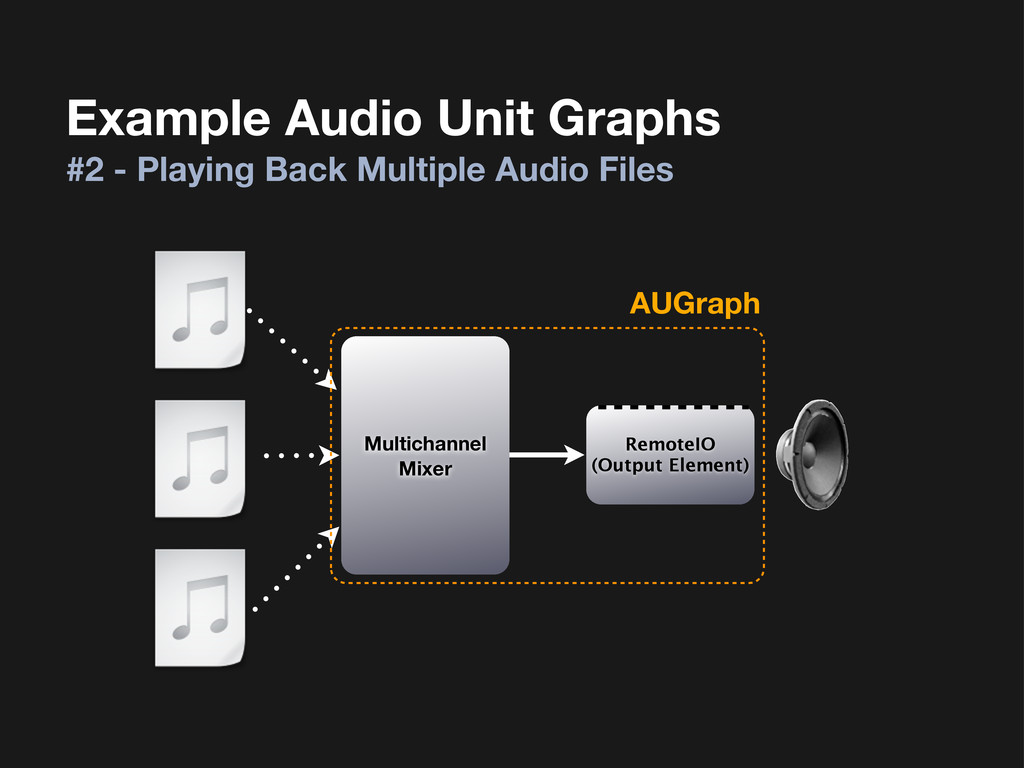
Multichannel Mixer Example Audio Unit Graphs #2 - Playing Back
Multiple Audio Files AUGraph RemoteIO (Output Element) -
Audio Unit Graph Overview 1. Describe the units we want
and add nodes for them. 2. Open the graph to create the nodes and their corresponding units. 3. Make connections between nodes. 4. Configure render callbacks for any sources of samples that aren’t other nodes in the graph. 5. Initialize the graph to finalize connections and make sure formats are mutually-compatible. Getting up and running -
Using the Multichannel Mixer Step 1 of 4: Describe and
Instantiate AudioComponentDescription mixerDescription = {0}; mixerDescription.componentManufacturer = kAudioUnitManufacturer_Apple; mixerDescription.componentType = kAudioUnitType_Mixer; mixerDescription.componentSubType = kAudioUnitSubType_MultiChannelMixer; AUGraphAddNode(auGraph, &mixerDescription, &mixerNode); //AUGraphOpen(auGraph); AUGraphNodeInfo(auGraph, mixerNode, NULL, &mixerUnit); -
Using the Multichannel Mixer Step 2 of 4: Configure format
and channel count UInt32 mixerElementCount = 2; AudioUnitSetProperty(mixerUnit, kAudioUnitProperty_ElementCount, kAudioUnitScope_Input, 0, &mixerElementCount, sizeof(mixerElementCount)); AudioUnitSetProperty(mixerUnit, kAudioUnitProperty_StreamFormat, kAudioUnitScope_Input, 1, &audioFormat, sizeof(audioFormat)); -
Using the Multichannel Mixer Step 3 of 4: Set up
render callbacks AURenderCallbackStruct callbackStruct; callbackStruct.inputProc = &InputRenderCallback; callbackStruct.inputProcRefCon = (__bridge void *)self; AudioUnitSetProperty(mixerUnit, kAudioUnitProperty_SetRenderCallback, kAudioUnitScope_Input, 1, &callbackStruct, sizeof(callbackStruct)); -
Using the Multichannel Mixer Step 4 of 4: Write the
render callback function static OSStatus InputRenderCallback( void *inRefCon, ! AudioUnitRenderActionFlags *ioActionFlags, ! const AudioTimeStamp *inTimeStamp, ! UInt32 inBusNumber, ! UInt32 inNumberFrames, ! AudioBufferList *ioData) { ! MyAudioUnitManager *graph = (__bridge id)inRefCon; // Fill audio buffers with samples, from whatever source. } -
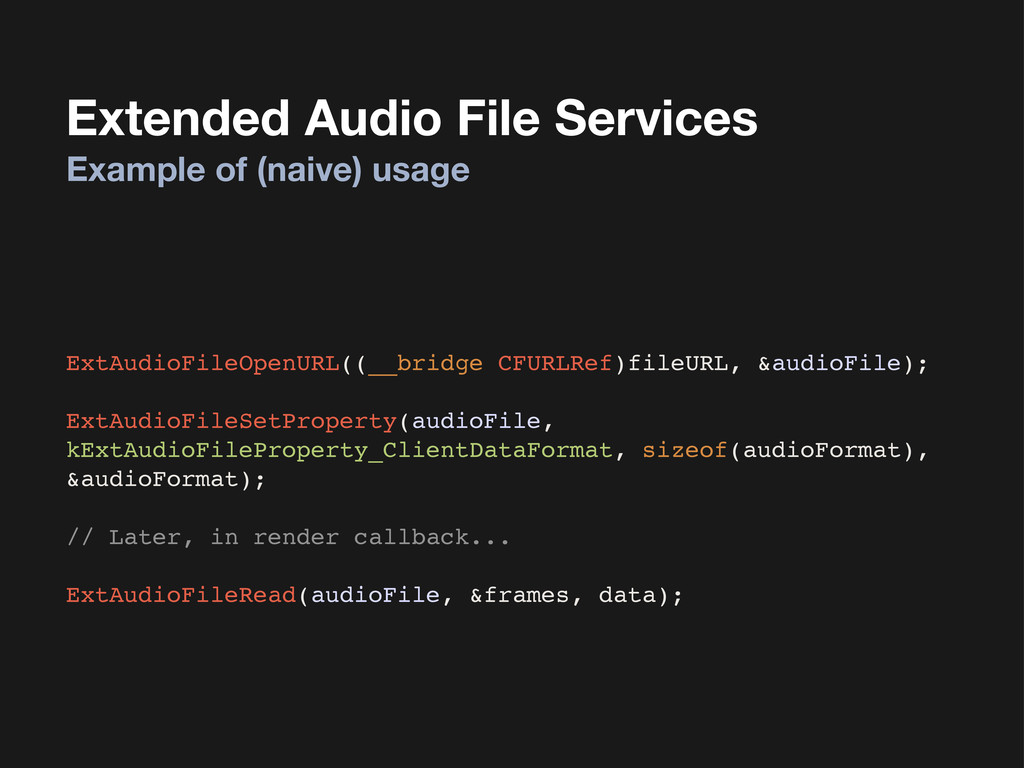
Extended Audio File Services We want to play back compressed
files (MP3, AAC, etc). Problem: Audio Units lack support for handling compressed formats. Solution: Extended Audio File Services, whose sole purpose is to efficiently decompress audio files into ready-to-consume samples. Playing compressed audio files -
Extended Audio File Services Example of (naive) usage ExtAudioFileOpenURL((__bridge CFURLRef)fileURL,
&audioFile); ExtAudioFileSetProperty(audioFile, kExtAudioFileProperty_ClientDataFormat, sizeof(audioFormat), &audioFormat); // Later, in render callback... ExtAudioFileRead(audioFile, &frames, data); -
The lobes of skin that grow on the leafy seadragon
provide camouflage, giving it the appearance of seaweed. -
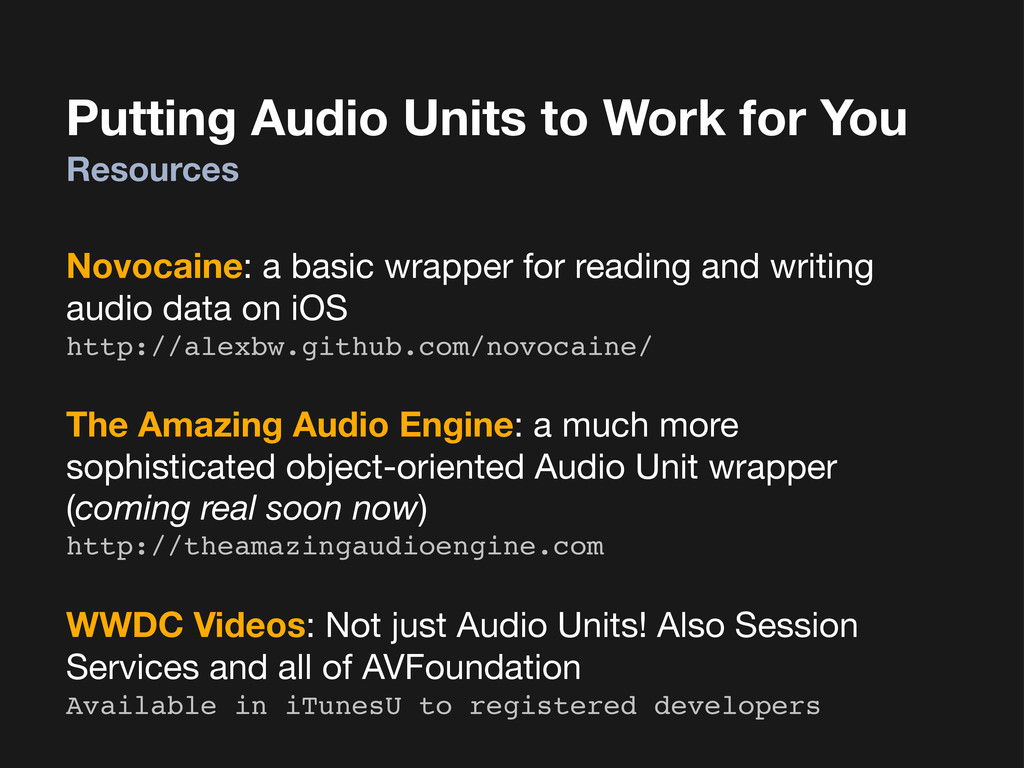
Putting Audio Units to Work for You Resources Novocaine: a
basic wrapper for reading and writing audio data on iOS http://alexbw.github.com/novocaine/ The Amazing Audio Engine: a much more sophisticated object-oriented Audio Unit wrapper (coming real soon now) http://theamazingaudioengine.com WWDC Videos: Not just Audio Units! Also Session Services and all of AVFoundation Available in iTunesU to registered developers -
Questions Feedback, contact, etc. I am Warren Moore. I am
@warrenm on and . Email me at [email protected]. -
This handsome fellow is a quokka who lives in southwest
Australia. I don’t know any cool facts about quokkas, but they’re cute.