Upgrade to Pro — share decks privately, control downloads, hide ads and more …

Log File Forensics - How To Analyze Log Files f...

Sponsored · SiteGround - Reliable hosting with speed, security, and support you can count on.

Log File Forensics - How To Analyze Log Files for AI Search BrightonSEO San Diego 2026

As search rapidly shifts toward AI-driven discovery, log files offer one of the clearest ways to understand how modern crawlers and LLM-based agents actually interact with your site.

This session focuses on how to review and analyze server logs to uncover meaningful AI search behavior—and turn those insights into actionable SEO recommendations.

This talk is ideal for technical SEOs, enterprise SEOs, SEO leads, and developers who want to move beyond assumptions and optimize based on real crawl data.

Zach will walk through how to identify AI-related bots, distinguish valuable crawl activity from noise, and understand how AI systems crawl, render, and consume content differently than traditional search engines.

By the end of the session, attendees will walk away with a practical framework for analyzing log files, spotting inefficiencies and opportunities, and translating raw log data into clear technical and architectural recommendations that support visibility in AI-powered search experiences.

Avatar for Zach Chahalis

Zach Chahalis

September 07, 2026

More Decks by Zach Chahalis

Other Decks in Marketing & SEO

Transcript

  1. I’M ZACH CHAHALIS VICE PRESIDENT OF RELEVANCE ENGINEERING AND ANALYTICS

    iPullRank My context: 16 Years in SEO, Marketing Analytics, and CRO 1 Year at iPR (But 3 yrs in total) 11 Yr Old Goldendoodle and 4 Yr Old Aussiedoodle Married Just Over Six Months
  2. WHAT IF I WERE TO TELL YOU THAT YOU CAN

    SEE IF AI CRAWLERS ARE ACTUALLY HITTING YOUR CONTENT? 3
  3. AND THAT YOU CAN SEE THIS DATA FOR FREE WITH

    ONE OF THE MOST UNDER-UTILIZED STRATEGIES 4
  4. THE BASICS A LOG FILE IS ONE LINE PER REQUEST

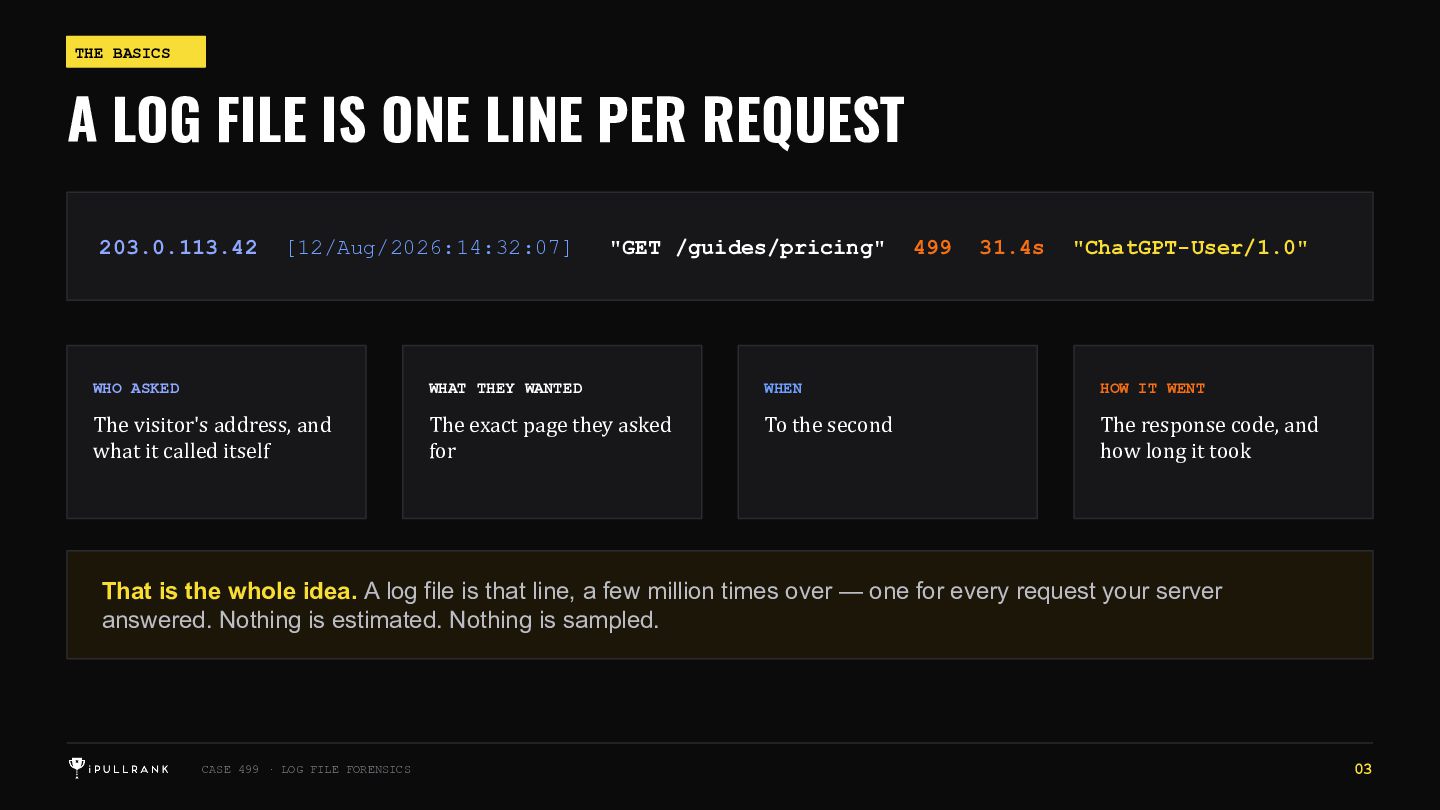
    203.0.113.42 [12/Aug/2026:14:32:07] "GET /guides/pricing" 499 31.4s "ChatGPT-User/1.0" WHO ASKED WHAT THEY WANTED WHEN HOW IT WENT The visitor's address, and what it called itself The exact page they asked for To the second The response code, and how long it took That is the whole idea. A log file is that line, a few million times over — one for every request your server answered. Nothing is estimated. Nothing is sampled. CASE 499 · LOG FILE FORENSICS 03
  5. ANATOMY OF A LOG LINE ONE ROW PER REQUEST 1

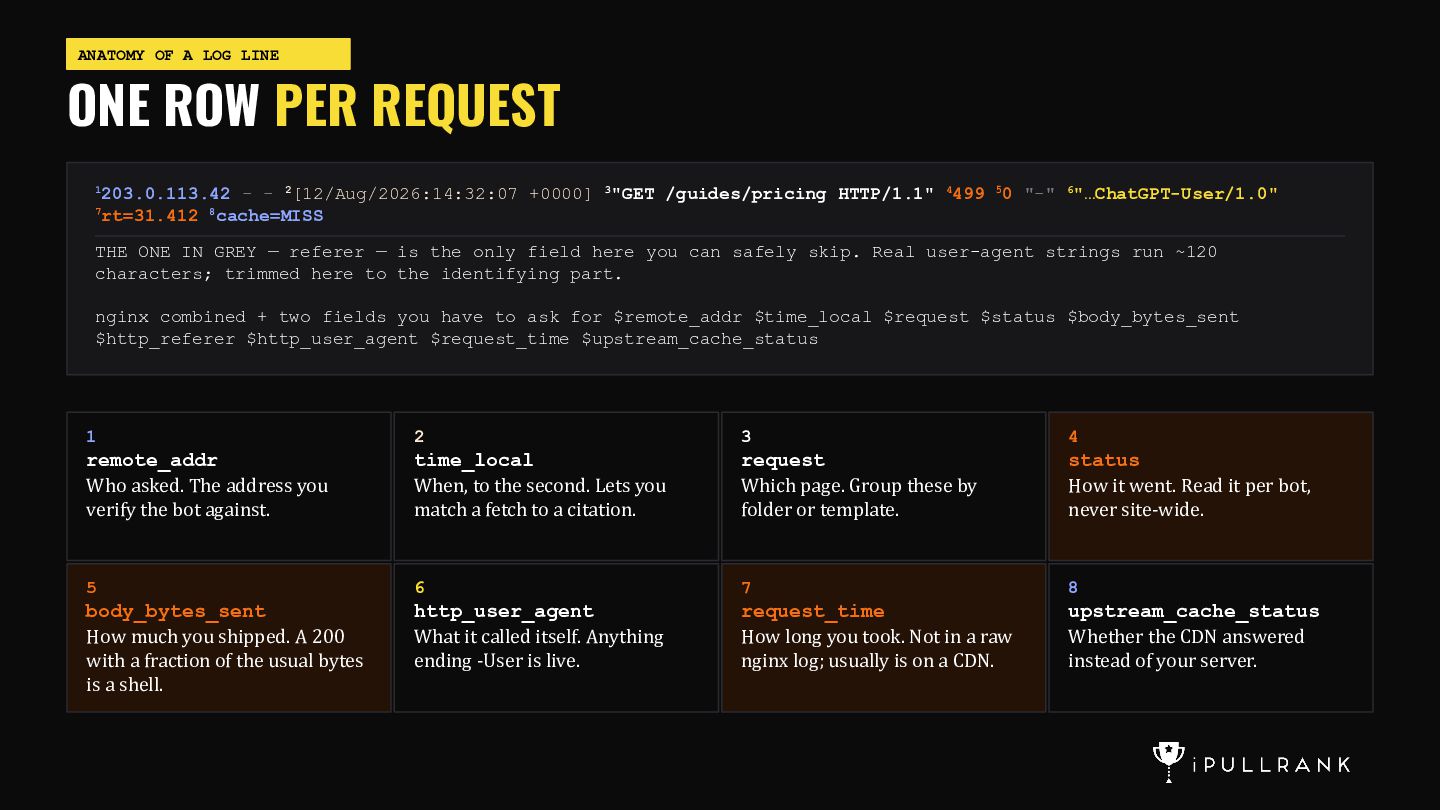
    203.0.113.42 - - 2[12/Aug/2026:14:32:07 +0000] 3"GET /guides/pricing HTTP/1.1" 4499 50 "-" 6"…ChatGPT-User/1.0" rt=31.412 8cache=MISS 7 THE ONE IN GREY — referer — is the only field here you can safely skip. Real user-agent strings run ~120 characters; trimmed here to the identifying part. nginx combined + two fields you have to ask for $remote_addr $time_local $request $status $body_bytes_sent $http_referer $http_user_agent $request_time $upstream_cache_status 1 2 3 4 remote_addr Who asked. The address you verify the bot against. time_local When, to the second. Lets you match a fetch to a citation. request Which page. Group these by folder or template. status How it went. Read it per bot, never site-wide. 5 6 7 8 body_bytes_sent How much you shipped. A 200 with a fraction of the usual bytes is a shell. http_user_agent What it called itself. Anything ending -User is live. request_time How long you took. Not in a raw nginx log; usually is on a CDN. upstream_cache_status Whether the CDN answered instead of your server.
  6. ANATOMY OF A LOG LINE ONE ROW PER REQUEST SIX

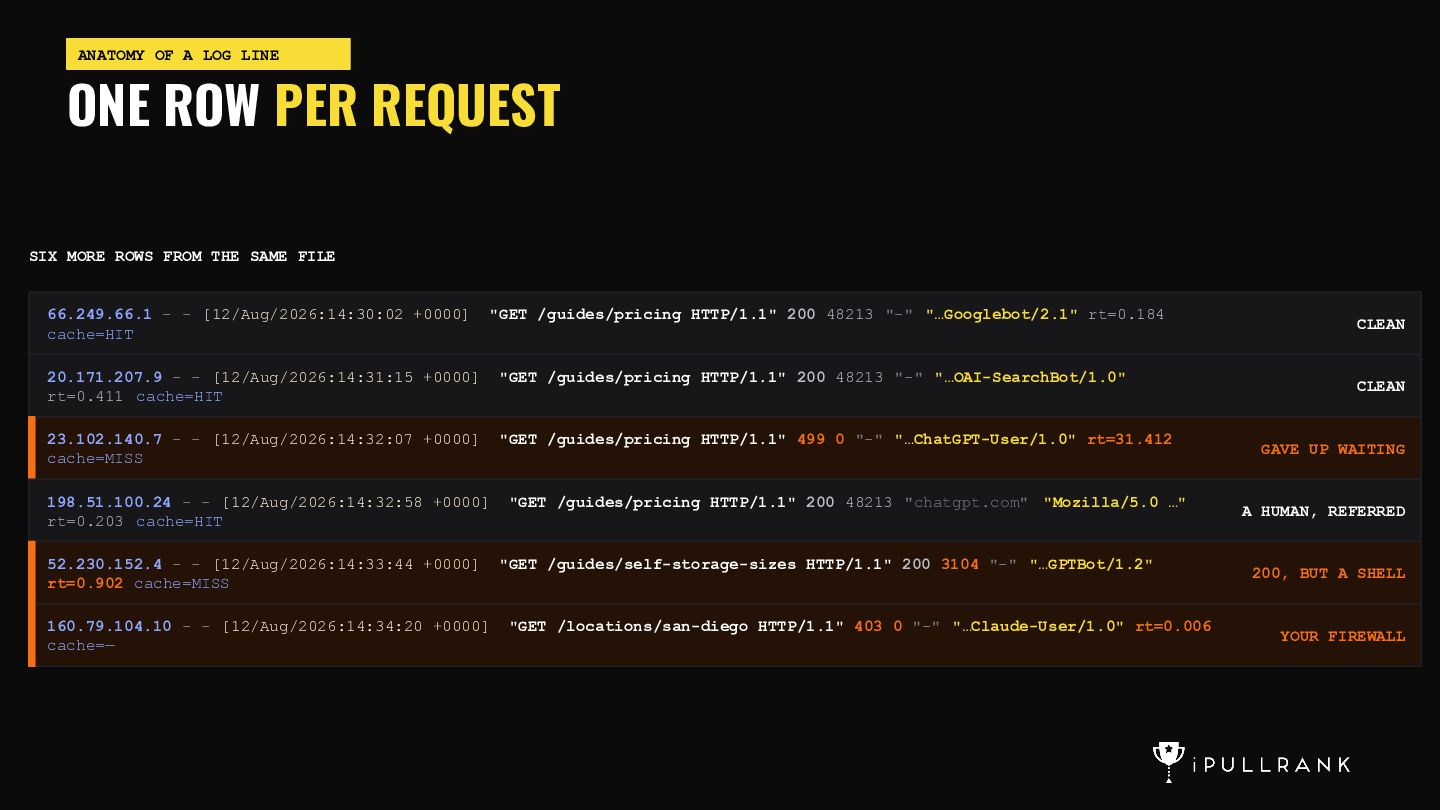
    MORE ROWS FROM THE SAME FILE 66.249.66.1 - - [12/Aug/2026:14:30:02 +0000] cache=HIT "GET /guides/pricing HTTP/1.1" 200 48213 "-" "…Googlebot/2.1" rt=0.184 20.171.207.9 - - [12/Aug/2026:14:31:15 +0000] rt=0.411 cache=HIT "GET /guides/pricing HTTP/1.1" 200 48213 "-" "…OAI-SearchBot/1.0" 23.102.140.7 - - [12/Aug/2026:14:32:07 +0000] cache=MISS "GET /guides/pricing HTTP/1.1" 499 0 "-" "…ChatGPT-User/1.0" rt=31.412 198.51.100.24 - - [12/Aug/2026:14:32:58 +0000] rt=0.203 cache=HIT "GET /guides/pricing HTTP/1.1" 200 48213 "chatgpt.com" "Mozilla/5.0 …" 52.230.152.4 - - [12/Aug/2026:14:33:44 +0000] rt=0.902 cache=MISS "GET /guides/self-storage-sizes HTTP/1.1" 200 3104 "-" "…GPTBot/1.2" 160.79.104.10 - - [12/Aug/2026:14:34:20 +0000] cache=— "GET /locations/san-diego HTTP/1.1" 403 0 "-" "…Claude-User/1.0" rt=0.006 CLEAN CLEAN GAVE UP WAITING A HUMAN, REFERRED 200, BUT A SHELL YOUR FIREWALL
  7. STEP 1 · GET THE FILE WHO TO ASK, AND

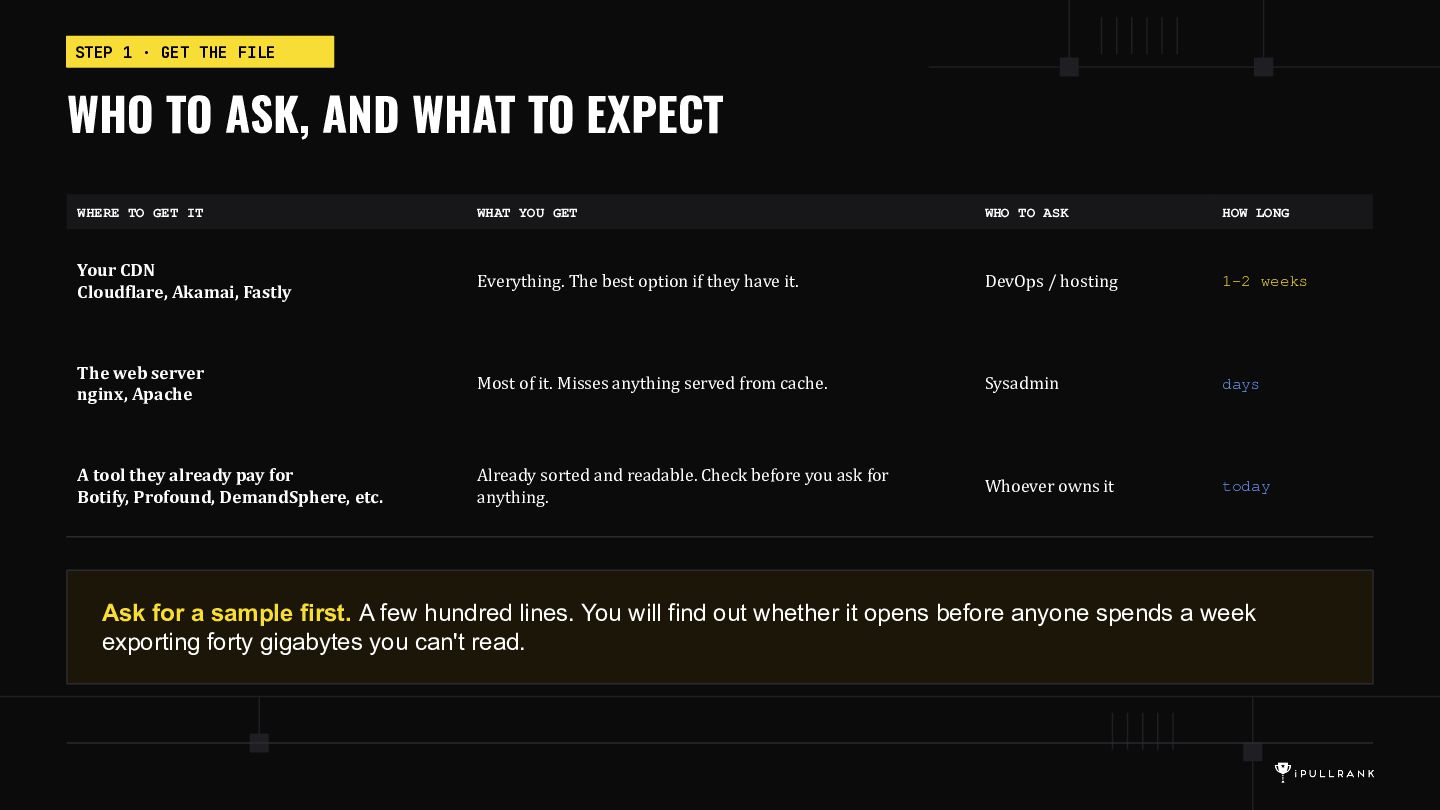
    WHAT TO EXPECT WHERE TO GET IT WHAT YOU GET WHO TO ASK HOW LONG Your CDN Cloudflare, Akamai, Fastly Everything. The best option if they have it. DevOps / hosting 1–2 weeks The web server nginx, Apache Most of it. Misses anything served from cache. Sysadmin days A tool they already pay for Botify, Profound, DemandSphere, etc. Already sorted and readable. Check before you ask for anything. Whoever owns it today Ask for a sample first. A few hundred lines. You will find out whether it opens before anyone spends a week exporting forty gigabytes you can't read.
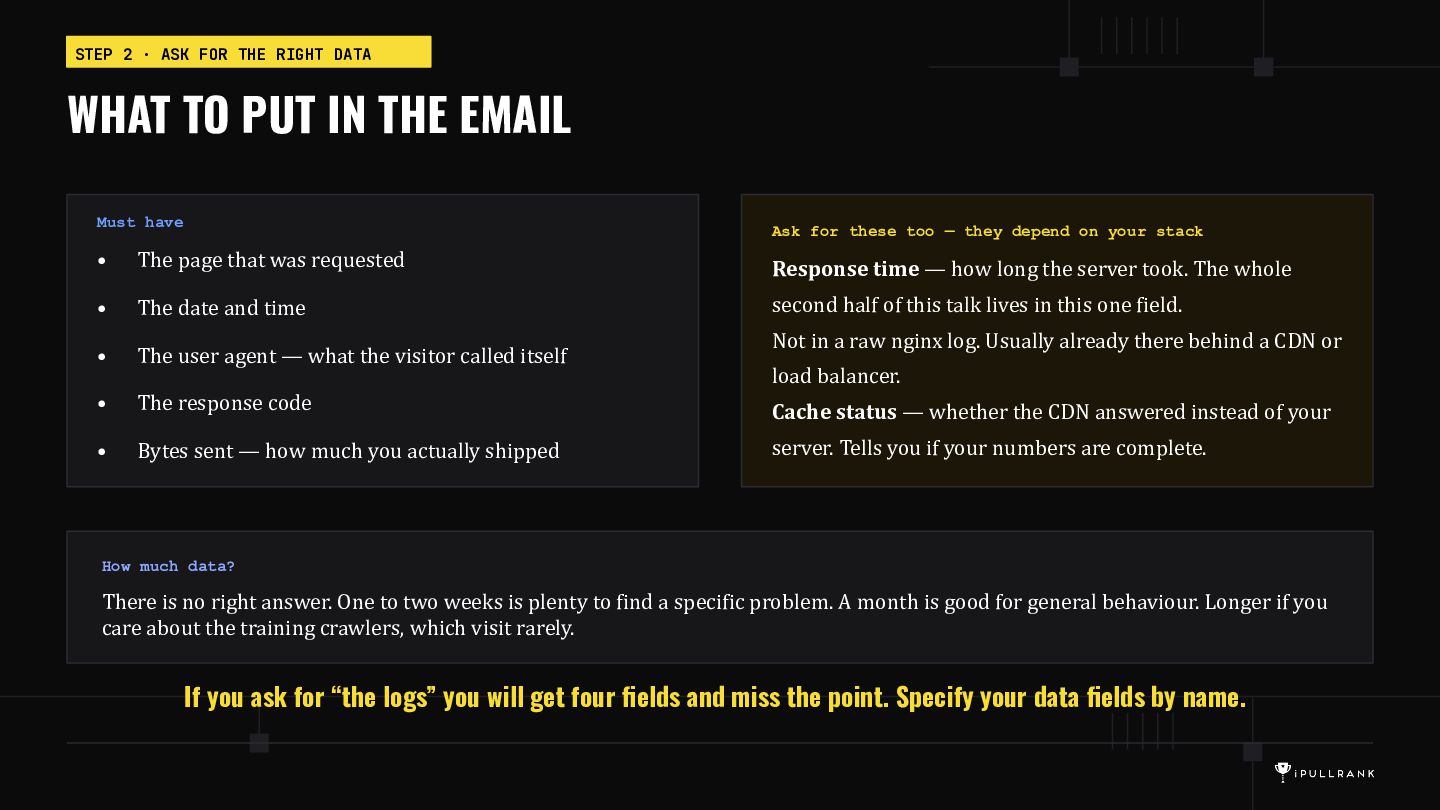
  8. STEP 2 · ASK FOR THE RIGHT DATA WHAT TO

    PUT IN THE EMAIL Must have Ask for these too — they depend on your stack • The page that was requested Response time — how long the server took. The whole • The date and time second half of this talk lives in this one field. • The user agent — what the visitor called itself • The response code Cache status — whether the CDN answered instead of your • Bytes sent — how much you actually shipped server. Tells you if your numbers are complete. Not in a raw nginx log. Usually already there behind a CDN or load balancer. How much data? There is no right answer. One to two weeks is plenty to find a specific problem. A month is good for general behaviour. Longer if you care about the training crawlers, which visit rarely. If you ask for “the logs” you will get four fields and miss the point. Specify your data fields by name.
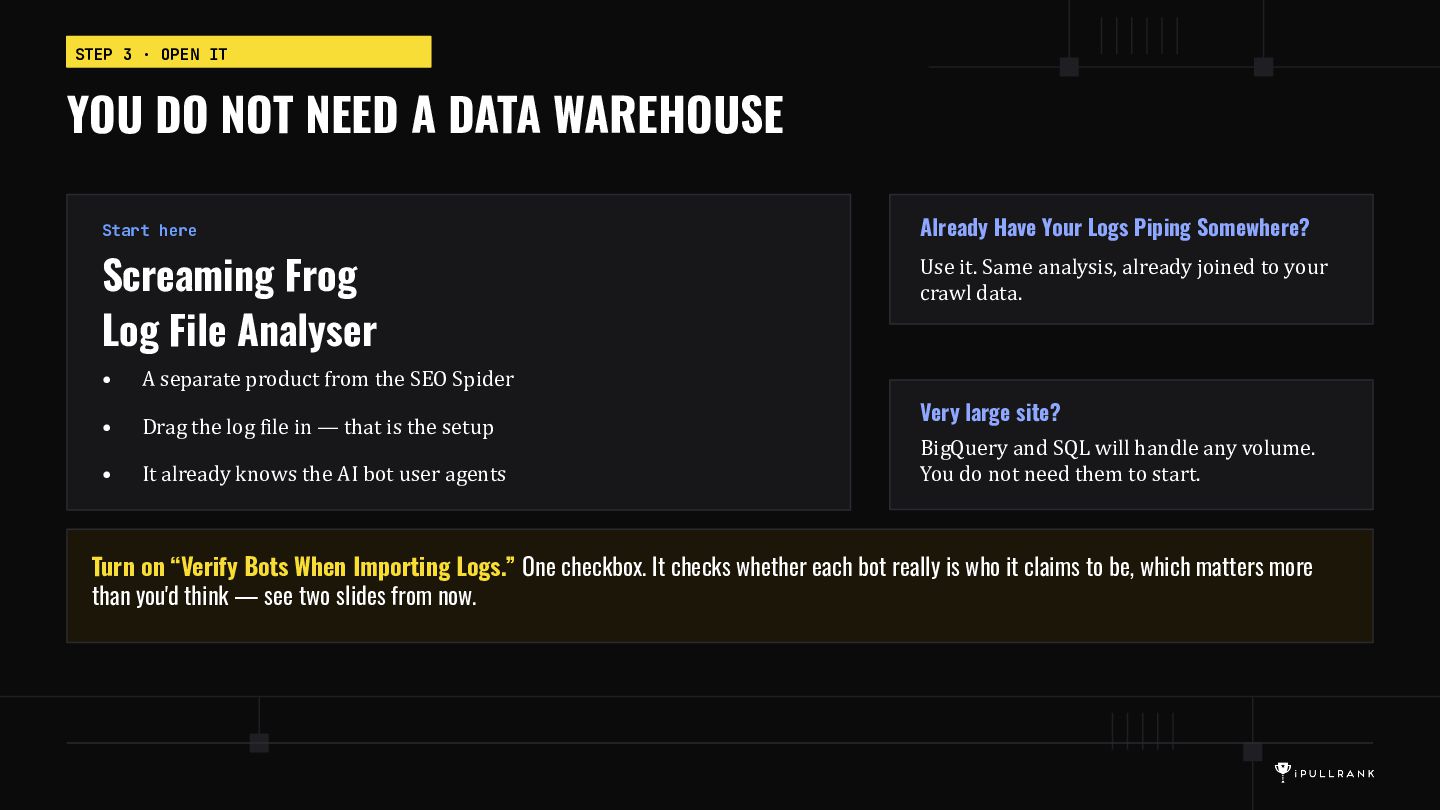
  9. STEP 3 · OPEN IT YOU DO NOT NEED A

    DATA WAREHOUSE Start here Screaming Frog Log File Analyser • A separate product from the SEO Spider • Drag the log file in — that is the setup • It already knows the AI bot user agents Already Have Your Logs Piping Somewhere? Use it. Same analysis, already joined to your crawl data. Very large site? BigQuery and SQL will handle any volume. You do not need them to start. Turn on “Verify Bots When Importing Logs.” One checkbox. It checks whether each bot really is who it claims to be, which matters more than you'd think — see two slides from now.
  10. TIME TO SEE WHO IS KNOCKING AT THE DOOR AI

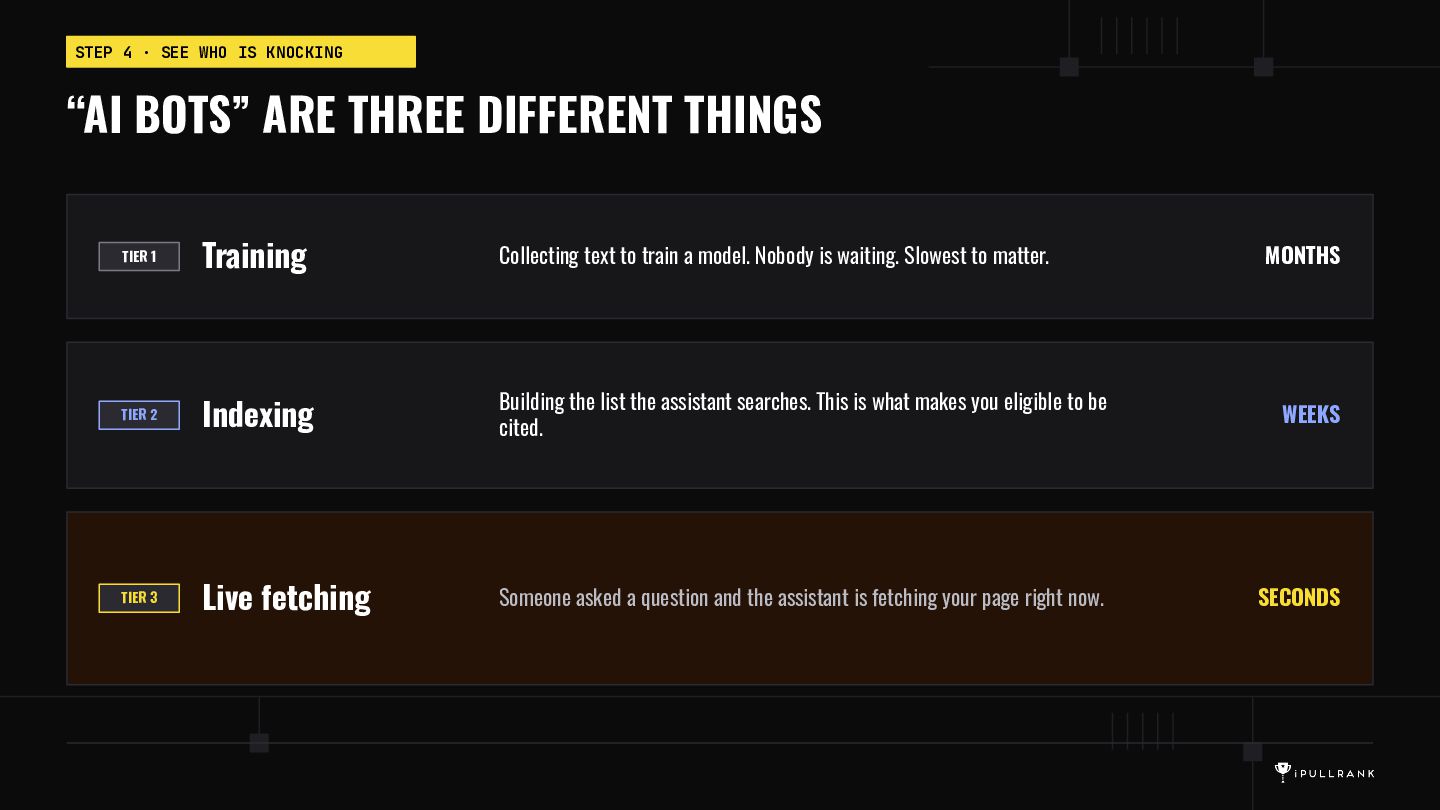
    Bots essentially come down to three main groupings of bots. And let’s not forget about classic search! You can learn a lot about optimizing for Google and Bing via your log files.
  11. STEP 4 · SEE WHO IS KNOCKING “AI BOTS” ARE

    THREE DIFFERENT THINGS TIER 1 Training Collecting text to train a model. Nobody is waiting. Slowest to matter. TIER 2 Indexing Building the list the assistant searches. This is what makes you eligible to be cited. WEEKS TIER 3 Live fetching Someone asked a question and the assistant is fetching your page right now. SECONDS MONTHS
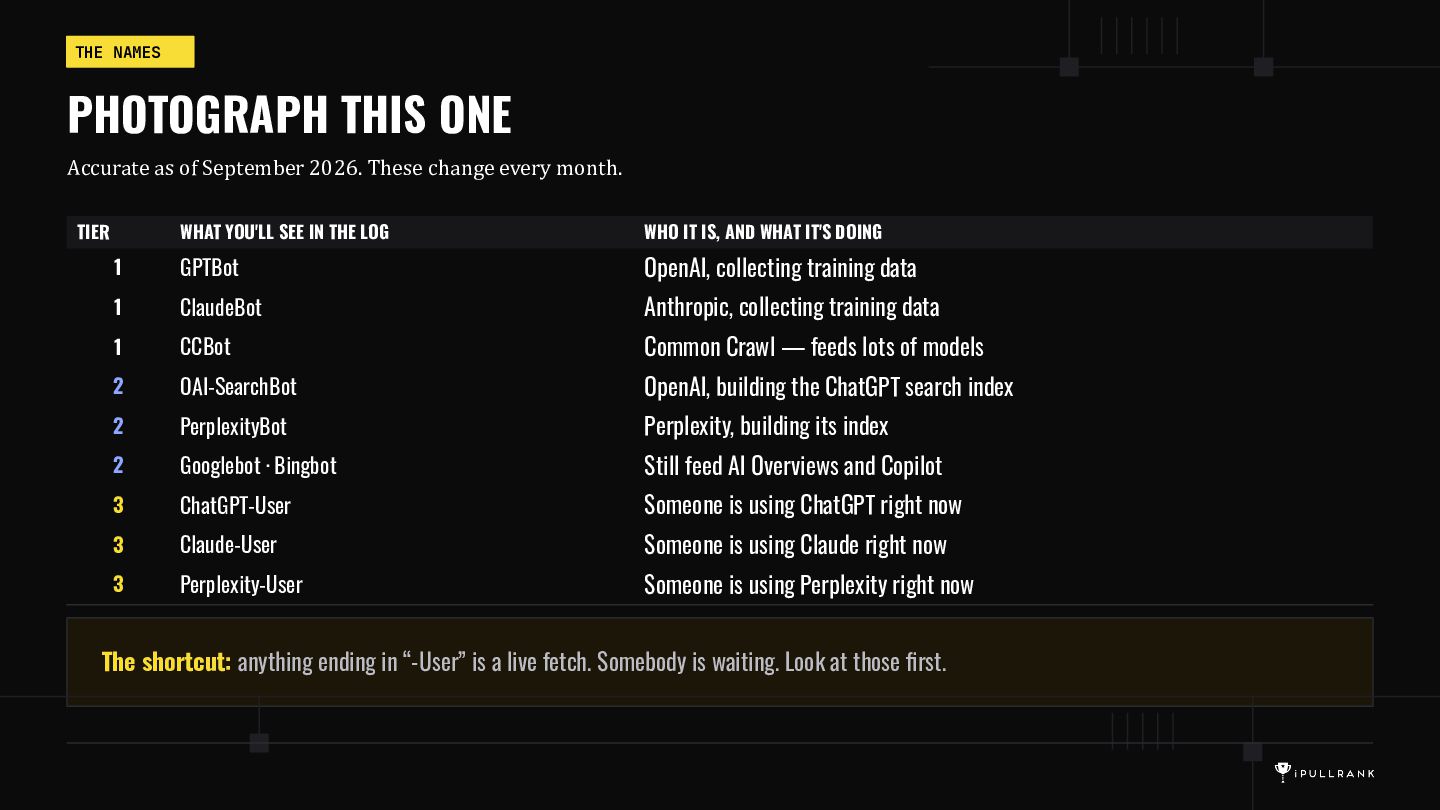
  12. THE NAMES PHOTOGRAPH THIS ONE Accurate as of September 2026.

    These change every month. TIER WHAT YOU'LL SEE IN THE LOG WHO IT IS, AND WHAT IT'S DOING 1 GPTBot OpenAI, collecting training data 1 ClaudeBot Anthropic, collecting training data 1 CCBot Common Crawl — feeds lots of models 2 OAI-SearchBot OpenAI, building the ChatGPT search index 2 PerplexityBot Perplexity, building its index 2 Googlebot · Bingbot Still feed AI Overviews and Copilot 3 ChatGPT-User Someone is using ChatGPT right now 3 Claude-User Someone is using Claude right now 3 Perplexity-User Someone is using Perplexity right now The shortcut: anything ending in “-User” is a live fetch. Somebody is waiting. Look at those first.
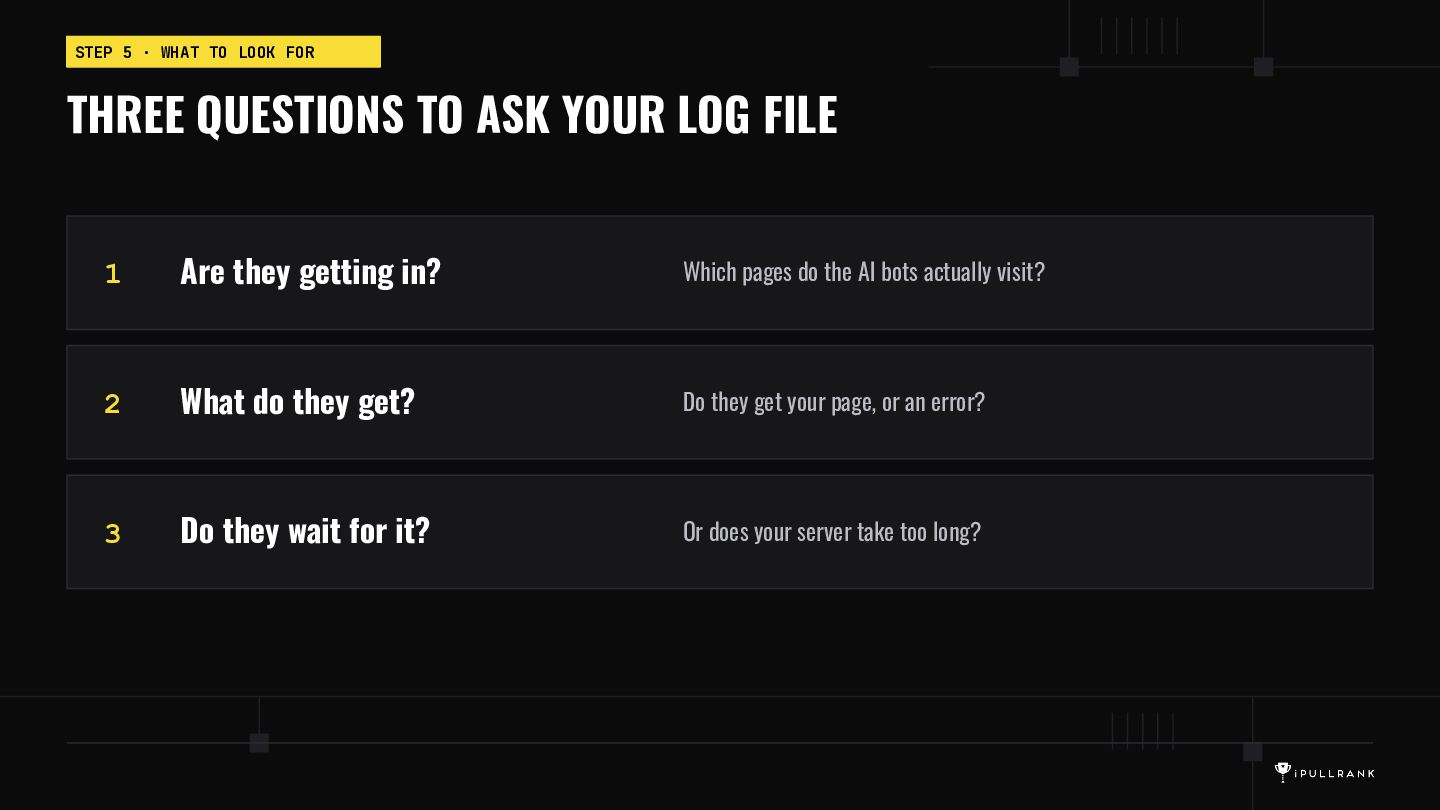
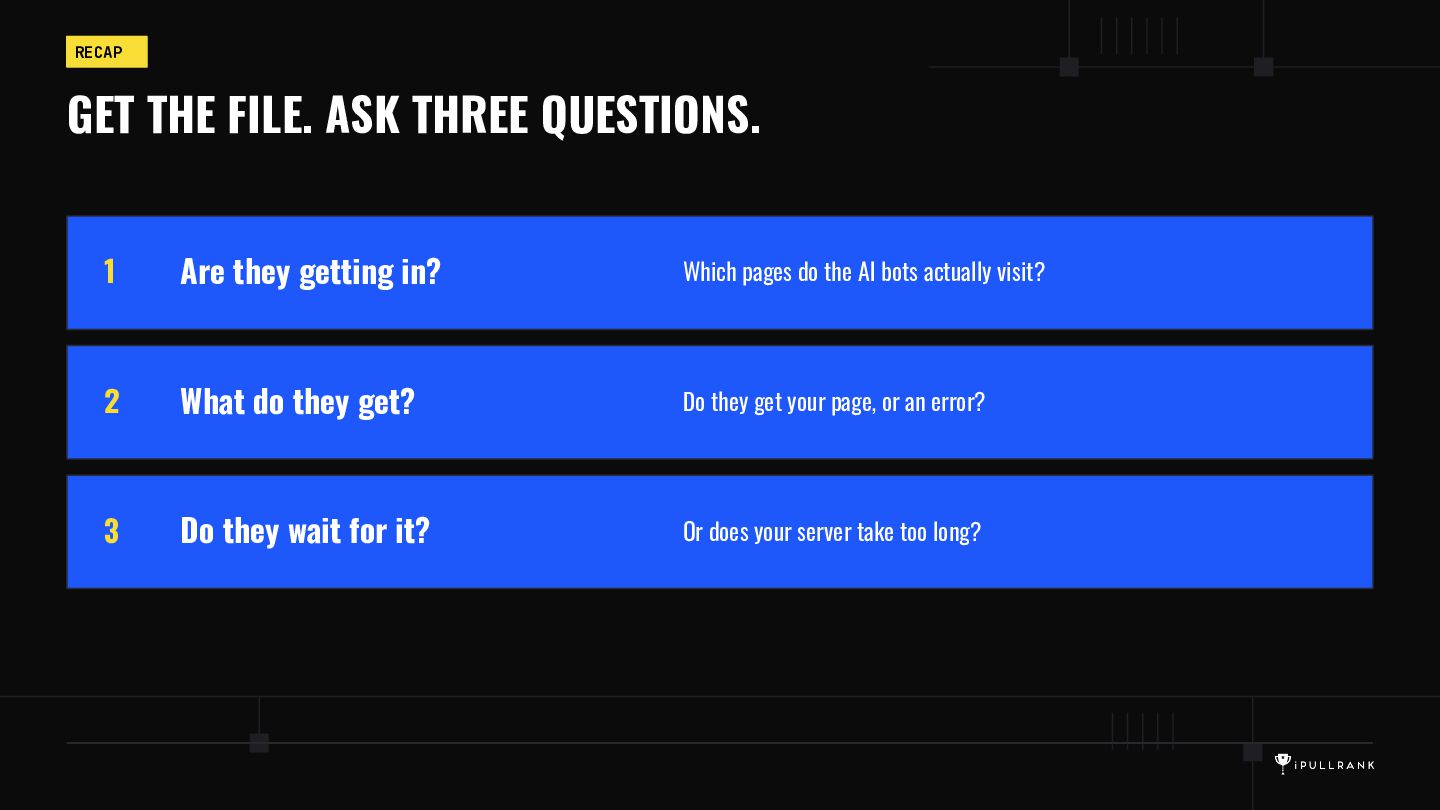
  13. STEP 5 · WHAT TO LOOK FOR THREE QUESTIONS TO

    ASK YOUR LOG FILE 1 Are they getting in? Which pages do the AI bots actually visit? 2 What do they get? Do they get your page, or an error? 3 Do they wait for it? Or does your server take too long?
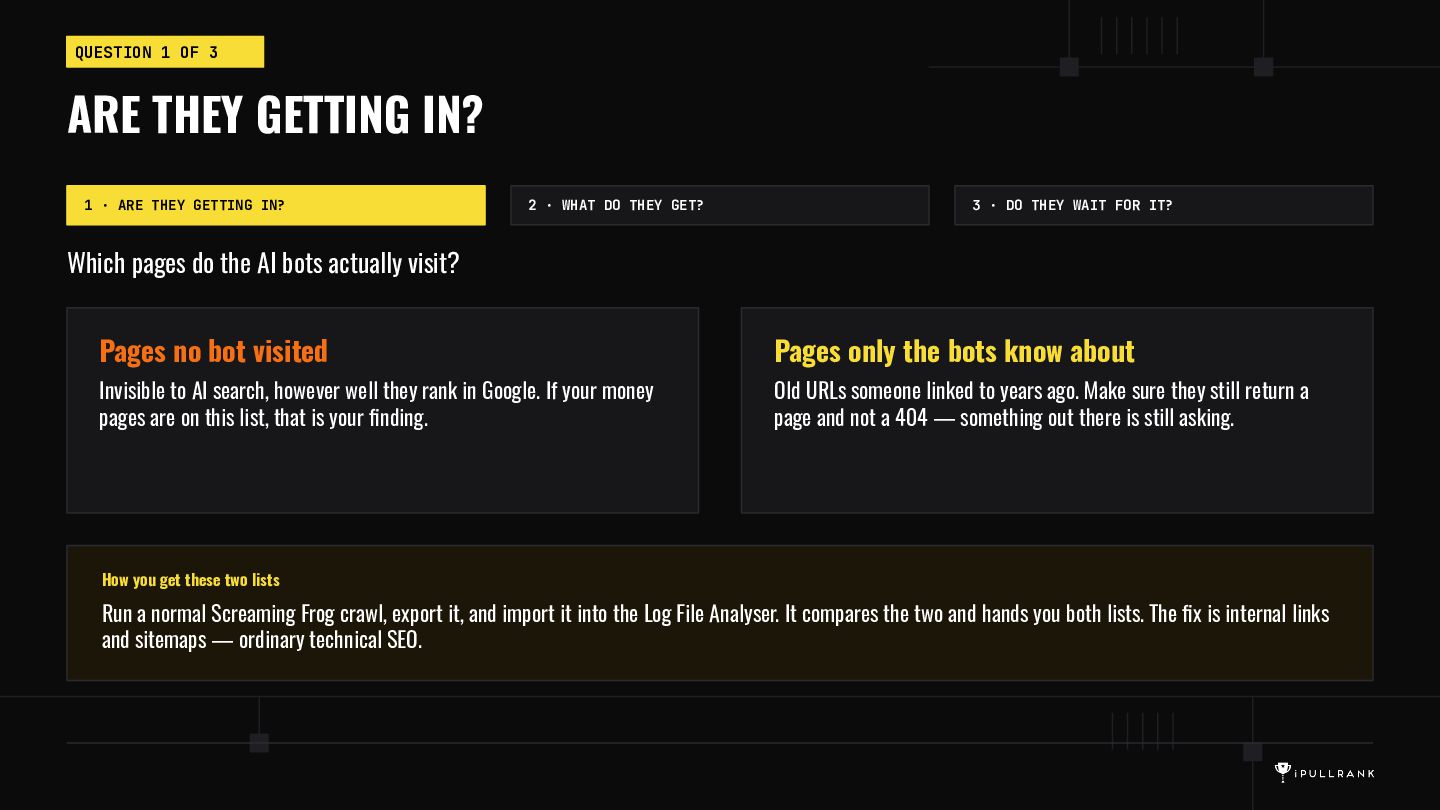
  14. QUESTION 1 OF 3 ARE THEY GETTING IN? 1 ·

    ARE THEY GETTING IN? 2 · WHAT DO THEY GET? 3 · DO THEY WAIT FOR IT? Which pages do the AI bots actually visit? Pages no bot visited Pages only the bots know about Invisible to AI search, however well they rank in Google. If your money pages are on this list, that is your finding. Old URLs someone linked to years ago. Make sure they still return a page and not a 404 — something out there is still asking. How you get these two lists Run a normal Screaming Frog crawl, export it, and import it into the Log File Analyser. It compares the two and hands you both lists. The fix is internal links and sitemaps — ordinary technical SEO.
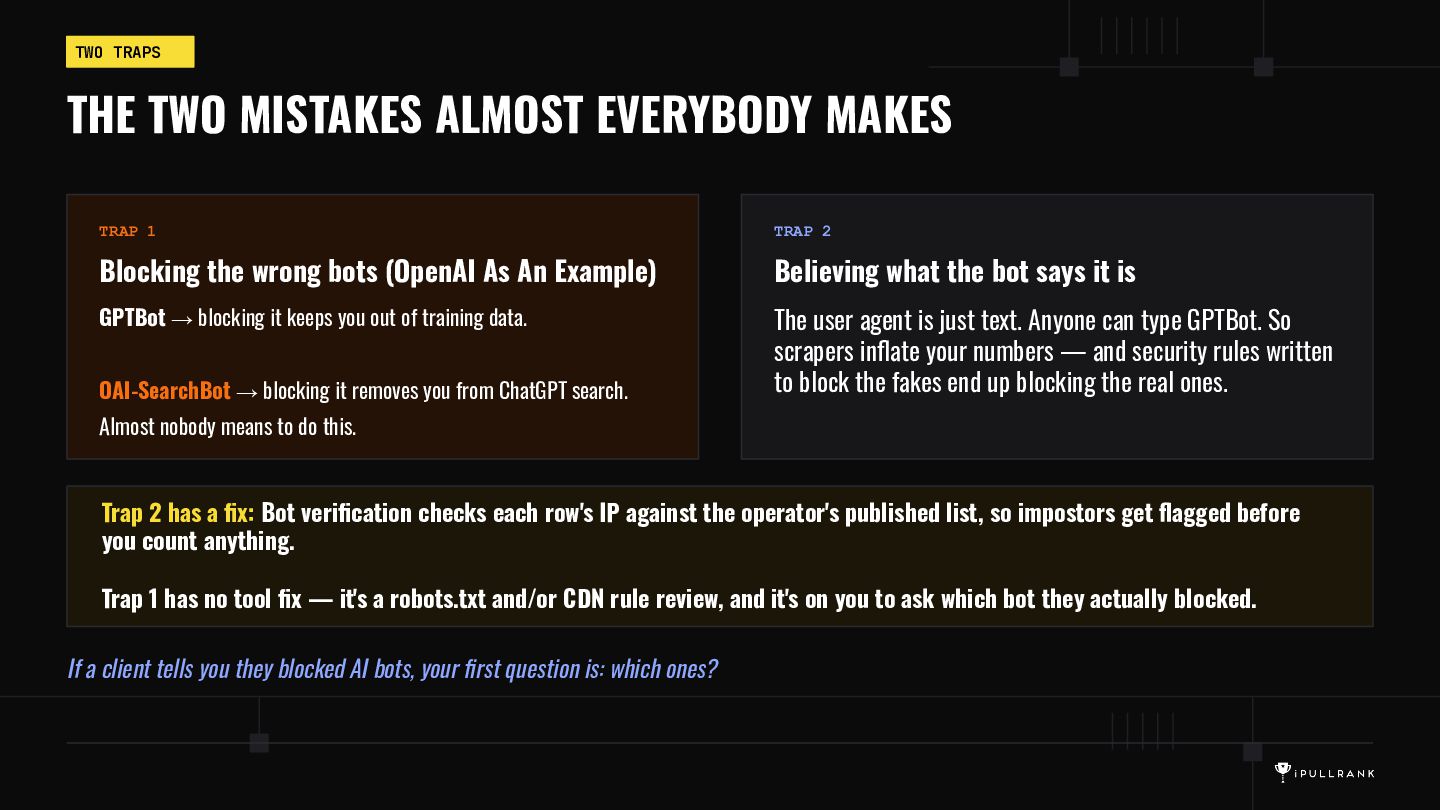
  15. TWO TRAPS THE TWO MISTAKES ALMOST EVERYBODY MAKES TRAP 1

    TRAP 2 Blocking the wrong bots (OpenAI As An Example) Believing what the bot says it is GPTBot → blocking it keeps you out of training data. The user agent is just text. Anyone can type GPTBot. So scrapers inflate your numbers — and security rules written to block the fakes end up blocking the real ones. OAI-SearchBot → blocking it removes you from ChatGPT search. Almost nobody means to do this. Trap 2 has a fix: Bot verification checks each row's IP against the operator's published list, so impostors get flagged before you count anything. Trap 1 has no tool fix — it's a robots.txt and/or CDN rule review, and it's on you to ask which bot they actually blocked. If a client tells you they blocked AI bots, your first question is: which ones?
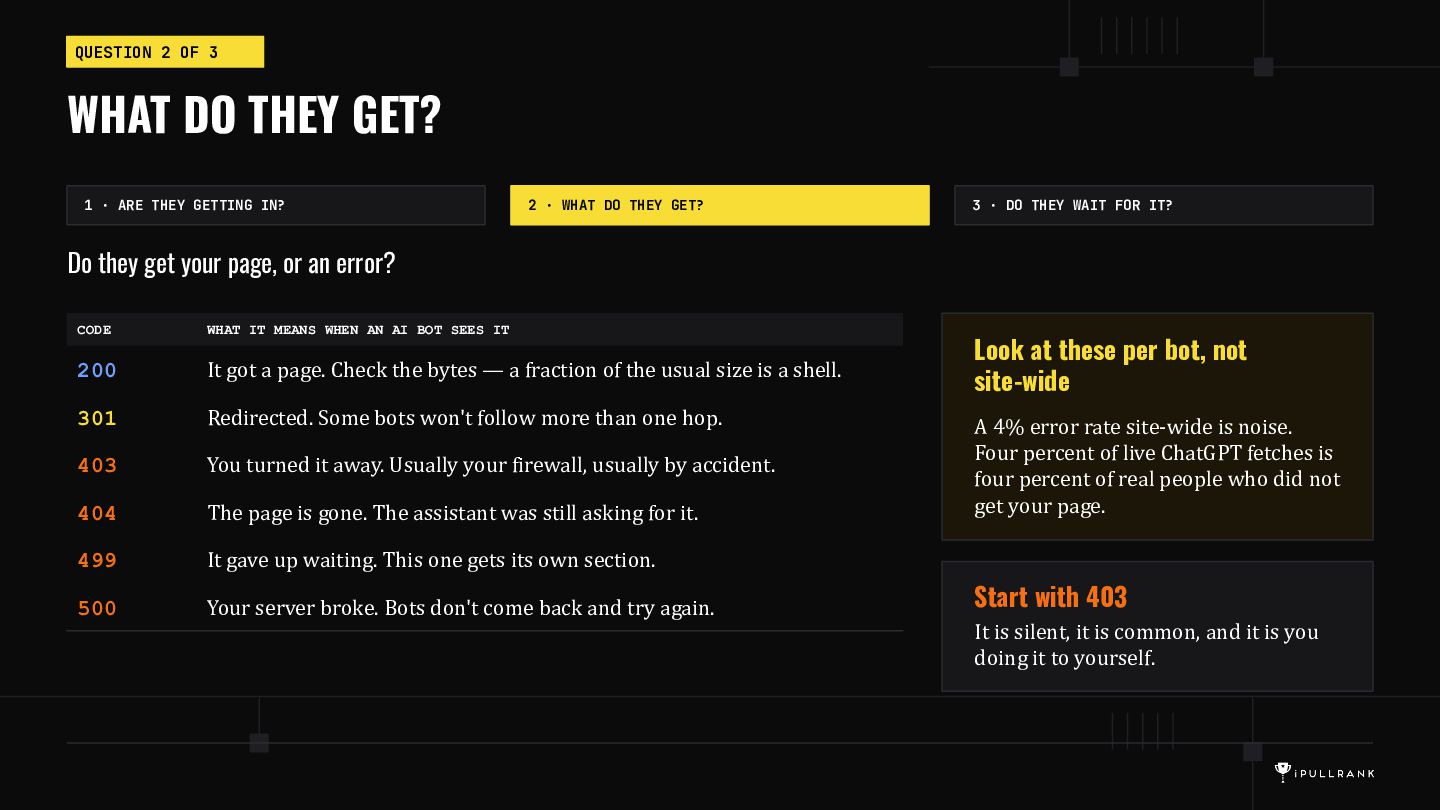
  16. QUESTION 2 OF 3 WHAT DO THEY GET? 1 ·

    ARE THEY GETTING IN? 2 · WHAT DO THEY GET? 3 · DO THEY WAIT FOR IT? Do they get your page, or an error? CODE WHAT IT MEANS WHEN AN AI BOT SEES IT 200 It got a page. Check the bytes — a fraction of the usual size is a shell. 301 Redirected. Some bots won't follow more than one hop. 403 You turned it away. Usually your firewall, usually by accident. 404 The page is gone. The assistant was still asking for it. 499 It gave up waiting. This one gets its own section. 500 Your server broke. Bots don't come back and try again. Look at these per bot, not site-wide A 4% error rate site-wide is noise. Four percent of live ChatGPT fetches is four percent of real people who did not get your page. Start with 403 It is silent, it is common, and it is you doing it to yourself.
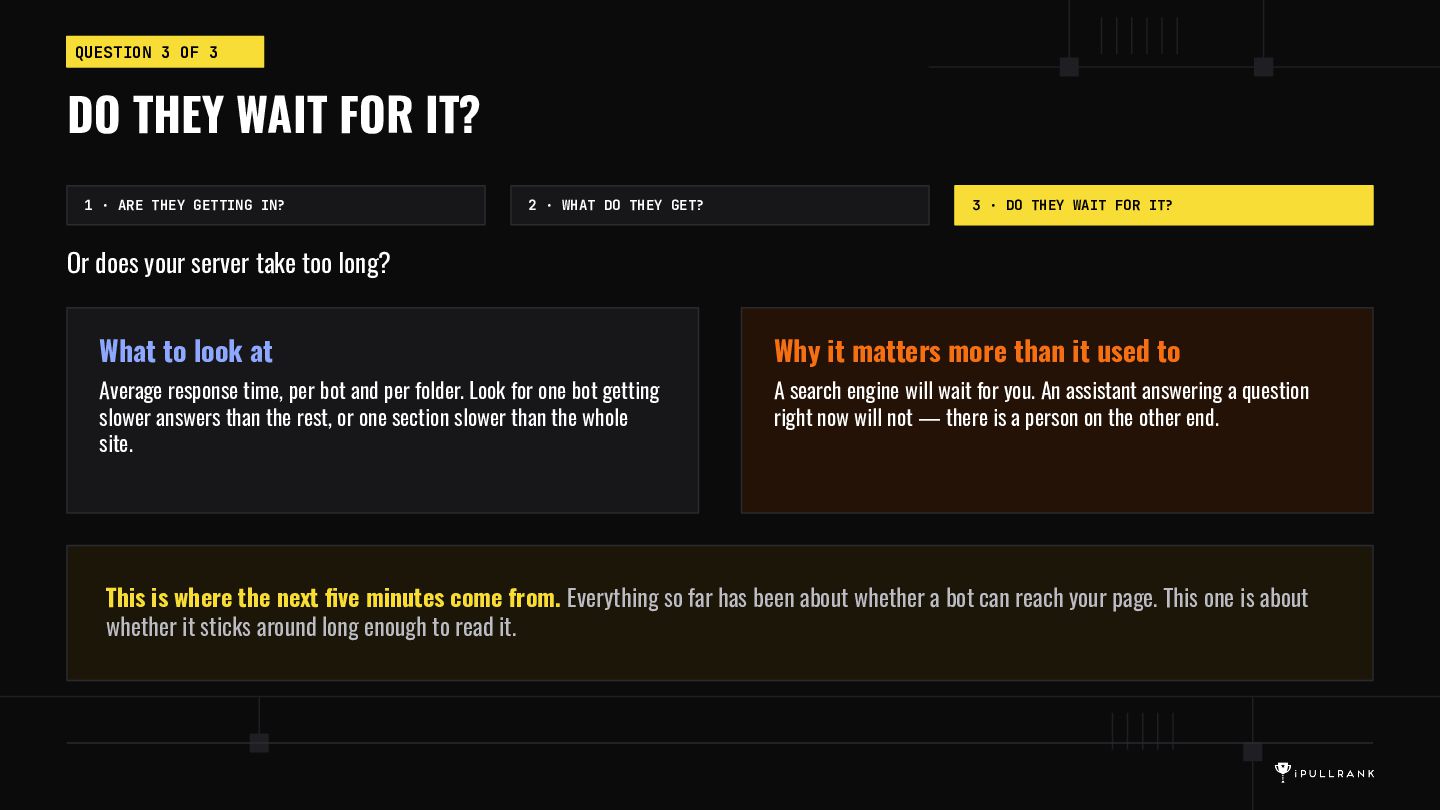
  17. QUESTION 3 OF 3 DO THEY WAIT FOR IT? 1

    · ARE THEY GETTING IN? 2 · WHAT DO THEY GET? 3 · DO THEY WAIT FOR IT? Or does your server take too long? What to look at Why it matters more than it used to Average response time, per bot and per folder. Look for one bot getting slower answers than the rest, or one section slower than the whole site. A search engine will wait for you. An assistant answering a question right now will not — there is a person on the other end. This is where the next five minutes come from. Everything so far has been about whether a bot can reach your page. This one is about whether it sticks around long enough to read it.
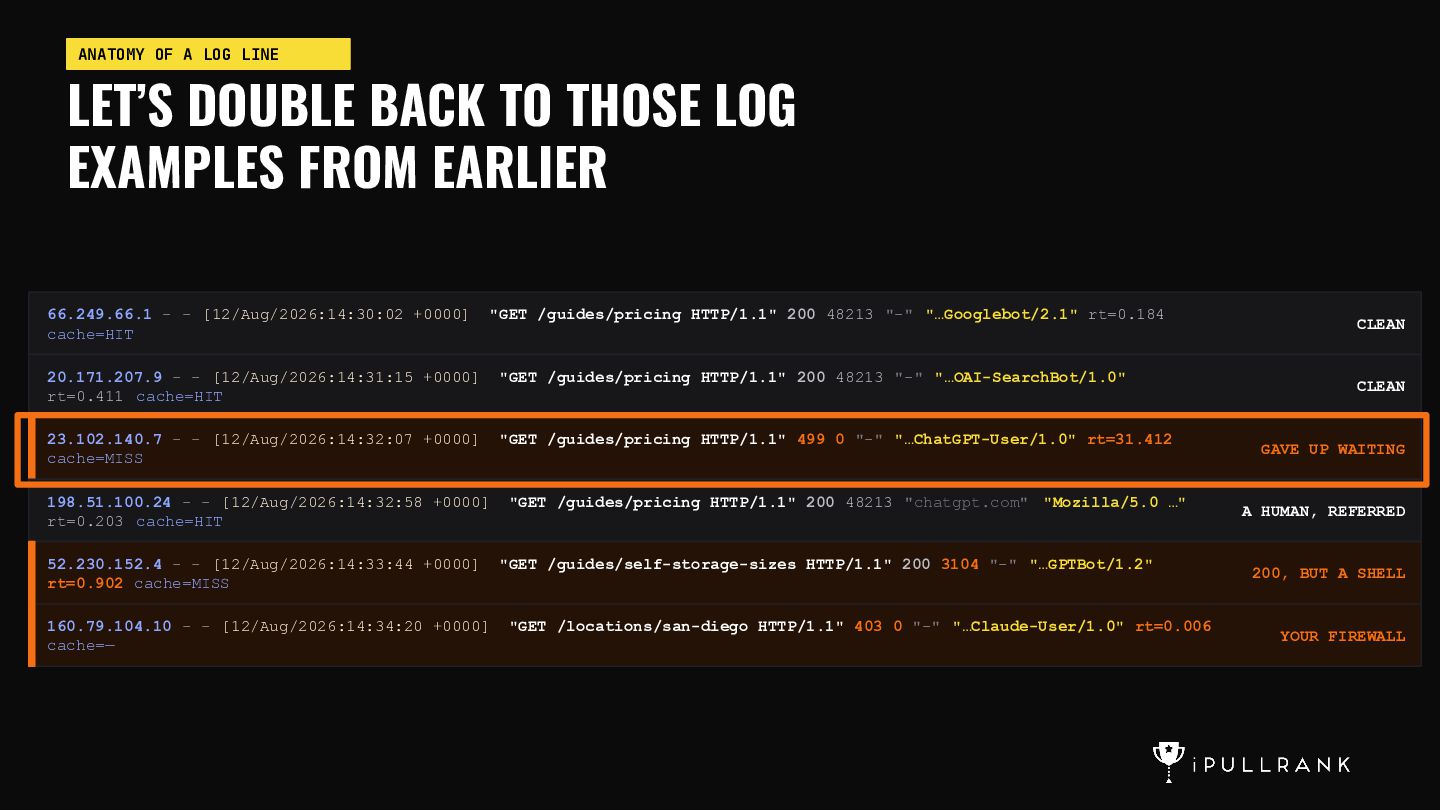
  18. ANATOMY OF A LOG LINE LET’S DOUBLE BACK TO THOSE

    LOG EXAMPLES FROM EARLIER 66.249.66.1 - - [12/Aug/2026:14:30:02 +0000] cache=HIT "GET /guides/pricing HTTP/1.1" 200 48213 "-" "…Googlebot/2.1" rt=0.184 20.171.207.9 - - [12/Aug/2026:14:31:15 +0000] rt=0.411 cache=HIT "GET /guides/pricing HTTP/1.1" 200 48213 "-" "…OAI-SearchBot/1.0" 23.102.140.7 - - [12/Aug/2026:14:32:07 +0000] cache=MISS "GET /guides/pricing HTTP/1.1" 499 0 "-" "…ChatGPT-User/1.0" rt=31.412 198.51.100.24 - - [12/Aug/2026:14:32:58 +0000] rt=0.203 cache=HIT "GET /guides/pricing HTTP/1.1" 200 48213 "chatgpt.com" "Mozilla/5.0 …" 52.230.152.4 - - [12/Aug/2026:14:33:44 +0000] rt=0.902 cache=MISS "GET /guides/self-storage-sizes HTTP/1.1" 200 3104 "-" "…GPTBot/1.2" 160.79.104.10 - - [12/Aug/2026:14:34:20 +0000] cache=— "GET /locations/san-diego HTTP/1.1" 403 0 "-" "…Claude-User/1.0" rt=0.006 CLEAN CLEAN GAVE UP WAITING A HUMAN, REFERRED 200, BUT A SHELL YOUR FIREWALL
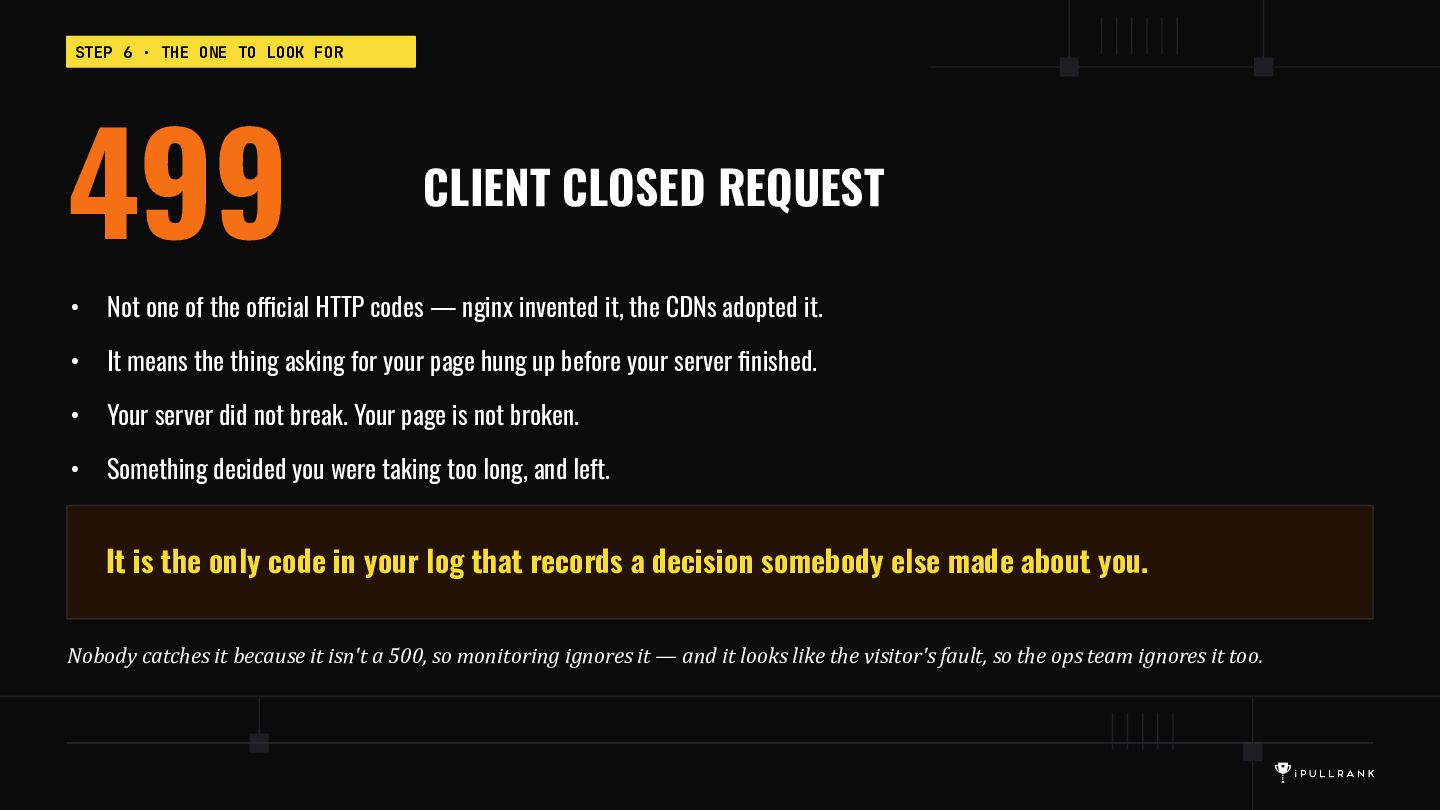
  19. STEP 6 · THE ONE TO LOOK FOR 499 CLIENT

    CLOSED REQUEST • Not one of the official HTTP codes — nginx invented it, the CDNs adopted it. • It means the thing asking for your page hung up before your server finished. • Your server did not break. Your page is not broken. • Something decided you were taking too long, and left. It is the only code in your log that records a decision somebody else made about you. Nobody catches it because it isn't a 500, so monitoring ignores it — and it looks like the visitor's fault, so the ops team ignores it too.
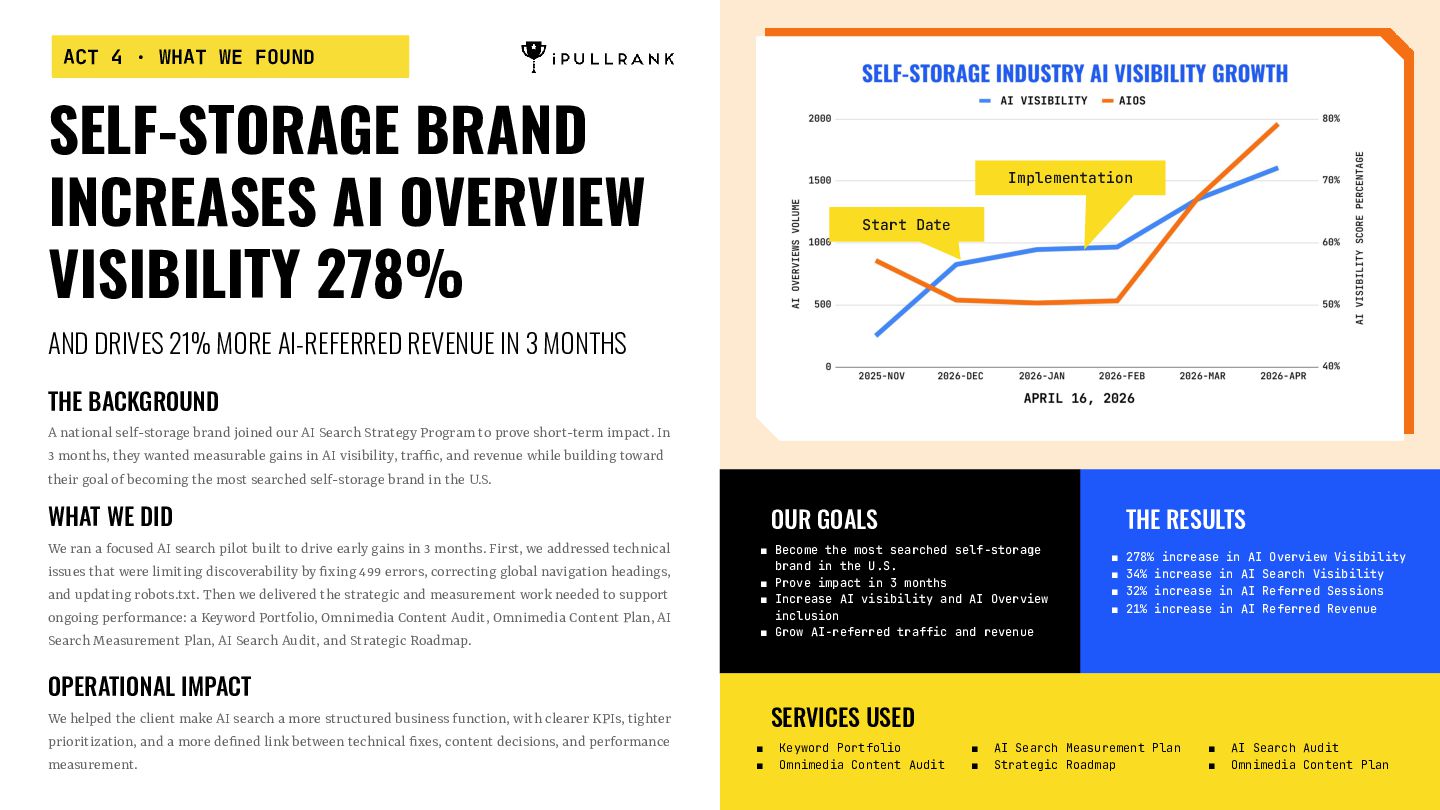
  20. ACT 4 · WHAT WE FOUND SELF-STORAGE BRAND INCREASES AI

    OVERVIEW VISIBILITY 278% Implementation Start Date AND DRIVES 21% MORE AI-REFERRED REVENUE IN 3 MONTHS THE BACKGROUND A national self-storage brand joined our AI Search Strategy Program to prove short-term impact. In 3 months, they wanted measurable gains in AI visibility, traffic, and revenue while building toward their goal of becoming the most searched self-storage brand in the U.S. WHAT WE DID We ran a focused AI search pilot built to drive early gains in 3 months. First, we addressed technical issues that were limiting discoverability by fixing 499 errors, correcting global navigation headings, and updating robots.txt. Then we delivered the strategic and measurement work needed to support ongoing performance: a Keyword Portfolio, Omnimedia Content Audit, Omnimedia Content Plan, AI Search Measurement Plan, AI Search Audit, and Strategic Roadmap. OUR GOALS OPERATIONAL IMPACT We helped the client make AI search a more structured business function, with clearer KPIs, tighter prioritization, and a more defined link between technical fixes, content decisions, and performance measurement. THE RESULTS ▪ Become the most searched self-storage brand in the U.S. ▪ Prove impact in 3 months ▪ Increase AI visibility and AI Overview inclusion ▪ Grow AI-referred traffic and revenue ▪ 278% increase in AI Overview Visibility ▪ 34% increase in AI Search Visibility ▪ 32% increase in AI Referred Sessions ▪ 21% increase in AI Referred Revenue SERVICES USED ▪ ▪ Keyword Portfolio Omnimedia Content Audit ▪ ▪ AI Search Measurement Plan Strategic Roadmap ▪ ▪ AI Search Audit Omnimedia Content Plan
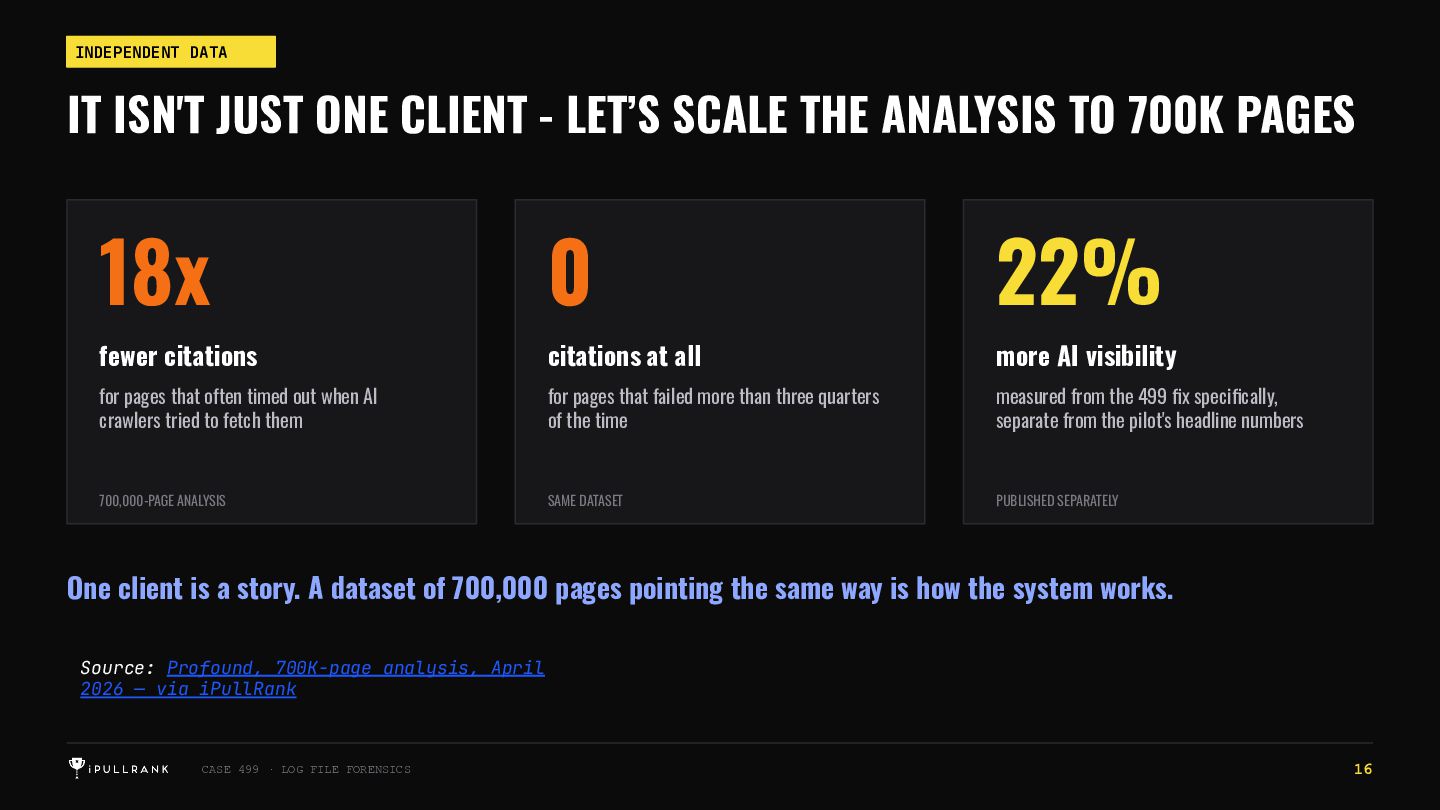
  21. INDEPENDENT DATA IT ISN'T JUST ONE CLIENT - LET’S SCALE

    THE ANALYSIS TO 700K PAGES 18x 0 22% fewer citations citations at all more AI visibility for pages that often timed out when AI crawlers tried to fetch them for pages that failed more than three quarters of the time measured from the 499 fix specifically, separate from the pilot's headline numbers 700,000-PAGE ANALYSIS SAME DATASET PUBLISHED SEPARATELY One client is a story. A dataset of 700,000 pages pointing the same way is how the system works. Source: Profound, 700K-page analysis, April 2026 — via iPullRank CASE 499 · LOG FILE FORENSICS 16
  22. ELIGIBILITY IS THE NEW RANKING. If Your Page Is Too

    Slow, You Aren't Ranked Lower. You Aren't In The Running At All. 27
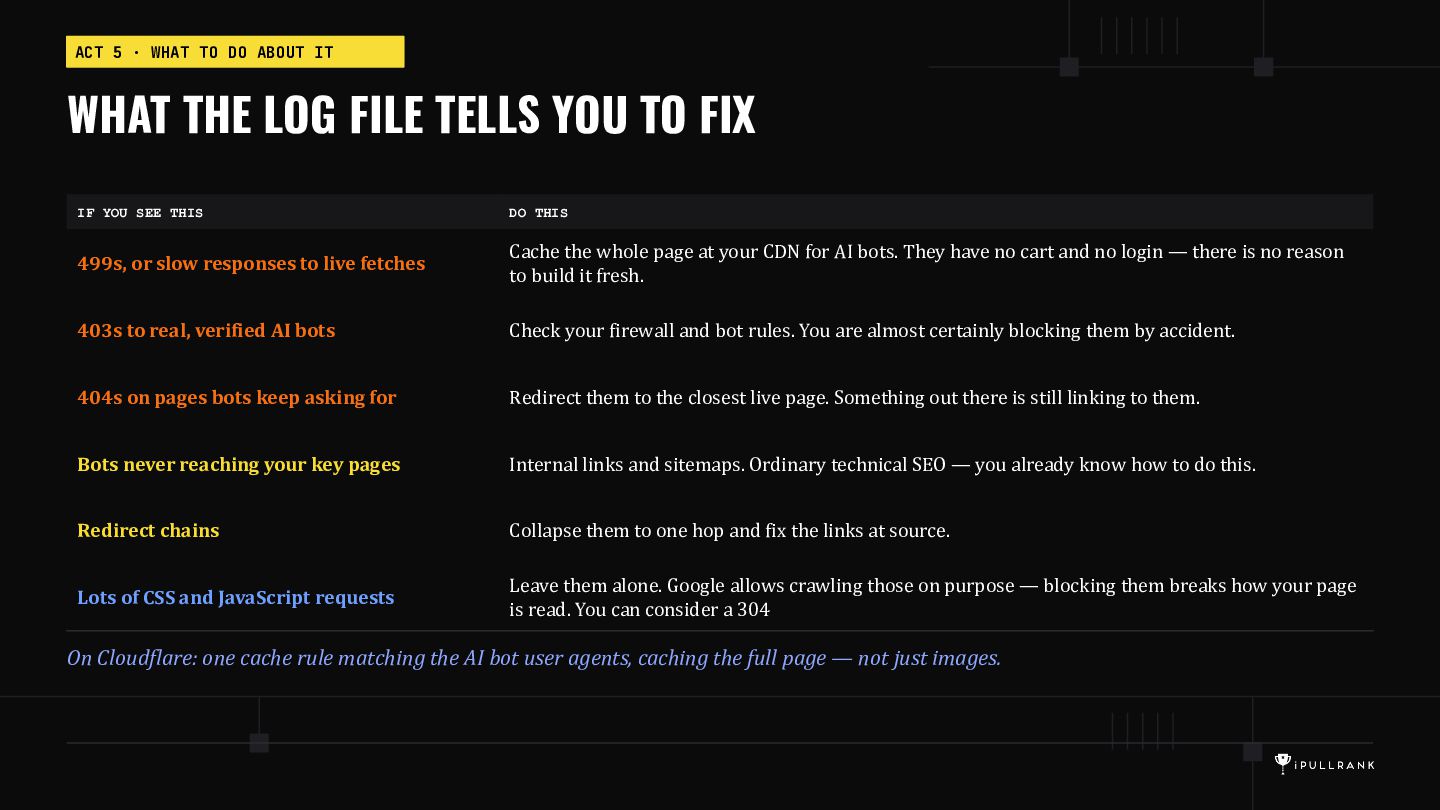
  23. ACT 5 · WHAT TO DO ABOUT IT WHAT THE

    LOG FILE TELLS YOU TO FIX IF YOU SEE THIS DO THIS 499s, or slow responses to live fetches Cache the whole page at your CDN for AI bots. They have no cart and no login — there is no reason to build it fresh. 403s to real, verified AI bots Check your firewall and bot rules. You are almost certainly blocking them by accident. 404s on pages bots keep asking for Redirect them to the closest live page. Something out there is still linking to them. Bots never reaching your key pages Internal links and sitemaps. Ordinary technical SEO — you already know how to do this. Redirect chains Collapse them to one hop and fix the links at source. Lots of CSS and JavaScript requests Leave them alone. Google allows crawling those on purpose — blocking them breaks how your page is read. You can consider a 304 On Cloudflare: one cache rule matching the AI bot user agents, caching the full page — not just images.
  24. RECAP GET THE FILE. ASK THREE QUESTIONS. 1 Are they

    getting in? Which pages do the AI bots actually visit? 2 What do they get? Do they get your page, or an error? 3 Do they wait for it? Or does your server take too long?
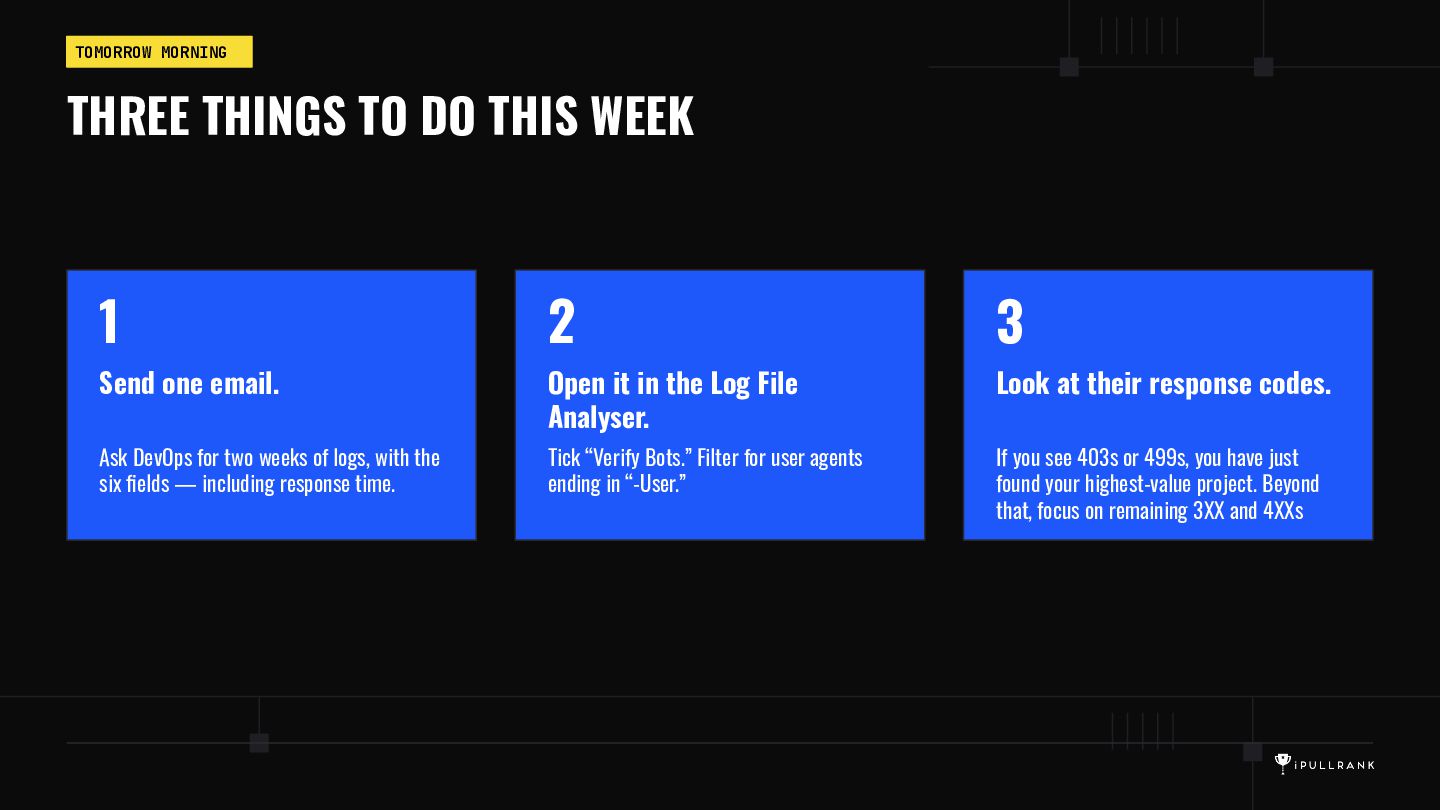
  25. TOMORROW MORNING THREE THINGS TO DO THIS WEEK 1 2

    3 Send one email. Open it in the Log File Analyser. Look at their response codes. Ask DevOps for two weeks of logs, with the six fields — including response time. Tick “Verify Bots.” Filter for user agents ending in “-User.” If you see 403s or 499s, you have just found your highest-value project. Beyond that, focus on remaining 3XX and 4XXs
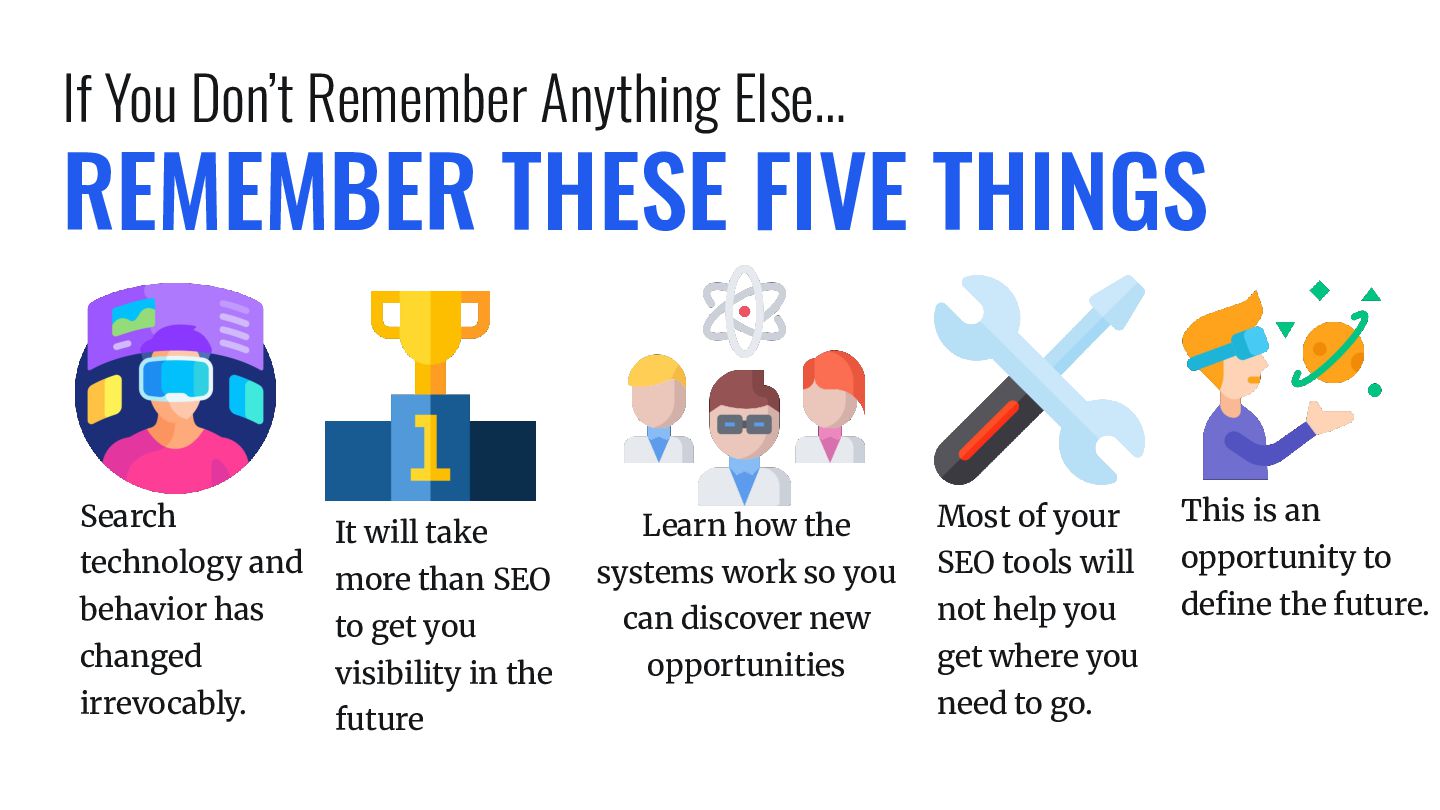
  26. If You Don’t Remember Anything Else… REMEMBER THESE FIVE THINGS

    Search technology and behavior has changed irrevocably. It will take more than SEO to get you visibility in the future Learn how the systems work so you can discover new opportunities Most of your This is an SEO tools will opportunity to not help you define the future. get where you need to go.
  27. SCREAMING FROG + OLLAMA I generate embeddings as I crawl,

    asset content, take screenshots and analyze as I crawl. All on my own local GPU. The New Playbook For GEO Content in 2026: How To Get Your Brand Chosen As The Answer
  28. 24 CHAPTERS OF PURE 🔥🔥🔥 Everything you need to know

    about how AI Search works. No vagueries. The New Playbook For GEO Content in 2026: How To Get Your Brand Chosen As The Answer
  29. ipullrank.com/ai-search-manual AI Search to Sale: What the Data Reveals About

    AI Search eCommerce Behavior The New Playbook For GEO Content in 2026: How To Get Your Brand Chosen As The Answer
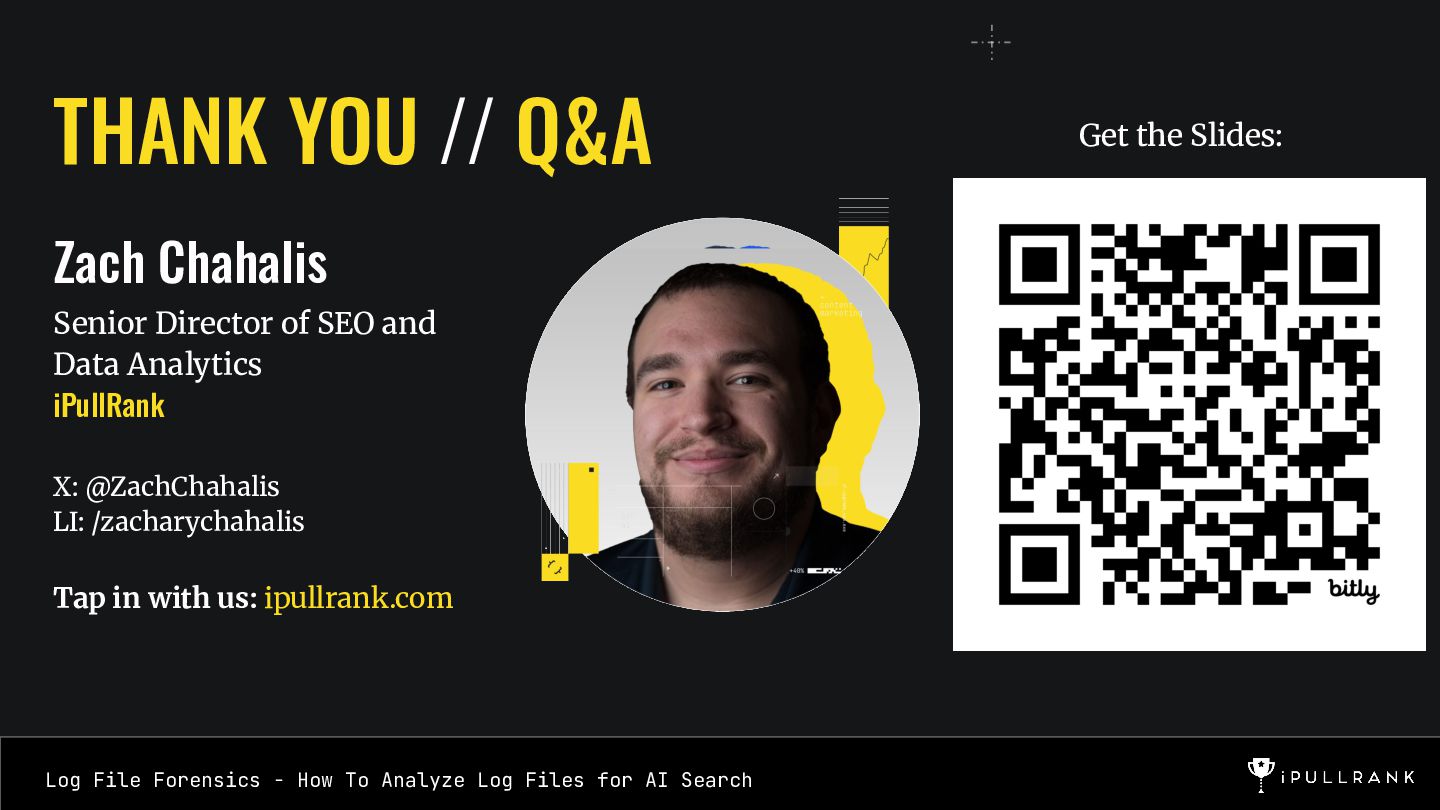
  30. THANK YOU // Q&A Zach Chahalis Senior Director of SEO

    and Data Analytics iPullRank X: @ZachChahalis LI: /zacharychahalis Title Tap in with us: ipullrank.com Log File Forensics - How To Analyze Log Files for AI Search Get the Slides:
  31. 37

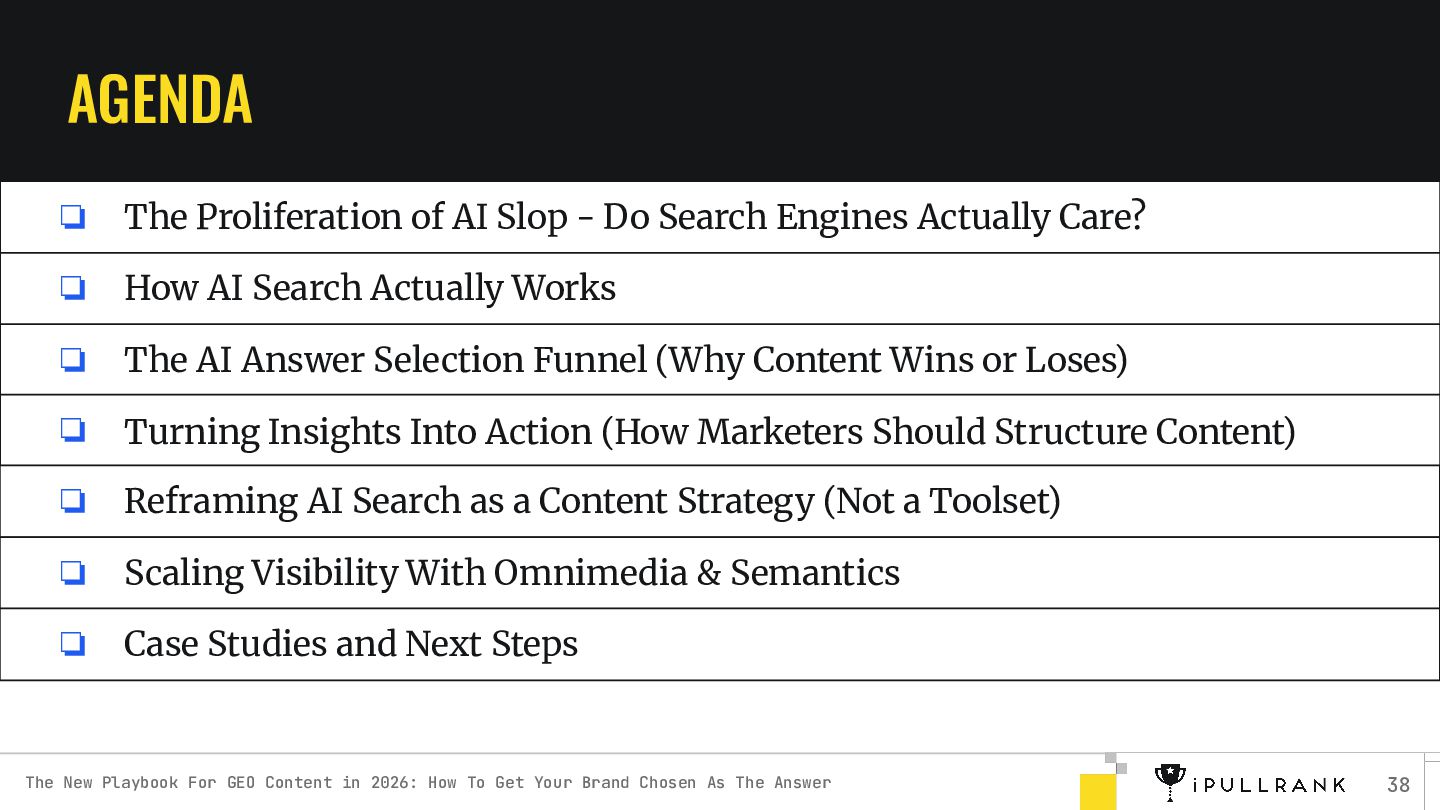
  32. AGENDA ❏ The Proliferation of AI Slop - Do Search

    Engines Actually Care? ❏ How AI Search Actually Works ❏ The AI Answer Selection Funnel (Why Content Wins or Loses) ❏ Turning Insights Into Action (How Marketers Should Structure Content) ❏ Reframing AI Search as a Content Strategy (Not a Toolset) ❏ Scaling Visibility With Omnimedia & Semantics ❏ Case Studies and Next Steps The New Playbook For GEO Content in 2026: How To Get Your Brand Chosen As The Answer 38