Share
Embed
Build Predictable, Reliable AI Agents with AgentScript
Understand how Agent Script combines structured steps with AI reasoning so admins can improve action selection, enforce critical processes, and build more reliable agents.
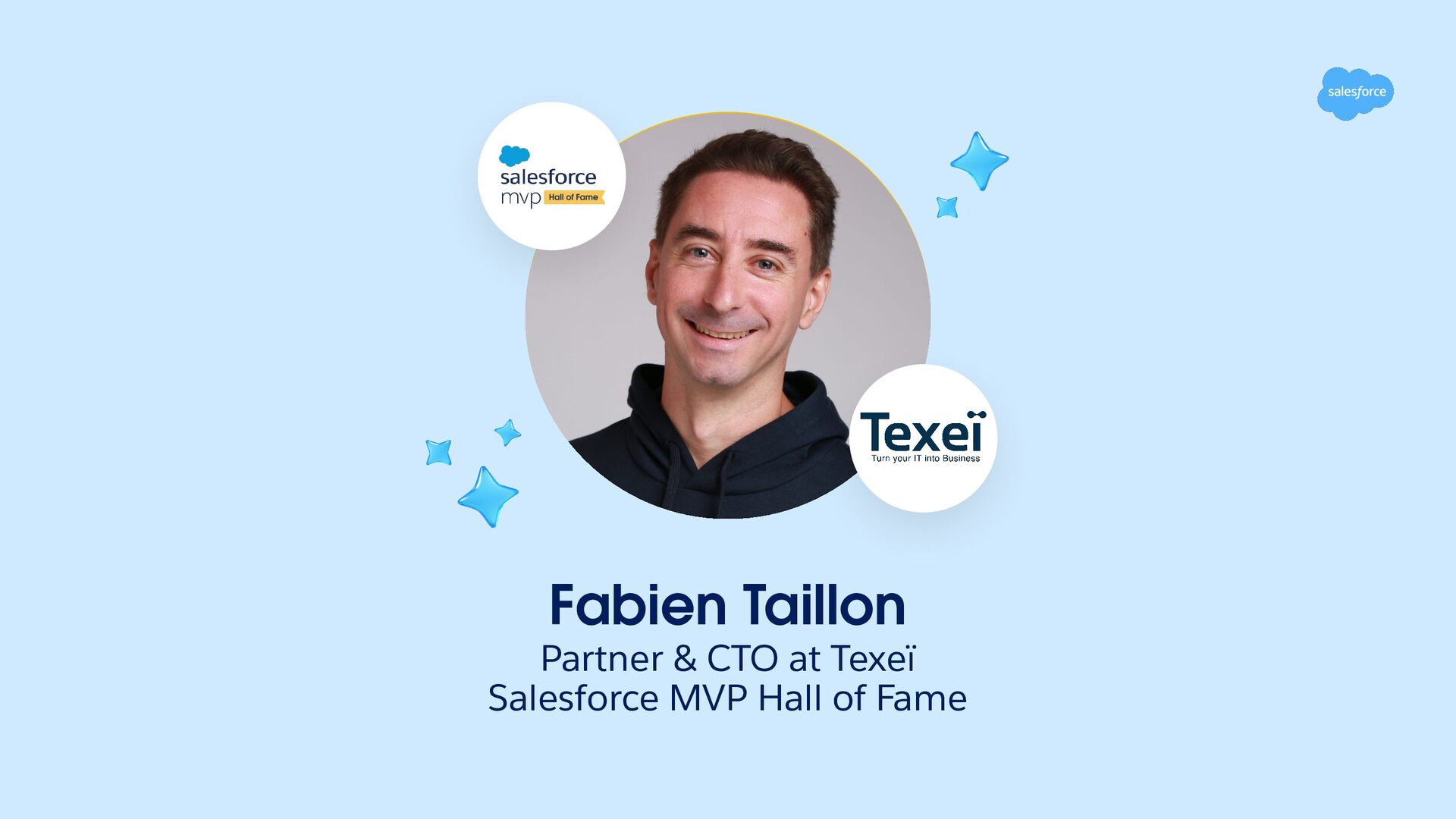
Fabien Taillon
September 15, 2026
Transcript
31 slides
-
Build Predictable, Reliable AI Agents with Agent Script Fabien Taillon
Partner & CTO at Texeï /in/FabienTaillon -
Coffee on us. The first 4,000 attendees to provide feedback
on this event will receive a $5 Starbucks gi card.* 1. Download the Salesforce Events mobile app. 2. Navigate to surveys. 3. Complete (4) session surveys and the Event Survey. 4. Redeem your gift at Badge Pickup in-person on the last day of the event. *Restrictions apply. See terms and conditions at sforce.co/survey-terms -
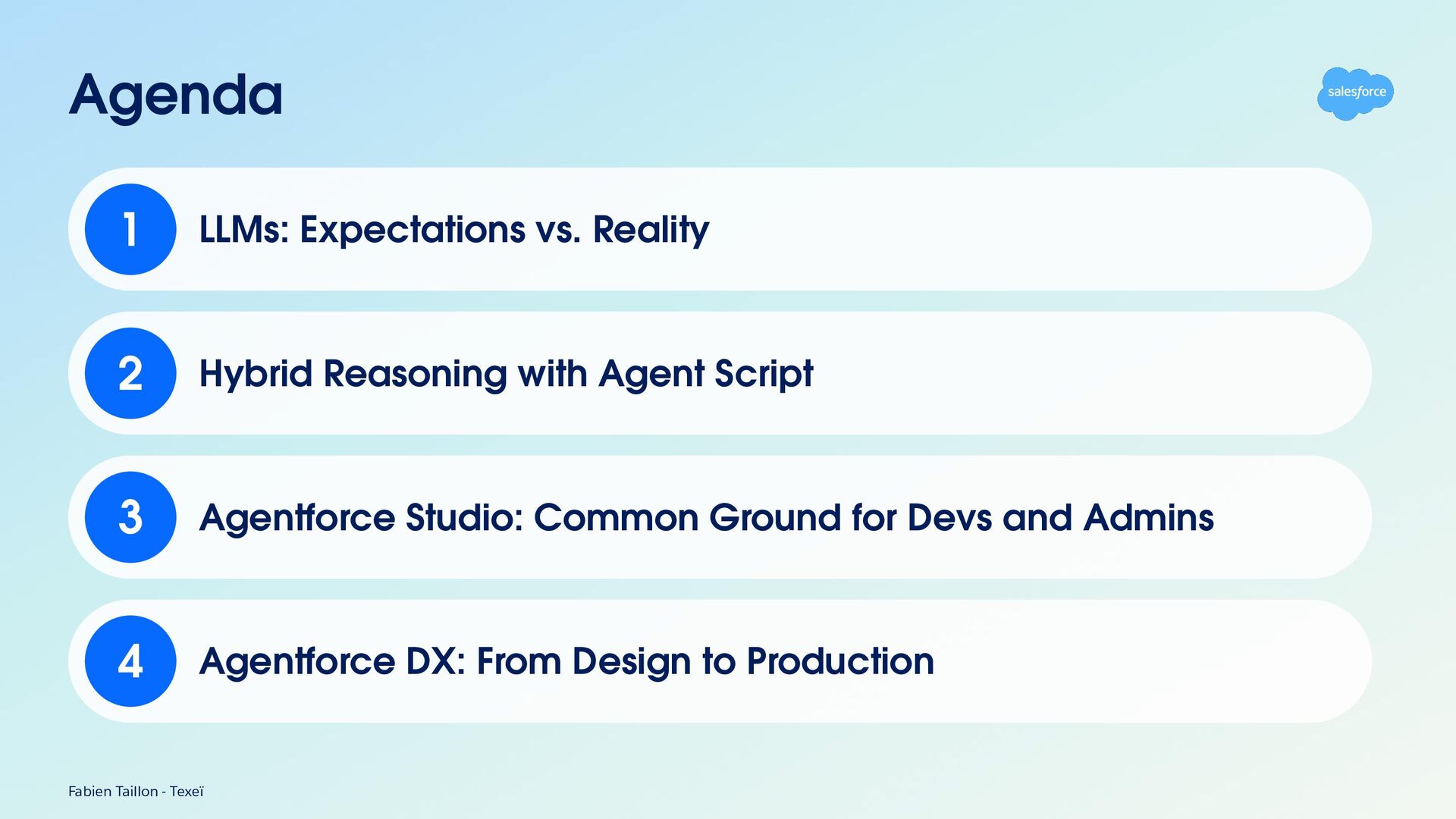
Agenda 1 LLMs: Expectations vs. Reality 2 Hybrid Reasoning with
Agent Script 3 Agentforce Studio: Common Ground for Devs and Admins 4 Agentforce DX: From Design to Production Fabien Taillon - Texeï -
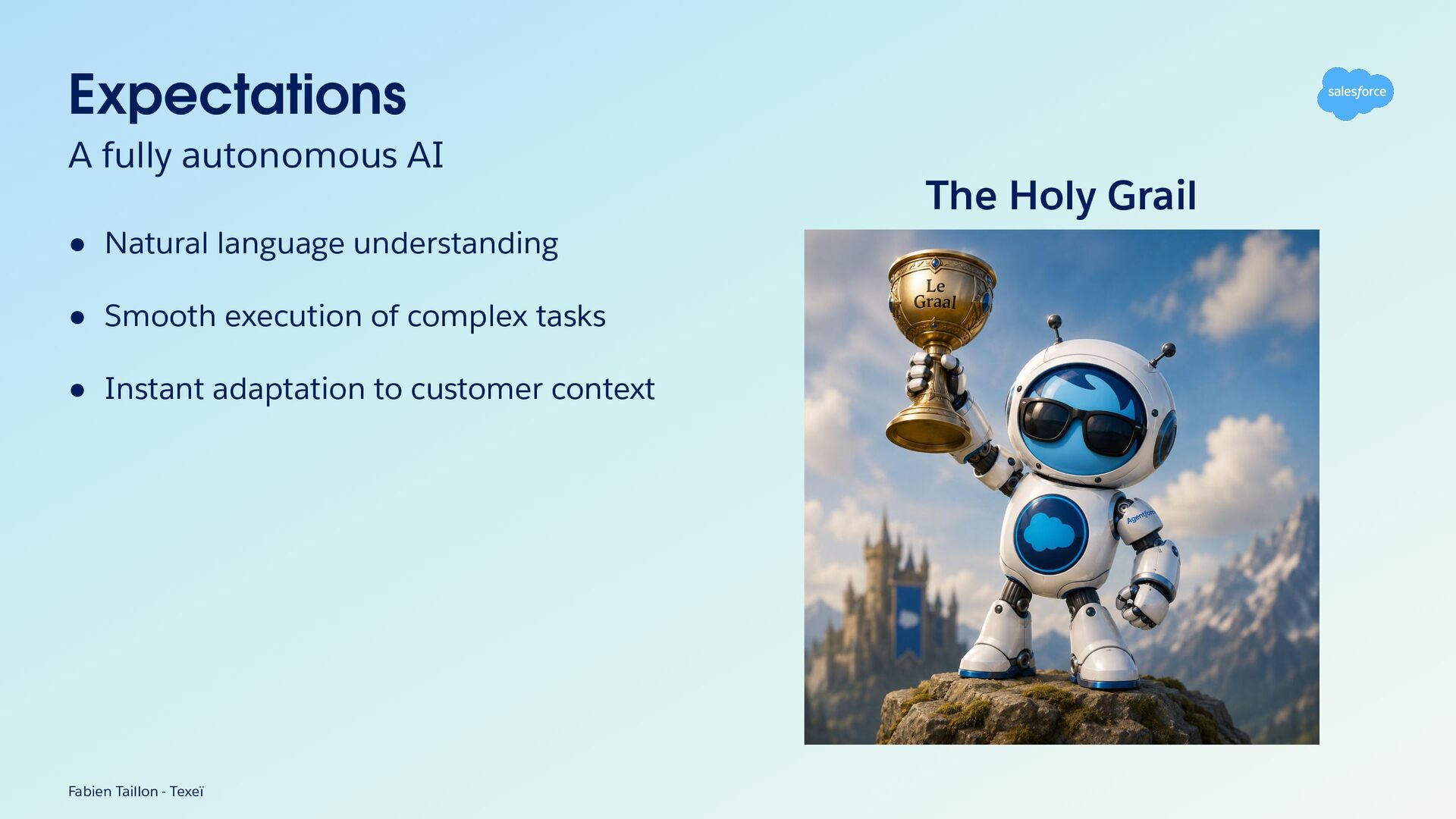
Expectations A fully autonomous AI The Holy Grail • Natural
language understanding • Smooth execution of complex tasks • Instant adaptation to customer context Fabien Taillon - Texeï -
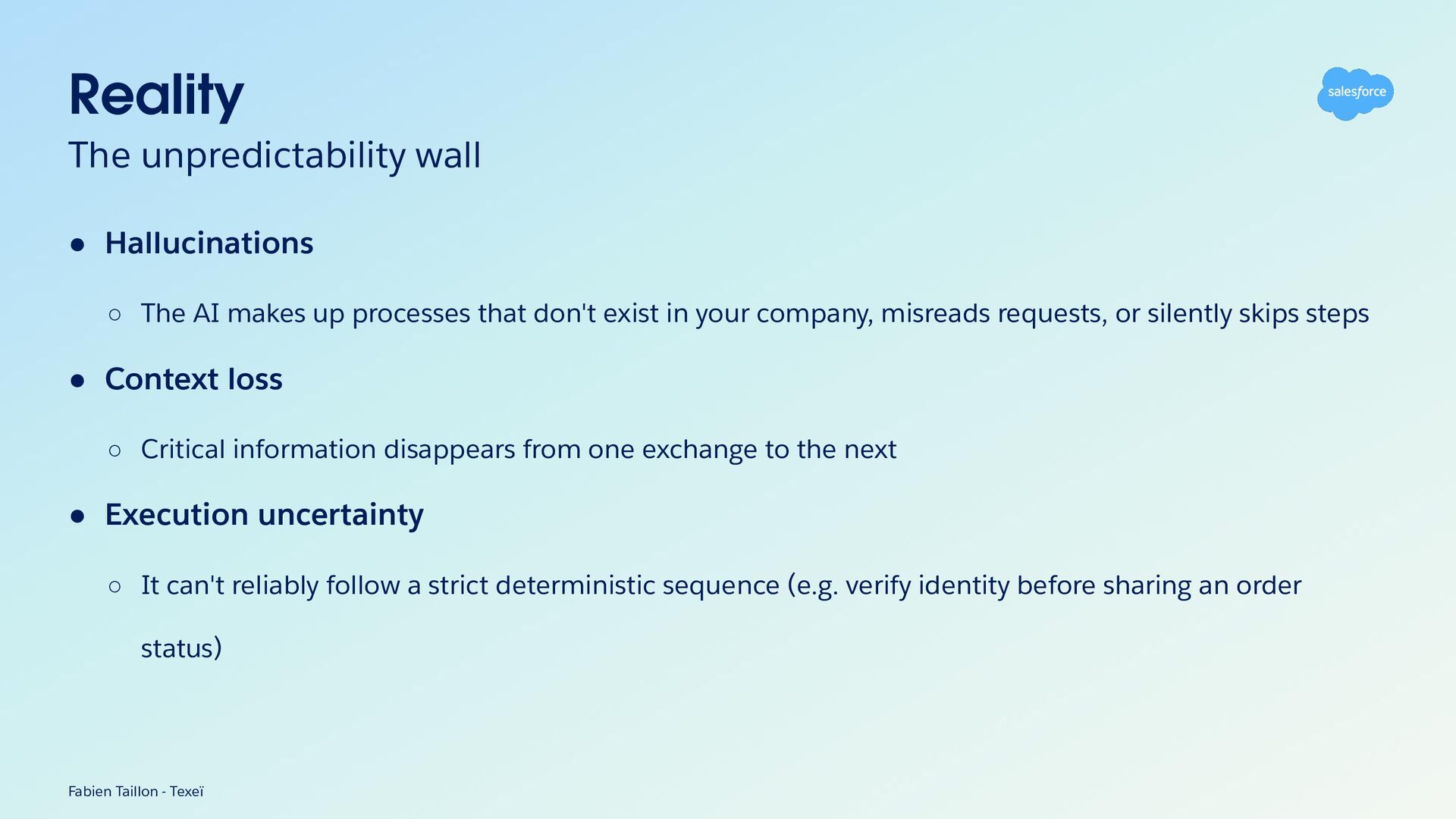
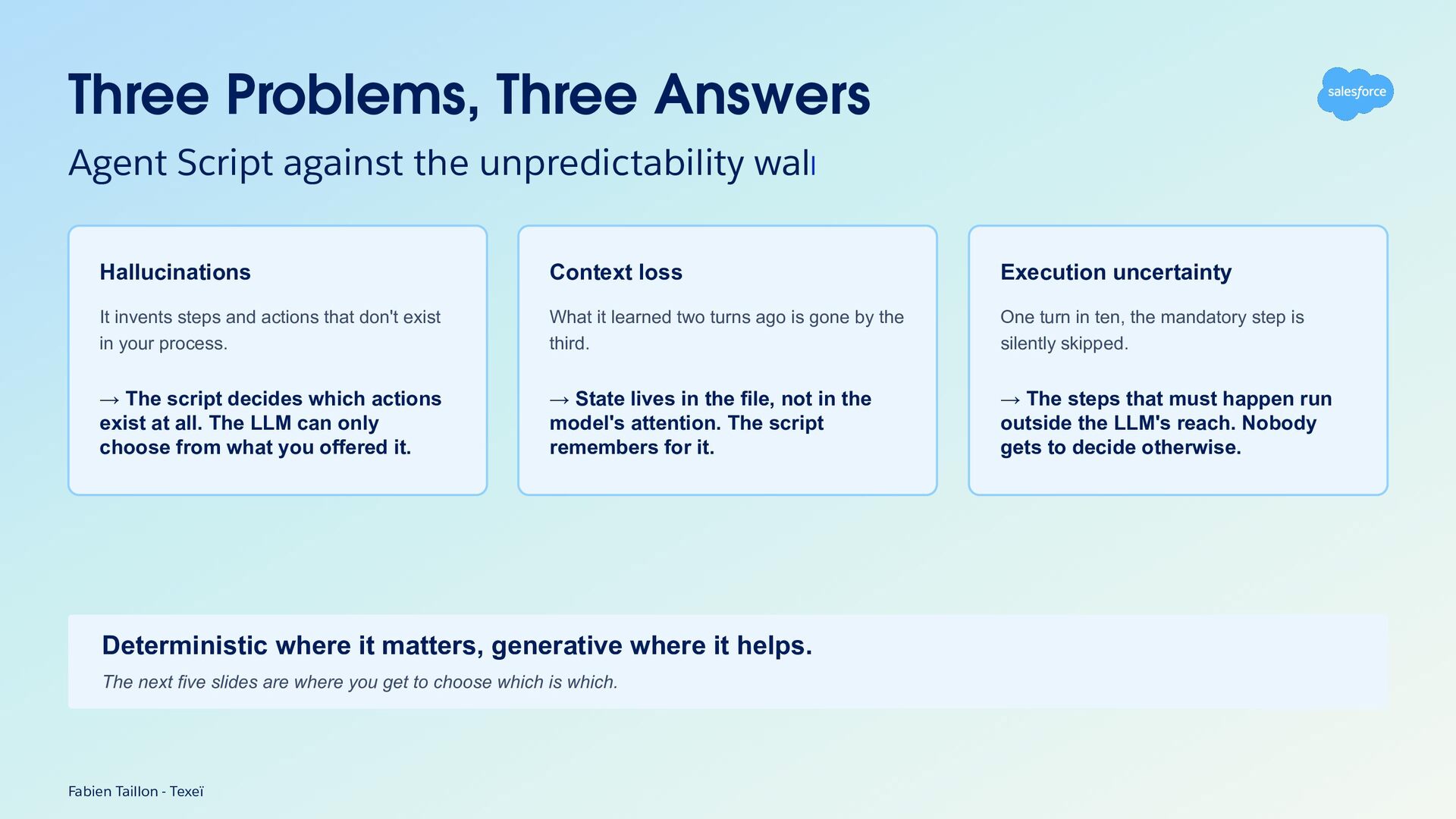
Reality The unpredictability wall • Hallucinations ◦ The AI makes
up processes that don't exist in your company, misreads requests, or silently skips steps • Context loss ◦ Critical information disappears from one exchange to the next • Execution uncertainty ◦ It can't reliably follow a strict deterministic sequence (e.g. verify identity before sharing an order status) Fabien Taillon - Texeï -
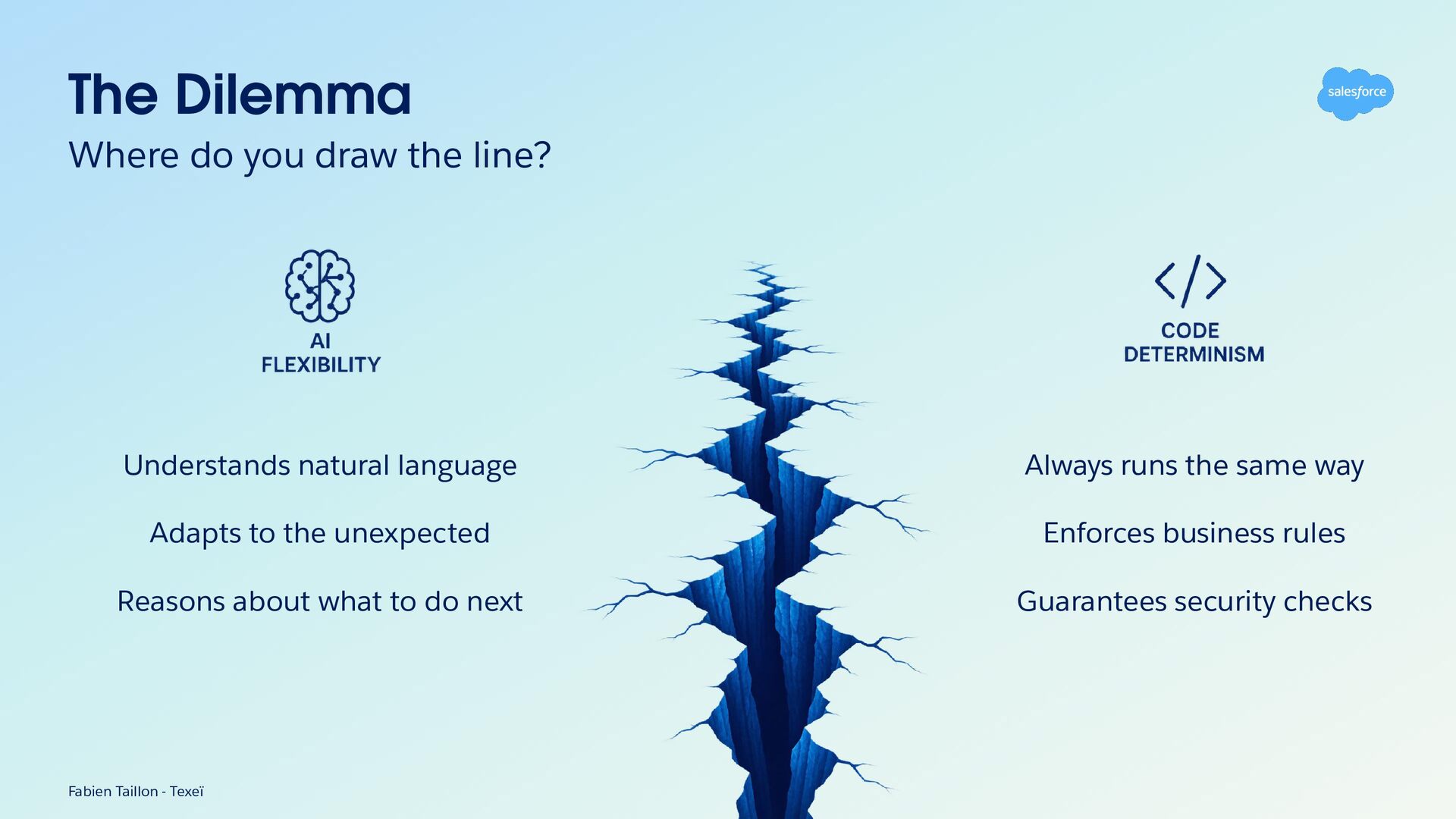
The Dilemma Where do you draw the line? Understands natural
language Always runs the same way Adapts to the unexpected Enforces business rules Reasons about what to do next Guarantees security checks Fabien Taillon - Texeï -
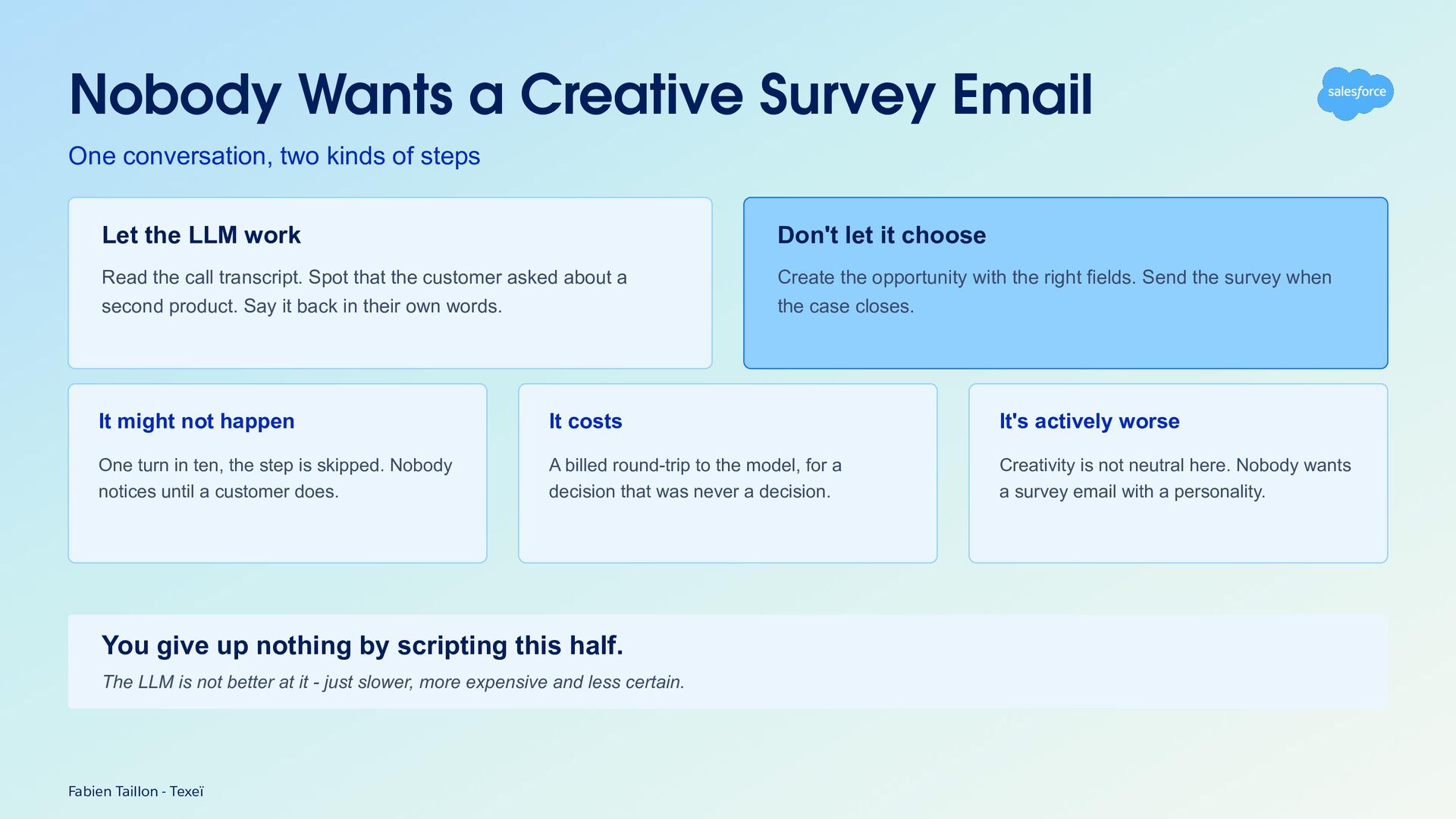
Nobody Wants a Creative Survey Email One conversation, two kinds
of steps Let the LLM work Don't let it choose Read the call transcript. Spot that the customer asked about a second product. Say it back in their own words. Create the opportunity with the right fields. Send the survey when the case closes. It might not happen It costs It's actively worse One turn in ten, the step is skipped. Nobody notices until a customer does. A billed round-trip to the model, for a decision that was never a decision. Creativity is not neutral here. Nobody wants a survey email with a personality. You give up nothing by scripting this half. The LLM is not better at it - just slower, more expensive and less certain. Fabien Taillon - Texeï -
Three Problems, Three Answers Agent Script against the unpredictability wall
Hallucinations Context loss Execution uncertainty It invents steps and actions that don't exist in your process. What it learned two turns ago is gone by the third. One turn in ten, the mandatory step is silently skipped. → The script decides which actions exist at all. The LLM can only choose from what you offered it. → State lives in the file, not in the model's attention. The script remembers for it. → The steps that must happen run outside the LLM's reach. Nobody gets to decide otherwise. Deterministic where it matters, generative where it helps. The next five slides are where you get to choose which is which. Fabien Taillon - Texeï -
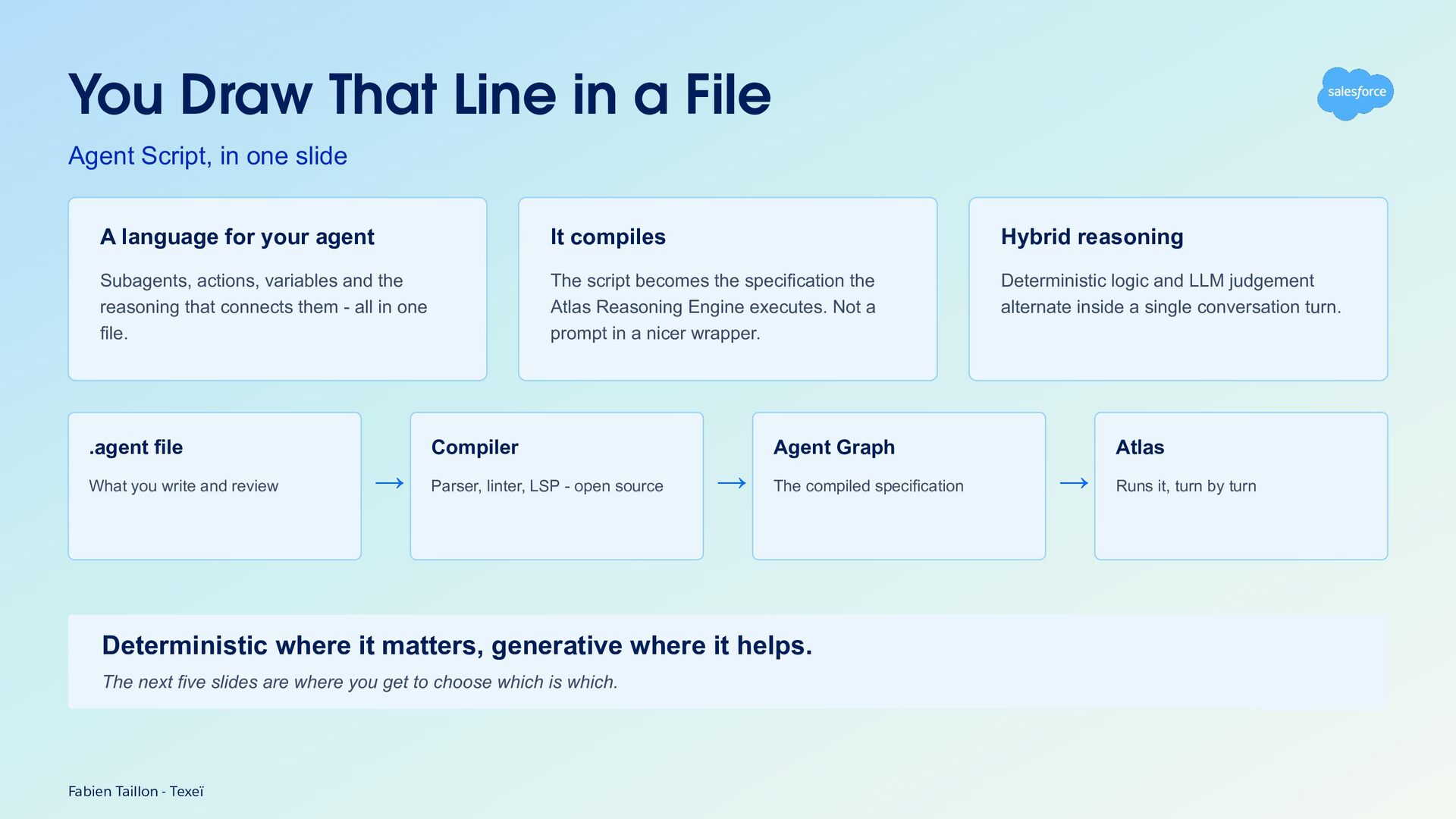
You Draw That Line in a File Agent Script, in
one slide A language for your agent It compiles Hybrid reasoning Subagents, actions, variables and the reasoning that connects them - all in one file. The script becomes the specification the Atlas Reasoning Engine executes. Not a prompt in a nicer wrapper. Deterministic logic and LLM judgement alternate inside a single conversation turn. .agent file What you write and review Compiler → Parser, linter, LSP - open source Agent Graph → The compiled specification Deterministic where it matters, generative where it helps. The next five slides are where you get to choose which is which. Fabien Taillon - Texeï Atlas → Runs it, turn by turn -
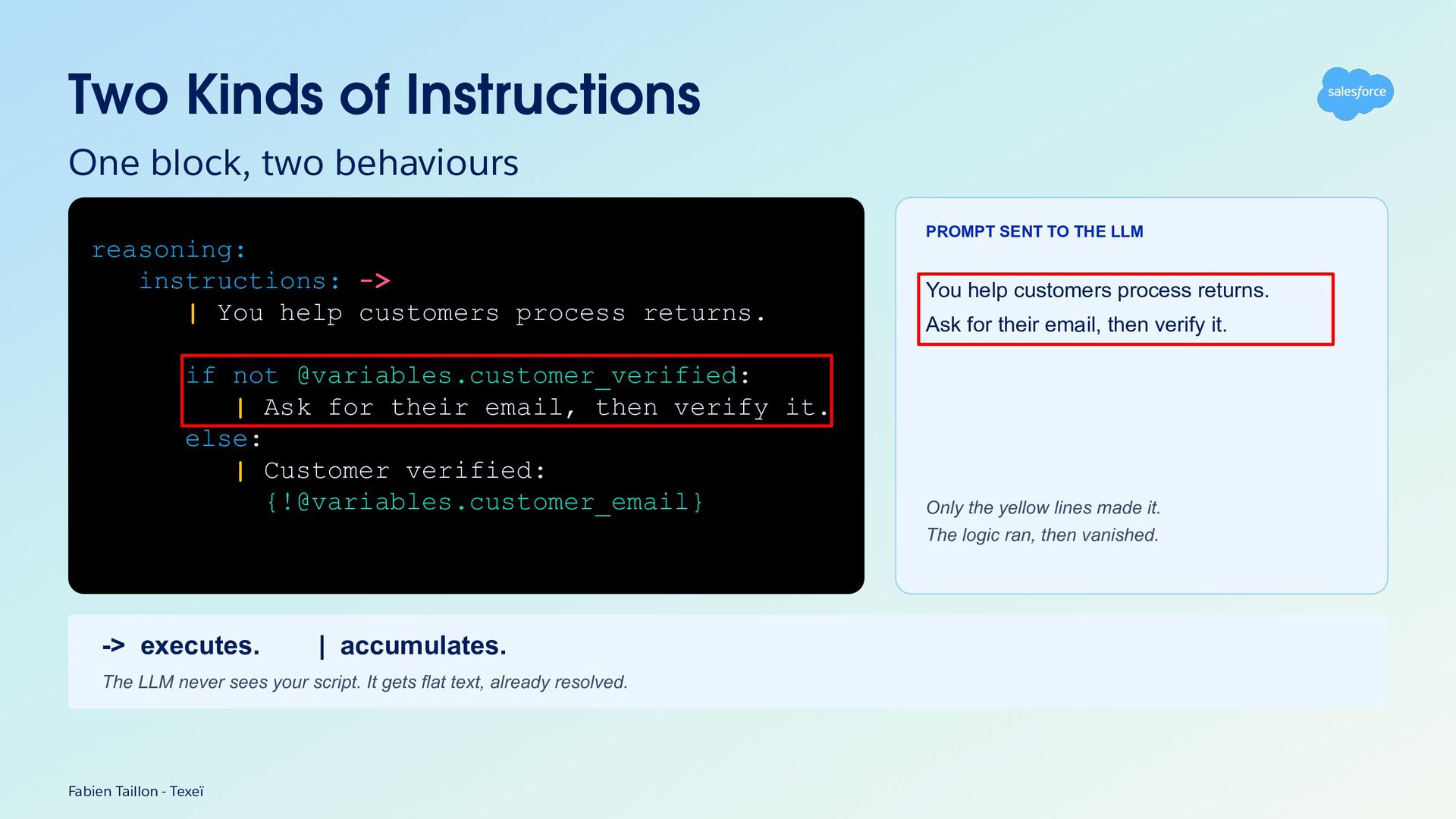
Two Kinds of Instructions One block, two behaviours PROMPT SENT
TO THE LLM reasoning: instructions: -> | You help customers process returns. if not @variables.customer_verified: | Ask for their email, then verify it. else: | Customer verified: {[email protected]_email} You help customers process returns. Ask for their email, then verify it. Only the yellow lines made it. The logic ran, then vanished. -> executes. | accumulates. The LLM never sees your script. It gets flat text, already resolved. Fabien Taillon - Texeï -
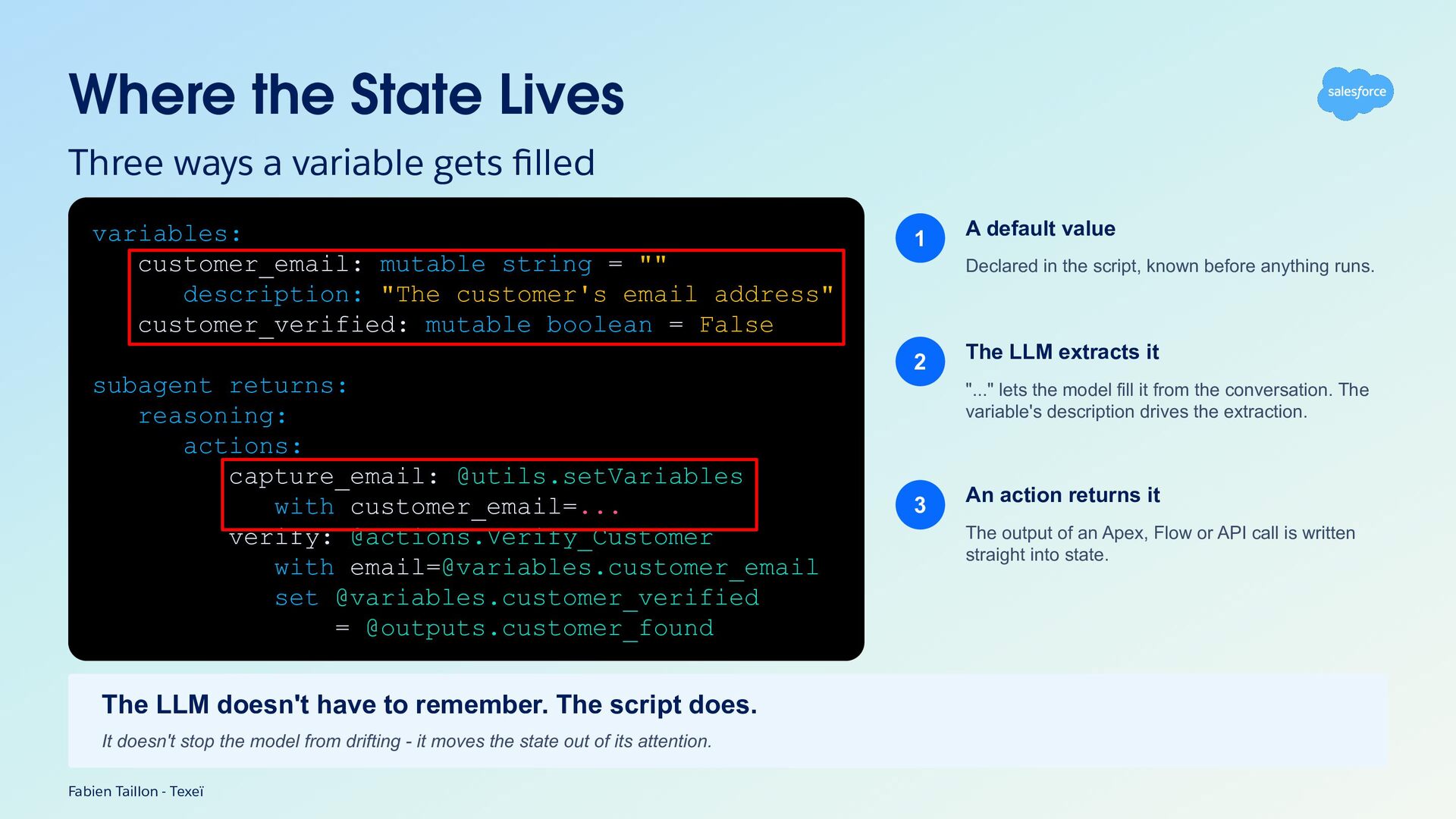
Where the State Lives Three ways a variable gets filled
variables: customer_email: mutable string = "" description: "The customer's email address" customer_verified: mutable boolean = False 1 Declared in the script, known before anything runs. 2 subagent returns: reasoning: actions: capture_email: @utils.setVariables with customer_email=... verify: @actions.Verify_Customer with [email protected]_email set @variables.customer_verified = @outputs.customer_found The LLM doesn't have to remember. The script does. It doesn't stop the model from drifting - it moves the state out of its attention. Fabien Taillon - Texeï A default value The LLM extracts it "..." lets the model fill it from the conversation. The variable's description drives the extraction. 3 An action returns it The output of an Apex, Flow or API call is written straight into state. -
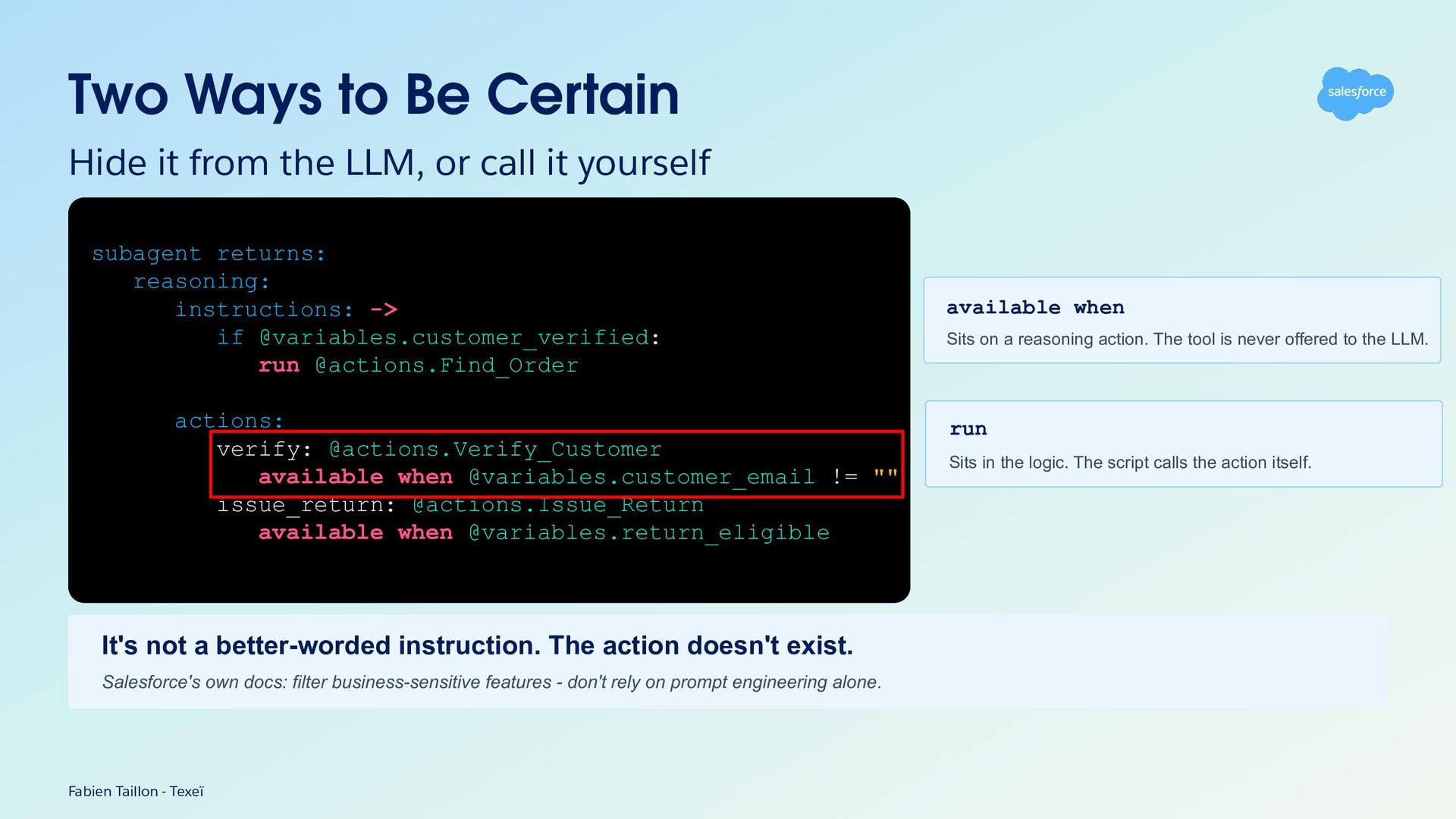
Two Ways to Be Certain Hide it from the LLM,
or call it yourself subagent returns: reasoning: instructions: -> if @variables.customer_verified: run @actions.Find_Order actions: verify: @actions.Verify_Customer available when @variables.customer_email != "" issue_return: @actions.Issue_Return available when @variables.return_eligible It's not a better-worded instruction. The action doesn't exist. Salesforce's own docs: filter business-sensitive features - don't rely on prompt engineering alone. Fabien Taillon - Texeï available when Sits on a reasoning action. The tool is never offered to the LLM. run Sits in the logic. The script calls the action itself. -
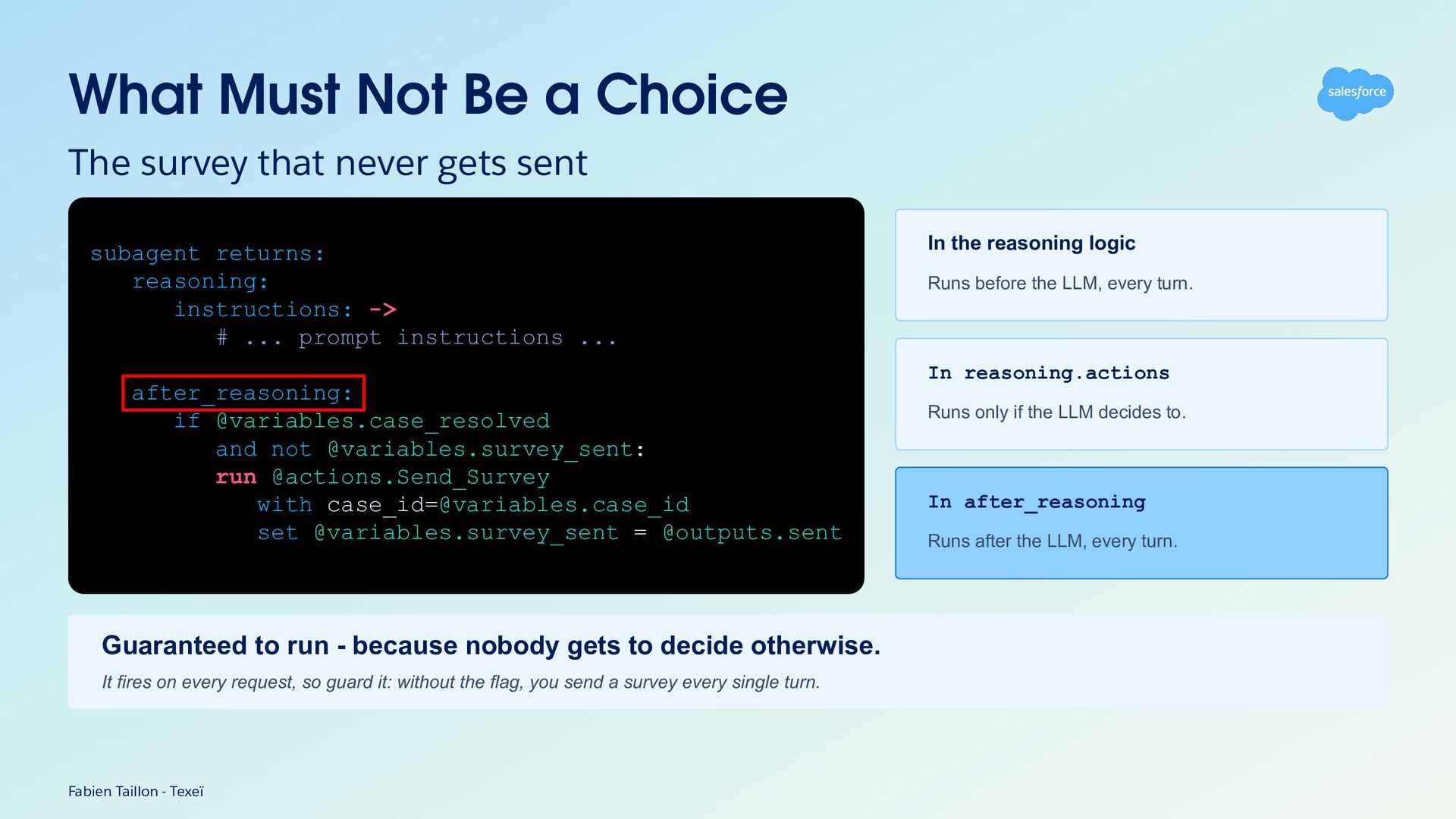
What Must Not Be a Choice The survey that never
gets sent subagent returns: reasoning: instructions: -> # ... prompt instructions ... In the reasoning logic Runs before the LLM, every turn. In reasoning.actions after_reasoning: if @variables.case_resolved and not @variables.survey_sent: run @actions.Send_Survey with [email protected]_id set @variables.survey_sent = @outputs.sent Guaranteed to run - because nobody gets to decide otherwise. It fires on every request, so guard it: without the flag, you send a survey every single turn. Fabien Taillon - Texeï Runs only if the LLM decides to. In after_reasoning Runs after the LLM, every turn. -
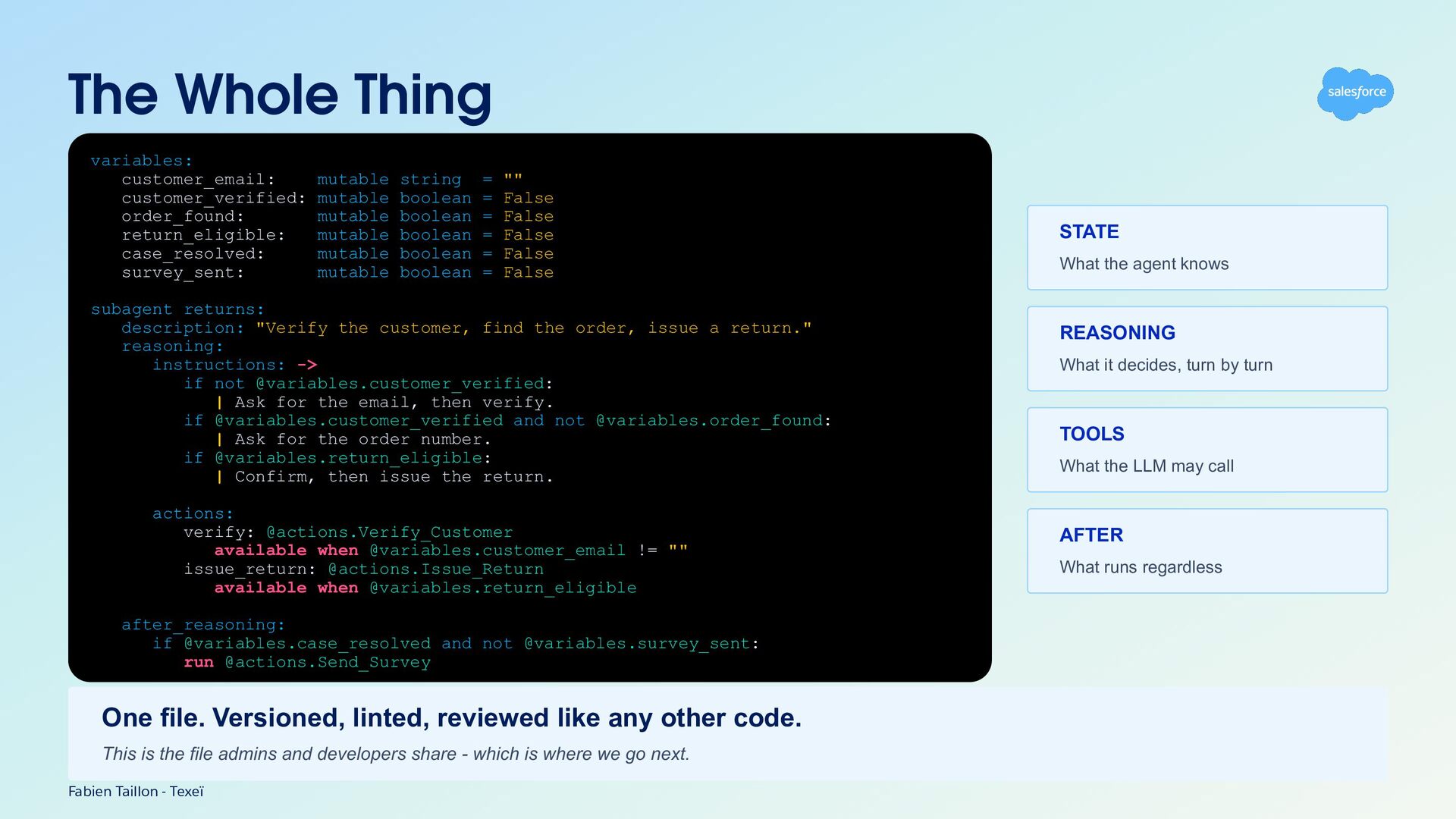
The Whole Thing variables: customer_email: mutable string = "" customer_verified:
mutable boolean = False order_found: mutable boolean = False return_eligible: mutable boolean = False case_resolved: mutable boolean = False survey_sent: mutable boolean = False subagent returns: description: "Verify the customer, find the order, issue a return." reasoning: instructions: -> if not @variables.customer_verified: | Ask for the email, then verify. if @variables.customer_verified and not @variables.order_found: | Ask for the order number. if @variables.return_eligible: | Confirm, then issue the return. actions: verify: @actions.Verify_Customer available when @variables.customer_email != "" issue_return: @actions.Issue_Return available when @variables.return_eligible after_reasoning: if @variables.case_resolved and not @variables.survey_sent: run @actions.Send_Survey One file. Versioned, linted, reviewed like any other code. This is the file admins and developers share - which is where we go next. Fabien Taillon - Texeï STATE What the agent knows REASONING What it decides, turn by turn TOOLS What the LLM may call AFTER What runs regardless -
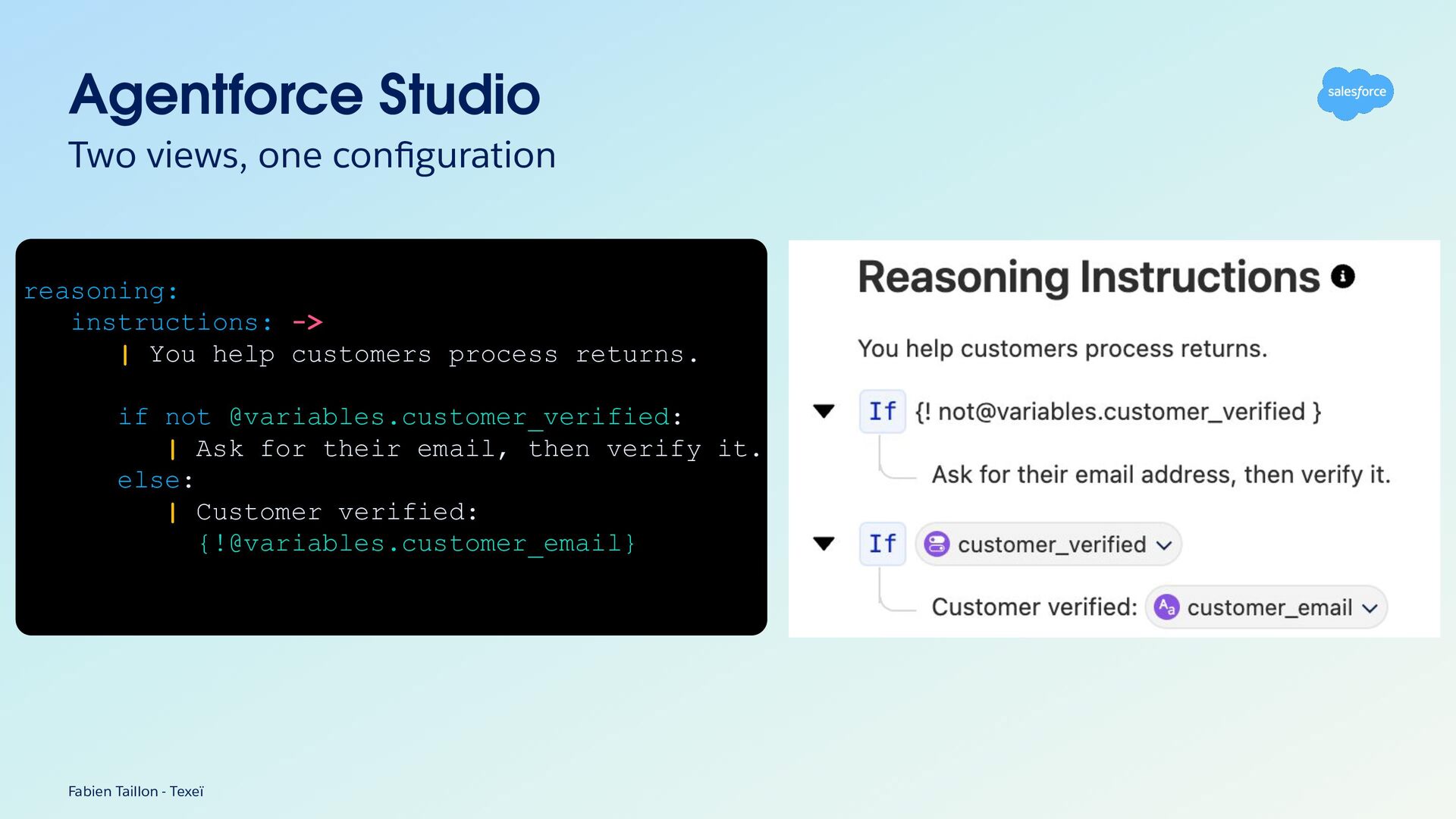
Agentforce Studio Two views, one configuration reasoning: instructions: -> |
You help customers process returns. if not @variables.customer_verified: | Ask for their email, then verify it. else: | Customer verified: {[email protected]_email} Fabien Taillon - Texeï -
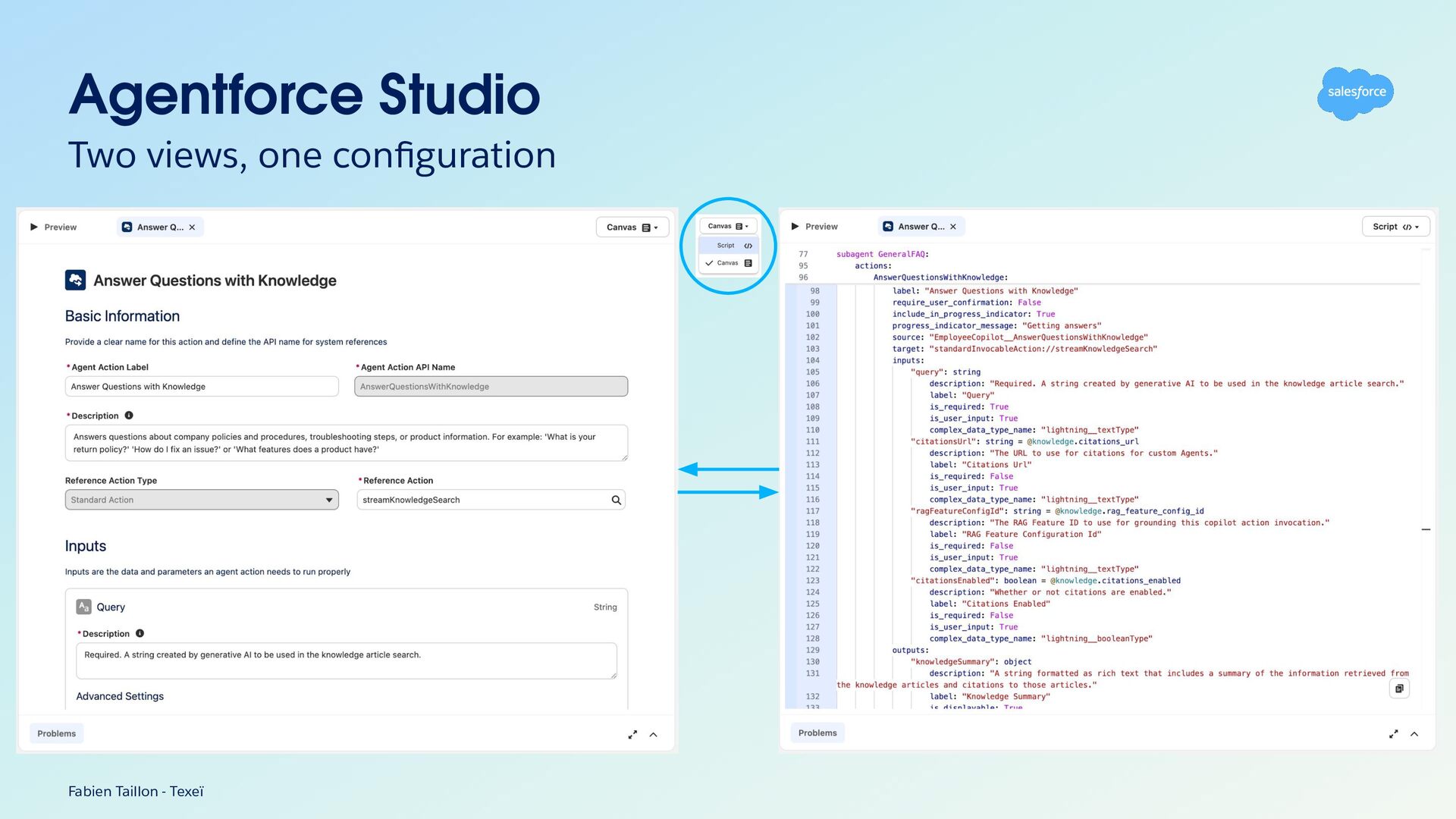
Agentforce Studio Two views, one configuration • One shared file
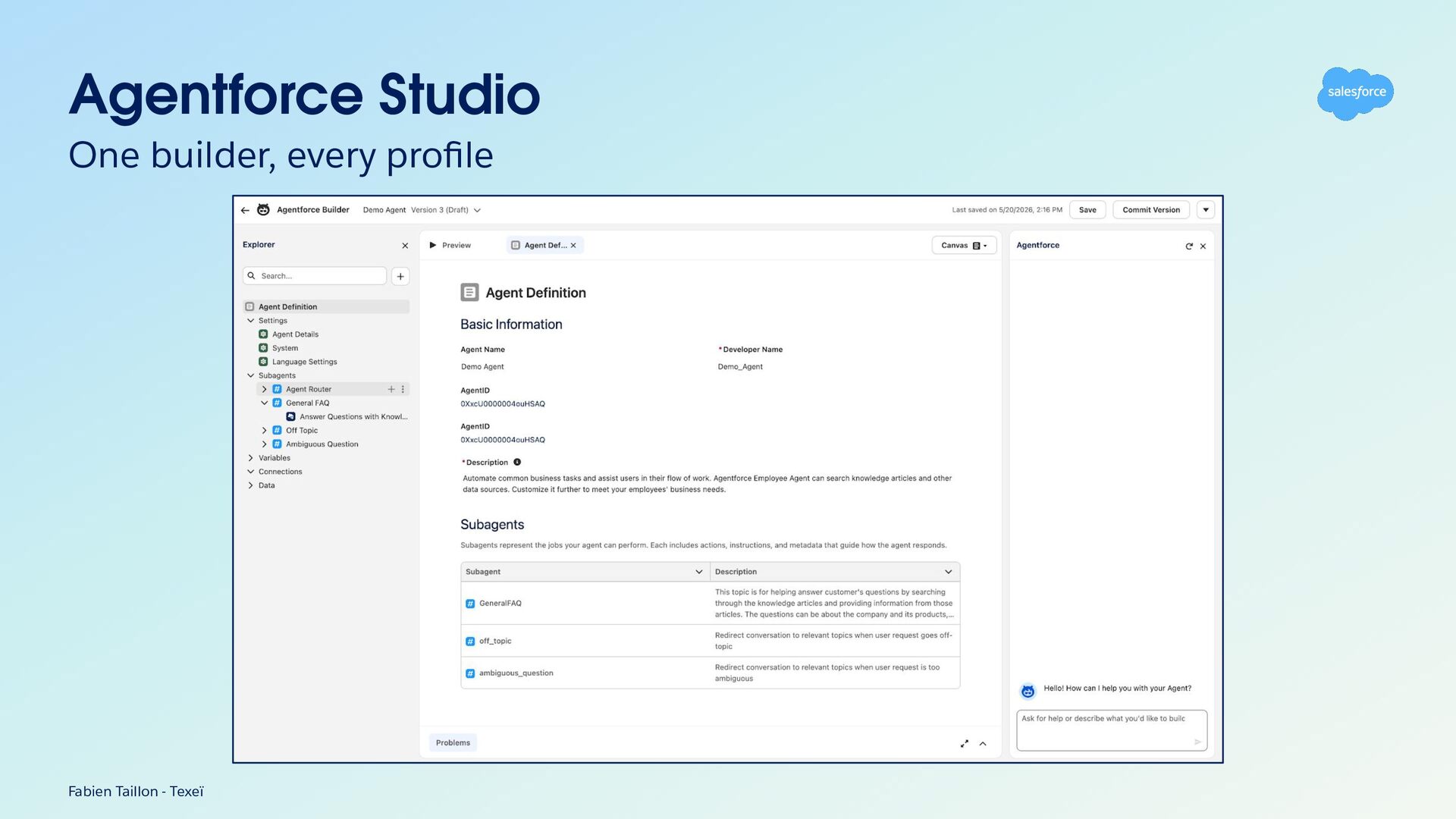
everyone works on • A script written by a developer can then be edited by an app builder in the canvas — and the other way around • Imagine Flow and LWC/Apex merged into one logic, one that admins and developers can evolve side by side, each in their own way Fabien Taillon - Texeï -
You Don't Write It Alone Salesforce ships the skills. Claude
runs them. A .agent file is plain text with a published grammar → A coding agent can write it — and check its own work against the compiler • forcedotcom/sf-skills ◦ npx skills add forcedotcom/sf-skills — Apache-2.0, open Agent Skills spec • agentforce-generate ◦ The skill: design → agent spec → script → validate → backing logic → deploy • sf agent validate authoring-bundle ◦ Claude doesn't guess whether it compiles. It asks the compiler, then fixes. • .airules/AGENT_SCRIPT.md ◦ Block order, naming rules and antipatterns, shipped with agent-script-recipes Fabien Taillon - Texeï -
Agentforce DX Build and deploy with confidence Agent Script and
its toolchain are open source → The same parser and compiler run in your CI, not just in the Builder • Linter ◦ catches broken references and invalid syntax before you deploy • Compiler ◦ fails the build, not the conversation • CLI ◦ validates in CI, on every commit • Language Server Protocol ◦ errors surface in your editor, as you type Fabien Taillon - Texeï -
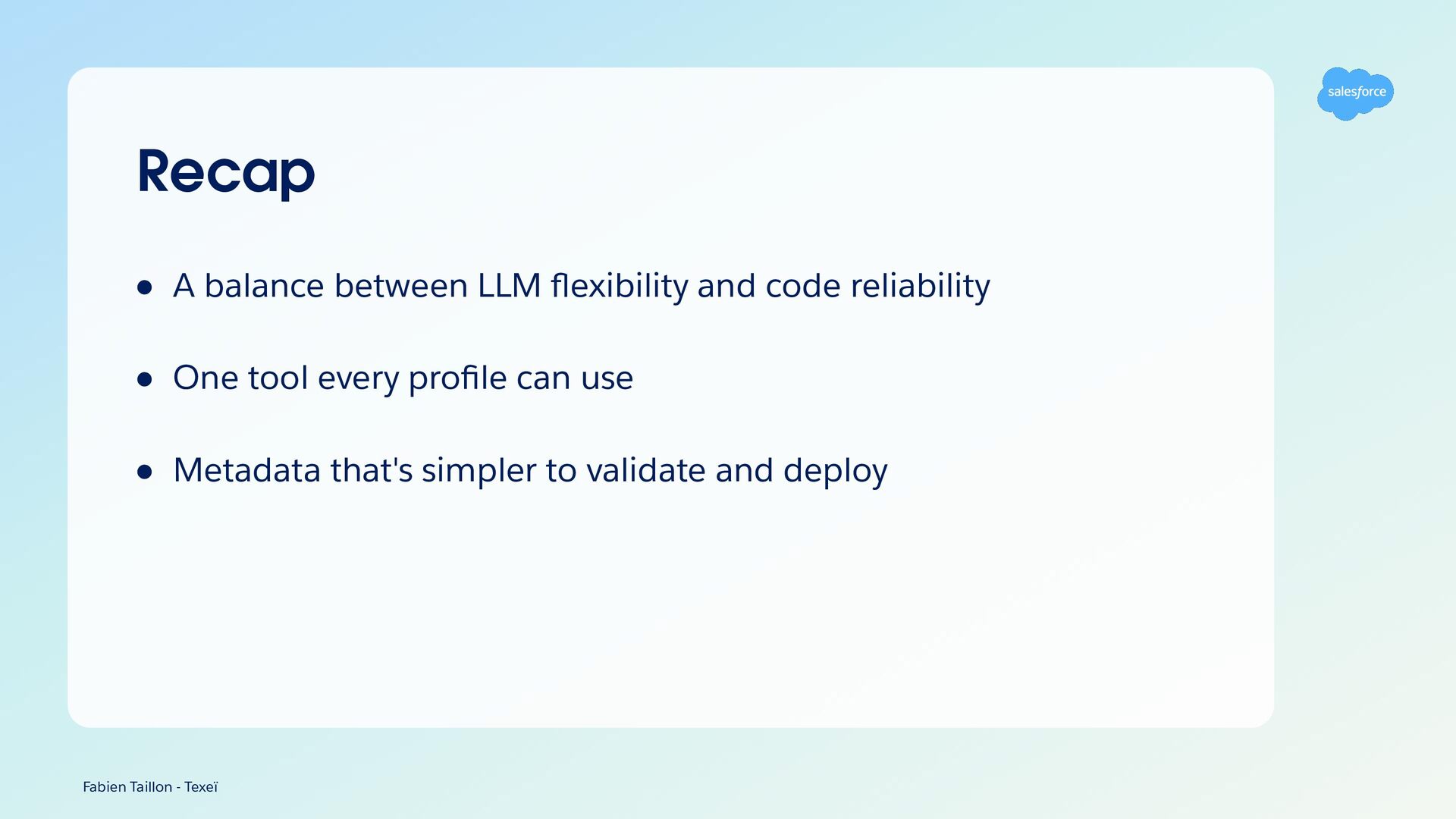
Recap • A balance between LLM flexibility and code reliability
• One tool every profile can use • Metadata that's simpler to validate and deploy Fabien Taillon - Texeï -
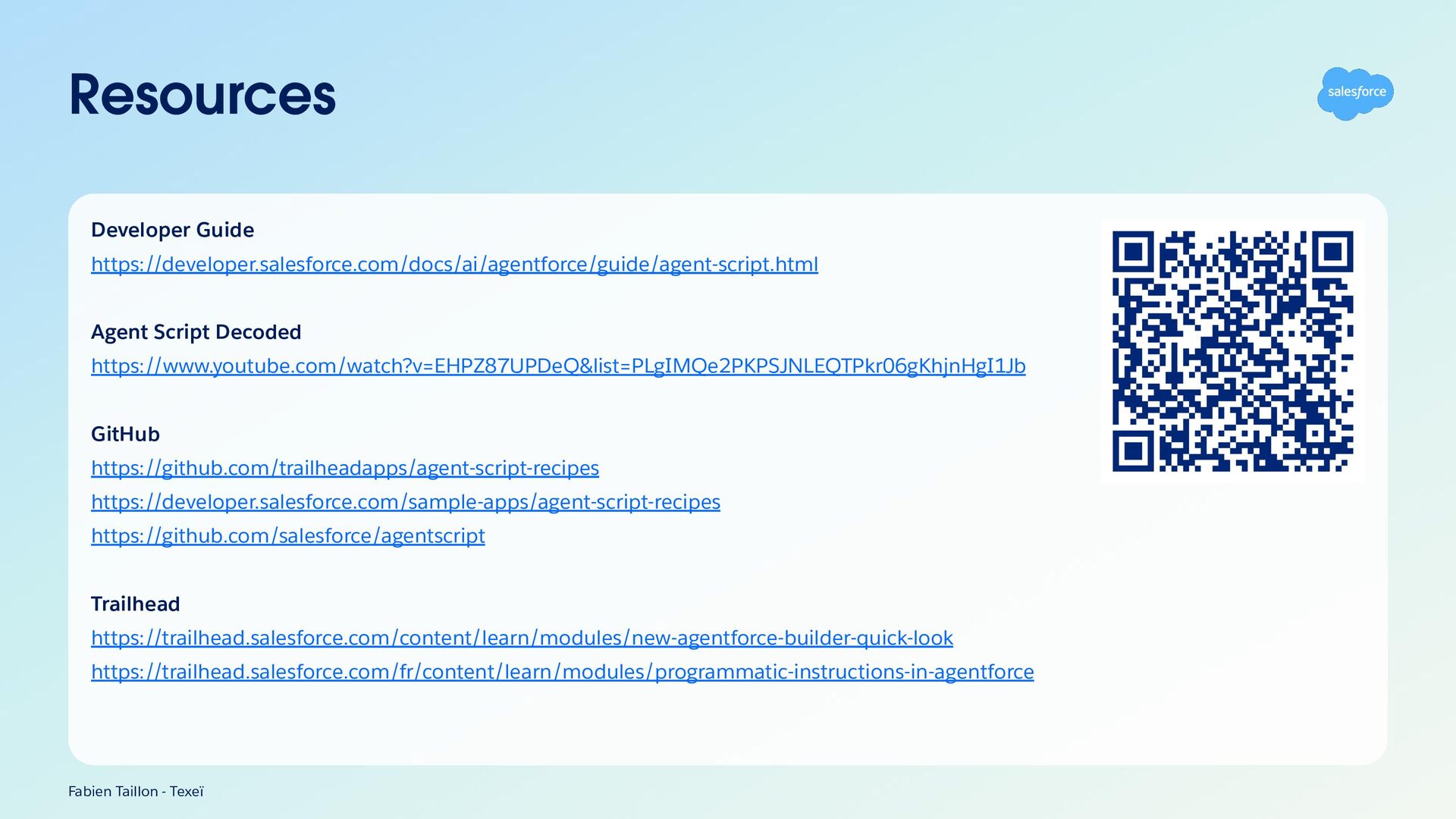
Resources Developer Guide https://developer.salesforce.com/docs/ai/agentforce/guide/agent-script.html Agent Script Decoded https://www.youtube.com/watch?v=EHPZ87UPDeQ&list=PLgIMQe2PKPSJNLEQTPkr06gKhjnHgI1Jb GitHub https://github.com/trailheadapps/agent-script-recipes
https://developer.salesforce.com/sample-apps/agent-script-recipes https://github.com/salesforce/agentscript Trailhead https://trailhead.salesforce.com/content/learn/modules/new-agentforce-builder-quick-look https://trailhead.salesforce.com/fr/content/learn/modules/programmatic-instructions-in-agentforce Fabien Taillon - Texeï -
Coffee on us. The first 4,000 attendees to provide feedback
on this event will receive a $5 Starbucks gi card.* 1. Download the Salesforce Events mobile app. 2. Navigate to surveys. 3. Complete (4) session surveys and the Event Survey. 4. Redeem your gift at Badge Pickup in-person on the last day of the event. *Restrictions apply. See terms and conditions at sforce.co/survey-terms -
Session summaries available soon A short recap of this session
is on its way. You’ll find it later today in the Salesforce Events mobile app or online on the sessions page.