Upgrade to Pro
— share decks privately, control downloads, hide ads and more …
Speaker Deck
Sign up for free
Menu
Search
Features
All features
Private URLs
Password Protection
Custom URLS
Scheduled publishing
Remove Branding
Restrict embedding
Deck Collections
Notes
Features
All features
Private URLs
Password Protection
Custom URLS
Scheduled publishing
Remove Branding
Restrict embedding
Deck Collections
Notes
Explore
Featured decks
Featured speakers
Programming
Technology
Storyboards
Explore
Featured decks
Featured speakers
Programming
Technology
Storyboards
Pricing
Search
Sign in
Sign up for free
マークダウンパーサーの自作
Search
suzakutakumi
December 11, 2021
Technology
140
0
Share
Embed
Copy iframe code
Copy JS code
Copy link
Start on current slide
マークダウンパーサーの自作
suzakutakumi
December 11, 2021
More Decks by suzakutakumi
See All by suzakutakumi
ピクロス作成の中間発表
suzakutakumi
0
110
しゅみろん
suzakutakumi
0
200
trap-search
suzakutakumi
1
68
Pyramid Makerの作成
suzakutakumi
0
72
絵文字ジェネレータボットの作成
suzakutakumi
0
170
send_discord
suzakutakumi
0
74
独自ドメインについて
suzakutakumi
0
67
ESP32とAlexaを用いたエアコン制御
suzakutakumi
0
1.4k
スターリンマージソート
suzakutakumi
3
660
Other Decks in Technology
See All in Technology
kintoneで在庫管理システムを作るときの要件定義・設計ポイント
kai0707
0
110
Claude Code をローカルとサーバー上で利用した際の Bedrock 利用料をユーザー単位で一本化してみる
ohorig
0
170
クラウドサインを止めずに Nuxt へ 次の10年のために先に決めたこと
bengo4com
1
170
Let's Change Our World—Again
snoozer05
PRO
6
710
Don't write the architecture only in the prompt.
neohsu
0
170
Draft AIエージェントの トークン消費を最小化する 8つの原則
kinopeee
6
1.8k
GitHub、使う?使わない?
happysamurai294
0
110
1週間、Opus封印でお願いします
kintotechdev
0
330
日本AIベンチャーレポート2026
kentarofujii
0
250
正解のない研修に放り出されて / Being thrown into a training program with no right answers
ohnoeight
1
160
【Oracle AI SPOTLIGHT ウェビナー】事例から見る!なぜOCIが選ばれたのか ― AI時代のクラウド戦略を紐解く ―
oracle4engineer
PRO
1
120
Microsoft のサポート ライフサイクルを理解する
murachiakira
PRO
0
220
Featured
See All Featured
Music & Morning Musume
bryan
48
7.5k
What's in a price? How to price your products and services
michaelherold
247
13k
Art, The Web, and Tiny UX
lynnandtonic
304
22k
Jamie Indigo - Trashchat’s Guide to Black Boxes: Technical SEO Tactics for LLMs
techseoconnect
PRO
0
720
Design of three-dimensional binary manipulators for pick-and-place task avoiding obstacles (IECON2024)
konakalab
0
630
brightonSEO & MeasureFest 2025 - Winning Strategies for Black Friday CRO & PPC - Christian Goodrich
cargoodrich
3
880
Bridging the Design Gap: How Collaborative Modelling removes blockers to flow between stakeholders and teams @FastFlow conf
baasie
0
740
Pawsitive SEO: Lessons from My Dog (and Many Mistakes) on Thriving as a Consultant in the Age of AI
davidcarrasco
0
280
Between Models and Reality
mayunak
4
520
The AI Revolution Will Not Be Monopolized: How open-source beats economies of scale, even for LLMs
inesmontani
PRO
3
3.8k
AI in Enterprises - Java and Open Source to the Rescue
ivargrimstad
0
1.6k
ピンチをチャンスに:未来をつくるプロダクトロードマップ #pmconf2020
aki_iinuma
128
56k
Transcript
マークダウンパーサー の自作 2021/12/11 Zli 大LT
自己紹介 HN:朱雀 匠(本名:鈴木 拓眞) Twitter: @suzakutakumi3 Portfolio: http://suzakutakumi.mydns.jp/
None
None
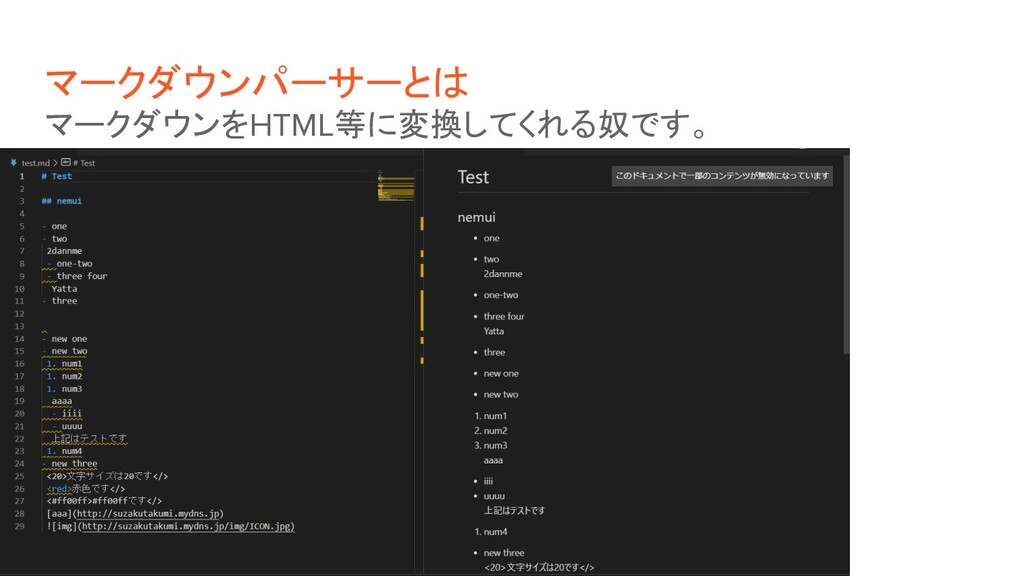
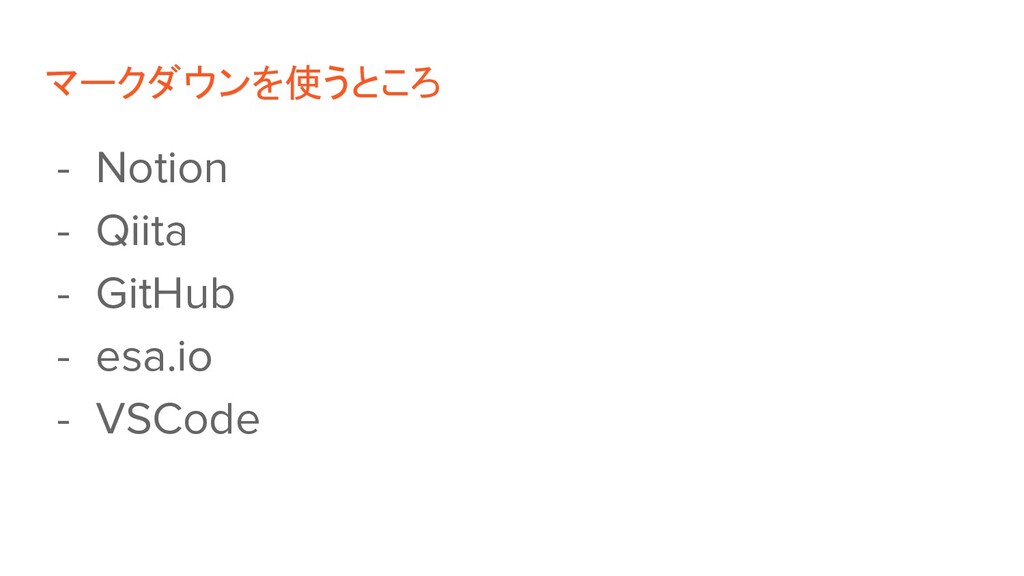
マークダウンパーサーとは マークダウンをHTML等に変換してくれる奴です。
マークダウンを使うところ - Notion - Qiita - GitHub - esa.io -
VSCode
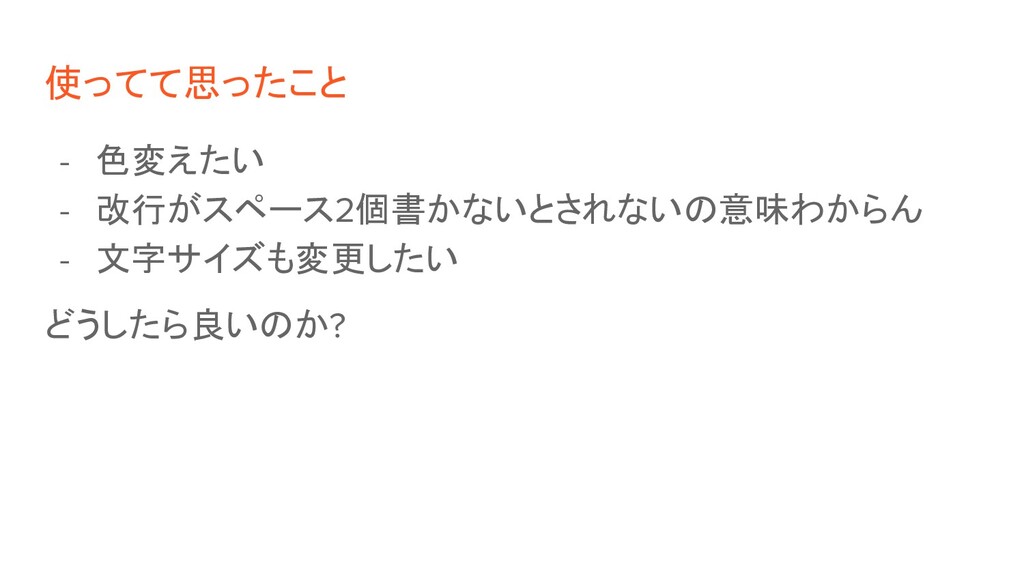
使ってて思ったこと - 色変えたい - 改行がスペース2個書かないとされないの意味わからん - 文字サイズも変更したい どうしたら良いのか?
自分で作る!
注意点! 構文解析とか文法解析とかは知らない 行きあたりばったりの何となくで作成しています
見出しの実装 if l>0 and row[0]=='#': cnt=1 while row[cnt]=='#': cnt+=1 if
row[cnt]==" ": row="<h%d>"%cnt+row[cnt+1:-4]+"</h%d>"%cnt これは1行:1行の対応なので、簡単に実装できました。
リンクの実装 ans=re.search(r"\[.+\]\(.+\)",row) if ans!=None: sl=ans.span() first=row[:sl[0]] second=row[sl[0]:sl[1]] last=row[sl[1]:] content=re.search(r"\[.+\]",second).span() link=re.search(r"\(.+\)",second).span()
row=first+'<a href="%s">%s</a>'%(second[link[0]+1:link[1]-1],second[content[0]+1:content[1]-1])+last こちらも1行:1行の対応なので、簡単に実装できました。 正規表現で、その行にリンクがあるか?リンクの位置などを抽出しています。
画像の実装 ans=re.search(r"!\[.*\]\(.+\)",row) if ans!=None: sl=ans.span() first=row[:sl[0]] second=row[sl[0]:sl[1]] last=row[sl[1]:] content=re.search(r"\[.+\]",second).span() link=re.search(r"\(.+\)",second).span()
row=first+'<img src="%s" alt="%s"/>'%(second[link[0]+1:link[1]-1],second[content[0]+1:content[1]-1])+last ほぼ、リンクと変わらないですね
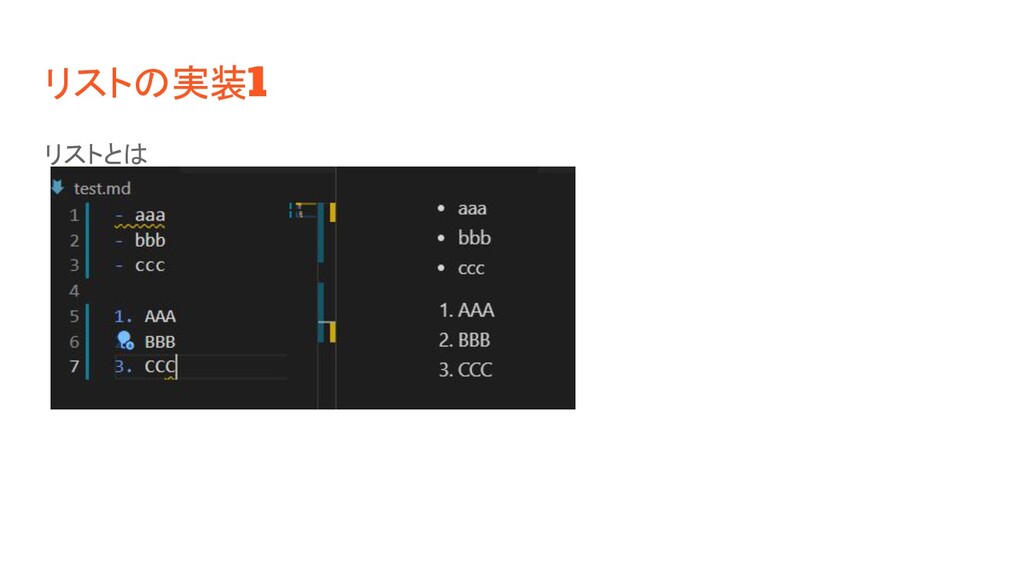
リストの実装1 リストとは
リストの実装2 コードは省略 こちらは一番時間がかかっています。 リストのネストに対応しています。
サイズ変更の実装 ans=re.search(r"<[0-9]+>",row) if ans!=None: sl=ans.span() first=row[:sl[0]] second='<font size="%s">'%row[sl[0]+1:sl[1]-1] last=row[sl[1]:] row=first+second+last
fin_list.append("</font>") こちらも、正規表現を用いて、サイズの実装をしました。
色の実装 ans=re.search(r"<#[0-9a-fA-F]+>",row) if ans!=None: sl=ans.span() first=row[:sl[0]] second='<font color="%s">'%row[sl[0]+1:sl[1]-1] last=row[sl[1]:] row=first+second+last
fin_list.append("</font>") colorTexts=["black","gray","silver","white","blue","navy","teal","green","lime","aqua","yellow","red","fuchsia","olive"," purple","maroon"] for texts in colorTexts: ans=re.search("<%s>"%texts,row) if ans!=None: sl=ans.span() first=row[:sl[0]] second='<font color="%s">'%row[sl[0]+1:sl[1]-1] last=row[sl[1]:] row=first+second+last fin_list.append("</font>") こちらも正規表現を利用して、実装しています。
デモ
Webサーバでの実装 将来的には、自分のポートフォリオサイトで使いたいので、Webで編 集できるようにしたい!
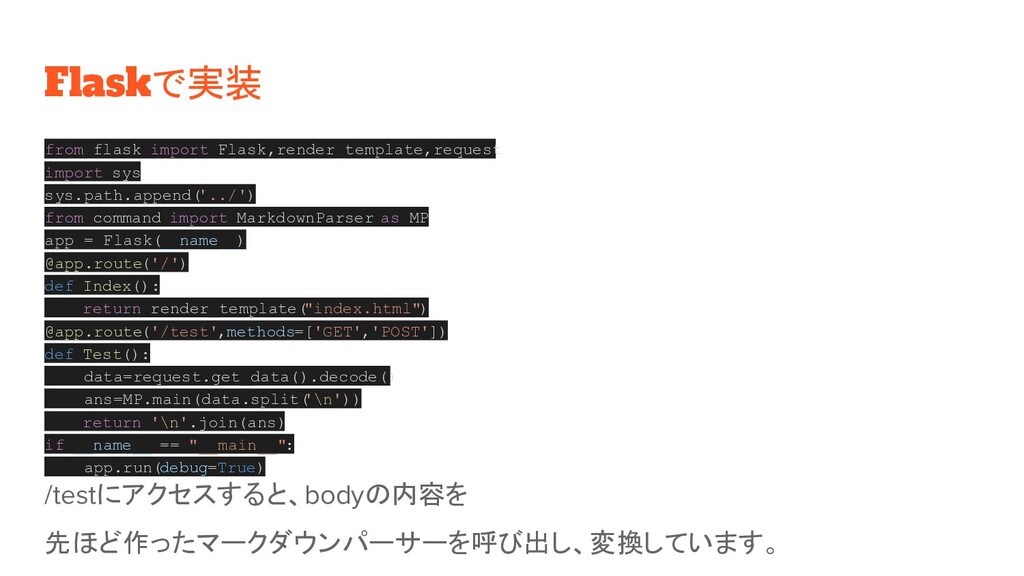
Flaskで実装 from flask import Flask,render_template,request import sys sys.path.append( '../') from
command import MarkdownParser as MP app = Flask(__name__) @app.route('/') def Index(): return render_template( "index.html") @app.route('/test',methods=['GET','POST']) def Test(): data=request.get_data().decode() ans=MP.main(data.split( '\n')) return '\n'.join(ans) if __name__ == "__main__": app.run(debug=True) /testにアクセスすると、bodyの内容を 先ほど作ったマークダウンパーサーを呼び出し、変換しています。
デモ
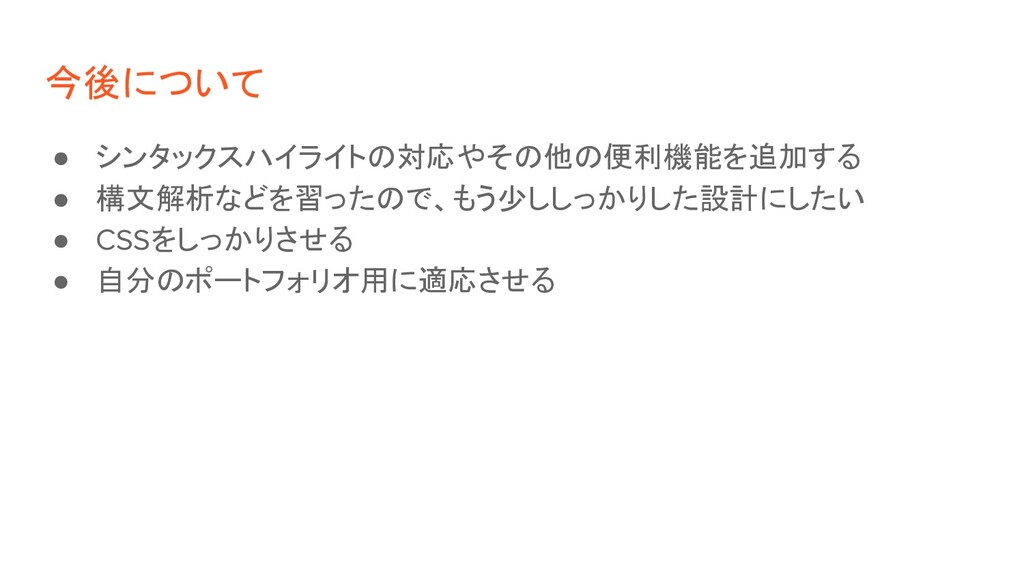
今後について • シンタックスハイライトの対応やその他の便利機能を追加する • 構文解析などを習ったので、もう少ししっかりした設計にしたい • CSSをしっかりさせる • 自分のポートフォリオ用に適応させる
最後に 下のリンクからプログラムがおいてあるリポジトリを見ることができます。 https://github.com/suzakutakumi/MarkdownParser


 suzakutakumi
 kai0707
 ohorig
 bengo4com
 snoozer05
 neohsu
 kinopeee
 happysamurai294
 kintotechdev
 kentarofujii
 ohnoeight
 oracle4engineer
 murachiakira
 bryan
bryan
 michaelherold
 lynnandtonic
 techseoconnect
 konakalab
.jpg) cargoodrich
cargoodrich
 baasie
 davidcarrasco
 mayunak
 inesmontani
 ivargrimstad
 aki_iinuma


![見出しの実装 if l>0 and row[0]=='#': cnt=1 while row[cnt]=='#': cnt+=1 if](https://files.speakerdeck.com/presentations/de4daa65feef4c99a85e33ffde93db58/slide_9.jpg)
![リンクの実装 ans=re.search(r"\[.+\]\(.+\)",row) if ans!=None: sl=ans.span() first=row[:sl[0]] second=row[sl[0]:sl[1]] last=row[sl[1]:] content=re.search(r"\[.+\]",second).span() link=re.search(r"\(.+\)",second).span()](https://files.speakerdeck.com/presentations/de4daa65feef4c99a85e33ffde93db58/slide_10.jpg)
![画像の実装 ans=re.search(r"!\[.*\]\(.+\)",row) if ans!=None: sl=ans.span() first=row[:sl[0]] second=row[sl[0]:sl[1]] last=row[sl[1]:] content=re.search(r"\[.+\]",second).span() link=re.search(r"\(.+\)",second).span()](https://files.speakerdeck.com/presentations/de4daa65feef4c99a85e33ffde93db58/slide_11.jpg)
![サイズ変更の実装 ans=re.search(r"<[0-9]+>",row) if ans!=None: sl=ans.span() first=row[:sl[0]] second='<font size="%s">'%row[sl[0]+1:sl[1]-1] last=row[sl[1]:] row=first+second+last](https://files.speakerdeck.com/presentations/de4daa65feef4c99a85e33ffde93db58/slide_14.jpg)
![色の実装 ans=re.search(r"<#[0-9a-fA-F]+>",row) if ans!=None: sl=ans.span() first=row[:sl[0]] second='<font color="%s">'%row[sl[0]+1:sl[1]-1] last=row[sl[1]:] row=first+second+last](https://files.speakerdeck.com/presentations/de4daa65feef4c99a85e33ffde93db58/slide_15.jpg)