Upgrade to Pro
— share decks privately, control downloads, hide ads and more …
Speaker Deck
Sign up for free
Menu
Search
Features
All features
Private URLs
Password Protection
Custom URLS
Scheduled publishing
Remove Branding
Restrict embedding
Deck Collections
Notes
Features
All features
Private URLs
Password Protection
Custom URLS
Scheduled publishing
Remove Branding
Restrict embedding
Deck Collections
Notes
Explore
Featured decks
Featured speakers
Programming
Technology
Storyboards
Explore
Featured decks
Featured speakers
Programming
Technology
Storyboards
Pricing
Search
Sign in
Sign up for free
15-437 Angular and Django
Search
ThierrySans
February 17, 2016
Programming
120
0
Share
Embed
Copy iframe code
Copy JS code
Copy link
Start on current slide
15-437 Angular and Django
ThierrySans
February 17, 2016
More Decks by ThierrySans
See All by ThierrySans
CSCD27 Social Engineering
thierrysans
0
270
CSCD27 Web Security
thierrysans
0
470
CSCD27 Malicious Software
thierrysans
0
420
CSCD27 Protection
thierrysans
0
530
CSCD27 System Insecurity
thierrysans
0
460
CSCD27 Human Authentication
thierrysans
0
380
CSCD27 Network security
thierrysans
0
580
CSCD27 Network (in)security
thierrysans
0
570
CSCD27 Cryptography Protocols
thierrysans
0
750
Other Decks in Programming
See All in Programming
setup-vp GitLab対応の裏側
naokihaba
0
150
半永久的に提供し続けられるプライベートクラウドを目指して ― 利用者の認知負荷を抑えるAPI抽象化とハードウェア世代交代の基盤設計
tomokon
0
440
速く作れる。その次は、速く確かめられる開発へ 〜AIネイティブ開発を支える、Shift Down〜 / Can build fast. Next, moving to development where we can verify fast.
rkaga
8
5.5k
Vue Fes Japan 2026 タイムテーブル徹底解説
448jp
1
620
手動確認はもう限界 〜XCUITestでCustom URL Schemeの遷移を起動種別ごとに自動テストする〜 / Testing Custom URL Schemes with XCUITest
otouto
0
390
UnityでSystem.Net.WebSocketsなWebSocketサーバが動かないのでUnity Monoのコードを覗いてみた / about implementing websocket server with unity mono
drumath2237
1
550
When benchmarks go bad - what I learned from measuring performance wrong
hollycummins
0
130
The Rails Doctrine Decade
koic
2
490
技術的負債の返済は、AI時代の複利で効く投資 — 経営としての意思決定とその遂行
curekoshimizu
1
2.2k
Security issues being discussed on Web Platforms
petamoriken
0
1.4k
contenteditable と日本語入力に向き合う
colorful12
0
110
C#の現在地 進化の歴史と、AI時代の.NET Everywhere
neuecc
5
4.9k
Featured
See All Featured
From Legacy to Launchpad: Building Startup-Ready Communities
dugsong
0
350
Building a A Zero-Code AI SEO Workflow
portentint
PRO
0
760
Intergalactic Javascript Robots from Outer Space
tanoku
273
27k
[Rails World 2023 - Day 1 Closing Keynote] - The Magic of Rails
eileencodes
38
3k
Introduction to Domain-Driven Design and Collaborative software design
baasie
1
1k
Building Applications with DynamoDB
mza
96
7.2k
JAMstack: Web Apps at Ludicrous Speed - All Things Open 2022
reverentgeek
1
620
SEO Brein meetup: CTRL+C is not how to scale international SEO
lindahogenes
2
2.9k
Why Our Code Smells
bkeepers
PRO
340
58k
More Than Pixels: Becoming A User Experience Designer
marktimemedia
3
550
The B2B funnel & how to create a winning content strategy
katarinadahlin
PRO
1
550
Applied NLP in the Age of Generative AI
inesmontani
PRO
4
2.5k
Transcript
Angular and Django Thierry Sans
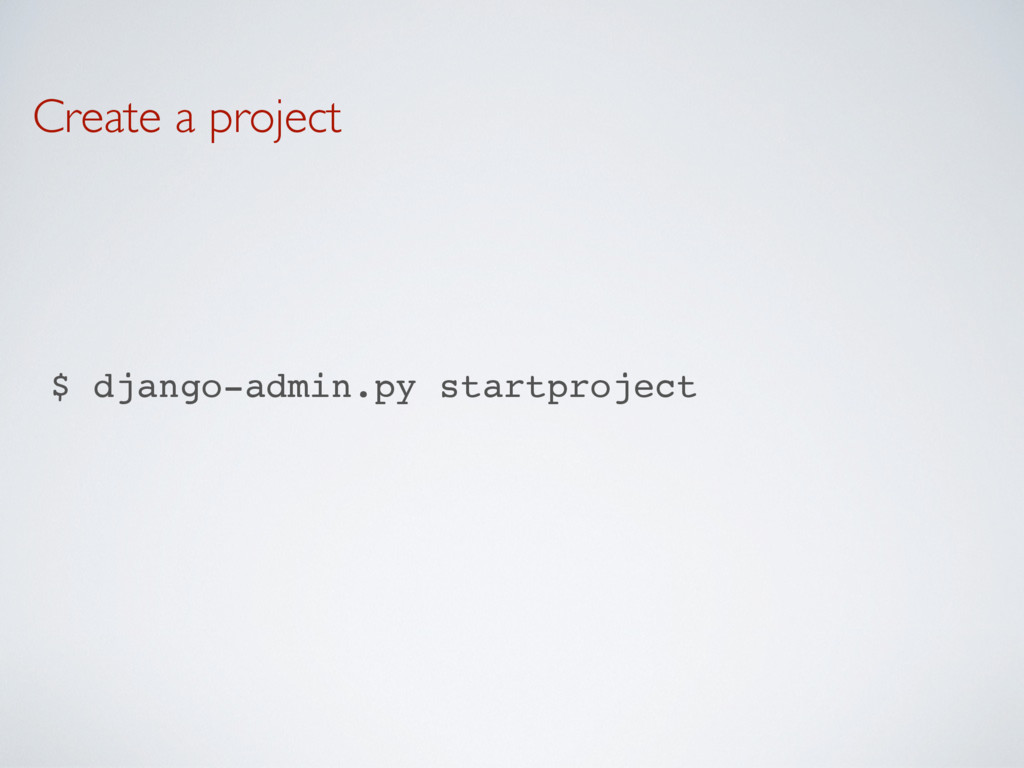
Create a project $ django-admin.py startproject webgallery
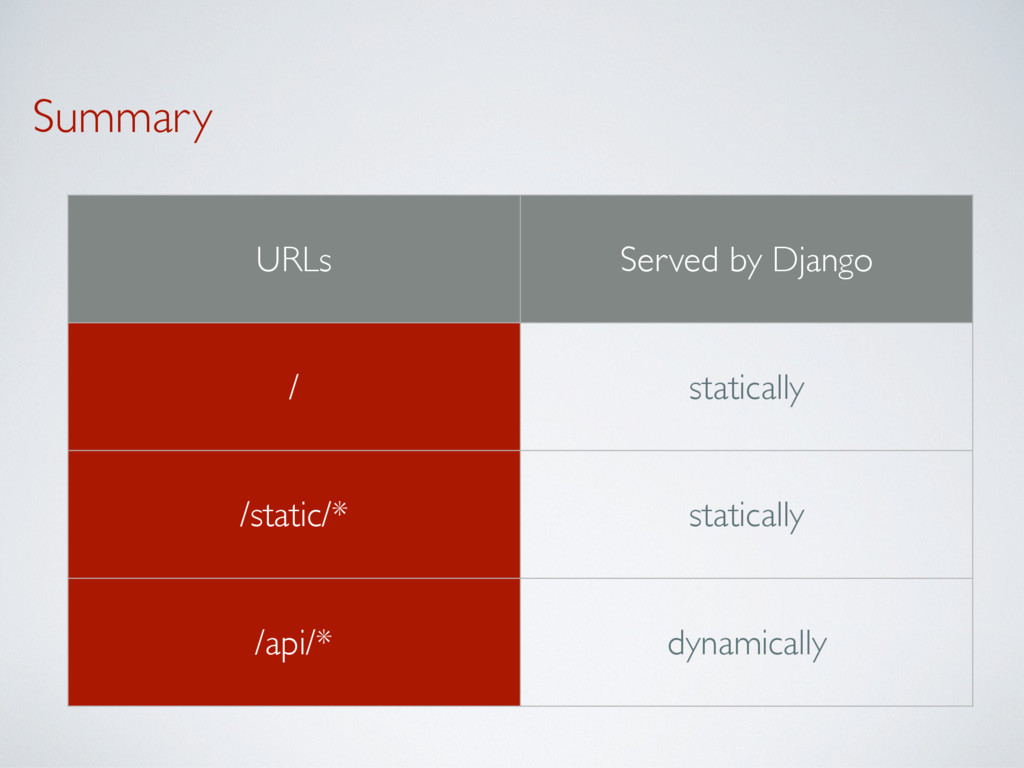
Summary URLs Served by Django / statically /static/* statically /api/*
dynamically
1. serving / statically
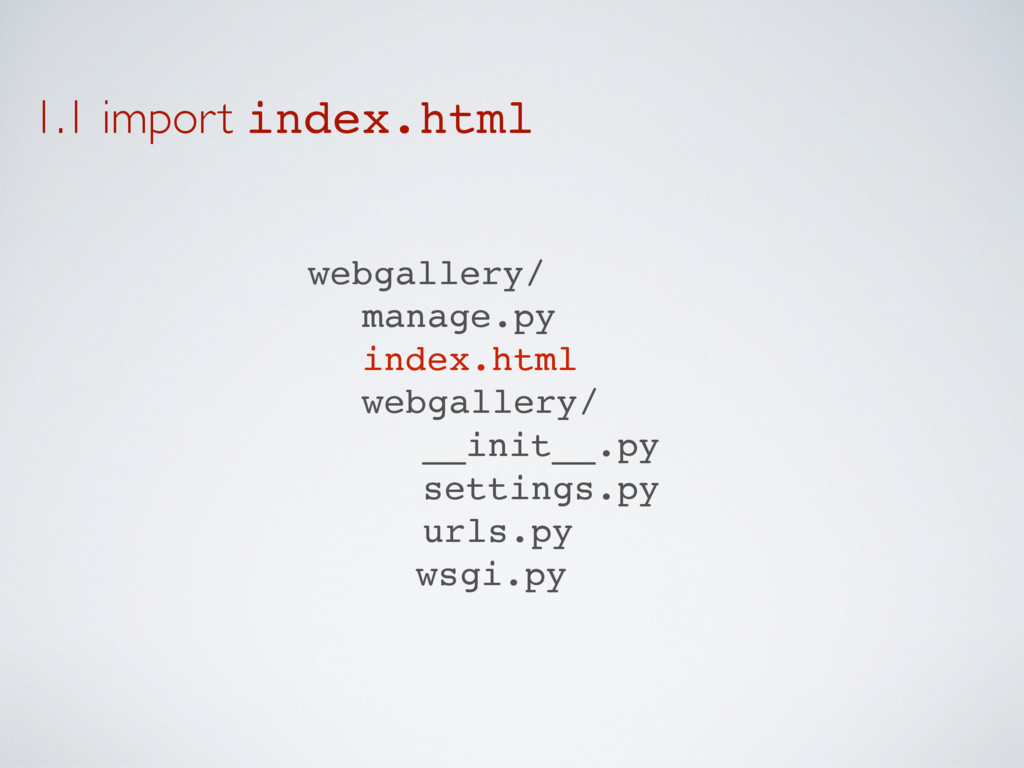
1.1 import index.html webgallery/ manage.py index.html webgallery/ __init__.py settings.py urls.py
wsgi.py
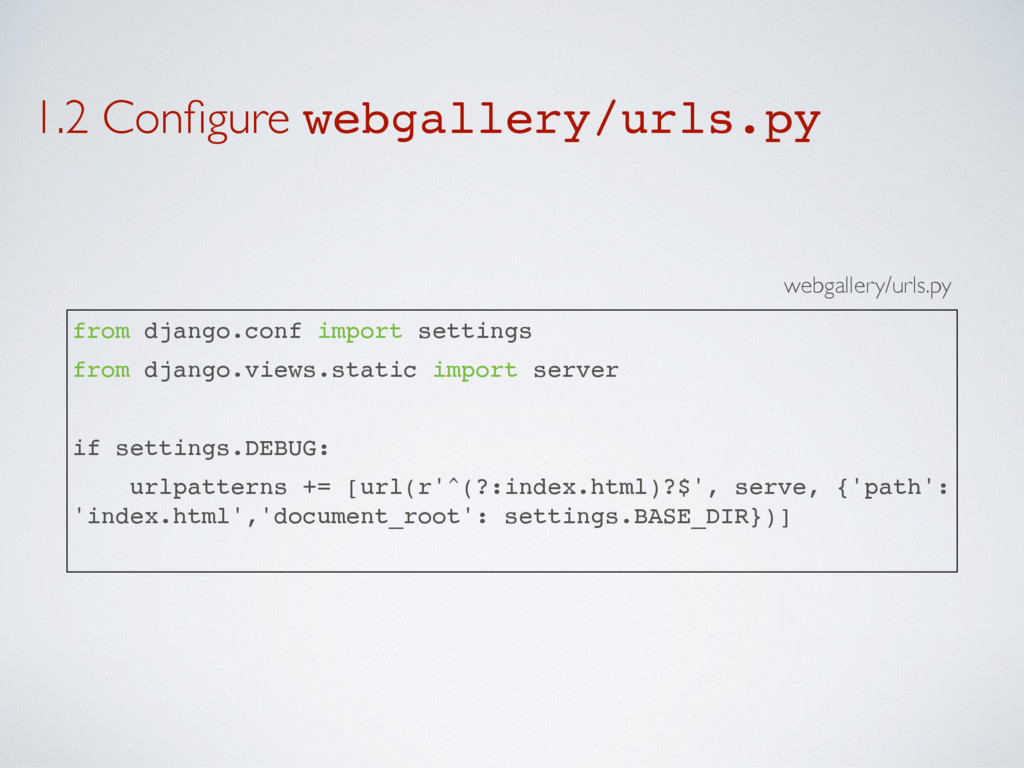
1.2 Configure webgallery/urls.py from django.conf import settings from django.views.static import
server if settings.DEBUG: urlpatterns += [url(r'^(?:index.html)?$', serve, {'path': 'index.html','document_root': settings.BASE_DIR})] webgallery/urls.py
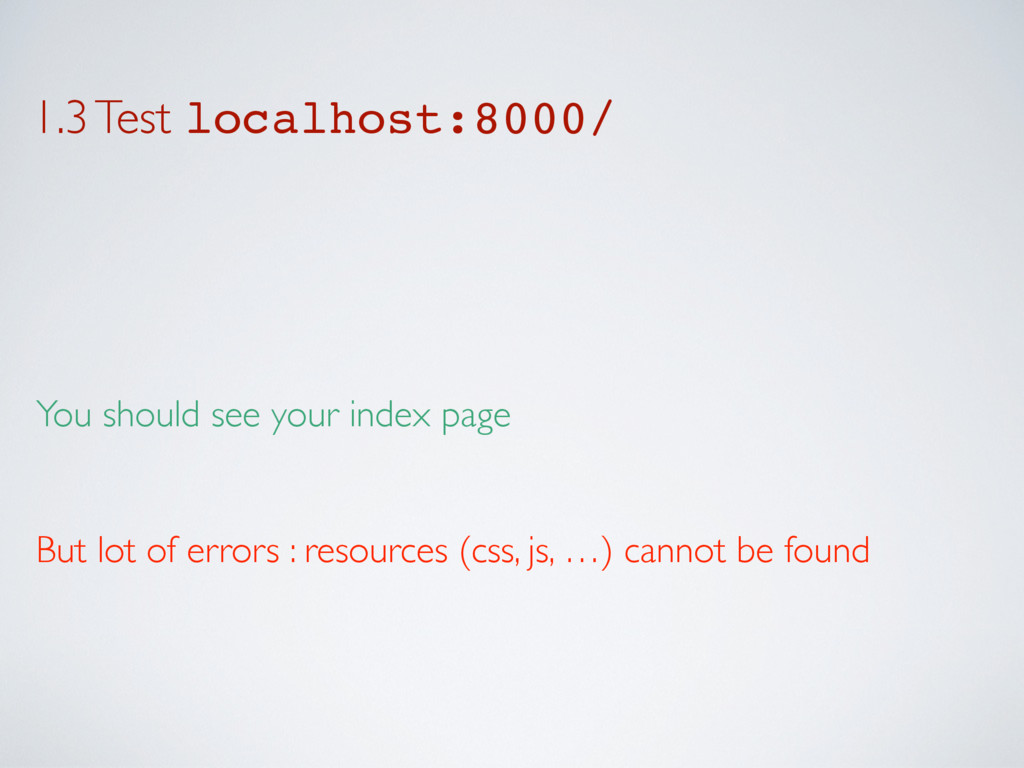
1.3 Test localhost:8000/ You should see your index page But
lot of errors : resources (css, js, …) cannot be found
2. serving /static/* statically
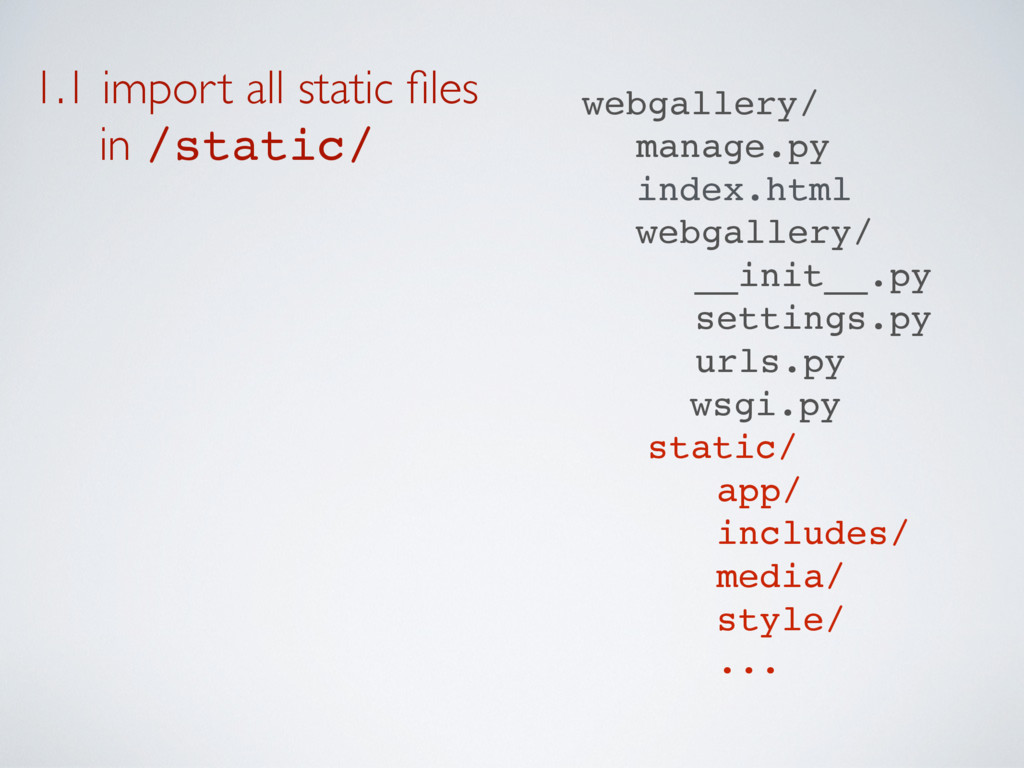
1.1 import all static files in /static/ webgallery/ manage.py
index.html webgallery/ __init__.py settings.py urls.py wsgi.py static/ app/ includes/ media/ style/ ...
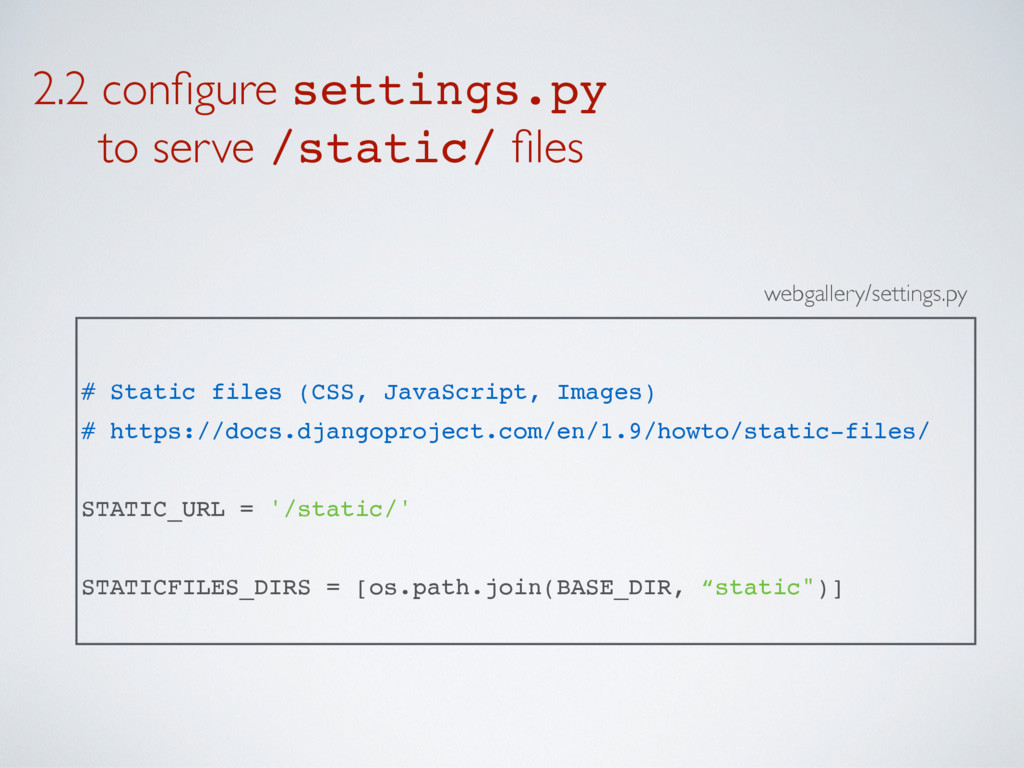
2.2 configure settings.py to serve /static/ files webgallery/settings.py #
Static files (CSS, JavaScript, Images) # https://docs.djangoproject.com/en/1.9/howto/static-files/ STATIC_URL = '/static/' STATICFILES_DIRS = [os.path.join(BASE_DIR, “static")]
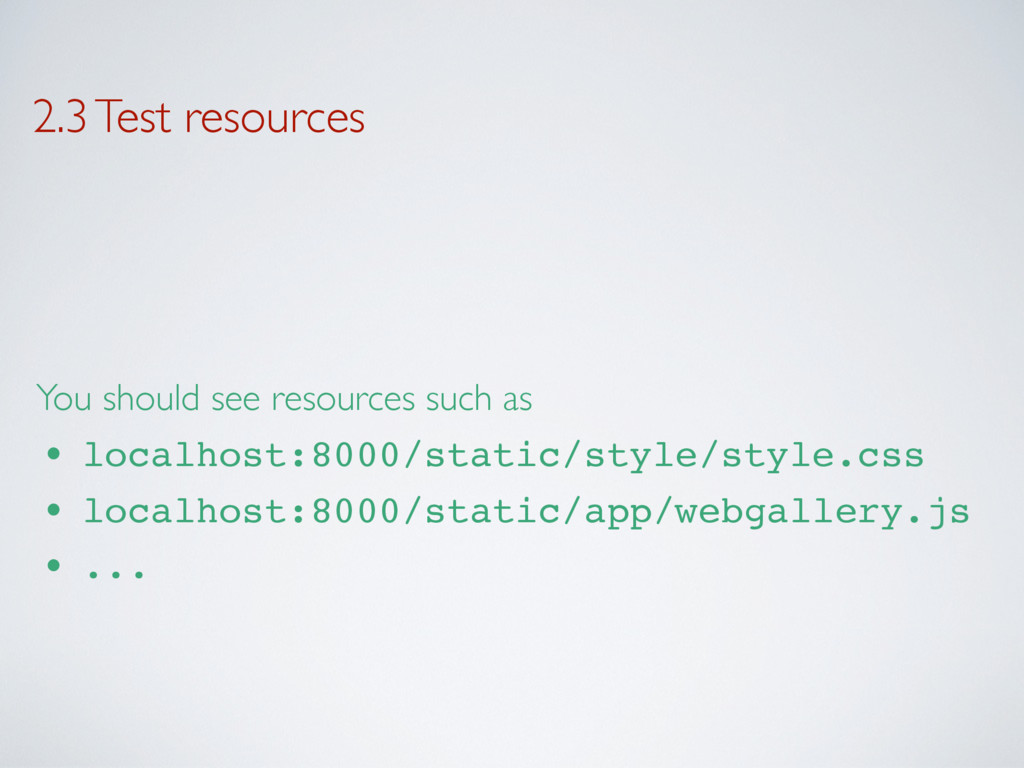
2.3 Test resources You should see resources such as •
localhost:8000/static/style/style.css • localhost:8000/static/app/webgallery.js • ...
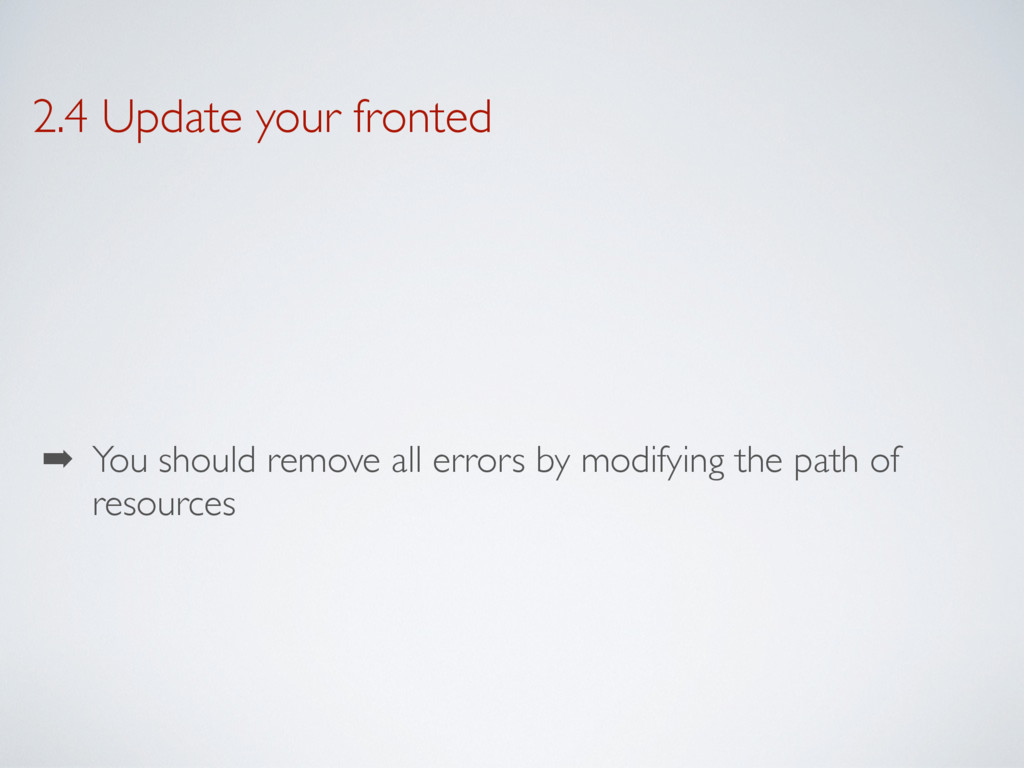
2.4 Update your fronted ➡ You should remove all errors
by modifying the path of resources
3. serving /api/* dynamically
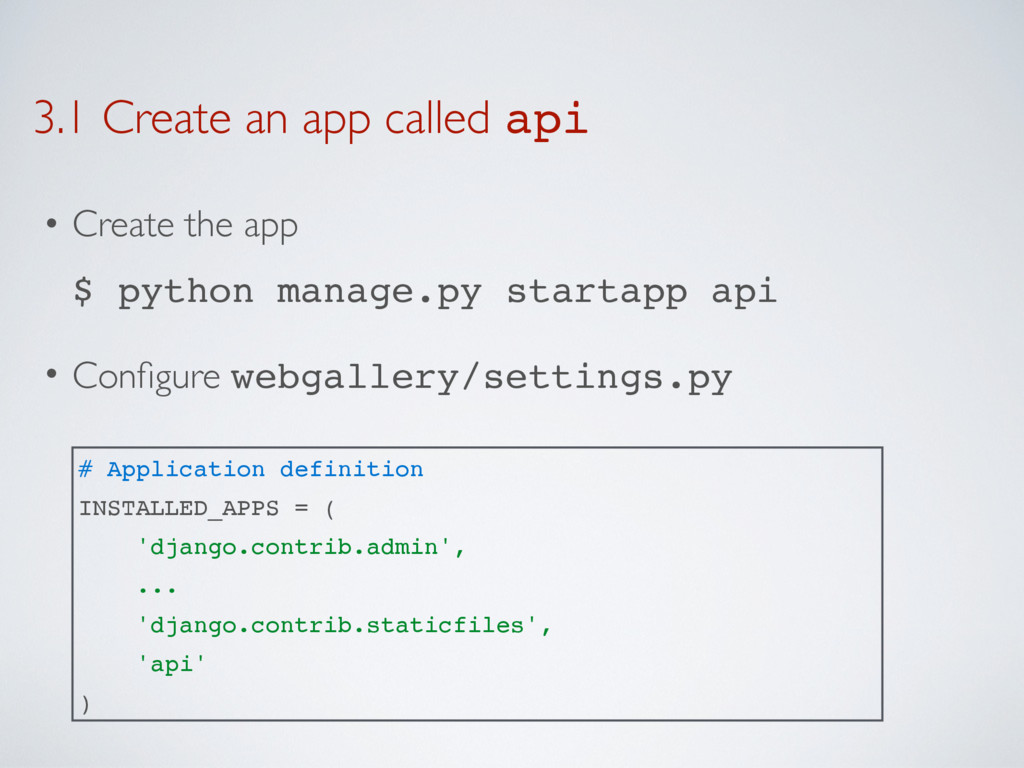
3.1 Create an app called api • Create the app
$ python manage.py startapp api • Configure webgallery/settings.py # Application definition INSTALLED_APPS = ( 'django.contrib.admin', ... 'django.contrib.staticfiles', 'api' )
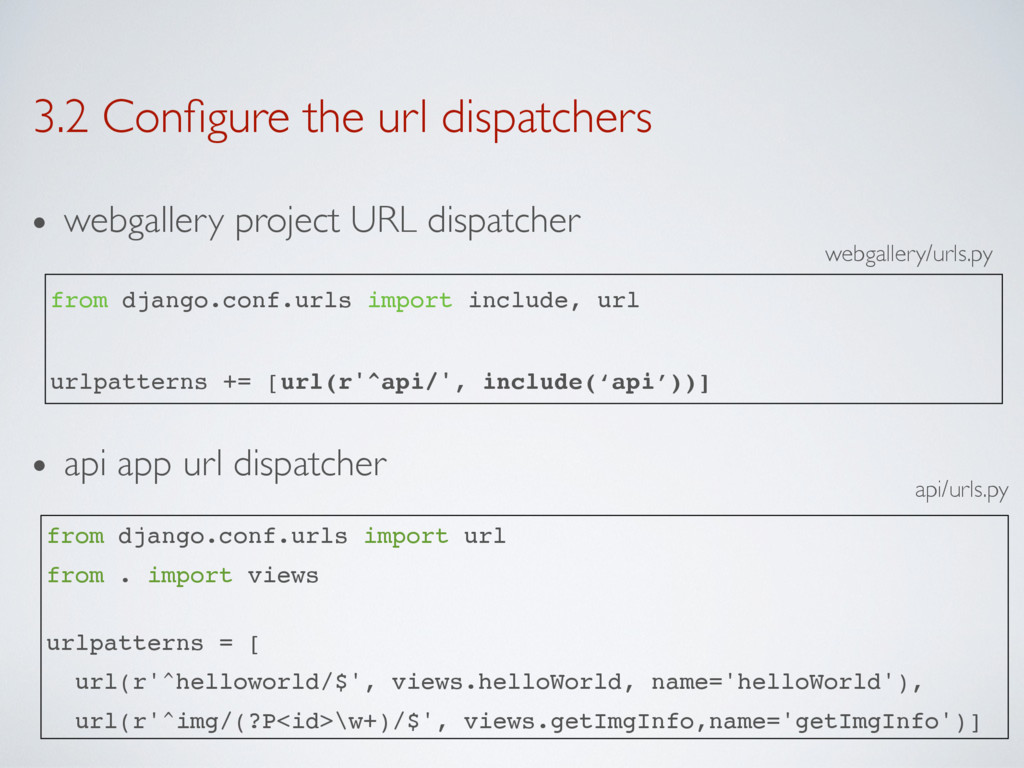
3.2 Configure the url dispatchers • webgallery project URL dispatcher
• api app url dispatcher from django.conf.urls import url from . import views urlpatterns = [ url(r'^helloworld/$', views.helloWorld, name='helloWorld'), url(r'^img/(?P<id>\w+)/$', views.getImgInfo,name='getImgInfo')] api/urls.py webgallery/urls.py from django.conf.urls import include, url urlpatterns += [url(r'^api/', include(‘api’))]
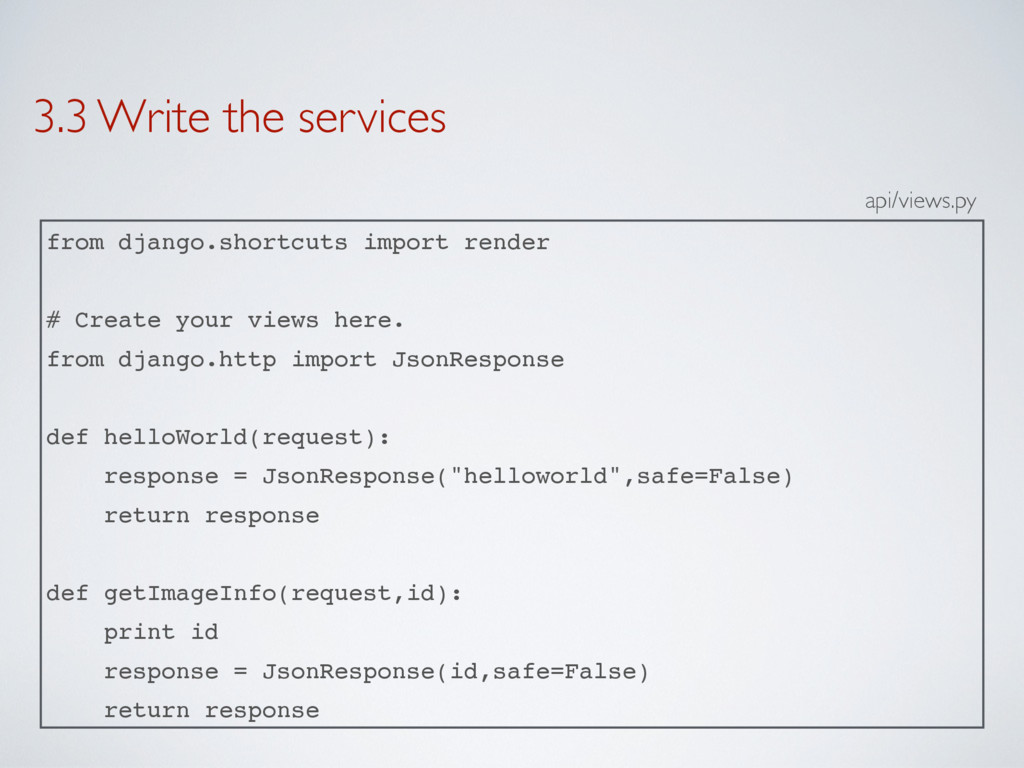
3.3 Write the services from django.shortcuts import render # Create
your views here. from django.http import JsonResponse def helloWorld(request): response = JsonResponse("helloworld",safe=False) return response def getImageInfo(request,id): print id response = JsonResponse(id,safe=False) return response api/views.py
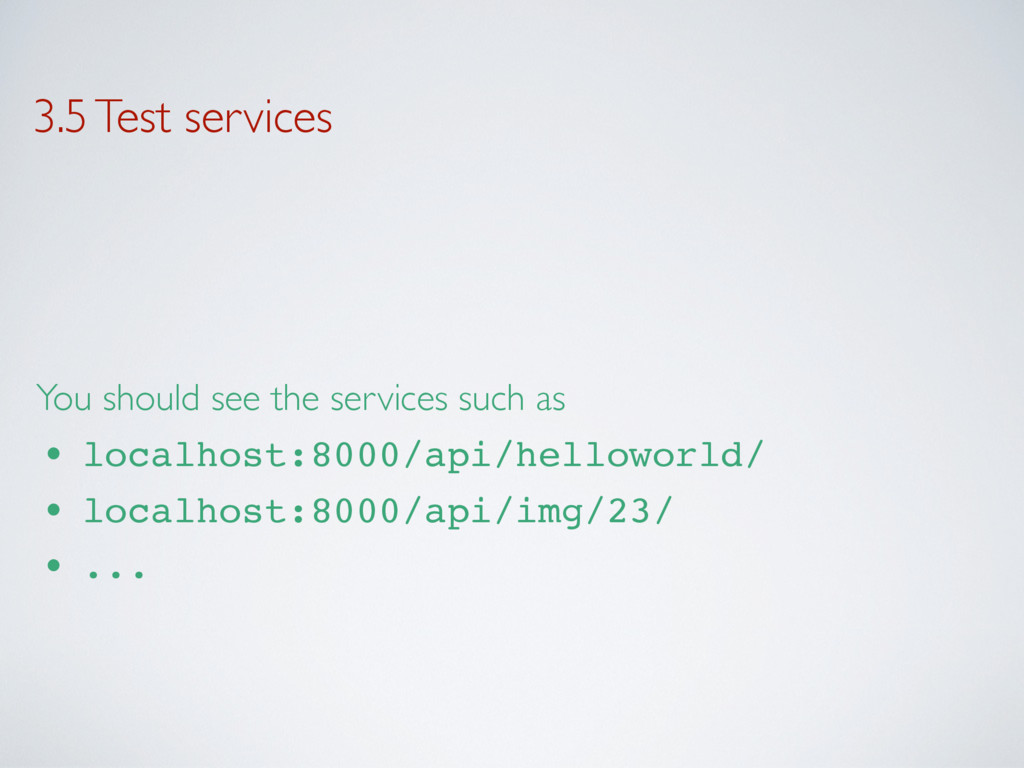
3.5 Test services You should see the services such as
• localhost:8000/api/helloworld/ • localhost:8000/api/img/23/ • ...
4. Complete the API
5. Interface the frontend with the API


 thierrysans
 naokihaba
 tomokon
 rkaga
rkaga
 448jp
448jp
 otouto
 drumath2237
 hollycummins
 koic
koic
 curekoshimizu
 petamoriken
 colorful12
 neuecc
 dugsong
 portentint
 tanoku
 eileencodes
 baasie
 mza
mza
 reverentgeek
 lindahogenes
 bkeepers
 marktimemedia
 katarinadahlin
 inesmontani