Upgrade to Pro
— share decks privately, control downloads, hide ads and more …
Speaker Deck
Sign up for free
Menu
Search
Features
All features
Private URLs
Password Protection
Custom URLS
Scheduled publishing
Remove Branding
Restrict embedding
Deck Collections
Notes
Features
All features
Private URLs
Password Protection
Custom URLS
Scheduled publishing
Remove Branding
Restrict embedding
Deck Collections
Notes
Explore
Featured decks
Featured speakers
Programming
Technology
Storyboards
Explore
Featured decks
Featured speakers
Programming
Technology
Storyboards
Pricing
Search
Sign in
Sign up for free
iOSの画面の状態のアレコレを調査してみた
Search
Ryu-nakayama
September 19, 2025
Programming
150
0
Share
Embed
Copy iframe code
Copy JS code
Copy link
Start on current slide
iOSの画面の状態のアレコレを調査してみた
mobile.stmn #13の登壇資料です
Ryu-nakayama
September 19, 2025
More Decks by Ryu-nakayama
See All by Ryu-nakayama
AIに「任せない」という選択
ryunakayama
0
90
iOS機能開発のAI環境と起きた変化
ryunakayama
0
270
日本だけで解禁されているアプリ起動の方法
ryunakayama
0
460
iOSアプリでフロントエンドと仲良くする
ryunakayama
0
180
「ジェン文字」使ってますか?
ryunakayama
0
100
Health Kit × Foundation Models でAIコーチを作ってみた
ryunakayama
0
380
作文ツール(Writing Tools)をアプリから制御する
ryunakayama
0
94
iOSアプリで測る!名古屋駅までの 方向と距離
ryunakayama
0
340
「ジェン文字」をアプリ内で使ってみよう
ryunakayama
0
230
Other Decks in Programming
See All in Programming
Next.js: The final boss of Web Performance
guaca
0
290
パスワード再設定メールのURLについて知っておこう
uyuki234
0
170
AWSに止められる覚悟してますか?
morizo_1984
2
540
JAWS-UG 東京支部が始める、JAWS-UG支部コラボ / JAWS-UG lunchtime LT Collaboration
y0hgi
0
280
AmebaブログはKMPから卒業します
kmars0605
0
210
【加筆修正版】Laravel のアプリケーションをどこにデプロイするか #phpcon_ehime
akase244
0
150
設計次第でAIコードの読む量は減らせる / designing-for-code-reading
minodriven
35
17k
Herb in Rails 8.2: Your ERB views, now HTML-aware @ Kaigi on Rails 2026, Tokyo, Japan
marcoroth
2
300
パズルゲームの作り方 / how to make puzzle games
kaityo256
PRO
2
300
Verilogで学ぶCPU自作入門
uyuki234
8
4.2k
R8 の設定見直しでアプリサイズ削減
andpad
0
220
全ての永続トークンを、生まれる前に消し去りたい!
sylph01
2
1k
Featured
See All Featured
Thoughts on Productivity
jonyablonski
76
5.4k
Primal Persuasion: How to Engage the Brain for Learning That Lasts
tmiket
0
500
Technical Leadership for Architectural Decision Making
baasie
3
600
The Straight Up "How To Draw Better" Workshop
denniskardys
239
140k
Reflections from 52 weeks, 52 projects
jeffersonlam
356
22k
How to Get Subject Matter Experts Bought In and Actively Contributing to SEO & PR Initiatives.
livdayseo
0
220
Ecommerce SEO: The Keys for Success Now & Beyond - #SERPConf2024
aleyda
1
2.2k
Six Lessons from altMBA
skipperchong
29
4.5k
Testing 201, or: Great Expectations
jmmastey
46
8.3k
Bash Introduction
62gerente
615
220k
Designing Experiences People Love
moore
143
24k
AI in Enterprises - Java and Open Source to the Rescue
ivargrimstad
0
1.5k
Transcript
iOSの画面の状態のアレコレを調査 してみた iOSアプリ開発グループ 機能開発チーム 中山 龍 2025年08月29日
2 中山 龍 (なかやま りゅう) • 株式会社kubell ◦ 新卒3年目のiOSエンジニア(23) ◦
「Chatwork」アプリの開発を担当 ◦ 機能開発チーム(愛称: Ciel) チームリーダー • 愛知県在住 ◦ 自己紹介 @ryu_develop 来月のiOSDCでブースを出すので ぜひお越しください
ARグラス買いました!
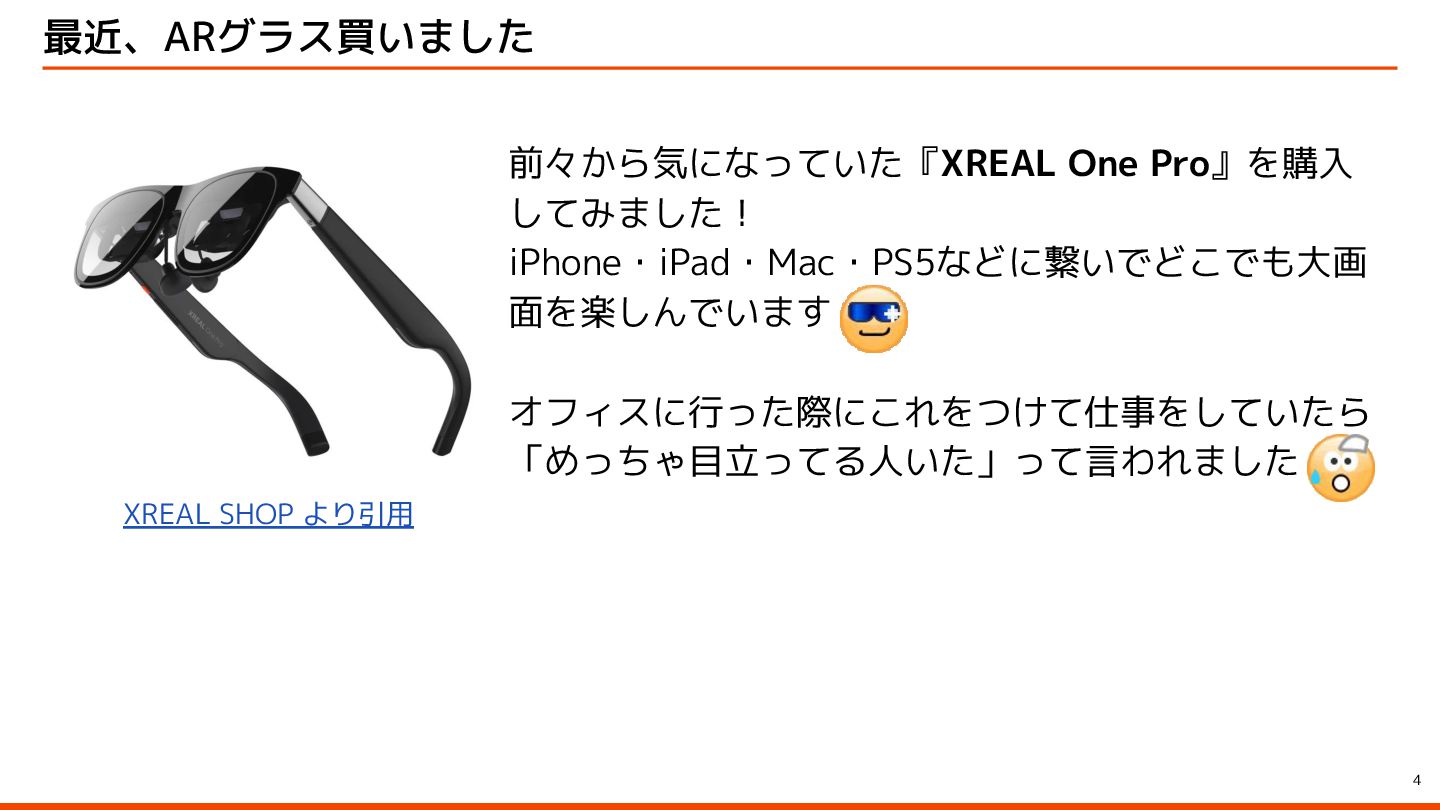
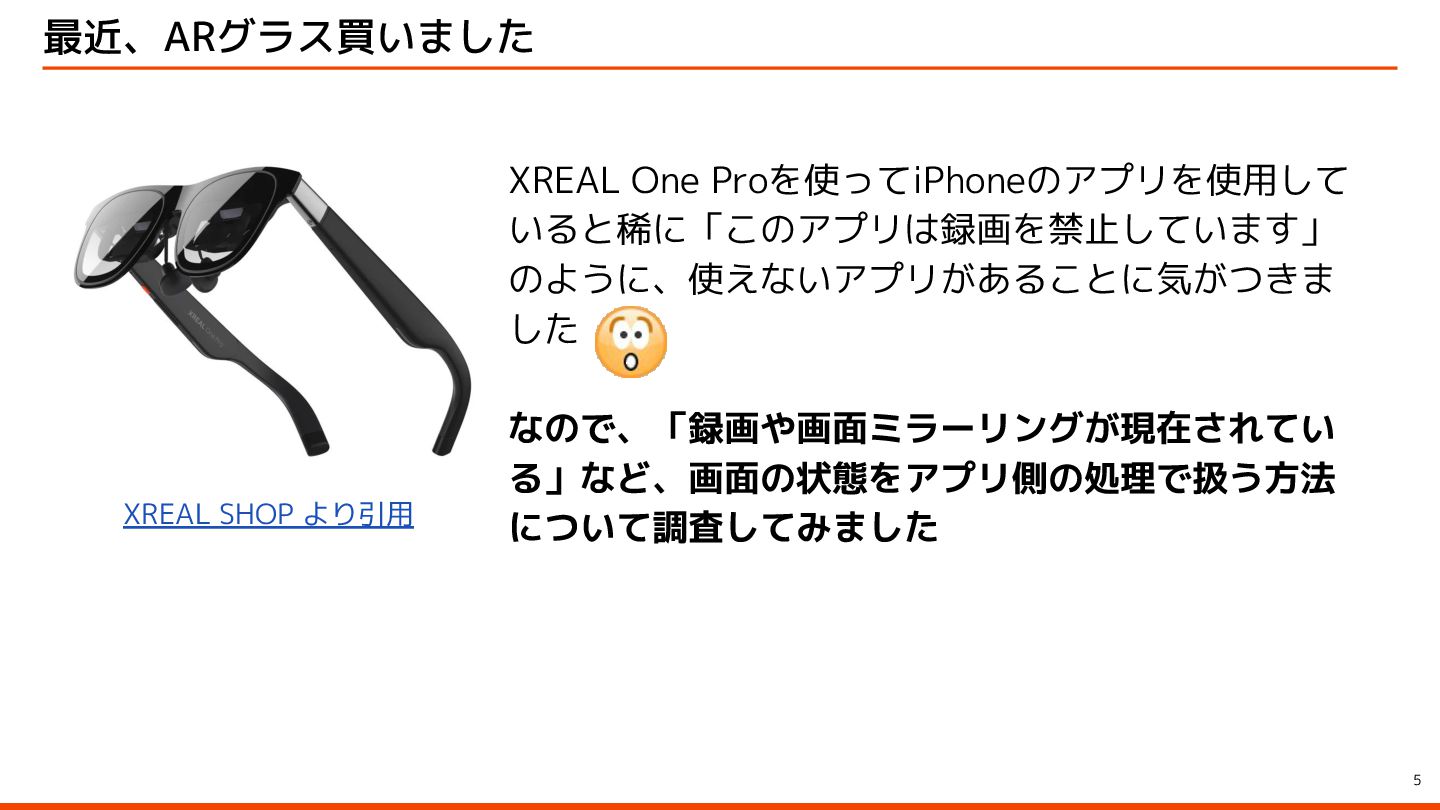
4 最近、ARグラス買いました XREAL SHOP より引用 前々から気になっていた『XREAL One Pro』を購入 してみました! iPhone・iPad・Mac・PS5などに繋いでどこでも大画
面を楽しんでいます オフィスに行った際にこれをつけて仕事をしていたら 「めっちゃ目立ってる人いた」って言われました
5 最近、ARグラス買いました XREAL SHOP より引用 XREAL One Proを使ってiPhoneのアプリを使用して いると稀に「このアプリは録画を禁止しています」 のように、使えないアプリがあることに気がつきま
した なので、「録画や画面ミラーリングが現在されてい る」など、画面の状態をアプリ側の処理で扱う方法 について調査してみました
01 | スクリーンショット
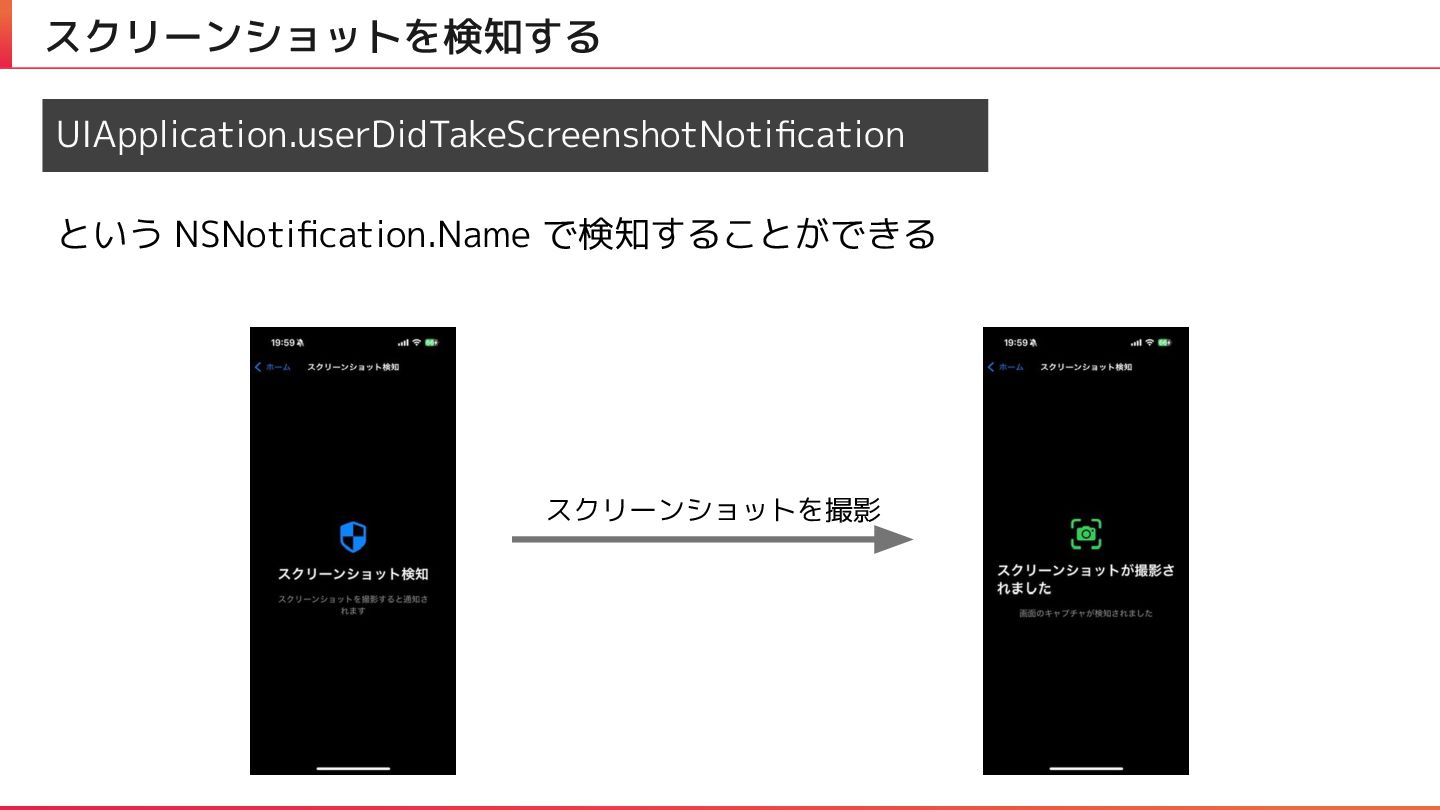
スクリーンショットを検知する UIApplication.userDidTakeScreenshotNotification という NSNotification.Name で検知することができる スクリーンショットを撮影
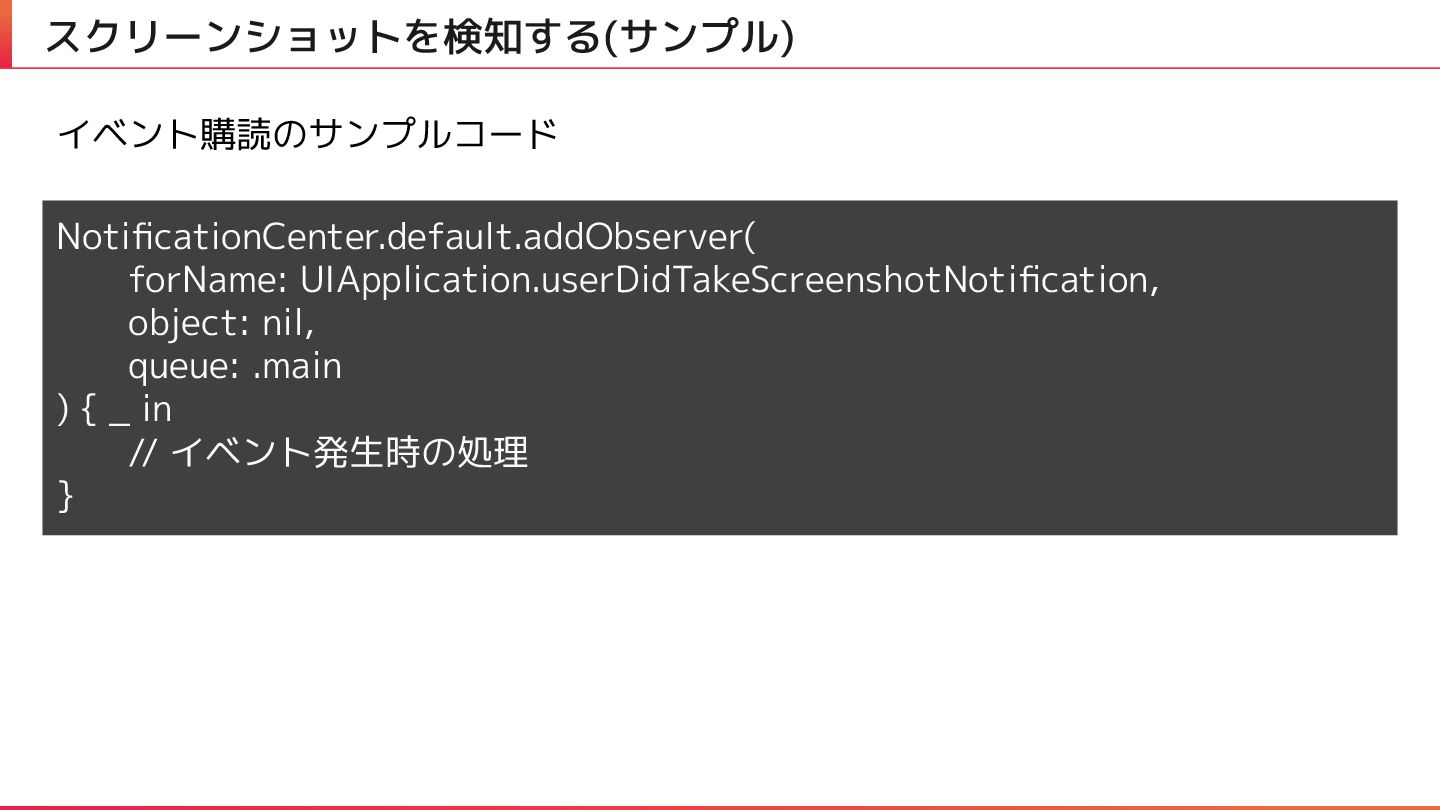
スクリーンショットを検知する(サンプル) NotificationCenter.default.addObserver( forName: UIApplication.userDidTakeScreenshotNotification, object: nil, queue: .main ) {
_ in // イベント発生時の処理 } イベント購読のサンプルコード
02 | 画面録画
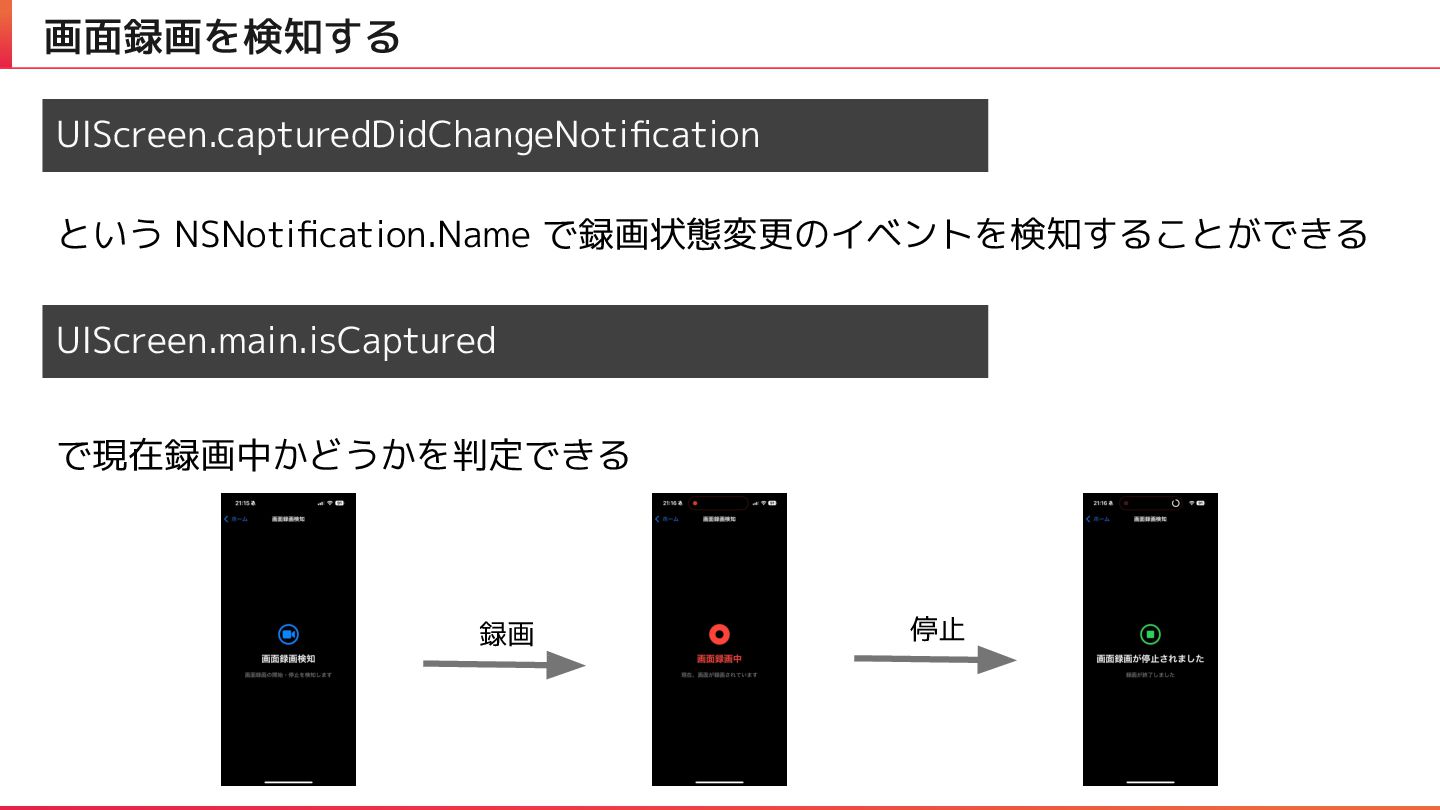
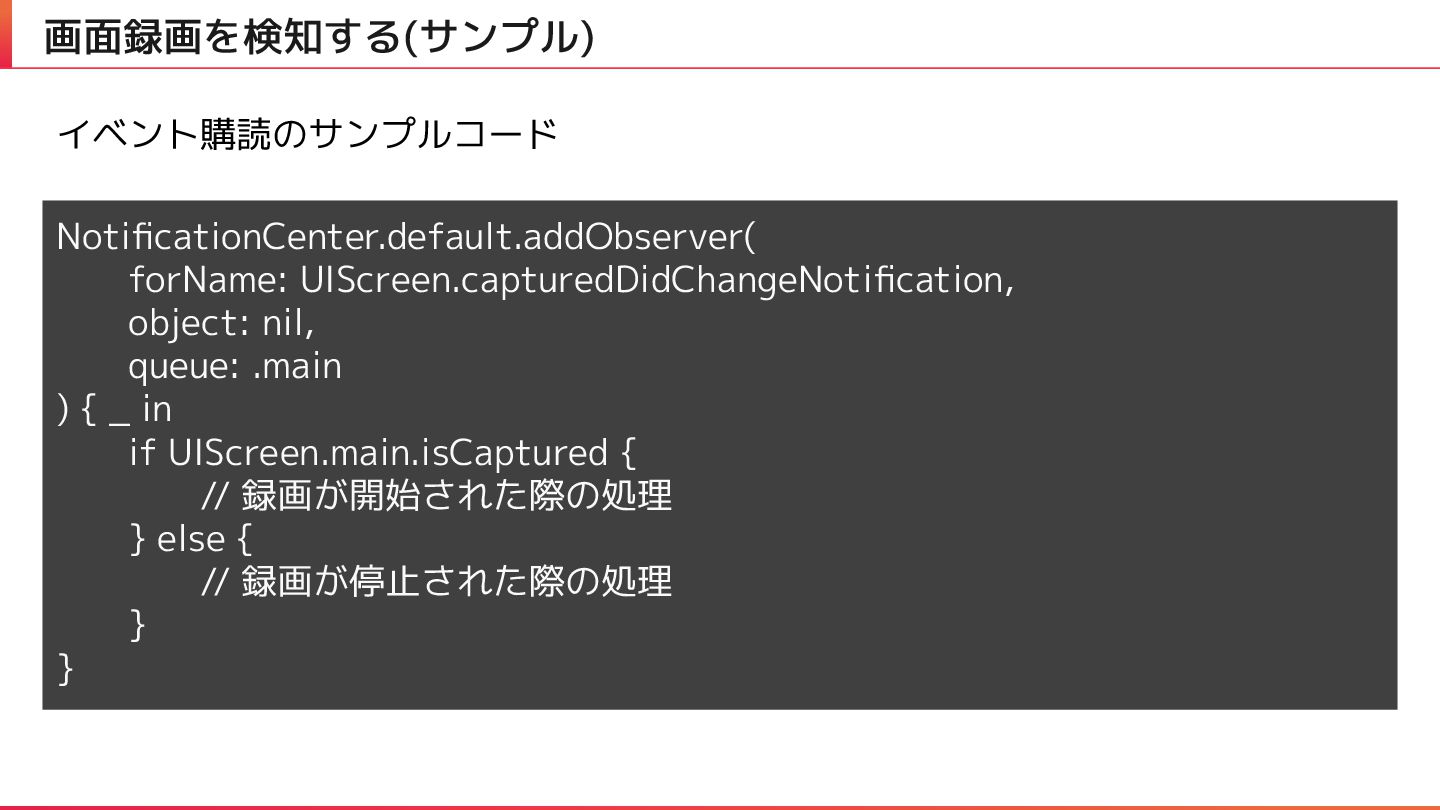
画面録画を検知する UIScreen.capturedDidChangeNotification という NSNotification.Name で録画状態変更のイベントを検知することができる UIScreen.main.isCaptured で現在録画中かどうかを判定できる 録画 停止
画面録画を検知する(サンプル) NotificationCenter.default.addObserver( forName: UIScreen.capturedDidChangeNotification, object: nil, queue: .main ) {
_ in if UIScreen.main.isCaptured { // 録画が開始された際の処理 } else { // 録画が停止された際の処理 } } イベント購読のサンプルコード
03 | 外部ディスプレイ
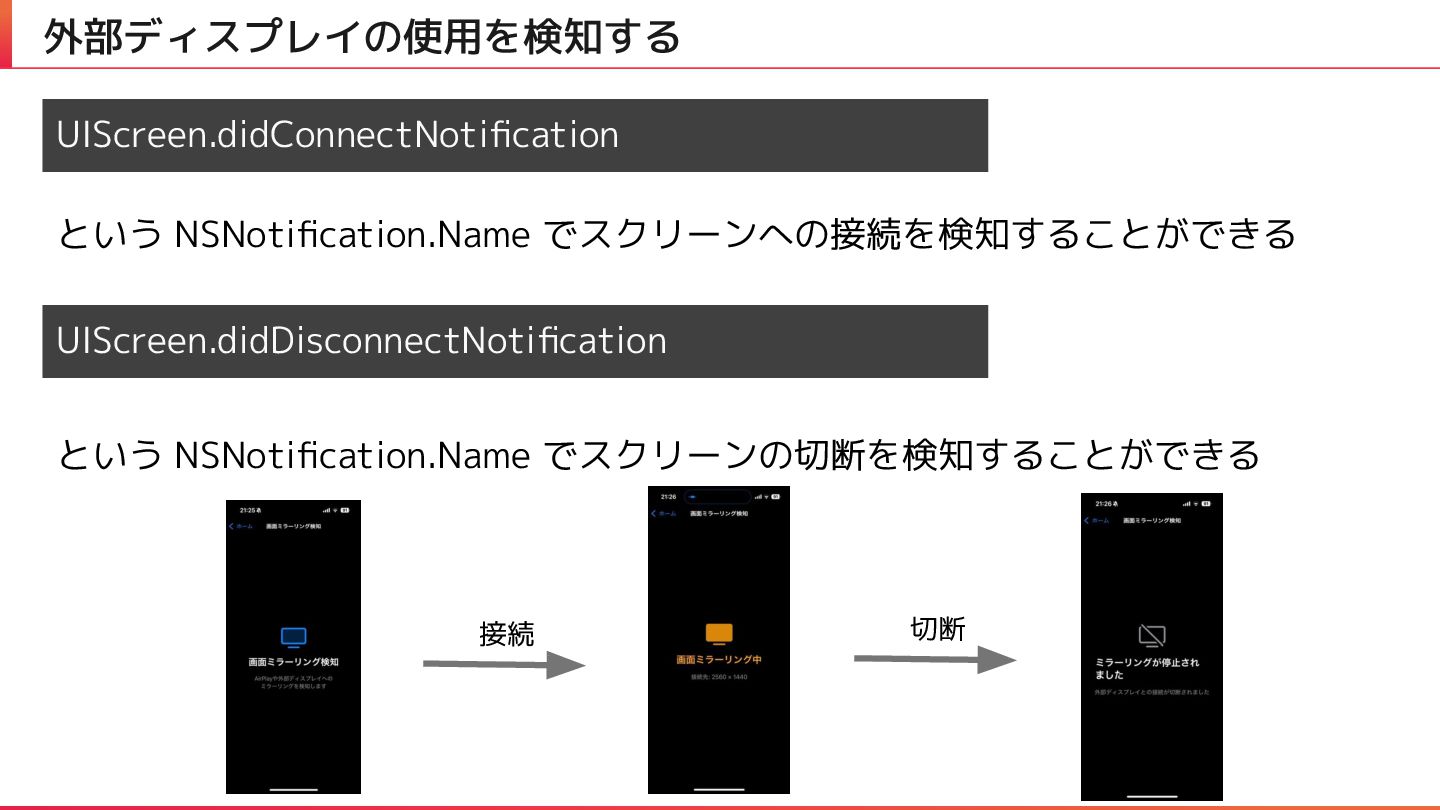
外部ディスプレイの使用を検知する UIScreen.didConnectNotification という NSNotification.Name でスクリーンへの接続を検知することができる UIScreen.didDisconnectNotification という NSNotification.Name でスクリーンの切断を検知することができる 接続
切断
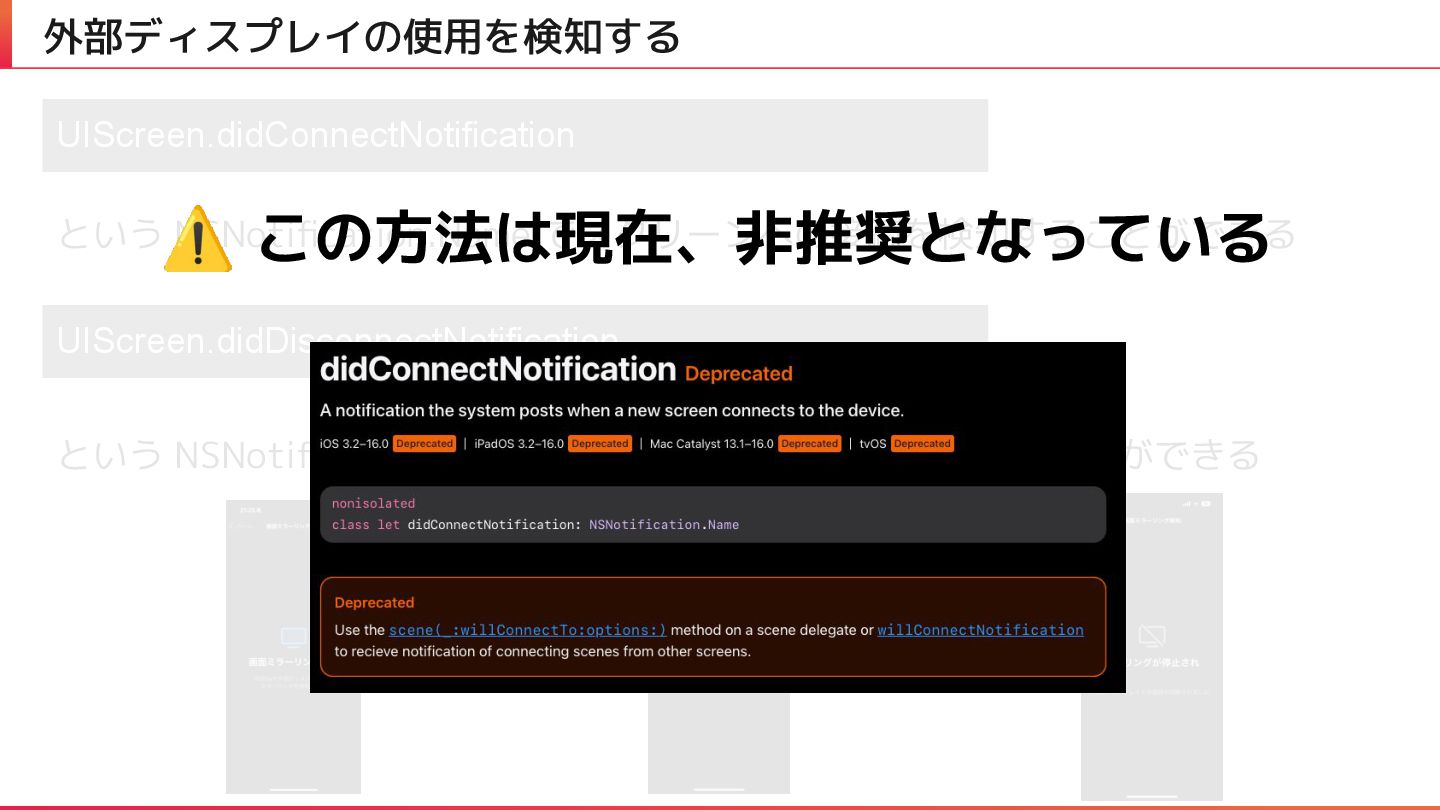
外部ディスプレイの使用を検知する UIScreen.didConnectNotification という NSNotification.Name でスクリーンへの接続を検知することができる UIScreen.didDisconnectNotification という NSNotification.Name でスクリーンの切断を検知することができる 接続
切断 ⚠ この方法は現在、非推奨となっている
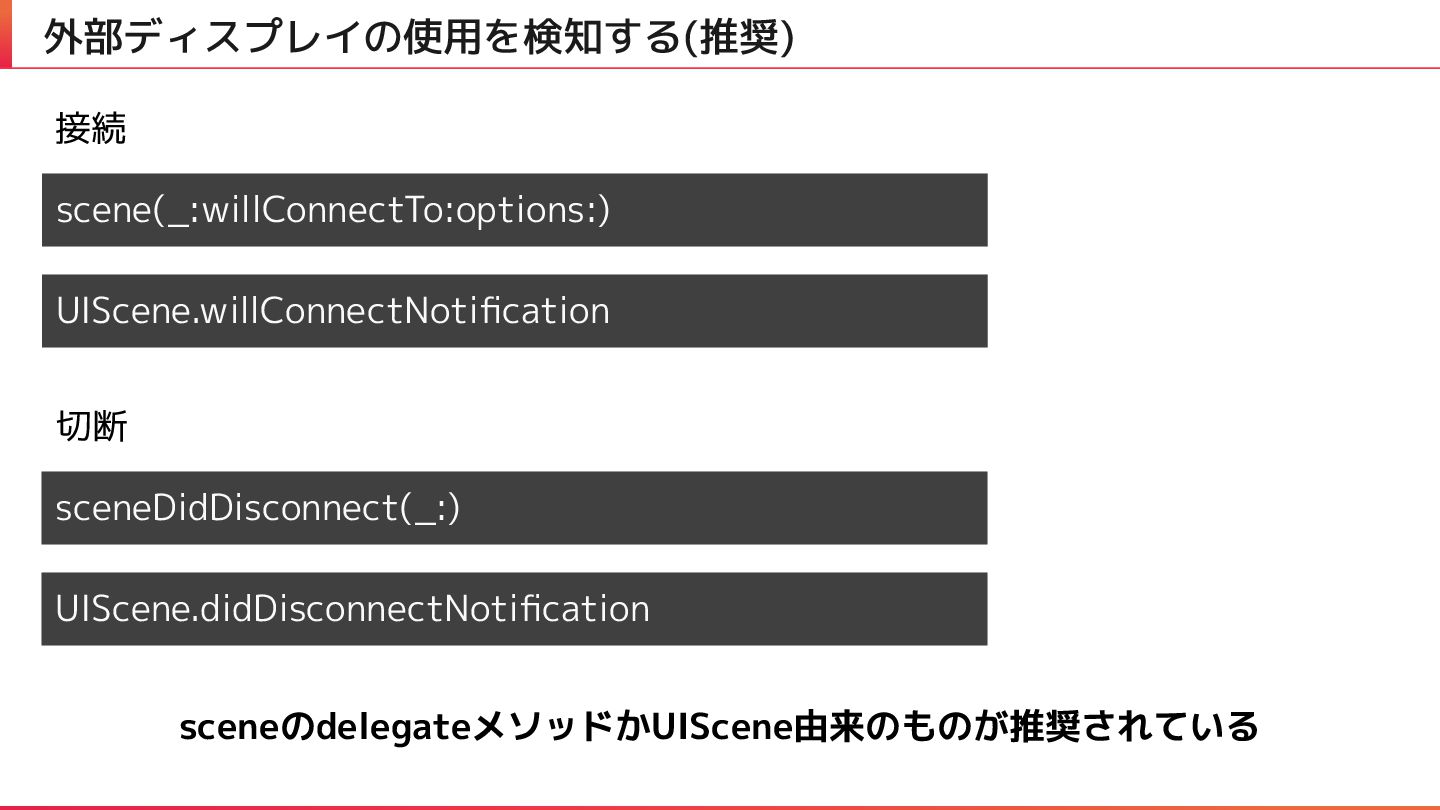
外部ディスプレイの使用を検知する(推奨) scene(_:willConnectTo:options:) 接続 UIScene.willConnectNotification 切断 sceneDidDisconnect(_:) UIScene.didDisconnectNotification sceneのdelegateメソッドかUIScene由来のものが推奨されている
画面録画の検知と 外部ディスプレイについて
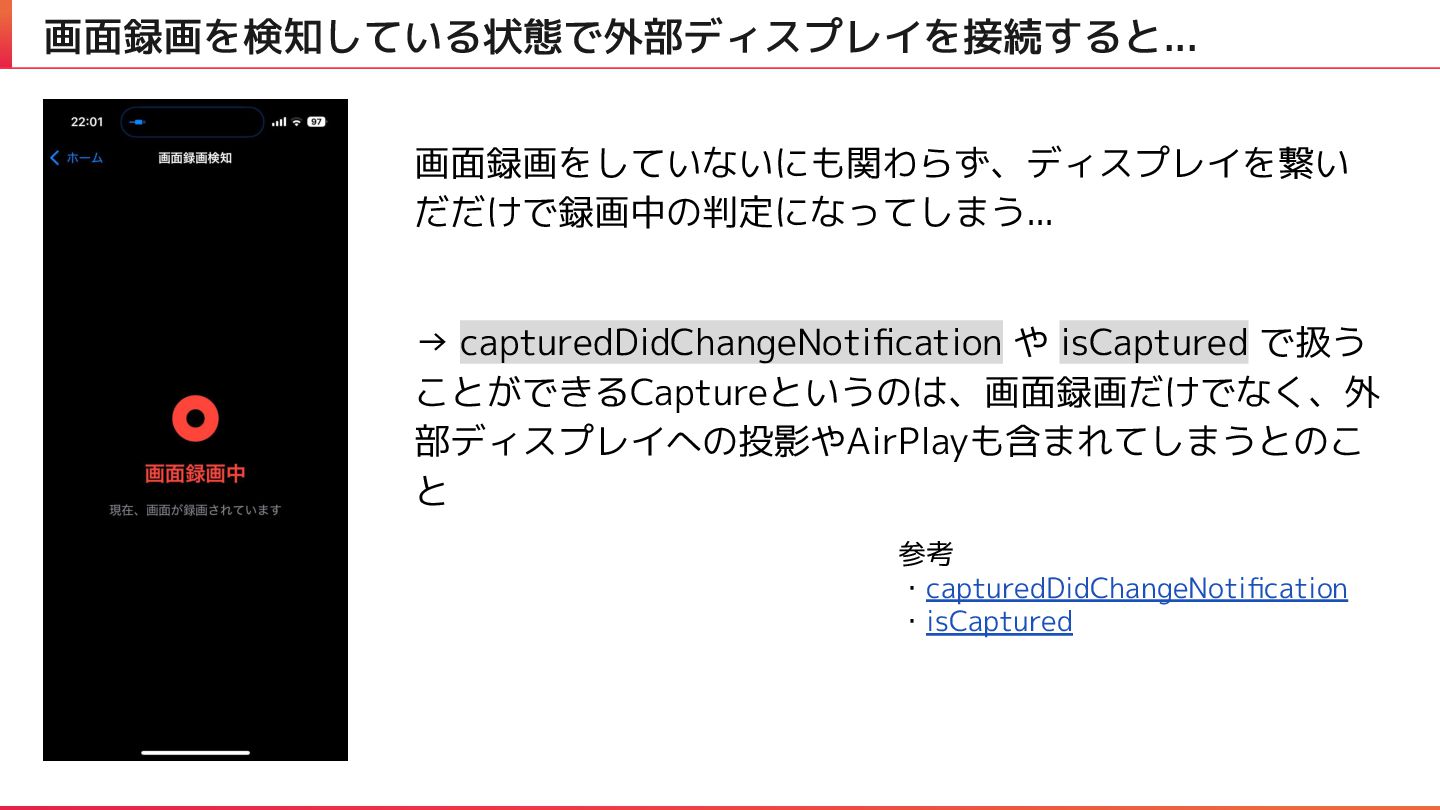
画面録画を検知している状態で外部ディスプレイを接続すると... 画面録画をしていないにも関わらず、ディスプレイを繋い だだけで録画中の判定になってしまう... → capturedDidChangeNotification や isCaptured で扱う ことができるCaptureというのは、画面録画だけでなく、外 部ディスプレイへの投影やAirPlayも含まれてしまうとのこ
と 参考 ・capturedDidChangeNotification ・isCaptured
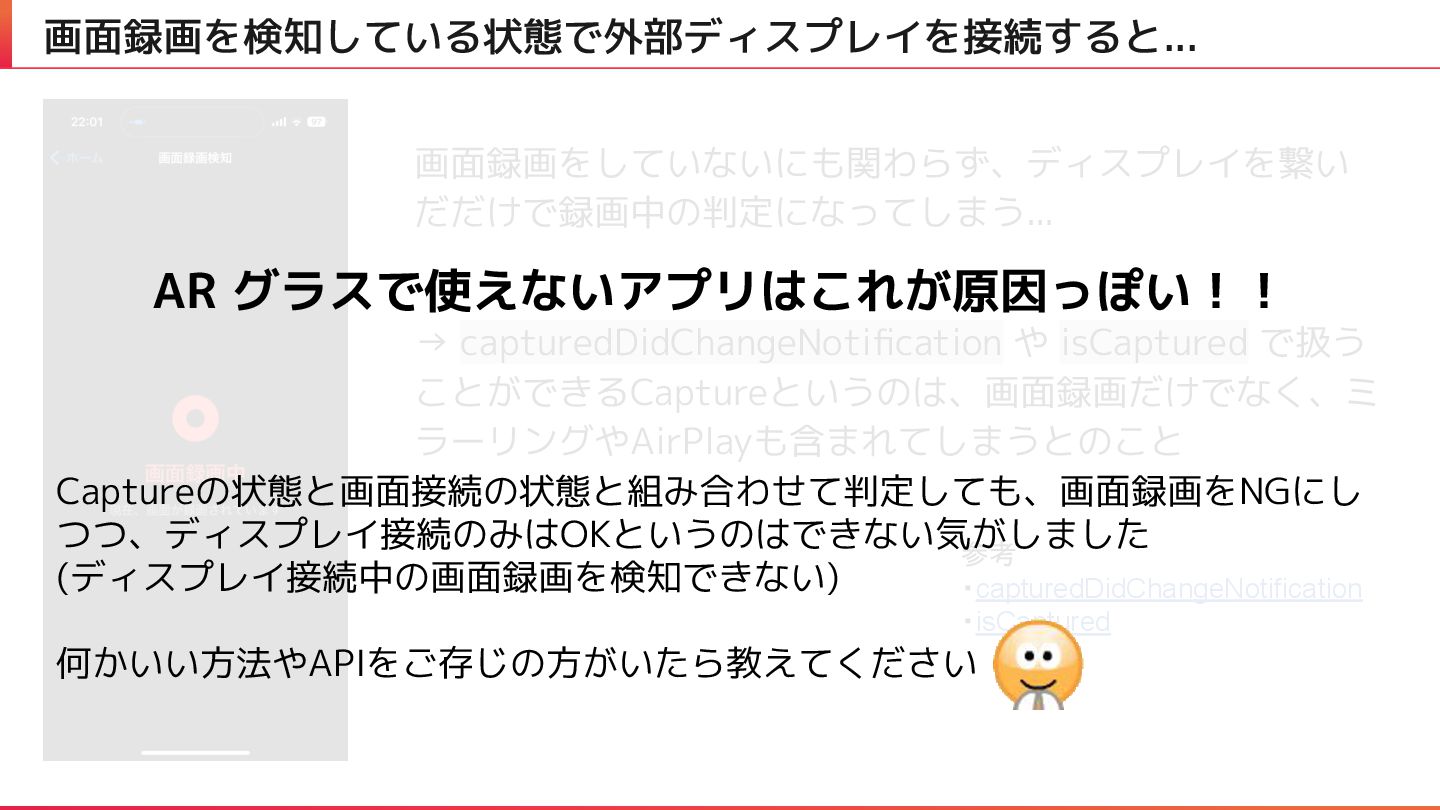
画面録画を検知している状態で外部ディスプレイを接続すると... 画面録画をしていないにも関わらず、ディスプレイを繋い だだけで録画中の判定になってしまう... → capturedDidChangeNotification や isCaptured で扱う ことができるCaptureというのは、画面録画だけでなく、ミ ラーリングやAirPlayも含まれてしまうとのこと
参考 ・capturedDidChangeNotification ・isCaptured AR グラスで使えないアプリはこれが原因っぽい!! Captureの状態と画面接続の状態と組み合わせて判定しても、画面録画をNGにし つつ、ディスプレイ接続のみはOKというのはできない気がしました (ディスプレイ接続中の画面録画を検知できない) 何かいい方法やAPIをご存じの方がいたら教えてください
まとめ
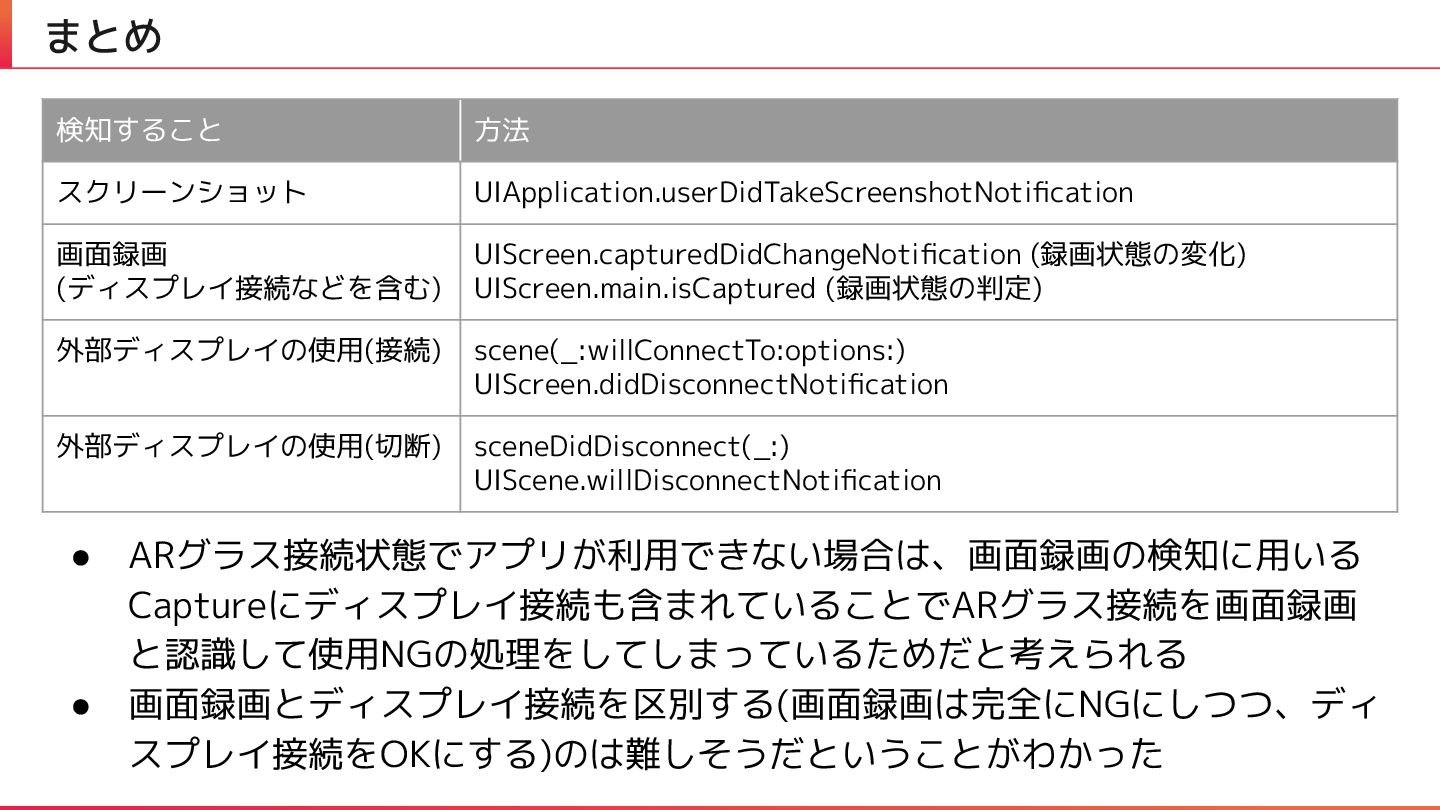
まとめ 検知すること 方法 スクリーンショット UIApplication.userDidTakeScreenshotNotification 画面録画 (ディスプレイ接続などを含む) UIScreen.capturedDidChangeNotification (録画状態の変化) UIScreen.main.isCaptured
(録画状態の判定) 外部ディスプレイの使用(接続) scene(_:willConnectTo:options:) UIScreen.didDisconnectNotification 外部ディスプレイの使用(切断) sceneDidDisconnect(_:) UIScene.willDisconnectNotification • ARグラス接続状態でアプリが利用できない場合は、画面録画の検知に用いる Captureにディスプレイ接続も含まれていることでARグラス接続を画面録画 と認識して使用NGの処理をしてしまっているためだと考えられる • 画面録画とディスプレイ接続を区別する(画面録画は完全にNGにしつつ、ディ スプレイ接続をOKにする)のは難しそうだということがわかった
働くをもっと楽しく、創造的に


 ryunakayama
 guaca
guaca
 uyuki234
 morizo_1984
 y0hgi
y0hgi
 kmars0605
 akase244
 minodriven
 marcoroth
 kaityo256
 andpad
 sylph01
 jonyablonski
 tmiket
 baasie
 denniskardys
 jeffersonlam
 livdayseo
 aleyda
 skipperchong
 jmmastey
 62gerente
 moore
moore
 ivargrimstad